Community listing page, reviews here may not be monitored by the author.
Custom FPS Limiter

No reviews yet
You can freely choose the FPS setting from 1 to 260. Anything above 260 = unlimited.

Community voices
Reviews
No reviews yet. Be the first to review this project!
Get it on
Available Platforms
About
Project Details
For authors
Embed Badge
If you're the author of this project, you can embed a live badge anywhere that supports HTML or Markdown. It updates automatically whenever ratings change.
Use HTML for any page that supports it, or Markdown for README files and Markdown-based descriptions.
Identifiers
Platform IDs
Resources
External Links
About
Description
Custom FPS Limit (NeoForge 1.21.1)
Adds an "FPS Limit" button (top-right corner) to the ESC menu and the Options screen (which is also accessible from the main menu). It opens a screen with a numeric input field accepting any value ≥ 1.
In Minecraft, a value of 260 or higher results in unlimited FPS.
The value is saved in config/customfps-client.toml and reapplied when the game is launched.
If you adjust the FPS slider in Video Settings, that change lasts only until the game is restarted; upon the next launch, the value from this mod is applied again.
To revert to default behavior, set fpsLimit = 0 in the .toml file (or delete the file).
Screenshots
Gallery
-
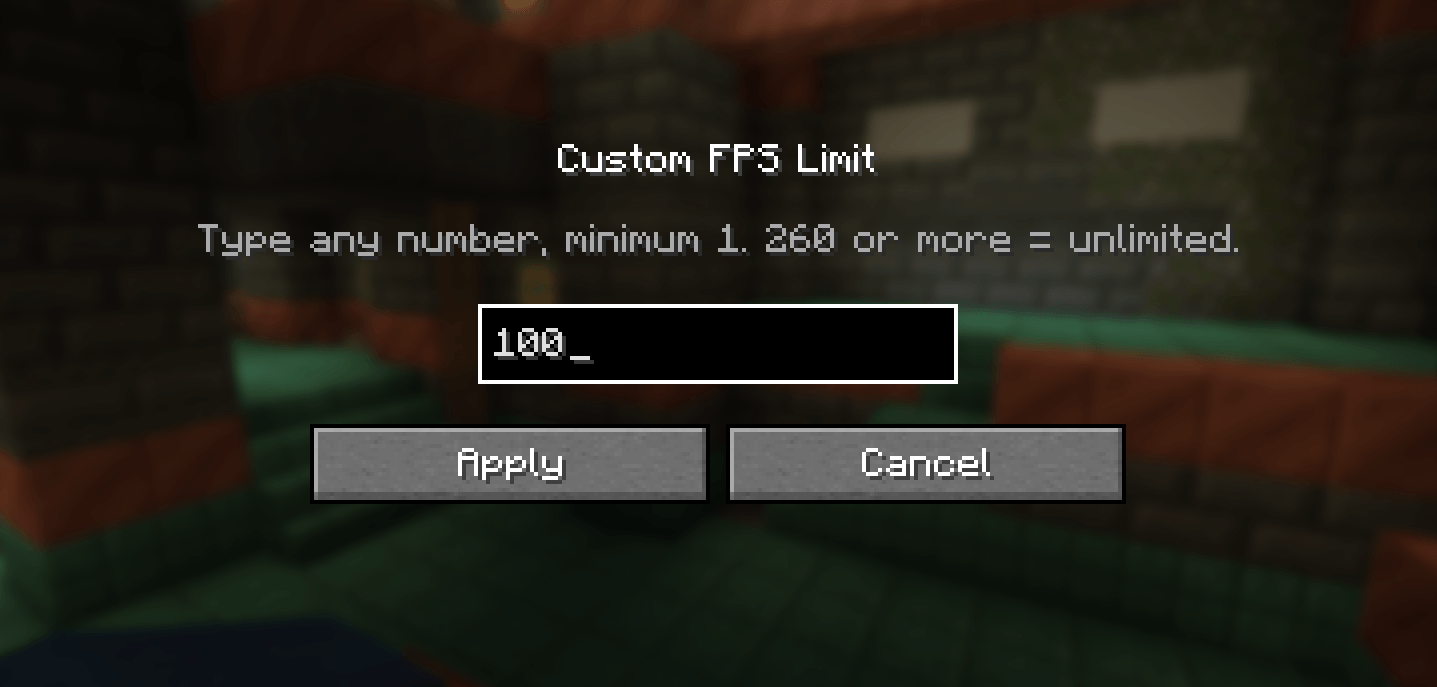 image.png image.png
Versions
Files
Relations
Project Relations
More like this
Similar Mods
Suggestions use data such as tags, dependencies, dependents, descriptions, titles, and more to rank how much they overlap with this mod.
On ModDex
Community snapshot
By the numbers
Statistics
 (opens in a new tab)
Get it on
Available Platforms
On ModDex
Community snapshot
By the numbers
Statistics
Resources