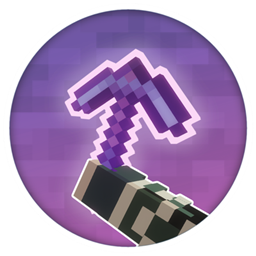
Community listing page, reviews here may not be monitored by the author.
Custom Glow Enchantment Outline


No reviews yet
Customize the glow effect applied to enchanted tools.
Community voices
Reviews
No reviews yet. Be the first to review this project!
Get it on
Available Platforms
Compatibility
Supported Environments
Runs entirely on the client. Works on vanilla servers.
About
Project Details
For authors
Embed Badge
If you're the author of this project, you can embed a live badge anywhere that supports HTML or Markdown. It updates automatically whenever ratings change.
Use HTML for any page that supports it, or Markdown for README files and Markdown-based descriptions.
Identifiers
Platform IDs
Resources
External Links
About
Description


✨ Custom Glow Enchantment Outline (Client Side Mod)
Custom Glow Enchantment Outline adds a fully customizable outline to enchanted items. Give your enchanted gear a cleaner, stronger and more visible look with custom colors, style options and a unique visual glow that stands out in-game. (F7 for open menu)
🆕 New in 1.2.0 :
- 3D resource pack support : the outline follows the real shape of 3D models
- High resolution packs : the outline keeps the same thickness on 32x, 64x, 128x and 256x textures
- Whitelist : choose exactly which items get an outline, including modded ones
- Display mode : show the outline to everyone, or only on your own items
- Even thickness : every item now wears the same outline width on screen
🎥 Presentation Video :
Video recorded with Punchy! + Iris + Complementary.
🖼️ 2D & 3D Resource Pack Support :

2D texture packs are fully supported by the mod.
3D resource packs are now supported too.
⚠️ About 3D items: 3D models are made by many different creators, with very different levels of quality and detail. Depending on how a model is built, and on the angle you look at it from, the outline can render better on some items than on others, and this feature may still be buggy on certain models.
🎨 Fully Customizable Colors :

You can choose any color you want for the enchanted item outline, allowing you to match your own style, pack or setup. The mod also includes an RGB mode for a dynamic animated color effect. (F7 for open menu)
📋 Item Whitelist :
A new Whitelist screen lets you decide which items get an outline. Every item is shown with its icon and its name, and you can:
- Add any item by id, with auto-completion while typing (modded items included)
- Add the item you are holding in one click
- Remove any item from the list
- Ignore the enchantment requirement for a chosen item, for gear that cannot be enchanted
All vanilla weapons, tools, shields and the Totem of Undying are in the list by default. (F7 → Whitelist)
👤 Display Mode :
A new Display mode button lets you choose between All players and Only me. In Only me, the outline is drawn on your own items only, so other players' gear stays untouched on your screen.
⚙️ Compatibility :
- Works with 2D texture packs
- Works with 3D texture packs
- Works with modded items
- Compatible with Sodium
- Compatible with Iris
- Compatible with Punchy!
📦 Supported Versions :
- Minecraft versions: 1.19.2, 1.20.1, 1.21.1, 1.21.11, 26.1.2, 26.2
- Mod loaders: Fabric, Forge, NeoForge
💬 Feedback / Thanks :
Thank you for checking out Custom Glow Enchantment Outline!
Feel free to share screenshots of your enchanted items using the mod, and do not hesitate to send ideas or suggestions to help improve it even further.
Created by Moubarack. All Rights Reserved
You are allowed to include this mod in Modrinth or CurseForge modpacks without asking for permission.
Redistribution of the jar files is not allowed (do not share the jar files anywhere else).

✨ Custom Glow Enchantment Outline (Client Side Mod)
Custom Glow Enchantment Outline adds a fully customizable outline to enchanted items. Give your enchanted gear a cleaner, stronger and more visible look with custom colors, style options and a unique visual glow that stands out in-game. (F7 for open menu)
🆕 New in 1.2.0 :
- 3D resource pack support : the outline follows the real shape of 3D models
- High resolution packs : the outline keeps the same thickness on 32x, 64x, 128x and 256x textures
- Whitelist : choose exactly which items get an outline, including modded ones
- Display mode : show the outline to everyone, or only on your own items
- Even thickness : every item now wears the same outline width on screen
🎥 Presentation Video :
Video recorded with Punchy! + Iris + Complementary.
🖼️ 2D & 3D Resource Pack Support :
2D texture packs are fully supported by the mod.
3D resource packs are now supported too.
⚠️ About 3D items: 3D models are made by many different creators, with very different levels of quality and detail. Depending on how a model is built, and on the angle you look at it from, the outline can render better on some items than on others, and this feature may still be buggy on certain models.
🎨 Fully Customizable Colors :
You can choose any color you want for the enchanted item outline, allowing you to match your own style, pack or setup. The mod also includes an RGB mode for a dynamic animated color effect. (F7 for open menu)
📋 Item Whitelist :
A new Whitelist screen lets you decide which items get an outline. Every item is shown with its icon and its name, and you can:
- Add any item by id, with auto-completion while typing (modded items included)
- Add the item you are holding in one click
- Remove any item from the list
- Ignore the enchantment requirement for a chosen item, for gear that cannot be enchanted
All vanilla weapons, tools, shields and the Totem of Undying are in the list by default. (F7 → Whitelist)
👤 Display Mode :
A new Display mode button lets you choose between All players and Only me. In Only me, the outline is drawn on your own items only, so other players' gear stays untouched on your screen.
⚙️ Compatibility :
- Works with 2D texture packs
- Works with 3D texture packs
- Works with modded items
- Compatible with Sodium
- Compatible with Iris
- Compatible with Punchy!
📦 Supported Versions :
- Minecraft versions: 1.19.2, 1.20.1, 1.21.1, 1.21.11, 26.1.2, 26.2
- Mod loaders: Fabric, Forge, NeoForge
💬 Feedback / Thanks :
Thank you for checking out Custom Glow Enchantment Outline!
Feel free to share screenshots of your enchanted items using the mod, and do not hesitate to send ideas or suggestions to help improve it even further.
Created by Moubarack. All Rights Reserved
You are allowed to include this mod in Modrinth or CurseForge modpacks without asking for permission.
Redistribution of the jar files is not allowed (do not share the jar files anywhere else).
Screenshots
Gallery
Versions
Files
Relations
Project Relations
More like this
Similar Mods
Suggestions use data such as tags, dependencies, dependents, descriptions, titles, and more to rank how much they overlap with this mod.
On ModDex
Community snapshot
By the numbers
Statistics
Want to reach Minecraft players?
We're looking for a server hosting partner to feature here and other parts of the site. Interested? Send us a message!
Get in touchGet it on
Available Platforms
On ModDex
Community snapshot
By the numbers
Statistics
Resources