
Community listing page, reviews may not be monitored by the author.
Custom Map Resetter

No reviews yet
map resetter in the spirit of Atum, made with the CTM (Complete the Monument) community in mind

Community voices
Reviews
No reviews yet. Be the first to review this project!
Get it on
Available Platforms
Compatibility
Supported Environments
Works in singleplayer only; does not function in multiplayer.
About
Project Details
For authors
Embed Badge
If you're the author of this project, you can embed a live badge anywhere that supports HTML or Markdown. It updates automatically whenever ratings change.
Use HTML for any page that supports it, or Markdown for README files and Markdown-based descriptions.
Identifiers
Platform IDs
About
Description
A mod that copies and reloads a specific world file for reset efficiency in custom map speedrunning.
The version-by-version changelogs are in the original github releases, or the commit history if you're that kind of person.
how to use (written by Qwuiblington)
shift + click the diamond boots icon on the main menu next to singleplayer to select a world click on the diamond boots again to start resetting that world once you're resetting, the save & quit to title button will immediately create a new copy of the world & put you in it to exit, you have to go into options, & click the "stop resets & quit" button on the bottom left corner of the screen (you may also turn off autoresetting, to only make use of the world copying & deleting functionality)
after this, you can shift + click on the diamond boots again & click "delete session worlds" to delete every copy made by the mod if you close the game, it won't save which worlds were created by the mod, so you'll have to delete the saves manually or with an external script
attempt counters are kept track of by world folder name, & stored in [instance folder]\config\custom-map-attempts.txt there is also a read-only file containing only the current map's reset count, for obs file reading, in [instance folder]\attempt.txt
Screenshots
Gallery
-
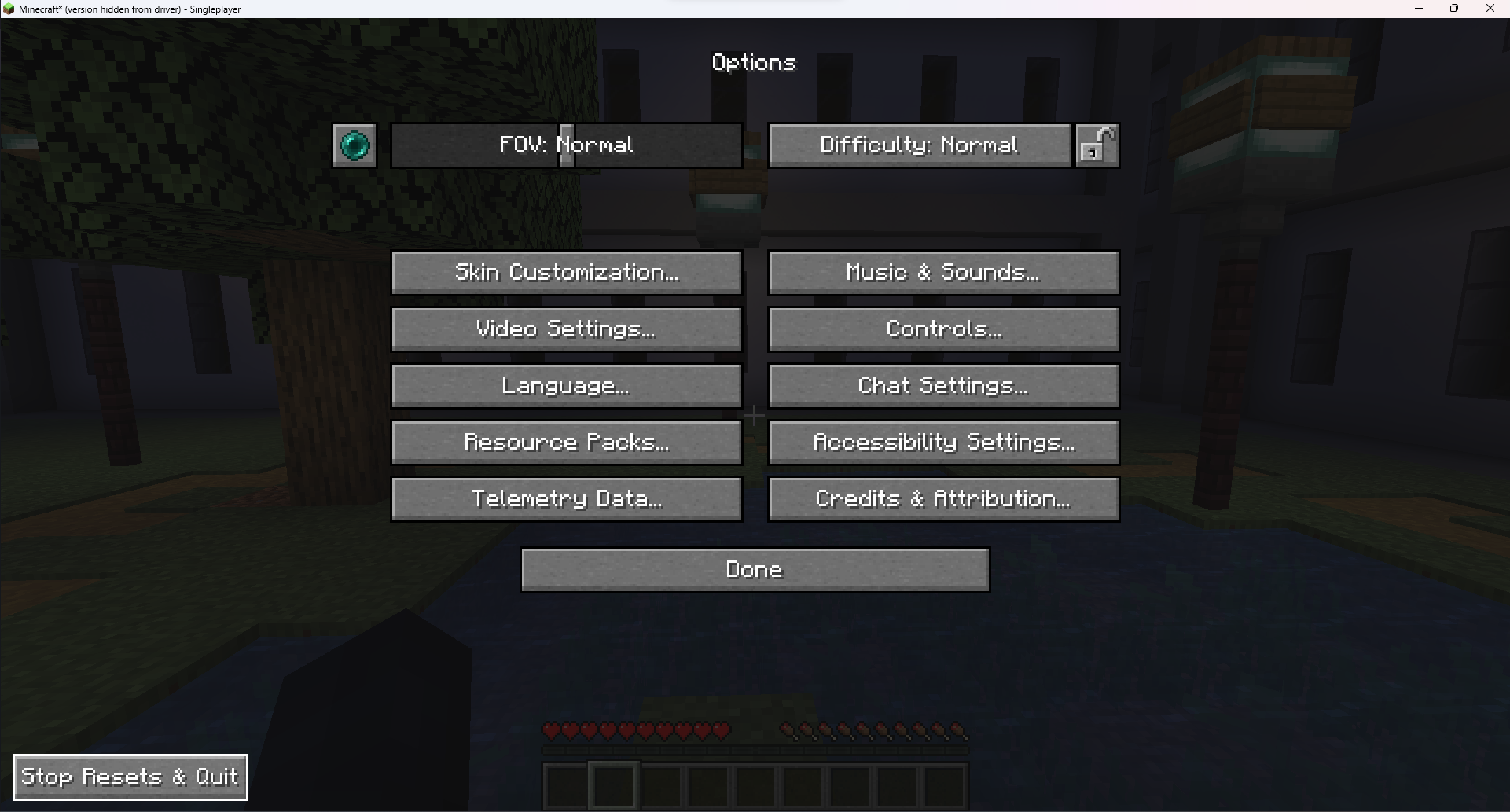 stop resets and quit button only shows up if autoreset is on
 -
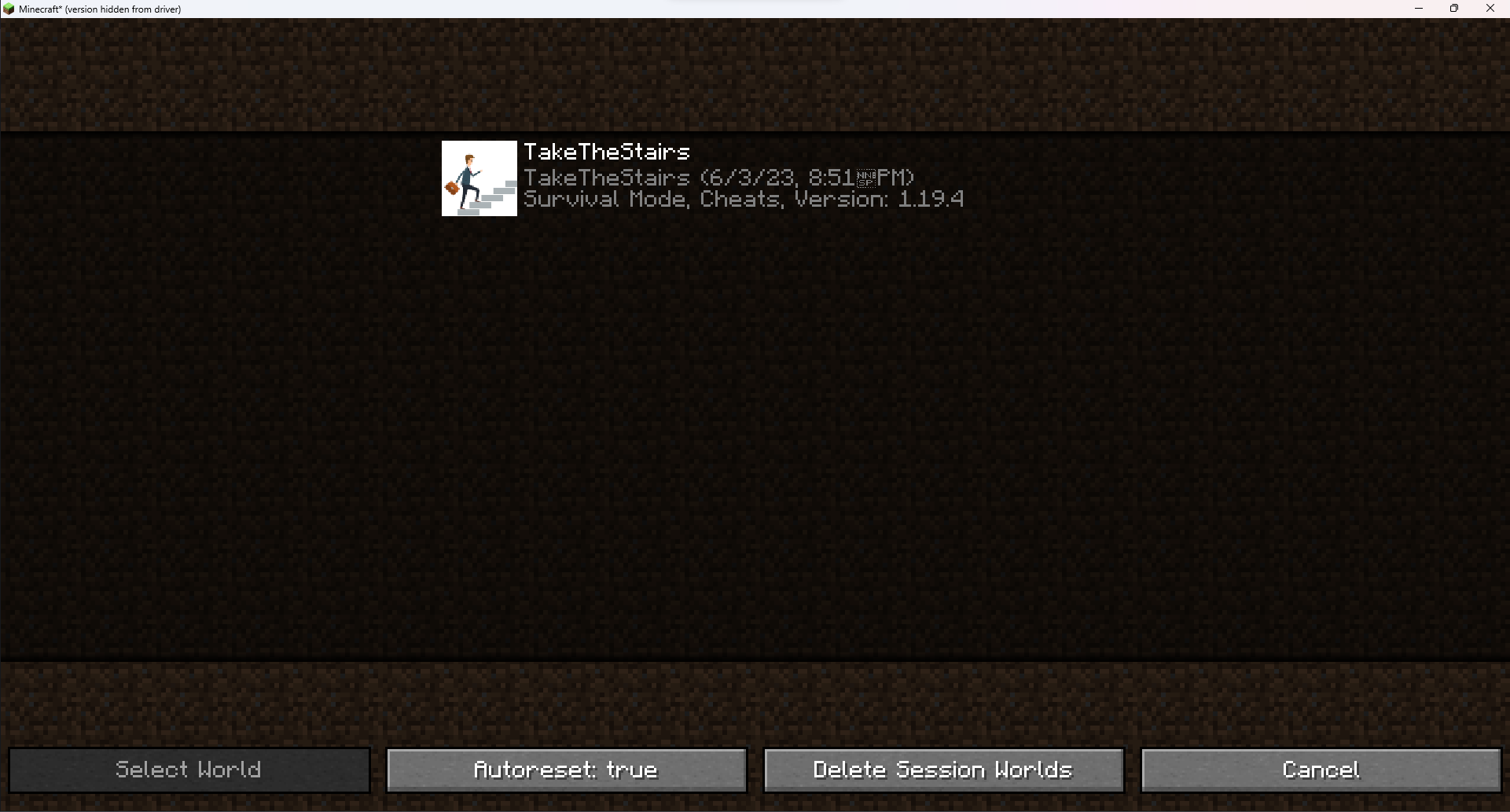 setting the world
 -
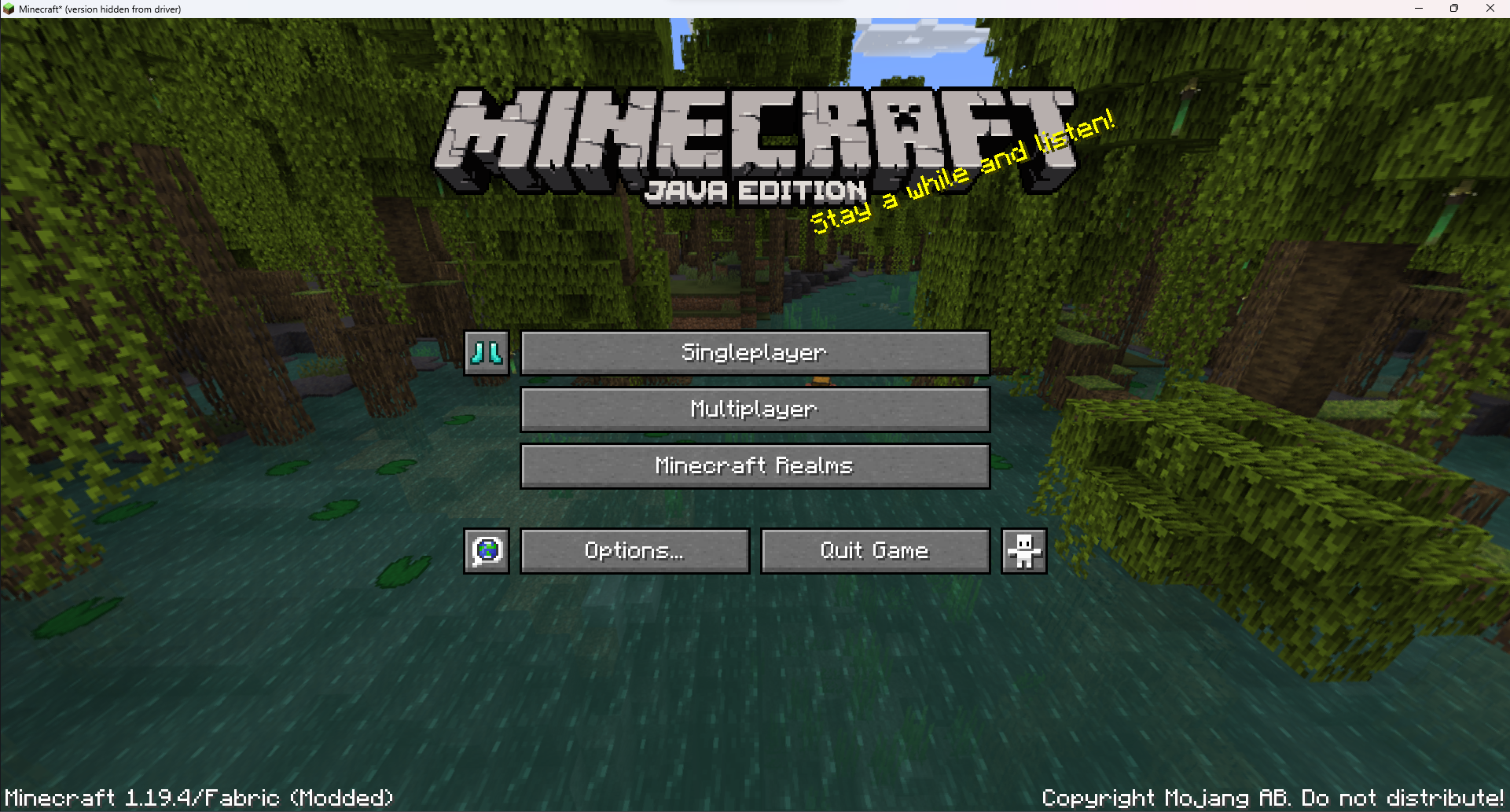 button on title screen shift click for world-setting screen, click to start resetting
Versions
Files
Relations
Project Relations
More like this
Similar Mods
Suggestions use data such as tags, dependencies, dependents, descriptions, titles, and more to rank how much they overlap with this mod.
On ModDex
Community snapshot
By the numbers
Statistics


Get it on
Available Platforms
On ModDex
Community snapshot
By the numbers