
Community listing page, reviews here may not be monitored by the author.
Custom PNG Crosshair

No reviews yet
Load a custom PNG crosshair with high-res scaling, transparency, and reverse color effects.
Community voices
Reviews
No reviews yet. Be the first to review this project!
Get it on
Available Platforms
About
Project Details
For authors
Embed Badge
If you're the author of this project, you can embed a live badge anywhere that supports HTML or Markdown. It updates automatically whenever ratings change.
Use HTML for any page that supports it, or Markdown for README files and Markdown-based descriptions.
Identifiers
Platform IDs
Resources
External Links
About
Description
Tired of the same old crosshair? Custom PNG Crosshair lets you replace Minecraft's default crosshair with any PNG image you want — complete with live previews, high-res scaling, transparency, and vanilla-style color inversion.
Features
- Any PNG as your crosshair – drop images into your crosshair folder and pick one in seconds
- Visual in-game selector (Mod Men Required) – browse all your crosshair PNGs with live rendered thumbnails and select with one click (Mod Menu integration)
- Live config preview – see your crosshair with all effects applied before you even close the menu
- High-res scaling – large images (64×64, 256×256, or anything between) are crisply scaled to a consistent on-screen size
- Size presets – Default (15×15), Medium (30×30) and Large (45×45), plus custom sizes via the config file or /crosshair scale
- Opacity control – fade your crosshair anywhere from fully visible to fully transparent
- Reverse color mode – apply the vanilla color-inverting crosshair effect to your custom image
- Smart attack indicator – automatically repositions below larger crosshairs so it never overlaps
- Instant apply – every change saves and takes effect immediately, no save button needed
- Tab completion – commands autocomplete every PNG in your crosshair folder
- Mod Menu optional – full config screen through Mod Menu, but the mod works perfectly without it
Getting Started
- Launch the game and a
custompngcrosshairfolder is created automatically in your Minecraft root directory. - Drop your crosshair
.pngfiles into that folder. - Pick your crosshair:
- Mod Menu: Mods → Custom PNG Crosshair →
File: ... (Browse)→ click any entry. - Command:
/crosshair load <filename>(press Tab to autocomplete).
- Mod Menu: Mods → Custom PNG Crosshair →
- Tune size, opacity and reverse color to your liking — changes apply instantly.
Commands
/crosshair load <filename>/crosshair reload/crosshair toggle/crosshair status/crosshair scale <height in pixels> <width in pixels>
Note: Does not work with CenteredCrosshair.
Screenshots
Gallery
-
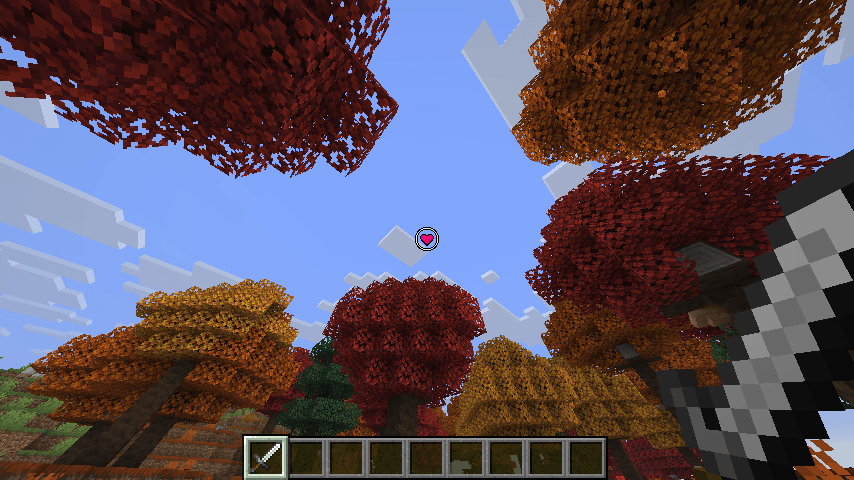 Heart Crosshair Attribution: Heart Crosshair by Creatype
 -
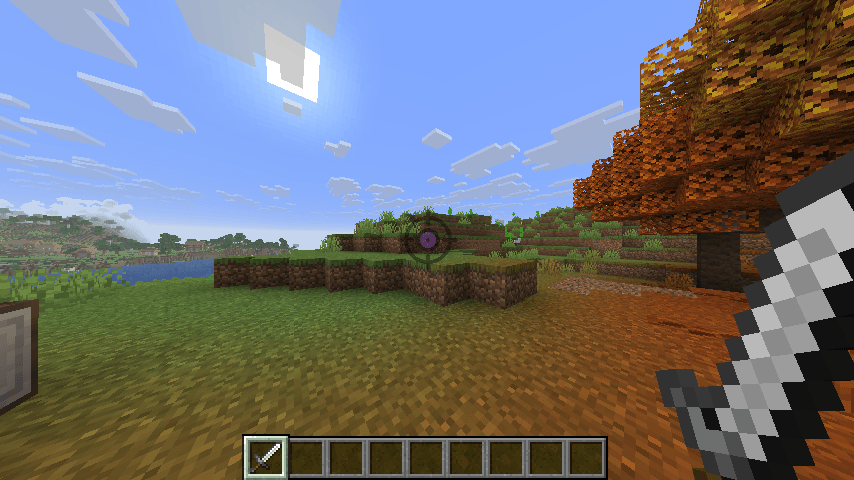 Larger Scale Crosshair with Transparency Attribution: Target Crosshair - by rukanicon
 -
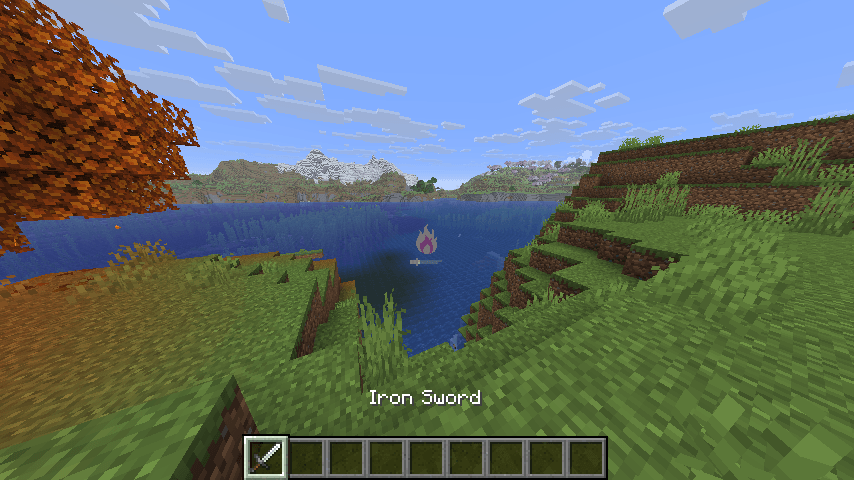 Attack Indicator in Default Position- Still visible. Attribution: Bonfire by VectorPortal
 -
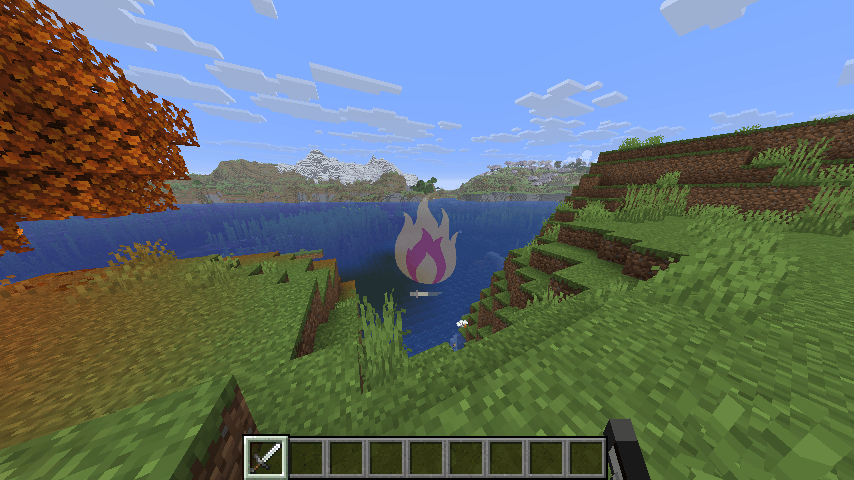 Attack Indicator in Lowered Position Due to Higher Scale Attribution: Bonfire by VectorPortal
 -
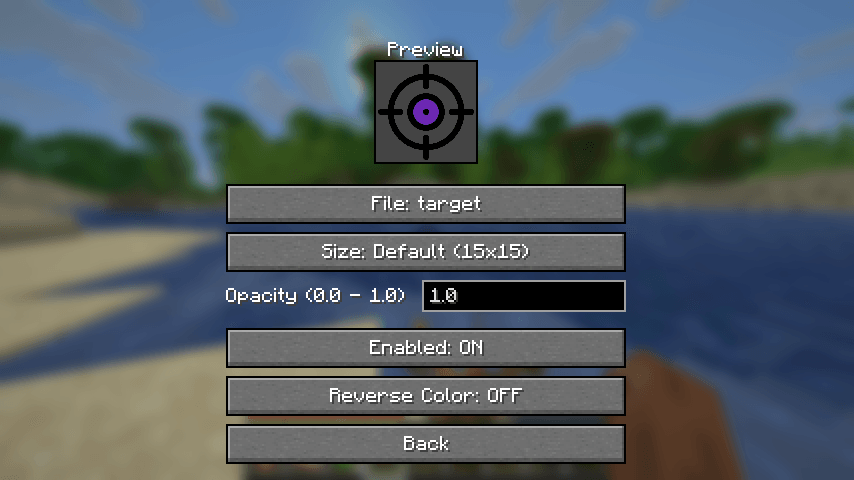 Mod Menu Settings Screen Image Attribution: Target Crosshair - by rukaniconpe
 -
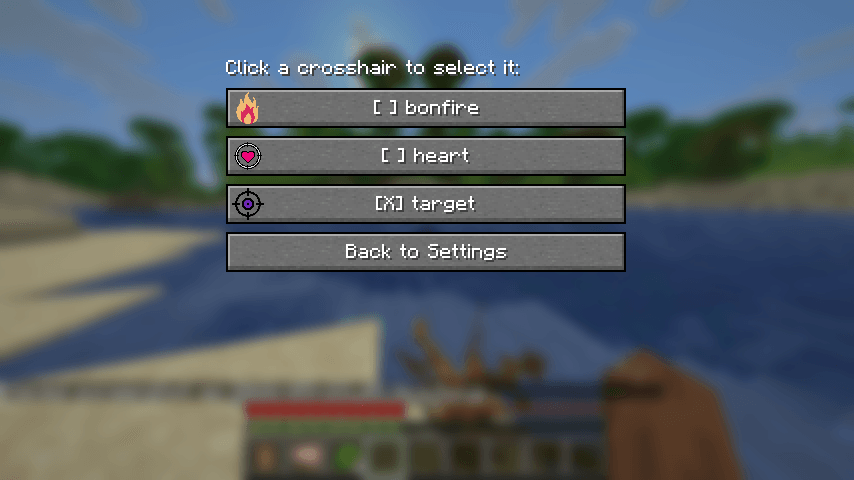 Crosshair Selection Screen (Mod Menu) Attribution, top to bottom: Bonfire by VectorPortal, Heart Crosshair - by Creaty, Target Crosshair - by rukaniconpe
 -
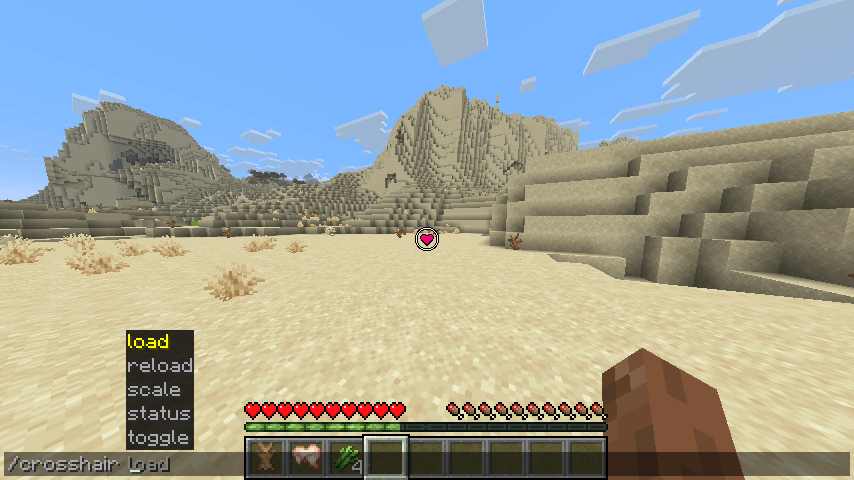 In-Game Commands In-Game Commands Attribution: Heart Crosshair - by Creaty
Versions
Files
Relations
Project Relations
More like this
Similar Mods
Suggestions use data such as tags, dependencies, dependents, descriptions, titles, and more to rank how much they overlap with this mod.
On ModDex
Community snapshot
By the numbers
Statistics
Want to reach Minecraft players?
We're looking for a server hosting partner to feature here and other parts of the site. Interested? Send us a message!
Get in touchGet it on
Available Platforms
On ModDex
Community snapshot
By the numbers
Statistics
Resources