Community listing page, reviews may not be monitored by the author.
Custom Title & Icon

No reviews yet
Set the window title, icon, title bar colors and window size from one config file. Separate titles for menus, singleplayer and multiplayer, with pack version, world or server name. Client-side.

Community voices
Reviews
No reviews yet. Be the first to review this project!
Get it on
Available Platforms
About
Project Details
For authors
Embed Badge
If you're the author of this project, you can embed a live badge anywhere that supports HTML or Markdown. It updates automatically whenever ratings change.
Use HTML for any page that supports it, or Markdown for README files and Markdown-based descriptions.
Identifiers
Platform IDs
Resources
External Links
About
Description
Custom Title & Icon lets a modpack show its own name, version and icon on the game window. Everything is set in one config file, which can also be edited in game.
It is a client-side mod for NeoForge 1.21.1. Servers do not need it, and players with the mod can join servers without it.
Features
Window title
- A title for the menus, one for singleplayer and one for multiplayer
- Variables:
{packname},{packversion},{mcversion},{neoforge},{modcount},{username},{world},{server},{address}and{modversion:<modid>} - The server address is only shown when you turn it on, so it does not end up on stream by accident
Window icon
- One square PNG is enough. The mod scales it to 16, 24, 32, 48, 64, 128 and 256 pixels without dark edges around transparent parts.
- Small sizes can be drawn by hand (
icon-16.png,icon-24.png, …) and are used instead of the scaled ones - The icon shows up as soon as the game window is created, in the title bar and on the taskbar
Title bar on Windows
- Light or dark title bar, or follow the Windows app mode (Windows 10 1809 and newer)
- Custom title bar, title text and border colors (Windows 11)
Window
- Taskbar flash when the game finishes loading, or when a server disconnects you while you are in another window
- Initial window size and starting maximized
- Remember the window size, position and maximized state between starts. A window from a monitor that is no longer connected is moved back to the main monitor.
Example config
config/customtitleicon-client.toml:
[pack]
    name = "Example Pack"
    version = "2.1.0"

[title]
    default = "{packname} {packversion}"
    singleplayer = "{packname} {packversion} - {world}"
    multiplayer = "{packname} {packversion} - {server}"
    show_server_address = false

[icon]
    file = "customtitleicon/icon.png"

[titlebar]
    theme = "system"
    caption_color = "#1E1E2E"
    text_color = "#CDD6F4"
    border_color = ""

[window]
    flash_when_loaded = true
    flash_on_disconnect = false
    initial_width = 1600
    initial_height = 900
    start_maximized = false
    remember_size = true
Title, icon and title bar changes apply as soon as the file is saved. Window size settings apply at the next start.
Preparing the icon
- Make a square PNG with a transparent background, 256x256 or 512x512.
- Save it as
config/customtitleicon/icon.png. The folder is created on first start. - Optionally, add hand-drawn
icon-16.png,icon-24.pngandicon-32.pngnext to it for a sharp title bar icon at 100%, 150% and 200% display scaling.
Supported systems
| Feature | Windows 11 | Windows 10 1809+ | Linux (X11) | Linux (Wayland) | macOS |
|---|---|---|---|---|---|
| Window title | Yes | Yes | Yes | Yes | Yes |
| Window icon | Yes | Yes | Yes | Ignored | Ignored |
| Title bar theme | Yes | Yes | Ignored | Ignored | Ignored |
| Title bar colors | Yes | Ignored | Ignored | Ignored | Ignored |
A setting that a system does not support is skipped. A wrong value or a broken icon file only logs a warning, the game keeps running with the vanilla behavior.
Links
- Source code and full documentation: https://github.com/wortiiik/custom-title-icon
- Bug reports: https://github.com/wortiiik/custom-title-icon/issues
MIT license.
Screenshots
Gallery
-
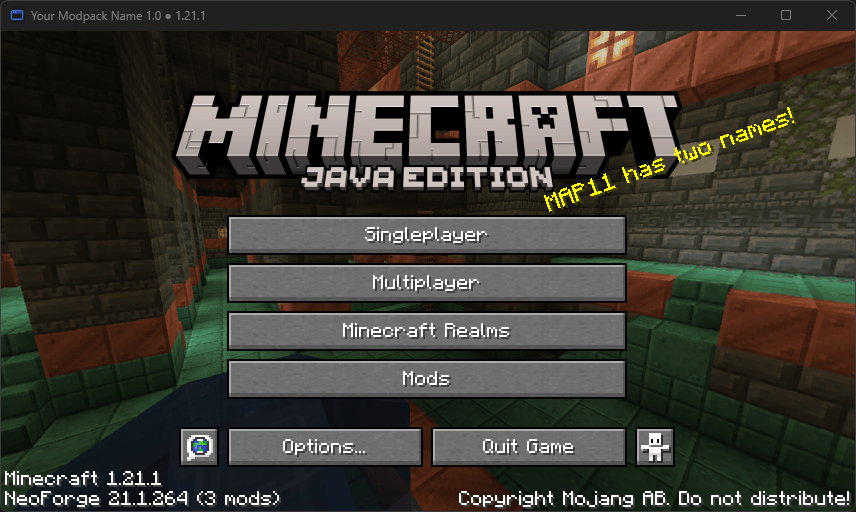 Your pack name and icon on the game window The window title and icon are set from the config. Any pack name, version or Minecraft version can go in the title.
-
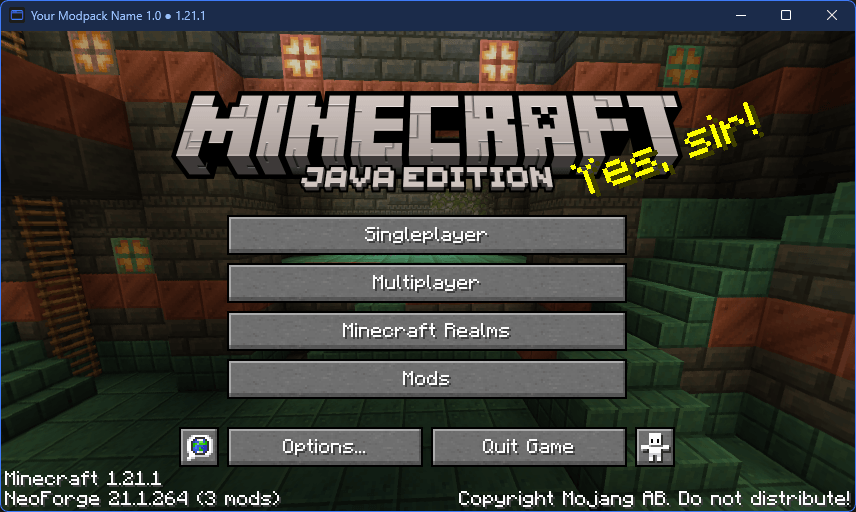 Custom title bar colors on Windows 11 Title bar, text and border colors in hex. Windows 10 supports light and dark mode.
-
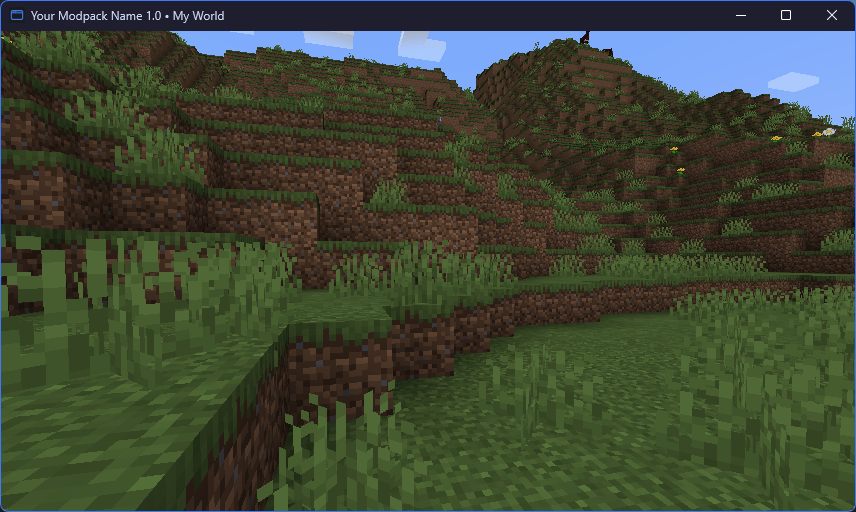 World name in the title A separate title for singleplayer, here with {world}.
-
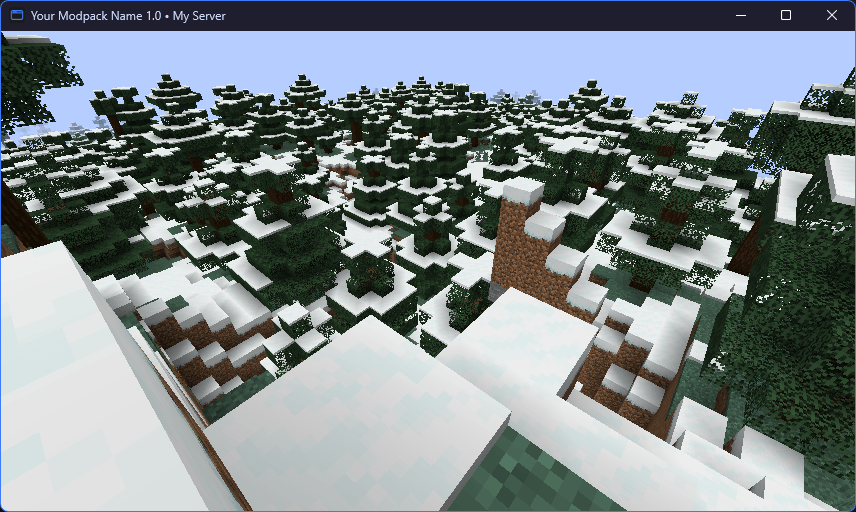 Server name in the title A separate title for multiplayer, here with {server}. The server address stays hidden unless you turn it on.
-
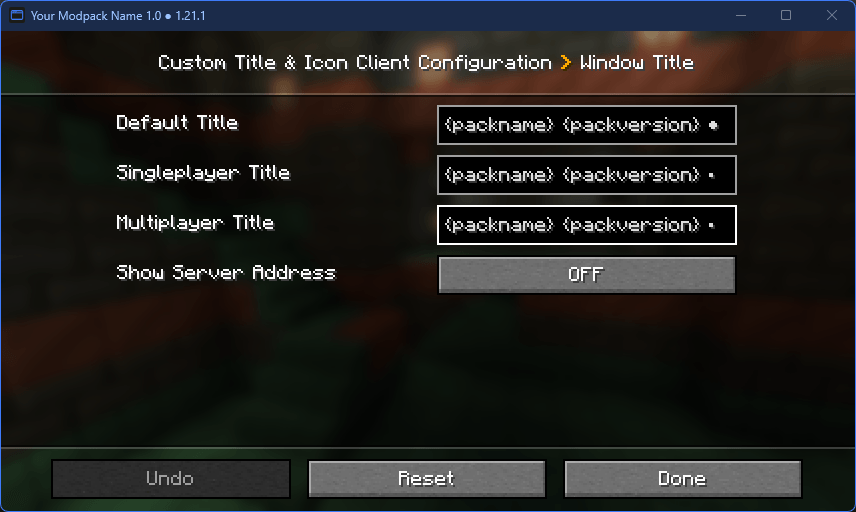 All settings in game Everything can be changed from the Mods menu. Title, icon and title bar update as soon as you save.
Versions
Files
Relations
Project Relations
More like this
Similar Mods
Suggestions use data such as tags, dependencies, dependents, descriptions, titles, and more to rank how much they overlap with this mod.
On ModDex
Community snapshot
By the numbers
Statistics

Get it on
Available Platforms
On ModDex
Community snapshot
By the numbers
Statistics
Resources