
Community listing page, reviews here may not be monitored by the author.
Damage block swap

No reviews yet
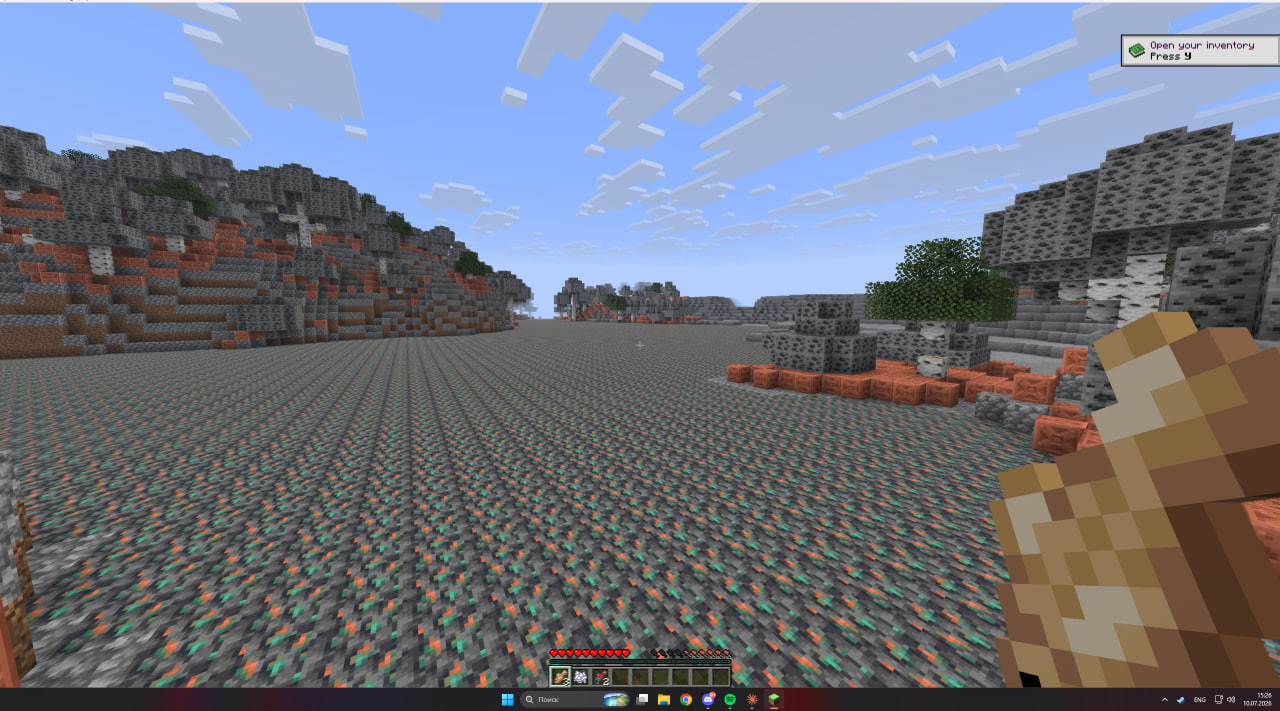
Every time a player takes damage, two random block types swap across the whole world (e.g. stone ↔ sand). Try to survive in the growing chaos.
Community voices
Reviews
No reviews yet. Be the first to review this project!
Get it on
Available Platforms
Compatibility
Supported Environments
Runs entirely on the server. Also works in singleplayer.
About
Project Details
For authors
Embed Badge
If you're the author of this project, you can embed a live badge anywhere that supports HTML or Markdown. It updates automatically whenever ratings change.
Use HTML for any page that supports it, or Markdown for README files and Markdown-based descriptions.
Identifiers
Platform IDs
About
Description
Damage Block Swap
Every time you take damage, two random block types swap places. Stone becomes sand, water becomes lava, oak logs become glass — and the rules keep stacking up. Survive long enough and your familiar world twists into something gloriously unrecognizable.
How it works
Take a hit — from a mob, a fall, lava, a cactus, anything — and a new swap rule is born: two block types trade places everywhere. Every rule sticks around, so the chaos compounds the longer you play. The world reshapes around you as you explore, and stays consistent wherever you go.
Hit #1: Stone ↔ Sand Hit #2: Water ↔ Lava Hit #3: Oak Log ↔ Glass …how long can you last?
Features
- 🎲 A fresh random swap on every hit — no two runs are ever the same
- 🌍 The world transforms as you roam — changes follow you, and new areas morph as you reach them
- 🗺️ Swap map — the
/dbscommand (and an in-game screen) lets you look up what turned into what, so you can still hunt down that diamond ore - 🛡️ Your builds are safe — chests, furnaces, signs and other containers are never swapped
- ⚙️ Highly configurable — swaps per hit, size of the affected area, whether liquids and falling blocks join in, a block blacklist, and more
- 💥 Smooth, not stuttery — the world morphs gradually instead of freezing your game, even with massive swaps
Commands
/dbs list— everything that has changed so far/dbs lookup <block>— what a block turned into, and what now looks like it
Requirements
- Fabric Loader + Fabric API
- Minecraft 26.1.2
Optional
- Mod Menu + Cloth Config API — add an in-game settings screen and swap-map viewer. Completely optional; everything can also be set in the config file.
Good to know
This is a chaos mod. Bigger "area of effect" settings change more of the world at once — the defaults are tuned to stay smooth, so crank them up at your own (frame) risk. 😄
Screenshots
Gallery
Versions
Files
Relations
Project Relations
More like this
Similar Mods
Suggestions use data such as tags, dependencies, dependents, descriptions, titles, and more to rank how much they overlap with this mod.
On ModDex
Community snapshot
By the numbers
Statistics

Want to reach Minecraft players?
We're looking for a server hosting partner to feature here and other parts of the site. Interested? Send us a message!
Get in touchGet it on
Available Platforms
On ModDex
Community snapshot
By the numbers