Community listing page, reviews may not be monitored by the author.
Dark Mode Presets

No reviews yet
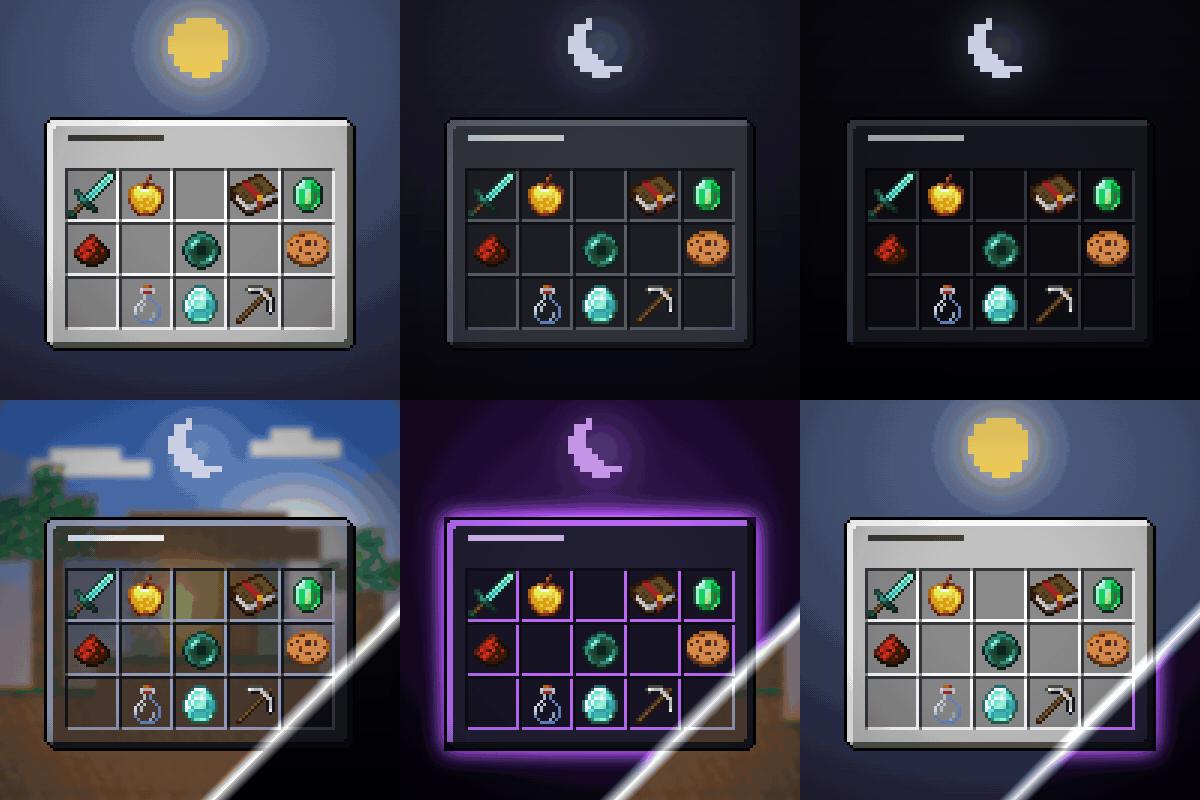
Five finished dark mode presets for every screen - Dark, Darker, Soft Dark, Transparent and RGB. One click, no config files, mod screens included.

Community voices
Reviews
No reviews yet. Be the first to review this project!
Get it on
Available Platforms
About
Project Details
For authors
Embed Badge
If you're the author of this project, you can embed a live badge anywhere that supports HTML or Markdown. It updates automatically whenever ratings change.
Use HTML for any page that supports it, or Markdown for README files and Markdown-based descriptions.
Identifiers
Platform IDs
Resources
External Links
About
Description
Five finished dark mode presets. Pick one. That's the whole setup.
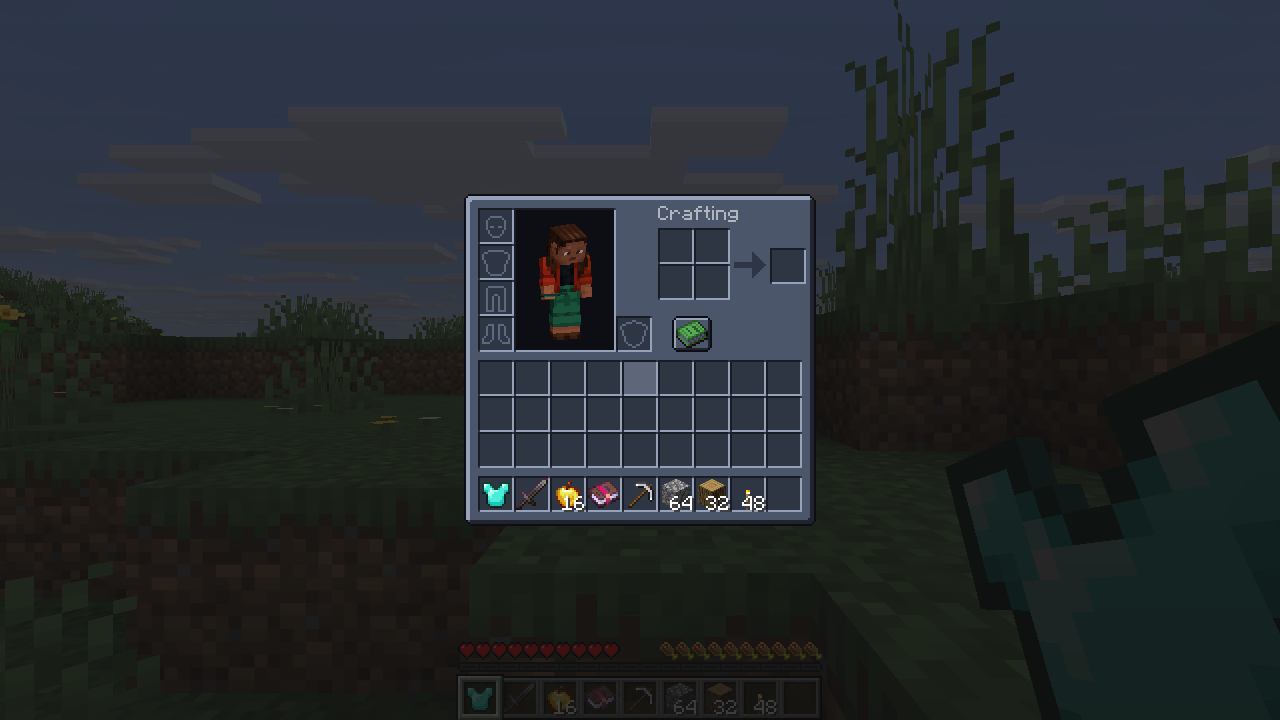
- Dark - calm charcoal, easy on the eyes at night.
- Darker - deeper still, for playing with the lights off.
- Soft Dark - lighter and lower in contrast, for a bright room or a light shader.
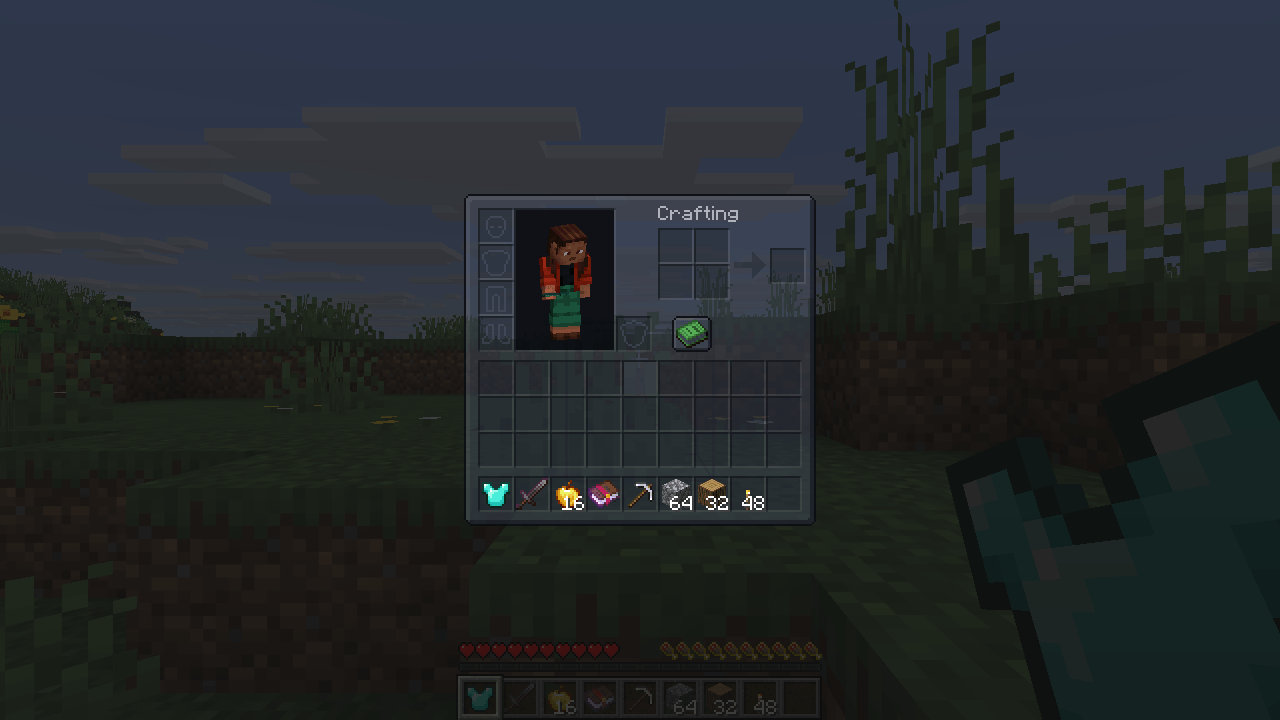
- Transparent - see the world through your inventory, with the slot grid still readable.
- RGB - a dark base with a violet glow on the borders.
Why this one
- Presets, not a config file. Choose from a screen (Mod Menu, the mods list, or
/uithemes). No texture lists, no wildcards, no exclusions to maintain. - Mod screens are themed too - by rule, not from a list of supported mods. A mod released tomorrow is themed the day you install it.
- What carries information is left alone. Hearts, hunger, armour, potion icons, maps and boss bars keep the colours the game gave them.
- Text stays readable. Interface labels are lifted on the dark panels instead of turning grey-on-charcoal.
- Nothing is redistributed. The theme is computed on your machine from the textures you already have, so no mod author's artwork is copied into this mod.
How switching works
Picking a preset applies it after a quick texture reload (a few seconds, the same reload the game does for resource packs).
Requirements
Client-side only - works on any server. Fabric API on Fabric. Minecraft 26.3 (Fabric) and 26.2 (NeoForge).
Like the mod? You can support future updates and new mods on Ko-fi. Totally optional, everything stays free.
Screenshots
Gallery
-
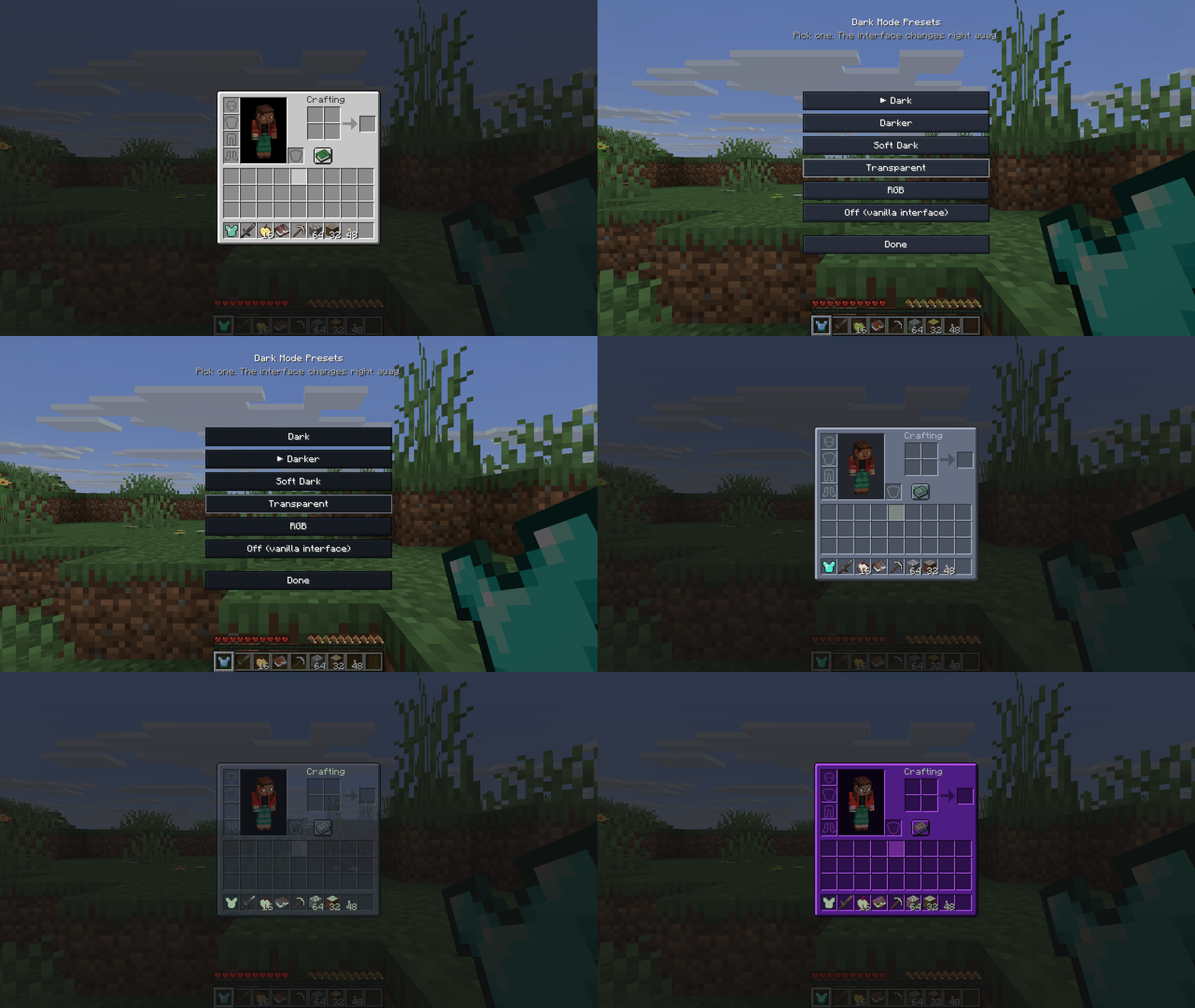 image-attachment_0ac492d1-e856-415d-834a-1cd69ddbfd5c.gif
 -
 mod-dark-inventario.png mod-dark-inventario.png
 -
 mod-transparent-inventario.png mod-transparent-inventario.png
 -
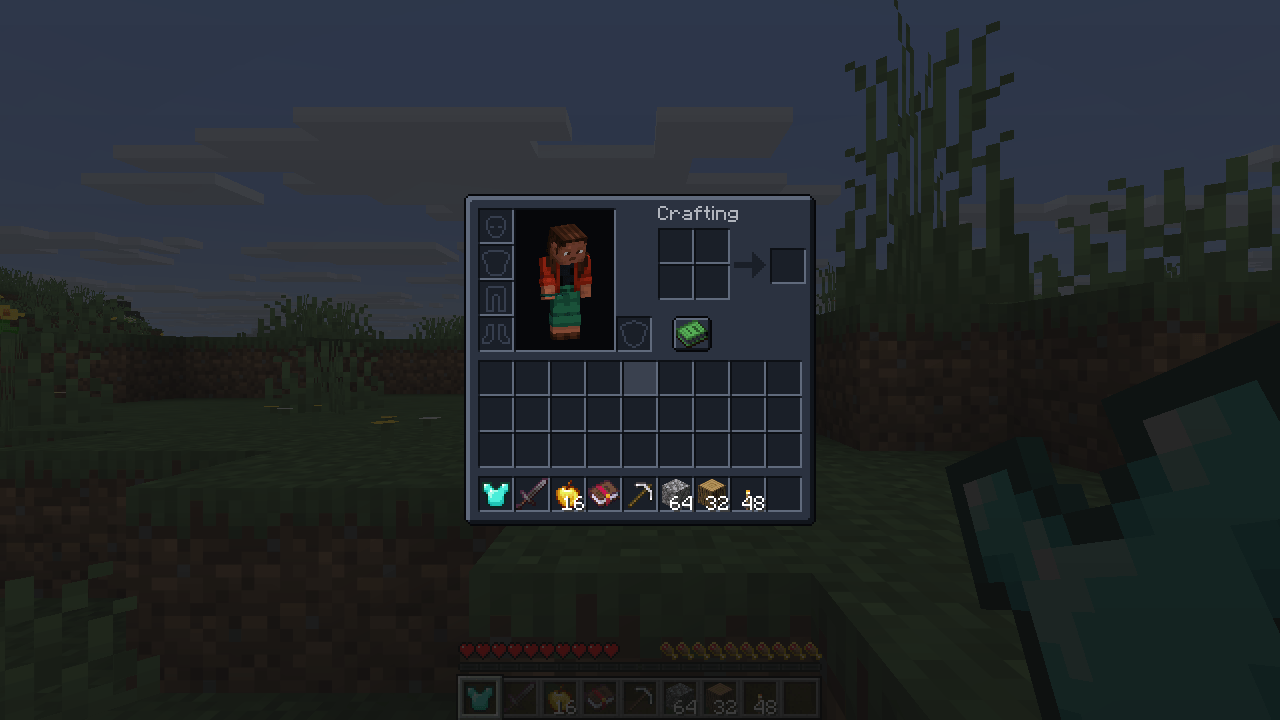 mod-darker-inventario.png mod-darker-inventario.png
 -
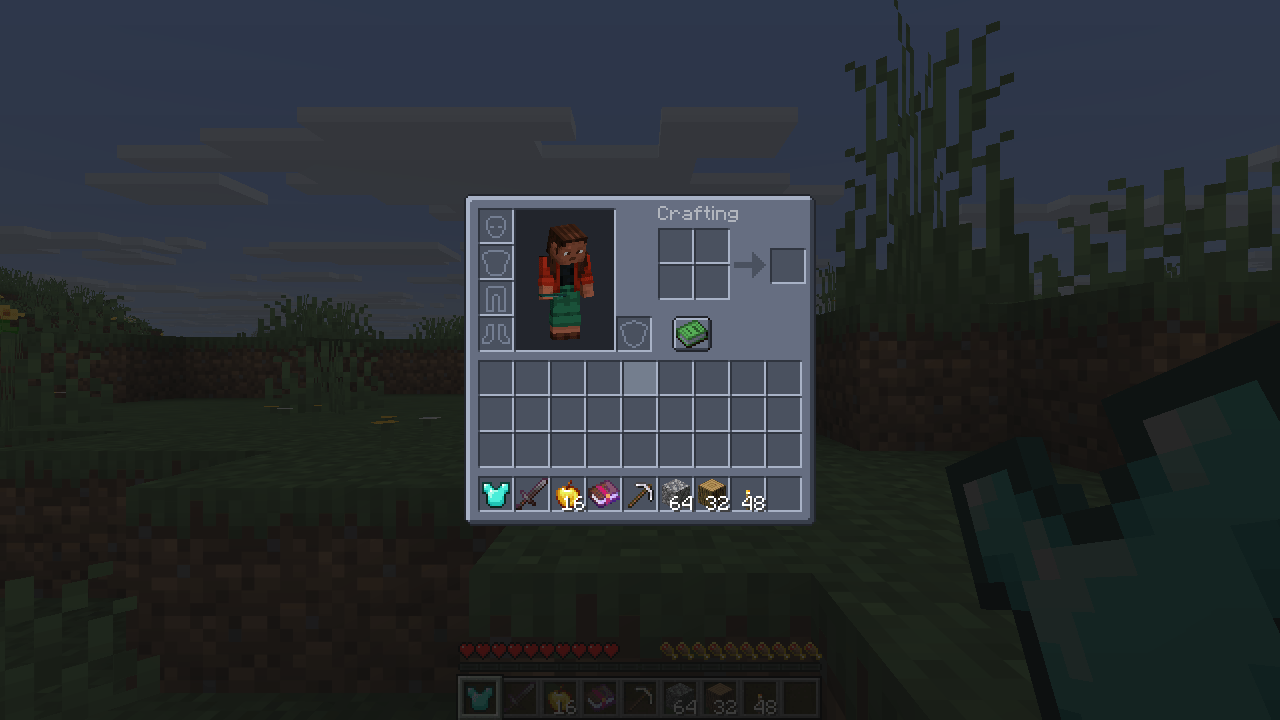 mod-soft-inventario.png mod-soft-inventario.png
 -
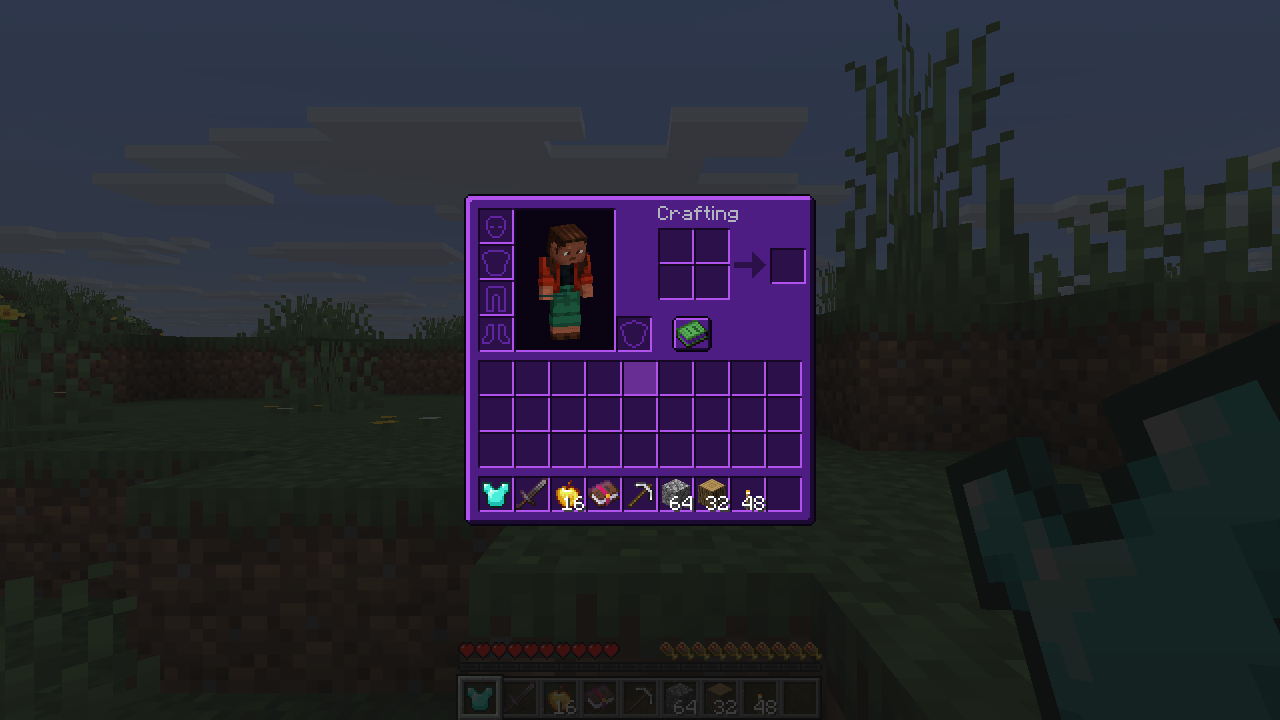 mod-rgb-inventario.png mod-rgb-inventario.png
 -
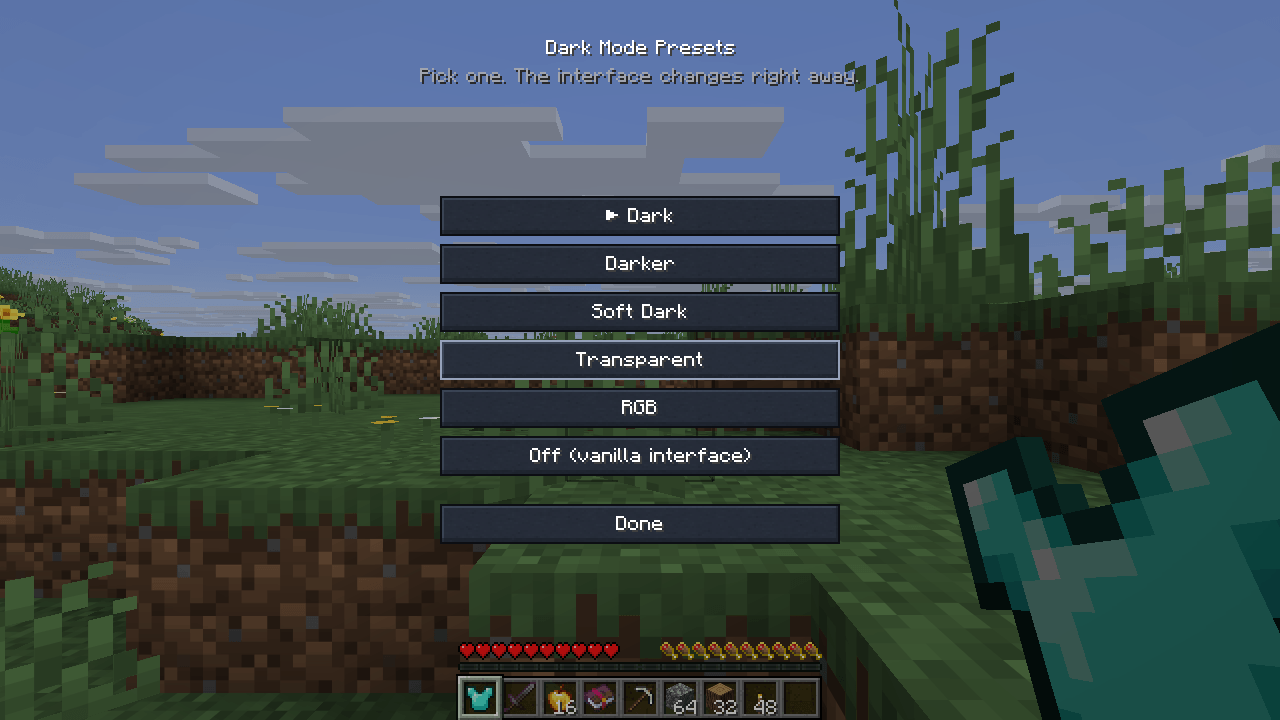 tela-presets.png tela-presets.png
Versions
Files
Relations
Project Relations
More like this
Similar Mods
Suggestions use data such as tags, dependencies, dependents, descriptions, titles, and more to rank how much they overlap with this mod.
On ModDex
Community snapshot
By the numbers
Statistics

Get it on
Available Platforms
On ModDex
Community snapshot
By the numbers
Statistics
Resources