Community listing page, reviews here may not be monitored by the author.
Daruto - UI


No reviews yet
🌪️ DarutoHUD - HUD Naruto Minecraft 1.20.1 🌪️
Community voices
Reviews
No reviews yet. Be the first to review this project!
Get it on
Available Platforms
Compatibility
Supported Environments
Runs entirely on the client. Works on vanilla servers.
About
Project Details
For authors
Embed Badge
If you're the author of this project, you can embed a live badge anywhere that supports HTML or Markdown. It updates automatically whenever ratings change.
Use HTML for any page that supports it, or Markdown for README files and Markdown-based descriptions.
Identifiers
Platform IDs
Resources
External Links
About
Description
🌪️ DarutoHUD — Naruto HUD for Minecraft 1.20.1 🌪️
📢 Update 10/03/2026 : A new version is available!
- A small overlay sits just above the hotbar showing the name.
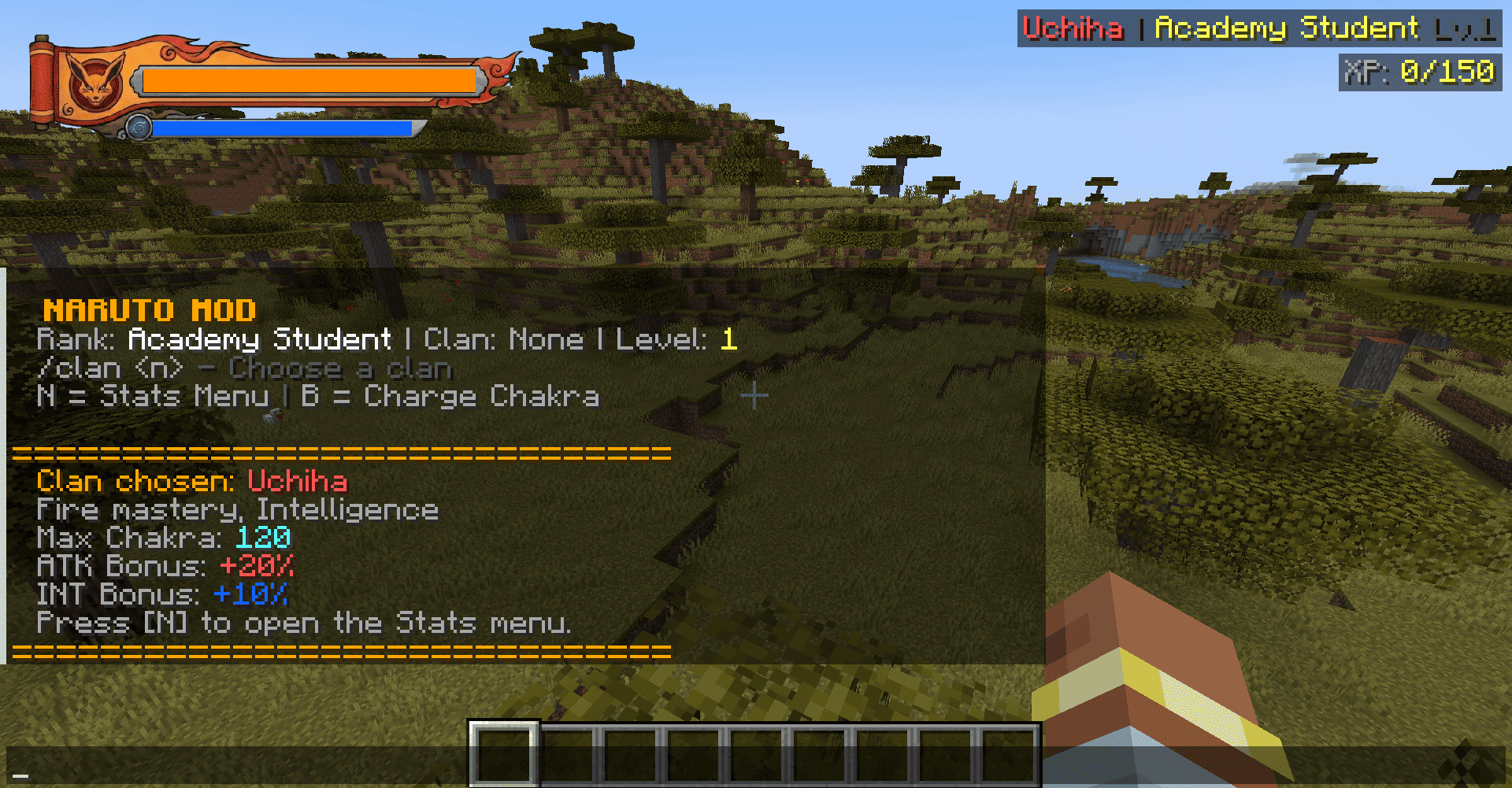
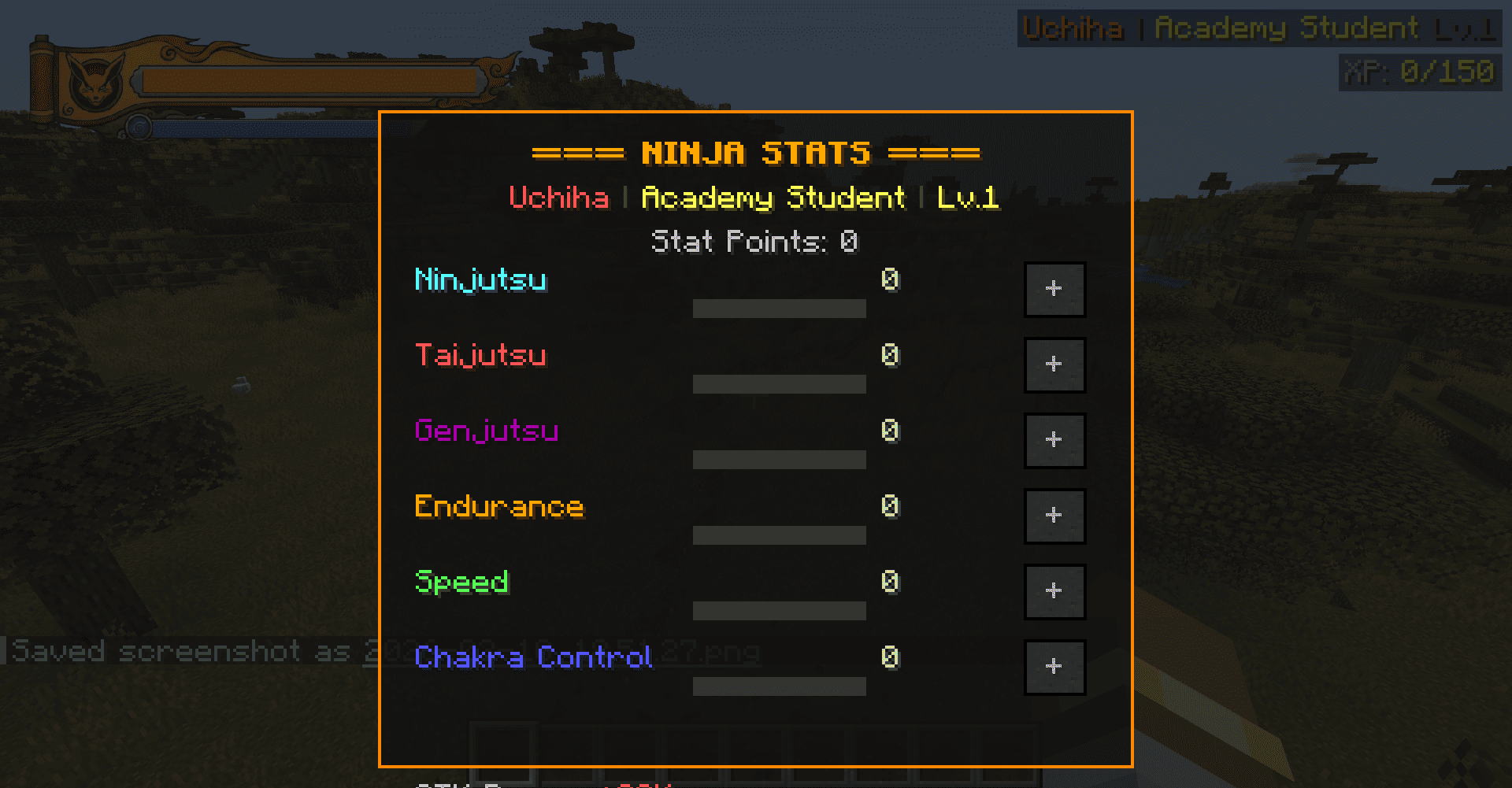
- The original HUD with the custom texture is back. The top bar shows health in orange, and the bottom bar now displays chakra in blue instead of hunger.
- Everything has been completely translated to English: chat messages, command feedback, descriptions, level-up notifications, and code comments.
- Keybinds have been simplified: Use B (hold) to charge chakra.
Step into the world of Naruto inside Minecraft with DarutoHUD, the ultimate mod for true shinobi immersion! 🥷🍥
🎨 Key Features
- Stylized Vertical Bars: Custom gauges for Health ❤️, Hunger 🍜, Chakra 🔵 (WIP / Not working for now), and Experience 🟩 — each features unique colors and a ninja-inspired look.
- Dynamic Percentage Display: Keep track of your health and hunger at a glance during intense battles or ninja showdowns! ⚔️
- Flashy XP Level: Your experience level is displayed in flashy green just below the XP bar, outlined in black for that iconic Chūnin Exam effect! 🟢🥇
- Vanilla HUD Hidden: Only real ninjas can see this secret interface! 🙈
- Custom Graphic Background: Inspired by scrolls, symbols, and the Naruto universe — feel like a true shinobi every moment you play! 🌀🖌️
*Join the legend. Embrace the Daruto style!*
- Update 10/03/2026 [Update]
A small overlay sits just above the hotbar showing the name.
The original HUD with the custom texture is back. The top bar still shows health in orange, and the bottom bar now displays chakra in blue instead of hunger.
Everything has been translated to English: all chat messages, command feedback, descriptions, level-up notifications, and code comments.
The keybinds are now just three: B (hold) to charge chakra.
Screenshots
Gallery
-
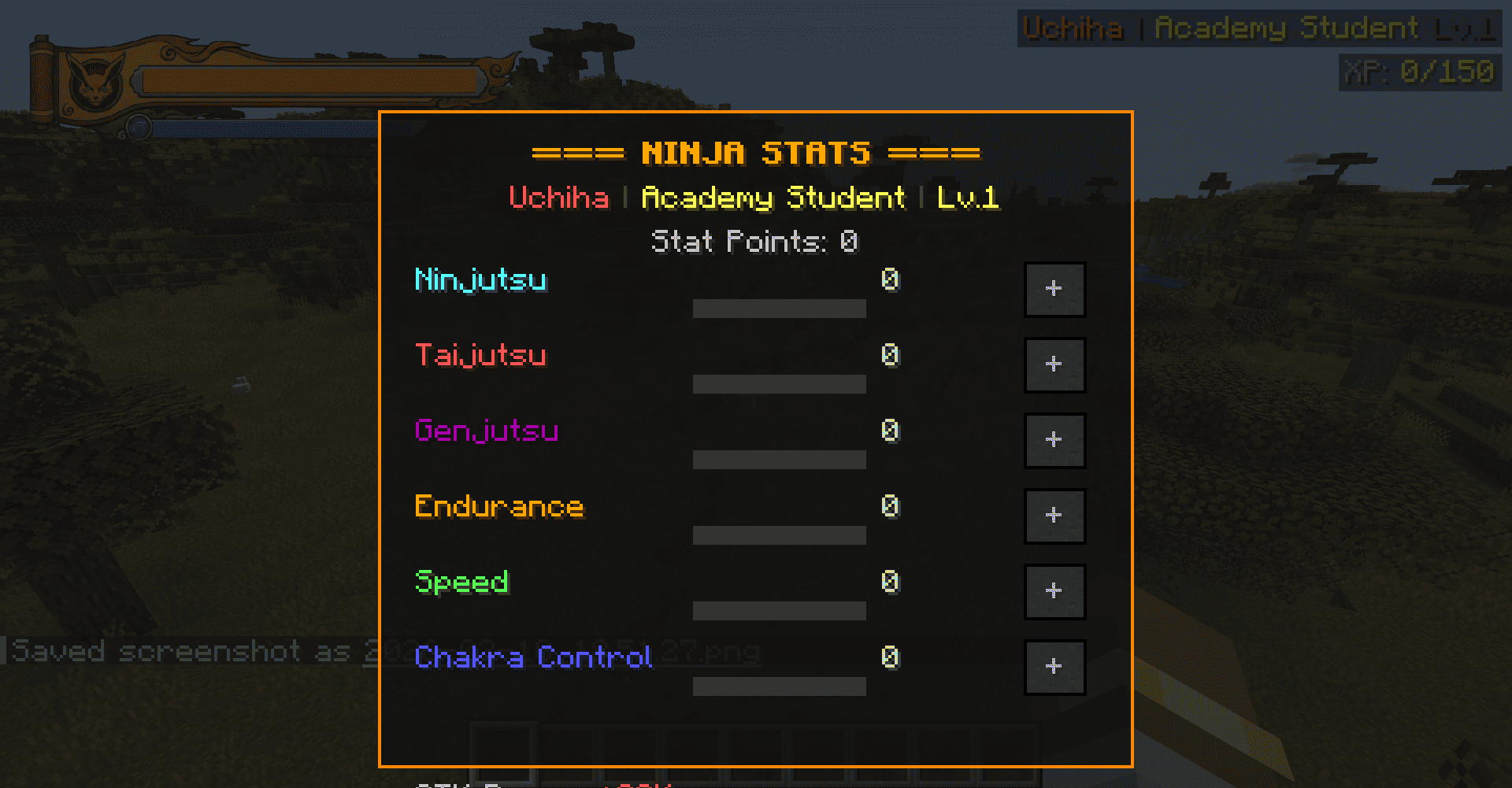 2026-03-10_18.51.33.png 2026-03-10_18.51.33.png
 -
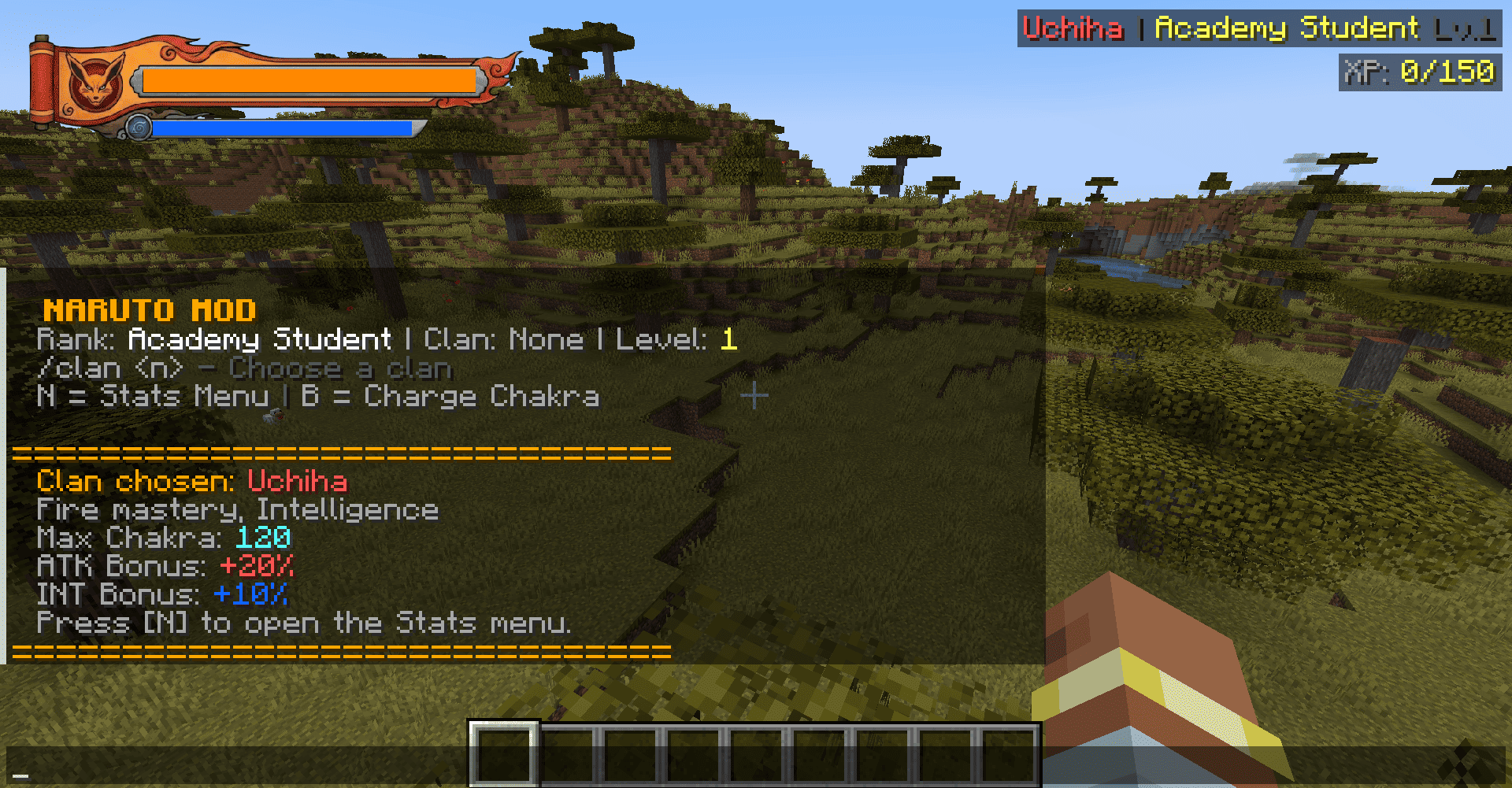 2026-03-10_18.51.27.png 2026-03-10_18.51.27.png
Versions
Files
Relations
Project Relations
More like this
Similar Mods
Suggestions use data such as tags, dependencies, dependents, descriptions, titles, and more to rank how much they overlap with this mod.
On ModDex
Community snapshot
By the numbers
Statistics
Want to reach Minecraft players?
We're looking for a server hosting partner to feature here and other parts of the site. Interested? Send us a message!
Get in touchGet it on
Available Platforms
On ModDex
Community snapshot
By the numbers
Statistics
Resources