
Community listing page, reviews here may not be monitored by the author.
DaySpot


No reviews yet
DaySpot shows time, coords, biome, weather, FPS, and more in a clean HUD. It also alerts you to hostile mobs outside your view with smart proximity warnings. Fully customizable, simple, and built to keep you informed and alive.
Community voices
Reviews
No reviews yet. Be the first to review this project!
Get it on
Available Platforms
Compatibility
Supported Environments
Runs entirely on the client. Works on vanilla servers.
About
Project Details
For authors
Embed Badge
If you're the author of this project, you can embed a live badge anywhere that supports HTML or Markdown. It updates automatically whenever ratings change.
Use HTML for any page that supports it, or Markdown for README files and Markdown-based descriptions.
Identifiers
Platform IDs
Resources
External Links
About
Description
DaySpot
Lightweight HUD overlay showing day, time, biome, moon phase, coords, weather & FPS, plus a smart danger alert system that warns you about hostile mobs outside your view.
Features
- 6 HUD Positions — Top Center (default), corners, above hotbar
- Per-line Control — Toggle + 11 color options per info line
- Time Format — 24h or 12h (AM/PM)
- Adjustable Scale — 0.5x → 1.5x
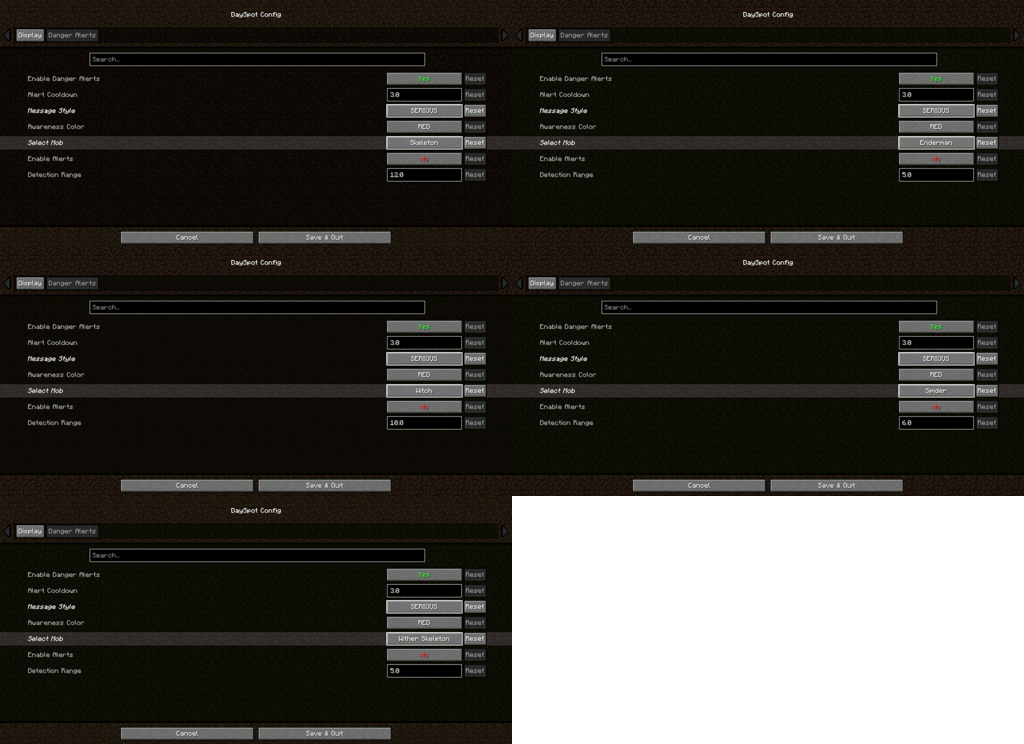
- Danger Alerts — 3 tiers: Awareness / Warning / Danger
- Out-of-view Detection — Know what you don’t see
- Per-Mob Settings — Creeper, Zombie, Skeleton, Enderman, Witch, Spider, Wither Skeleton
- 3 Alert Styles — Serious / Humorous / Minimal
- Direction Indicators — Know where the threat is coming from
Requirements
- Minecraft: 1.20.1 / 1.21.1
- Loader: Forge / NeoForge / Fabric
- Cloth Config (Forge/NeoForge): 11.x+ / 15.x+
- YACL (Fabric): 3.6.x+
Client-side only — no server install required
Installation
- Install your mod loader
- Download DaySpot
- Put the
.jarin.minecraft/mods/ - Launch and configure via Mods menu
Configuration
Open: Mods → DaySpot → Config
- Display: Position, scale, alignment, colors
- Danger Alerts: Toggle alerts, cooldown, style, per-mob range
All settings are client-side.
Compatibility
- Supports Forge, NeoForge, Fabric (1.20.1 / 1.21.1)
- Works on any server
- Modpack use allowed (MIT License)
FAQ
Can I use this in a modpack?
Yes — MIT licensed.
Does it work on servers?
Client-side only. Install it locally.
Have ideas, questions, or feedback? Feel free to visit the official page of Arvani Creations for more information and updates.
MIT License • Arvani Creations
DaySpot
A lightweight HUD overlay mod that displays day count, time, biome, moon phase, coordinates, weather, and FPS on screen, with a danger alert system that warns you when hostile mobs are nearby outside your field of view.
Features
- 6 Configurable Positions — Top Center (default), Top Left, Top Right, Bottom Left, Bottom Right, Above Hotbar
- Per-line Toggle & Color — Enable/disable each info line independently with 11 color choices
- 24h/12h Time Format — Toggle between 24-hour and 12-hour (AM/PM) time display
- HUD Scale — Adjustable from 0.5x to 1.5x
- Danger Alert System — 3-tier proximity alerts (Awareness/Warning/Danger) with per-mob detection ranges
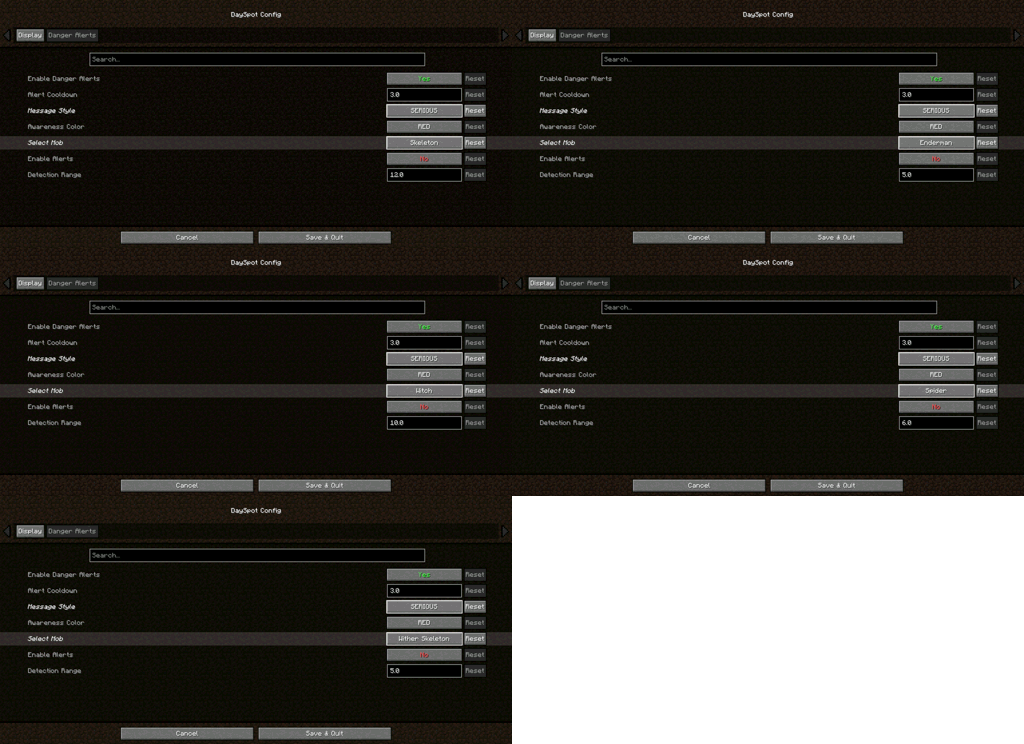
- Per-Mob Configuration — Enable/disable alerts for Creeper, Zombie, Skeleton, Enderman, Witch, Spider, and Wither Skeleton individually
- 3 Alert Styles — Serious (mob + direction), Humorous (randomized messages), Minimal (mob name only)
- Direction Indicators — Alerts tell you which direction the threat is coming from
Requirements
- Minecraft: 1.20.1 / 1.21.1
- Loader: Forge / NeoForge / Fabric
- Cloth Config (Forge/NeoForge): 11.x+ / 15.x+
- YACL (Fabric): 3.6.x+
Installation
- Install the appropriate mod loader for your Minecraft version
- Download DaySpot from this page
- Place the
.jarfile in your.minecraft/mods/folder - Launch Minecraft and configure via the Mods menu
Configuration
Access the config screen via the Mods menu → DaySpot → Config. All settings are client-side and require no server installation.
Display tab: HUD position, scale, alignment, toggle and color each info line Danger Alerts tab: Enable/disable alerts, alert cooldown, message style, per-mob detection range with mob selector
Compatibility
- Tested on Forge 1.20.1, Forge 1.21.1, NeoForge 1.21.1, Fabric 1.20.1, Fabric 1.21.1
- Client-side only — works on any server without installation
- Modpack inclusion: Allowed under MIT license
FAQ
Q: Can I include this in a modpack? A: Yes! DaySpot is licensed under MIT. Feel free to include it in any modpack.
Q: Does this work on servers? A: DaySpot is client-side only. Install it on your client — no server installation needed.
Have ideas, questions, or feedback? Feel free to visit the official page of Arvani Creations for more information and updates.
Licensed under MIT. Made by Arvani Creations.
Screenshots
Gallery
-
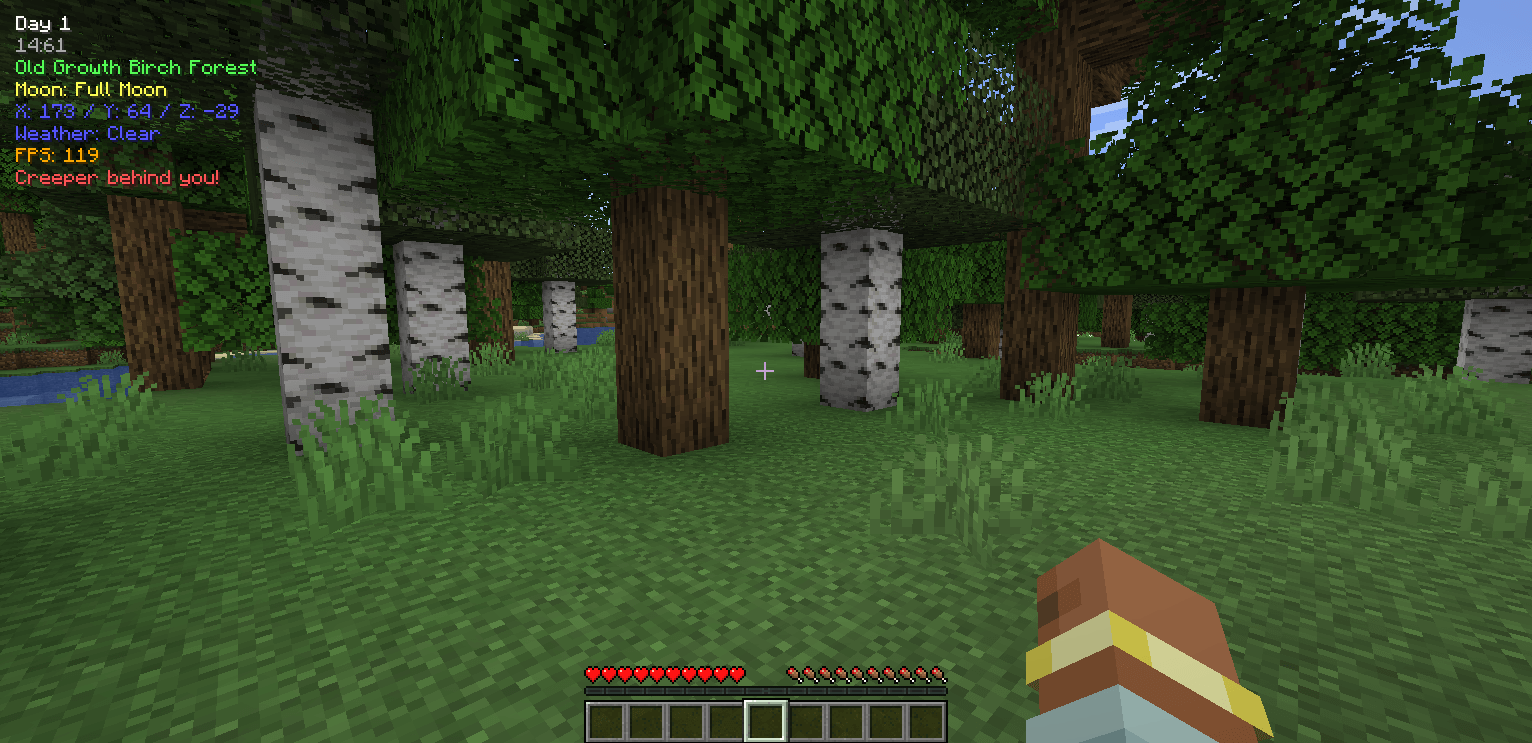 HUD Gameplay + Creeper alert Gameplay showing some settings in action, including configurable enemies, message styles (serious, humorous, or name-only), and an alert for a nearby creeper.
 -
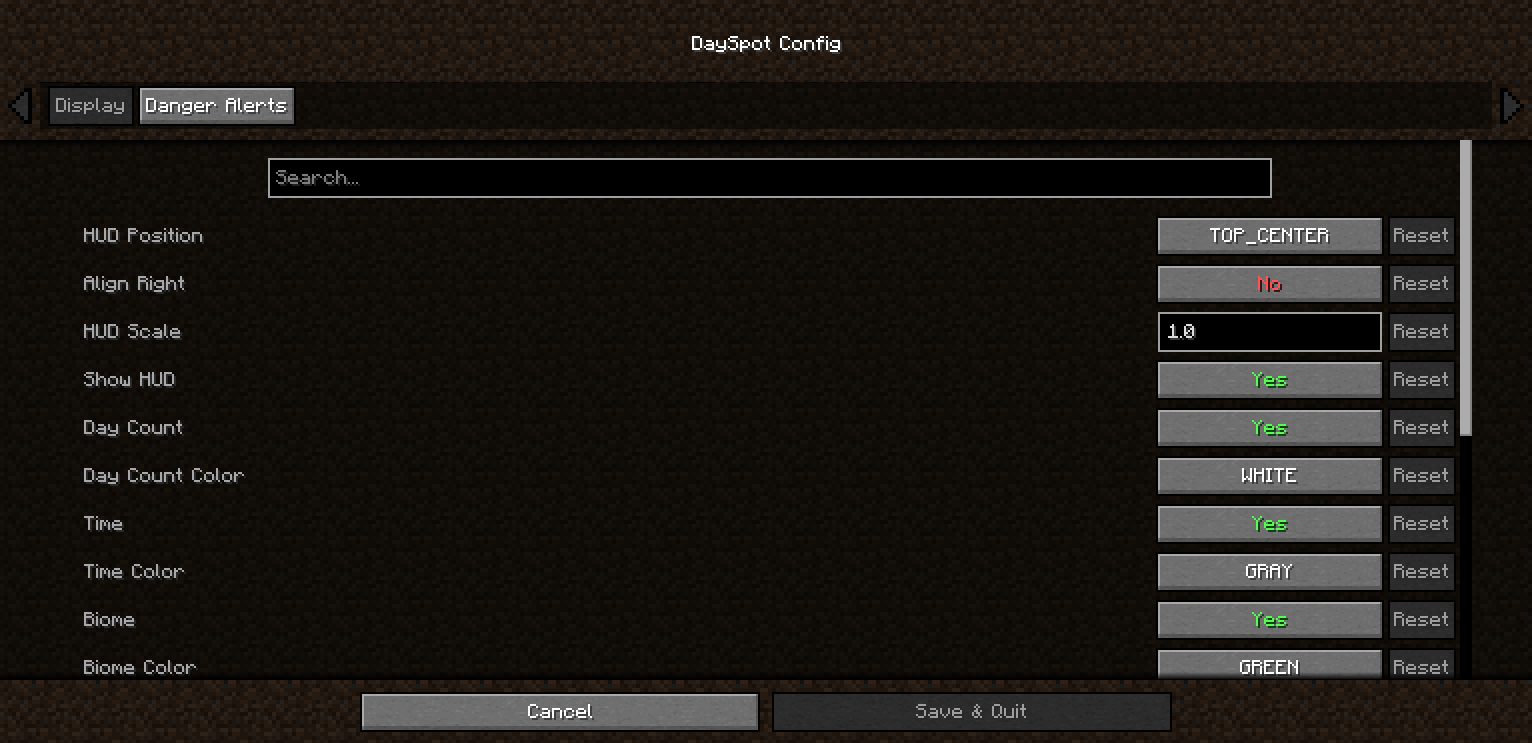 General Config A tab where you can customize general settings such as coordinates, moon phase, day, and more.
 -
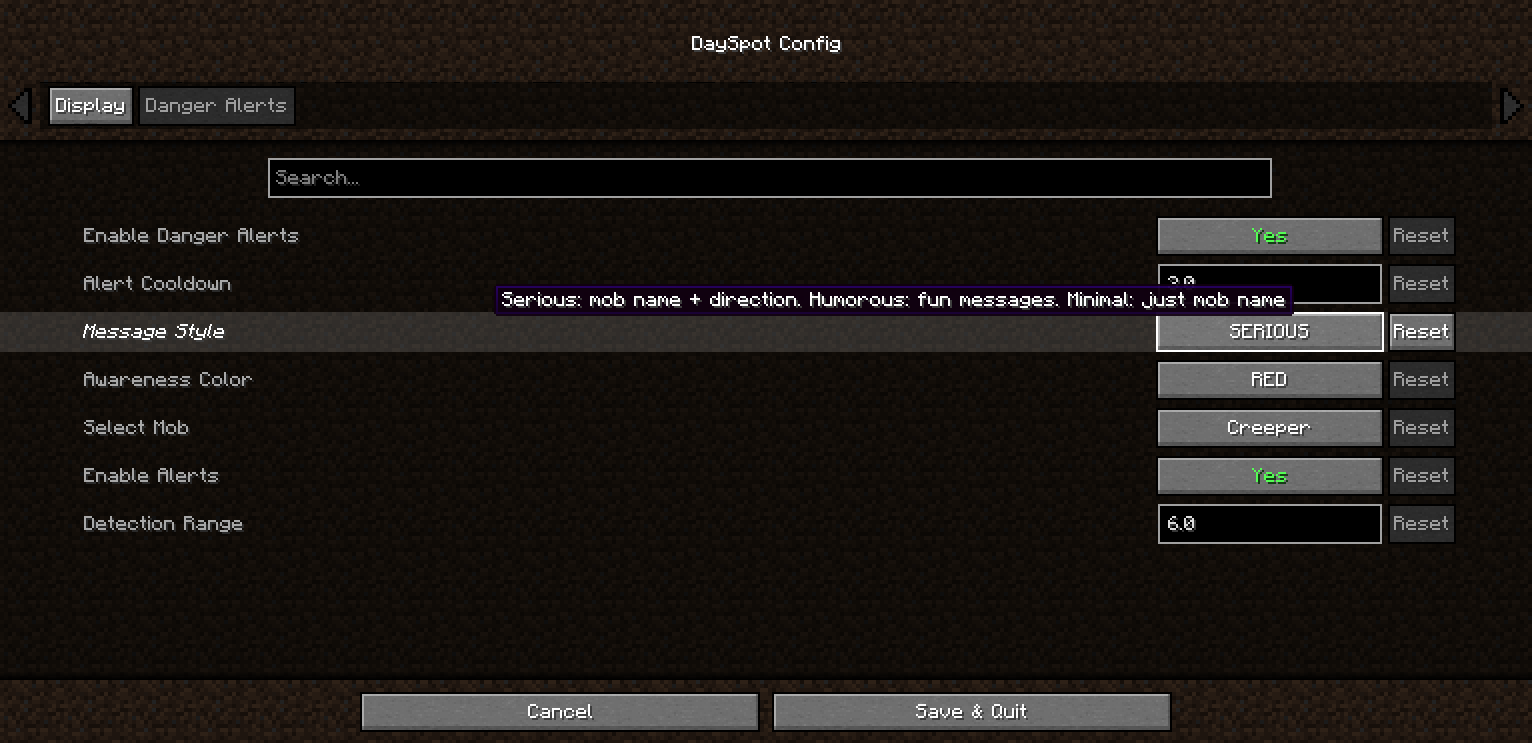 Danger HUD Style 2
 -
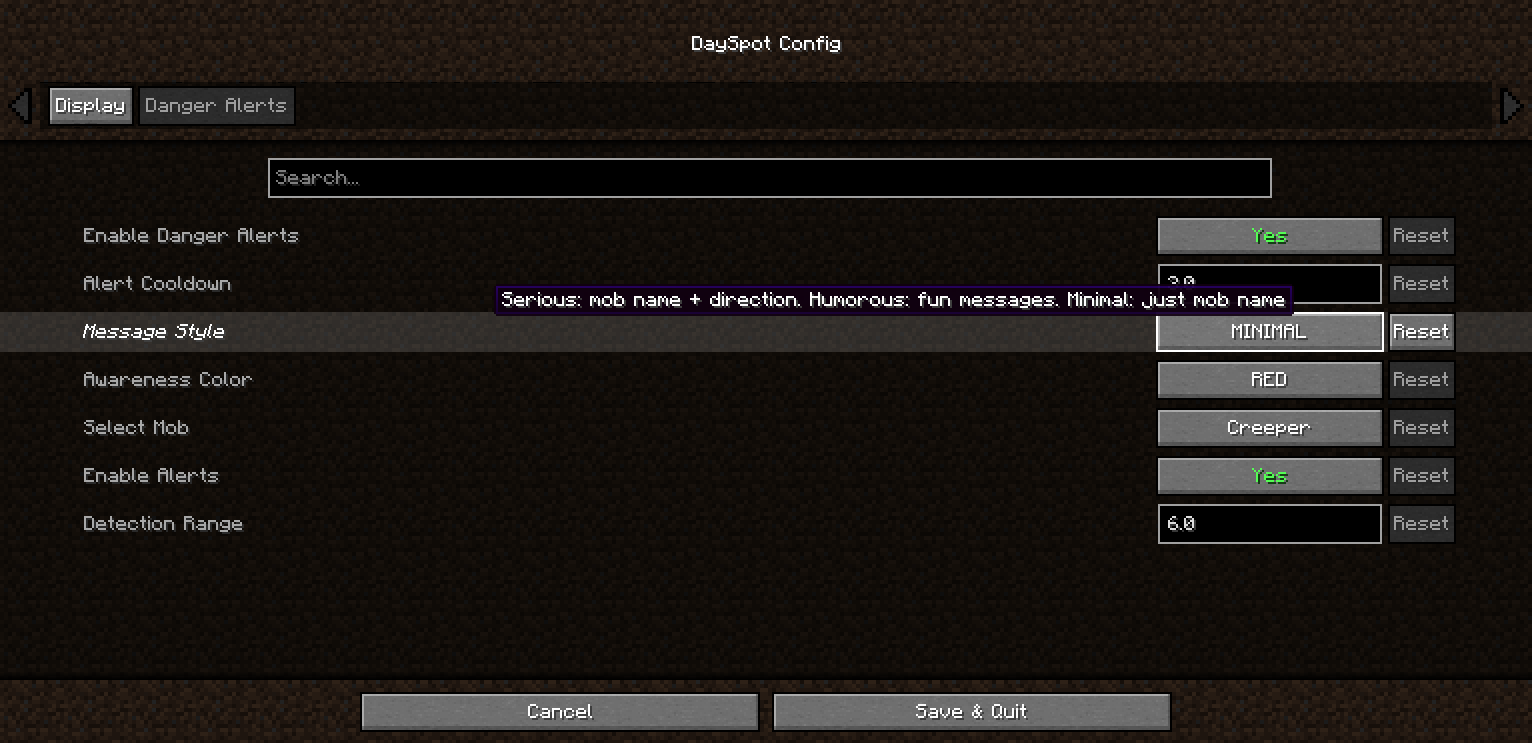 Danger HUD Style Danger text style in a minimal format, showing only the enemy’s name.
-
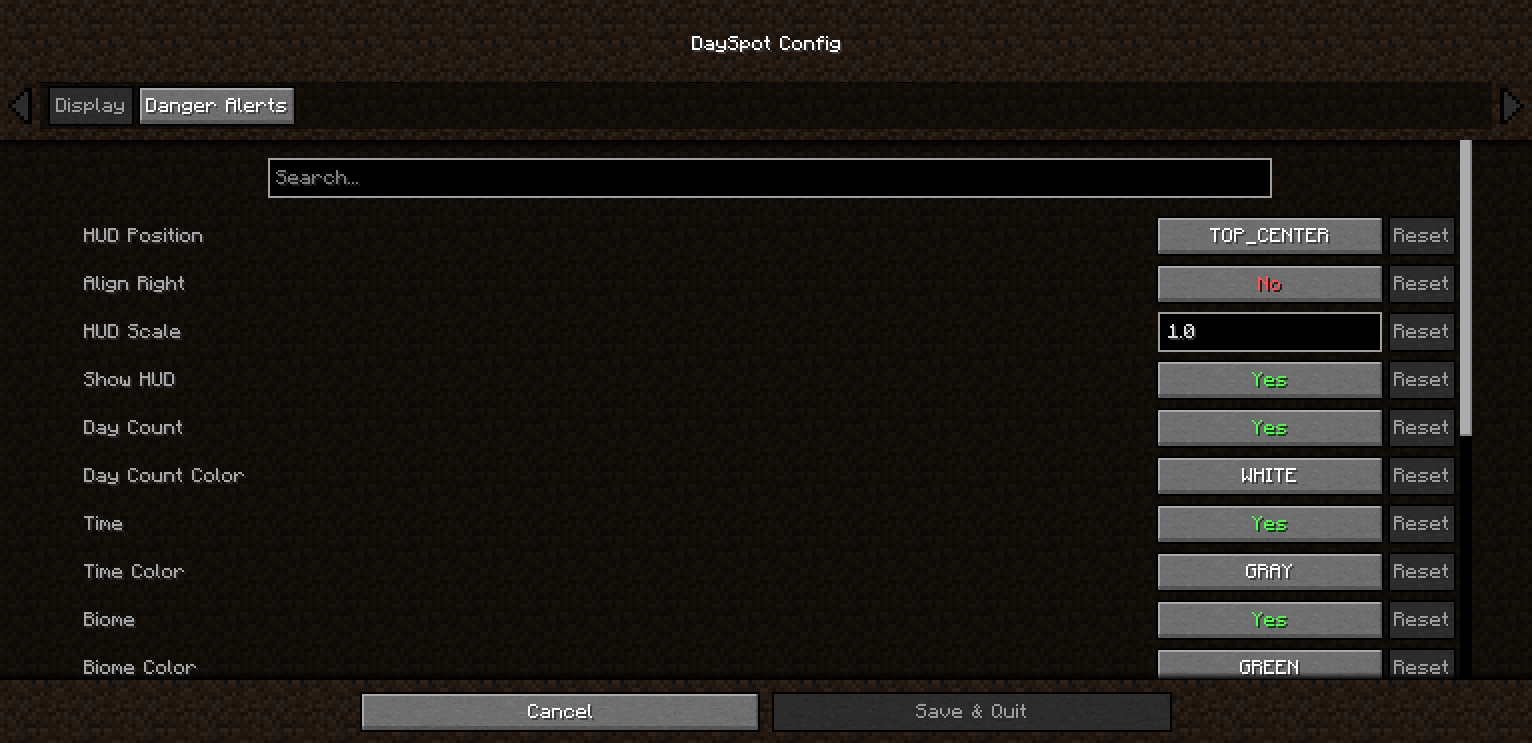 General Config A tab where you can customize general settings such as coordinates, moon phase, day, and more.
 -
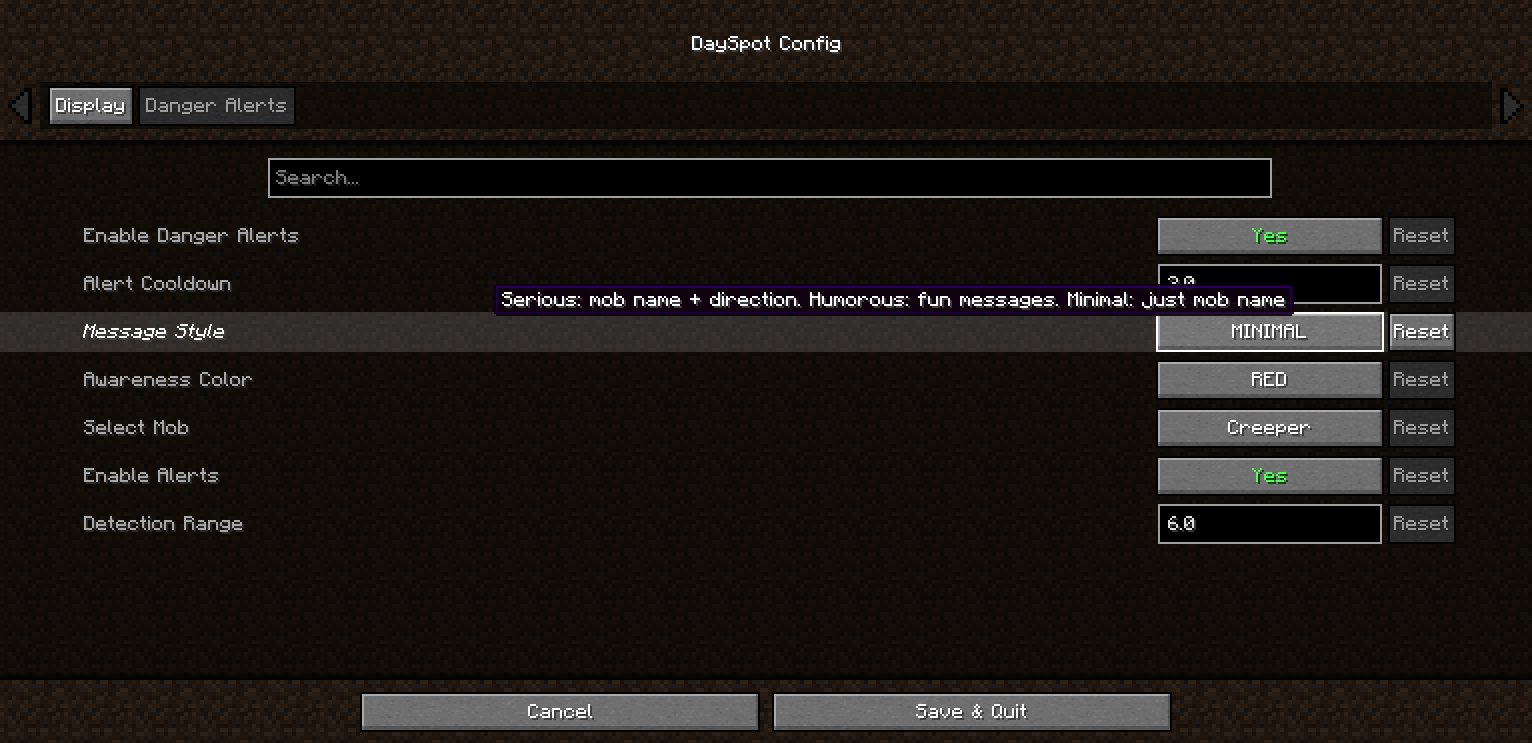 Danger HUD Style Danger text style in a minimal format, showing only the enemy’s name.
 -
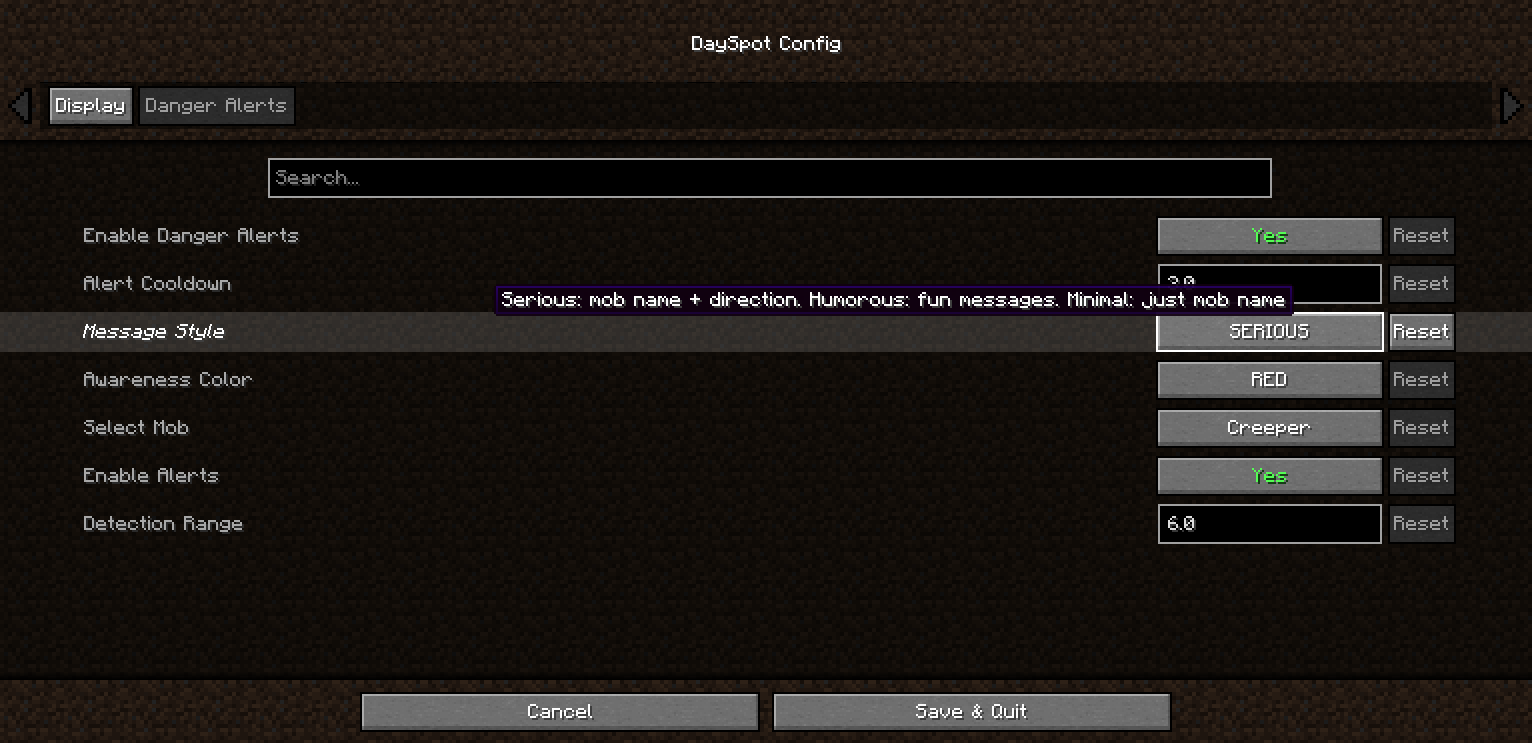 Danger HUD Style 2
 -
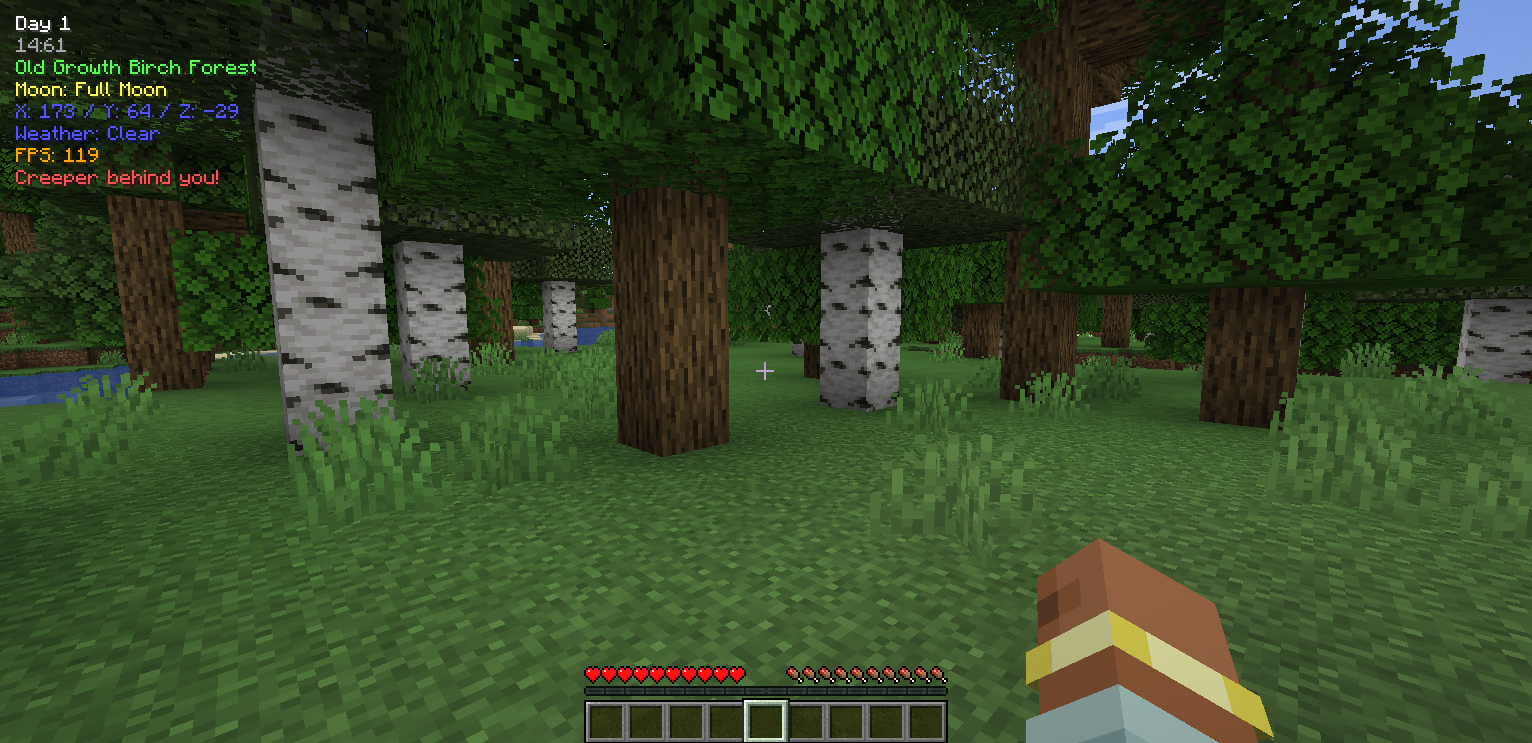 HUD Gameplay + Creeper alert Gameplay showing some settings in action, including configurable enemies, message styles (serious, humorous, or name-only), and an alert for a nearby creeper.
Versions
Files
Relations
Project Relations
More like this
Similar Mods
Suggestions use data such as tags, dependencies, dependents, descriptions, titles, and more to rank how much they overlap with this mod.
On ModDex
Community snapshot
By the numbers
Statistics
Want to reach Minecraft players?
We're looking for a server hosting partner to feature here and other parts of the site. Interested? Send us a message!
Get in touchGet it on
Available Platforms
On ModDex
Community snapshot
By the numbers
Statistics
Resources