Community listing page, reviews here may not be monitored by the author.
DayTimeHUD

No reviews yet
A customizable HUD displaying Minecraft days, time, coordinates, moon phases and sunrise or sunset countdowns.
Community voices
Reviews
No reviews yet. Be the first to review this project!
Get it on
Available Platforms
About
Project Details
For authors
Embed Badge
If you're the author of this project, you can embed a live badge anywhere that supports HTML or Markdown. It updates automatically whenever ratings change.
Use HTML for any page that supports it, or Markdown for README files and Markdown-based descriptions.
Identifiers
Platform IDs
Resources
External Links
About
Description
DayTimeHUD is a customizable client-side HUD mod for Minecraft Fabric.
It displays useful information about your world directly on the screen without requiring commands, cheats, or server installation.
Features
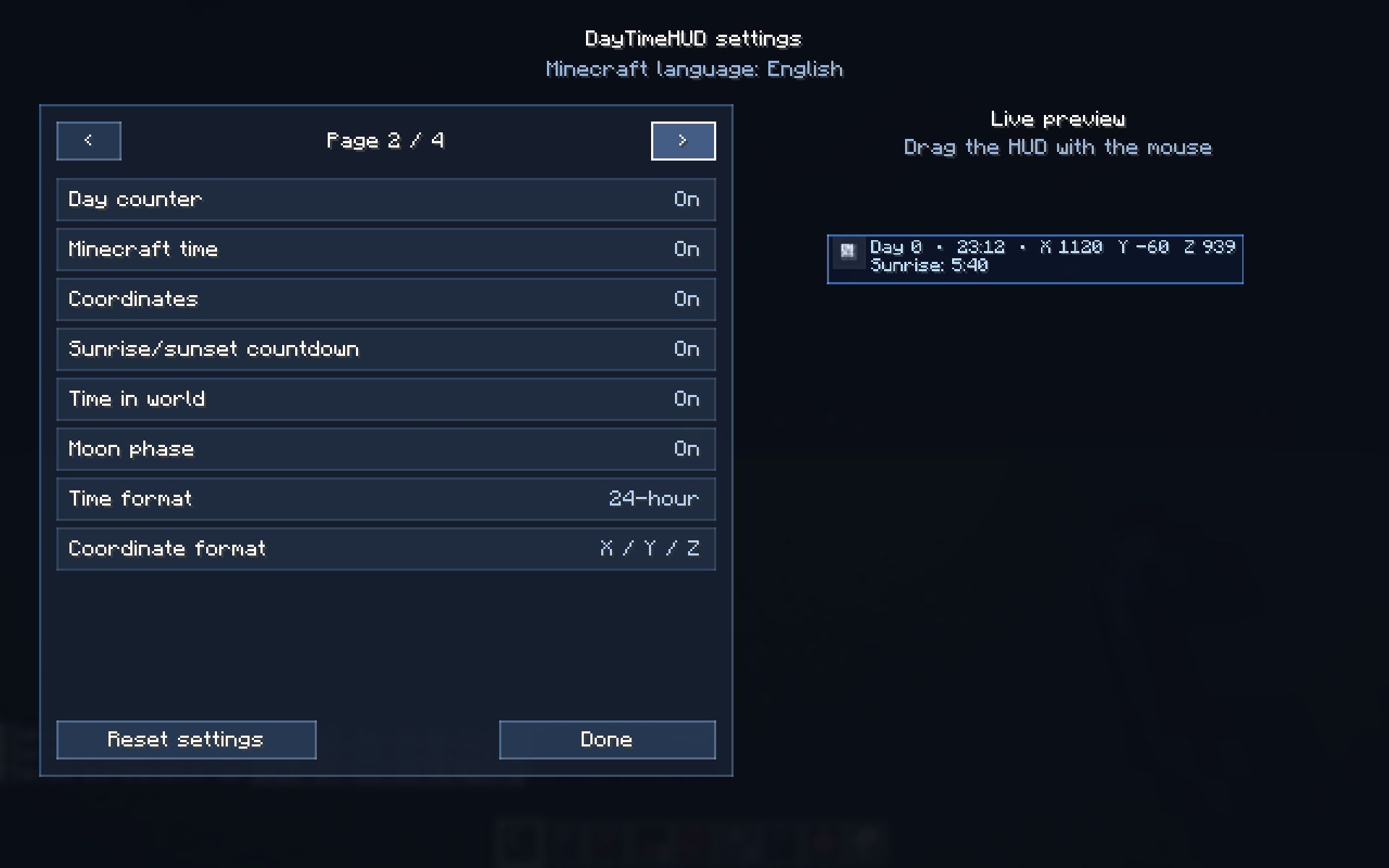
- Minecraft day counter
- Current in-game time
- 12-hour and 24-hour clock formats
- Player coordinates
- Multiple coordinate display formats
- Current moon phase with pixel-style icons
- Sunrise and sunset countdown
- Time spent in the current world
- Sun and moon icons
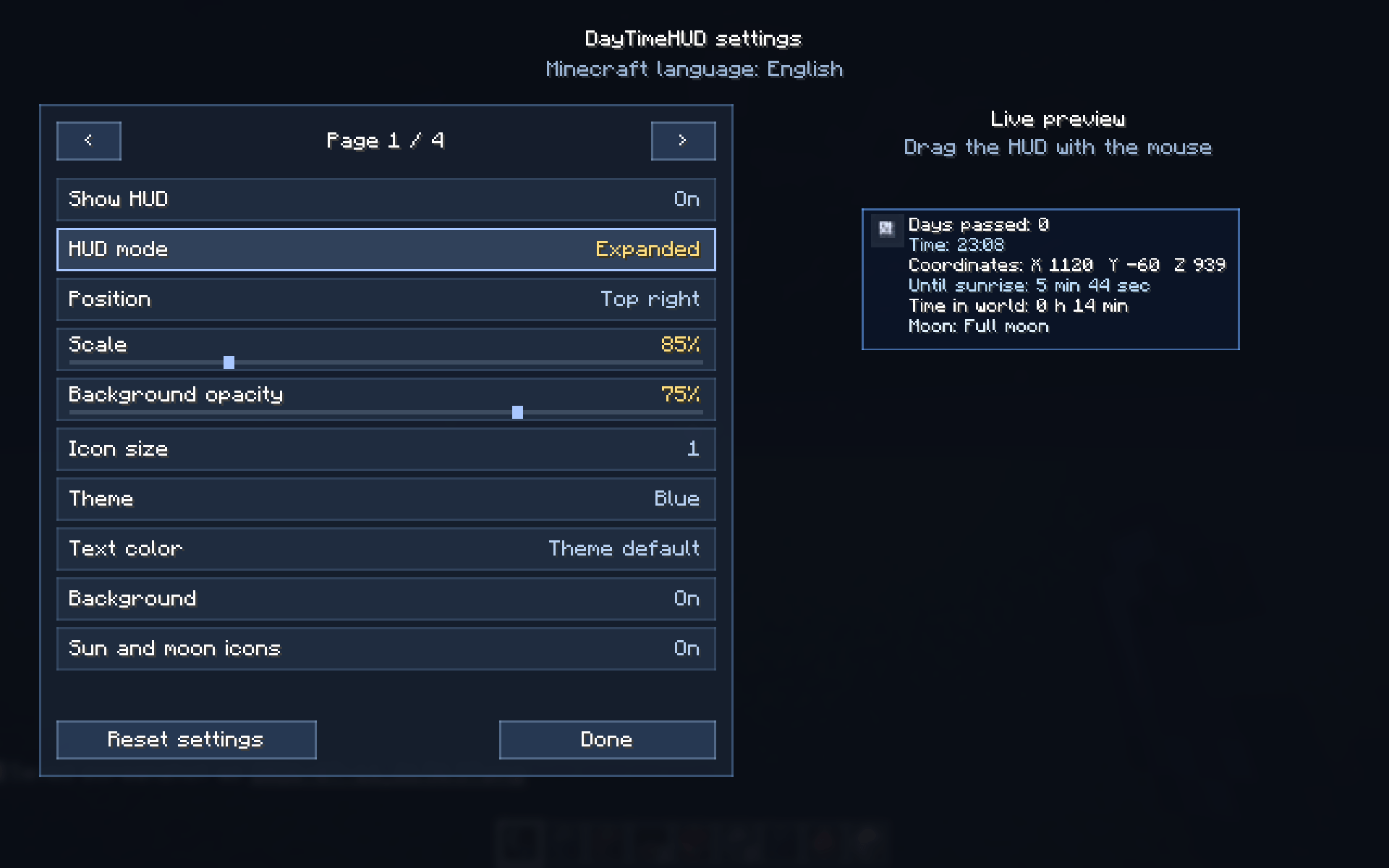
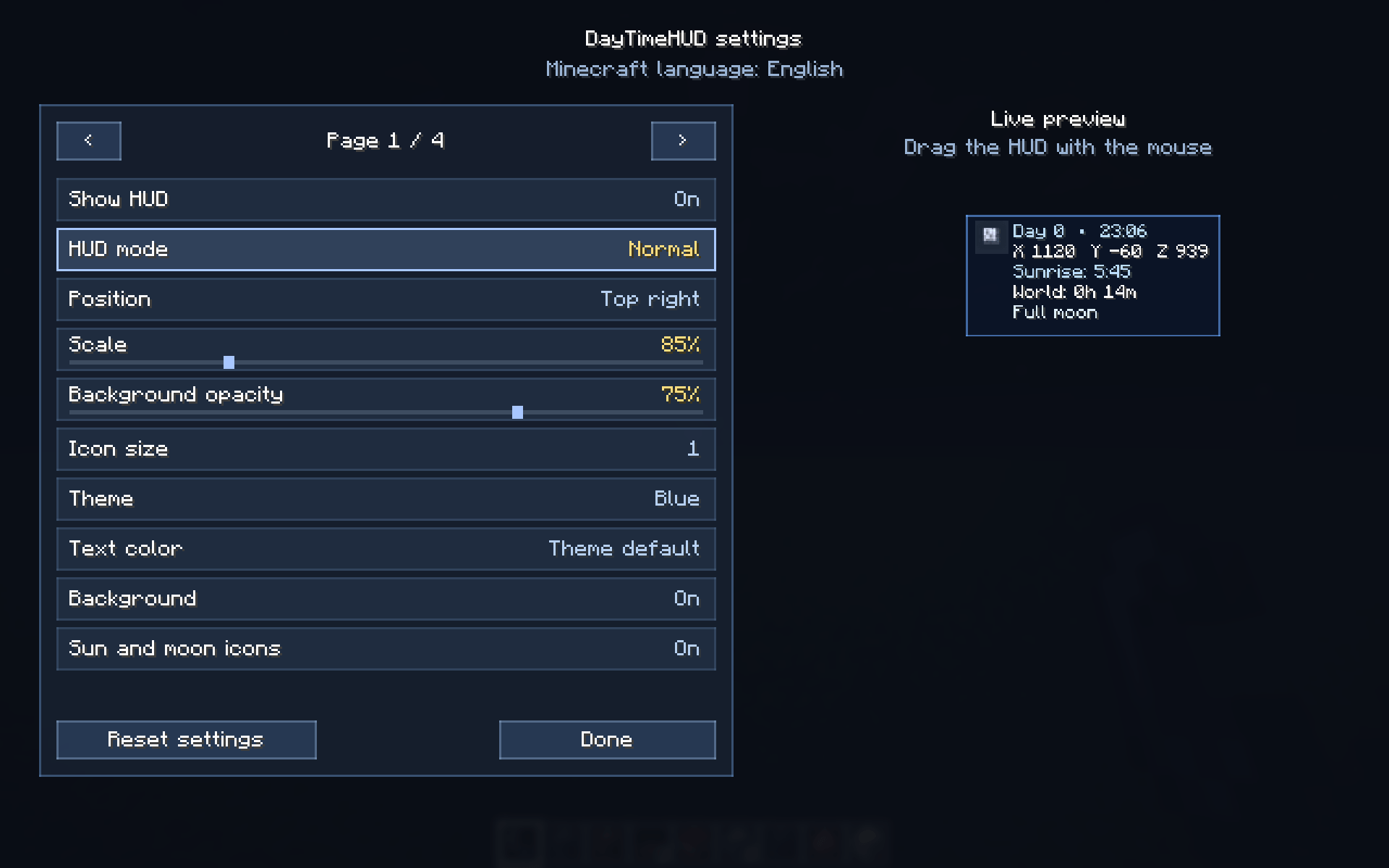
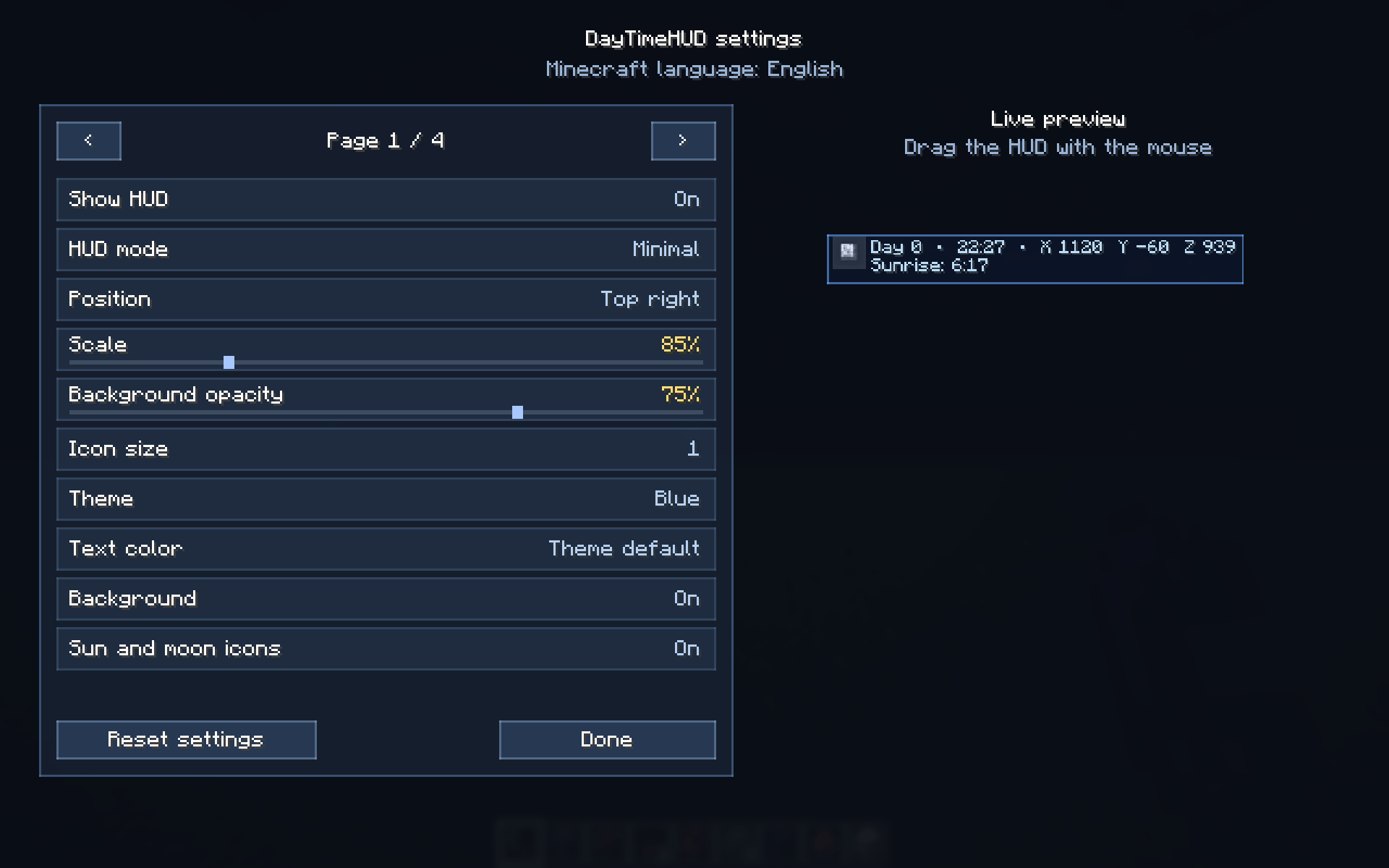
- Compact, normal, and extended HUD modes
- Customizable HUD position
- Adjustable size and background transparency
- Multiple visual themes
- Configurable hotkeys
- Smooth HUD animations
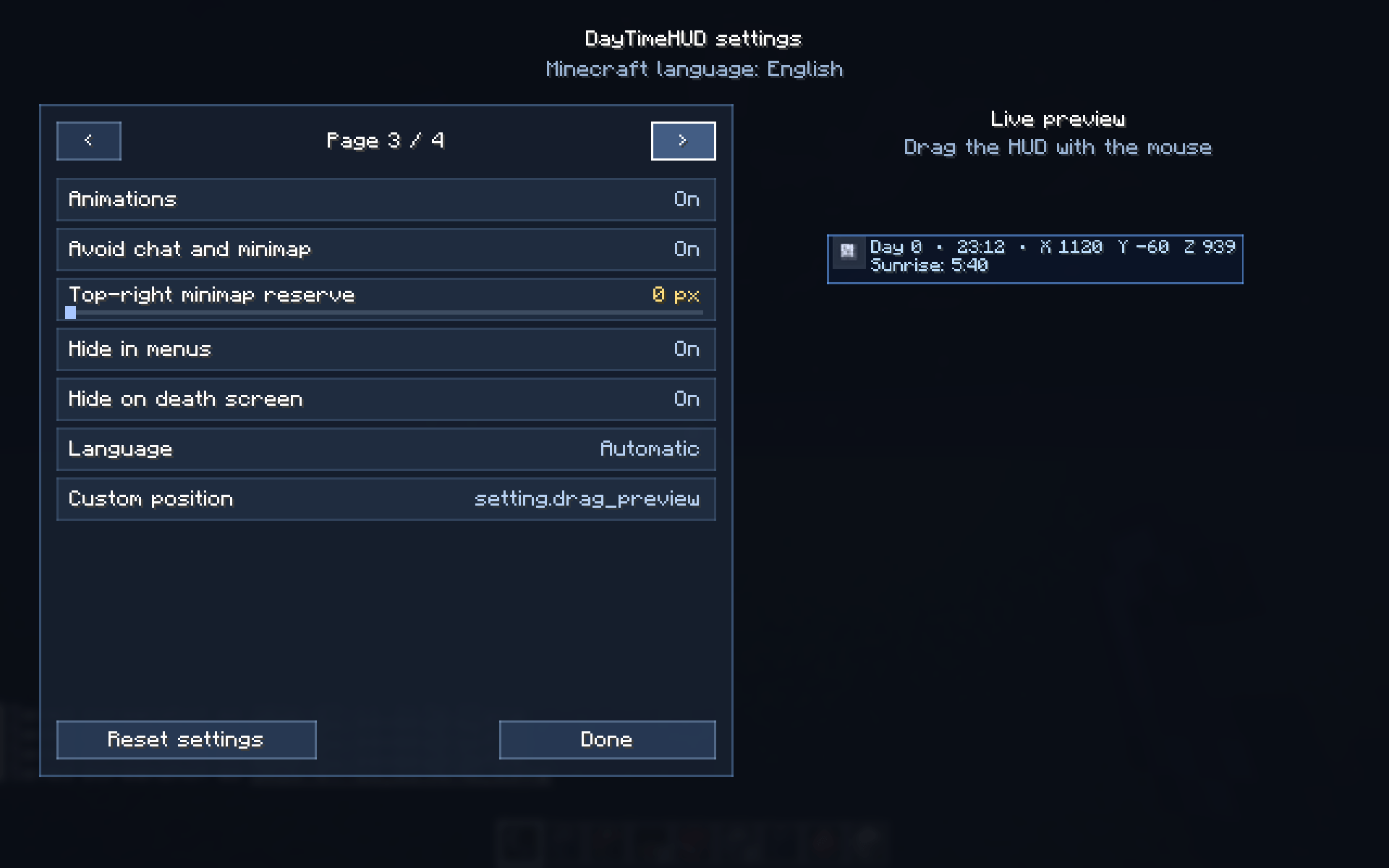
- Automatic hiding in menus and on the death screen
- Protection against overlapping with chat and minimaps
- Configuration backup system
- Reset settings button
- Client-side only — installation on the server is not required
HUD Modes
Minimal
Displays the most important information in one compact line:
text
Day 12 • 18:35 • XYZ: 120 64 -350
Normal
Displays days, time, coordinates, and moon phase.
Extended
Displays all available information, including sunrise or sunset countdown and time spent in the world.
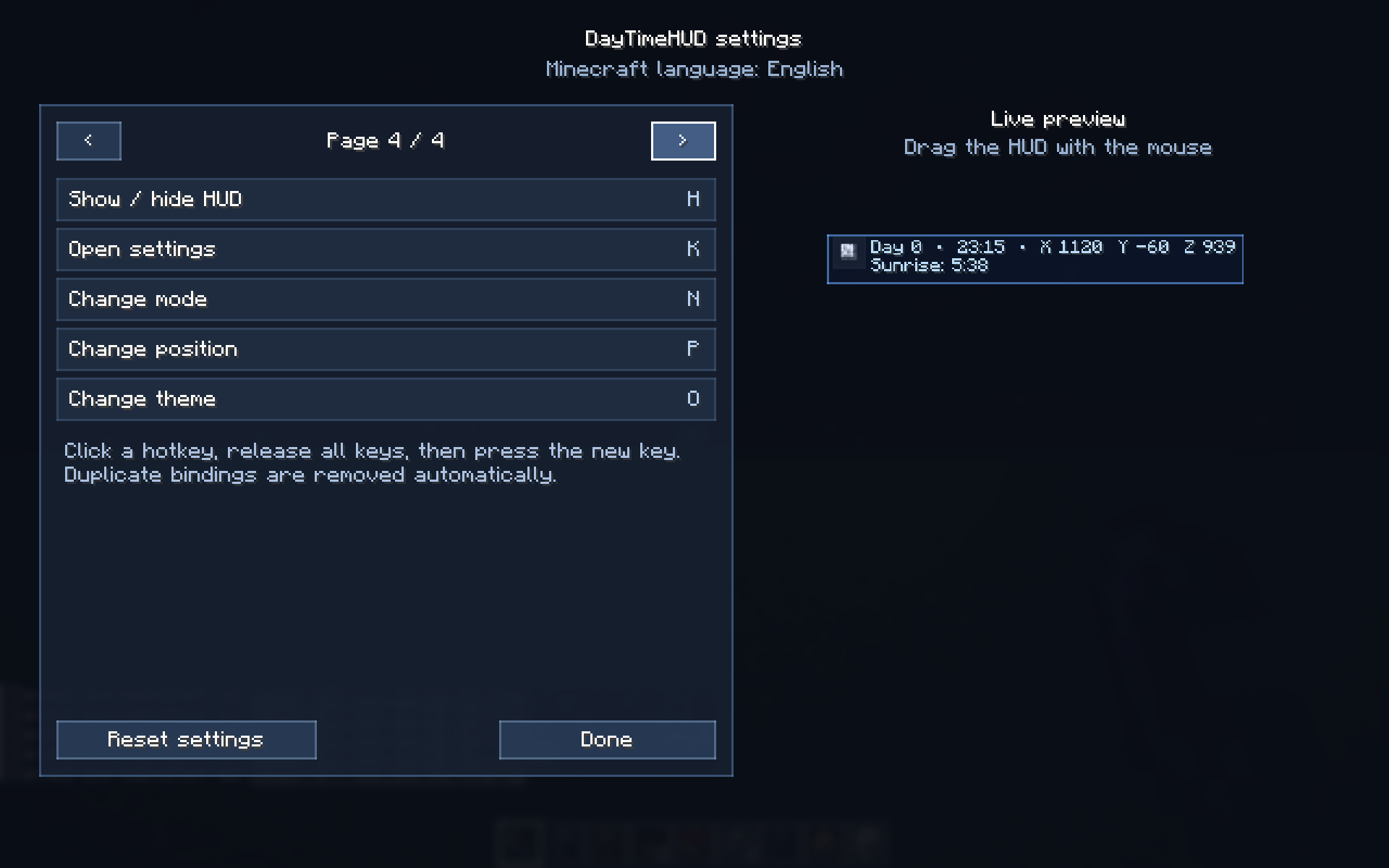
Default Controls
- H — Show or hide the HUD
- K — Open the settings menu
- N — Switch HUD mode
- P — Change HUD position
- O — Change visual theme
All hotkeys can be changed in the mod settings.
Customization
The settings menu allows you to configure:
- HUD size
- Screen position
- Background transparency
- Visual theme
- Displayed information
- Time format
- Coordinate format
- Icons and animations
- Hotkeys
- Reserved space for minimaps
Settings are saved automatically.
Language Support
DayTimeHUD automatically uses the language selected in Minecraft.
The mod includes translations for many popular languages, including:
- English
- Russian
- Ukrainian
- German
- French
- Spanish
- Portuguese
- Italian
- Polish
- Turkish
- Serbian
- Chinese
- Japanese
- Korean
- Arabic
- Hebrew
- And many others
English is used as a fallback when a translation is unavailable.
Screenshots
Gallery
-
 2026-07-11_21.56.45.png 2026-07-11_21.56.45.png
 -
 2026-07-11_21.56.43.png 2026-07-11_21.56.43.png
 -
 2026-07-11_21.56.42_2.png 2026-07-11_21.56.42_2.png
 -
 2026-07-11_21.56.39.png 2026-07-11_21.56.39.png
 -
 2026-07-11_21.56.37.png 2026-07-11_21.56.37.png
 -
 2026-07-11_21.56.05.png 2026-07-11_21.56.05.png
Versions
Files
Relations
Project Relations
More like this
Similar Mods
Suggestions use data such as tags, dependencies, dependents, descriptions, titles, and more to rank how much they overlap with this mod.
On ModDex
Community snapshot
By the numbers
Statistics
Want to reach Minecraft players?
We're looking for a server hosting partner to feature here and other parts of the site. Interested? Send us a message!
Get in touchGet it on
Available Platforms
On ModDex
Community snapshot
By the numbers
Statistics
Resources