
Community listing page, reviews here may not be monitored by the author.
Death Finder


No reviews yet
Deaths happen. Finding your items should not be the hard part.
Community voices
Reviews
No reviews yet. Be the first to review this project!
Get it on
Available Platforms
Compatibility
Supported Environments
Must be installed on both the client and the server.
About
Project Details
For authors
Embed Badge
If you're the author of this project, you can embed a live badge anywhere that supports HTML or Markdown. It updates automatically whenever ratings change.
Use HTML for any page that supports it, or Markdown for README files and Markdown-based descriptions.
Identifiers
Platform IDs


About
Description









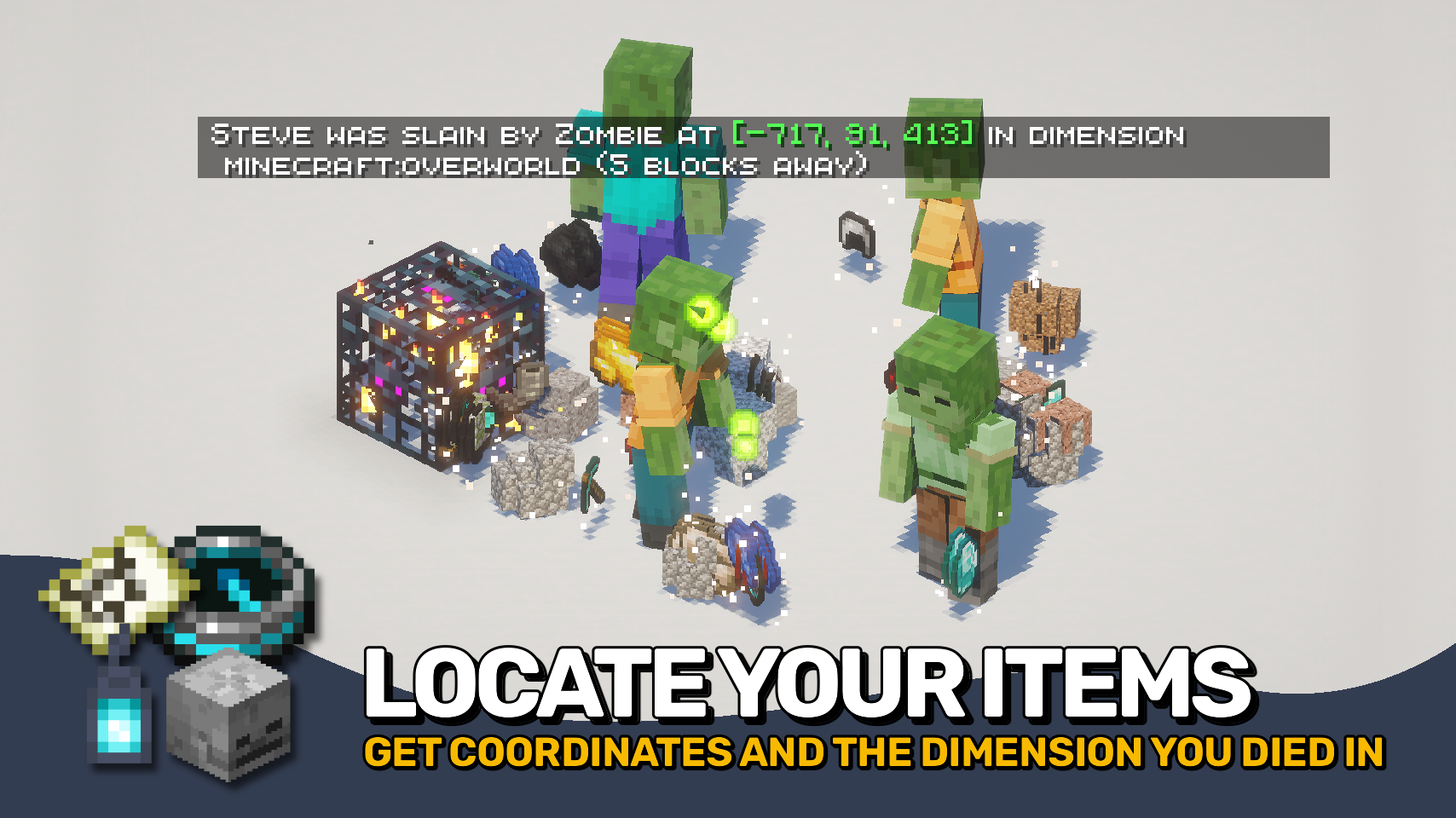
Death Finder helps you recover from death without the frustration. ☠️ Your last death position is shown directly on the death screen and included in death messages, making it easy to find your way back to lost items.
Coordinates, dimensions, and even your distance from the death point can be displayed, keeping important information right where you need it. Recovery compasses also gain tooltip support to quickly reference your most recent death location. 🧭
Need more control? Death Finder includes flexible death message options and configurable teleport support, making recovery smoother for both singleplayer and multiplayer worlds alike. ✨

- ☠️ Death Screen Coordinates: View your exact death location directly on the death screen.
- 🧭 Smarter Death Messages: Death messages can include coordinates, dimensions, and distance to the death point.
- ✨ Clickable Teleporting: Teleport directly to death locations through chat messages with configurable permissions and time limits.
- 🪦 Recovery Compass Support: Recovery compasses display your last death position directly in their tooltip.
- 🐺 Entity Death Messages: Show death messages for pets, villagers, players, and named entities.
- 🌍 Global Death Tracking: Optionally announce all entity deaths and control exceptions through the
deathfinder:silent_deathsentity type tag. - ⚙️ Fully Configurable: Customize death message behavior, teleport permissions, and displayed information to fit your world.


⏩ INSTALLATION REQUIRED ON CLIENT & REQUIRED ON SERVER
⏩ REQUIRES PUZZLES LIB TO BE INSTALLED (FABRIC & NEOFORGE)
⏩ REQUIRES FABRIC API TO BE INSTALLED (FABRIC)
⏩ REQUIRES FORGE CONFIG API PORT TO BE INSTALLED (FABRIC)

If available for a mod, configuration is possible directly from in-game using the mod menu (requires Mod Menu by Prospector to be installed on Fabric).
For manual configuration using an external text editor all files are found at .minecraft/config, named as MOD_ID-client.toml, MOD_ID-common.toml, or MOD_ID-server.toml, depending on the type of config. Not all types might exist for a mod, if any at all.
 |
 |
|
 |
 |
|
 |
 |
|
 |
 |
|
 |
 |
|

© 2026 @heyitsfuzs. All rights reserved. This page was last edited on 11 September 2026, at 06:44 (UTC).
Download for 1.19+: https://www.curseforge.com/minecraft/mc-mods/death-finder





📖 About:
Death Finder adds the exact position of every death to the death screen as well as the death message, so you know exactly where to go looking for your items.
📚 Contents:
The death position is added to the death screen. Also coordinates, the dimension, as well as your current distance from the death point are added to every death message. Server operators can even click the coordinates in the death message to easily teleport to the death point. This feature can also be enabled for all players, but with a few restrictions: teleporting only works within the next 5 minutes after dying, and it's only available for your own most recent death point.
Also a death message is shown whenever a villager or named entity dies. There also is an option to send out a death message for any entity death, which is disabled by default. This option comes together with a blacklist and whitelist. Additionally vanilla death messages sent out by players and pets can be separately toggled.
📷 Media:
 |
 |
|
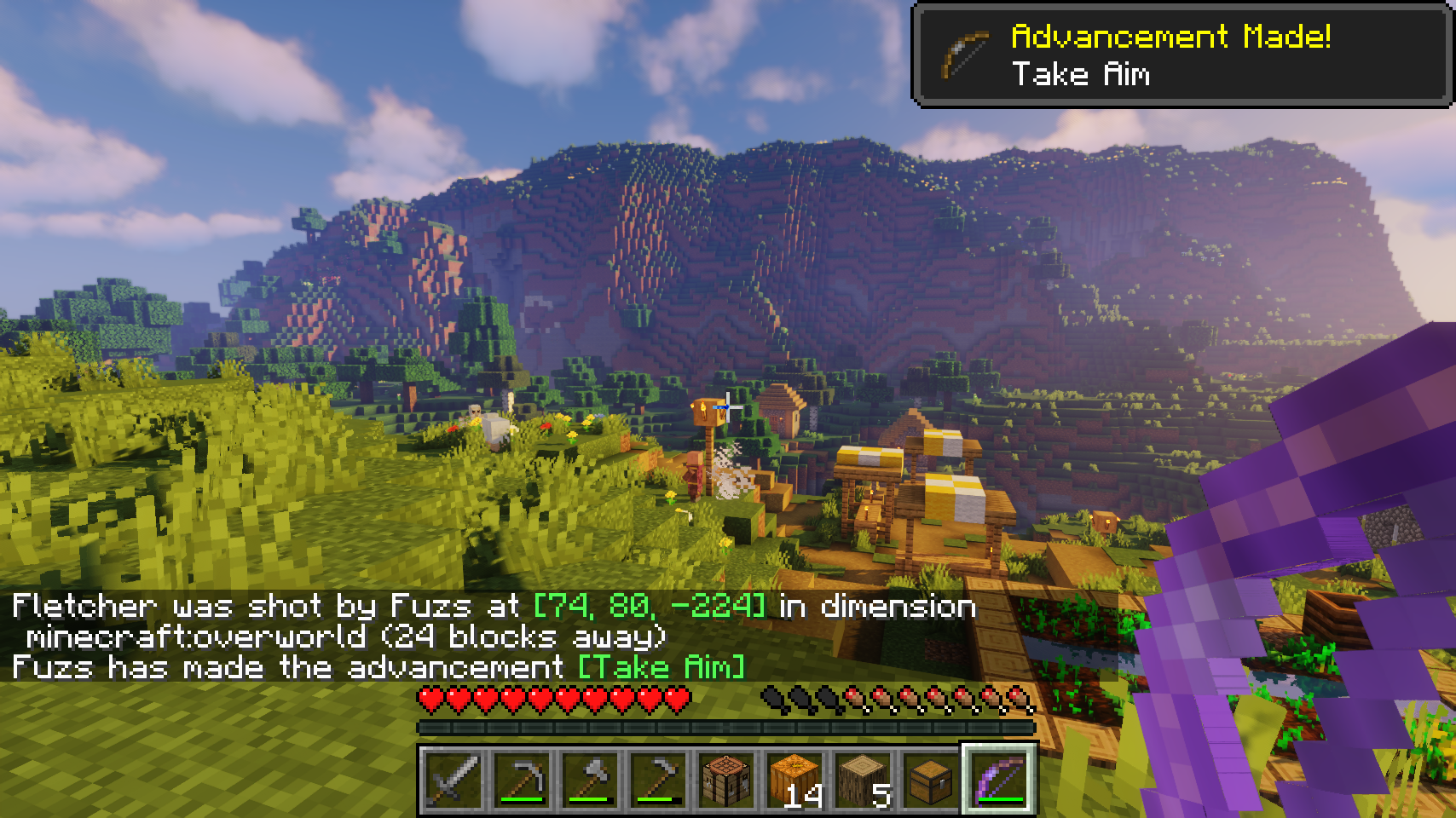
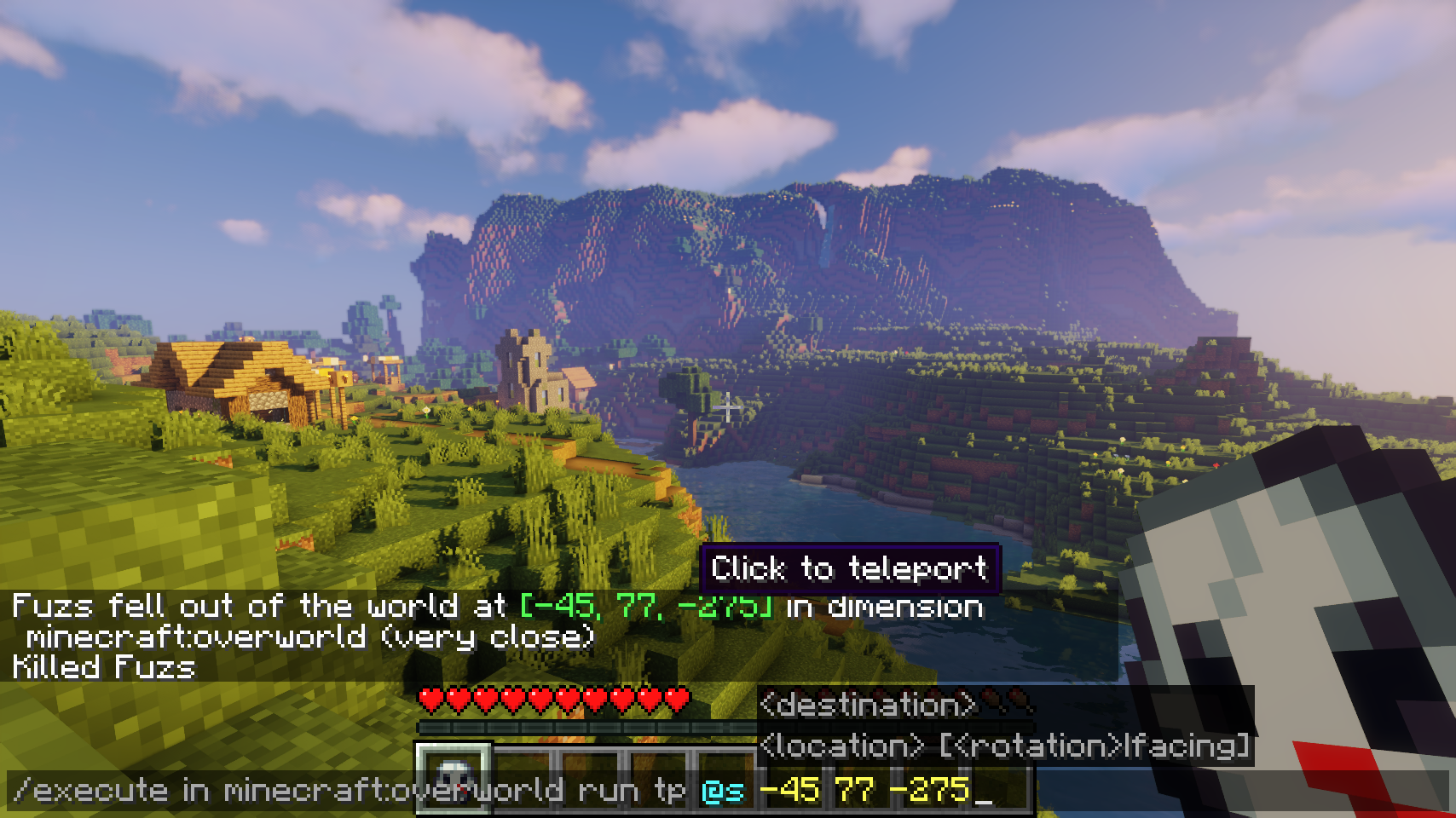
| Coordinates are added to all death messages | Quickly teleport to the death point with a simple click | |
 |
||
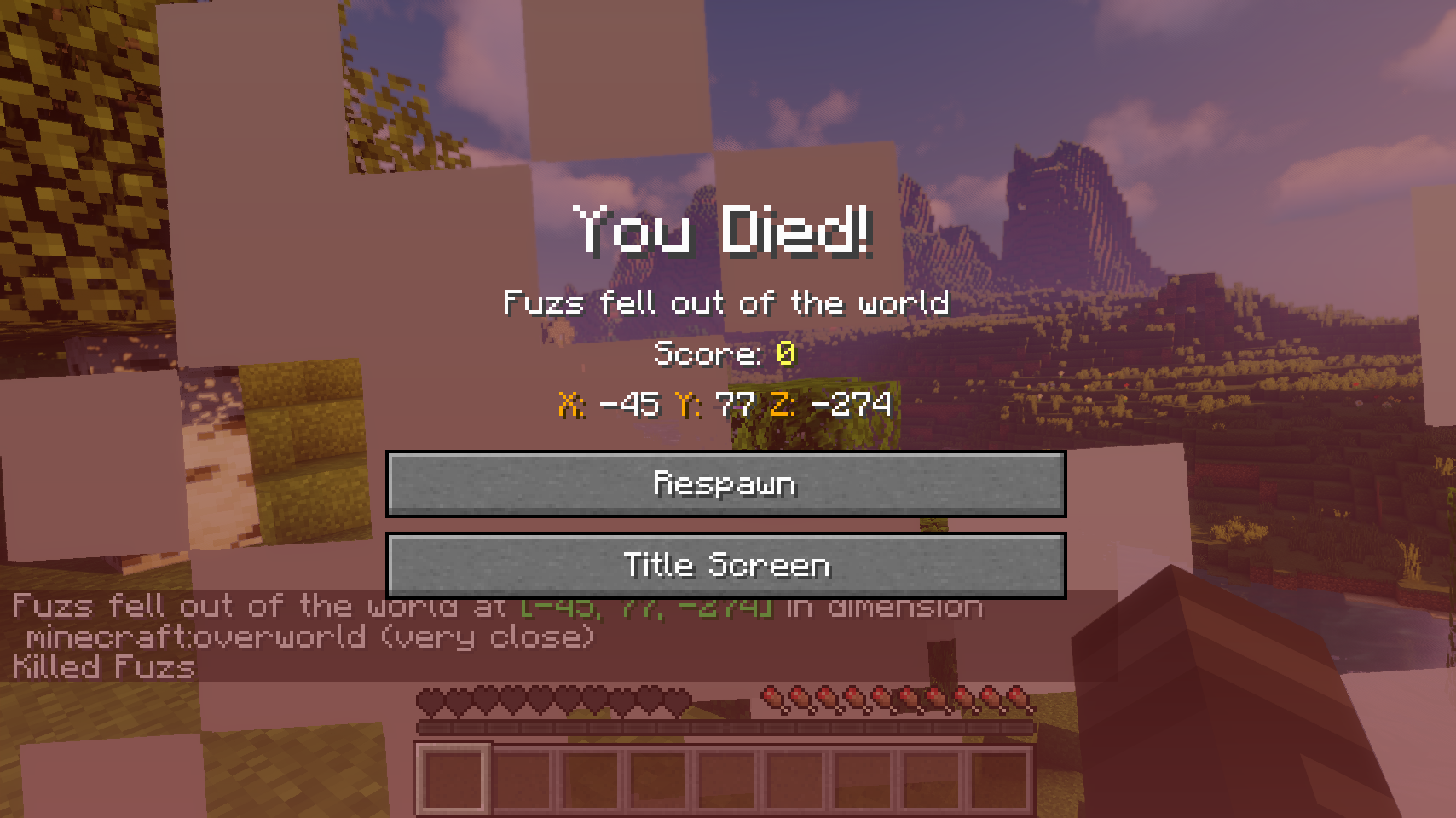
| Coordinates are displayed on the death screen | ||
💡 FAQ:
Q: How do I configure this mod?
A: Editing configs directly in-game has not yet been implemented. Instead when in a world run the /config showfile <modid> command by choosing either CLIENT or SERVER (depending on the mod), then click the file name (ending with .toml) that appears in chat to be able to manually edit the config file in a separate editor. After saving the file, the config will automatically reload in-game after a couple of seconds, so no game restart required.







 |
 |
|
 |
 |
|
Death Finder helps you recover from death without the frustration. ☠️ Your last death position is shown directly on the death screen and included in death messages, making it easy to find your way back to lost items.
Coordinates, dimensions, and even your distance from the death point can be displayed, keeping important information right where you need it. Recovery compasses also gain tooltip support to quickly reference your most recent death location. 🧭
Need more control? Death Finder includes flexible death message options and configurable teleport support, making recovery smoother for both singleplayer and multiplayer worlds alike. ✨
- ☠️ Death Screen Coordinates: View your exact death location directly on the death screen.
- 🧭 Smarter Death Messages: Death messages can include coordinates, dimensions, and distance to the death point.
- ✨ Clickable Teleporting: Teleport directly to death locations through chat messages with configurable permissions and time limits.
- 🪦 Recovery Compass Support: Recovery compasses display your last death position directly in their tooltip.
- 🐺 Entity Death Messages: Show death messages for pets, villagers, players, and named entities.
- 🌍 Global Death Tracking: Optionally announce all entity deaths and control exceptions through the
deathfinder:silent_deathsentity type tag. - ⚙️ Fully Configurable: Customize death message behavior, teleport permissions, and displayed information to fit your world.
⏩ INSTALLATION REQUIRED ON CLIENT & REQUIRED ON SERVER
⏩ REQUIRES PUZZLES LIB TO BE INSTALLED (FABRIC & NEOFORGE)
⏩ REQUIRES FABRIC API TO BE INSTALLED (FABRIC)
⏩ REQUIRES FORGE CONFIG API PORT TO BE INSTALLED (FABRIC)
If available for a mod, configuration is possible directly from in-game using the mod menu (requires Mod Menu by Prospector to be installed on Fabric).
For manual configuration using an external text editor all files are found at .minecraft/config, named as MOD_ID-client.toml, MOD_ID-common.toml, or MOD_ID-server.toml, depending on the type of config. Not all types might exist for a mod, if any at all.
 |
 |
|
 |
 |
|
 |
|
|
 |
 |
|
 |
 |
© 2026 @heyitsfuzs. All rights reserved. This page was last edited on 11 September 2026, at 06:44 (UTC).
Screenshots
Gallery
-
Coordinates are displayed on the death screen
-
Quickly teleport to the death point with a simple click
-
Coordinates are added to all death messages

Versions
Files
Relations
Project Relations
More like this
Similar Mods
Suggestions use data such as tags, dependencies, dependents, descriptions, titles, and more to rank how much they overlap with this mod.
On ModDex
Community snapshot
By the numbers
Statistics
Want to reach Minecraft players?
We're looking for a server hosting partner to feature here and other parts of the site. Interested? Send us a message!
Get in touchGet it on
Available Platforms
On ModDex
Community snapshot
By the numbers