
Community listing page, reviews may not be monitored by the author.
Death Point Marker

No reviews yet
After you die, one HUD line keeps pointing you back to your loot: direction, distance and coordinates. No chat spam to scroll back to.

Community voices
Reviews
No reviews yet. Be the first to review this project!
Get it on
Available Platforms
About
Project Details
For authors
Embed Badge
If you're the author of this project, you can embed a live badge anywhere that supports HTML or Markdown. It updates automatically whenever ratings change.
Use HTML for any page that supports it, or Markdown for README files and Markdown-based descriptions.
Identifiers
Platform IDs
Resources
External Links
About
Description
You die far from home. Even if a chat message gave you the coordinates, it scrolls away, and you are left walking in circles while the clock runs on your dropped items.
Death Point Marker keeps one line in the corner of the screen from the moment you respawn:
Death: NE 56° 27m X:22 Y:-60 Z:-15 Items ~4:58
Where to look
- Left: "Death:" and the direction to walk, as an 8-point compass label and a bearing in degrees (0° is north, 90° is east). It points from where you are now, so it changes as you move.
- Middle: how many blocks away your death point is, and its coordinates X Y Z.
- Right: Items ~4:58, an estimate of how long your dropped items will stay (see below).
What it does for you
- You can walk straight back instead of guessing. The line updates as you move.
- When you get within 3 blocks the line hides itself, and stays hidden until your next death. It remembers this after you restart the game.
- It works with the immediate respawn gamerule and after you leave and rejoin, because it reads the death point the game already keeps for the Recovery Compass.
- It is hidden while another screen is open (inventory, chests, menus), in another dimension, and with F1. It stays visible while you type in chat.
- If it would overlap the boss bar area or the Hullspark Coordinate HUD, it moves down a row.
- Client-side only. Nothing to install on the server, no network connections, no automation.
Item despawn countdown (version 0.2.0, Minecraft 1.21.11 and 26.3)
Dropped items disappear after 5 minutes. After you die, the line shows "Items ~4:58" and counts down. The whole line turns red in the last minute, and the countdown disappears when time is up (the rest of the line stays).
- It is an estimate. On a server your items may last longer than shown.
- In singleplayer (not open to LAN), it shows "(paused)" while you are far away, because items in unloaded areas do not age.
- Only for deaths you saw happen in this session. If you joined with an older death point, there is no countdown.
- It cannot see keepInventory, items that burned or fell into the void, or mods that change item lifetime.
Known limitations
- Only your most recent death is tracked, the same as the game's own death location.
- If you die again on the exact block of a death point you already recovered, in the same world and dimension, the line does not come back.
Versions
Version 0.2.0 for both Minecraft 1.21.11 and Minecraft 26.3, with the same features, including the despawn countdown.
Requirements
Fabric Loader 0.19.5+ and Fabric API. Pick the file for your Minecraft version (1.21.11 or 26.3; 26.3 needs Java 25).
Source: https://github.com/hullspark/fabric-mods
Disclosure: this mod was developed with AI assistance (Claude) and reviewed by the author. It does not reuse code or assets from other mods. It does not collect or transmit any data.
Screenshots
Gallery
-
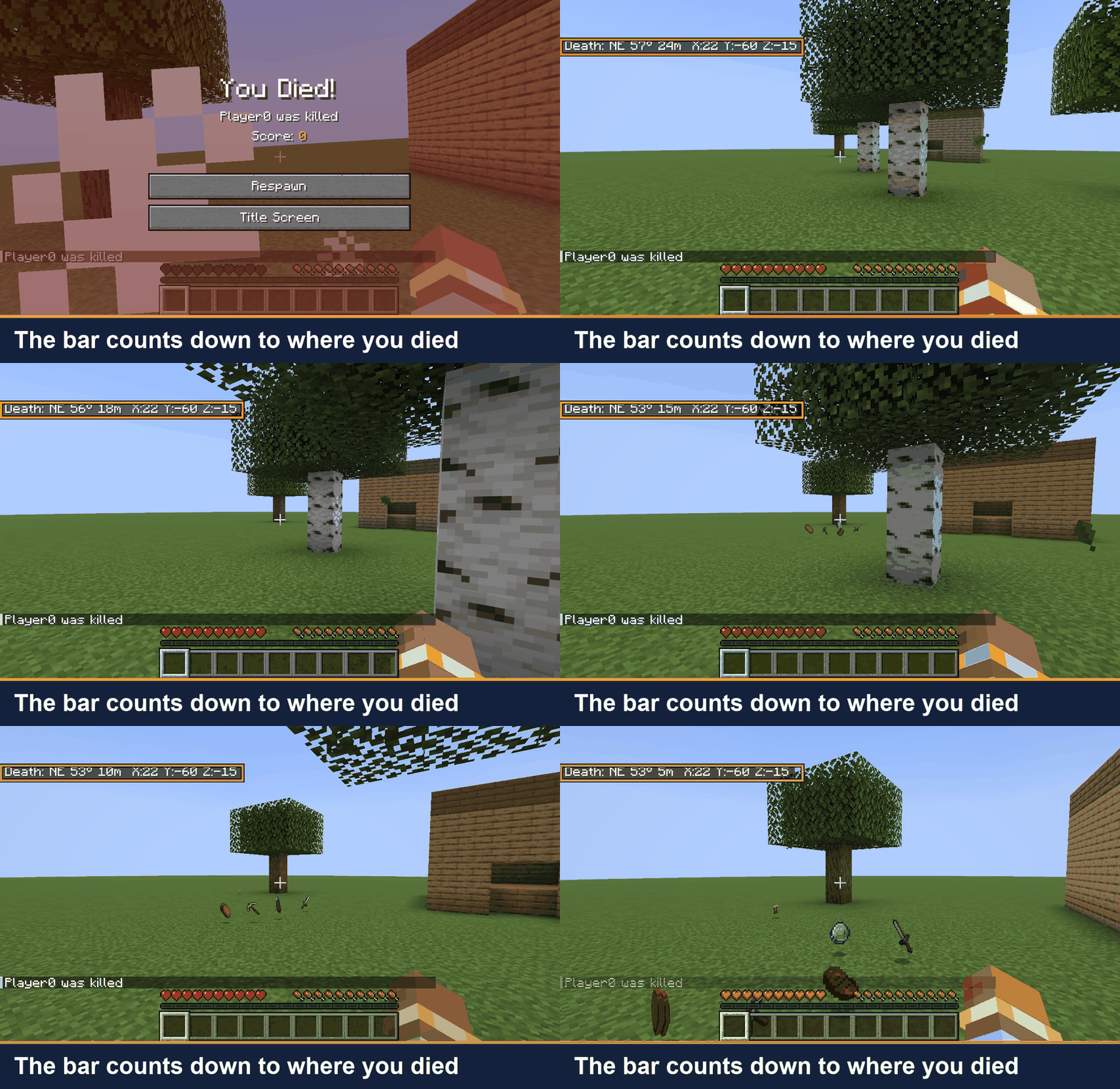 01-walk-back-to-your-loot.gif Walk back: the distance drops as you head for your dropped items.
 -
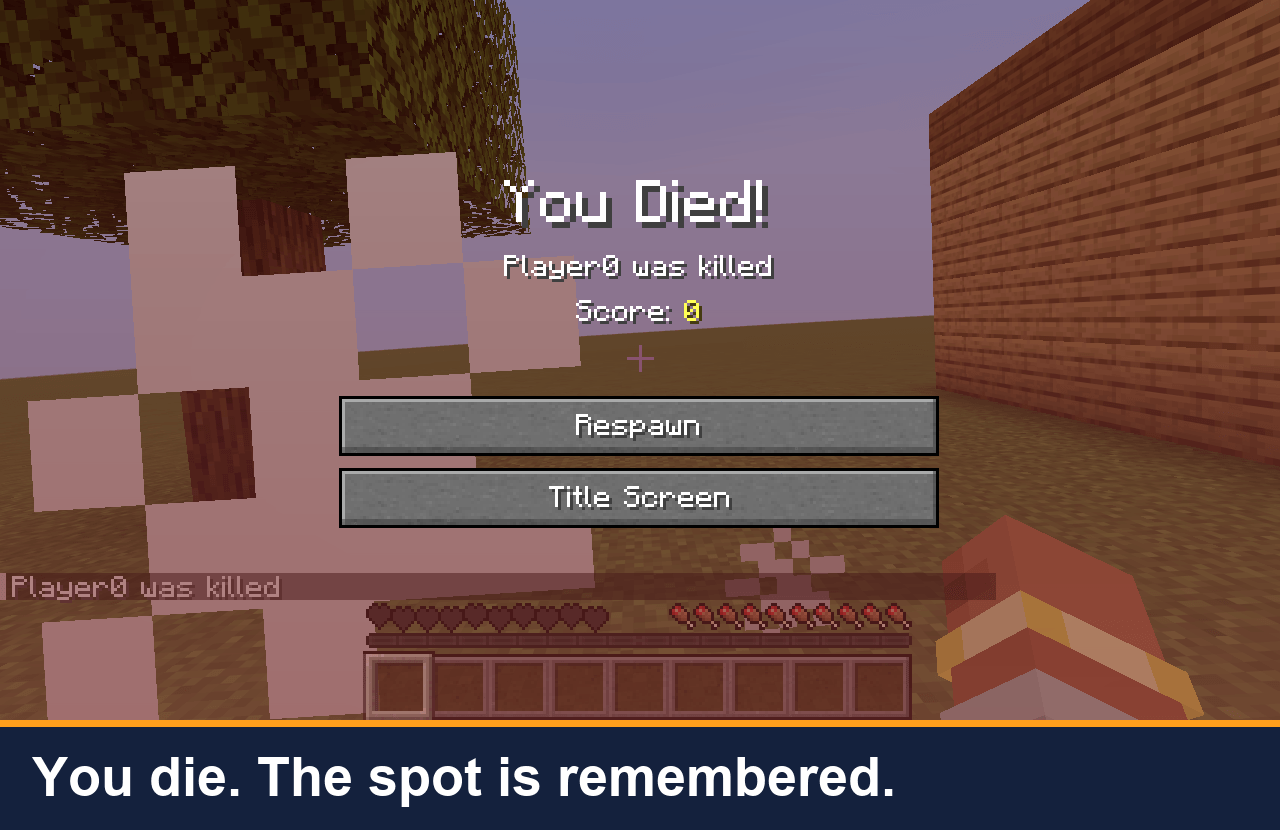 02-death-screen.png You die. The game already remembers the spot.
 -
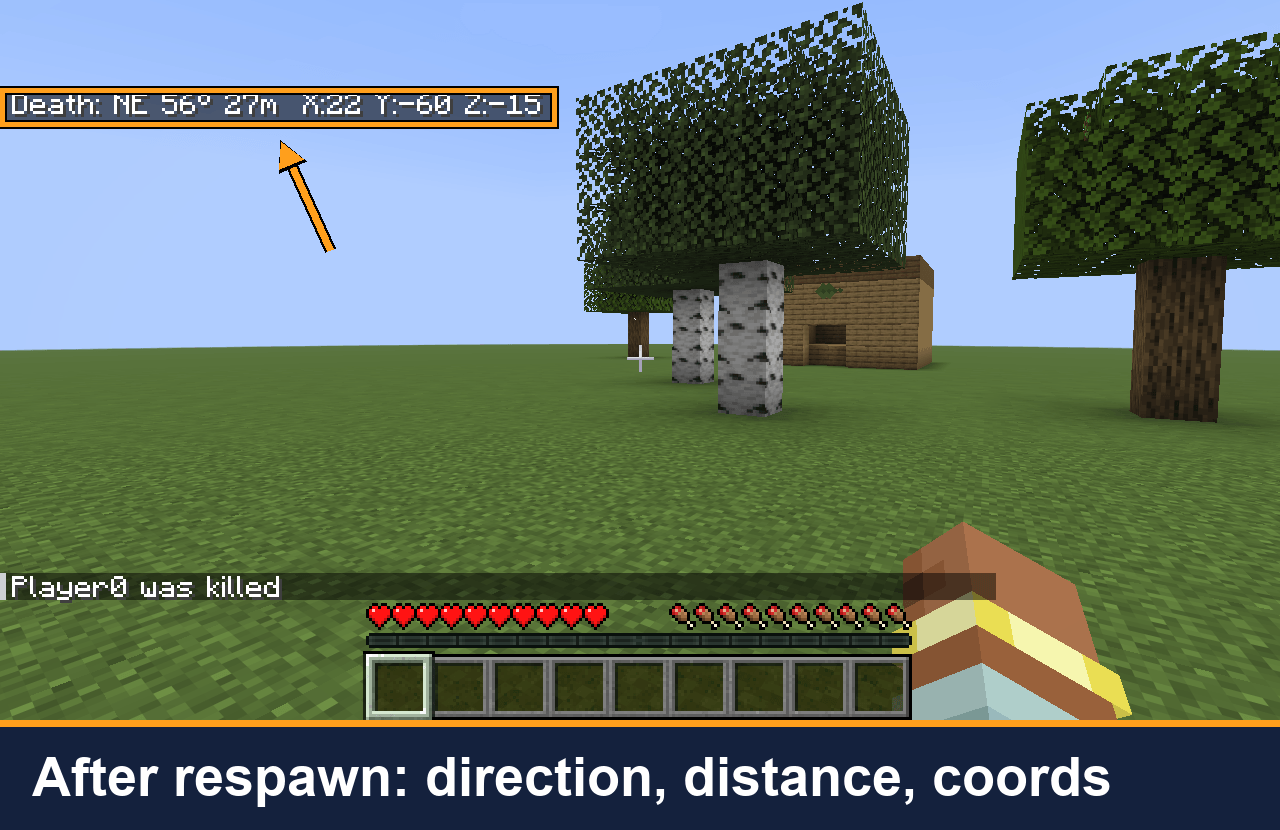 03-bar-after-respawn.png After you respawn: direction (NE, 56°), distance (27 m) and coordinates of your death point.
 -
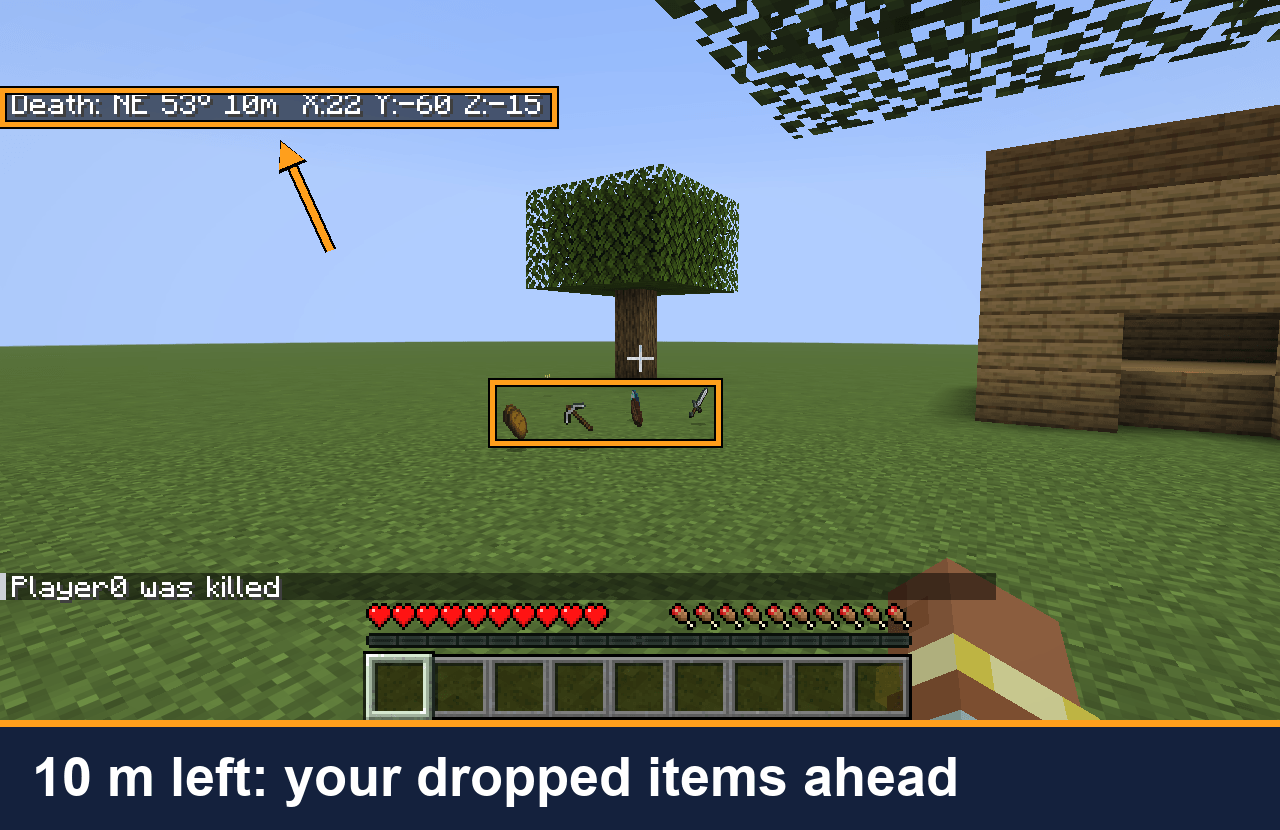 04-loot-where-it-points.png 10 m to go: your dropped items are right where the line points.
 -
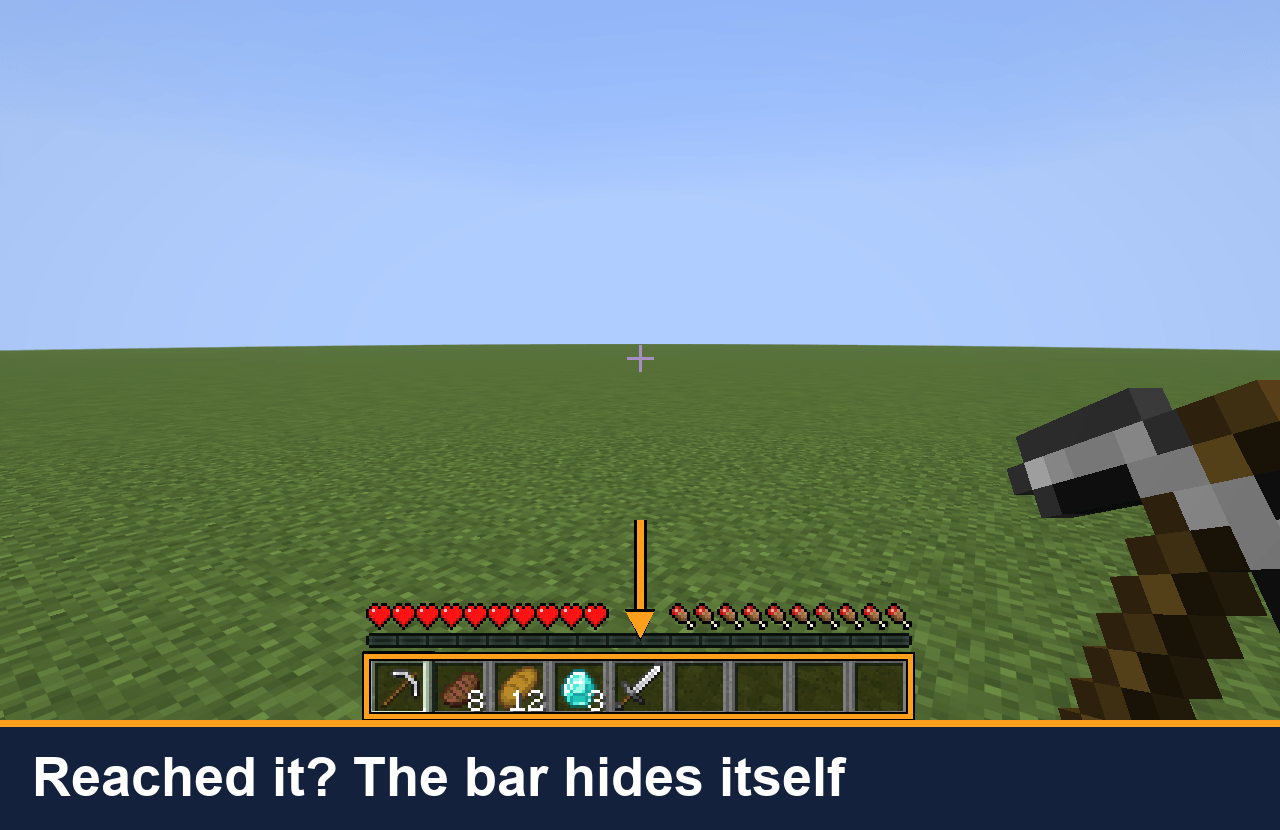 05-bar-hides-on-arrival.png You are within 3 blocks: the line hides itself until your next death.
Versions
Files
Relations
Project Relations
More like this
Similar Mods
Suggestions use data such as tags, dependencies, dependents, descriptions, titles, and more to rank how much they overlap with this mod.
On ModDex
Community snapshot
By the numbers
Statistics

Get it on
Available Platforms
On ModDex
Community snapshot
By the numbers
Statistics
Resources