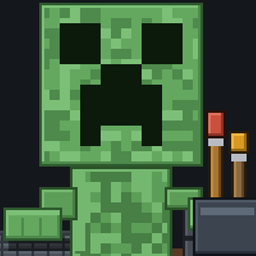
Community listing page, reviews here may not be monitored by the author.
DeskMate

No reviews yet
A Bongo Cat style desk buddy for Minecraft Steve, a creeper, or your own drawing sits on your HUD, hands hitting the keyboard as you move and the mouse as you click.
Community voices
Reviews
No reviews yet. Be the first to review this project!
Get it on
Available Platforms
About
Project Details
For authors
Embed Badge
If you're the author of this project, you can embed a live badge anywhere that supports HTML or Markdown. It updates automatically whenever ratings change.
Use HTML for any page that supports it, or Markdown for README files and Markdown-based descriptions.
Identifiers
Platform IDs
Resources
External Links
About
Description
# Deskmate
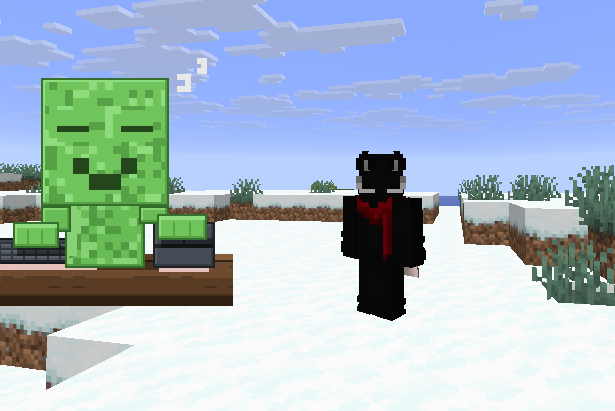
**A little character sits at the corner of your screen, at a desk, with a keyboard and a mouse — and plays along with you.**
Move, and the hand on the keyboard presses down. Click, and the hand on the mouse presses. Take a hit and they flinch red. Stand still long enough and they fall asleep on the desk.
Client-side only. Doesn't touch the server, doesn't need to be on the server, works on any multiplayer world you can already join.
---
## Inspired by Bongo Cat
This is a Minecraft take on **Bongo Cat** — the little cat that slaps its paws down when you press keys. Full credit to that idea; Deskmate is that concept rebuilt around Minecraft characters, tied to what you're actually doing in game rather than just raw keypresses.
If you've used a keystrokes HUD before, this does the same job. It's just a character doing it instead of grey boxes with letters in them.
---
## Eight characters included
**Steve · Alex · Creeper · Skeleton · Zombie · Enderman · Slime · Pig**
Every one of them is drawn at 128×128 with a full desk setup — keyboard with individual keycaps, a mouse with a lit scroll wheel, wood grain on the desk, and contact shadows so they sit on the surface instead of floating above it.
---
## What they react to
| You do this | They do this |
| --- | --- |
| W A S D, jump, sneak | Left hand presses the keyboard |
| Left click, right click, mining | Right hand presses the mouse |
| Take damage | Flash red |
| Stand still for 10 seconds | Head drops, eyes shut, `zZ` |
---
## Draw your own, in game
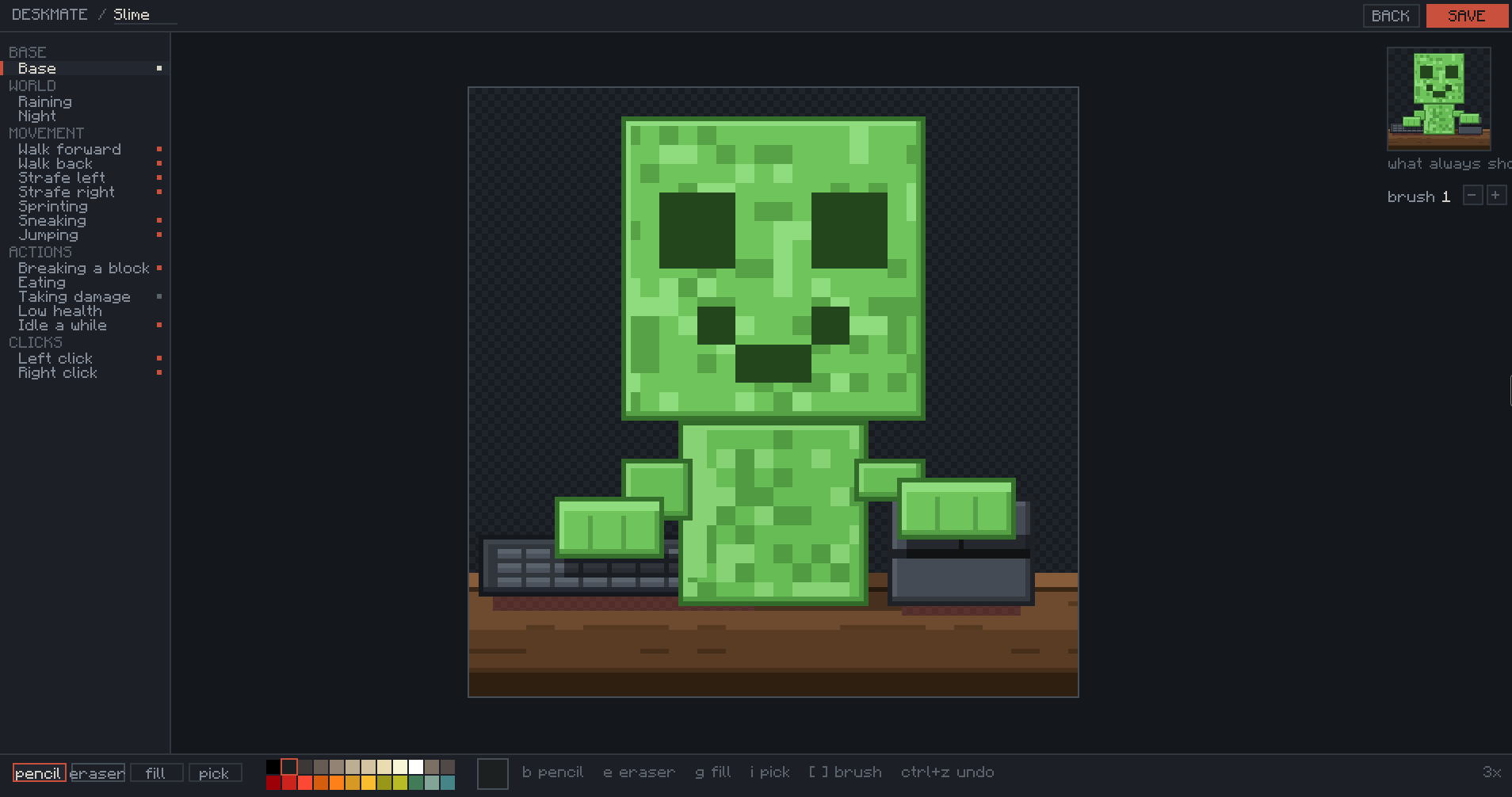
Press the Deskmate key, hit **NEW**, and pick a canvas size — 16, 32, 64 or 128.
You get a proper little pixel editor without leaving Minecraft:
- Pencil, eraser, flood fill, eyedropper
- Brush size 1 to 16 — `[` and `]` to change it, and the cursor shows exactly what your stroke will cover
- `Ctrl+Z` undo, `Ctrl+S` save
- Right-drag erases whatever tool you're holding
- Scroll to zoom, middle-drag to pan
- 24-colour palette
Every reaction is its own layer. Pick `attack` in the list on the left and draw what your character looks like while clicking. Layers you leave empty simply never draw, so you can do just a base and a click pose and stop there.
**Two things that make it much faster:**
- While you're drawing any layer, the base shows underneath at quarter opacity so you can line hands up exactly.
- **copy base in** fills the layer you're on with your base drawing so you only have to move the part that changes.
---
## A pet is one PNG
Not a folder. Not a zip. **One `.png` file** that carries its own name, canvas size and layer setup inside it.
That means sharing is just sending the file. Drop someone's pet into `config/deskmate/pets/` and it appears in your list. Post yours in a Discord and it works on their game.
They're small — the built-in ones are about 13 KB each.
---
## Setup
1. Install **Fabric Loader** for your Minecraft version
2. Install **Fabric API** — Deskmate needs it
3. Drop the Deskmate `.jar` into your `mods` folder
4. Launch the game and press **`'`** (apostrophe)
That's it. The eight characters are written to `config/deskmate/pets/` the first time you launch.
**Make sure you download the jar that matches your Minecraft version.** There are two, and they are not interchangeable:
| Jar | Works on | Needs |
| --- | --- | --- |
| Deskmate for 26.x | 26.1, 26.1.1, 26.1.2, 26.2 | Java 25 |
| Deskmate for 1.21.11 | 1.21.11 | Java 21 |
Minecraft changed how mods are built between these, so one file genuinely cannot cover both.
---
## Using it
Press **`'`** to open the Deskmate panel. It doesn't pause the game, so you can see your character reacting while you set it up.
- **`<` `>`** — switch character
- **Drag the character** — move it anywhere on screen
- **size** — 1x to 8x
- **fade** — 10% to 100% opacity
- **DRAW** — edit the selected character
- **NEW** — start a fresh one
- **FOLDER** — opens your pets folder
The key is rebindable in **Options → Controls → Key Binds → Miscellaneous → "Open Deskmate"**, and the panel always shows whichever key you've actually got bound.
Settings live in `config/deskmate/settings.json`.
---
## Requirements
- Fabric Loader
- Fabric API
- Client side only — **no server install needed**
---
## Notes
Character size snaps to whole-number multiples on purpose. Pixel art scaled to 2.5x turns to mush, so it doesn't let you do that. Large characters also cap their own scale so a 128 pet can't take over your screen.
Deleting `config/deskmate/.starters` brings the eight built-in characters back if you've overwritten them.
---
## Licence
MIT. Do what you like with it, including the built-in characters.
Made by **mishka**.
Screenshots
Gallery
-
 example.PNG example.PNG
 -
 slime.PNG slime.PNG
Versions
Files
Relations
Project Relations
More like this
Similar Mods
Suggestions use data such as tags, dependencies, dependents, descriptions, titles, and more to rank how much they overlap with this mod.
On ModDex
Community snapshot
By the numbers
Statistics
Want to reach Minecraft players?
We're looking for a server hosting partner to feature here and other parts of the site. Interested? Send us a message!
Get in touchGet it on
Available Platforms
On ModDex
Community snapshot
By the numbers
Statistics
Resources