
Community listing page, reviews may not be monitored by the author.
Dig Chart

No reviews yet
Hover a pickaxe, axe or shovel: the tooltip lists how fast and how long it breaks the blocks you pick.

Community voices
Reviews
No reviews yet. Be the first to review this project!
Get it on
Available Platforms
About
Project Details
For authors
Embed Badge
If you're the author of this project, you can embed a live badge anywhere that supports HTML or Markdown. It updates automatically whenever ratings change.
Use HTML for any page that supports it, or Markdown for README files and Markdown-based descriptions.
Identifiers
Platform IDs
Resources
External Links
About
Description
You have a stone pickaxe, an iron one and a diamond one with Efficiency III, and you are about to dig through a lot of deepslate. Which is worth the trip back to the enchanting table? The game's tooltip shows the tool's attack numbers and a "+26 Mining Efficiency" line, but never what that means for the blocks you are actually about to break.
Where: at the bottom of a tool's item tooltip, in your inventory, in chests, anywhere the game shows an item's tooltip.
What it does: under the game's own lines it adds a small chart for the blocks on your list, for example:
Mining speed (on the ground, Haste II): Stone: 11.2 (0.25 s) Deepslate: 11.2 (0.45 s) Obsidian: 11.2 (6.70 s) The number is the game's own break speed for that tool on that block: the tool's speed, plus Efficiency, times Haste / Conduit Power, times Mining Fatigue. The header names the potion effect when one is on, so you can see why the numbers moved. The time in brackets is how long you hold the button to break the block at that speed. "instant" means the first click breaks it. A block the tool cannot drop (a wooden pickaxe on obsidian) is marked in red "no drops", and the time is the slow one the game really uses. It works for the tool you hover, not only the one in your hand: hover a spare pickaxe and see what it would do in your hand (its own Efficiency counts, the one you hold does not). A tool lists only the blocks it has a speed rule for (a pickaxe lists stone and obsidian, an axe lists logs and planks), at most 4 lines. Items that are not tools get nothing. Pick your blocks: /digchart blocks shows the list, /digchart blocks add <block> and /digchart blocks remove <block> change it (names complete as you type; modded blocks work too), /digchart blocks reset goes back to the default. /digchart time off shows the speed only. /digchart on / /digchart off switches the whole mod. Everything is saved. Client-side only: install it on your own game; nothing is needed on the server, and it sends nothing to the server. It only reads the tool's own data, your attributes and your potion effects, which the game already has. Result: in the automated test, for 9 tools (diamond, Efficiency V, wooden and +1 block-break-speed pickaxes, iron axe, diamond shovel, shears, diamond sword, diamond hoe), with the tool in hand and only hovered (the pickaxes were also checked under Haste II, Mining Fatigue III and both together), the test really put the tool in the player's hand, asked the game for the speed and the per-tick progress of each listed block, and the tooltip showed exactly those numbers. With the mod switched off, the chart is gone (picture).
Screenshots
Gallery
-
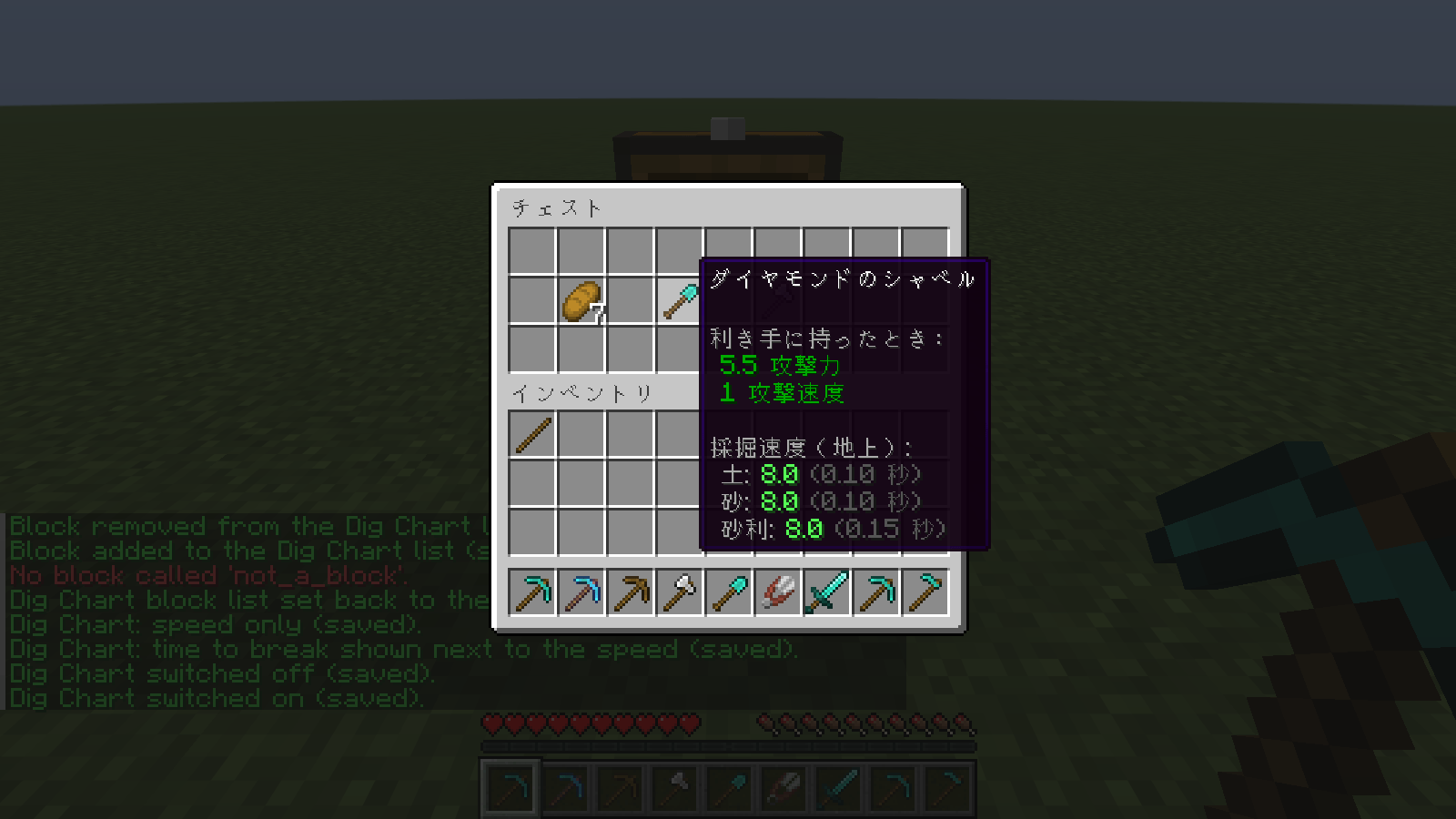 gametest-green-chest-hover-loot-diamond-shovel-japanese.png gametest-green-chest-hover-loot-diamond-shovel-japanese.png
 -
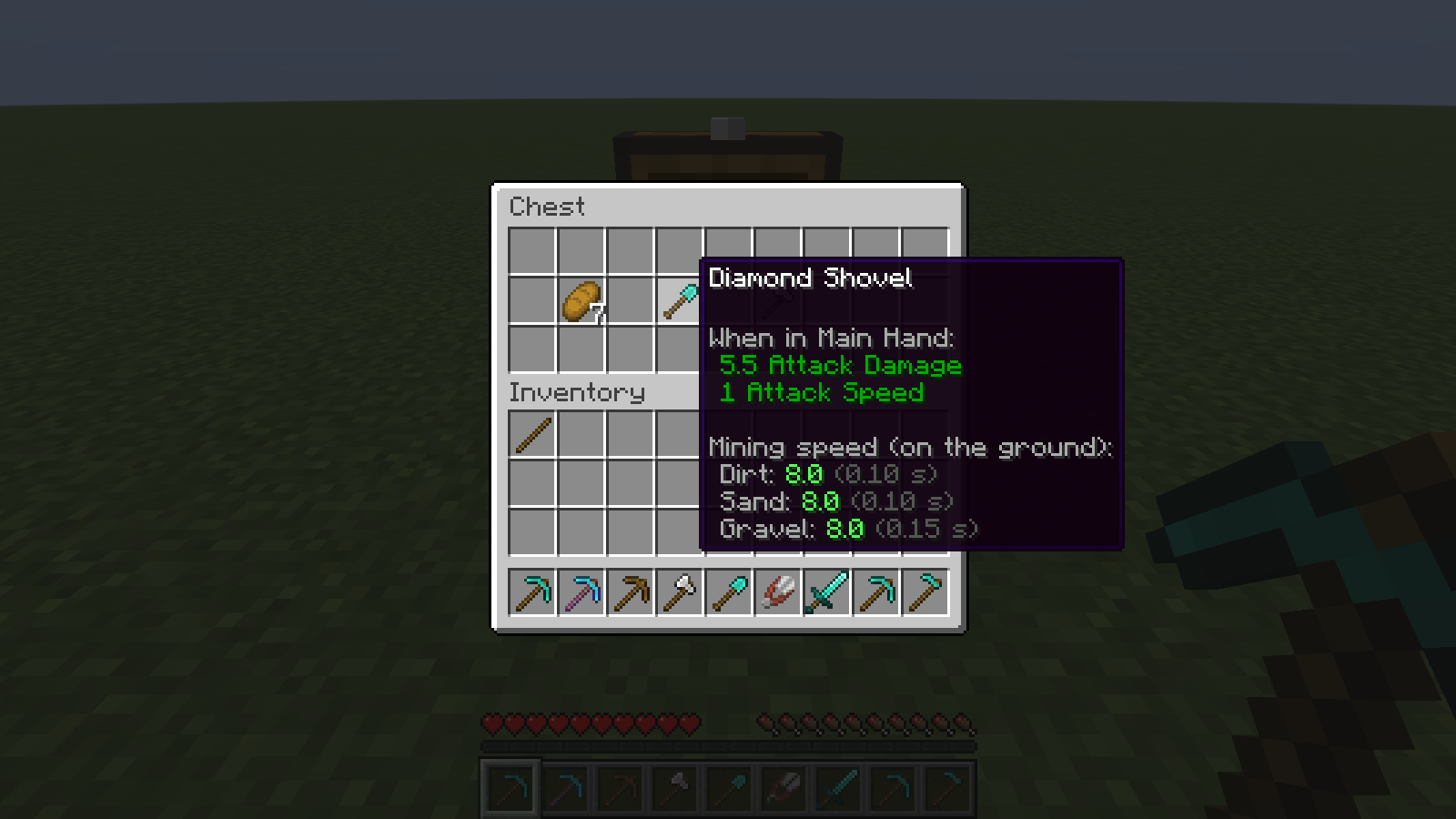 gametest-green-chest-hover-loot-diamond-shovel.png gametest-green-chest-hover-loot-diamond-shovel.png
 -
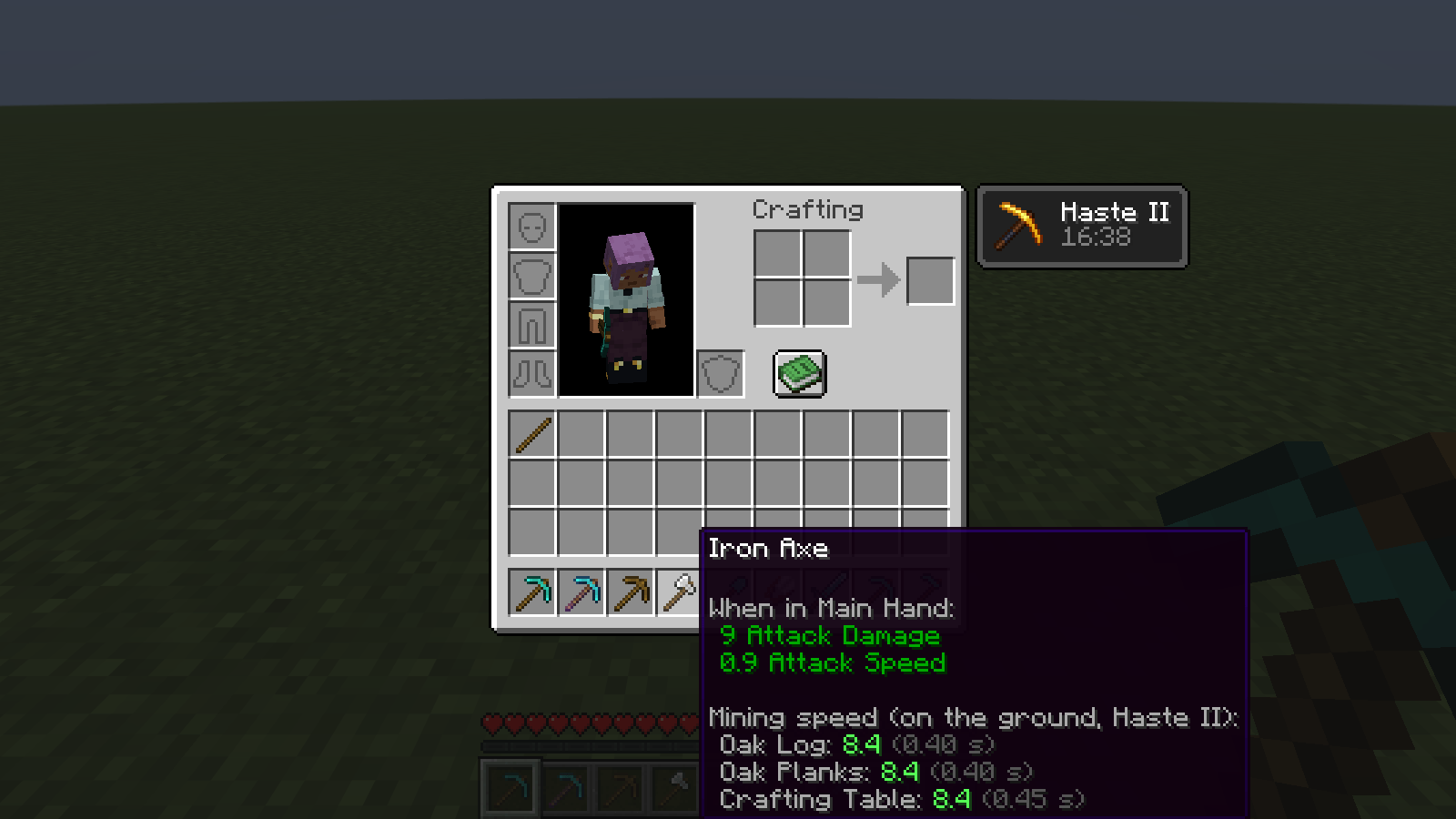 gametest-green-inv-hover-iron-axe-haste2.png gametest-green-inv-hover-iron-axe-haste2.png
 -
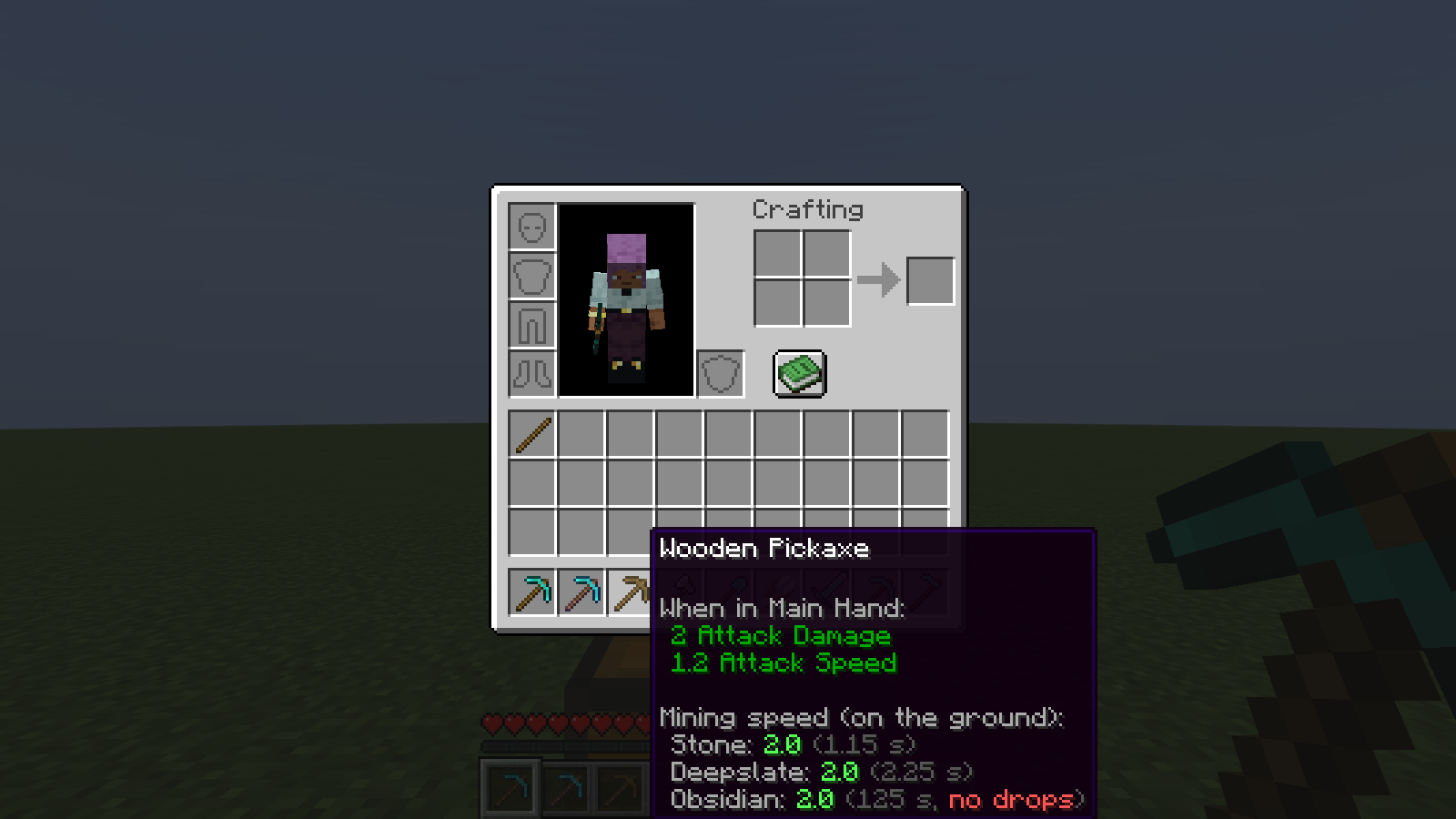 gametest-green-inv-hover-wooden-pickaxe-no-drops.png gametest-green-inv-hover-wooden-pickaxe-no-drops.png
 -
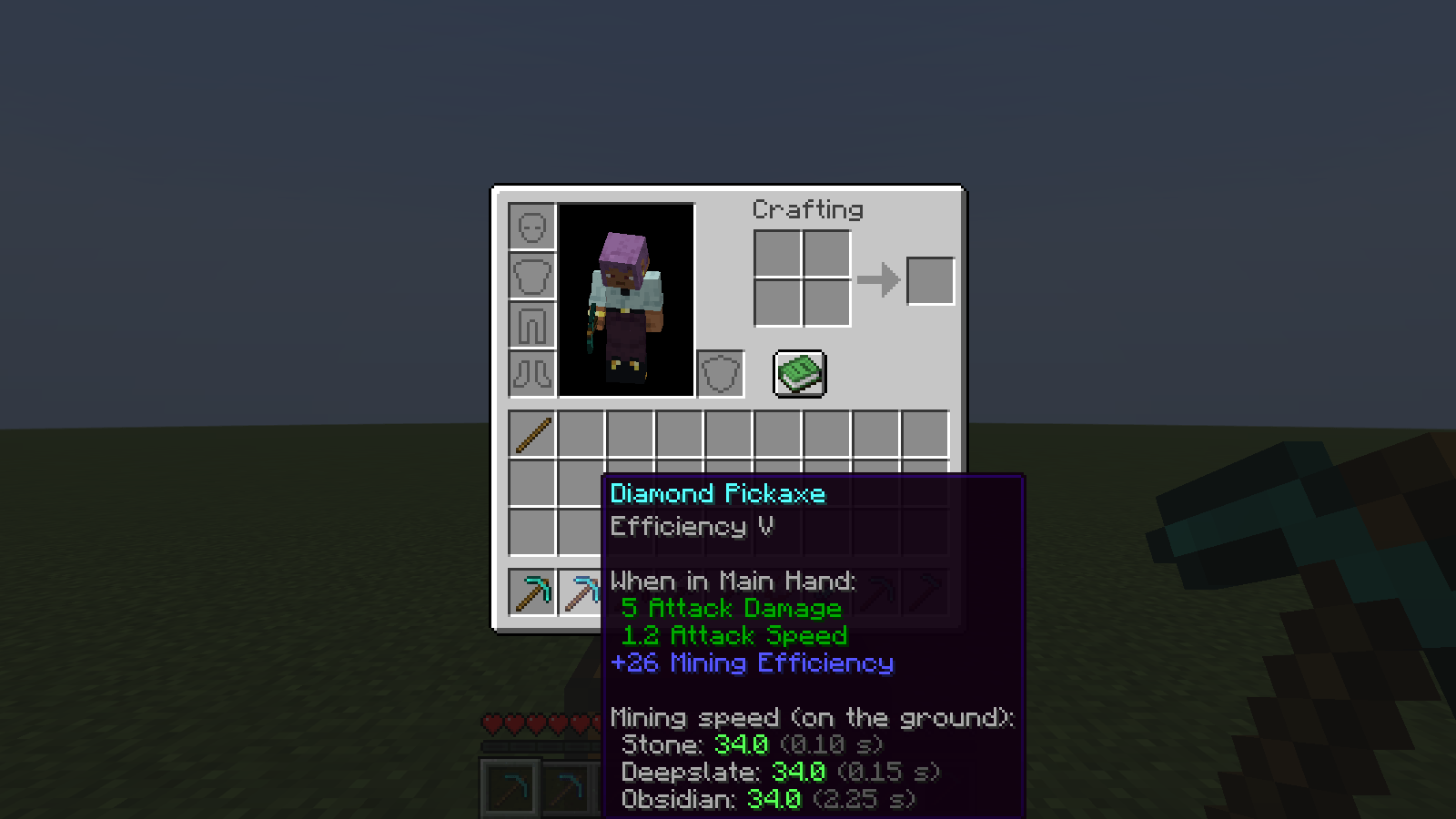 gametest-green-inv-hover-diamond-pickaxe-efficiency5.png gametest-green-inv-hover-diamond-pickaxe-efficiency5.png
Versions
Files
Relations
Project Relations
More like this
Similar Mods
Suggestions use data such as tags, dependencies, dependents, descriptions, titles, and more to rank how much they overlap with this mod.
On ModDex
Community snapshot
By the numbers
Statistics

Get it on
Available Platforms
On ModDex
Community snapshot
By the numbers
Statistics
Resources