
Community listing page, reviews may not be monitored by the author.
Dimensional Anchor


No reviews yet
Chunk Loader für die minecraft Version 1.7.10 | Chunk Loader for minecraft version 1.7.10

Community voices
Reviews
No reviews yet. Be the first to review this project!
Get it on
Available Platforms
Compatibility
Supported Environments
Must be installed on both the client and the server.
About
Project Details
For authors
Embed Badge
If you're the author of this project, you can embed a live badge anywhere that supports HTML or Markdown. It updates automatically whenever ratings change.
Use HTML for any page that supports it, or Markdown for README files and Markdown-based descriptions.
Identifiers
Platform IDs
Resources
External Links
About
Description
[Deutsch][DE]
Das ist ein Chunk Loader für die minecraft Forge Version 1.7.10
Mit dem Minecraft Mod können sie ihre Minecraft Weld laden lassen wen sie in der Hölle sind.
[Englisch][EN]
This is a chunk loader for minecraft Forge version 1.7.10
With the Minecraft Mod you can let your Minecraft World load whoever you are in hell.
This mod adds a block that loads chunks. There is a limit on the number of chunks each non-op player can load in SMP, and each chunk loader can load an adjustable area.
Right clicking opens this GUI. If you are op (or in singleplayer) or the owner of the chunkloader, you can change the size of the loaded area without breaking and replacing it (which would make you the owner).
The green button expands the area loaded by this chunkloader by one chunk, and the red button shrinks it by one chunk.
There is a limit on the number of chunks that each player may force to be loaded. In singleplayer, or if the owner of the chunkloader is an op, there is no limit.
Pressing F9 shows loaded chunks, as with the Teleport Tether, however the format of this display is quite different:
- First, you can see a blue or orange box around all chunk loader blocks, even through walls. This is useful if you bury your chunkloaders and forget where they are, or if somebody tries to cause lag on SMP. Blue boxes indicate chunkloaders you own, while orange boxes indicate chunkloaders owned by someone else. Orange boxes are only visible in singleplayer, to ops, or if they have been enabled in the server config (chunkloader.hideOtherPlayersLoadersInF9=false). For the rest of this section, a "visible chunk" means a chunk that is being kept loaded by a chunk loader you can see with a blue or orange box; if you can't tell a chunk loader is there, you can't tell which chunks it is keeping loaded.
- Second, a translucent blue border will be drawn around the chunk you are standing in, if it is visible. This border cannot be seen through walls, and helps to see whether your machines are all in the same chunk.
- Third, a green line will be drawn in each corner of each visible chunk.
- Fourth, a translucent red square will be drawn above your head height, in each visible chunk. It will be drawn once for each chunk loader - that is, if two or more visible chunk loaders are keeping the same chunk loaded (and thus the chunk is counting multiple times towards your limit) the red square will appear darker. This is visible through walls and ceilings, so that you can see it indoors.
If you set chunkloader.useFuel=true in immibis.cfg, anchors will require fuel to run. Anchors without fuel will be treated as if they don't exist - so they won't appear in F9 or contribute to your quota. (This also means you can set them to a larger area than you're allowed, and it won't be reset until you put fuel in)
If you set chunkloader.allowFuelPiping=true in immibis.cfg, then automation mods (such as Buildcraft pipes, RedPower 2 tubes and ComputerCraft turtles) will be allowed to insert fuel into anchors. If it is set to false (which is the default), they will be blocked (using ISidedInventory).
The available fuels and value of each fuel is configurable in immibis.cfg. This is mainly intended for server admins.
The amount of fuel used is scaled by the number of chunks, so a 3x3 loader will use 9 times as much fuel as a 1x1 loader.
Default fuels:
| Item | Time per item (1 chunk) | Time per stack (1 chunk) |
|---|---|---|
| Coal | 10 min | 10 hr 40 min |
| Charcoal | 1 min | 1 hr 4 min |
| Redstone | 1 min | 1 hr 4 min |
| Ender pearl | 15 min | 4 hr (max stack size is 16) |
| Magma cream | 15 min | 16 hr |
| Eye of ender | 30 min | 32 hr |
| Dirt | 1 sec | 1 min 4 sec |
| Cobblestone | 1 sec | 1 min 4 sec |
| Smoothstone | 3 sec | 3 min 12 sec |
| Netherrack | 4 sec | 4 min 16 sec |
| Nether brick | 10 sec | 10 min 40 sec |
| Glowstone dust | 2 min | 2 hr 8 min |
In Minecraft 1.3+, the mod also adds the following commands (only available to operators):
/dimanc getquota <username>- Tells you the current and maximum loaded chunks of that player./dimanc override <username> <number>- Sets a quota override for a specific player, equivalent to setting it in the chunkloader.playerQuotaOverride section of immibis.cfg. This does update the config. You can also use "unlimited" (without quotes) instead of the number, or "default" (which removes the override)/dimanc setfuel <ID> <time> <unit>- Sets a fuel item. ID is the item ID, and time is the amount of time. Unit is a multiplier for the time - it can be "sec" (seconds), "min" (minutes), "hr" (hours) or blank (ticks). Example to make stone last for 5 seconds:/dimanc setfuel 1 5 sec/dimanc setfuel <ID>:<meta> <time> <unit>- Same as above, but with a specific metadata/damage value./dimanc setpipemode allow- Enables automatic fuel insertion and updates the config./dimanc setpipemode block- Disables automatic fuel insertion and updates the config.
(Original mod by immibis. Original description from the Minecraft Forums.)
Archival notice
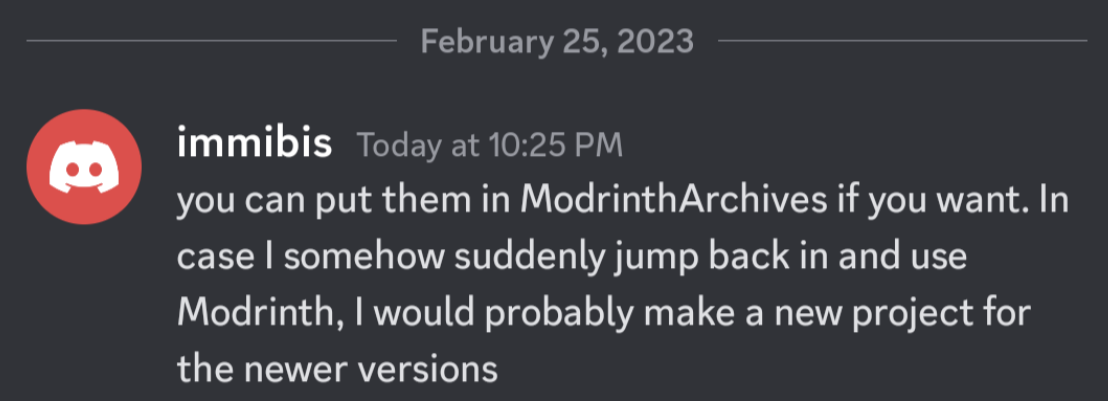
This mod is abandoned and has been uploaded for archival purposes. It was originally created by immibis. It has been uploaded to Modrinth under the ModrinthArchives account with permission from the original author.
Screenshots
Gallery
Versions
Files
Relations
Project Relations
More like this
Similar Mods
Suggestions use data such as tags, dependencies, dependents, descriptions, titles, and more to rank how much they overlap with this mod.
On ModDex
Community snapshot
By the numbers
Statistics

Get it on
Available Platforms
On ModDex
Community snapshot
By the numbers
Statistics
Resources