Community listing page, reviews here may not be monitored by the author.
Dim's Fancy Time

No reviews yet
A mod that lets you see the in-game time as a clean HUD element!
Community voices
Reviews
No reviews yet. Be the first to review this project!
Get it on
Available Platforms
About
Project Details
For authors
Embed Badge
If you're the author of this project, you can embed a live badge anywhere that supports HTML or Markdown. It updates automatically whenever ratings change.
Use HTML for any page that supports it, or Markdown for README files and Markdown-based descriptions.
Identifiers
Platform IDs
Resources
External Links
About
Description

About
Have you ever wanted to see the in-game time while you're out mining, but you don't have a clock? Or have you ever been roleplaying with your friends, only to realize that you can't meet up in your world because you never seem to be able to tell each other exactly when? With Dim's Fancy Time, you can!
This mod is client-side, meaning you do not have to install it on your server for it to be functional!
Features
You might ask: "Dim, why is that considered fancy? It does the bare minimum, even I that can't code can make this!"
Well, for one, I don't know how to code exceptionally well either! But, I made sure to offer life changing and life saving features in this mod, such as:
- Different positions. If you use other mods that occupy the default space of the clock element, or just want to have the clock in another place, you can choose from 3 wonderful presets: top left, top center, and top right.
- Saving the positions. The mod stores your preferred position in a config file, so when you close Minecraft it knows where to place the clock in the next launch.
And, of course, let's not forget the other life changing and life saving feature added in v1.1.0, that being a 12/24h toggle for my friends who are used to different time formats! And the other features added in 1.2 and so on and so forth. Please check the changelog :)
FAQ
Does Dim's Fancy Time need to be downloaded in my server?
No, you don't need to download the mod in your server. It is a client-side mod.
If I have a different mod occupying the position where the clock sits, will it adapt and choose a different position?
Unfortunately not. While this feature would be great, I am not sure if it exists. If I find it in the future, I will be sure to implement it for an easier experience.
Dependencies
Fabric API by modmuss50 (mandatory)
Yet Another Config Lib by isXander (mandatory)
Mod Menu by Terraformers (optional - needed for clock configuration, e.g. positions.)
Credits, License and Changelog
Credits
Author - ItzReallyDim
Special thanks to Winabees for the icon!
Made using IntelliJ IDEA.
License
This mod is licensed under the MIT License. Feel free to add it in your modpacks, but credit me! I am not liable for damages.
Screenshots
Gallery
-
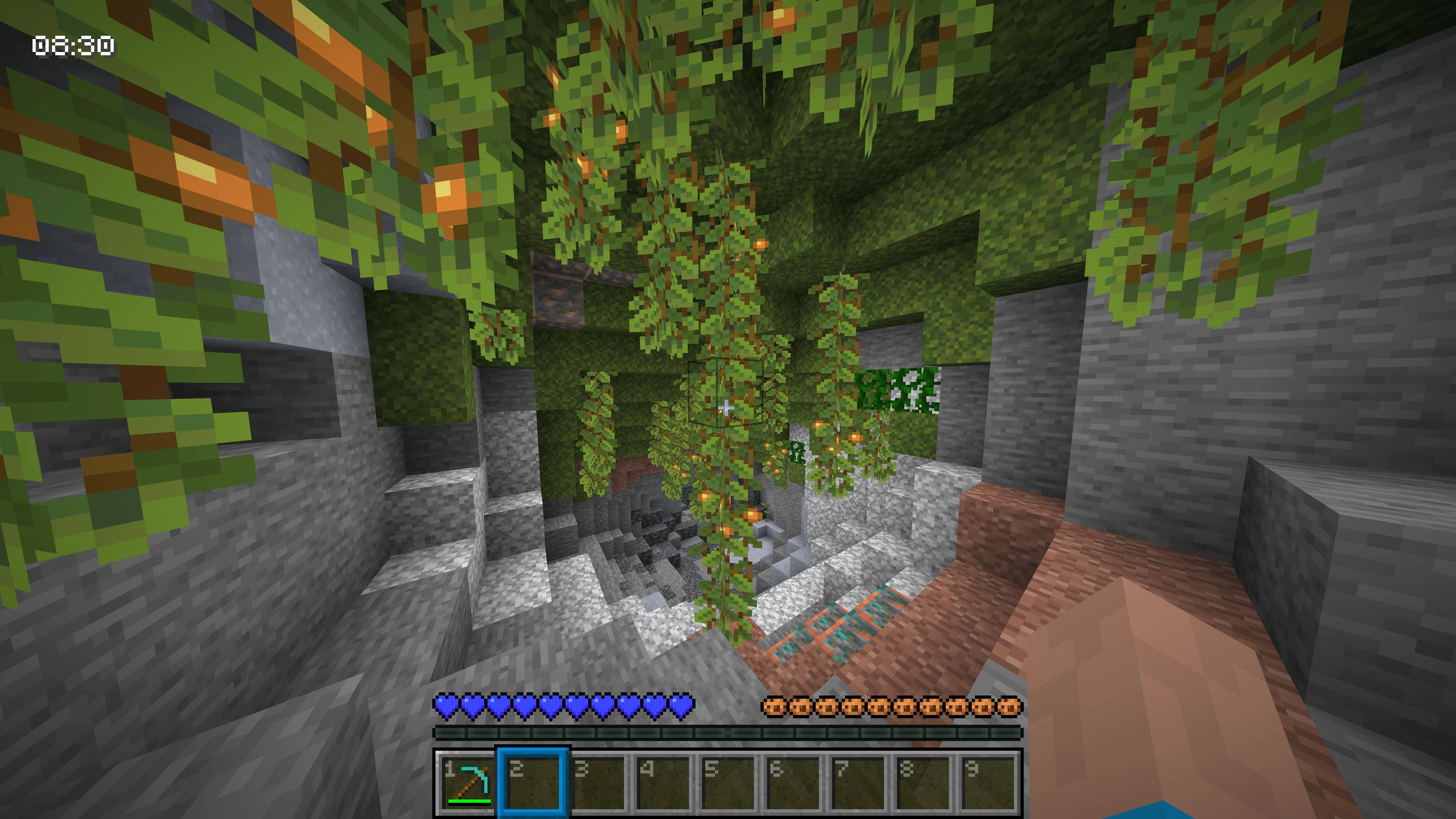 The clock HUD element in the top left position.
 -
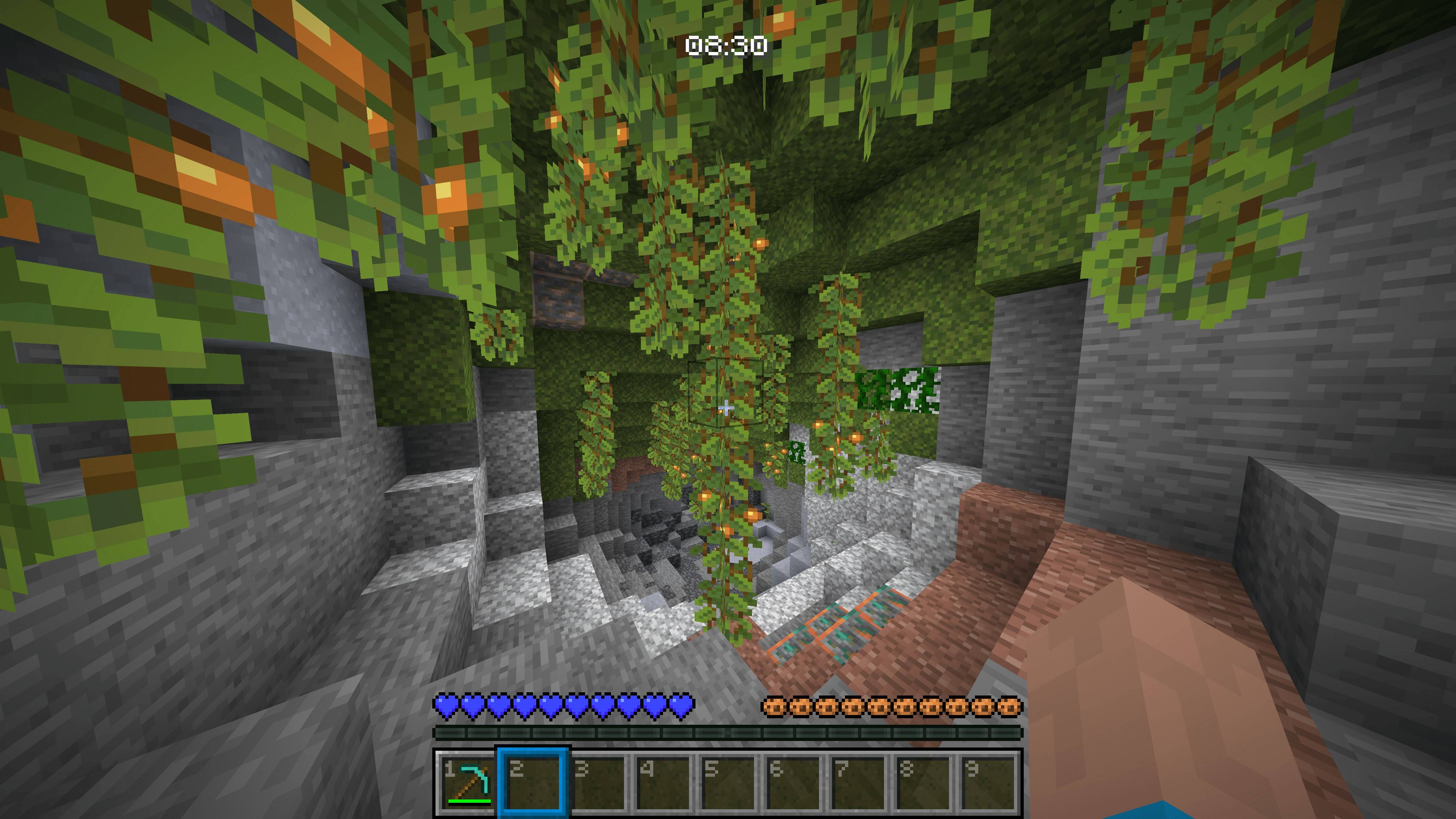 The clock HUD element in the center position.
 -
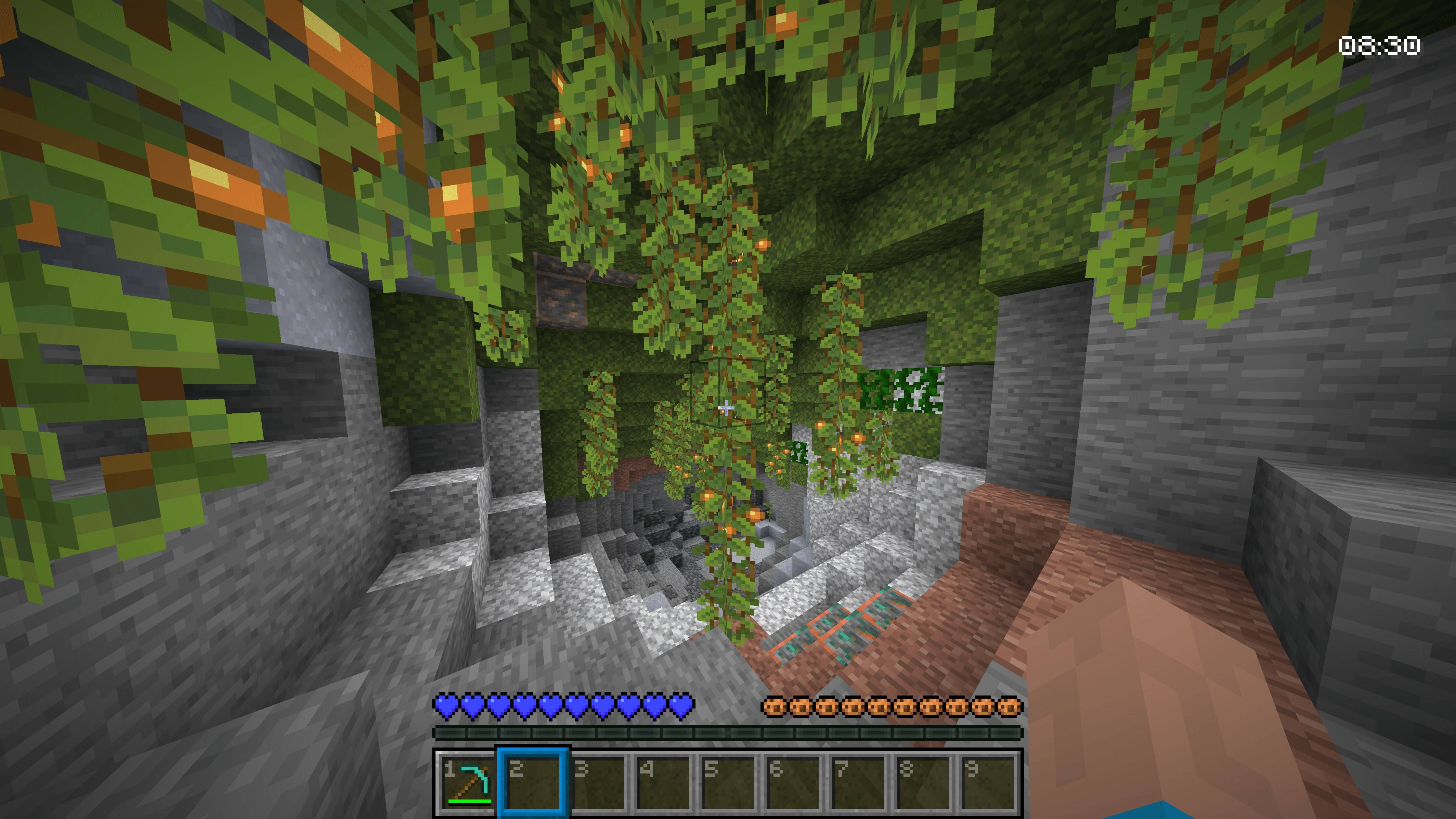 The clock HUD element in the top right position.
Versions
Files
Relations
Project Relations
More like this
Similar Mods
Suggestions use data such as tags, dependencies, dependents, descriptions, titles, and more to rank how much they overlap with this mod.
On ModDex
Community snapshot
By the numbers
Statistics
Want to reach Minecraft players?
We're looking for a server hosting partner to feature here and other parts of the site. Interested? Send us a message!
Get in touchGet it on
Available Platforms
On ModDex
Community snapshot
By the numbers
Statistics
Resources