
Community listing page, reviews here may not be monitored by the author.
Direction HUD


No reviews yet
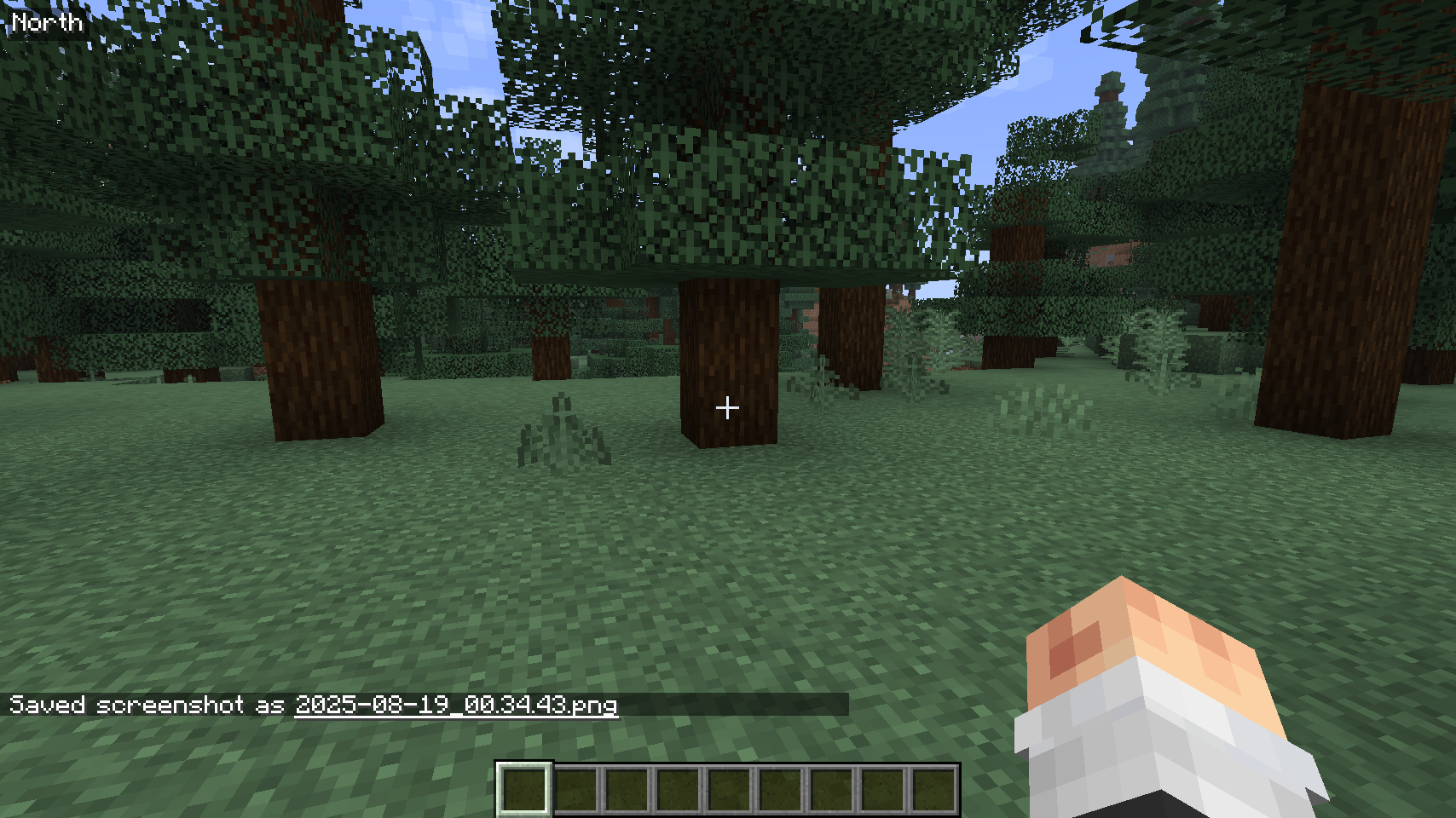
The Direction HUD mod displays the player's current facing direction (North, South, East, West, etc.) on the top left corner of the screen.

Community voices
Reviews
No reviews yet. Be the first to review this project!
Get it on
Available Platforms
Compatibility
Supported Environments
Required on the client. Installing it on the server adds functionality.
About
Project Details
For authors
Embed Badge
If you're the author of this project, you can embed a live badge anywhere that supports HTML or Markdown. It updates automatically whenever ratings change.
Use HTML for any page that supports it, or Markdown for README files and Markdown-based descriptions.
Identifiers
Platform IDs
Resources
External Links
About
Description
Direction HUD
Overview
The Direction HUD mod displays useful player information such as facing direction, world time, coordinates, and more directly on the screen. All HUD elements are configurable and can be toggled on or off using commands. The state is saved between game sessions.
Features
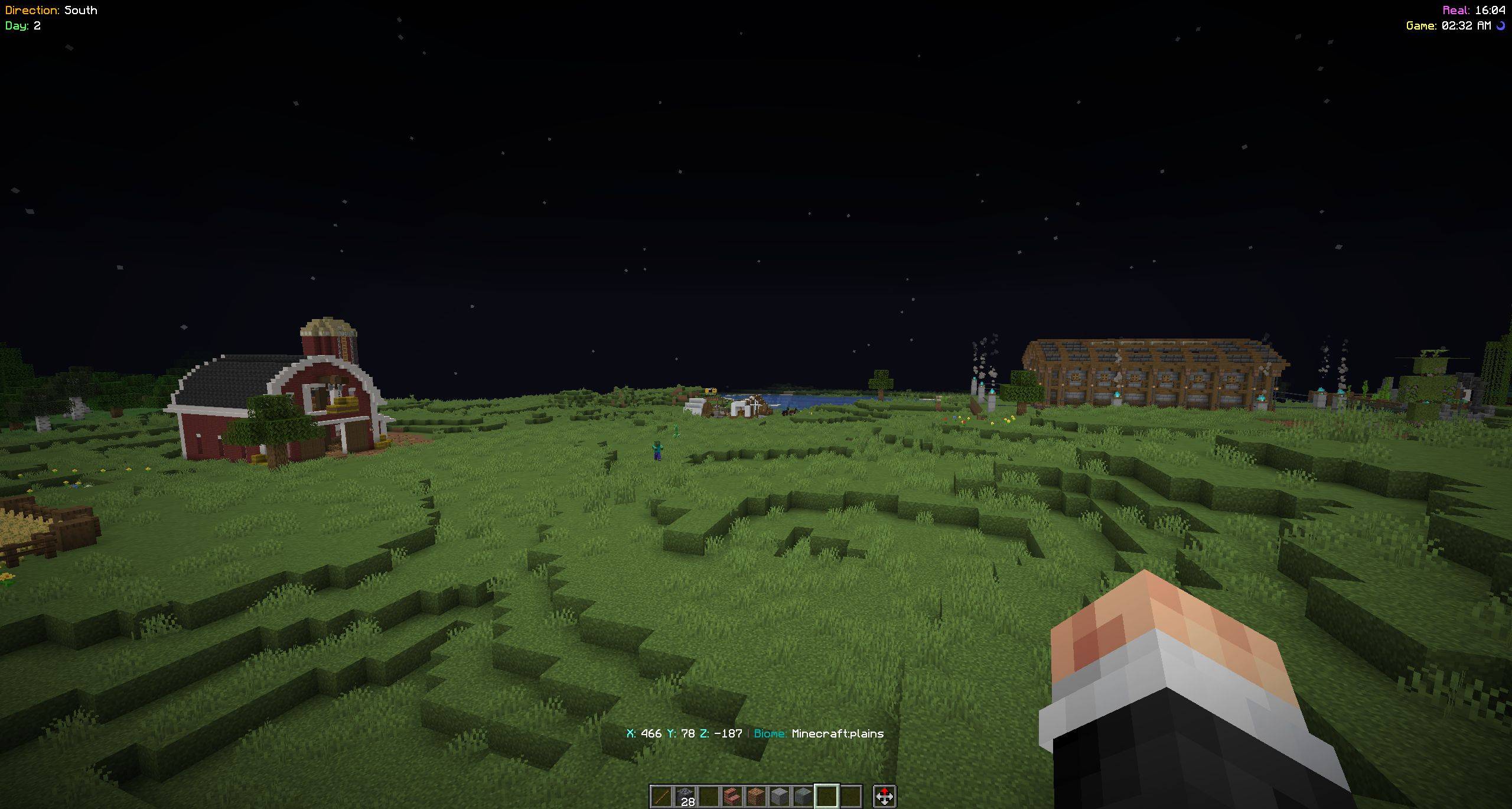
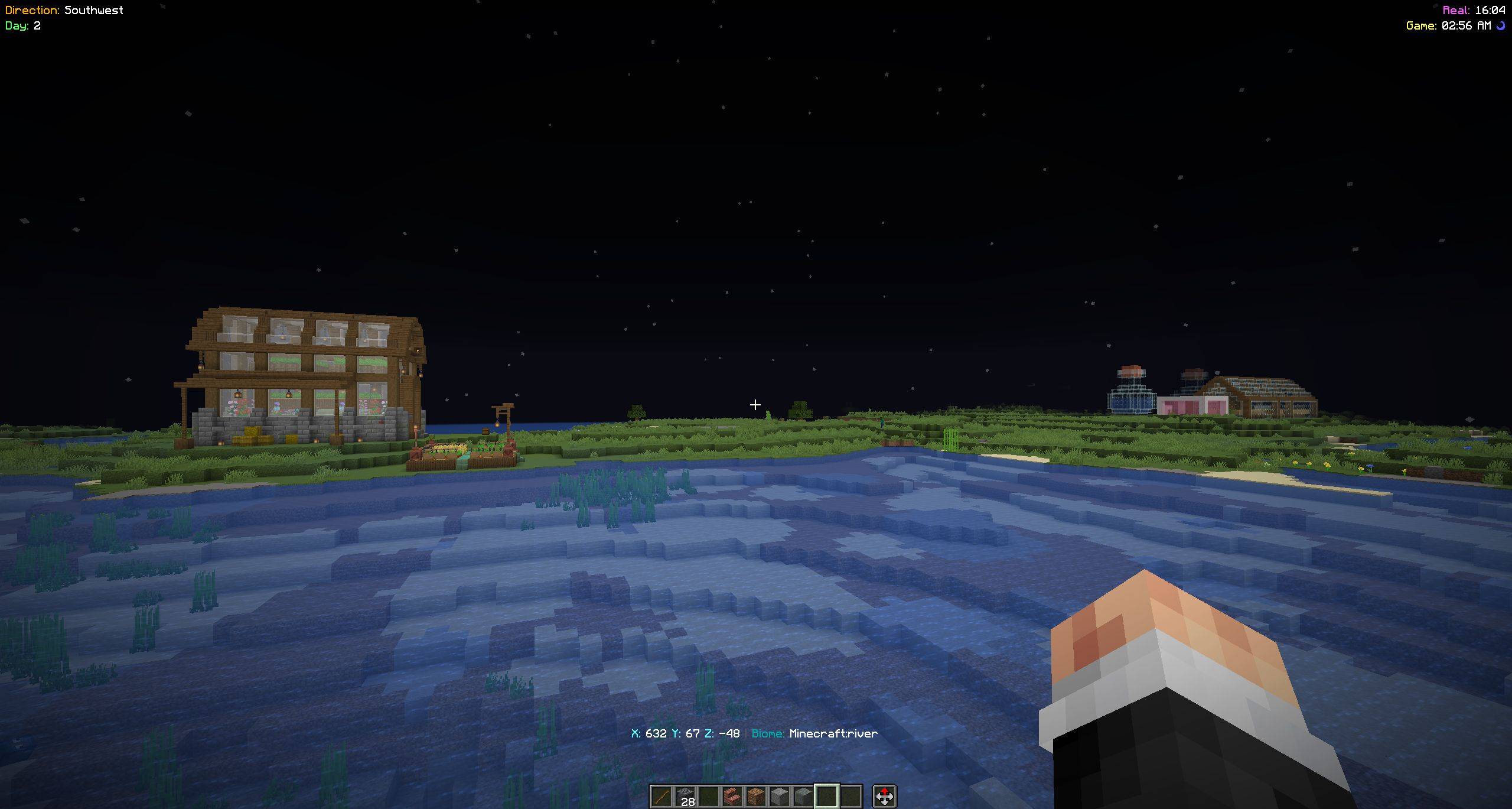
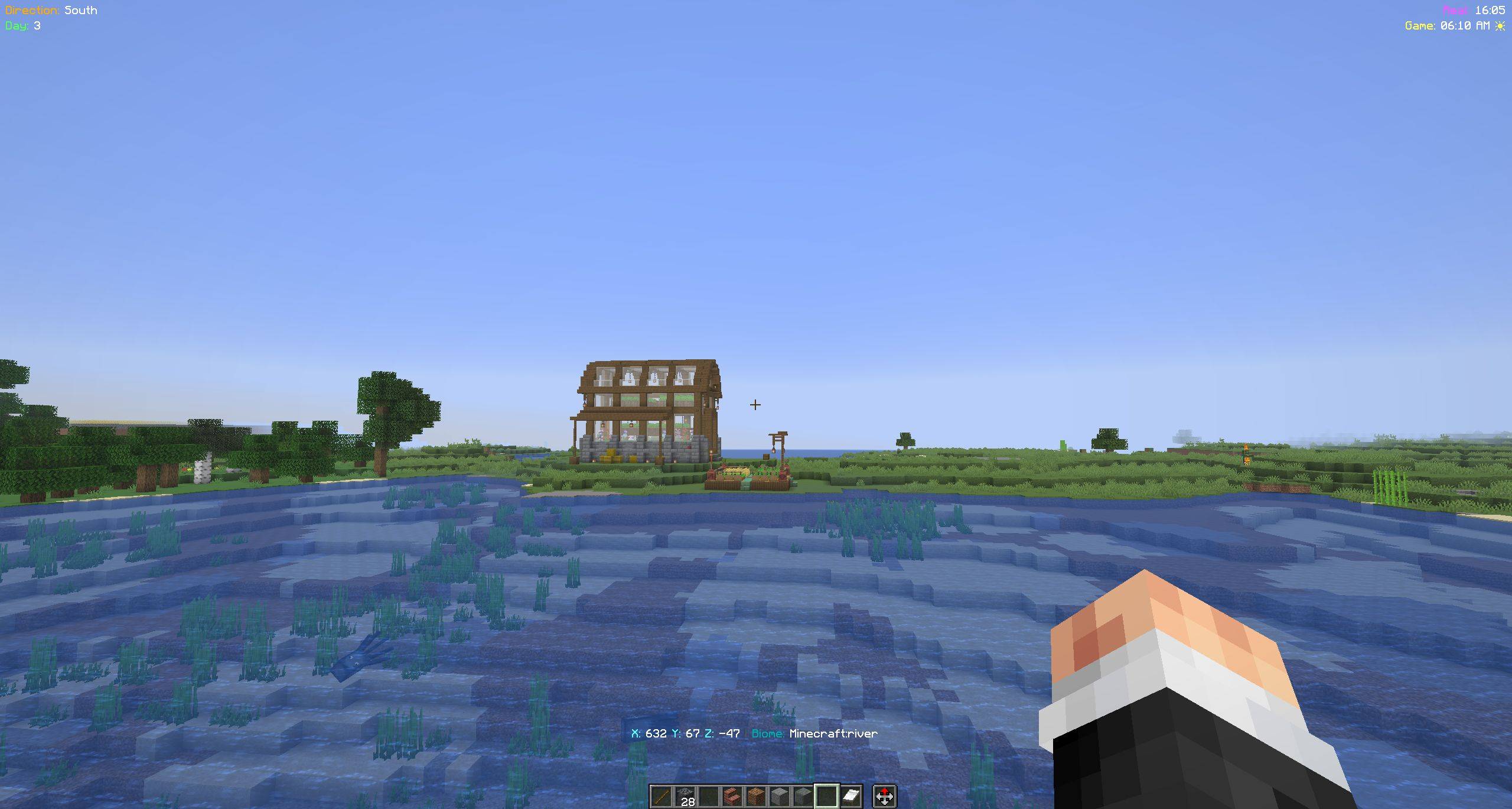
Direction Display Shows cardinal (N, S, E, W) and intercardinal directions (NE, NW, SE, SW) in the top left corner.
Minecraft Days Displays the number of days passed in the current world (top left).
Time Display Shows both:
- Real-world time (24-hour format)
- In-game time (12-hour format with AM/PM and sun/moon icons) in the top right corner
Coordinate Display Shows current X, Y, Z coordinates above the hotbar.
Biome Display Shows the current biome next to the coordinates.
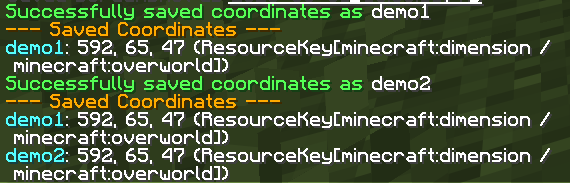
Coordinate Saving Save your current location with a custom name and retrieve it later.
Toggleable Features Each HUD element can be enabled or disabled independently using commands.
Persistent Config All preferences and saved coordinates are stored in:
config/direction-hud.jsonMinimalist UI Clean, readable overlays with subtle backgrounds for visibility.
How It Works
1. Initialization
- The mod loads configuration from
config/direction-hud.json - Commands are registered using the
/dhnamespace to avoid conflicts with other mods
2. Direction Calculation
- The player’s yaw angle is used to determine direction
- The 360° circle is divided into 8 segments (45° each):
- N, NE, E, SE, S, SW, W, NW
3. Rendering
- Enabled HUD elements are rendered in their respective screen positions:
- Top Left: Direction + Minecraft days
- Top Right: Time (real + in-game)
- Above Hotbar: Coordinates + biome
- Each element includes a semi-transparent background for readability
4. Command Handling
- All features are controlled via
/dhcommands - Changes are saved instantly to the config file
Commands
Direction
/dh direction <on|off>
Toggle direction display
Days
/dh days <on|off>
Toggle Minecraft days display
Time
/dh time <on|off>
Toggle real-world and in-game time display
Coordinates
/dh coords <on|off>
Toggle coordinate display
/dh coords save <name>
Save current coordinates with a custom name
/dh coords list
List all saved coordinates
Biome
/dh biome <on|off>
Toggle biome display
Configuration
The mod uses a JSON-based configuration file:
config/direction-hud.json
This file stores:
- Enabled/disabled state for each HUD element
- Saved coordinates with custom names
Changelog
[3.2.1] - 29-04-2026
Features
- Added Minecraft day counter
- Added real-world and in-game time display
- Added coordinate and biome display
- Added coordinate saving and listing system
- Introduced per-feature toggles via commands
- Migrated config from
.propertiesto.json - Updated command namespace to
/dhto avoid mod conflicts
Notes
- All settings persist between game sessions
- Designed to be lightweight and non-intrusive
- Compatible with most Fabric-based modpacks
Direction HUD
Overview
The Direction HUD mod displays useful player information such as facing direction, world time, coordinates, and more directly on the screen. All HUD elements are configurable and can be toggled on or off using commands. The state is saved between game sessions.
Features
-
Direction Display Shows cardinal (N, S, E, W) and intercardinal directions (NE, NW, SE, SW) in the top left corner.
-
Minecraft Days Displays the number of days passed in the current world (top left).
-
Time Display Shows both:
- Real-world time (24-hour format)
- In-game time (12-hour format with AM/PM and sun/moon icons) in the top right corner
-
Coordinate Display Shows current X, Y, Z coordinates above the hotbar.
-
Biome Display Shows the current biome next to the coordinates.
-
Coordinate Saving Save your current location with a custom name and retrieve it later.
-
Toggleable Features Each HUD element can be enabled or disabled independently using commands.
-
Persistent Config All preferences and saved coordinates are stored in:
config/direction-hud.json -
Minimalist UI Clean, readable overlays with subtle backgrounds for visibility.
How It Works
1. Initialization
- The mod loads configuration from
config/direction-hud.json - Commands are registered using the
/dhnamespace to avoid conflicts with other mods
2. Direction Calculation
- The player’s yaw angle is used to determine direction
- The 360° circle is divided into 8 segments (45° each):
- N, NE, E, SE, S, SW, W, NW
3. Rendering
- Enabled HUD elements are rendered in their respective screen positions:
- Top Left: Direction + Minecraft days
- Top Right: Time (real + in-game)
- Above Hotbar: Coordinates + biome
- Each element includes a semi-transparent background for readability
4. Command Handling
- All features are controlled via
/dhcommands - Changes are saved instantly to the config file
Commands
Direction
/dh direction <on|off>
Toggle direction display
Days
/dh days <on|off>
Toggle Minecraft days display
Time
/dh time <on|off>
Toggle real-world and in-game time display
Coordinates
/dh coords <on|off>
Toggle coordinate display
/dh coords save <name>
Save current coordinates with a custom name
/dh coords list
List all saved coordinates
Biome
/dh biome <on|off>
Toggle biome display
Configuration
The mod uses a JSON-based configuration file:
config/direction-hud.json
This file stores:
- Enabled/disabled state for each HUD element
- Saved coordinates with custom names
Changelog
[3.2.1] - 29-04-2026
Features
- Added Minecraft day counter
- Added real-world and in-game time display
- Added coordinate and biome display
- Added coordinate saving and listing system
- Introduced per-feature toggles via commands
- Migrated config from
.propertiesto.json - Updated command namespace to
/dhto avoid mod conflicts
Notes
- All settings persist between game sessions
- Designed to be lightweight and non-intrusive
- Compatible with most Fabric-based modpacks
Screenshots
Gallery
-
 2026-05-01_16.04.20.jpg 2026-05-01_16.04.20.jpg
 -
 2026-05-01_16.04.40.jpg 2026-05-01_16.04.40.jpg
 -
 2026-05-01_16.05.11.jpg 2026-05-01_16.05.11.jpg
 -
 coords-save-n-list.png coords-save-n-list.png
-
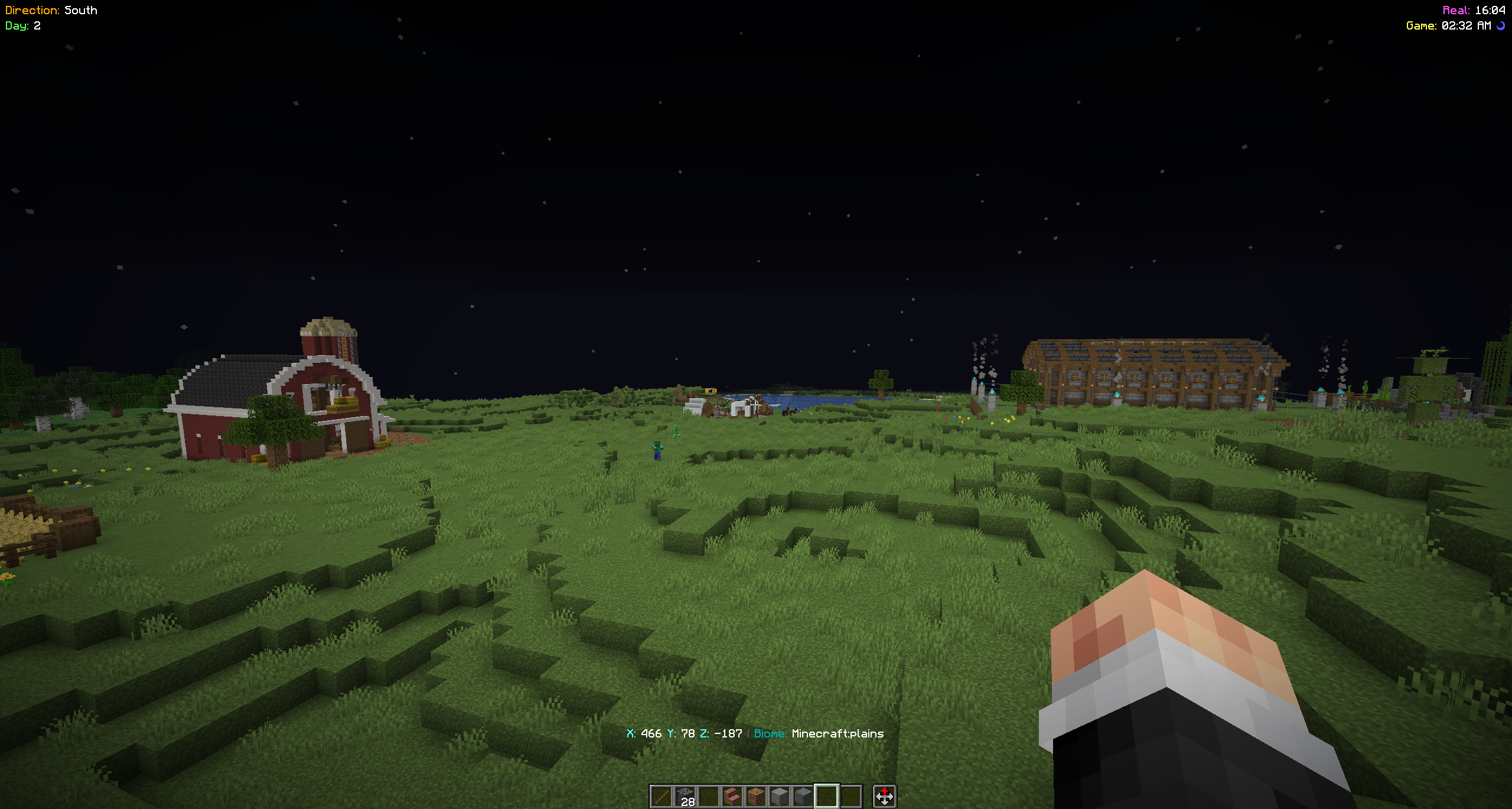 Showcase-01
 -
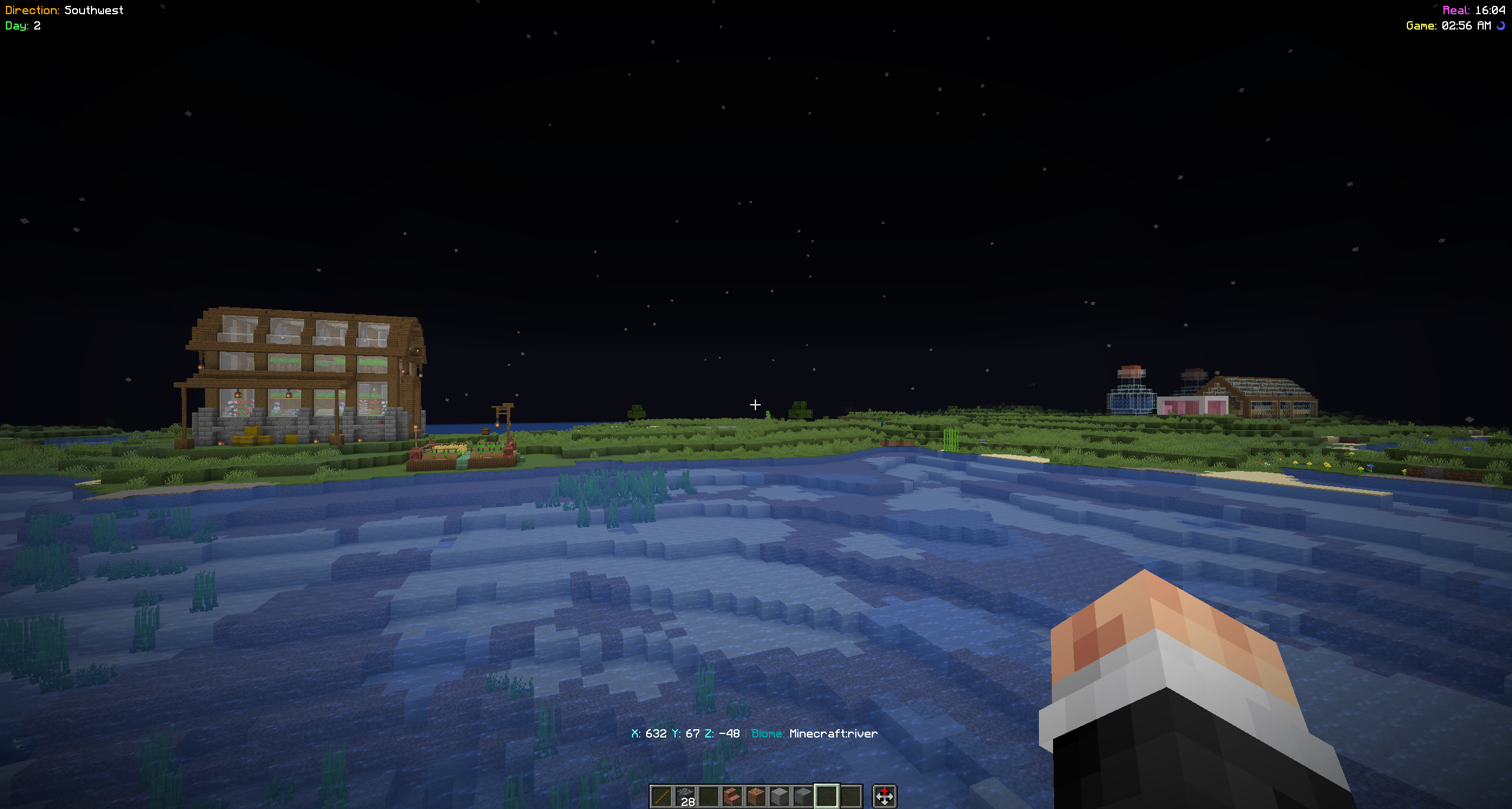 Showcase-02
 -
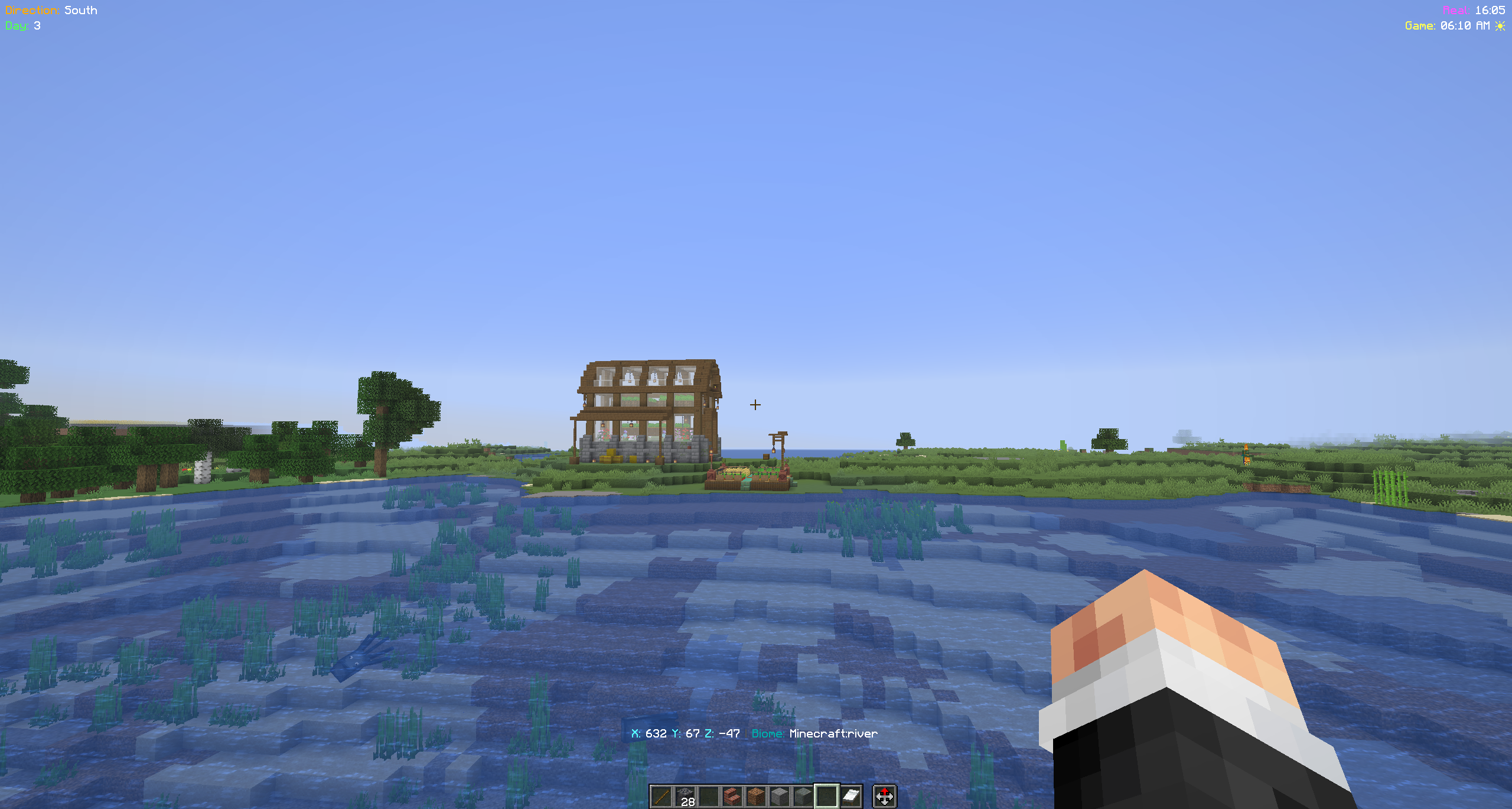 Showcase-03
 -
 Coords Save-n-List
 -
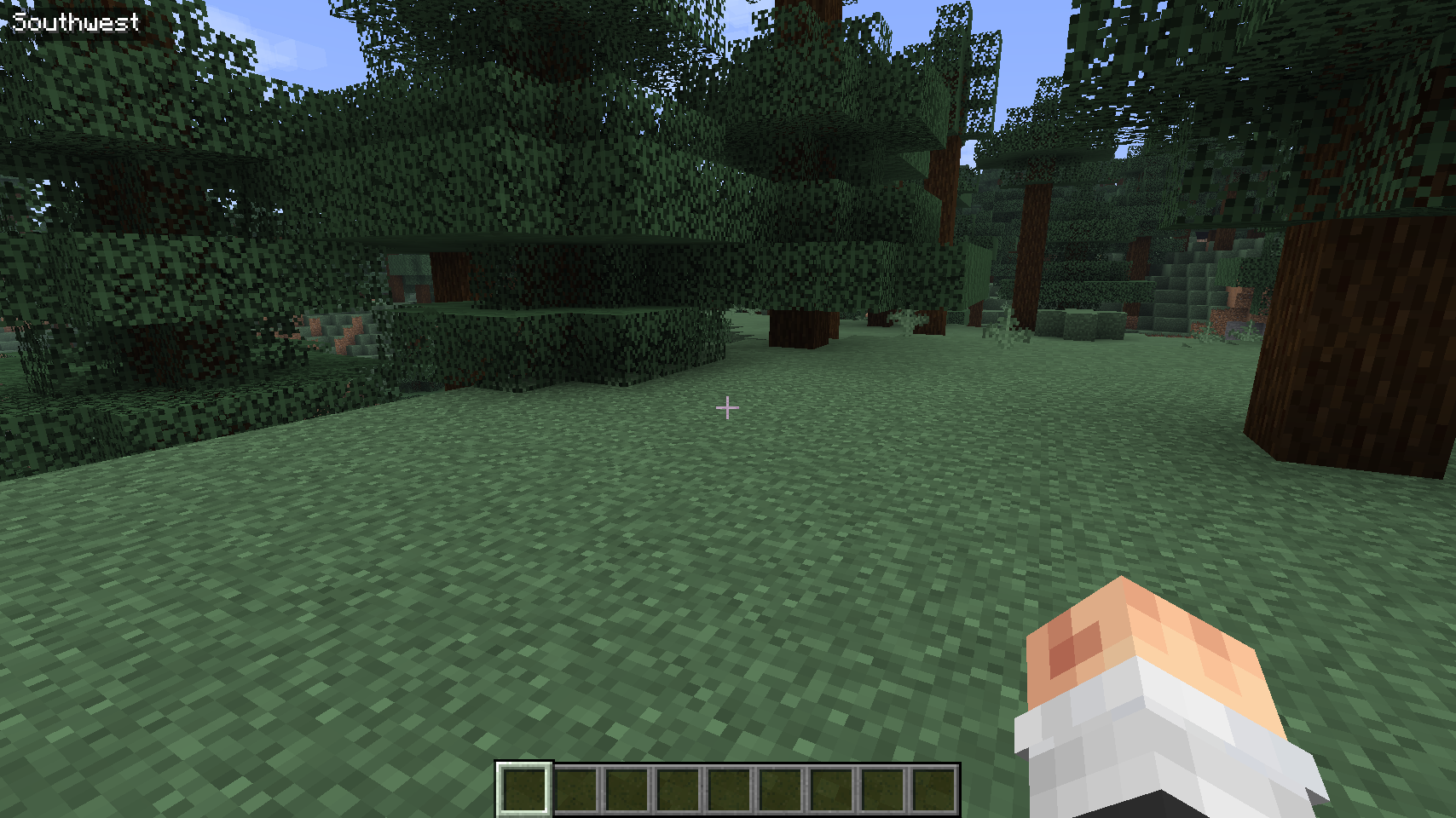 Showcase
 -
 Showcase
Versions
Files
Relations
Project Relations
More like this
Similar Mods
Suggestions use data such as tags, dependencies, dependents, descriptions, titles, and more to rank how much they overlap with this mod.
On ModDex
Community snapshot
By the numbers
Statistics
 (opens in a new tab)
Get it on
Available Platforms
On ModDex
Community snapshot
By the numbers
Statistics
Resources