
Community listing page, reviews may not be monitored by the author.
Discord Verifier


No reviews yet
A convenient way for Minecraft server admins to restrict access to a limited group of individuals, without having to deal with the hassle of a whitelist.

Community voices
Reviews
No reviews yet. Be the first to review this project!
Get it on
Available Platforms
Compatibility
Supported Environments
Runs entirely on the server. Also works in singleplayer.
About
Project Details
For authors
Embed Badge
If you're the author of this project, you can embed a live badge anywhere that supports HTML or Markdown. It updates automatically whenever ratings change.
Use HTML for any page that supports it, or Markdown for README files and Markdown-based descriptions.
Identifiers
Platform IDs
About
Description
DiscordVerifier: Gatekeep your Minecraft server!
DiscordVerifier is a convenient way for Minecraft server admins to restrict access to a limited group of individuals without having to deal with the hassle of a whitelist.
Some example use cases include hosting a Minecraft server for members of a patrons-only Discord server, or for a school club.
Usage
For a user to gain access to the server, they simply need to use the /verify {username} Discord command with their Minecraft username. Each Discord user can only have one Minecraft account.
DiscordVerifier is a purely server-side mod, so no changes to the Vanilla client will be necessary to join a server running DiscordVerifier. Installing it on the client is unsupported and may cause data loss.
Setup
Download the appropriate mod version and place it in your server's mods folder.
The mod depends on the Fabric API, so be sure that is also installed.
Next, register a new Discord app through the Discord developer portal. You may want to make the bot private, so that server members cannot add it to arbitrary other servers which you do not run.
Copy the bot token from the Bot subsection and paste it into the config file on the server. Until you do this, DiscordVerifier will not work. The bot will appear as offline on Discord until the server is running and the token is valid. Be sure never to share this token where anyone else can see it, or anyone will be able to take control of your bot.
Users will now be required to verify on the Discord server using the /verify {username} command before they are allowed to access the Minecraft server.
See the GitHub README for more details on configuration and limitations.
DiscordVerifier: Gatekeep your Minecraft server!
DiscordVerifier is a convenient way for Minecraft server admins to restrict access to a limited group of individuals without having to deal with the hassle of a whitelist.
Some example use cases include hosting a Minecraft server for members of a patrons-only Discord server, or for a school club.
Usage
For a user to gain access to the server, they simply need to use the /verify {username} Discord command with their Minecraft username. Each Discord user can only have one Minecraft account.
DiscordVerifier is a purely server-side mod, so no changes to the Vanilla client will be necessary to join a server running DiscordVerifier. Installing it on the client is unsupported and may cause data loss.
Setup
Download the appropriate mod version and place it in your server's mods folder.
The mod depends on the Fabric API, so be sure that is also installed.
Next, register a new Discord app through the Discord developer portal. You may want to make the bot private, so that server members cannot add it to arbitrary other servers which you do not run.
Copy the bot token from the Bot subsection and paste it into the config file on the server. Until you do this, DiscordVerifier will not work. The bot will appear as offline on Discord until the server is running and the token is valid. Be sure never to share this token where anyone else can see it, or anyone will be able to take control of your bot.
Users will now be required to verify on the Discord server using the /verify {username} command before they are allowed to access the Minecraft server.
See the GitHub README for more details on configuration and limitations.
Screenshots
Gallery
-
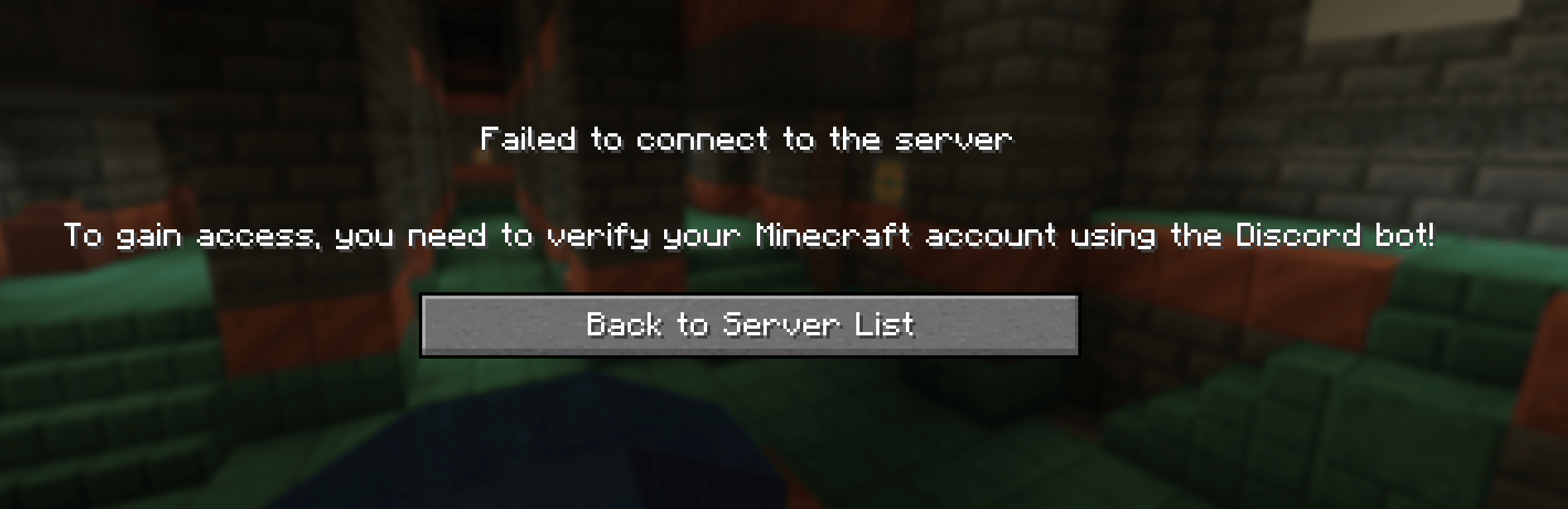 mc_screenshot.png mc_screenshot.png
 -
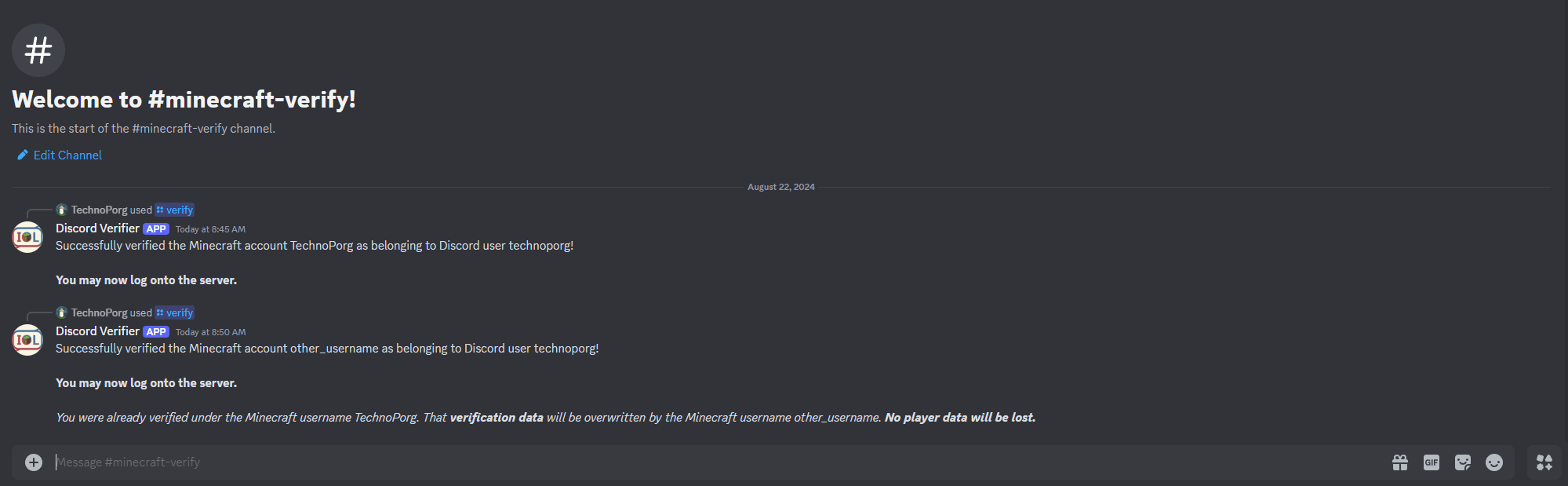 discord_screenshot.png discord_screenshot.png
-
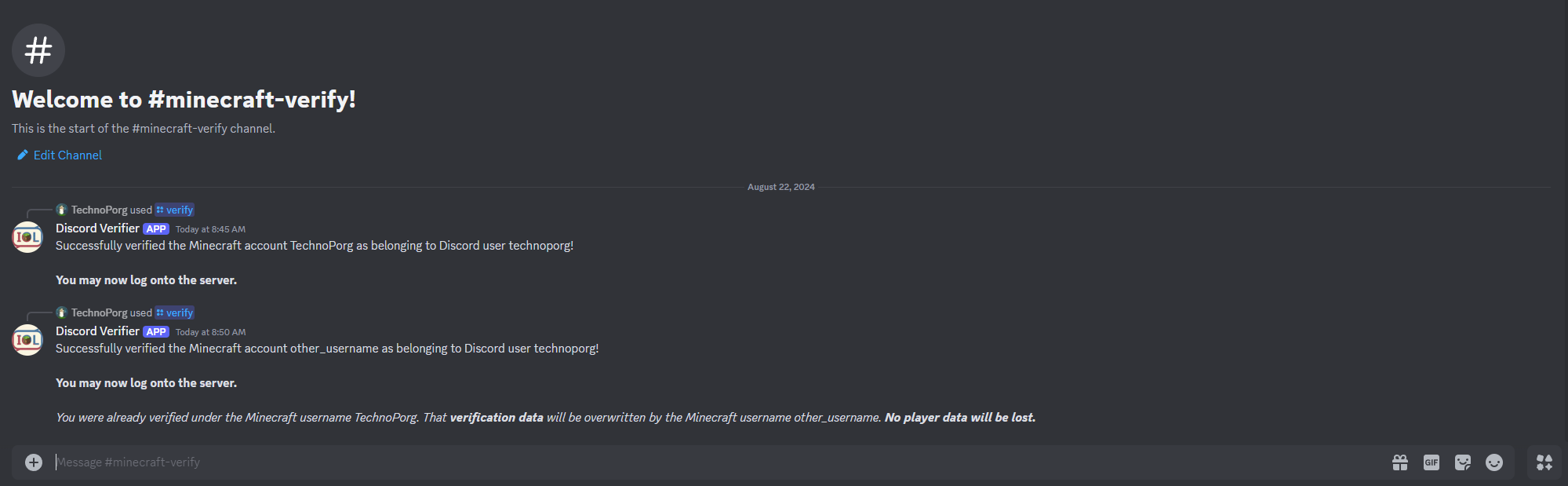 Discord Bot Interaction You can change the icon and name of the bot when you create it in the Discord application dashboard.
 -
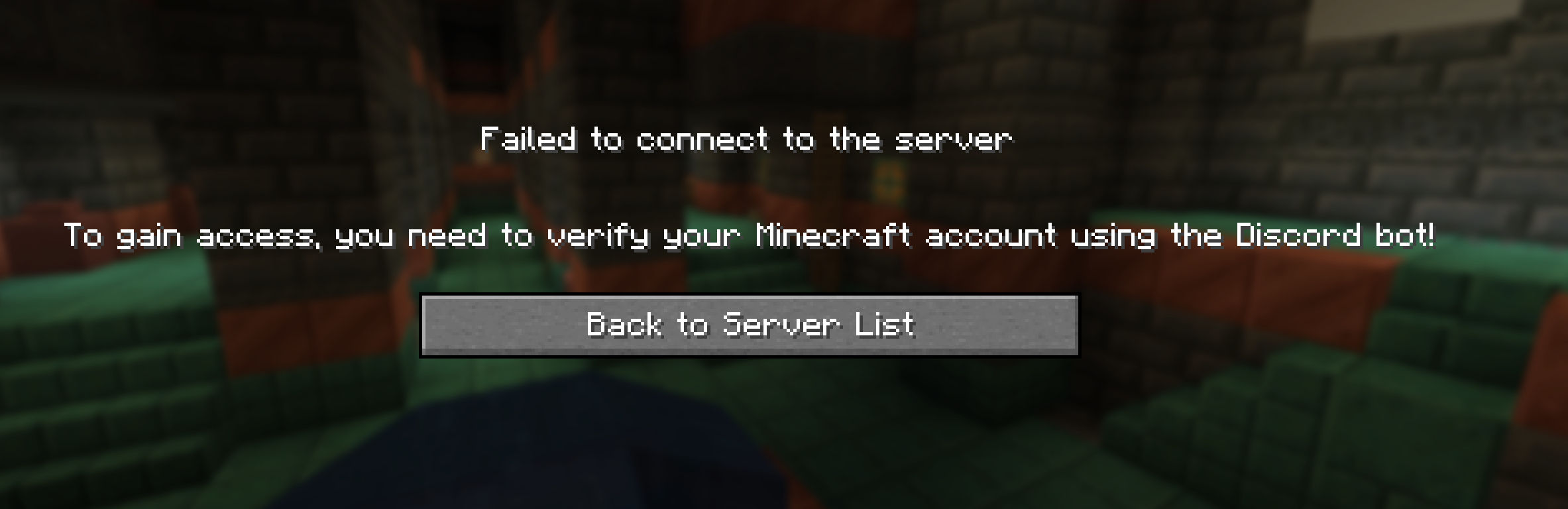 Minecraft Verification Message This will be shown if a user who has not verified tries to join the server.
Versions
Files
Relations
Project Relations
More like this
Similar Mods
Suggestions use data such as tags, dependencies, dependents, descriptions, titles, and more to rank how much they overlap with this mod.
On ModDex
Community snapshot
By the numbers
Statistics
 (opens in a new tab)
Get it on
Available Platforms
On ModDex
Community snapshot
By the numbers