
Community listing page, reviews may not be monitored by the author.
Don's Building Stuff


No reviews yet
A collection of tools that makes building insanely enjoyable

Community voices
Reviews
No reviews yet. Be the first to review this project!
Get it on
Available Platforms
Compatibility
Supported Environments
Must be installed on both the client and the server.
About
Project Details
For authors
Embed Badge
If you're the author of this project, you can embed a live badge anywhere that supports HTML or Markdown. It updates automatically whenever ratings change.
Use HTML for any page that supports it, or Markdown for README files and Markdown-based descriptions.
Identifiers
Platform IDs
Resources
External Links
About
Description
a mod for people who can engineer a factory… but can't build a decent wall
Hey! I'm Donnie, an enthusiast developer.
I love building machines, making weird contraptions, automating random stuff, you name it.
There's just one problem:
I can't build.
Like, at all.
So I made myself a tool to help even the most hopeless builders out there.
Turns out the thing is actually pretty damn useful.
So yeah. I'm publishing it.
🔨 The Trowels
The main point of this mod is the tools it adds.
Specifically:
4 types of Trowels and 1 Roller.
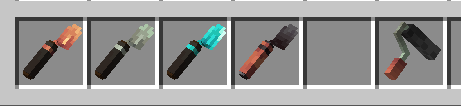
🟠 Copper Trowel
Randomizes blocks from your hotbar, starting from the slot to the right of the trowel's selected slot.
Basically:
"I don't know what I'm doing, just make the wall look good."
⚙️ Iron Trowel
Gives you more control.
You can select which blocks you want to use and pull them directly from your inventory.
No more filling your hotbar with 17 different blocks just to make one wall.
💎 Diamond Trowel
Now we're cooking.
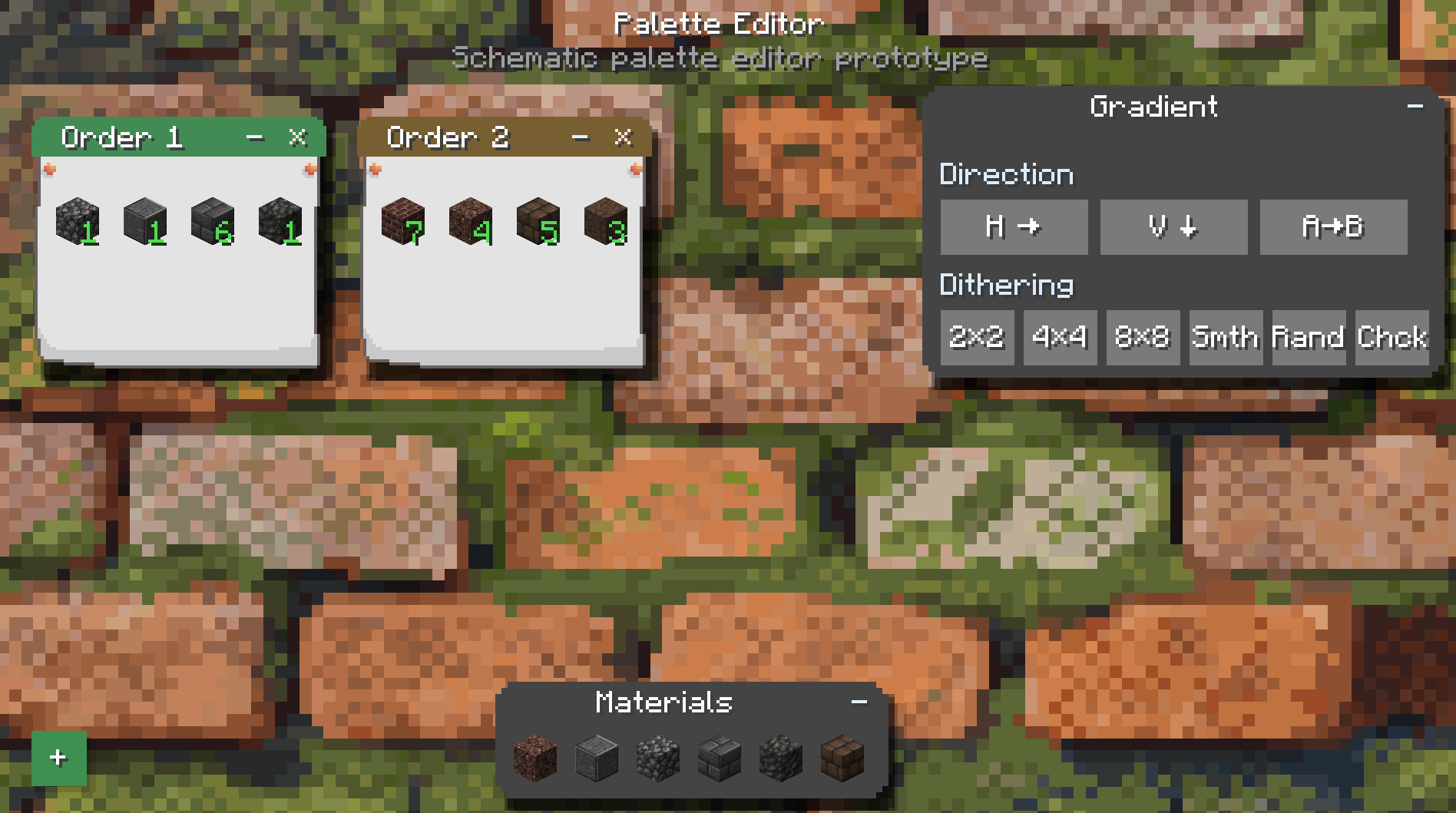
You can choose the ratio of different blocks and control the order in which they're placed.
It also unlocks Quick Place.
This is where you can start making actual patterns instead of just praying to RNGesus.
🔥 Netherite Trowel
The big boy.
The Netherite Trowel saves blocks during replacement and puts the recovered blocks straight into your inventory.
Because wasting half your building materials while remodeling your own house is kinda cringe.
🎨 Gradient Roller
The Roller uses dyes to recolor blocks that can actually be dyed.
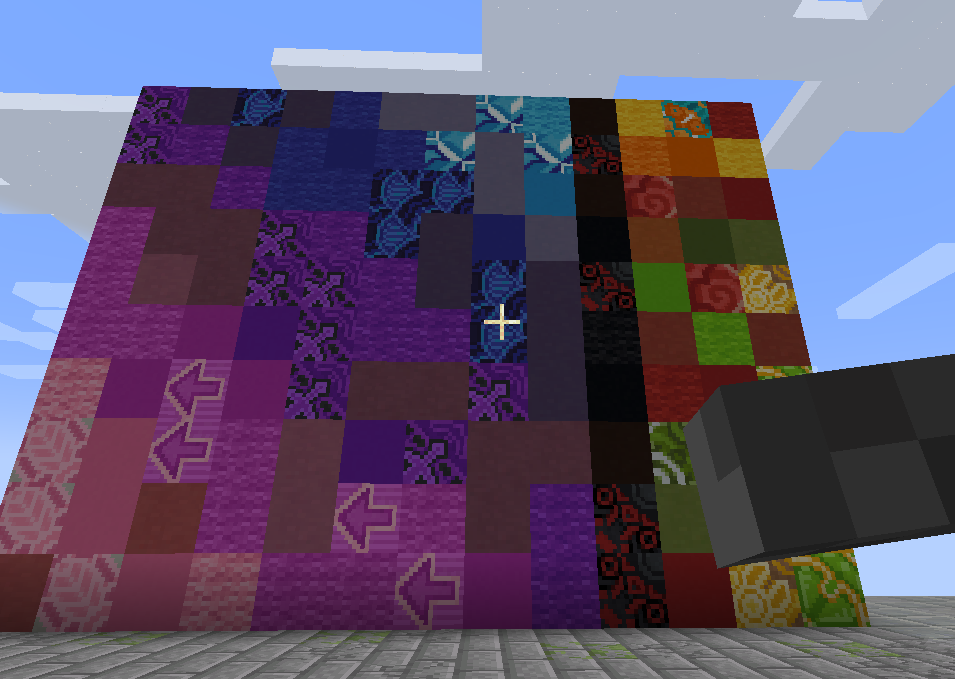
Wool, glass, concrete, and other dyeable blocks.
Basically, if Minecraft lets you change the color of it, there's a good chance the Roller can help you do it without manually replacing every single block.
🔁 Replacement Mode
Starting with the Iron Trowel, you can put a pickaxe in your offhand to enable Replacement Mode.
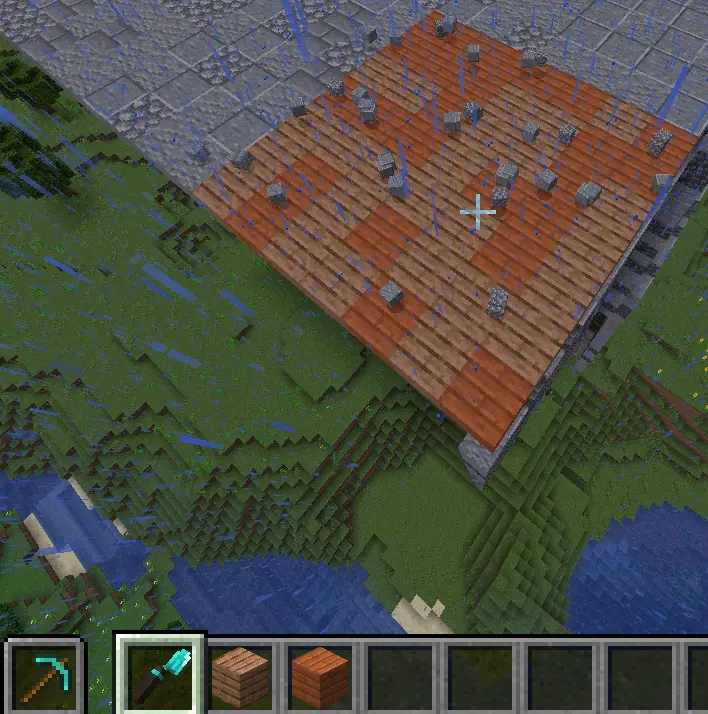
You can replace existing blocks directly instead of breaking them first.
It's basically like Terraria.
Yes, I know that's an amazing explanation.
Especially for people who have never played Terraria.
HAHAHAHAHAHA
🚀 Quick Place
Starting with the Diamond Trowel, you also get Quick Place.
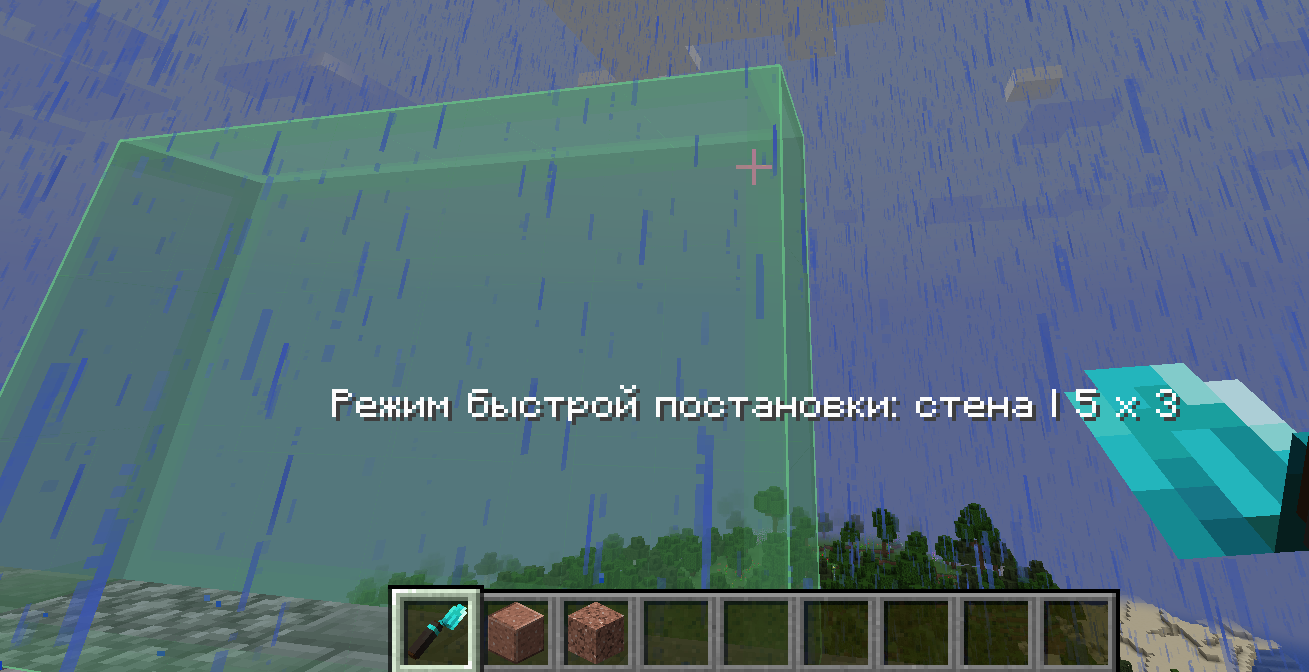
Hold Alt, select an area, and quickly build a wall out of your chosen materials.
It also supports smart replacement and ordered patterns, including things like checkerboards.
So you can go from:
"I need to replace this wall."
to:
"Actually, let's redesign the entire thing."
in approximately three seconds.
📖 The Items Actually Explain Themselves
If you want more detailed information about how everything works, just hover over an item and hold Left Shift.
The tooltip will tell you pretty much everything you need to know.
Because apparently making a 40-page wiki for my silly little trowel was too much work.
🏗️ Sable Compatibility
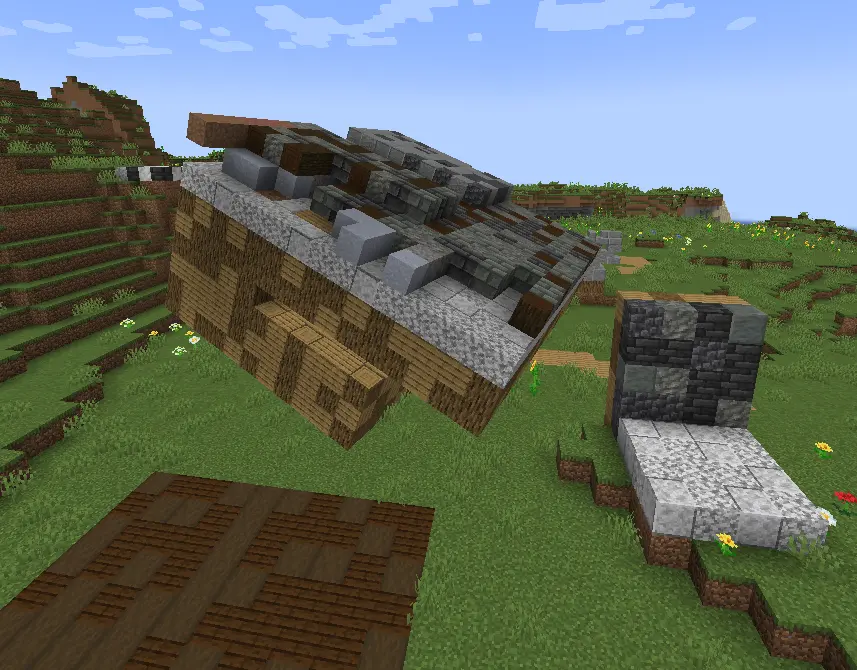
And YES.
We're compatible with Sable.
No crashes.
No broken rendering.
And yes, everything should actually look right.
And yes, I spent 9 hours of my life making this work.
Just so I could write these three lines.
Worth it.
GUI UPDATE!
Hey! I'm Donnie, an enthusiast developer.
I love building machines, making weird contraptions, automating random stuff, you name it.
There's just one problem:
I can't build.
Like, at all.
So I made myself a tool to help even the most hopeless builders out there.
Turns out the thing is actually pretty damn useful.
So yeah. I'm publishing it.
🔨 The Trowels
The main point of this mod is the tools it adds.
Specifically:
4 types of Trowels and 1 Roller.
🟠 Copper Trowel
Randomizes blocks from your hotbar, starting from the slot to the right of the trowel's selected slot.
Basically:
"I don't know what I'm doing, just make the wall look good."
⚙️ Iron Trowel
Gives you more control.
You can select which blocks you want to use and pull them directly from your inventory.
No more filling your hotbar with 17 different blocks just to make one wall.
💎 Diamond Trowel
Now we're cooking.
You can choose the ratio of different blocks and control the order in which they're placed.
It also unlocks Quick Place.
This is where you can start making actual patterns instead of just praying to RNGesus.
🔥 Netherite Trowel
The big boy.
The Netherite Trowel saves blocks during replacement and puts the recovered blocks straight into your inventory.
Because wasting half your building materials while remodeling your own house is kinda cringe.
🎨 Gradient Roller
The Roller uses dyes to recolor blocks that can actually be dyed.
Wool, glass, concrete, and other dyeable blocks.
Basically, if Minecraft lets you change the color of it, there's a good chance the Roller can help you do it without manually replacing every single block.
🔁 Replacement Mode
Starting with the Iron Trowel, you can put a pickaxe in your offhand to enable Replacement Mode.
You can replace existing blocks directly instead of breaking them first.
It's basically like Terraria.
Yes, I know that's an amazing explanation.
Especially for people who have never played Terraria.
HAHAHAHAHAHA
🚀 Quick Place
Starting with the Diamond Trowel, you also get Quick Place.
Hold Alt, select an area, and quickly build a wall out of your chosen materials.
It also supports smart replacement and ordered patterns, including things like checkerboards.
So you can go from:
"I need to replace this wall."
to:
"Actually, let's redesign the entire thing."
in approximately three seconds.
📖 The Items Actually Explain Themselves
If you want more detailed information about how everything works, just hover over an item and hold Left Shift.
The tooltip will tell you pretty much everything you need to know.
Because apparently making a 40-page wiki for my silly little trowel was too much work.
🏗️ Sable Compatibility
And YES.
We're compatible with Sable.
No crashes.
No broken rendering.
And yes, everything should actually look right.
And yes, I spent 9 hours of my life making this work.
Just so I could write these three lines.
Worth it.
Screenshots
Gallery
Versions
Files
Relations
Project Relations
More like this
Similar Mods
Suggestions use data such as tags, dependencies, dependents, descriptions, titles, and more to rank how much they overlap with this mod.
- diamonds from dirt
- Don's Lightning Rod Mod
- oSzoukaua's: Items don't last
- Barriers Don't Block Rain 1.21 Fork
- Merl
- I don't Think It's Not Enough Recipes/Craftings (IdTINER) (Forge)
- Squid's Craftables
- Smeckler's Powder
- Ava's Manhunt Starter
- Niin's Forever World Therapy
- Luncheon Meat 'S Delight
- ARprod's Magic
On ModDex
Community snapshot
By the numbers
Statistics

Get it on
Available Platforms
On ModDex
Community snapshot
By the numbers
Statistics
Resources