Community listing page, reviews here may not be monitored by the author.
Door Lock

No reviews yet
A simple Minecraft Fabric mod to lock doors, trapdoors, fence gates & chests.

Community voices
Reviews
No reviews yet. Be the first to review this project!
Get it on
Available Platforms
About
Project Details
For authors
Embed Badge
If you're the author of this project, you can embed a live badge anywhere that supports HTML or Markdown. It updates automatically whenever ratings change.
Use HTML for any page that supports it, or Markdown for README files and Markdown-based descriptions.
Identifiers
Platform IDs
Resources
External Links
About
Description

Door Lock
Door Lock is a simple Minecraft Fabric mod to lock doors, trapdoors, fence gates & chests.
Version
Currently working on Minecraft 1.21! Because this is Fabric you will also need the Fabric API!
You are free to include this in a modpack.
How does it work?
This mod adds 3 keys to the game; a normal iron "Key", a "Golden Key", and a "Universal key"!
The "Key" & "Golden Key" are the same, but visually different, right click a lockable block with the key to lock the block. To open, right click with the correct key in hand, or use the universal key.
You can also lock iron block types, this will allow you to open iron doors/trapdoors with the correct key in hand. By default the Universal key will not work on iron types.
When a block is locked, any redstone interaction is disabled by default, but that can be toggled in the config.
To remove a lock sneak (shift) right click on the block with the correct key in hand or the universal key. Breaking the block will also remove the key.
Lockable blocks
Here's a list of the currently supported blocks a key can lock:
- Doors
- Trapdoors
- Fence gates
- Chests
- Shulker boxes
Setting a password
Each key needs a unique password, you can add a password by renaming in an anvil and adding #password (Item Name #my_secret_password), as shown in the image below. (NOTE: taking the item out normally will remove the #password in the name, but shift clicking to take it will keep the full name!)
Screenshots


Crafting
Here's how you craft the "Key":

And here's how the "Golden key" is crafted:

The "Universal key" is only obtainable from commands, or the creative inventory.
Mod Config
disable_block_break_when_locked=*false*|true: Stop block break event if block is locked.disable_redstone_when_locked=false|*true*: Stop redstone inputs from interacting with a locked block.universal_unlocks_iron=*false*|true: Use universal key to unlock iron types.show_password_on_key=false|*true*: Show key password in item tooltip.
Mod Commands
/password {value}: Set a password on a key in the main hand./keys {amount}: Give a set of keys in bulk with unique passwords.
License
Door Lock is licensed under the CC0-1.0 license. Read more here.
Screenshots
Gallery
-
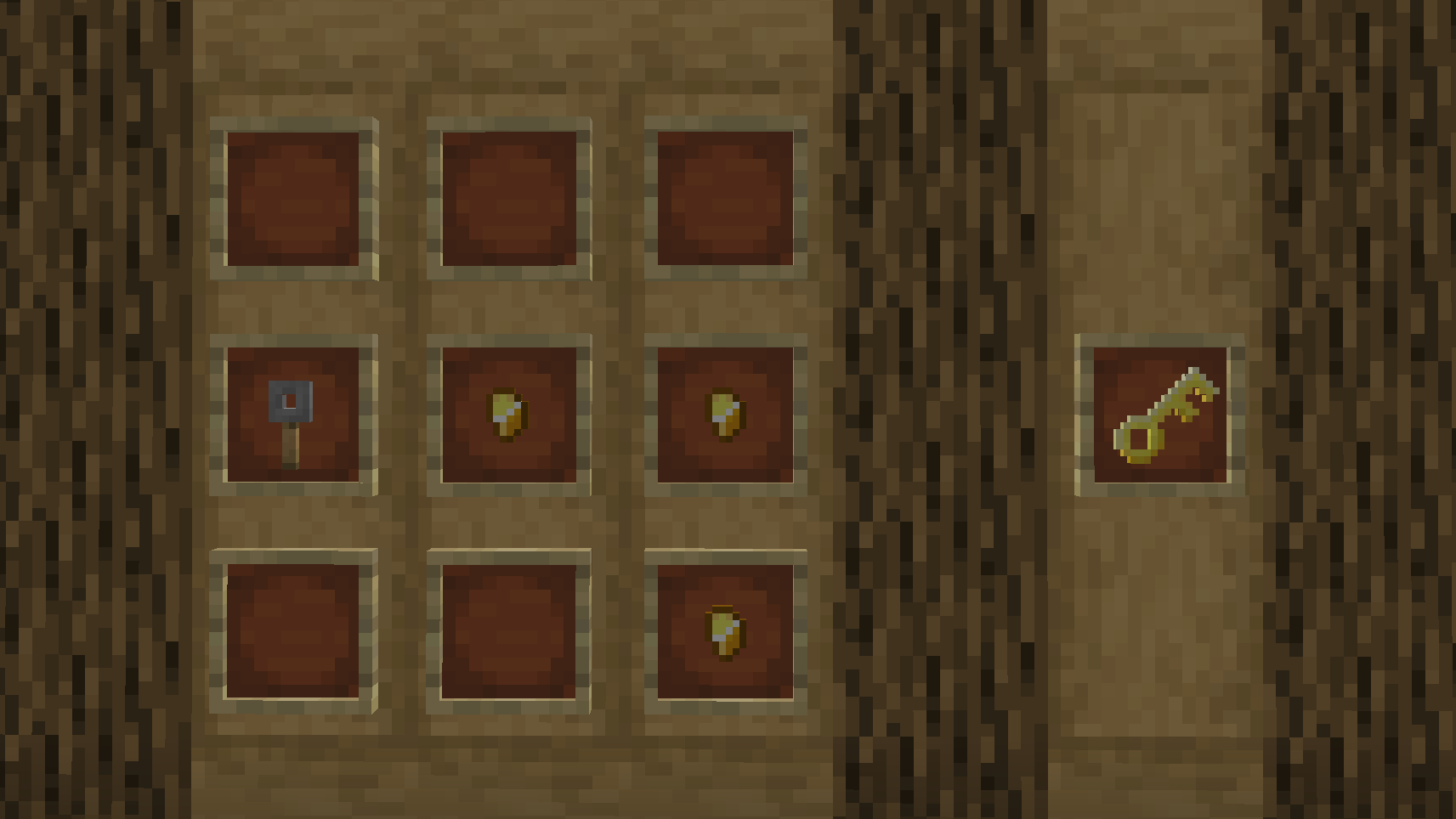 Recipe: Golden Key 2024-08-25_15.45.31.png
 -
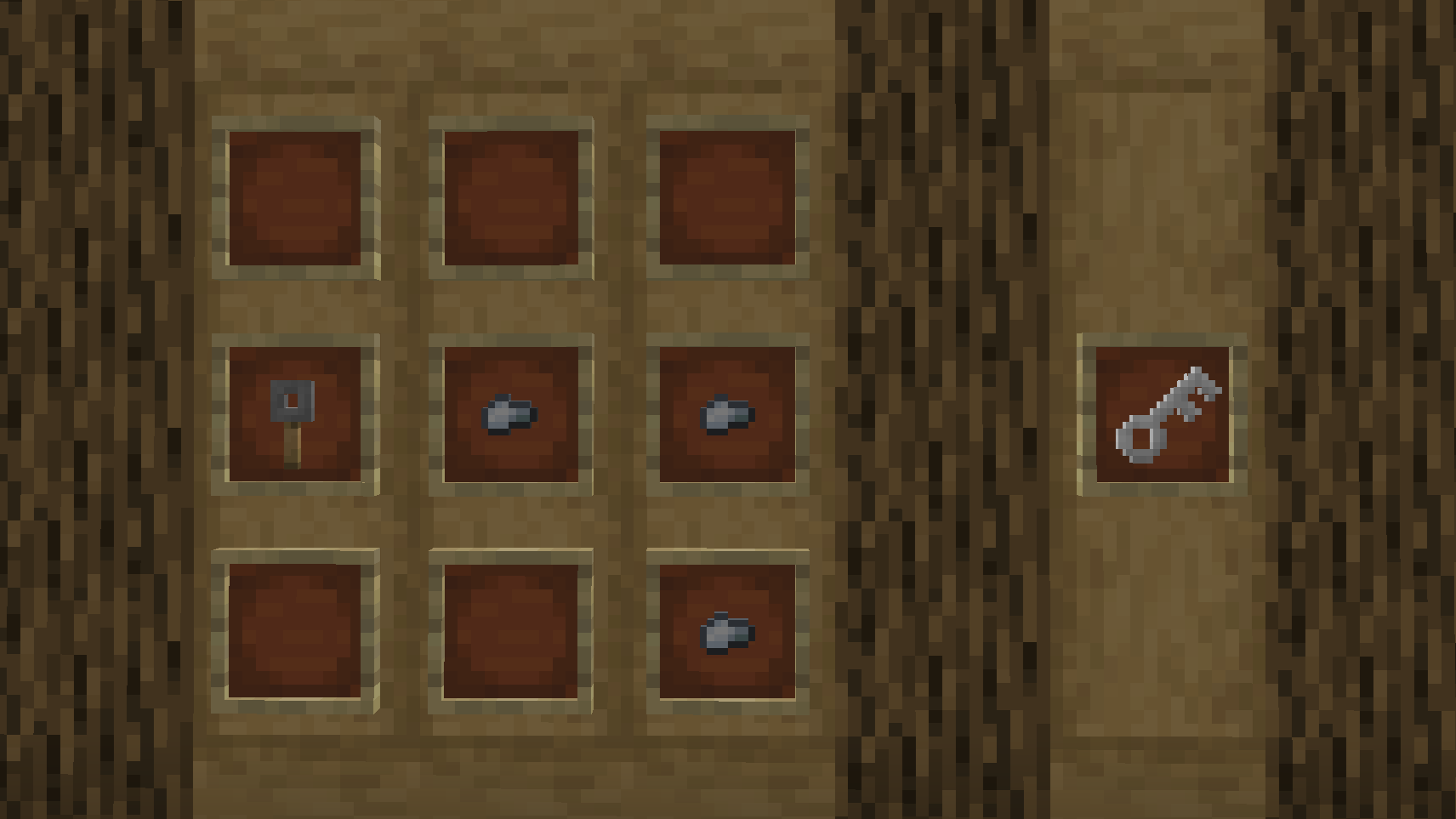 Recipe: Key
 -
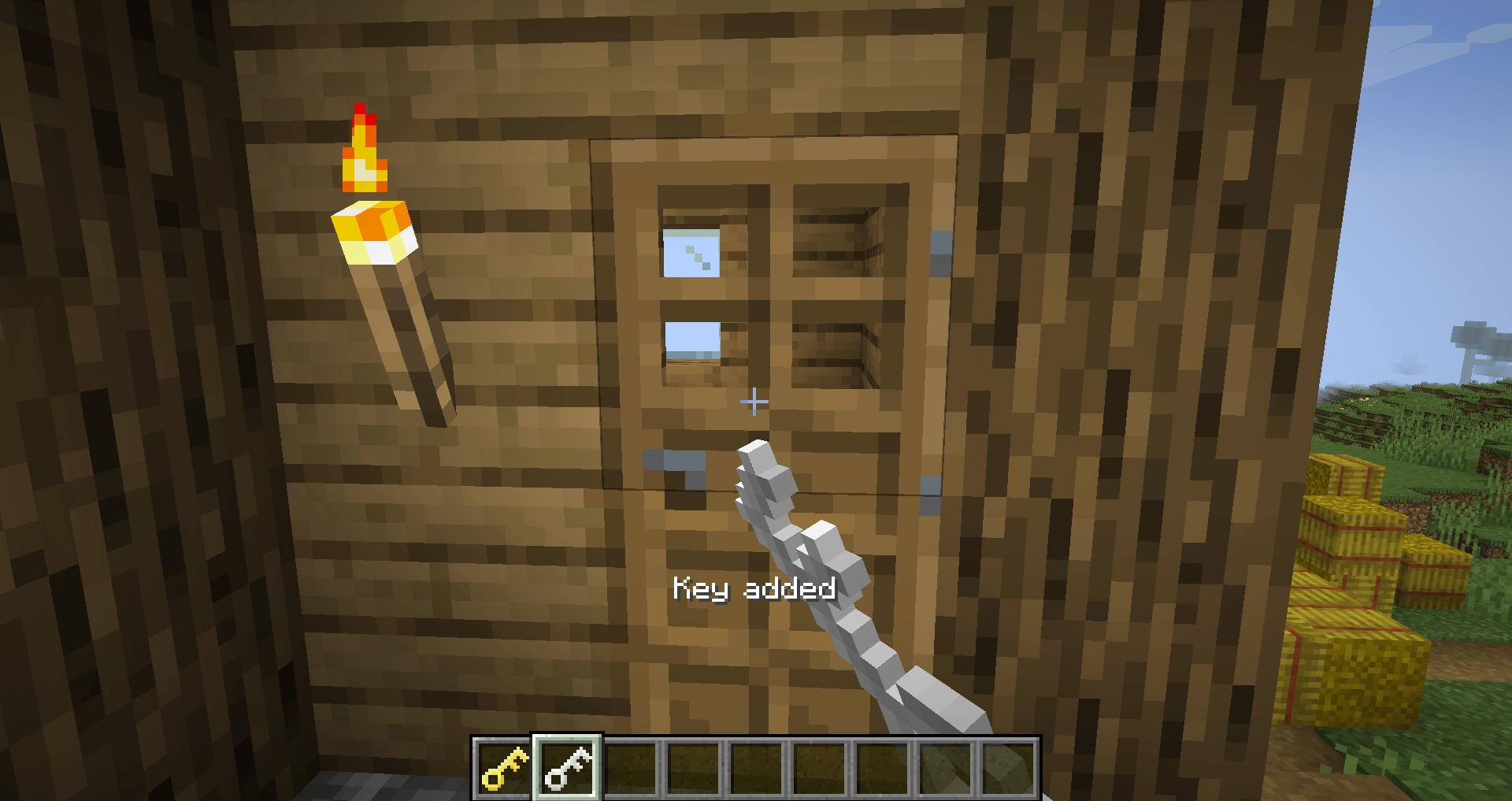 Add to block
 -
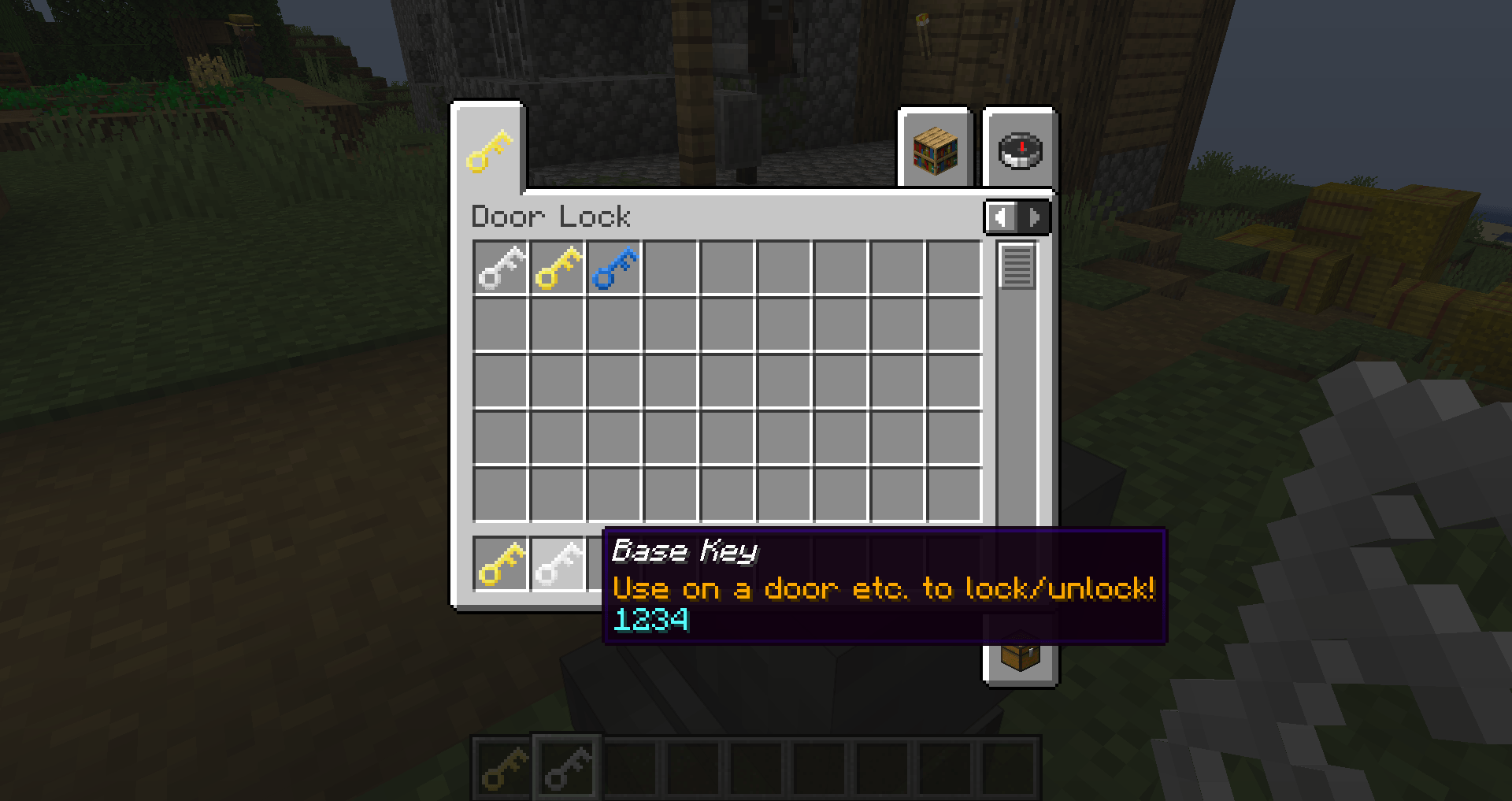 Keys
Keys -
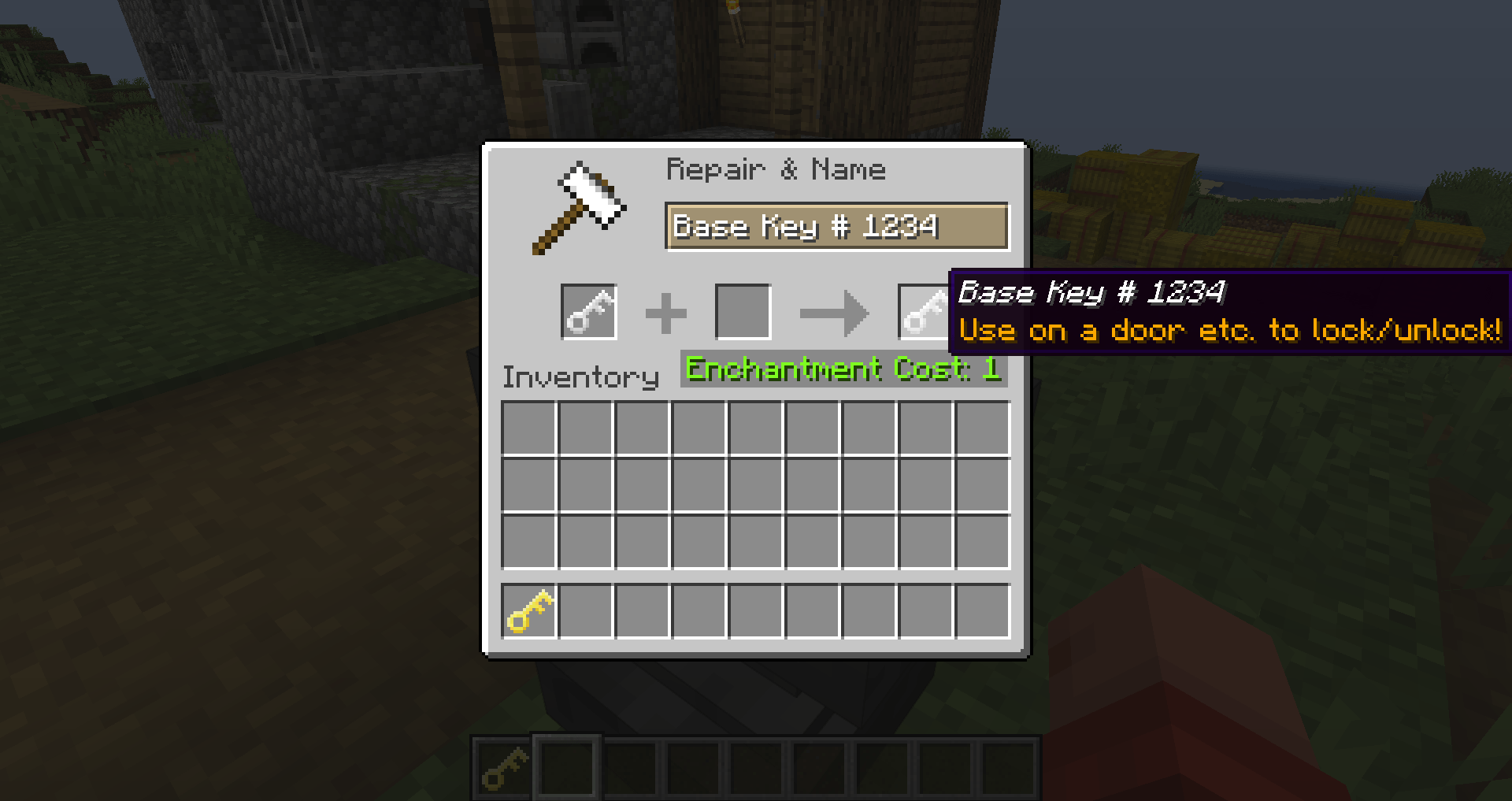 Set key password in anvil
Versions
Files
Relations
Project Relations
More like this
Similar Mods
Suggestions use data such as tags, dependencies, dependents, descriptions, titles, and more to rank how much they overlap with this mod.
On ModDex
Community snapshot
By the numbers
Statistics
 (opens in a new tab)
Get it on
Available Platforms
On ModDex
Community snapshot
By the numbers
Statistics
Resources