Community listing page, reviews here may not be monitored by the author.
Archive Downloader


No reviews yet
Download and use the latest redstone contraptions made by the Storage Catalog community and other technical archives
Community voices
Reviews
No reviews yet. Be the first to review this project!
Get it on
Available Platforms
Compatibility
Supported Environments
Runs entirely on the client. Works on vanilla servers.
About
Project Details
For authors
Embed Badge
If you're the author of this project, you can embed a live badge anywhere that supports HTML or Markdown. It updates automatically whenever ratings change.
Use HTML for any page that supports it, or Markdown for README files and Markdown-based descriptions.
Identifiers
Platform IDs
About
Description
Previously named ST2-Downloader
Get the latest storage tech contraptions without leaving your game! Browse schematics, world downloads, and more!
Storage Catalog is a community-run organization dedicated to the development of new storage technologies in Minecraft. Join our community of experienced players to learn more about how you can design your own advanced storage!
Browse designs on our website:
https://storagecatalog.org/
Or join our Discord to play on the public CMP and submit your own designs:
https://discord.gg/hztJMTsx2m
How to use
Press "N" (keybind configurable in your game options) to open the interface. Alternatively, if you have Litematica, you can open the Litematica mod menu and click on the "Archive Browser" button added there. Afterwards, click on "Filters" and select what you're interested in

Click on a post, then scroll down to see what's available

Click on any file to download! This mod mainly supports two kinds of files:
- Litematic files are schematics used by the Litematica mod. If you have it installed this mod will auto-load the schematic placement for you!
- World downloads (WorldDL or WDLs) are save files containing typically more larger and complex builds. This mod will automatically unzip and put the saves in your saves folder, so you can open it in singleplayer immediately.
That's not all! You can click on the "Storage Catalog" button in the top left corner to view other Technical Minecraft archives using the Llama archiving system!

Recommended Litematica Settings
These are the litematica settings we recommend for the best experience.
- datafixerMode: Set to Always to ensure that schematics from older versions are loaded with inventories correctly.
- entityDataSync and pasteUsingServux: Set both to true so that you can paste instantly with inventories on servers using the Servux mod.

Previously known as ST2-Downloader
Get the latest technical Minecraft contraptions without leaving your game! Browse schematics, world downloads, and more!
Storage Catalog is a community-run organization dedicated to the development of new storage technologies in Minecraft. Join our community of experienced players to learn more about how you can design your own advanced storage!
Browse designs on our website: https://storagecatalog.org/
Or join our Discord to play on the public CMP and submit your own designs: https://discord.gg/hztJMTsx2m
How to use
Press "N" (keybind configurable in your game options) to open the interface. Alternatively, if you have Litematica, you can open the Litematica mod menu and click on the "Archive Browser" button added there. Afterwards, click on "Filters" and select what you're interested in
Click on a post, then scroll down to see what's available
Click on any file to download! This mod mainly supports two kinds of files:
- Litematic files are schematics used by the Litematica mod. If you have it installed this mod will auto-load the schematic placement for you!
- World downloads (WorldDL or WDLs) are save files containing typically more larger and complex builds. This mod will automatically unzip and put the saves in your saves folder, so you can open it in singleplayer immediately.
That's not all! You can click on the "Storage Catalog" button in the top left corner to view other Technical Minecraft archives using the Llama archiving system!
Recommended Litematica Settings
- datafixerMode: Set to Always to ensure that schematics from older versions are loaded with inventories correctly.
- entityDataSync and pasteUsingServux: Set both to true so that you can paste instantly with inventories on servers using the Servux mod.
Screenshots
Gallery
-
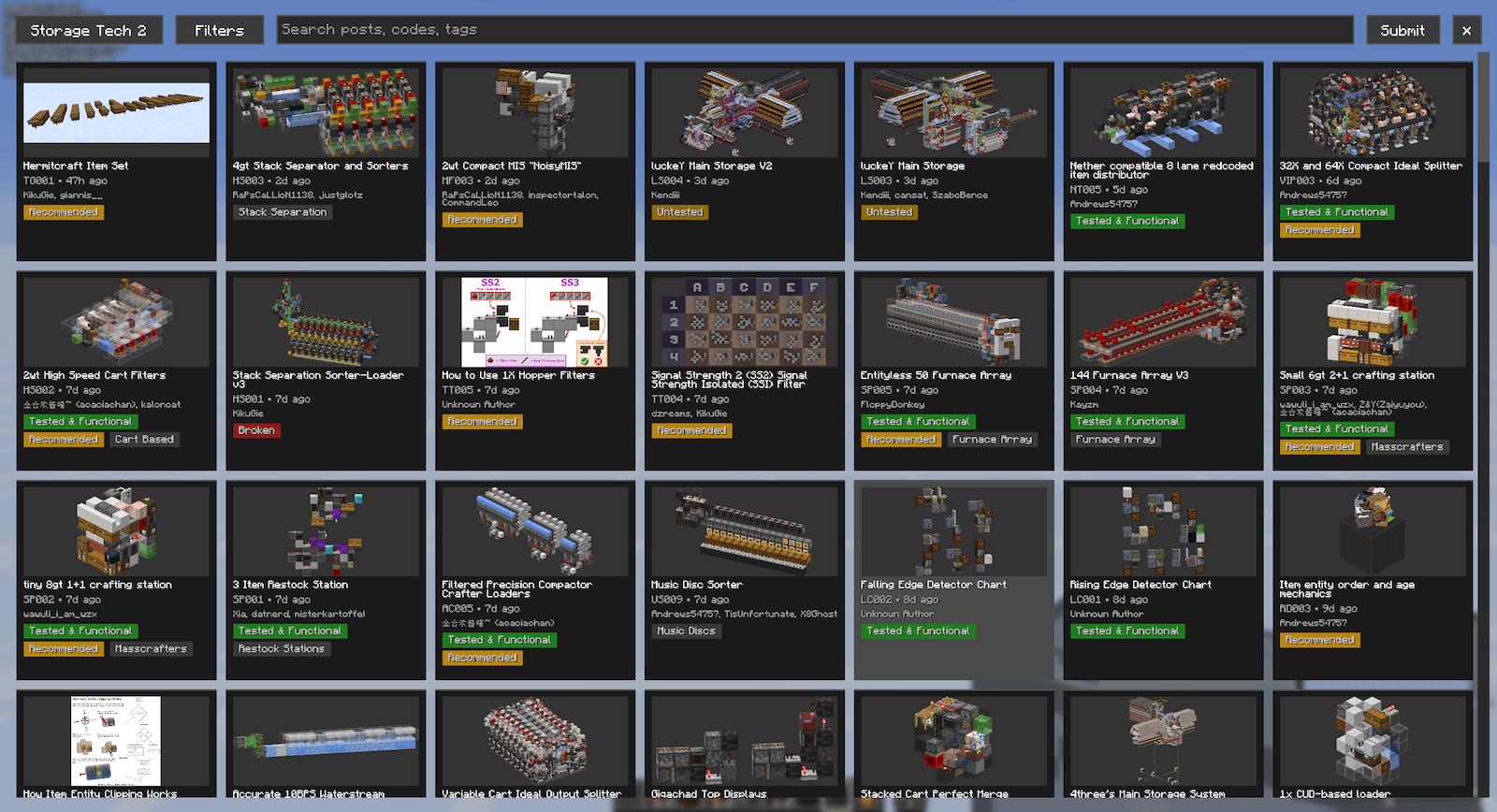 UI.png Main user interface
-
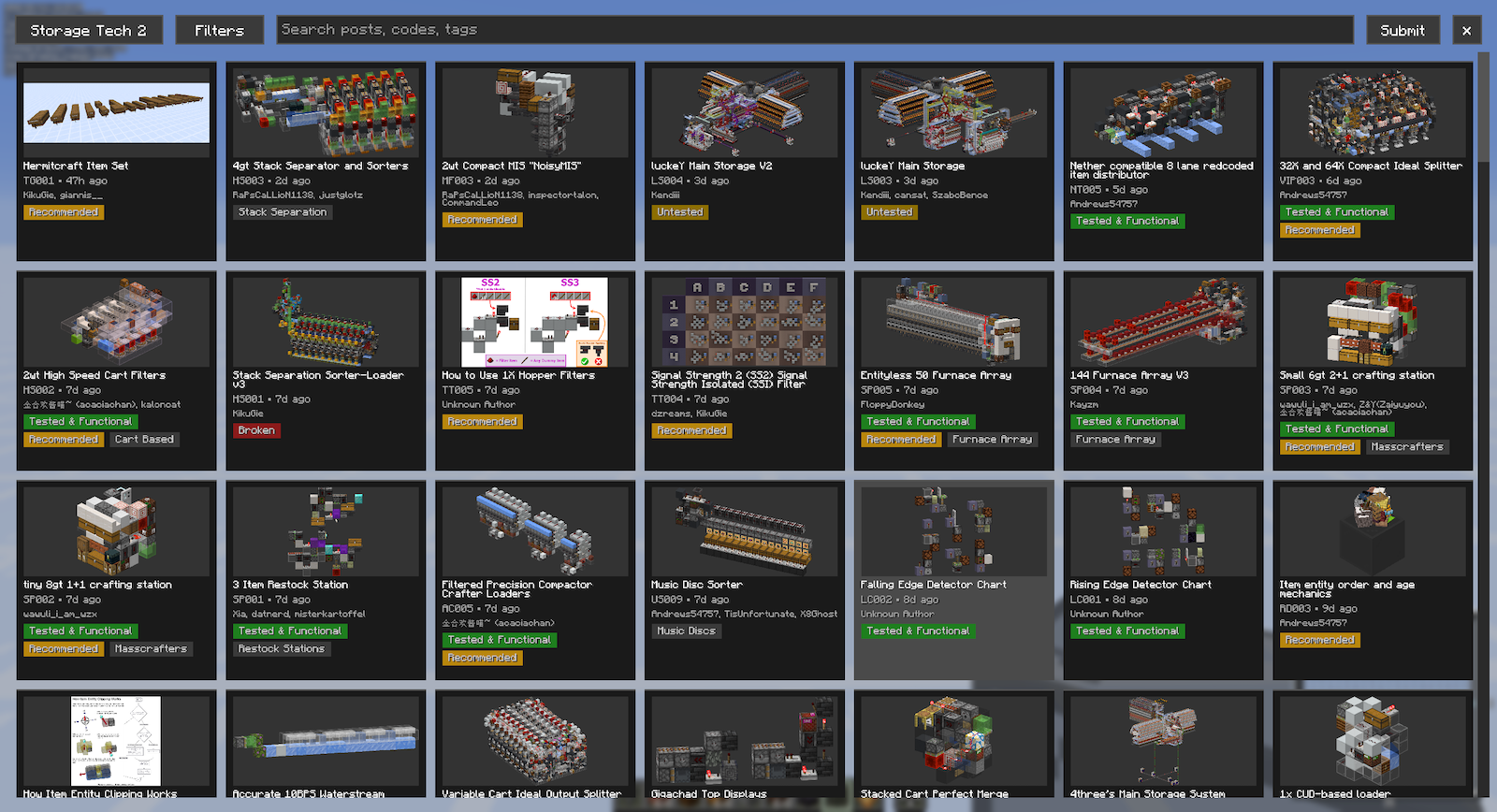 Mod Interface Click the "N" keybind to open up the archive browser!
 -
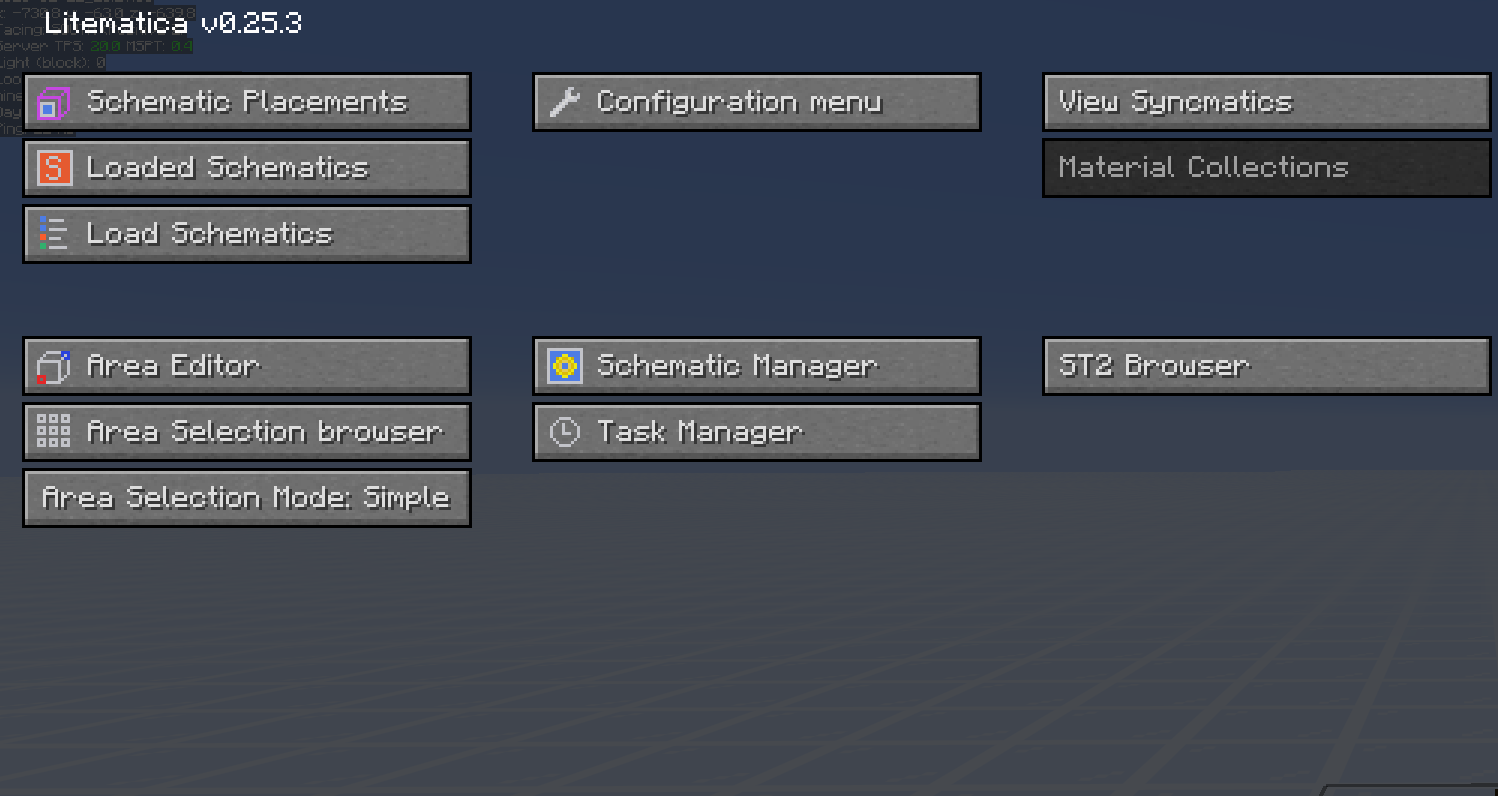 Integrates with litematica mod Adds a button to litematica so you can open the archive browser without an additional keybind. Downloaded schematics are also auto loaded into litematica.
Versions
Files
Relations
Project Relations
More like this
Similar Mods
Suggestions use data such as tags, dependencies, dependents, descriptions, titles, and more to rank how much they overlap with this mod.
On ModDex
Community snapshot
By the numbers
Statistics
Want to reach Minecraft players?
We're looking for a server hosting partner to feature here and other parts of the site. Interested? Send us a message!
Get in touchGet it on
Available Platforms
On ModDex
Community snapshot
By the numbers