Community listing page, reviews here may not be monitored by the author.
Double Hotbar NeoForge


No reviews yet
Displays a second row of the inventory on the HUD and allows easy swapping to the hotbar.
Community voices
Reviews
No reviews yet. Be the first to review this project!
Get it on
Available Platforms
Compatibility
Supported Environments
Runs entirely on the client. Works on vanilla servers.
About
Project Details
For authors
Embed Badge
If you're the author of this project, you can embed a live badge anywhere that supports HTML or Markdown. It updates automatically whenever ratings change.
Use HTML for any page that supports it, or Markdown for README files and Markdown-based descriptions.
Identifiers
Platform IDs
About
Description
Double Hotbar [NeoForge]
Disclaimer: This is an unofficial port of the "Double Hotbar" mod for the NeoForge mod loader. All credit for the original idea, design, and source code belongs to sidezbros. This port is published in accordance with the GPLv3 license. You can find the original Fabric/Forge version here: CurseForge Page | Original GitHub.
Overview
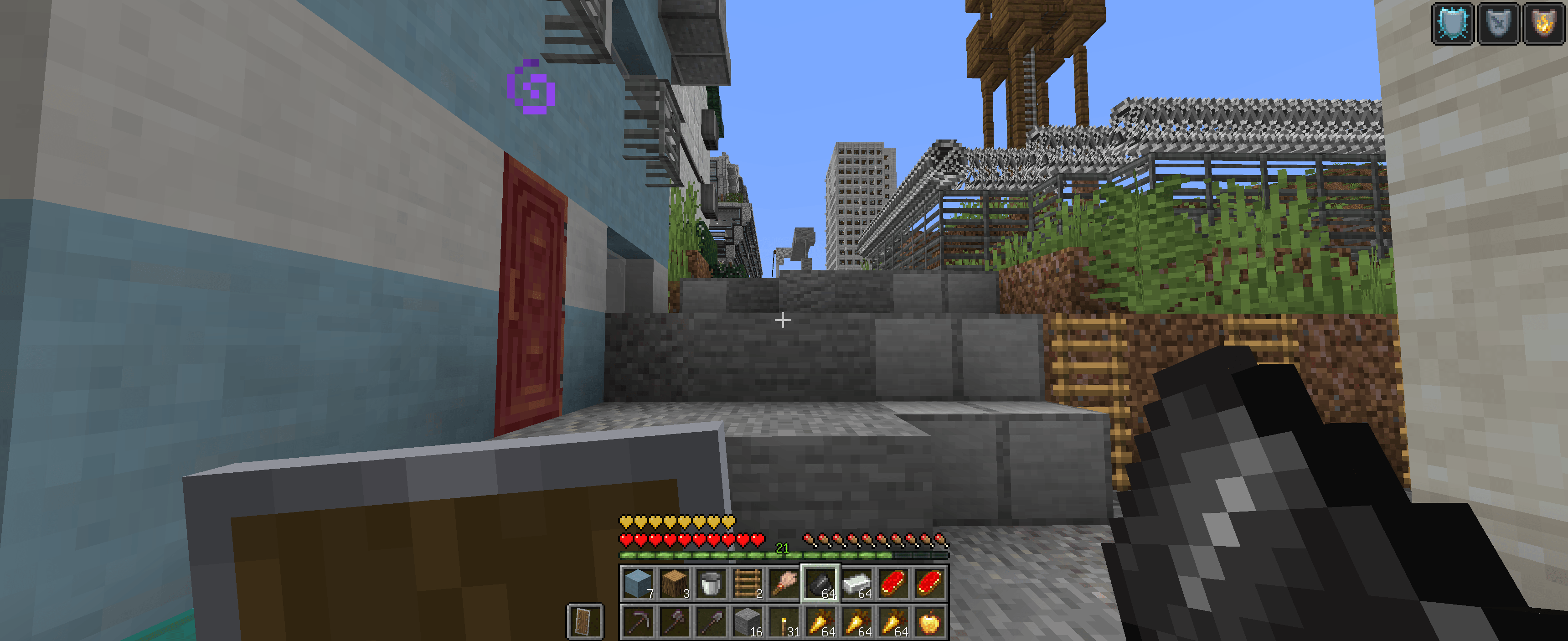
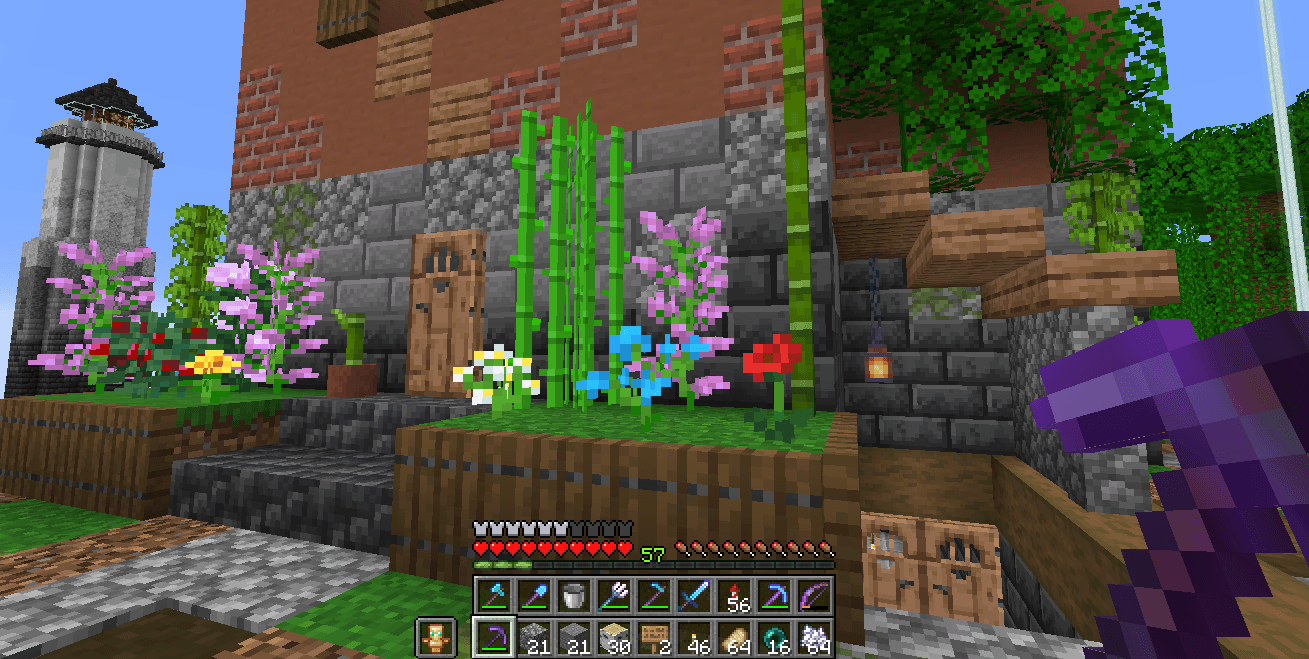
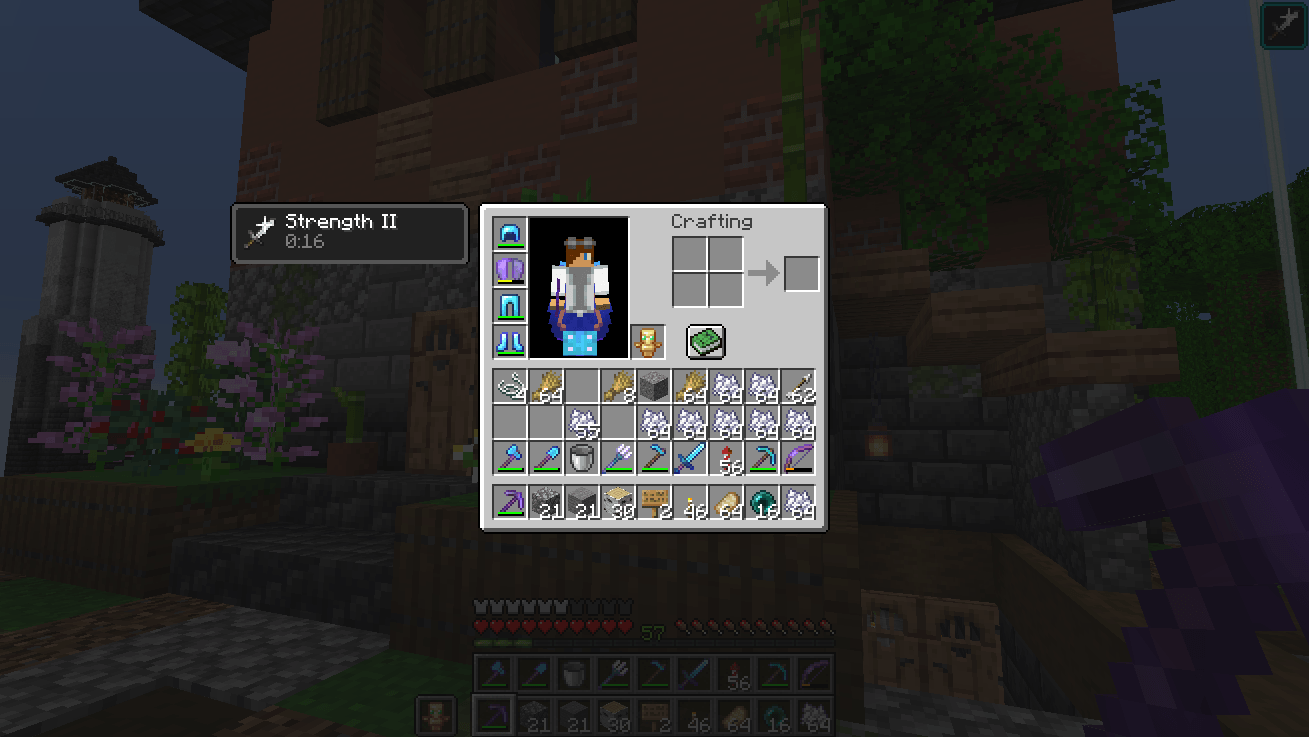
Double Hotbar adds a second hotbar that displays the third row of the inventory on the HUD. This provides a dual hotbar setup where you can easily swap, hotswap, or cycle which of the two hotbars is active. It completely eliminates the need to constantly open your inventory to move items around.
Features
- Dual Hotbar Display: Always see the third row of your inventory directly on your screen.
- Mouse scroll: Mod allows you not to swap hotbars, but to move between slots using the mouse wheel. You can find disable this feature in settings
- Quick Swap: Press the dedicated keybind (default 'R') to instantly swap your main hotbar with the secondary one.
- Hold to Swap: Hold the swap key to temporarily switch to the second hotbar, and release it to switch back.
- Double Tap: Double-tap a specific hotbar slot key (1-9) to swap just that single item instead of the entire row.
- Dynamic HUD Compatibility: Automatically shifts vanilla status bars (health, hunger, experience) up so nothing overlaps.
- Highly Configurable: Access the in-game settings to change the vertical shift, adjust sound volume, disable specific mechanics, or reverse the hotbar order.
Requirements
- Minecraft: 1.21.1
- Mod Loader: NeoForge (Version 21.1.65+)
- Dependencies: Cloth Config API (NeoForge) is highly recommended for accessing the configuration menu.
Double Hotbar [NeoForge]
Disclaimer: This is an unofficial port of the "Double Hotbar" mod for the NeoForge mod loader. All credit for the original idea, design, and source code belongs to sidezbros. This port is published in accordance with the GPLv3 license. You can find the original Fabric/Forge version here: CurseForge Page | Original GitHub.
Overview
Double Hotbar adds a second hotbar that displays the third row of the inventory on the HUD. This provides a dual hotbar setup where you can easily swap, hotswap, or cycle which of the two hotbars is active. It completely eliminates the need to constantly open your inventory to move items around.
Features
- Dual Hotbar Display: Always see the third row of your inventory directly on your screen.
- Quick Swap: Press the dedicated keybind (default 'R') to instantly swap your main hotbar with the secondary one.
- Hold to Swap: Hold the swap key to temporarily switch to the second hotbar, and release it to switch back.
- Double Tap: Double-tap a specific hotbar slot key (1-9) to swap just that single item instead of the entire row.
- Dynamic HUD Compatibility: Automatically shifts vanilla status bars (health, hunger, experience) up so nothing overlaps.
- Highly Configurable: Access the in-game settings to change the vertical shift, adjust sound volume, disable specific mechanics, or reverse the hotbar order.
Requirements
- Minecraft: 1.21.1
- Mod Loader: NeoForge (Version 21.1.65+)
- Dependencies: Cloth Config API (NeoForge) is highly recommended for accessing the configuration menu.
Screenshots
Gallery
-
 2026-07-20_23.44.40.png 2026-07-20_23.44.40.png
 -
 78dfab89276e35f7457a3ea9bb665fc67fdac8fb.png 78dfab89276e35f7457a3ea9bb665fc67fdac8fb.png
 -
 53fde3bc821841d7e776c2cb216c5034bf034bca.png 53fde3bc821841d7e776c2cb216c5034bf034bca.png
-
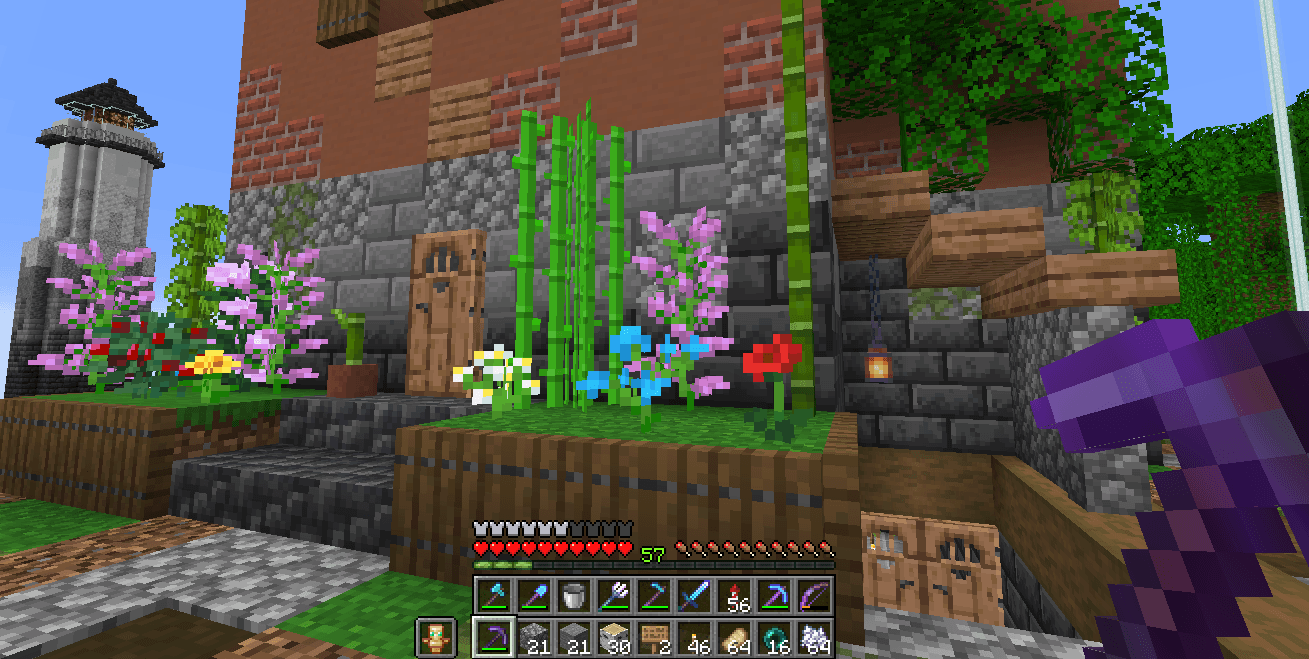 Appearance
 -
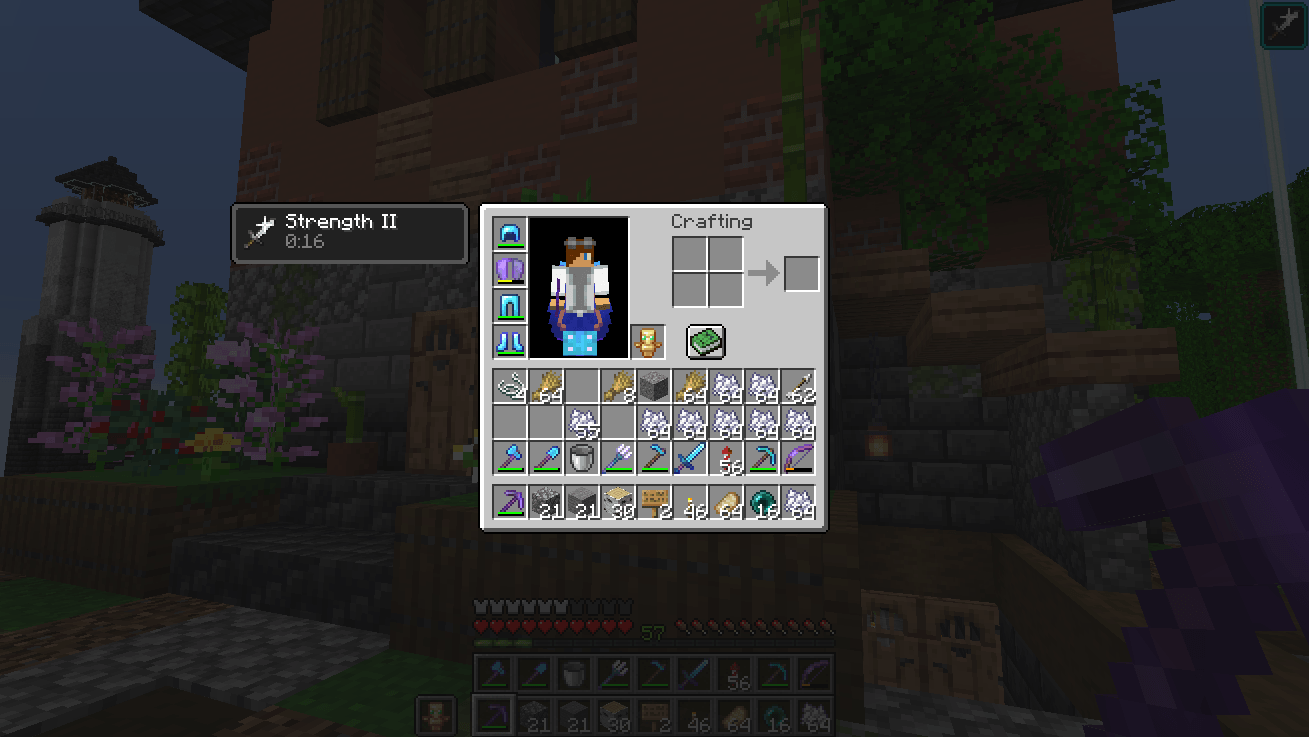 Appearance
Versions
Files
Relations
Project Relations
More like this
Similar Mods
Suggestions use data such as tags, dependencies, dependents, descriptions, titles, and more to rank how much they overlap with this mod.
On ModDex
Community snapshot
By the numbers
Statistics
Want to reach Minecraft players?
We're looking for a server hosting partner to feature here and other parts of the site. Interested? Send us a message!
Get in touchGet it on
Available Platforms
On ModDex
Community snapshot
By the numbers