
Community listing page, reviews here may not be monitored by the author.
Droplight

No reviews yet
Enhance the item-dropping experience. Adds beams, sparkles, and other effects for item drops.

Community voices
Reviews
No reviews yet. Be the first to review this project!
Get it on
Available Platforms
About
Project Details
For authors
Embed Badge
If you're the author of this project, you can embed a live badge anywhere that supports HTML or Markdown. It updates automatically whenever ratings change.
Use HTML for any page that supports it, or Markdown for README files and Markdown-based descriptions.
Identifiers
Platform IDs
Resources
External Links
About
Description

Revamp the item-dropping experience!
Droplight adds new features to the game that make drops feel more exciting.
Features
Item Drop Sounds
Items will now make sound when they hit the ground! Droplight includes over 20 custom sound effects, and while the default sounds work quite well, everything is completely customizable.
Check out some of the built-in sounds here (Make sure to unmute the video)
Drop Tossing
When killing a mob, items will fly up into the air one at a time, whirling about. This emphasizes the drops, and makes multiple drops really feel special.

Item Visuals
Rare items have special visuals when on the ground, including a glowing beam of light and sparkles. By default, the color of these visuals matches the item's tooltip name color. Everything about the visuals is also completely customizable, including which items have beams and/or sparkles, and what color particular items should have. By default the beams are smooth, but there is also a pixelated mode available for a blockier look. Are there some really hard to get items in your modpack? Make them have special visuals to really stand out!
Beam height 12.0, pixelated mode

Beam height 3.0 with custom beam colors, smooth mode

Beam height 0.0 with some custom and some default beam colors

Dependencies
Droplight depends on Iceberg

and Prism.

The Fabric version also requires Forge Config API Port.

Client / Server
If playing multiplayer, you will need the mod installed on both the client-side and the server-side for all features to be supported. This also goes for single-player games opened up for LAN play--all players will need the mod installed for it to behave properly. You may install the mod on your client without it being installed on a server in multiplayer, but only some features will work properly. See the list below. The mod dependencies need to also be installed anywhere the mod is installed.
Features supported in multiplayer without mod on server:
Forge
- Item beams
- Item flipping
Fabric
- Item beams
- Item flipping
- Particles
- Drop sounds
Configuration
Everything about the mod is completely customizable via the included configuration file. This file is called droplight-common.toml, and can be found in the config folder. If you would like to customize any behavior of the mod, please examine the config file to see what options are available.
Some options take a list of items, such as what drop sounds to use and which items have custom beam colors. All options taking item lists use Iceberg item selectors, which are documented here.
Some options also take colors, which use Prism color definitions documented here.
Sounds
Droplight includes several custom sound events that can be used for item drop sound customization, and they are listed below. Most of the sound events below include multiple distinct sound effects that will play randomly when used. In addition to these, any standard Minecraft sound or sounds added via mods / resource packs can be specified as an item drop sound in the configuration file.
Included sound events
droplight:item.misc.drop_legendary
droplight:item.misc.drop_light
droplight:item.misc.drop_medium_soft
droplight:item.misc.drop_medium_hard
droplight:item.misc.drop_heavy
droplight:item.misc.drop_tool
droplight:item.misc.drop_block
droplight:item.misc.drop_wood
droplight:item.misc.drop_gem
droplight:item.misc.drop_glass
droplight:item.misc.drop_wet
droplight:item.misc.drop_misc1
droplight:item.misc.drop_misc2
droplight:item.misc.drop_misc3
Known Issues
Droplight uses custom shaders when playing on medium and high graphics settings to draw light beams and sparkles in order to have the most beautiful graphics possible. Unfortunately, popular shader pack mods like Iris do not support custom shaders from mods and will disable them. To ensure compatibility, Droplight automatically drops down to lowest graphical quality when using shader packs, and even then, which shader pack you use will determine how the beams/sparkles look. BSL is known to have best compatibility, and Complementary is decent, others are hit or miss.
Screenshots
Gallery
-
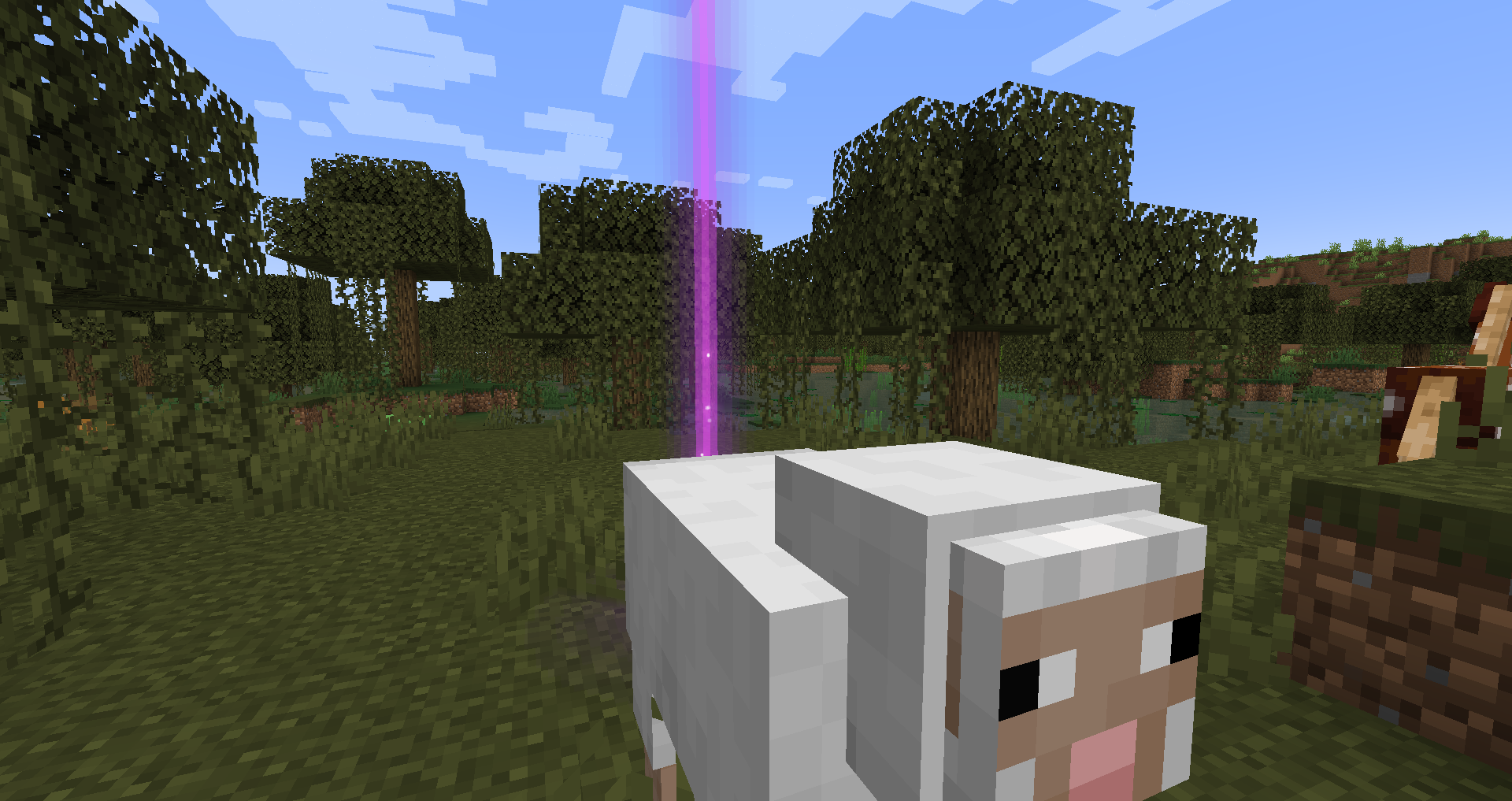 It just works. Beautiful graphics that fit right into the Minecraft world. Blends properly with clouds, entities, items, and everything else. Also highly compatible with other mods!
 -
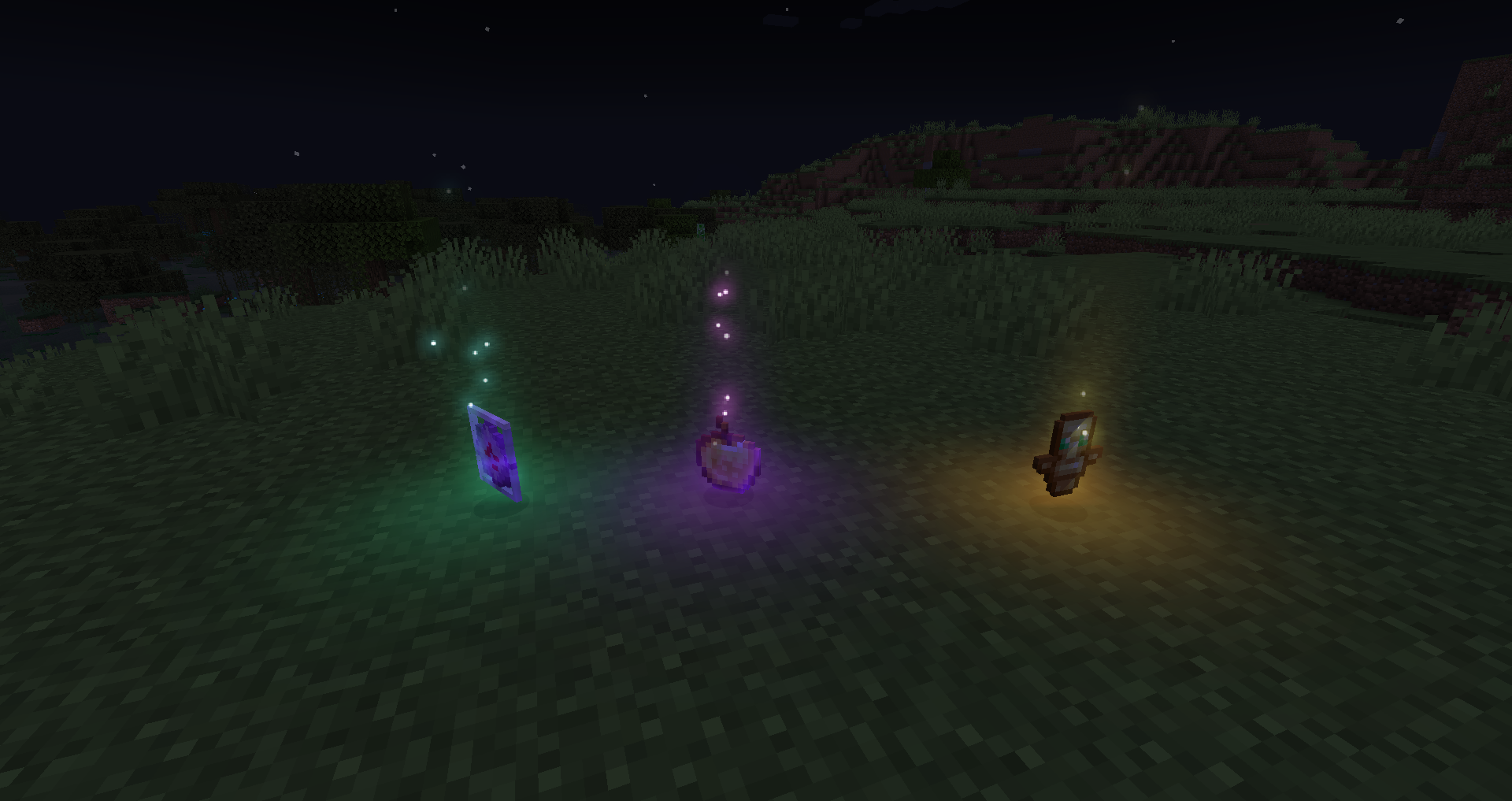 Beams optional. Beams can be of any height you wish, or if you prefer, nonexistent.
 -
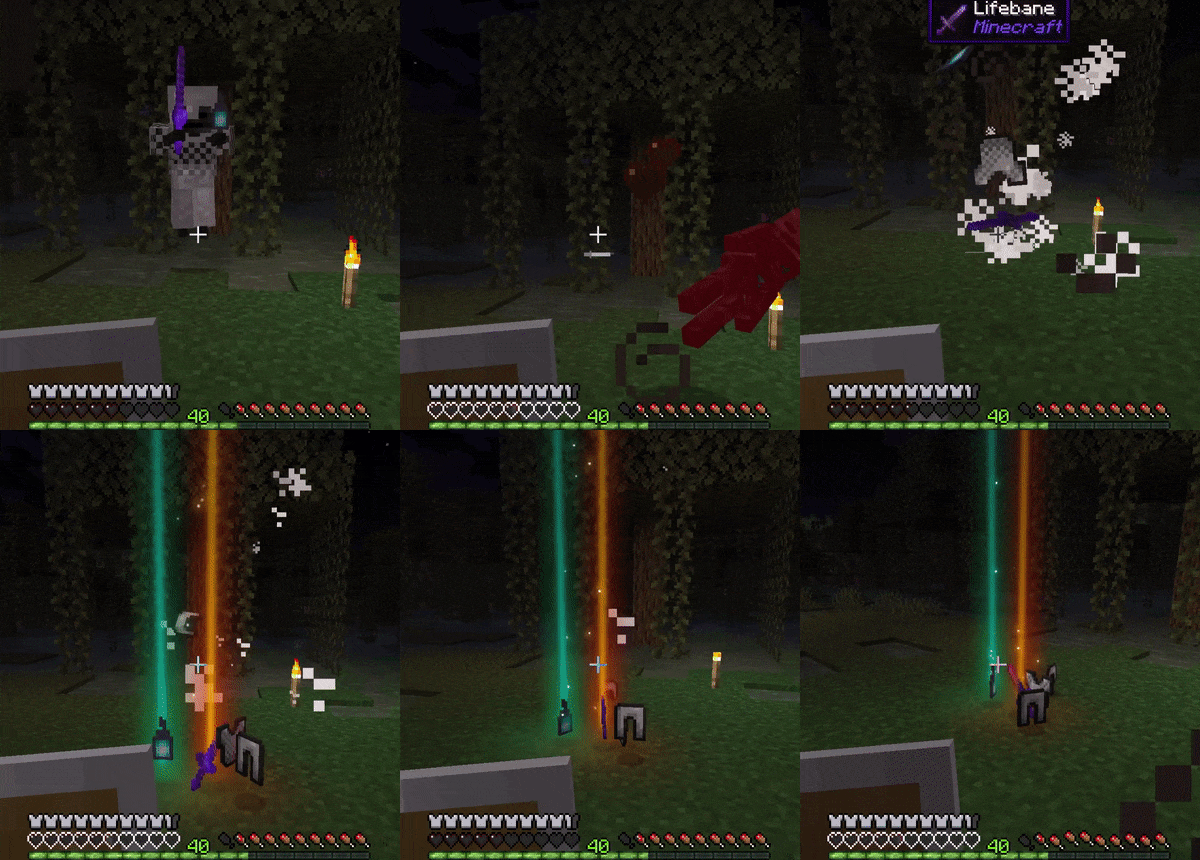 A little bit of excitement! Items will be tossed up into the air when mobs are killed, adding some much needed excitement.
 -
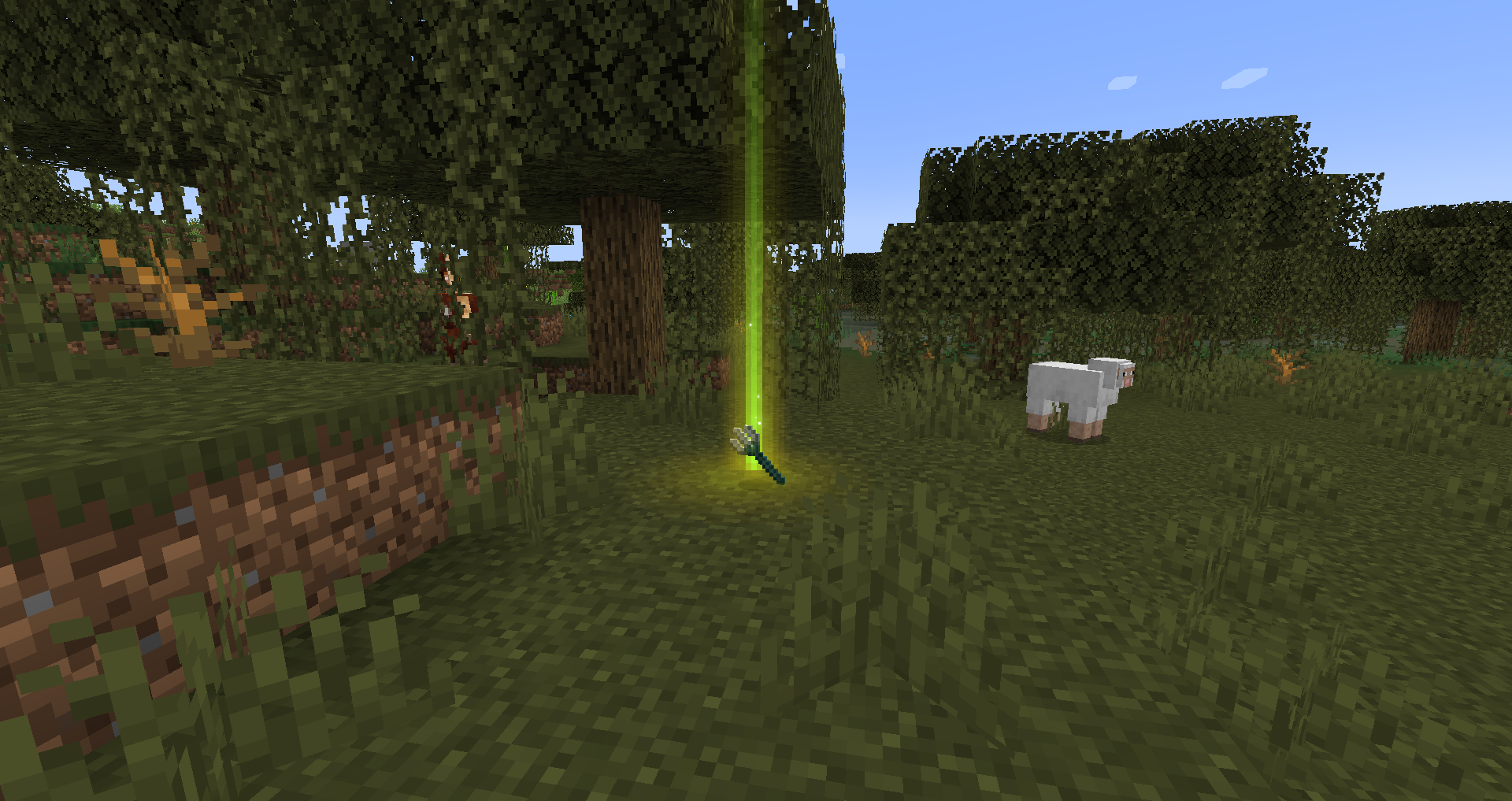 Not a fan of smooth lighting? Not a problem! Enable pixelated mode for that classic blocky appearance.
 -
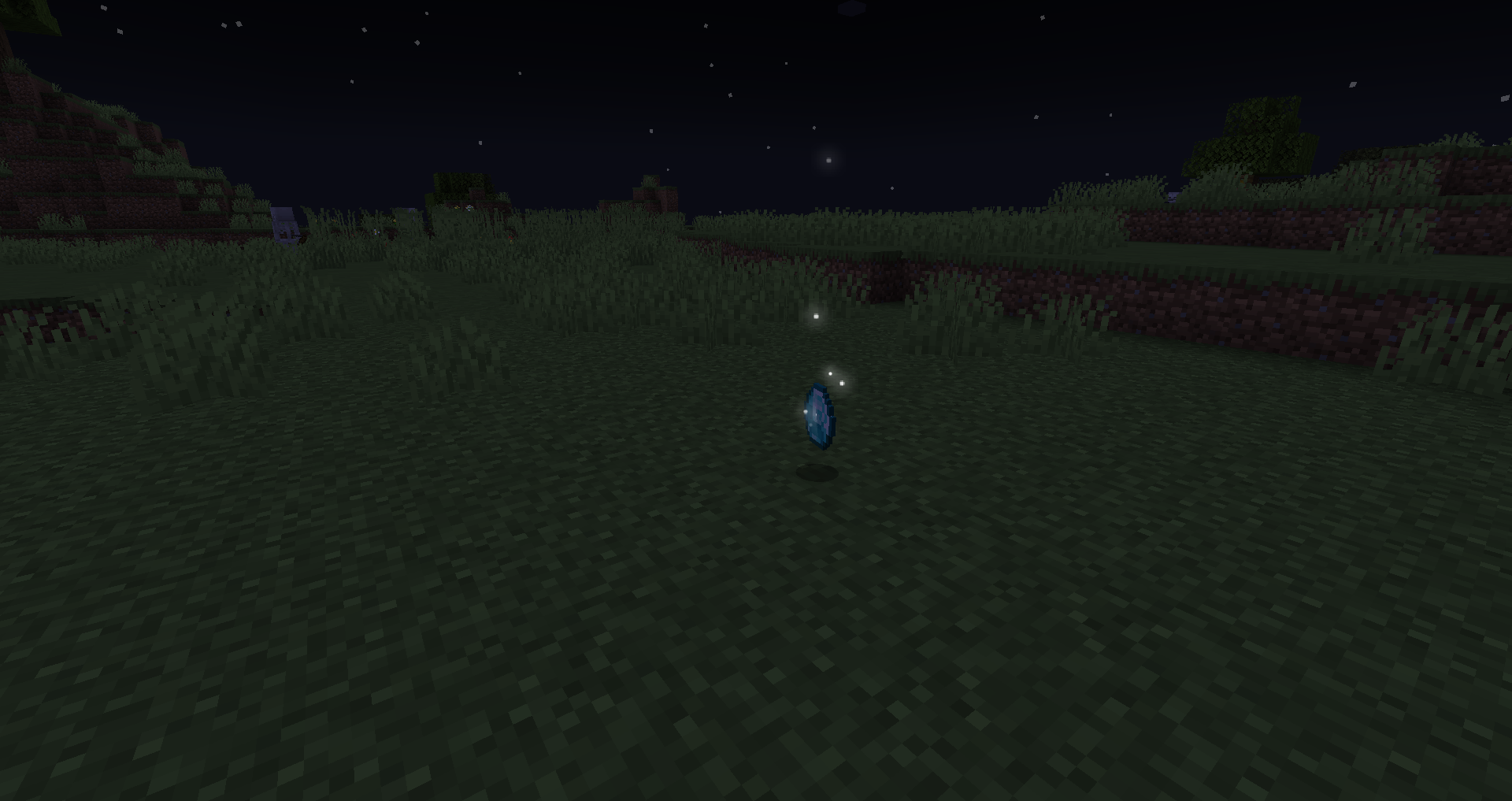 Sparkles or no sparkles? Item sparkles can be customized independently of light beams. Want everything to sparkle? Easily done!
 -
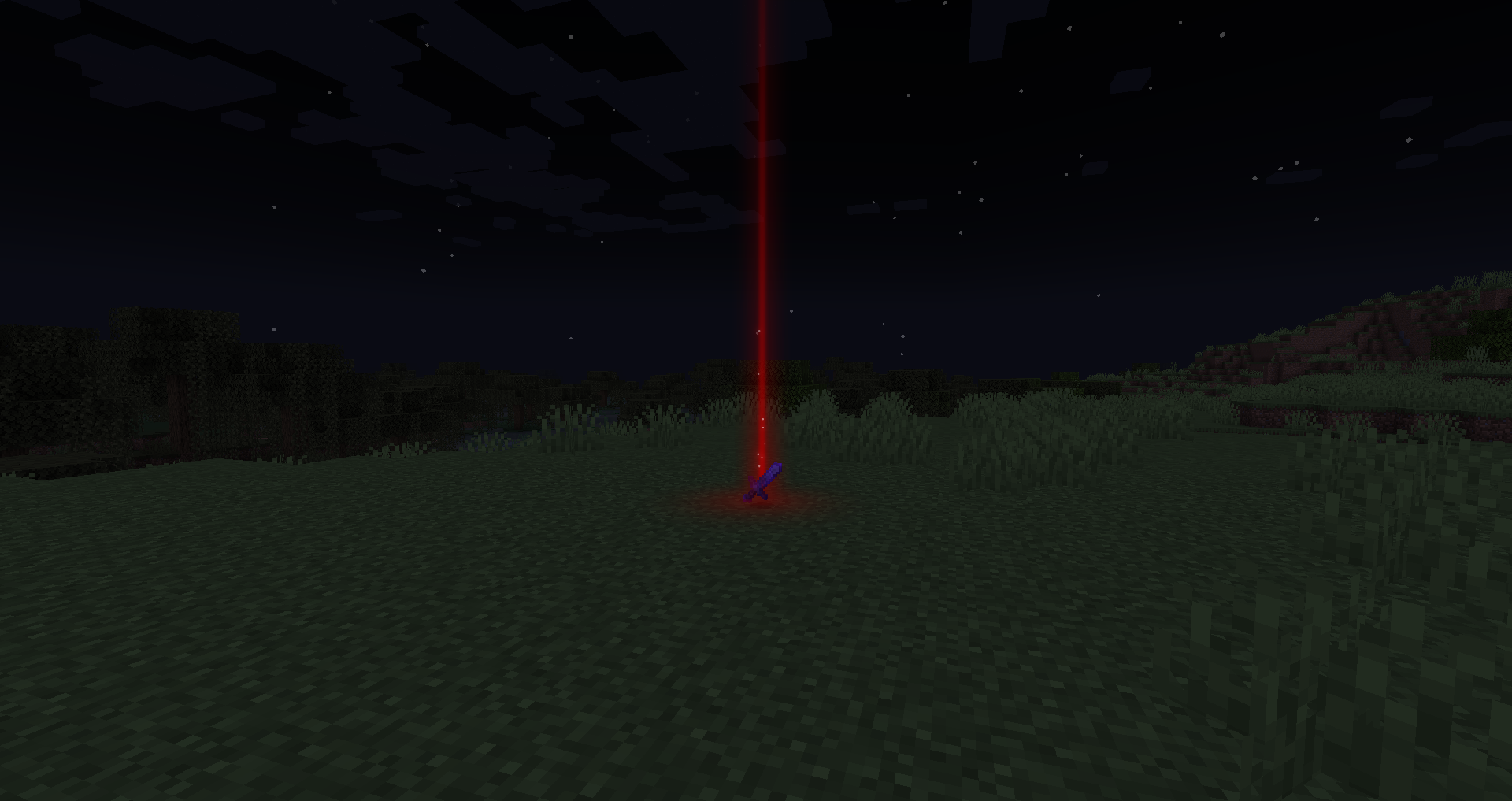 Custom light beam colors for any item! By default, beam colors will match the color of item tooltip names, but this is fully customizable.
Versions
Files
Relations
Project Relations
More like this
Similar Mods
Suggestions use data such as tags, dependencies, dependents, descriptions, titles, and more to rank how much they overlap with this mod.
On ModDex
Community snapshot
By the numbers
Statistics
 (opens in a new tab)
Get it on
Available Platforms
On ModDex
Community snapshot
By the numbers
Statistics
Resources