
Community listing page, reviews here may not be monitored by the author.
DUATAR: Minimap & Map

No reviews yet
A clean minimap and full-screen explored-world map with cave layers, coordinates, and map-only marks—without waypoints, radar, or navigation clutter.
Community voices
Reviews
No reviews yet. Be the first to review this project!
Get it on
Available Platforms
About
Project Details
For authors
Embed Badge
If you're the author of this project, you can embed a live badge anywhere that supports HTML or Markdown. It updates automatically whenever ratings change.
Use HTML for any page that supports it, or Markdown for README files and Markdown-based descriptions.
Identifiers
Platform IDs
Resources
External Links
About
Description
DUATAR: Minimap & Map provides a clean and straightforward mapping experience while preserving Minecraft’s exploration-focused gameplay.
It includes a minimap, a full-screen map, coordinates, cave mapping, and simple map annotations—without adding a complex waypoint or navigation system.
Features
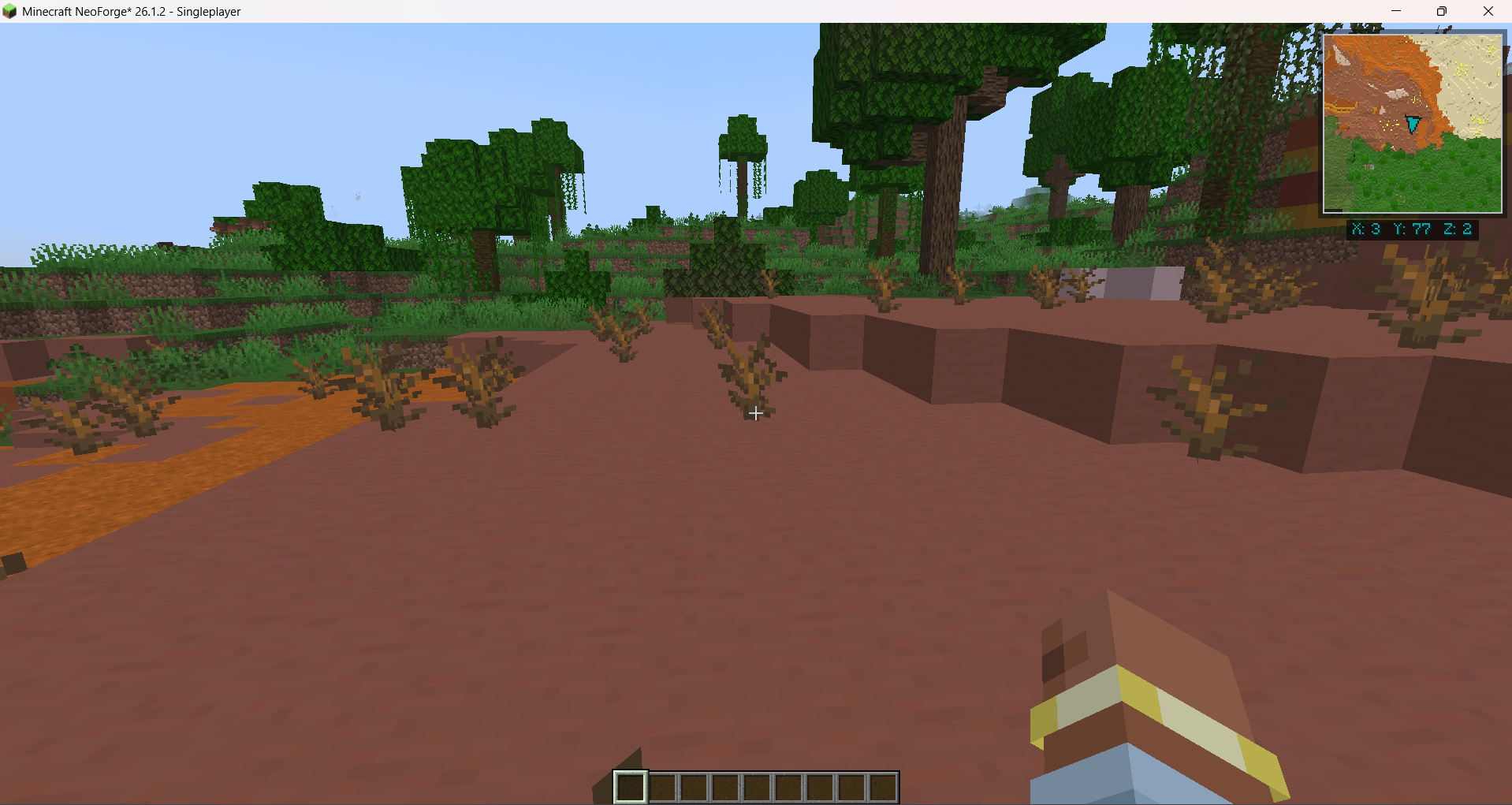
- A fixed north-up minimap in the top-right corner
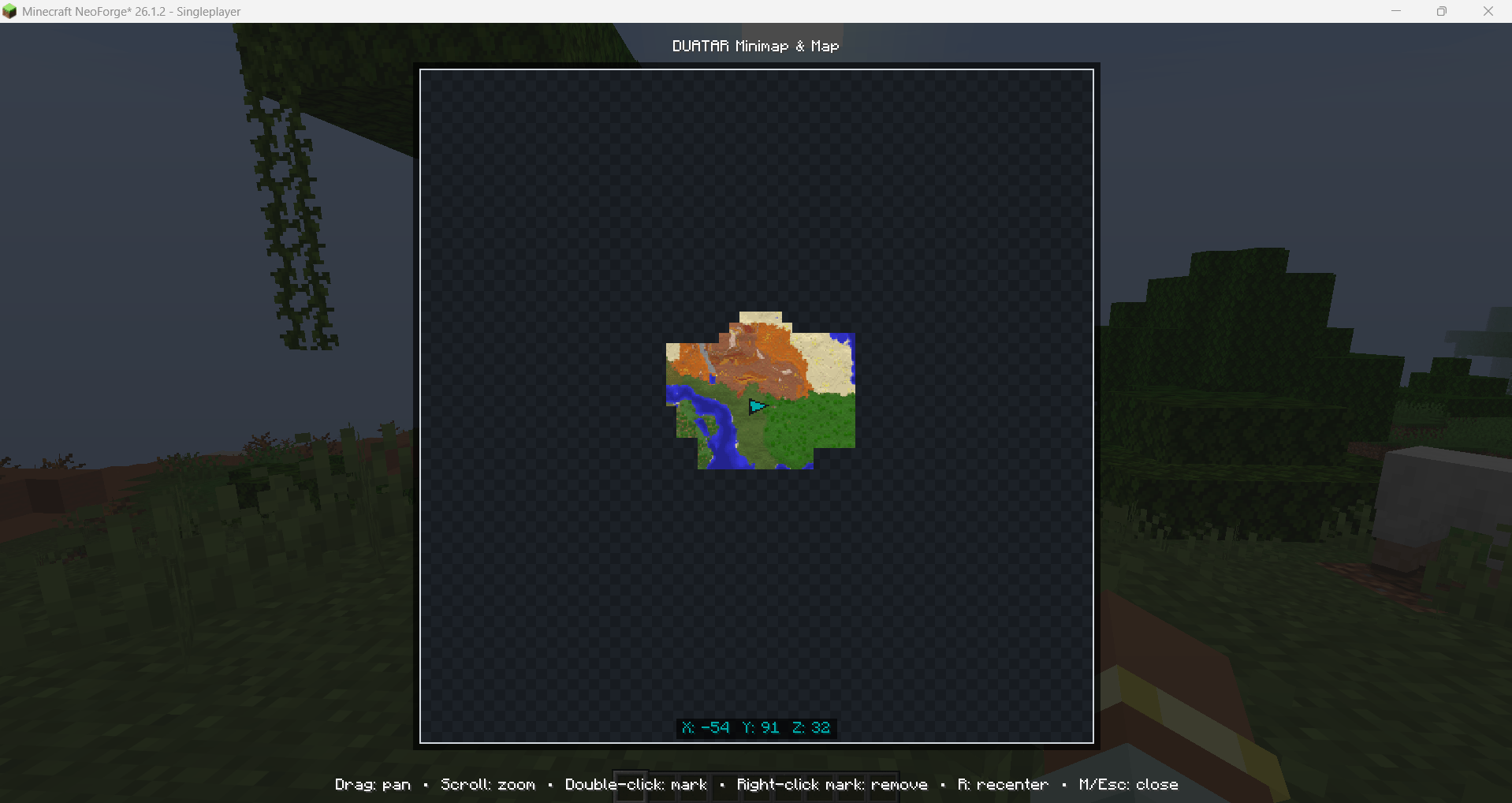
- A large map opened with the **M** key
- A dark aqua player arrow that follows your viewing direction
- Live **X, Y, and Z coordinates**
- Detailed terrain rendering based on blocks and biome colors
- Improved grass, leaves, water, shoreline, and terrain-height details
- Automatic cave mapping when exploring underground
- Separate saved map data for each world, server, and dimension
- Persistent explored terrain between game sessions
- Simple annotations placed directly on the full map
- No entity, mob, or player radar
A Simple Map System
This mod is intentionally designed as a simple map rather than a complete navigation system.
There is "no waypoint system":
- No waypoint icons displayed in the game world
- No waypoint beams
- No distance indicators
- No waypoint teleportation
- No deathpoints
- No entity, mob, or player tracking
The full map supports manual "map-only marks". These are simple visual annotations that remain inside the map interface.
They are "not waypoints" and do not create any icon, target, beacon, distance tracker, or navigation element in the Minecraft world.
"Cave Mapping
When the player enters an underground area, the map automatically switches to a cave layer.
Cave floors, walls, tunnels, and nearby underground structures are rendered separately from the surface map. Returning to the surface automatically restores the normal terrain map.
"Map Controls
- "M:" Open or close the full map
- "Mouse drag:" Move around the map
- "Mouse wheel:" Zoom in or out
- "Double-click:" Add a map-only mark
- "Right-click a mark:" Remove it
- "R:" Recenter the map on the player
- "M or Esc:" Close the map
Exploration-Based Mapping
The map is created from terrain loaded while you explore.
Unexplored areas remain empty until they are visited. The mod does not turn marks into navigation targets or reveal distant unexplored terrain.
Map information is saved locally so previously explored terrain remains available after restarting the game.
Philosophy
DUATAR: Minimap & Map is made for players who want a useful map without waypoint beams, teleportation, radar, or excessive navigation features.
Explore the world yourself—the map simply helps you remember what you have already discovered.
Screenshots
Gallery
-
 19-map-2.png 19-map-2.png
 -
 19-map-3.png 19-map-3.png
Versions
Files
Relations
Project Relations
More like this
Similar Mods
Suggestions use data such as tags, dependencies, dependents, descriptions, titles, and more to rank how much they overlap with this mod.
On ModDex
Community snapshot
By the numbers
Statistics
Want to reach Minecraft players?
We're looking for a server hosting partner to feature here and other parts of the site. Interested? Send us a message!
Get in touchGet it on
Available Platforms
On ModDex
Community snapshot
By the numbers
Statistics
Resources