
Community listing page, reviews here may not be monitored by the author.
DUATAR: Weight


No reviews yet
A configurable carrying-weight system with item tooltips, a color-coded HUD, container-aware calculations, and progressive overload penalties.
Community voices
Reviews
No reviews yet. Be the first to review this project!
Get it on
Available Platforms
Compatibility
Supported Environments
Must be installed on both the client and the server.
About
Project Details
For authors
Embed Badge
If you're the author of this project, you can embed a live badge anywhere that supports HTML or Markdown. It updates automatically whenever ratings change.
Use HTML for any page that supports it, or Markdown for README files and Markdown-based descriptions.
Identifiers
Platform IDs
Resources
External Links
About
Description
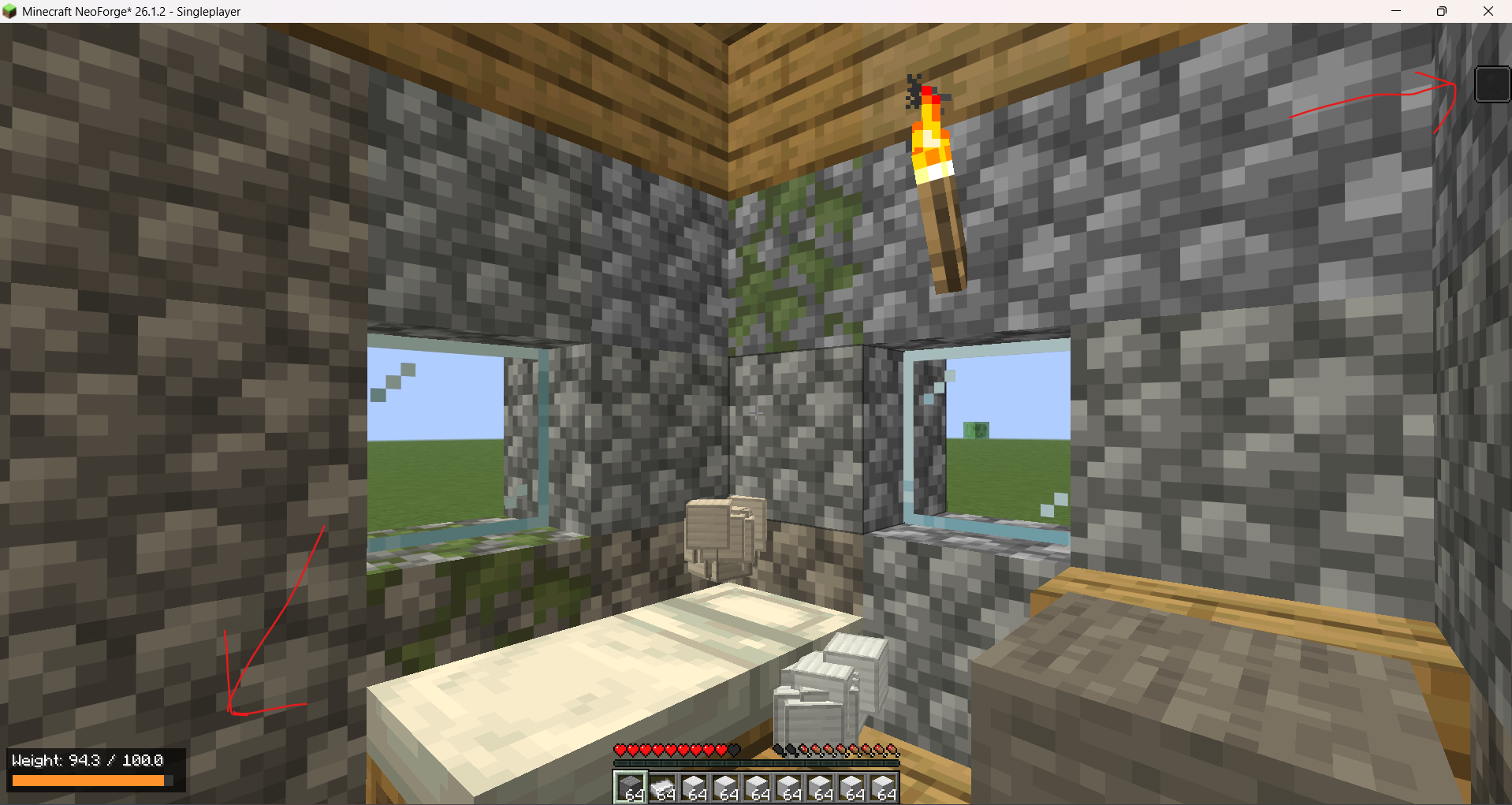
DUATAR: Weight adds a configurable carrying-capacity system to Minecraft. Every carried item contributes to the player’s total weight, including stacked items, equipped armor, the offhand slot, and items stored inside supported containers.
Features
- Server-authoritative weight calculation
- Compact, color-coded HUD in the bottom-left corner
- Individual and total stack weight in item tooltips
- Main inventory, hotbar, armor, and offhand support
- Shulker Box and Bundle content calculation
- Progressive exhaustion and overload penalties
- Vanilla Slowness I, II, and III effects
- Reduced jumping and disabled sprinting when overloaded
- Configurable item and item-tag weights
- English and Turkish language support
- No external mod dependencies
Item Tooltips
Individual items display their unit weight:
Weight: 0.27Stacked items display both the unit and total weight:
Weight: 0.27 × 10 = 2.7Container items include the weight of their stored contents.
Weight Levels
- 0–70%: No penalty
- 70–90%: Additional exhaustion
- 90–100%: Slowness I with a net 10% movement reduction
- 100–120%: Slowness II, 25% movement reduction, 15% jump reduction, and sprinting disabled
- Above 120%: Slowness III, 50% movement reduction, 35% jump reduction, and sprinting disabled
Items are never deleted or automatically dropped when the player becomes overloaded.
Weight Calculation
Weight values represent individual items and are multiplied by stack size.
1 Stone  = 0.01
64 Stone = 0.64
The default configuration divides raw item weights by 100, making the system suitable for inventories containing multiple full stacks.
DUATAR: Weight adds a configurable carrying-capacity system to Minecraft. Every carried item contributes to the player’s total weight, including stacked items, equipped armor, the offhand slot, and items stored inside supported containers. Features
- Server-authoritative weight calculation
- Compact, color-coded HUD in the bottom-left corner
- Individual and total stack weight in item tooltips
- Main inventory, hotbar, armor, and offhand support
- Shulker Box and Bundle content calculation
- Progressive exhaustion and overload penalties
- Vanilla Slowness I, II, and III effects
- Reduced jumping and disabled sprinting when overloaded
- Configurable item and item-tag weights
- English and Turkish language support
- No external mod dependencies Item Tooltips Individual items display their unit weight: Weight: 0.27 Stacked items display both the unit and total weight: Weight: 0.27 × 10 = 2.7 Container items include the weight of their stored contents. Weight Levels
- 0–70%: No penalty
- 70–90%: Additional exhaustion
- 90–100%: Slowness I with a net 10% movement reduction
- 100–120%: Slowness II, 25% movement reduction, 15% jump reduction, and sprinting disabled
- Above 120%: Slowness III, 50% movement reduction, 35% jump reduction, and sprinting disabled Items are never deleted or automatically dropped when the player becomes overloaded. Weight Calculation Weight values represent individual items and are multiplied by stack size. 1 Stone = 0.01 64 Stone = 0.64 The default configuration divides raw item weights by 100, making the system suitable for inventories containing multiple full stacks.
Screenshots
Gallery
-
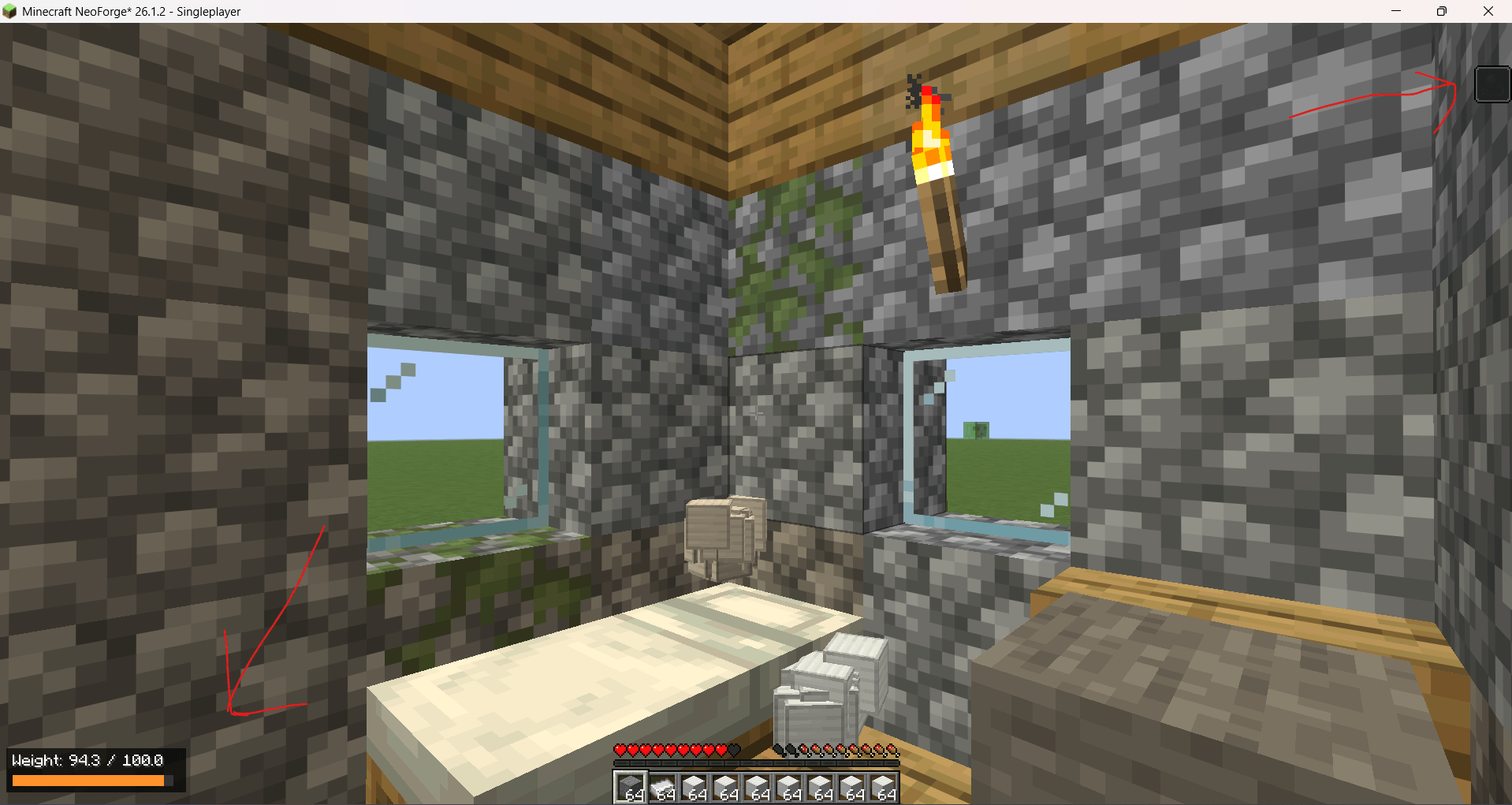 16-Weight-2.png 16-Weight-2.png
Versions
Files
Relations
Project Relations
More like this
Similar Mods
Suggestions use data such as tags, dependencies, dependents, descriptions, titles, and more to rank how much they overlap with this mod.
On ModDex
Community snapshot
By the numbers
Statistics
Want to reach Minecraft players?
We're looking for a server hosting partner to feature here and other parts of the site. Interested? Send us a message!
Get in touchGet it on
Available Platforms
On ModDex
Community snapshot
By the numbers
Statistics
Resources