Community listing page, reviews may not be monitored by the author.
Dynamic Armor HUD

No reviews yet
client-side: Keep an eye on your gear: armor, held weapons and arrows shown on screen with live, color-coded durability.

Community voices
Reviews
No reviews yet. Be the first to review this project!
Get it on
Available Platforms
About
Project Details
For authors
Embed Badge
If you're the author of this project, you can embed a live badge anywhere that supports HTML or Markdown. It updates automatically whenever ratings change.
Use HTML for any page that supports it, or Markdown for README files and Markdown-based descriptions.
Identifiers
Platform IDs
Resources
External Links
About
Description
# Dynamic Armor HUD
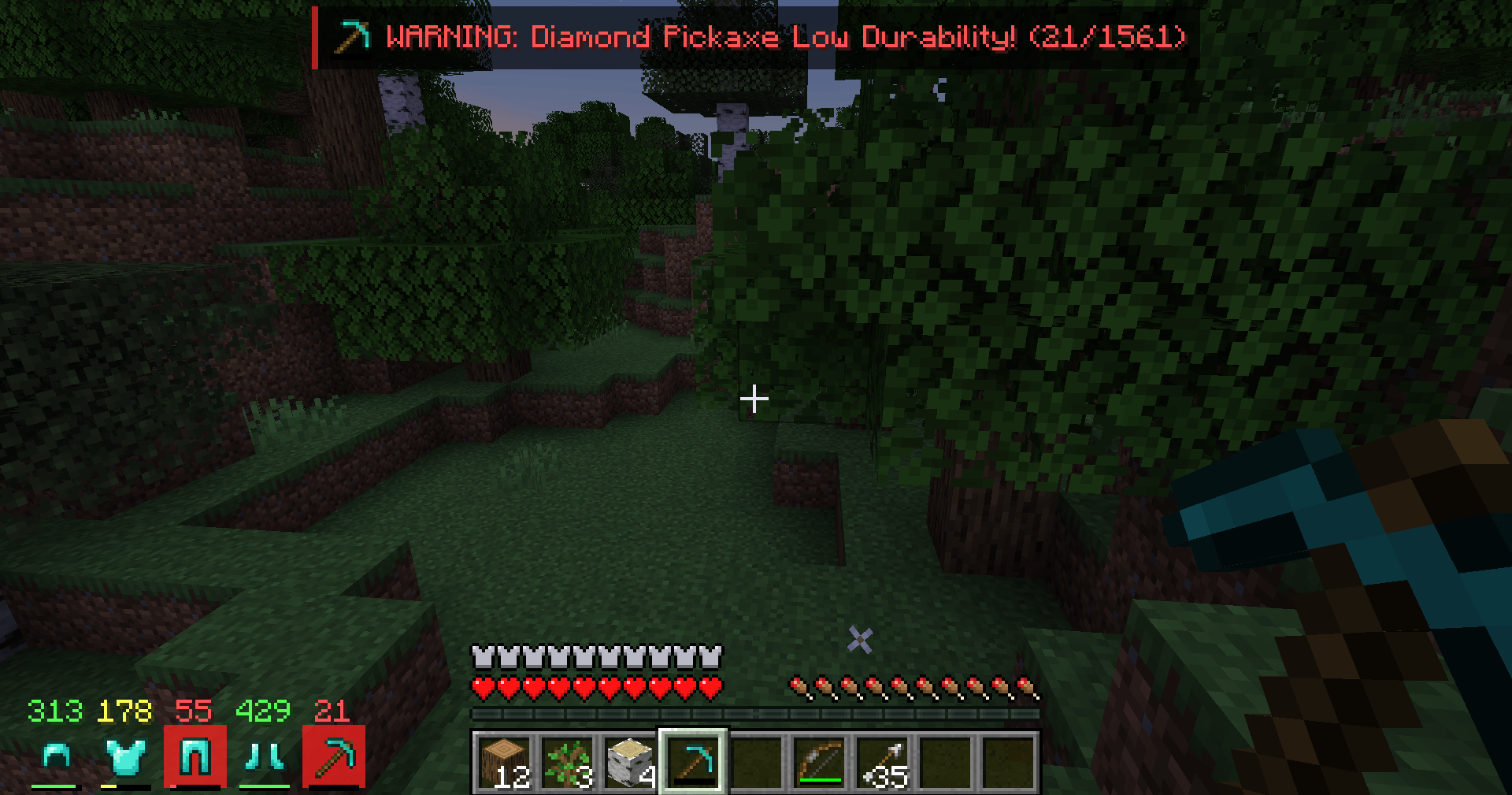
In the middle of a fight you shouldn't have to open your inventory to find out that your chestplate is hanging on by a thread. Dynamic Armor HUD puts your equipment right next to your hotbar, so one glance tells you what you're wearing, what you're holding and how much life your gear has left.
## What it shows
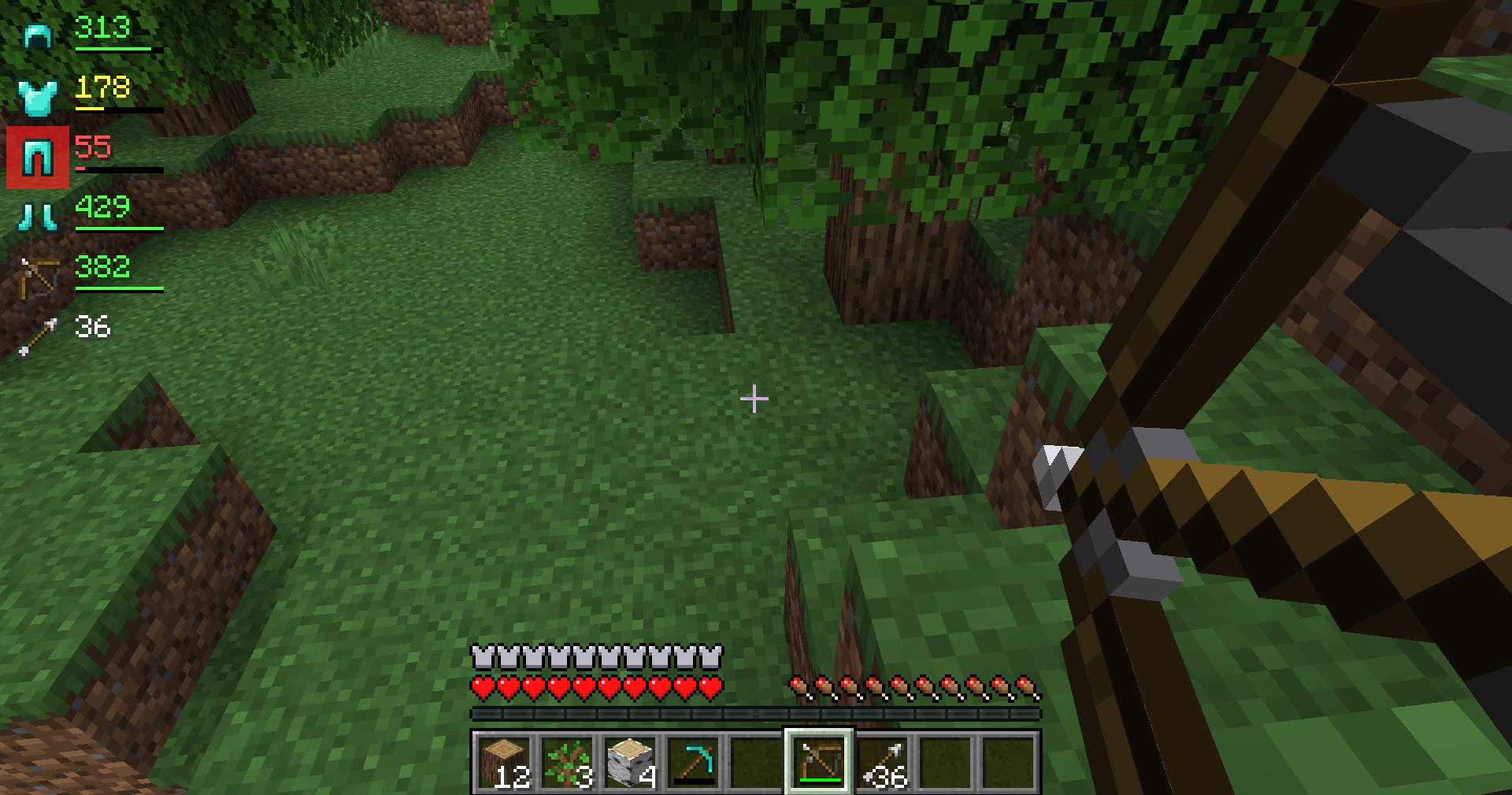
- **Your armor**: helmet, chestplate, leggings and boots (including elytra and pumpkins/heads).
- **Your held items**: the tool, weapon or shield in your main hand and offhand (only items with durability, so blocks and food don't clutter the HUD).
- **Your arrows**: hold a bow or crossbow and the total number of arrows in your inventory appears (it turns red when you're out).
## Durability at a glance
- Each item shows its **remaining durability** as a number, and a small **durability bar**.
- Colors change as your gear wears down:
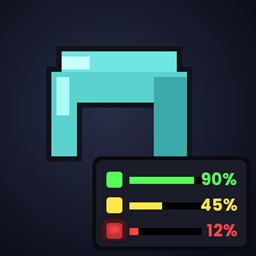
- **Green**: more than 50% left
- **Yellow**: 20–50% left
- **Red**: less than 20% left
- When an item drops **below 15%**, its icon gets a **pulsing red glow**, so you notice it even in the middle of combat.
- Prefer percentages? Switch `displayMode` to `percent` (see Settings).
## Controls
- **H** – show or hide the HUD. Your choice is remembered.
- Change the key in **Options → Controls → Key Binds → Dynamic Armor HUD**.
## Position
By default the HUD sits in a neat row **to the left of your hotbar**, out of the way of chat, the crosshair and the offhand slot. You can also put it in any screen corner as a vertical list.
## Settings
`config/dynamicarmorhud.properties` is created the first time you start the game:
- `position` – `hotbar` (default), `top_left`, `top_right`, `bottom_left` or `bottom_right`
- `offsetX`, `offsetY` – move the HUD a few pixels
- `displayMode` – `value` (durability points, default) or `percent`
- `showHeldItems` – show main hand and offhand items (default true)
- `showArrows` – show the arrow counter when holding a bow or crossbow (default true)
- `warnPercent` – when the red pulse starts (default 15)
Restart the game after editing the file.
## Works on every server
This is a **client-side only** mod: it only draws information about your own equipment, which your game already knows. Install it on your own game and it works in singleplayer and on multiplayer servers – the server does not need it.
## Requirements
- Minecraft **1.21 or 1.21.1**
- **Fabric Loader** 0.15.11 or newer
- **Fabric API**
- Java 21 (included with the official Minecraft launcher)
## Installation
1. Install Fabric Loader for Minecraft 1.21.1 (with the CurseForge app or the official Fabric installer).
2. Install **Fabric API** for 1.21.1 (listed as a required dependency; the CurseForge app installs it automatically).
3. Put the `dynamic-armor-hud` .jar file in your `.minecraft/mods` folder.
4. Start the game with the Fabric profile and put on some armor.
## Modpacks
You are free to include Dynamic Armor HUD in any modpack, no need to ask.
## Also by this author
- **Smart Tool Safety** – stops nearly broken tools from being used up and picks the right tool with one key. Works great together with this HUD.
- **Smart Chest Organizer** – one-click chest sorting and quick deposit.
- **Floating Damage Indicators** – damage, healing and crit numbers above mobs.
*The project logo is an illustration created with AI assistance; it is not an in-game screenshot. The screenshots in the gallery are real, unedited in-game captures.*
Screenshots
Gallery
-
 2026-10-31_22.09.59.png 2026-10-31_22.09.59.png
-
 2026-10-31_22.09.05.png 2026-10-31_22.09.05.png
Versions
Files
Relations
Project Relations
More like this
Similar Mods
Suggestions use data such as tags, dependencies, dependents, descriptions, titles, and more to rank how much they overlap with this mod.
On ModDex
Community snapshot
By the numbers
Statistics

Get it on
Available Platforms
On ModDex
Community snapshot
By the numbers
Statistics
Resources