Community listing page, reviews here may not be monitored by the author.
EaseGUI


No reviews yet
Smoothly animates GUI screens with extensive customization!
Community voices
Reviews
No reviews yet. Be the first to review this project!
Get it on
Available Platforms
Compatibility
Supported Environments
Runs entirely on the client. Works on vanilla servers.
About
Project Details
For authors
Embed Badge
If you're the author of this project, you can embed a live badge anywhere that supports HTML or Markdown. It updates automatically whenever ratings change.
Use HTML for any page that supports it, or Markdown for README files and Markdown-based descriptions.
Identifiers
Platform IDs
About
Description
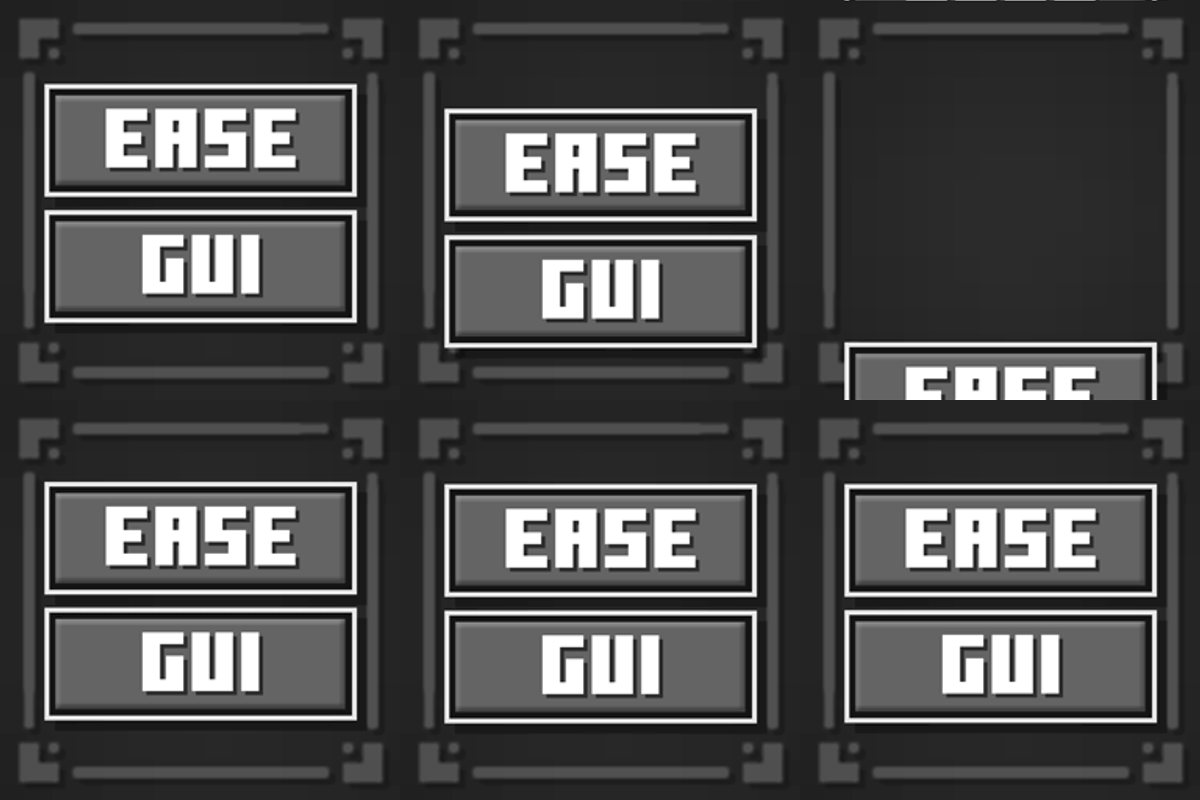
EaseGUI is a client-side mod that adds smooth, dynamic entry animations to Minecraft screens and interfaces!
Animated Elements
Background Blur • Minecraft Logo • Buttons • Text Labels • Scrollable Lists • Containers
Fabric Requirements
Customization
The mod offers customization options for every element category. You can configure animations globally for all screens or fine-tune them individually for specific menus to suit your taste.
Configuration parameters explained
- Animation [ON/OFF] — Toggles animations for the selected element category.
- Duration — Controls how long the animation lasts (in milliseconds).
- Offset [X/Y] — Sets the starting position of the element relative to its final layout position.
- Initial Scale [X/Y] — Controls the scale of the element at the beginning of the animation.
- Initial Alpha — Adjusts the starting opacity (transparency) of the element.
- Cascade Delay — The time delay between animating consecutive elements of the same type (creates a beautiful staggered entry effect).
- Cascade Order — The direction of the staggered sequence.
- Pivot Point — The anchor point used for scaling transformations (e.g., scaling from the center, top-left, etc.).
- Easing (Interpolation) — The mathematical curve that defines the acceleration profile and overall feel of the animation.

By default, a clean and simplified global animation preset is applied. However, you can craft unique transitions for each screen or disable them entirely where they aren't needed.
Beta Status & Feedback
EaseGUI is currently in Beta. While the core features are stable on both Fabric and NeoForge, I am actively fine-tuning compatibility with third-party mods that modify the game's UI.
If you run into compatibility issues with other mods, please let me know.
Compatibility & Known Issues
🟩 Resource Packs: Full Compatibility
The mod is fully compatible with any custom resource packs.
Tip: If your resource pack includes a custom Main Menu logo and you prefer to use it instead of the animated EaseGUI version, simply change the "Logo Type" setting to "Whole Text" in the mod configuration.
🟨 Highly Intrusive UI Mods
The main compatibility risks come from mods that heavily overhaul vanilla interfaces, completely rewrite their base rendering logic, or hard-code rigid element positions.
If you encounter rendering issues with a specific screen, you can easily tweak or completely disable the animation for that individual screen in the config menu while keeping smooth transitions across the rest of the game.
EaseGUI is a client-side mod that adds smooth, dynamic entry animations to Minecraft screens and interfaces!

Animated Elements
Background Blur • Minecraft Logo • Buttons • Text Labels • Scrollable Lists • Containers
Fabric Requirements

Customization
The mod offers customization options for every element category. You can configure animations globally for all screens or fine-tune them individually for specific menus to suit your taste.
Configuration parameters explained
- Animation [ON/OFF] — Toggles animations for the selected element category.
- Duration — Controls how long the animation lasts (in milliseconds).
- Offset [X/Y] — Sets the starting position of the element relative to its final layout position.
- Initial Scale [X/Y] — Controls the scale of the element at the beginning of the animation.
- Initial Alpha — Adjusts the starting opacity (transparency) of the element.
- Cascade Delay — The time delay between animating consecutive elements of the same type (creates a beautiful staggered entry effect).
- Cascade Order — The direction of the staggered sequence.
- Pivot Point — The anchor point used for scaling transformations (e.g., scaling from the center, top-left, etc.).
- Easing (Interpolation) — The mathematical curve that defines the acceleration profile and overall feel of the animation.
By default, a clean and simplified global animation preset is applied. However, you can craft unique transitions for each screen or disable them entirely where they aren't needed.
Compatibility & Known Issues
🟩 Resource Packs: Full Compatibility
The mod is fully compatible with any custom resource packs.
Tip: If your resource pack includes a custom Main Menu logo and you prefer to use it instead of the animated EaseGUI version, simply change the "Logo Type" setting to "Whole Text" in the mod configuration.
🟨 Highly Intrusive UI Mods
The main compatibility risks come from mods that heavily overhaul vanilla interfaces, completely rewrite their base rendering logic, or hard-code rigid element positions.
If you encounter rendering issues with a specific screen, you can easily tweak or completely disable the animation for that individual screen in the config menu while keeping smooth transitions across the rest of the game.
Screenshots
Gallery
-
Animated Menu Screens Standard GUI element animations.
-
Container Animations Showcase of default container animation and customization capabilities.
-
 Even more animations! All screens can be configured individually.
 -
 Animation Profile Editor Animation profile editor screen.
Versions
Files
Relations
Project Relations
More like this
Similar Mods
Suggestions use data such as tags, dependencies, dependents, descriptions, titles, and more to rank how much they overlap with this mod.
On ModDex
Community snapshot
By the numbers
Statistics
Want to reach Minecraft players?
We're looking for a server hosting partner to feature here and other parts of the site. Interested? Send us a message!
Get in touchGet it on
Available Platforms
On ModDex
Community snapshot
By the numbers