
Community listing page, reviews here may not be monitored by the author.
Easy Config Switcher


No reviews yet
A simple tool to backup and switch between config profiles!
Community voices
Reviews
No reviews yet. Be the first to review this project!
Get it on
Available Platforms
Compatibility
Supported Environments
Runs entirely on the client. Works on vanilla servers.
Must be installed on both the client and the server.
Varies by version.
About
Project Details
For authors
Embed Badge
If you're the author of this project, you can embed a live badge anywhere that supports HTML or Markdown. It updates automatically whenever ratings change.
Use HTML for any page that supports it, or Markdown for README files and Markdown-based descriptions.
Identifiers
Platform IDs
About
Description
Easy Config Switcher
A simple tool to backup and switch between config profiles!
Works particularily well for performance presets or resourcepack styles.
Creating Presets:
- Have all Minecraft options/shaders/resourcepacks/mod settings configured to your liking.
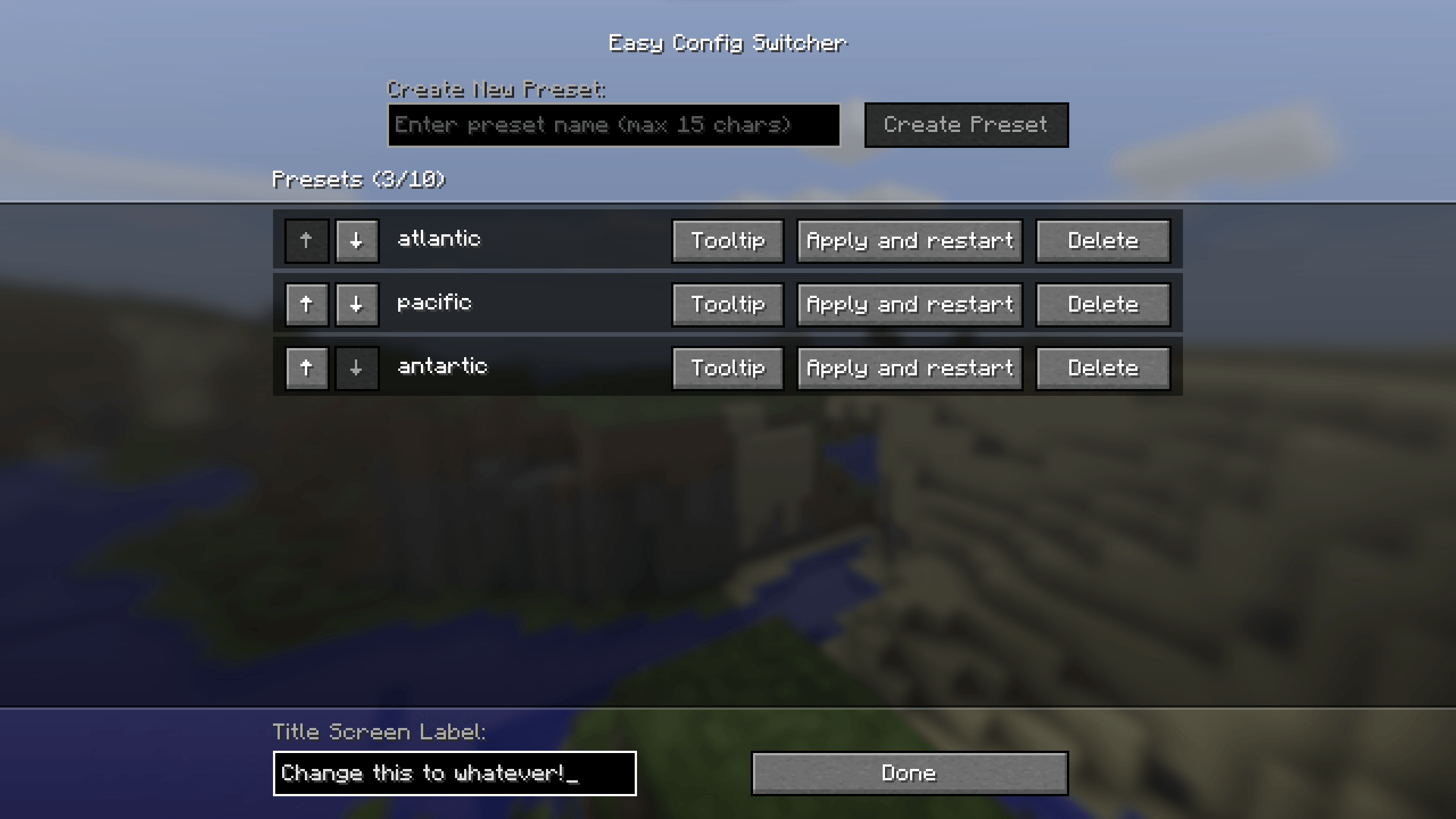
- Go to Easy Config Switcher's config in the Mods screen (requires Mod Menu on Fabric).
- Simply type in a preset name and press "create preset".
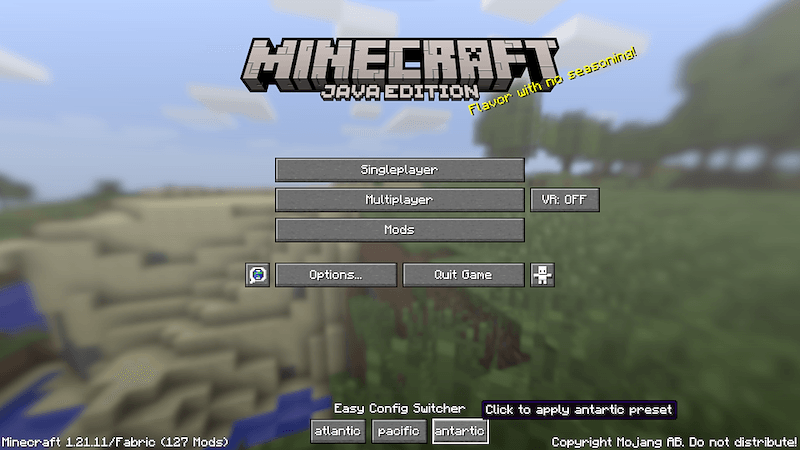
The preset with the given name should now appear on the titlescreen!
Using Presets:
- Click the desired preset on the titlescreen (or apply and restart in settings).
- Press "Confirm?"
- The game will shutdown and switch the config files over to the preset.
- Start the game again and viola, the preset should have changed and all settings switched!
Extra Details:
- Up to 10 presets can be added, although the menu can start looking funny after 6 or so depending on name length.
- Preset names are capped at 15 characters to prevent issues.
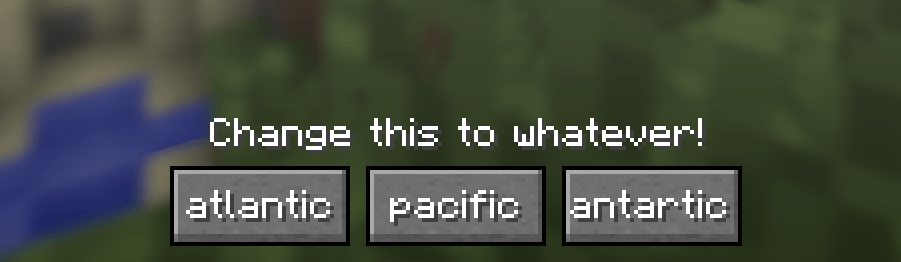
- The text above the presets (default: Easy Config Switcher) can be customized in the bottom left.
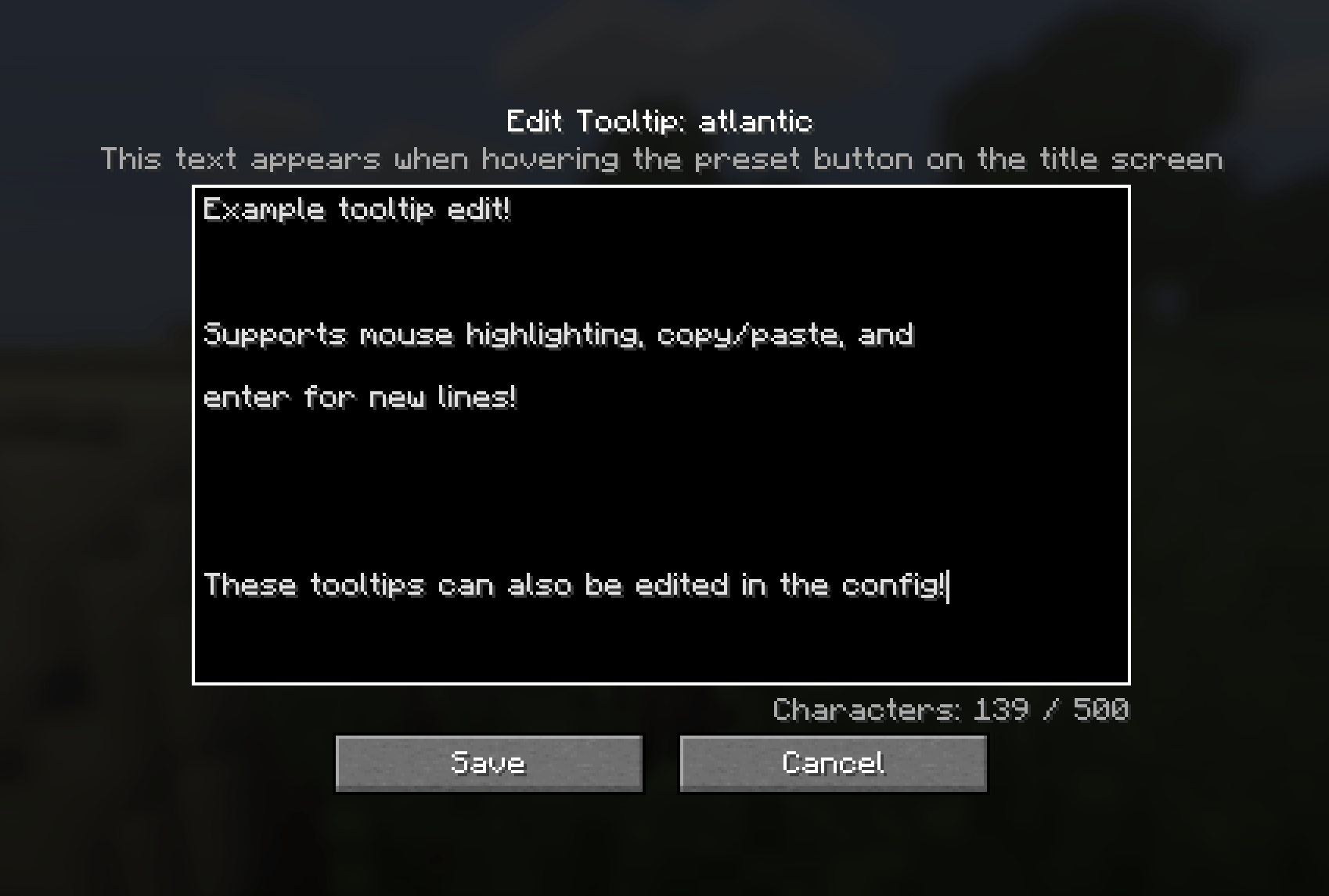
- Preset tooltips can be customized in the settings.
Contact
For any questions/issues/ideas, feel free to contact me on Discord or Matrix :)
Easy Config Switcher
A simple tool to backup and switch between config profiles!
Works particularily well for performance presets or resourcepack styles.
Creating Presets:
- Have all Minecraft options/shaders/resourcepacks/mod settings configured to your liking.
- Go to Easy Config Switcher's config in the Mods screen (requires Mod Menu on Fabric).
- Simply type in a preset name and press "create preset".
The preset with the given name should now appear on the titlescreen!
Using Presets:
- Click the desired preset on the titlescreen (or apply and restart in settings).
- Press "Confirm?"
- The game will shutdown and switch the config files over to the preset.
- Start the game again and viola, the preset should have changed and all settings switched!
Extra Details:
- Up to 10 presets can be added, although the menu can start looking funny after 6 or so depending on name length.
- Preset names are capped at 15 characters to prevent issues.
- The text above the presets (default: Easy Config Switcher) can be customized in the bottom left.
- Preset tooltips can be customized in the settings.
Contact
For any questions/issues/ideas, feel free to contact me on Discord or Matrix :)

Screenshots
Gallery
-
 tooltip_screen.png tooltip_screen.png
 -
 config_screen.png config_screen.png
 -
 title_buttons.png title_buttons.png
 -
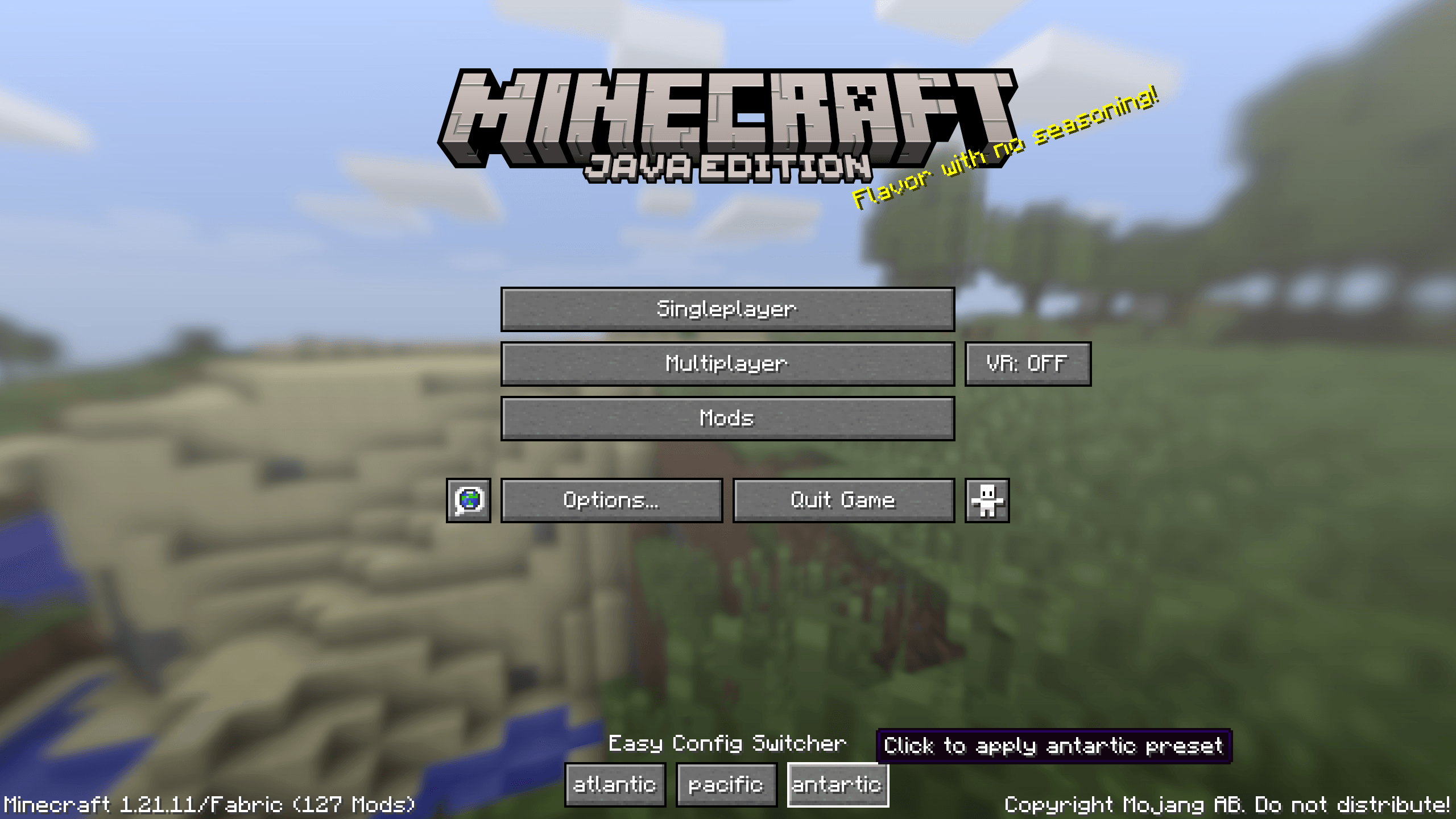 title_screen.png title_screen.png
-
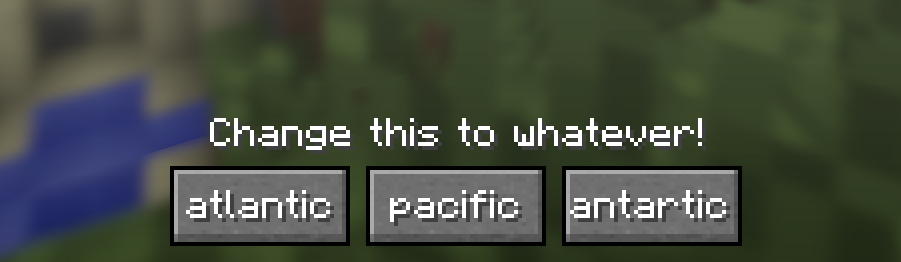 Titlescreen Buttons with custom label
 -
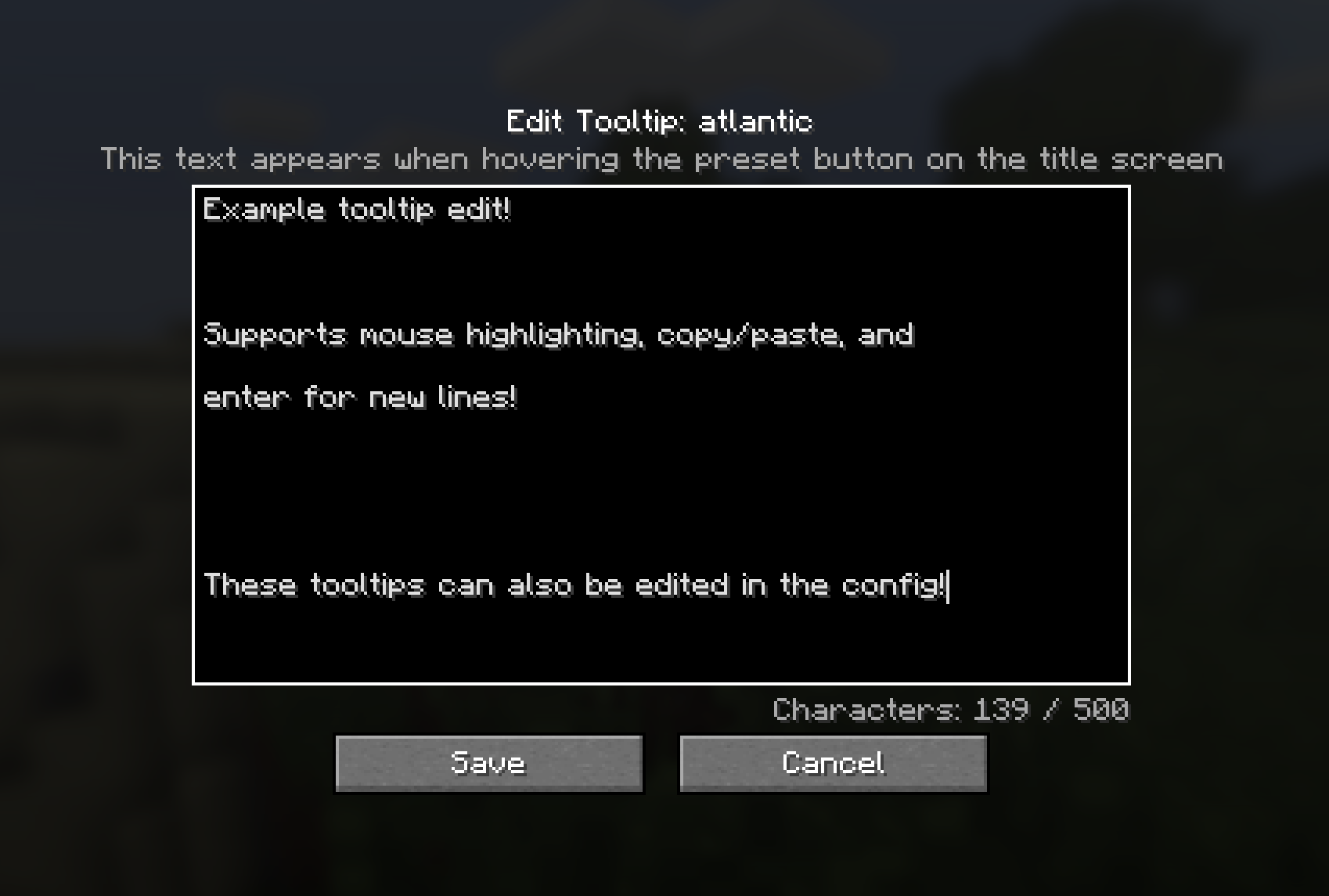 Custom Tooltip screen
 -
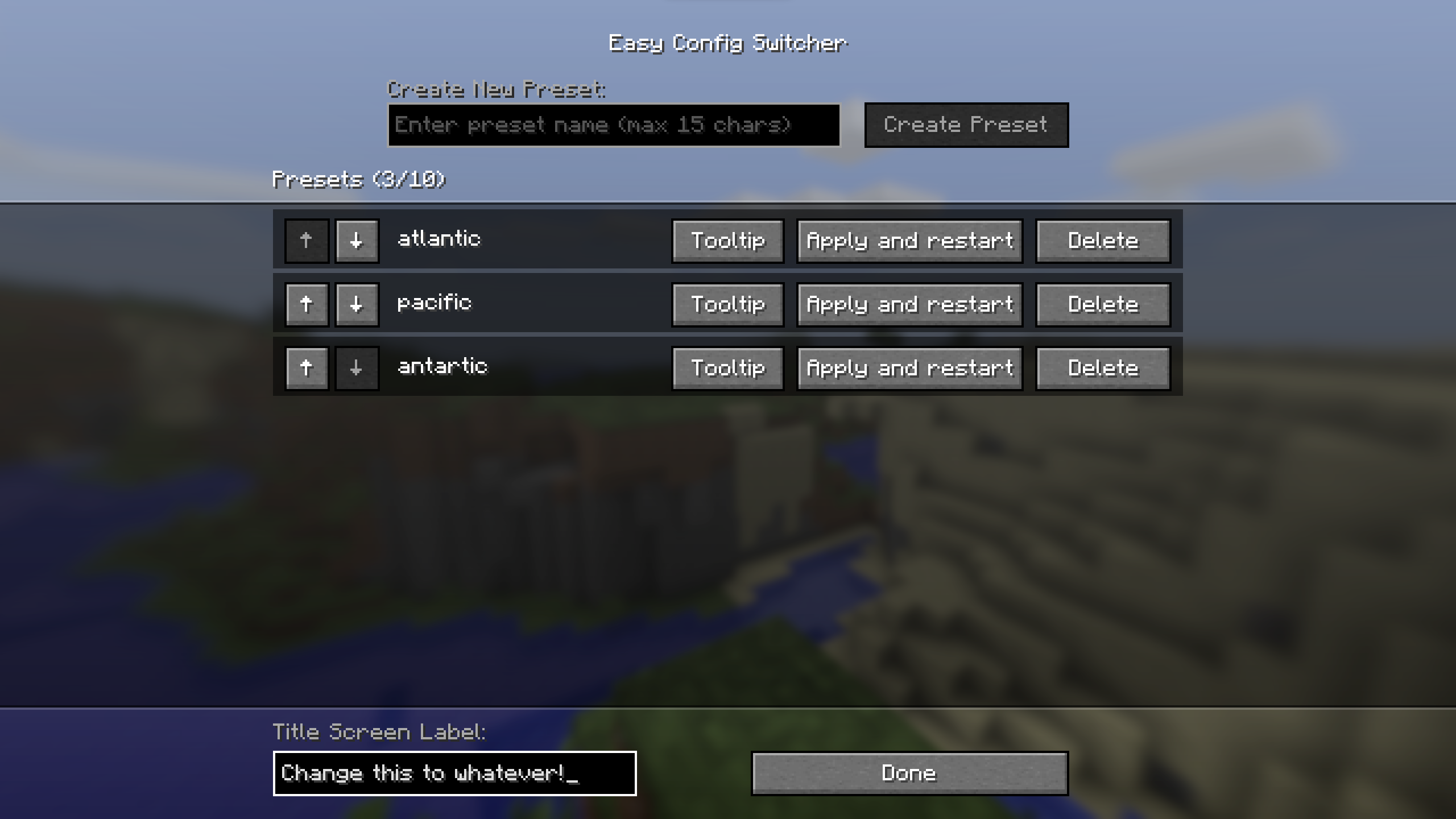 Config Screen
 -
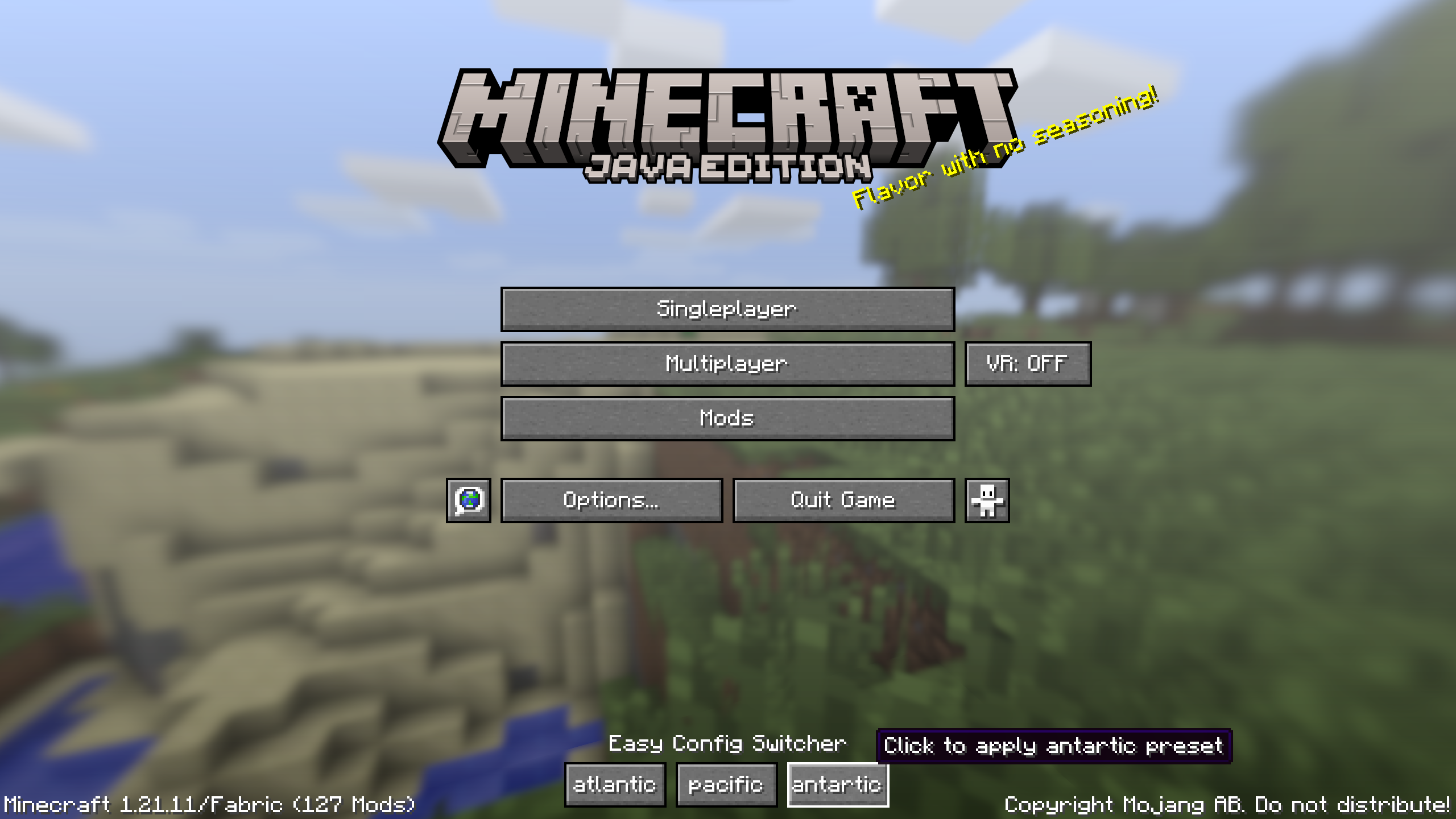 Title Screen Example with 3 Presets
Versions
Files
Relations
Project Relations
More like this
Similar Mods
Suggestions use data such as tags, dependencies, dependents, descriptions, titles, and more to rank how much they overlap with this mod.
On ModDex
Community snapshot
By the numbers
Statistics
Want to reach Minecraft players?
We're looking for a server hosting partner to feature here and other parts of the site. Interested? Send us a message!
Get in touchGet it on
Available Platforms
On ModDex
Community snapshot
By the numbers