
Community listing page, reviews here may not be monitored by the author.
Easy Magic


No reviews yet
Enchanting tables as they always should have been! Items stay after closing, and easy re-rolls.
Community voices
Reviews
No reviews yet. Be the first to review this project!
Get it on
Available Platforms
Compatibility
Supported Environments
Must be installed on both the client and the server.
About
Project Details
For authors
Embed Badge
If you're the author of this project, you can embed a live badge anywhere that supports HTML or Markdown. It updates automatically whenever ratings change.
Use HTML for any page that supports it, or Markdown for README files and Markdown-based descriptions.
Identifiers
Platform IDs


About
Description









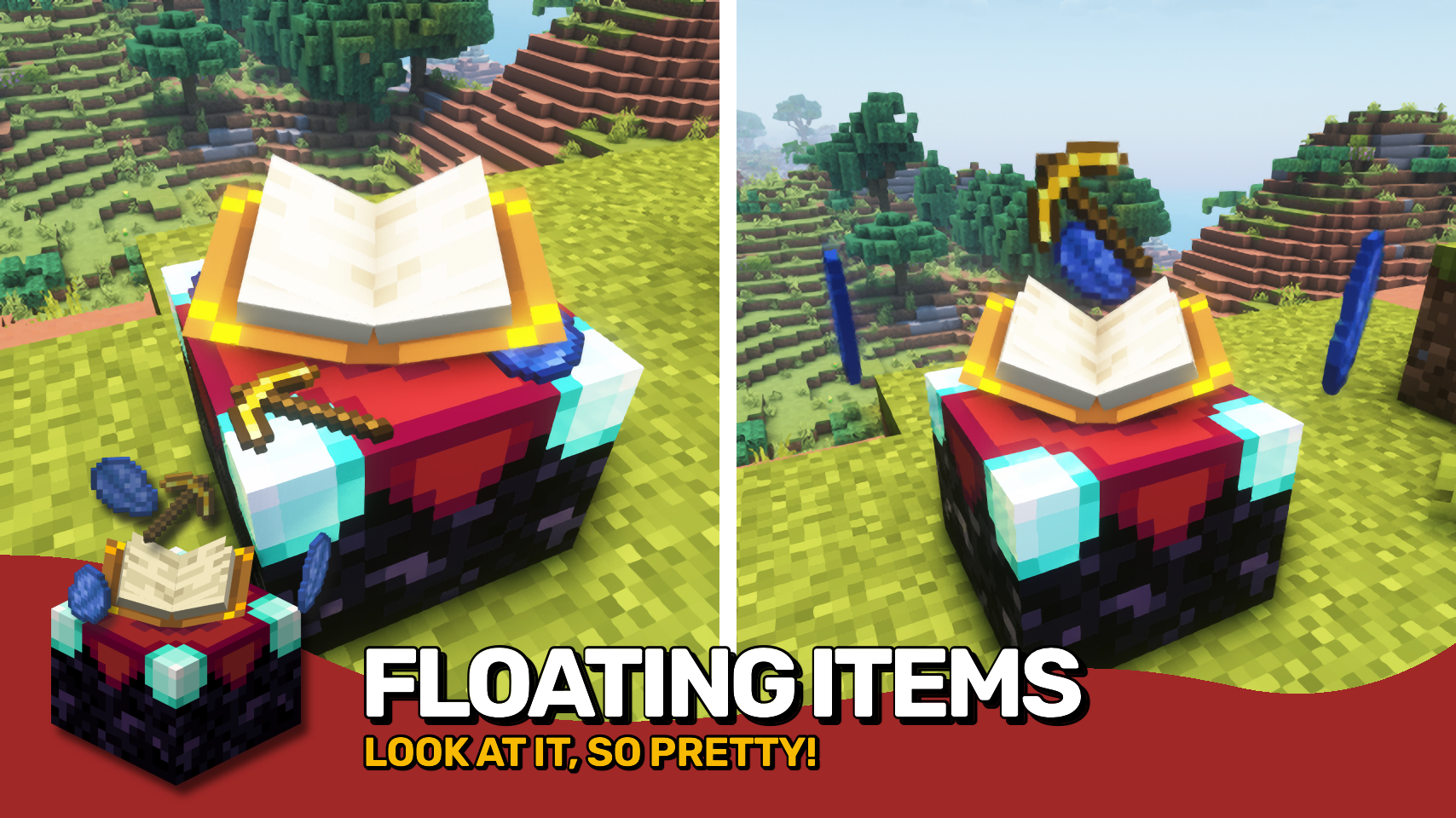
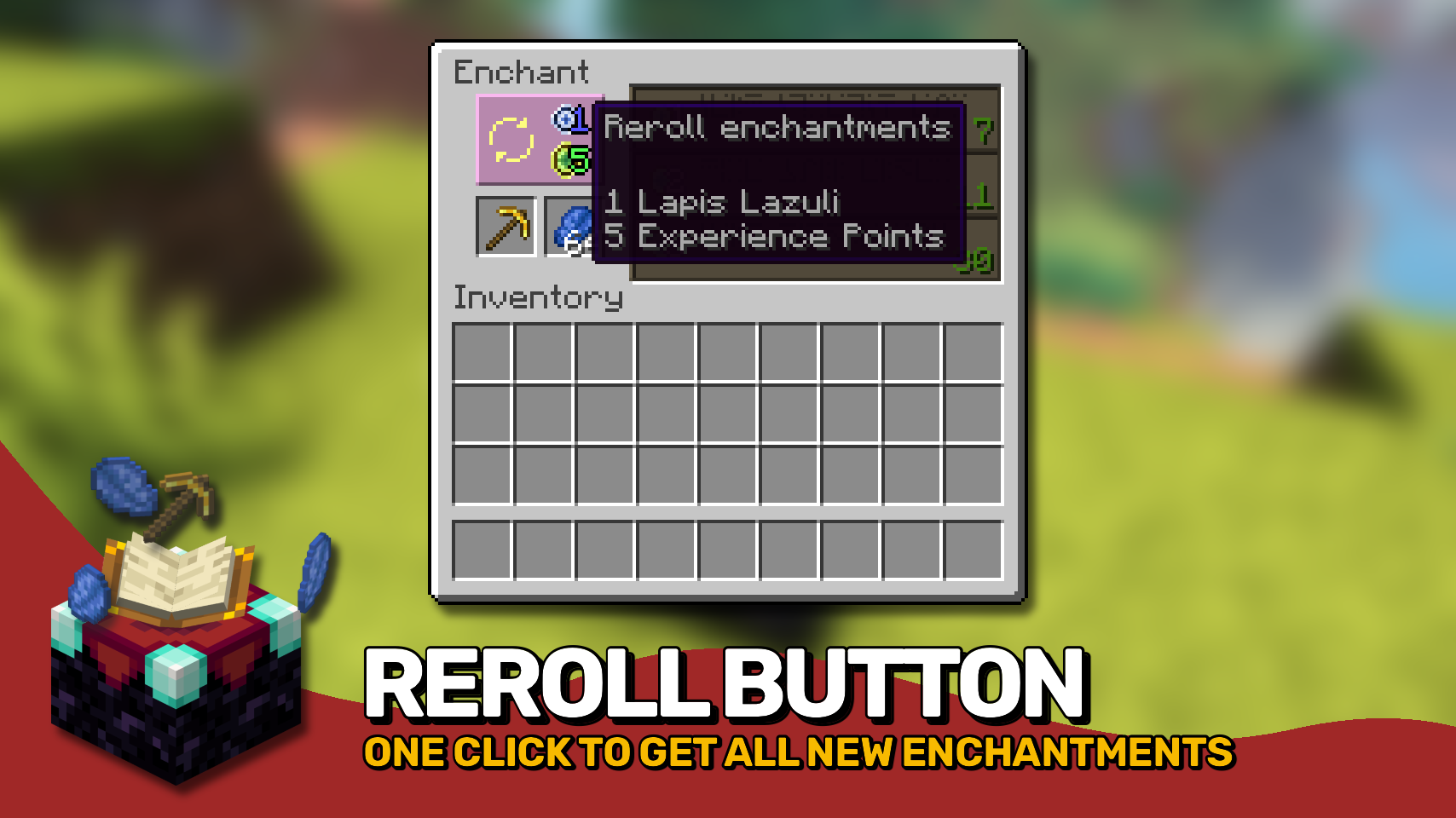
Easy Magic makes it so that items stay in an enchanting table after you close the interface. The items are also rendered floating around the table block. Additionally the enchanting interface includes a button for rerolling the currently offered enchantments for a very low cost.

- Leave both lapis and your to-be-enchanted item simply in the enchanting interface: It'll be beautifully rendered floating around the block!
- Reroll currently offered enchantments for the cost of just a bit of lapis and a few experience points (not levels!).
- Choose how many enchantments you will receive on an item should be preview in the enchanting interface. By default this remains at one.
- Blocks between a bookshelf and an enchanting table are no longer forced to be air, anything without a collision box will work now such a torches or tall grass.
- The number of bookshelves required for a maximum level enchantments is configurable down from 15.
- Simply break and replace your enchanting table after adding this mod to an existing world!
- Disable the reroll button in the config if it conflicts with your resource pack. All functionality will remain regardless!
- Not compatible with Apotheosis and the matrix enchanter from Quark.


⏩ INSTALLATION REQUIRED ON CLIENT & REQUIRED ON SERVER
⏩ REQUIRES PUZZLES LIB TO BE INSTALLED (FABRIC & NEOFORGE)
⏩ REQUIRES FABRIC API TO BE INSTALLED (FABRIC)
⏩ REQUIRES FORGE CONFIG API PORT TO BE INSTALLED (FABRIC)

If available for a mod, configuration is possible directly from in-game using the mod menu (requires Mod Menu by Prospector to be installed on Fabric).
For manual configuration using an external text editor all files are found at .minecraft/config, named as MOD_ID-client.toml, MOD_ID-common.toml, or MOD_ID-server.toml, depending on the type of config. Not all types might exist for a mod, if any at all.

🌟 Thanks to csb987 for the idea of storing items in the enchantment table from their Lapis Stays in the Enchanting Table mod.
🌟 Thanks to Vazkii for the floating inventory contents rendering code taken from the runic alter renderer in their Botania mod.
🌟 Thanks to Draylar for the idea of locking enchantment rerolls behind a certain cost from their Reroll mod.
🌟 Thanks to JohnSmith_474 for inspiring the design of the reroll button from their awesome Enchanting Overhauled mod.
 |
 |
|
 |
 |
|
 |
 |
|
 |
 |
|
 |
 |
|

© 2026 @heyitsfuzs. All rights reserved. This page was last edited on 11 September 2026, at 06:44 (UTC).
Download for 1.19+: https://www.curseforge.com/minecraft/mc-mods/easy-magic





📖 About:
Easy Magic enables enchanting tables to retain their inventory contents even after closing the interface.
📚 Contents:
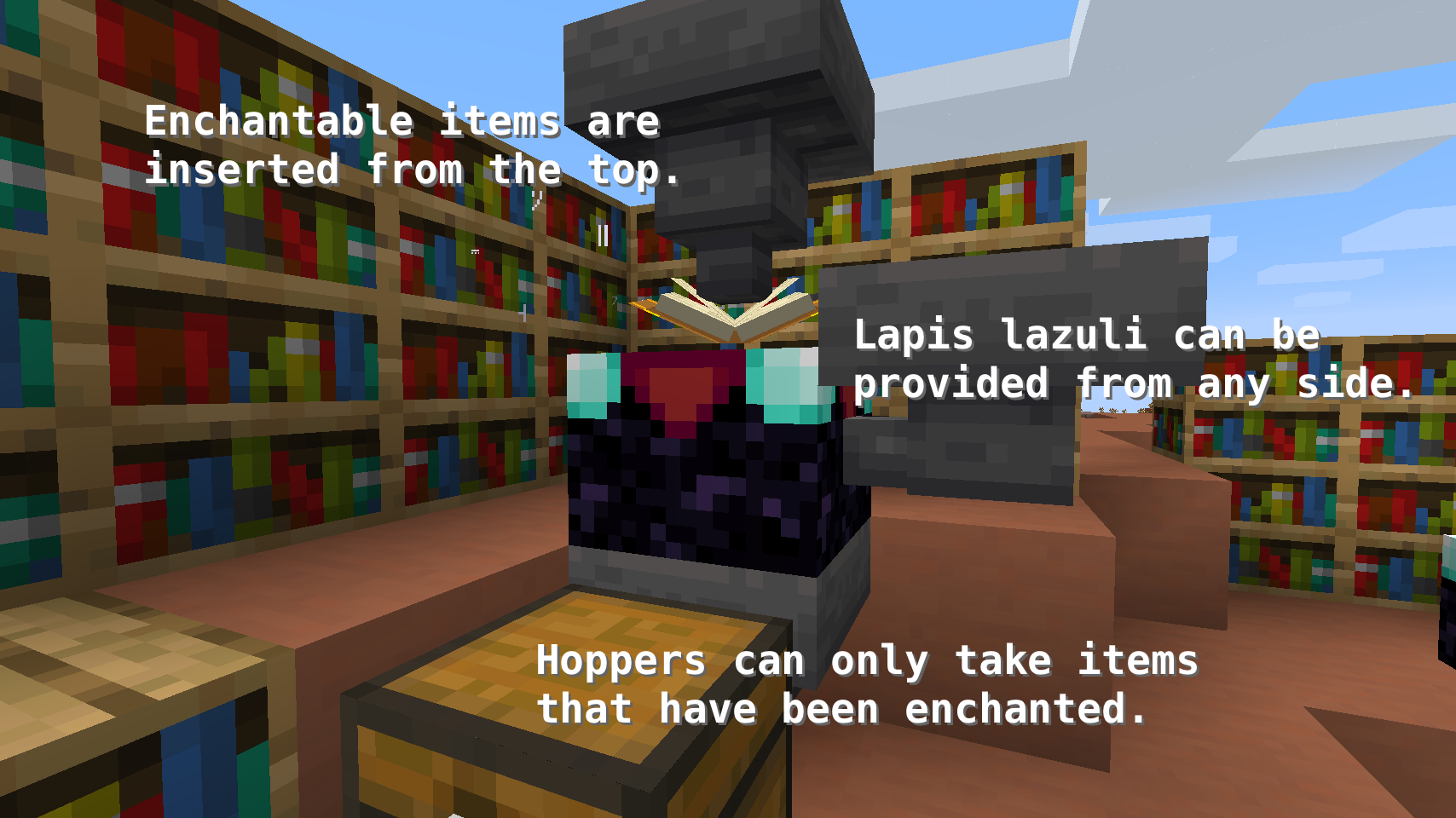
Enchanting tables now have an Inventory, meaning any items placed in their two slots will stay in those slots. Additionally, to enable some basic automation, Hoppers can be used to input and output items in the following ways.
- Top: Input for enchantable items
- Sides: Input for lapis lazuli
- Bottom: Output for enchanted items
And Comparators work, too! They will output a signal strength of 0, 1, 2, or 3 depending on the amount of lapis lazuli items placed in the table. More than 3 items don't make a difference.
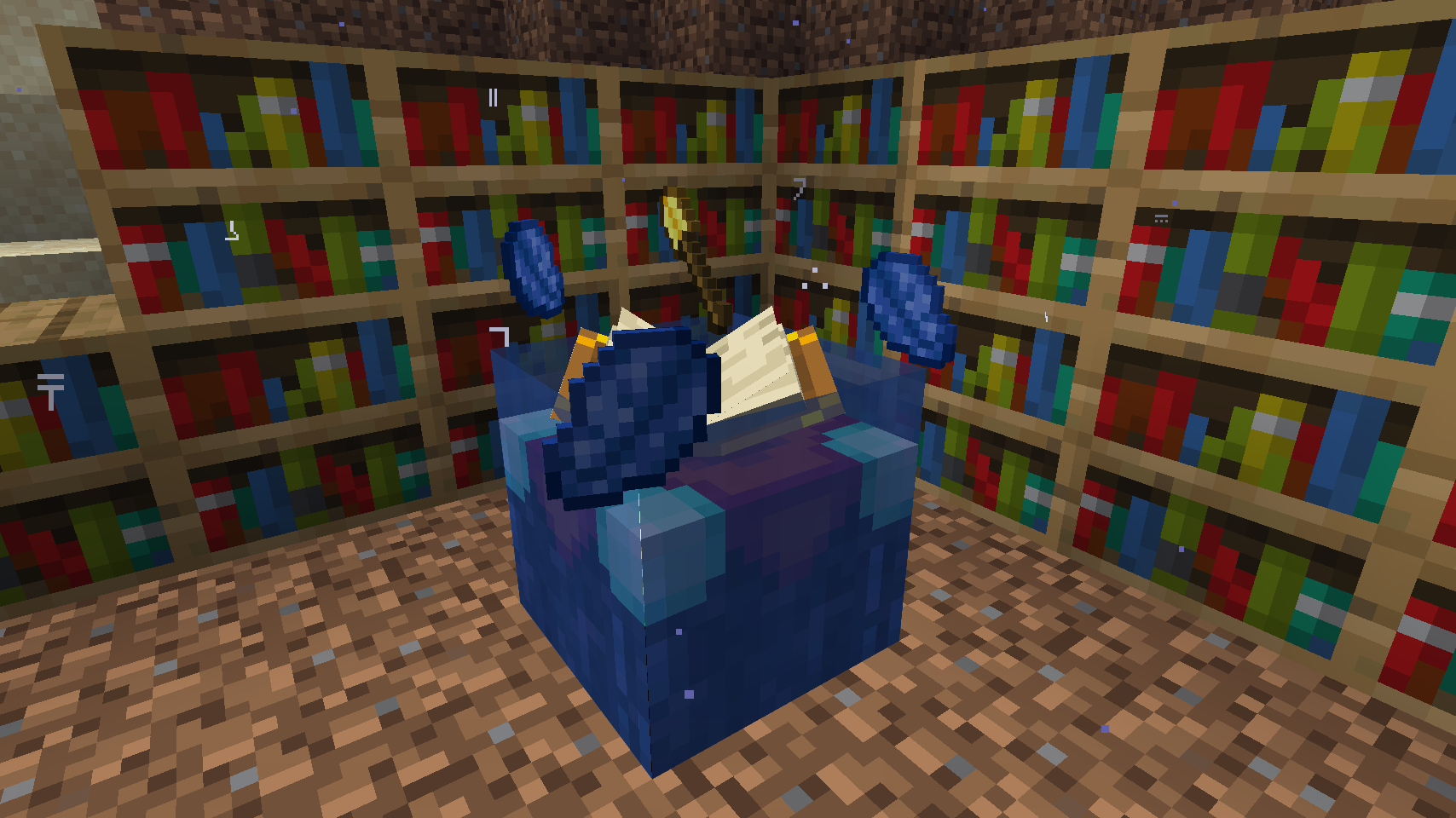
To put the new inventory capability to good use, enchanting tables will Render Their Contents in the world. There are three different rendering modes to choose from.
Rerolling Enchantments has become extremely easy. Just like back in the day all that's required is to take your enchantable item from its slot and to place it back in. And those who believe this ability to be too powerful can enable a config option locking each reroll behind a set cost of lapis lazuli and/or enchantment levels.
Enchanting tooltips will show not just a single random enchantment, instead they show the Complete Outcome of the enchanting process. This feature is disabled by default.
Bookshelves no longer require Air Blocks between themselves and the enchanting table to count towards the current enchanting power. Instead, any block without a collision box, such as water, torches, or grass can be placed in between. Also the Number Of Bookshelves required for maximum level enchantments can be configured.
📷 Media:
 |
 |
|
| All, one or no enchantments can be shown on the tooltip | Render Enchanting Table Contents "Fancy Floating" option | |
 |
 |
|
| Render Enchanting Table Contents "Floating" option | Render Enchanting Table Contents "Flat" option | |
 |
 |
|
| Enchanting with bookshelves works underwater | A semi-automated setup for bulk enchanting using hoppers | |
 |
||
| Click the book to pay for a reroll when rerolling costs are enabled | ||
💡 FAQ:
Q: How do I configure this mod?
A: Editing configs directly in-game has not yet been implemented. Instead when in a world run the /config showfile <modid> command by choosing either CLIENT or SERVER (depending on the mod), then click the file name (ending with .toml) that appears in chat to be able to manually edit the config file in a separate editor. After saving the file, the config will automatically reload in-game after a couple of seconds, so no game restart required.
Q: I just installed Easy Magic and it's not working!
A: No new capabilities will be added to existing enchanting tables. You will need to manually break and replace the block. Same goes for converting enchanting tables back to vanilla after removing the mod.
Q: Rerolling enchantments is way to powerful to be possible for free!
A: The server config has an option to lock rerolling behind a certain cost. There you can also choose how many lapis lazuli and/or experience levels you want a reroll to cost.
🏆 Credits:
Developing Easy Magic was helped and inspired by:
- Vazkii for the floating inventory contents rendering code taken from their Botania mod
- Draylar for the idea of locking enchantment rerolls behind a certain cost from their Reroll mod







 |
 |
|
Easy Magic makes it so that items stay in an enchanting table after you close the interface. The items are also rendered floating around the table block. Additionally the enchanting interface includes a button for rerolling the currently offered enchantments for a very low cost.
- Leave both lapis and your to-be-enchanted item simply in the enchanting interface: It'll be beautifully rendered floating around the block!
- Reroll currently offered enchantments for the cost of just a bit of lapis and a few experience points (not levels!).
- Choose how many enchantments you will receive on an item should be preview in the enchanting interface. By default this remains at one.
- Blocks between a bookshelf and an enchanting table are no longer forced to be air, anything without a collision box will work now such a torches or tall grass.
- The number of bookshelves required for a maximum level enchantments is configurable down from 15.
- Simply break and replace your enchanting table after adding this mod to an existing world!
- Disable the reroll button in the config if it conflicts with your resource pack. All functionality will remain regardless!
- Not compatible with Apotheosis and the matrix enchanter from Quark.
⏩ INSTALLATION REQUIRED ON CLIENT & REQUIRED ON SERVER
⏩ REQUIRES PUZZLES LIB TO BE INSTALLED (FABRIC & NEOFORGE)
⏩ REQUIRES FABRIC API TO BE INSTALLED (FABRIC)
⏩ REQUIRES FORGE CONFIG API PORT TO BE INSTALLED (FABRIC)
If available for a mod, configuration is possible directly from in-game using the mod menu (requires Mod Menu by Prospector to be installed on Fabric).
For manual configuration using an external text editor all files are found at .minecraft/config, named as MOD_ID-client.toml, MOD_ID-common.toml, or MOD_ID-server.toml, depending on the type of config. Not all types might exist for a mod, if any at all.
🌟 Thanks to csb987 for the idea of storing items in the enchantment table from their Lapis Stays in the Enchanting Table mod.
🌟 Thanks to Vazkii for the floating inventory contents rendering code taken from the runic alter renderer in their Botania mod.
🌟 Thanks to Draylar for the idea of locking enchantment rerolls behind a certain cost from their Reroll mod.
🌟 Thanks to JohnSmith_474 for inspiring the design of the reroll button from their awesome Enchanting Overhauled mod.
 |
 |
|
 |
 |
|
 |
 |
|
 |
 |
|
 |
 |
© 2026 @heyitsfuzs. All rights reserved. This page was last edited on 11 September 2026, at 06:44 (UTC).
Screenshots
Gallery
-
 Flat rendering for enchanting table contents
 -
 Floating rendering for enchanting table contents
 -
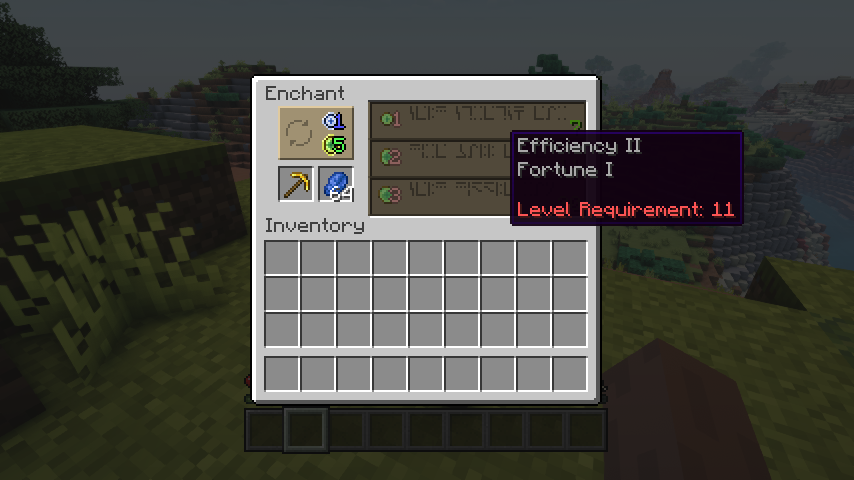 All, one or no enchantments can be shown on the tooltip
 -
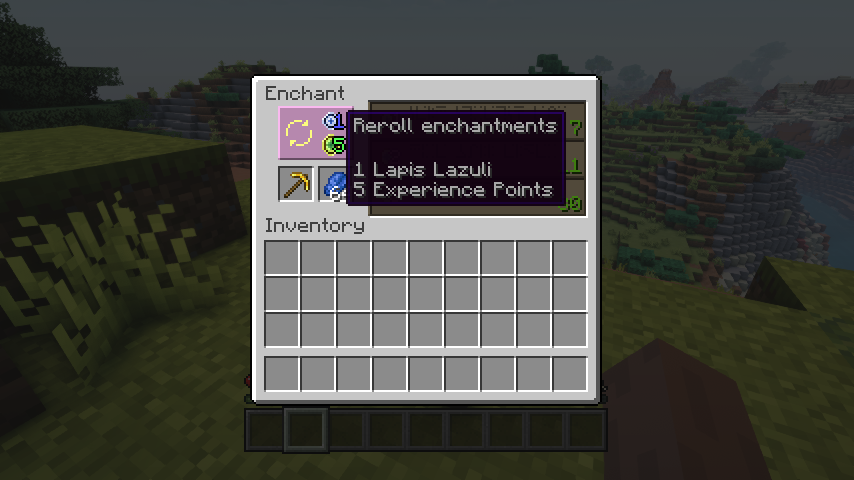 Reroll enchantments with the click of a button
 -
A semi-automated setup for bulk enchanting using hoppers
-
Enchanting with bookshelves works underwater

Versions
Files
Relations
Project Relations
More like this
Similar Mods
Suggestions use data such as tags, dependencies, dependents, descriptions, titles, and more to rank how much they overlap with this mod.
On ModDex
Community snapshot
By the numbers
Statistics
Want to reach Minecraft players?
We're looking for a server hosting partner to feature here and other parts of the site. Interested? Send us a message!
Get in touchGet it on
Available Platforms
On ModDex
Community snapshot
By the numbers