
Community listing page, reviews here may not be monitored by the author.
Echo Reload


No reviews yet
Echo Reload is a client mod that lets you browse installed mods, edit their configs, inspect logs, and restart the game from a hub on the title screen without leaving Minecraft.
Community voices
Reviews
No reviews yet. Be the first to review this project!
Get it on
Available Platforms
Compatibility
Supported Environments
Runs entirely on the client. Works on vanilla servers.
About
Project Details
For authors
Embed Badge
If you're the author of this project, you can embed a live badge anywhere that supports HTML or Markdown. It updates automatically whenever ratings change.
Use HTML for any page that supports it, or Markdown for README files and Markdown-based descriptions.
Identifiers
Platform IDs
Resources
External Links
About
Description
Echo Reload
A full modpack management hub built into Minecraft's main menu. Browse mods, edit configs, read logs, and restart your game — all without touching a single folder.
Features
Mod List
Echo Reload gives you a complete view of every mod in your instance — name, version, and status at a glance. Search and filter by name, load state, config files, or problems. Sort by name, ID, size, or status. Simple view hides library mods so the list stays clean, and clicking any mod opens a full detail page with dependencies, authors, config locations, and notes when something looks wrong.
Config Editor
Pick any mod and edit its config files through a simple form interface. Supports common config formats, with Save and Revert options so you can undo changes before they stick. Boolean options use clear True / False buttons — no hand-editing files.
Logs
View every log file from your instance in one place. Read rotated and compressed logs without extra tools, with JSON logs formatted for easy reading. Search by keyword or filter down to just errors and warnings. The Found Issues scanner reads your log and flags likely mod conflicts, mixin problems, and other common causes.
Tools
- Diagnostics — a full check of your instance with clear recommendations
- Crash — review the last crash report with suspected mods and suggested fixes
- Export — generate a shareable mod list for your pack
- Quick shortcuts to open your mods, config, and logs folders directly
Restart from the Hub
Changed a mod or config? Hit Restart from the hub. Echo Reload relaunches the game and brings you back to exactly where you were — same tab, same mod selected, same filters.
Who Is It For?
- Players fixing or tuning a modpack
- Pack makers checking mods, configs, and logs without leaving the game
- Anyone who wants a clearer view of what's installed and what might be going wrong
Requirements
| Minecraft | 1.21.4 |
| Loader | Fabric |
| Dependencies | Fabric API (recommended) |
Open Echo Reload from the main menu and take control of your modpack from one screen.
Echo Reload
A full modpack management hub built into Minecraft's main menu. Browse mods, edit configs, read logs, and restart your game — all without touching a single folder.
Features
Mod List
Echo Reload gives you a complete view of every mod in your instance — name, version, and status at a glance. Search and filter by name, load state, config files, or problems. Sort by name, ID, size, or status. Simple view hides library mods so the list stays clean, and clicking any mod opens a full detail page with dependencies, authors, config locations, and notes when something looks wrong.
Config Editor
Pick any mod and edit its config files through a simple form interface. Supports common config formats, with Save and Revert options so you can undo changes before they stick. Boolean options use clear True / False buttons — no hand-editing files.
Logs
View every log file from your instance in one place. Read rotated and compressed logs without extra tools, with JSON logs formatted for easy reading. Search by keyword or filter down to just errors and warnings. The Found Issues scanner reads your log and flags likely mod conflicts, mixin problems, and other common causes.
Tools
- Diagnostics — a full check of your instance with clear recommendations
- Crash — review the last crash report with suspected mods and suggested fixes
- Export — generate a shareable mod list for your pack
- Quick shortcuts to open your mods, config, and logs folders directly
Restart from the Hub
Changed a mod or config? Hit Restart from the hub. Echo Reload relaunches the game and brings you back to exactly where you were — same tab, same mod selected, same filters.
Who Is It For?
- Players fixing or tuning a modpack
- Pack makers checking mods, configs, and logs without leaving the game
- Anyone who wants a clearer view of what's installed and what might be going wrong
Requirements
| Minecraft | 1.21.4 |
| Loader | Fabric |
| Dependencies | Fabric API (recommended) |
Open Echo Reload from the main menu and take control of your modpack from one screen.
Screenshots
Gallery
-
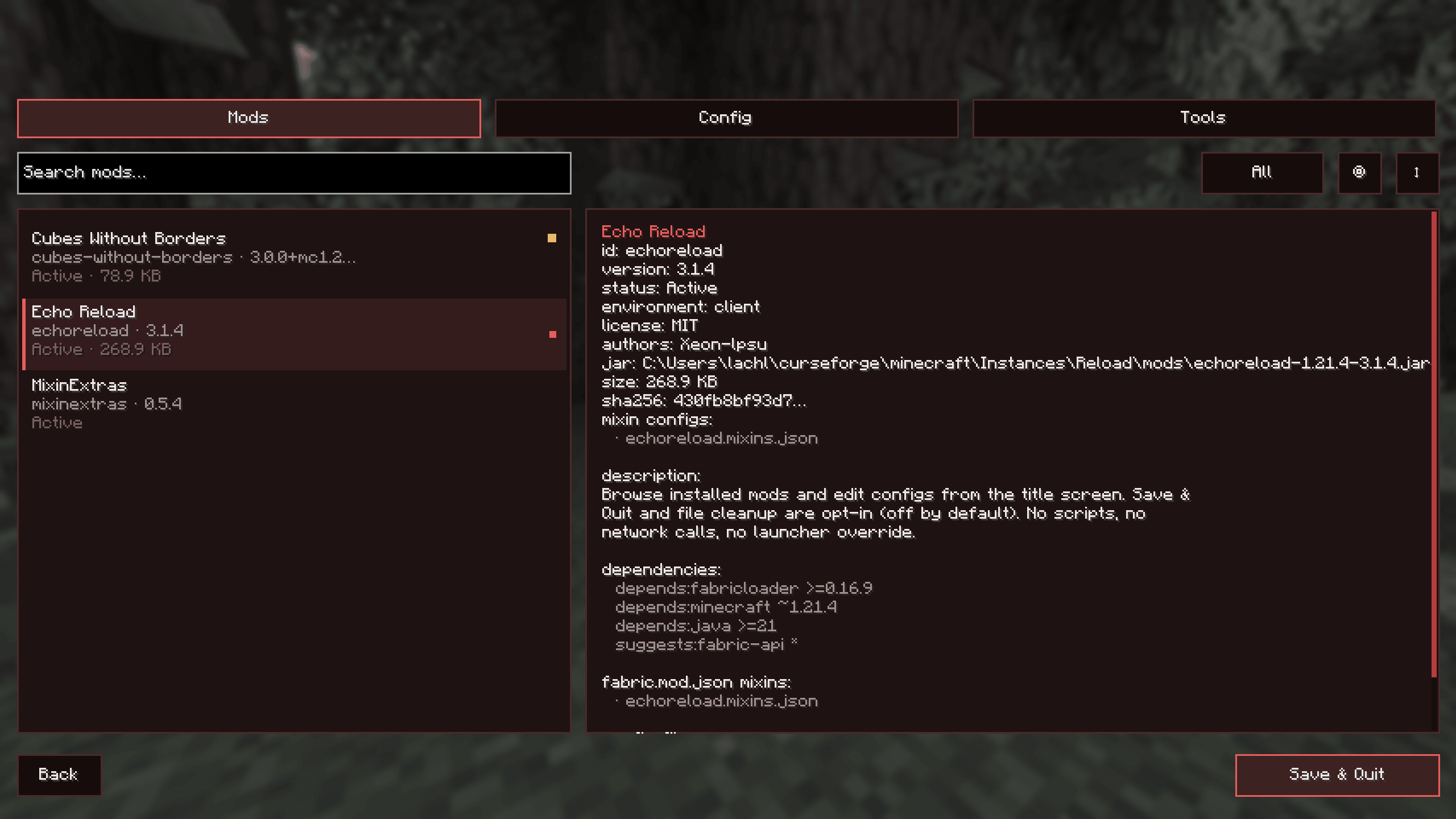 Menu.PNG Menu.PNG
 -
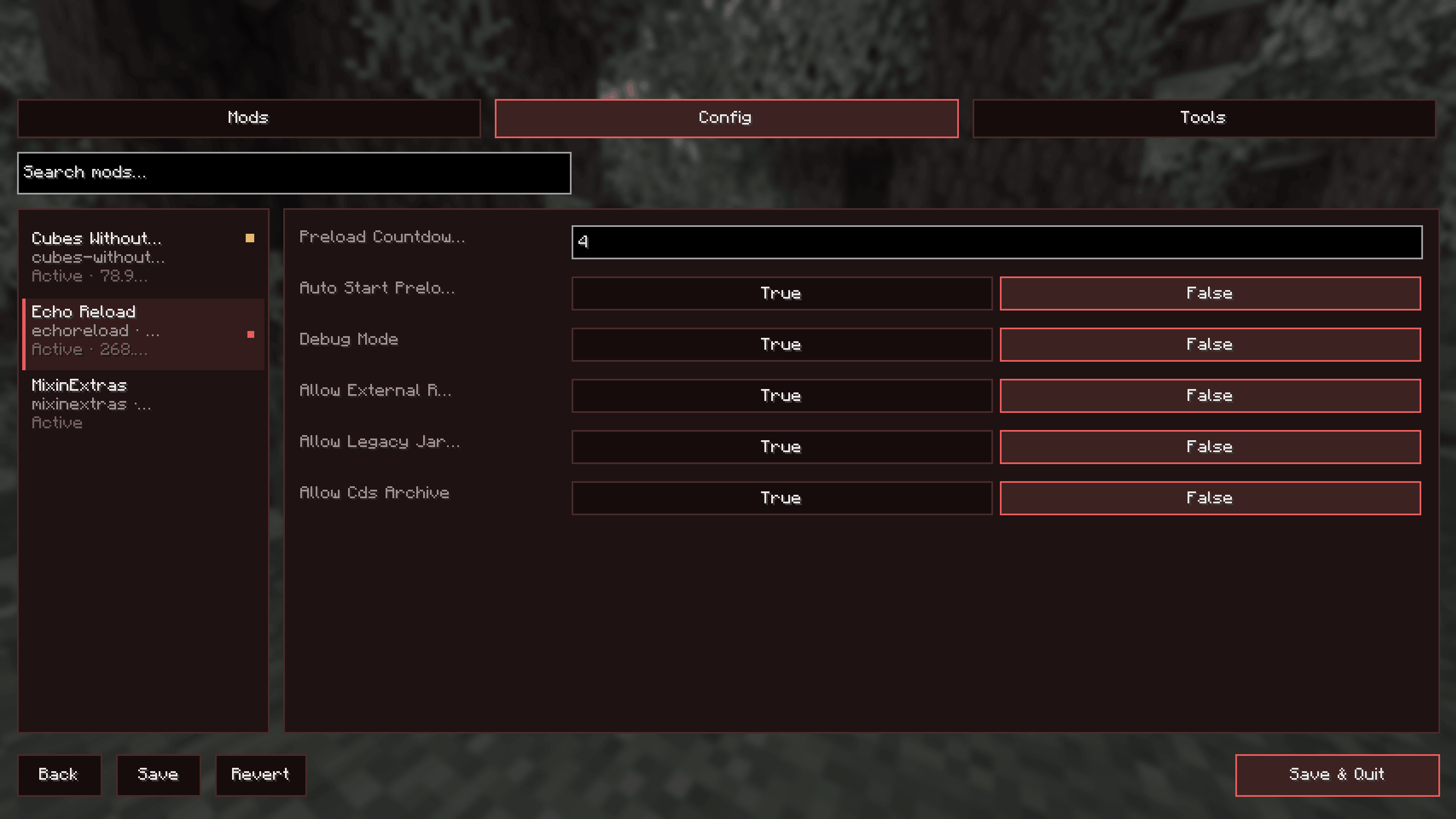 Config.PNG Config.PNG
 -
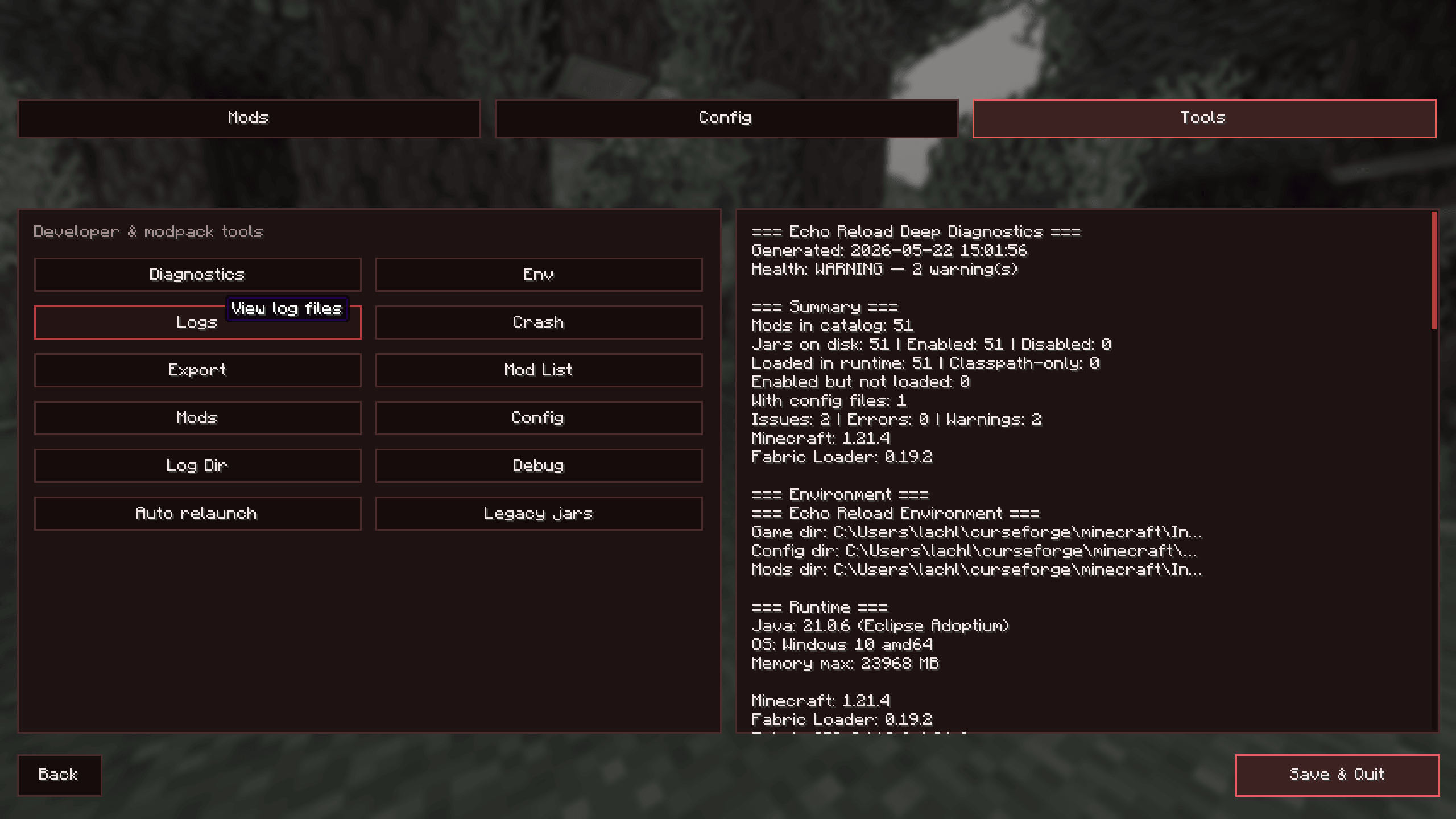 Tools.PNG Tools.PNG
 -
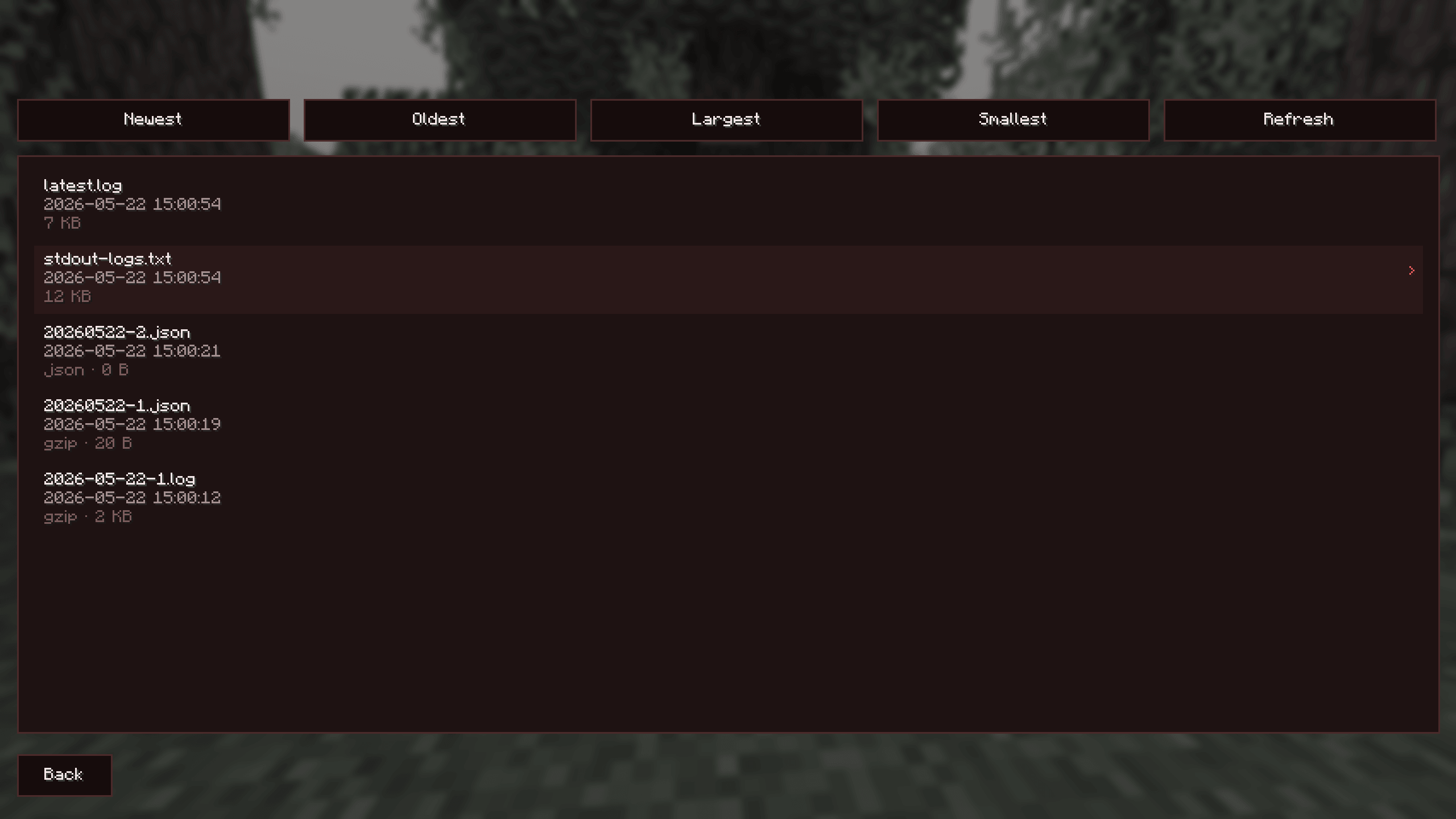 Logs.PNG Logs.PNG
 -
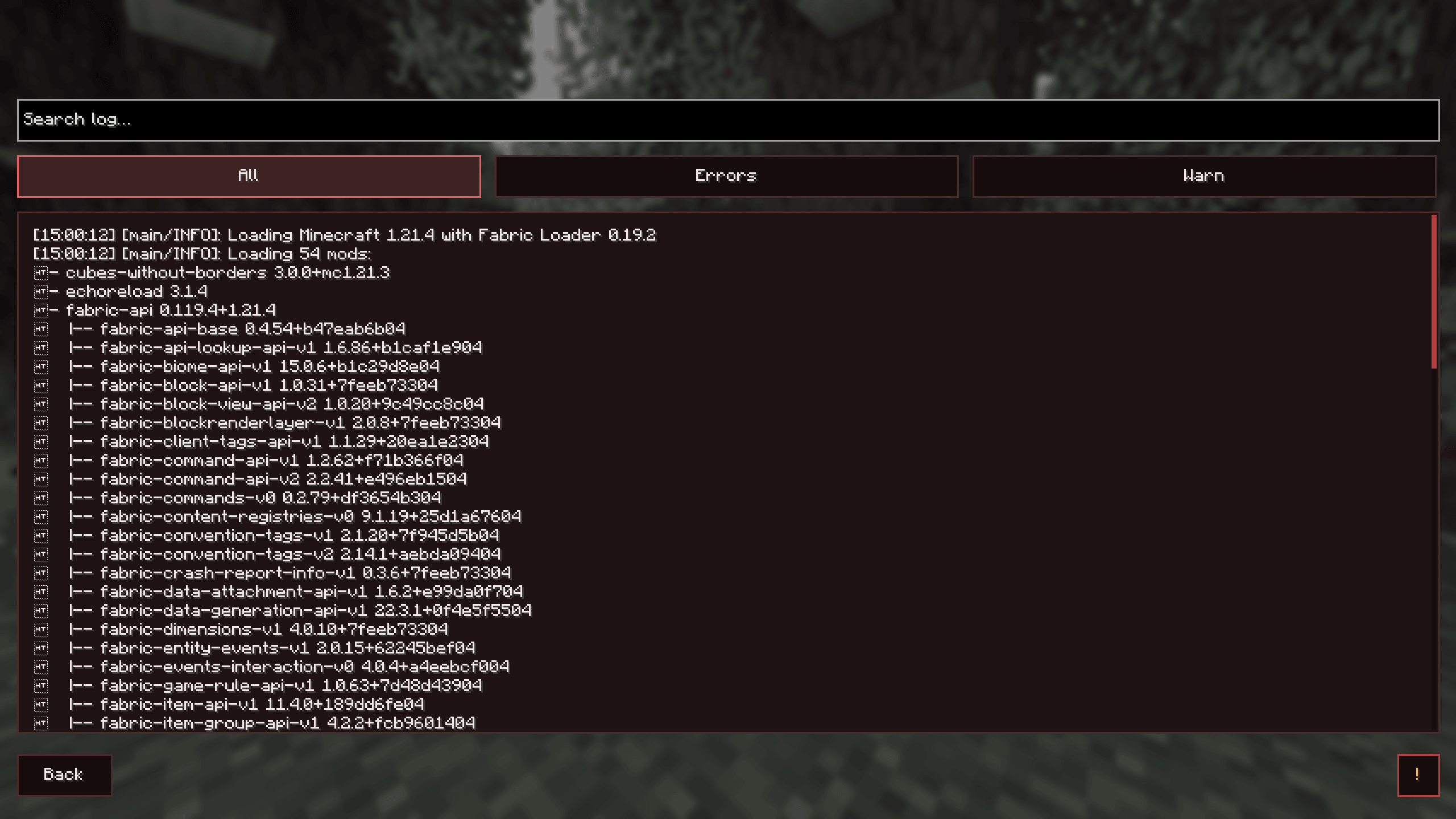 LogOpen.PNG LogOpen.PNG
 -
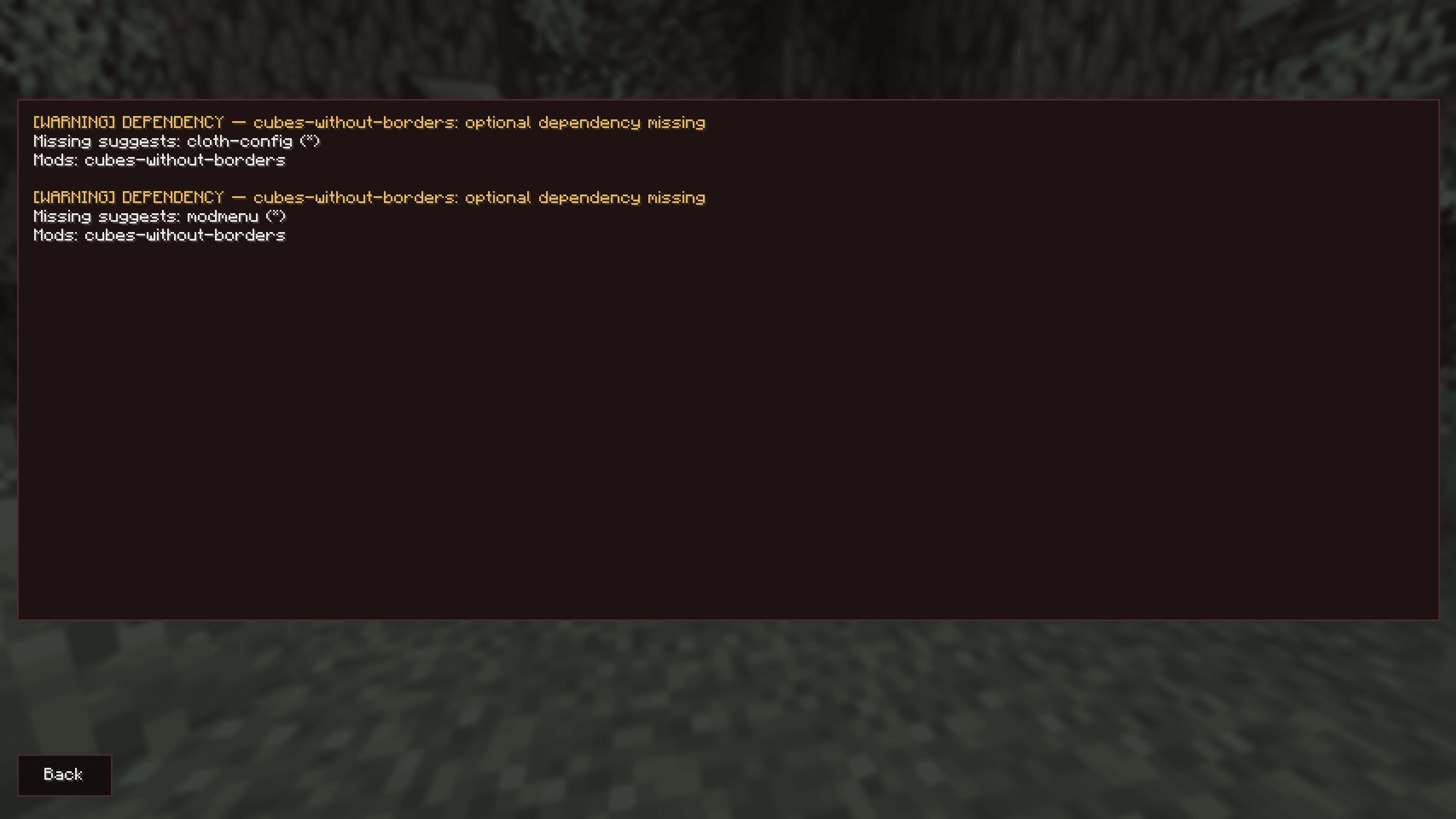 Issues.PNG Issues.PNG
 -
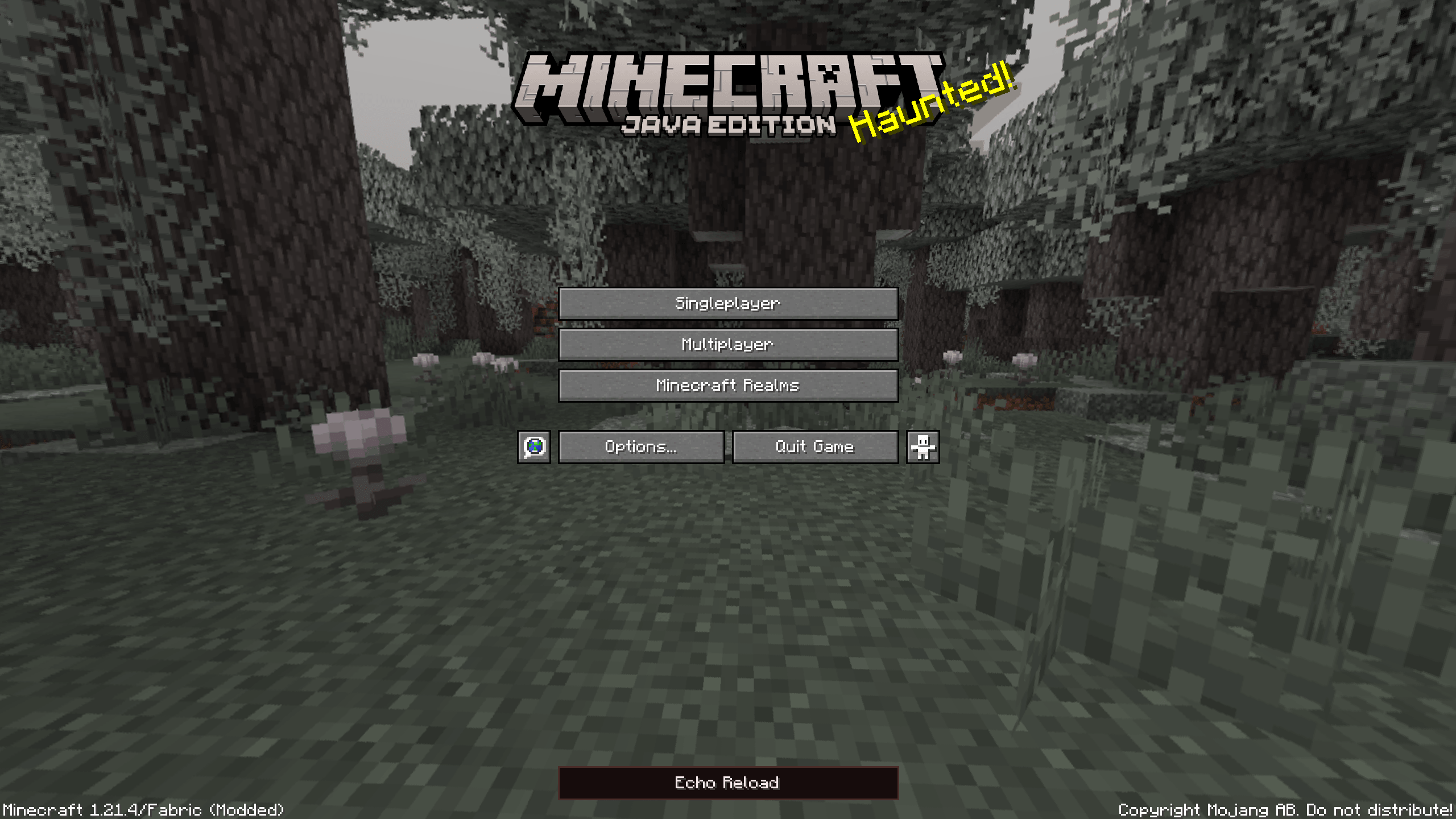 Title.PNG Title.PNG
-
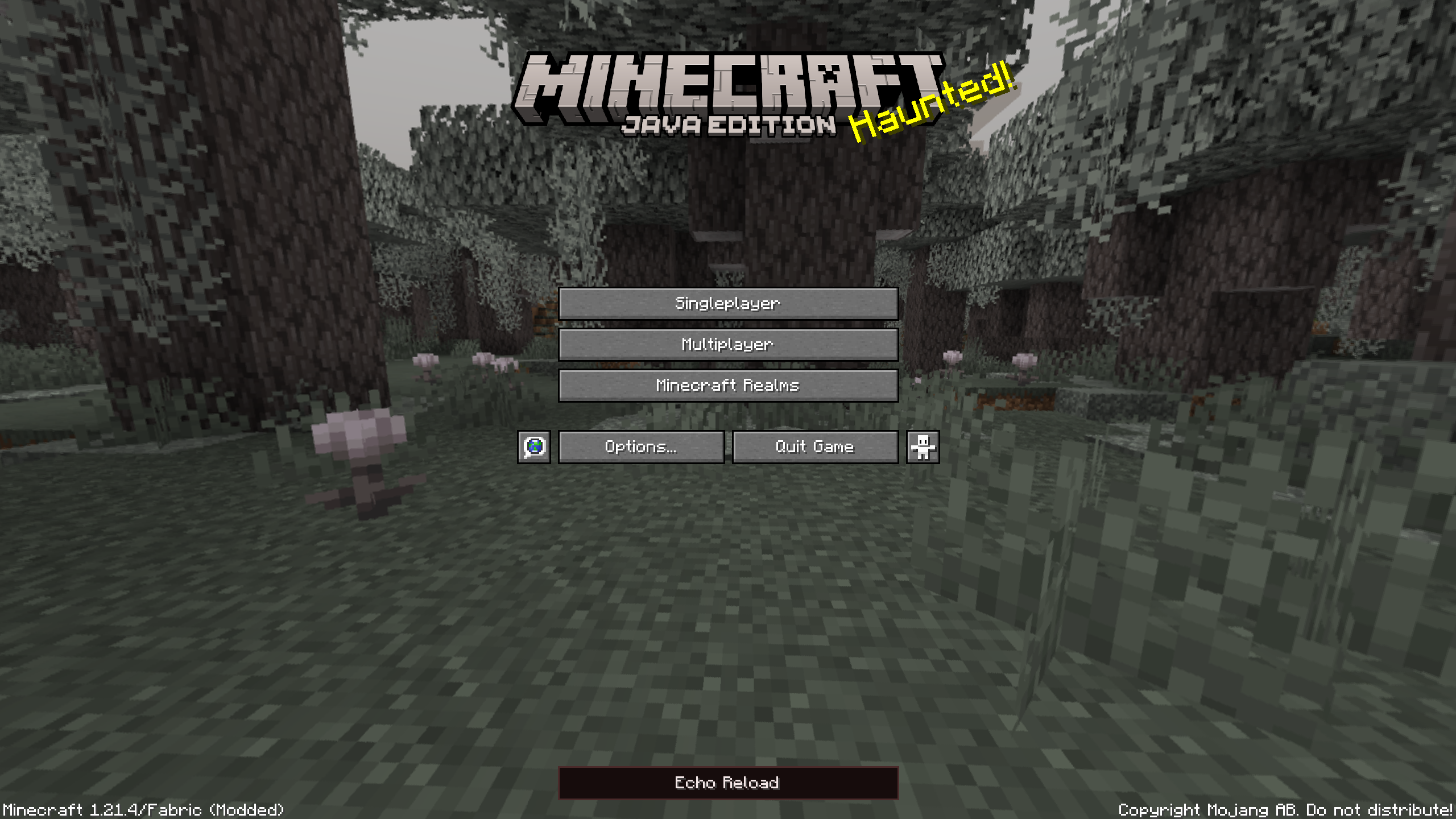 Title Screen
 -
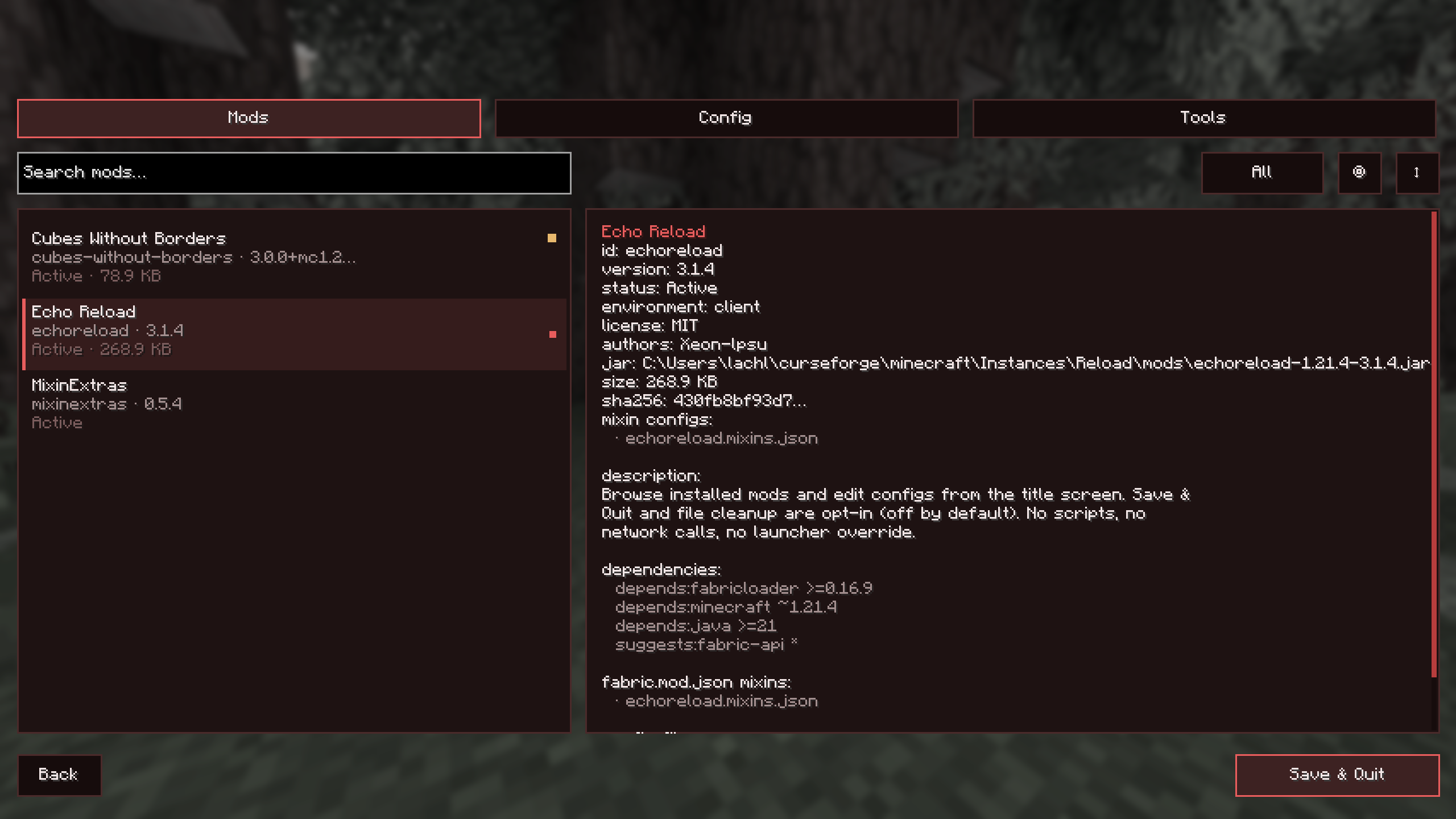 Mod List
 -
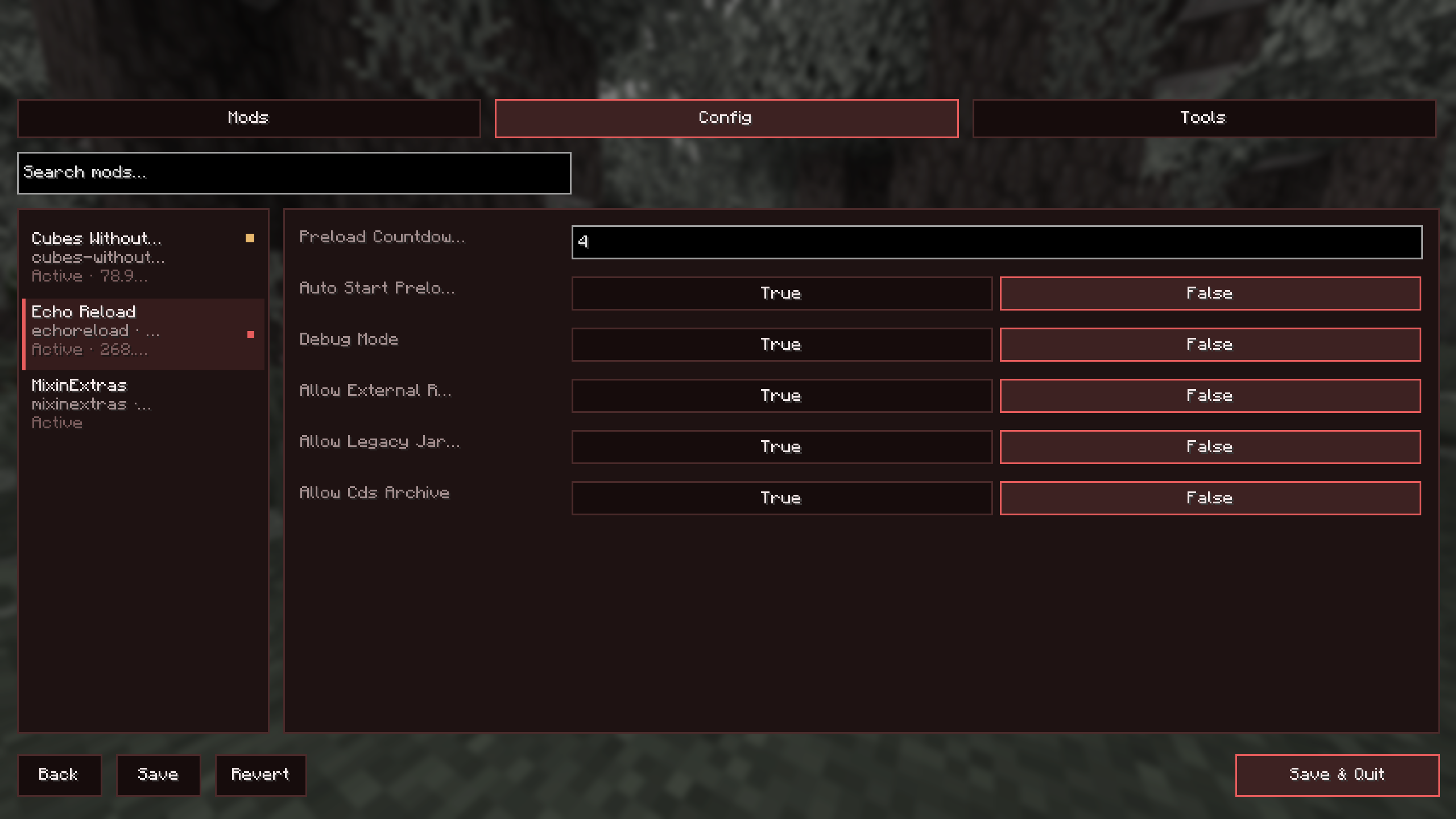 Config Screen
 -
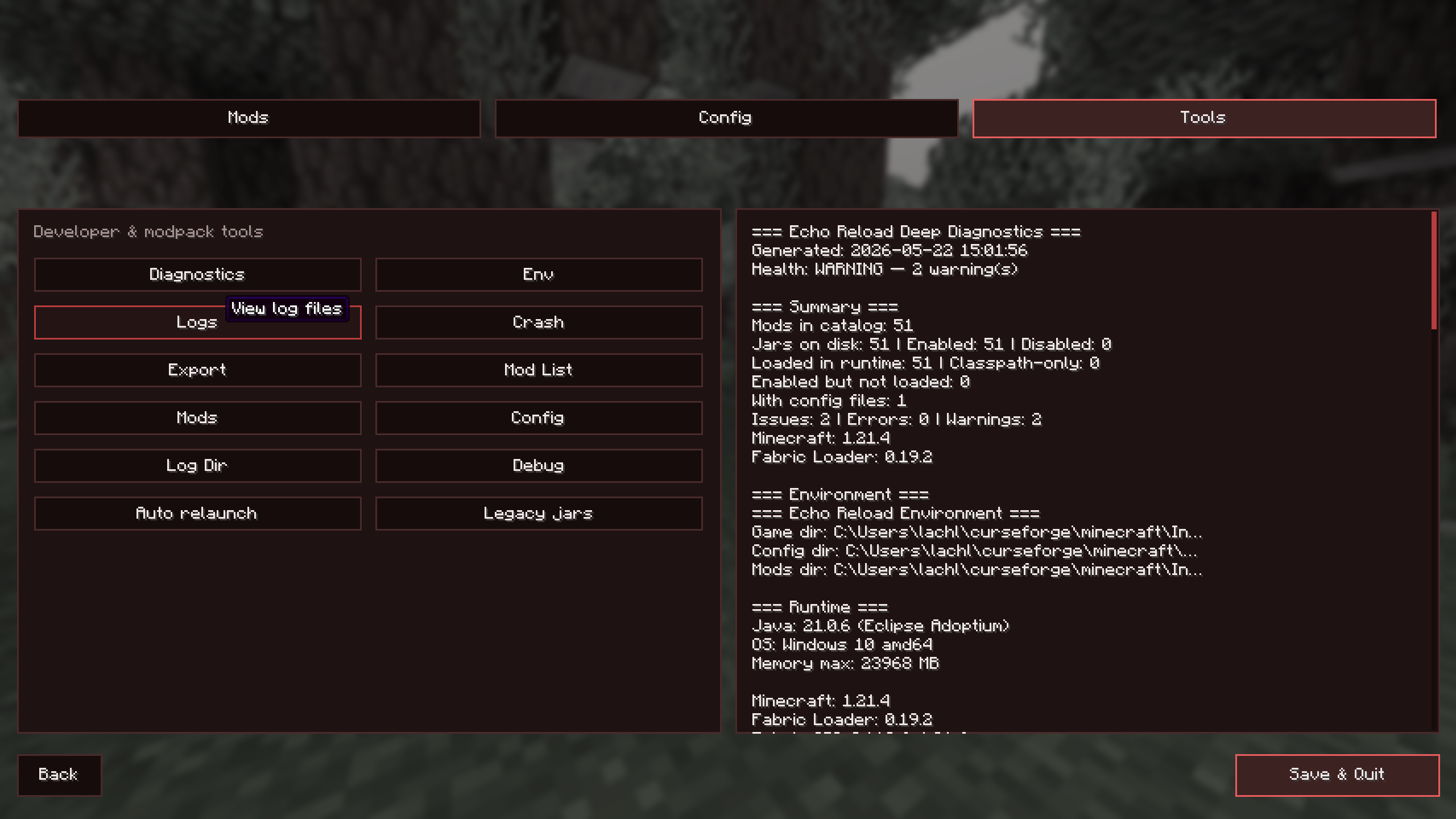 Tool Screen
 -
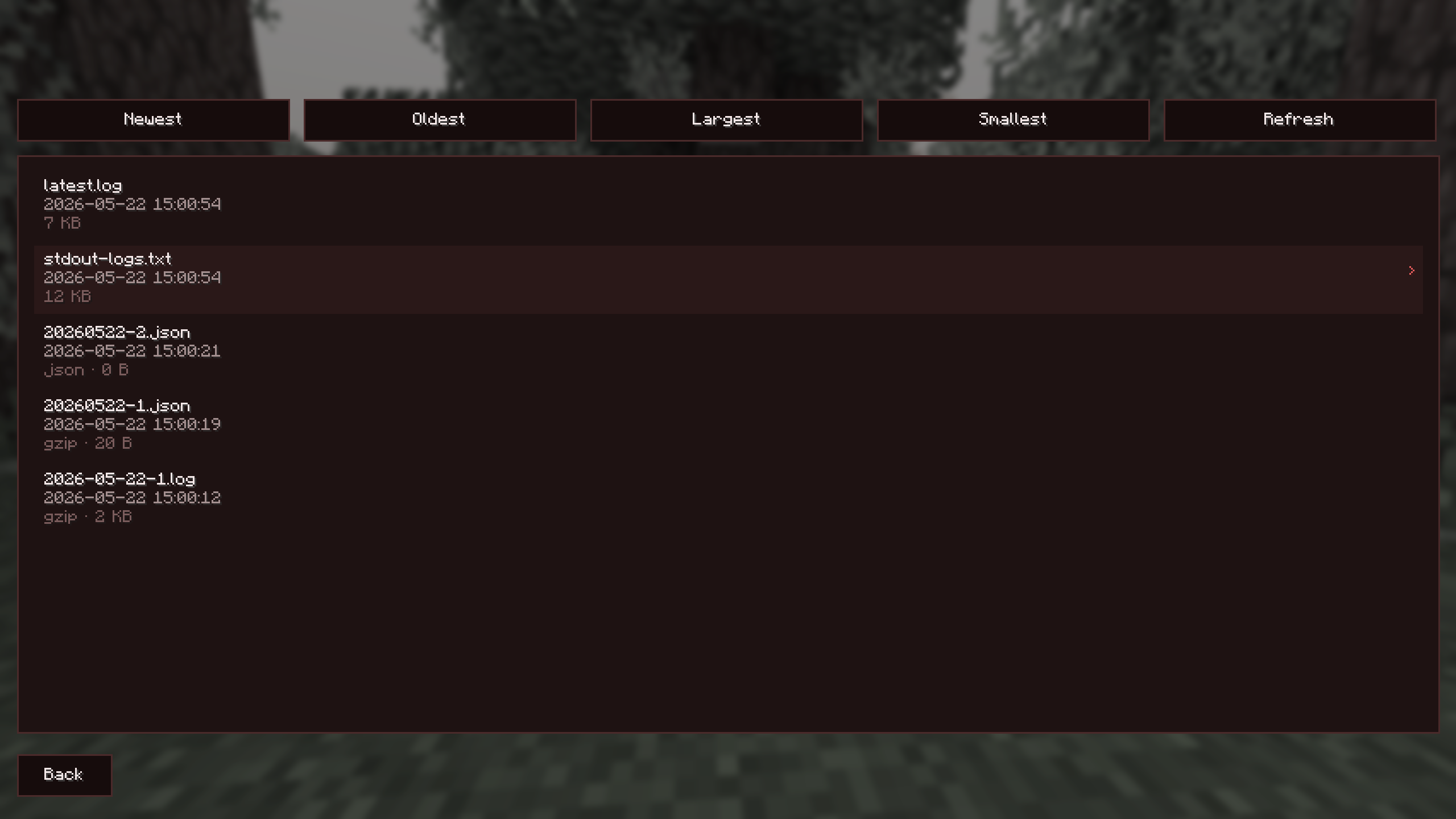 Log Selection Screen
 -
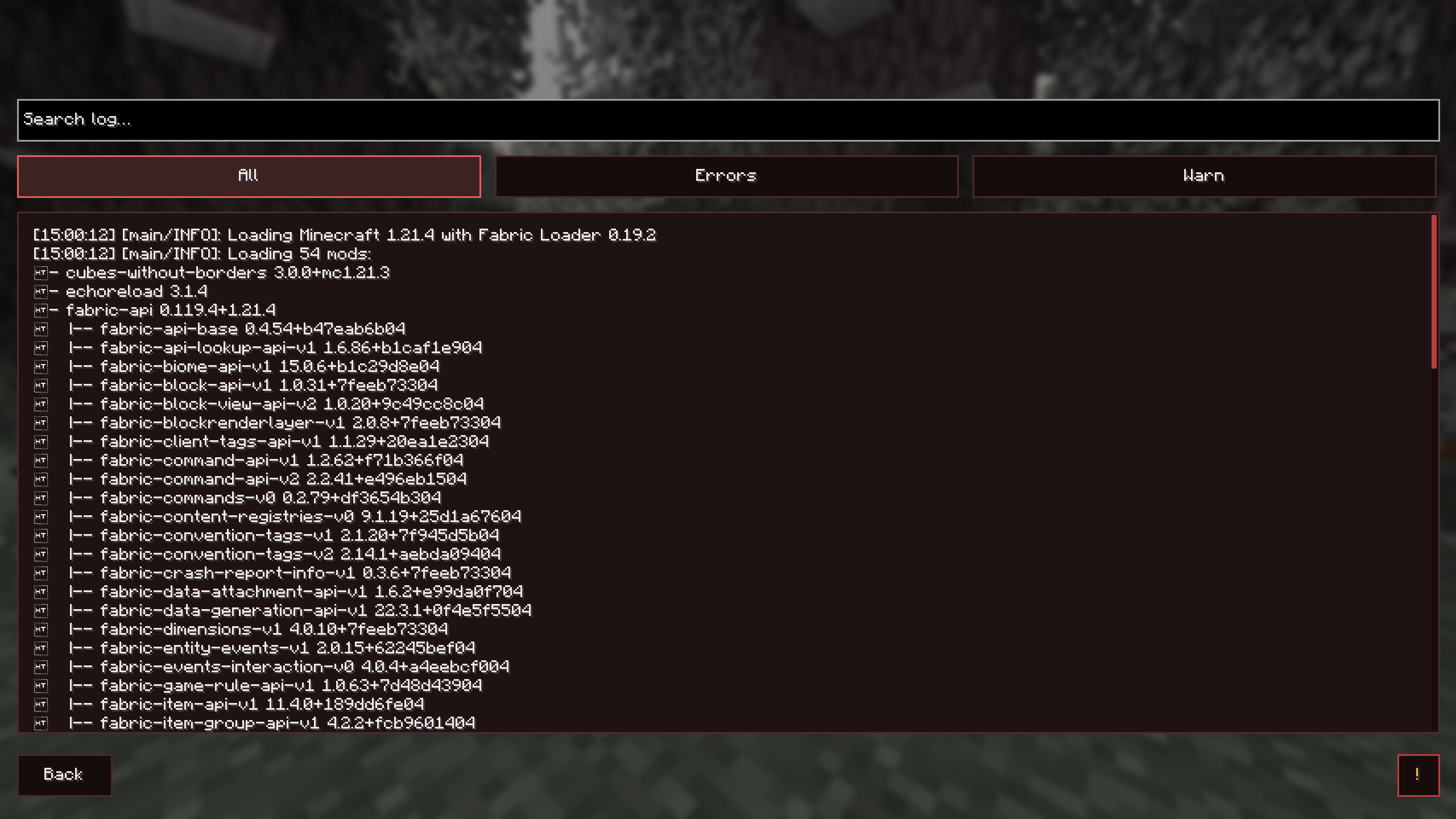 Open Log
 -
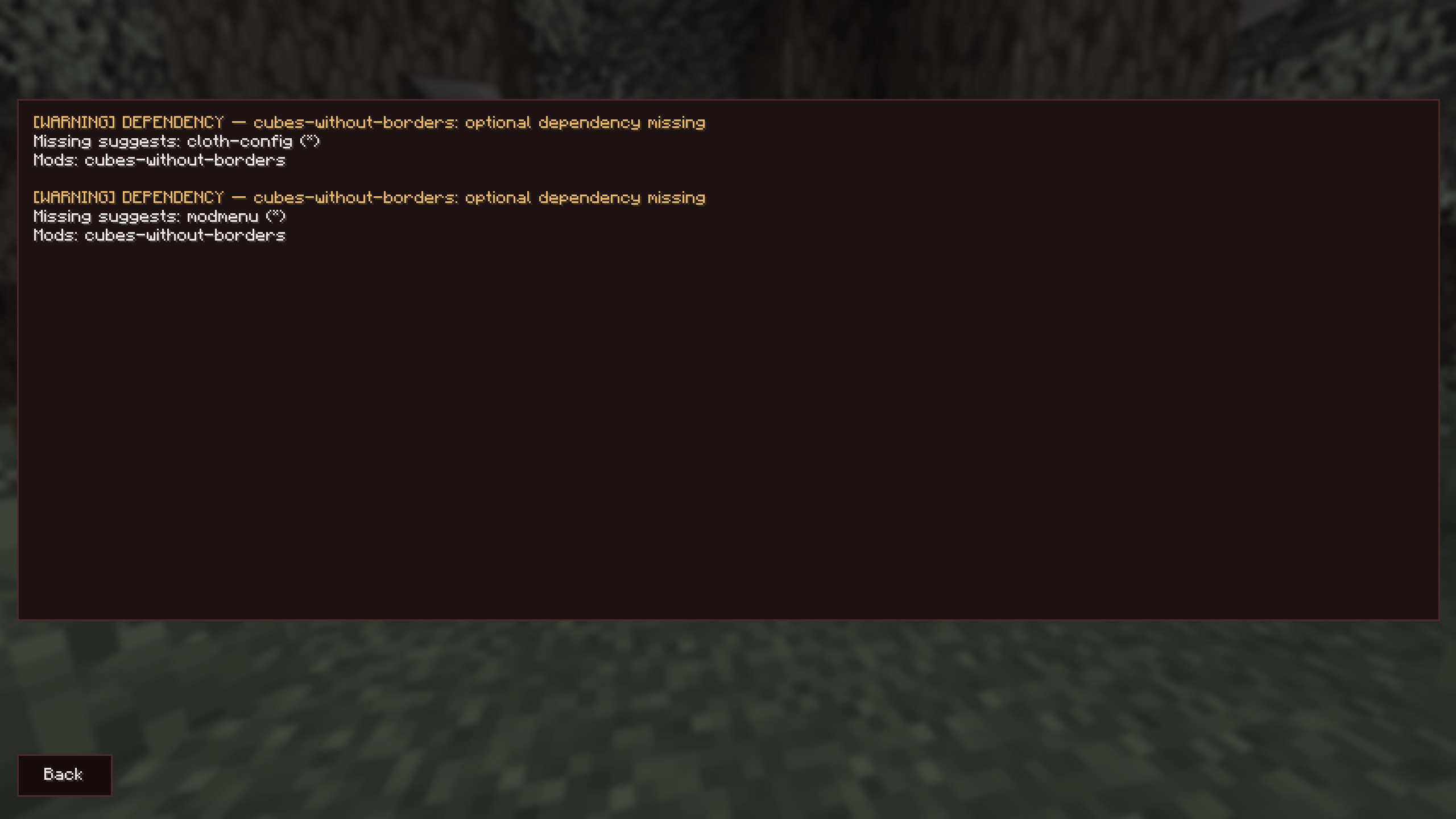 Found Issues Screen
Versions
Files
Relations
Project Relations
More like this
Similar Mods
Suggestions use data such as tags, dependencies, dependents, descriptions, titles, and more to rank how much they overlap with this mod.
On ModDex
Community snapshot
By the numbers
Statistics
Want to reach Minecraft players?
We're looking for a server hosting partner to feature here and other parts of the site. Interested? Send us a message!
Get in touchGet it on
Available Platforms
On ModDex
Community snapshot
By the numbers
Statistics
Resources