Community listing page, reviews may not be monitored by the author.
Eclipse Core

No reviews yet
One black and green menu that every Eclipse mod plugs into, with themes, a HUD editor, presets and a settings search.

Community voices
Reviews
No reviews yet. Be the first to review this project!
Get it on
Available Platforms
About
Project Details
For authors
Embed Badge
If you're the author of this project, you can embed a live badge anywhere that supports HTML or Markdown. It updates automatically whenever ratings change.
Use HTML for any page that supports it, or Markdown for README files and Markdown-based descriptions.
Identifiers
Platform IDs
Resources
External Links
About
Description
💬 Join the Eclipse Discord for help, updates and to share your setups.
Eclipse Core
The heart of Eclipse Client. One black + green menu that every Eclipse mod plugs into, with a theme, HUD editor, presets and a settings search.
Press Backspace anywhere to open it.
Features
🖥️ The Eclipse menu
- Every feature is a card with an on/off switch and a Settings button
- Each feature has its own settings page, many with a live preview
- Right click a button to go back one step (undo a click)
- Sidebar: Mods, HUD Editor, Theme, Client, All Mods, Key Binds, Worlds, Presets, Screenshots
🔎 Settings search
Type anything ("zoom", "map", "auto") and every matching setting shows up with where it lives. Click to jump there.
🧩 HUD editor
- Drag any HUD element from any Eclipse mod
- Right click to hide or show it, middle click to reset one
- Positions are saved as a share of your screen, so they stay right when you resize
🎨 Theme
- Pick an accent color or type any hex color
- Box darkness and blur behind menus
- Every Eclipse mod uses the same theme
⚡ Presets
One click sets up everything: Survival, Building, PvP, Max FPS, Pretty.
⌨️ Key binds
- Search key binds, see only clashes, reset one or all
🧾 Client page
- Eclipse title screen, loading screen, window name and button look (each can be turned off)
- Discord status
- Export / import all your Eclipse settings and key binds as one file to share with friends
📚 All mods
Every installed mod with its version and a Settings button. Replaces Mod Menu (don't install both).
👋 Welcome screen
The first time you start, it shows the main keys and lets you pick a preset.
More
- Worlds page with favorite worlds
- Screenshots browser
Requirements
- Minecraft 26.2, Fabric Loader, Fabric API
- Required by every other Eclipse mod
Part of the Eclipse Client modpack.
💬 Questions or ideas? Join the Eclipse Discord
Screenshots
Gallery
-
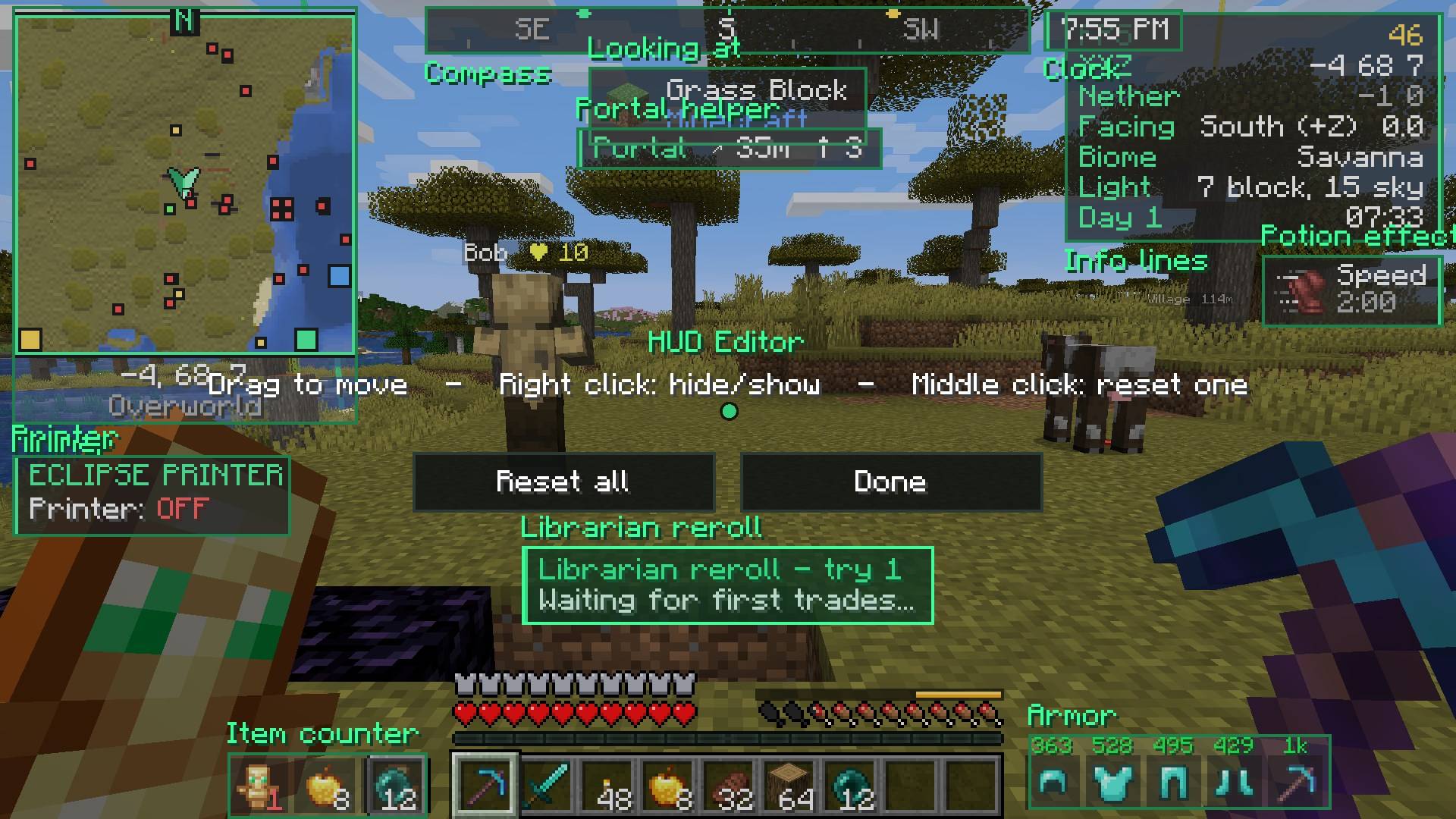 hud_editor.jpg hud_editor.jpg
-
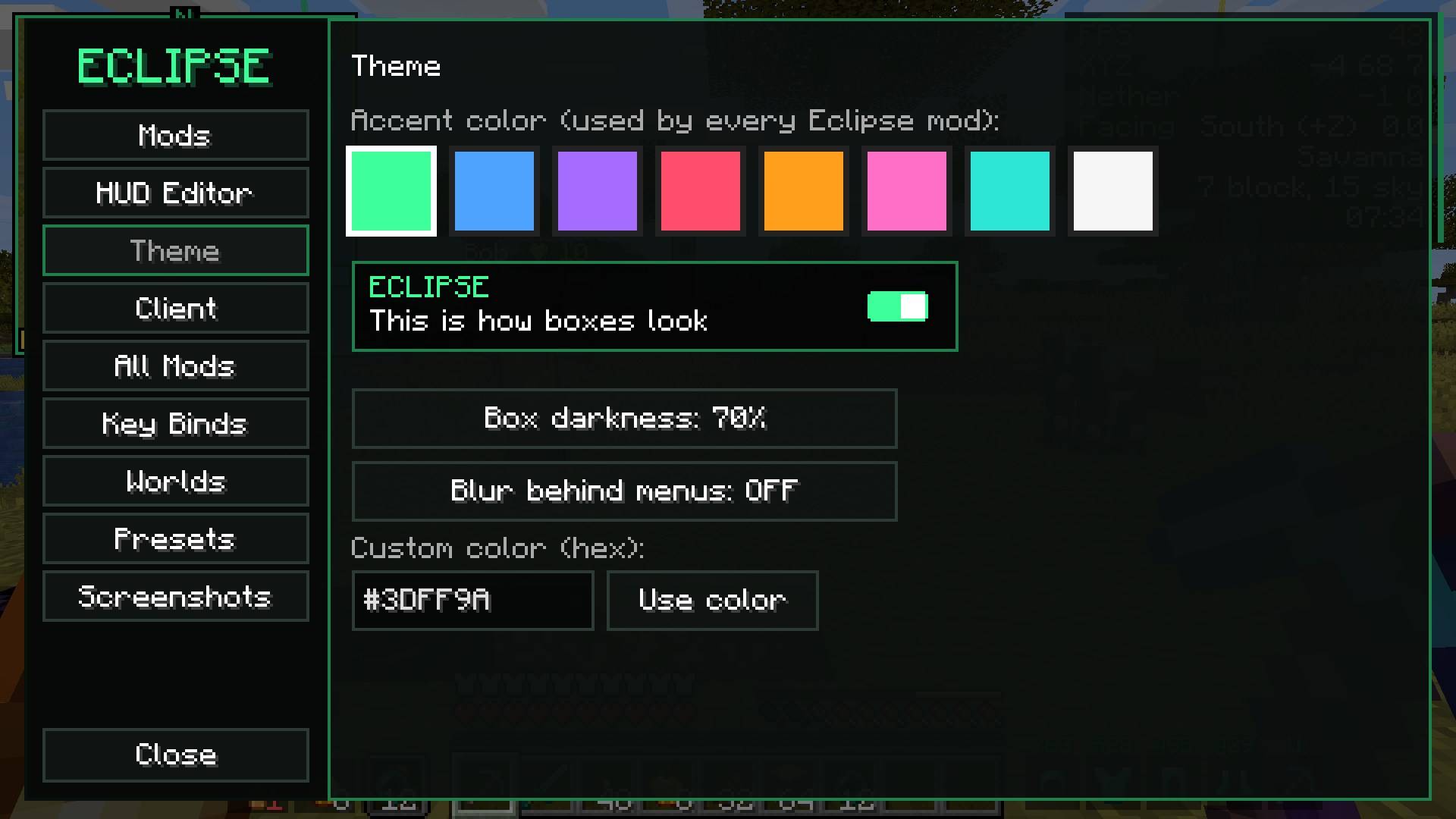 menu_theme.jpg menu_theme.jpg
-
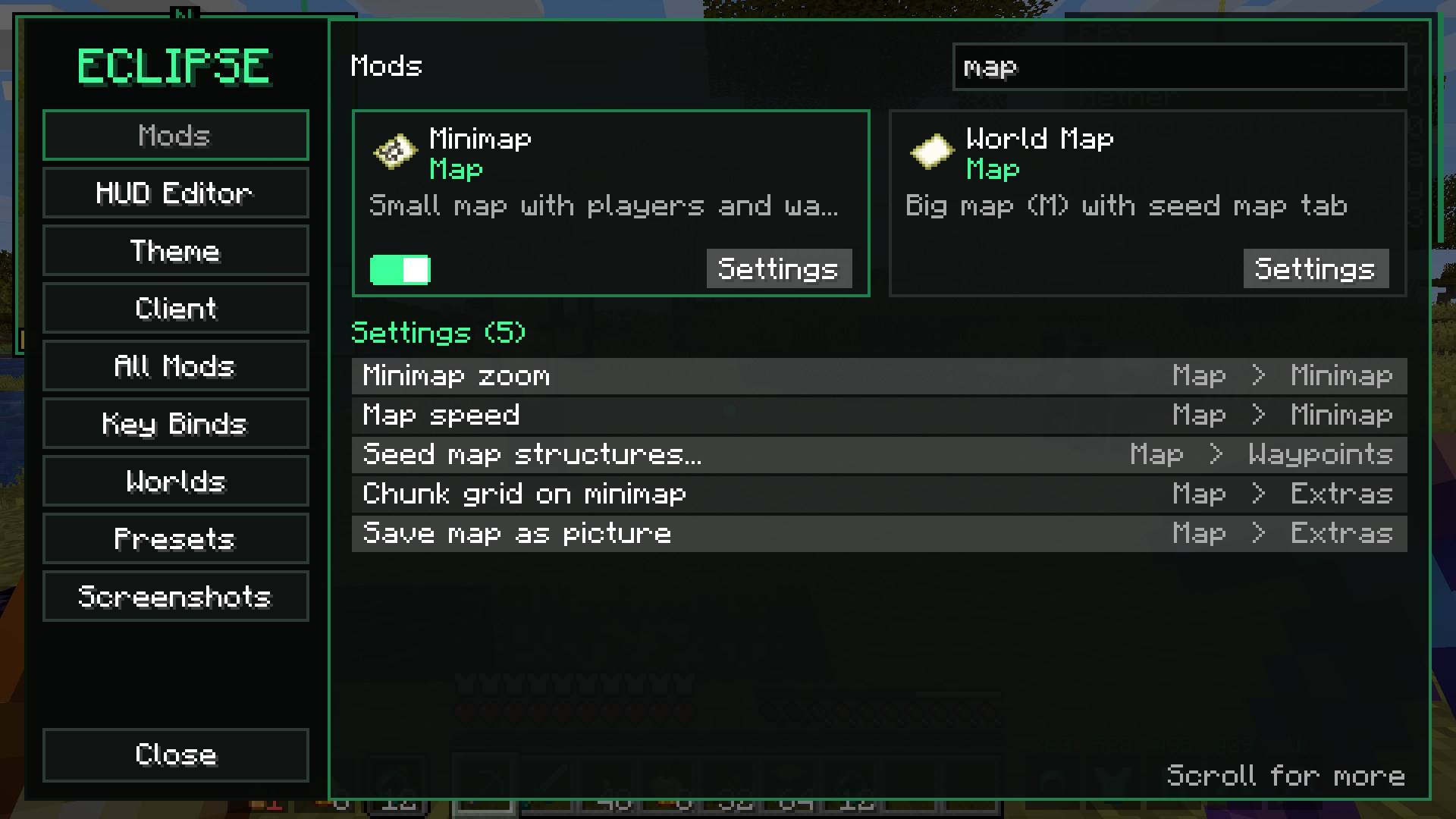 menu_search.jpg menu_search.jpg
-
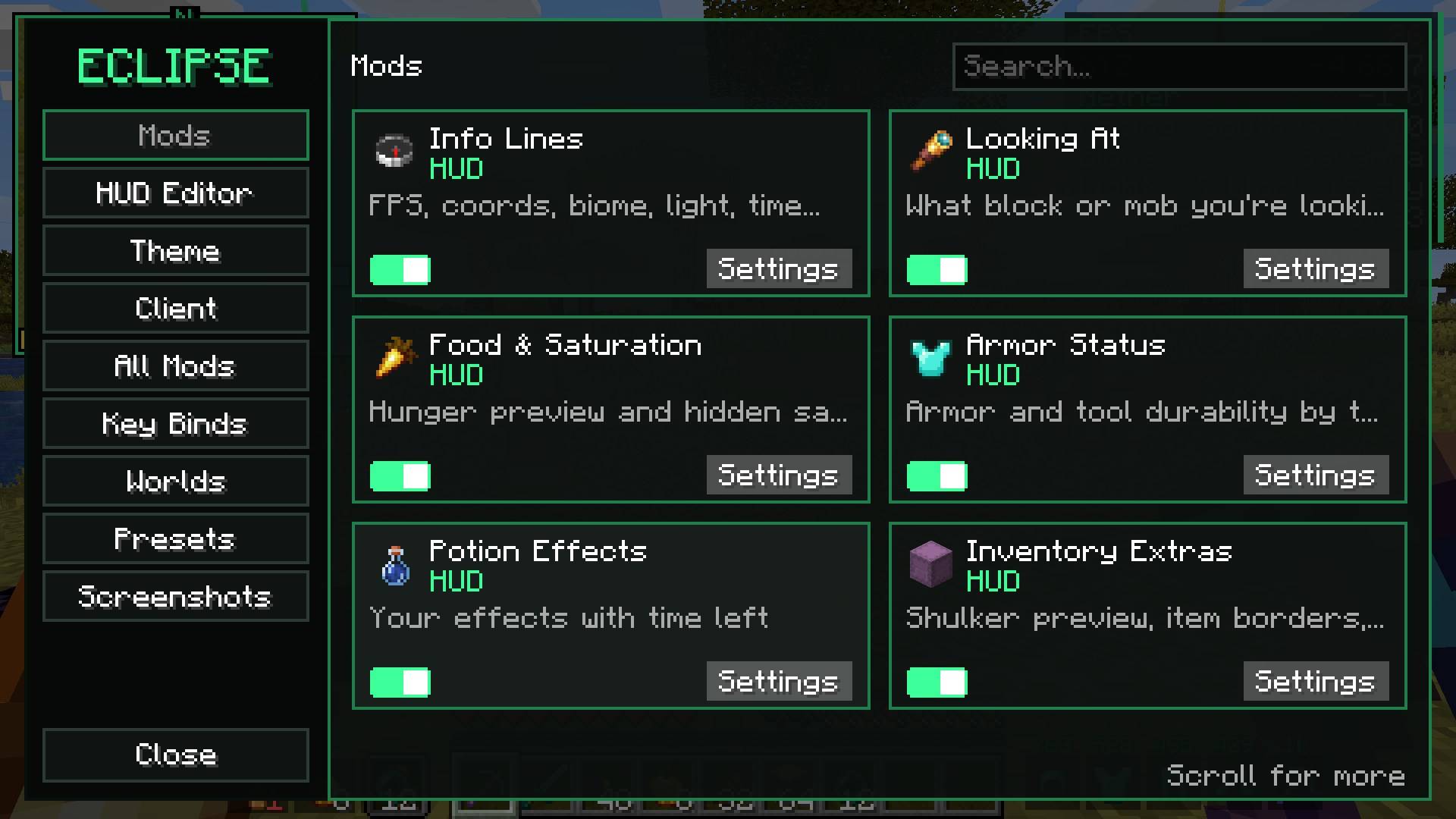 menu_mods.jpg menu_mods.jpg
Versions
Files
Relations
Project Relations
More like this
Similar Mods
Suggestions use data such as tags, dependencies, dependents, descriptions, titles, and more to rank how much they overlap with this mod.
On ModDex
Community snapshot
By the numbers
Statistics

Get it on
Available Platforms
On ModDex
Community snapshot
By the numbers
Statistics
Resources