
Community listing page, reviews here may not be monitored by the author.
Effects After Death


No reviews yet
Extremely customizable settings for keeping potion effects (and others) after dying.
Community voices
Reviews
No reviews yet. Be the first to review this project!
Get it on
Available Platforms
Compatibility
Supported Environments
The author has not specified where this runs.
About
Project Details
For authors
Embed Badge
If you're the author of this project, you can embed a live badge anywhere that supports HTML or Markdown. It updates automatically whenever ratings change.
Use HTML for any page that supports it, or Markdown for README files and Markdown-based descriptions.
Identifiers
Platform IDs
Resources
External Links
About
Description
Effects after Death 💀🧪
Effects After Death is a highly configurable Minecraft datapack/mod that allows potion effects and other status effects to persist after a player's death. Designed for maximum flexibility, it supports both global and per-player customization to suit various gameplay styles and server rules.
Ideal for RPG style servers, challenge modes, or progression based gameplay, Effects After Death.
Fully server side!
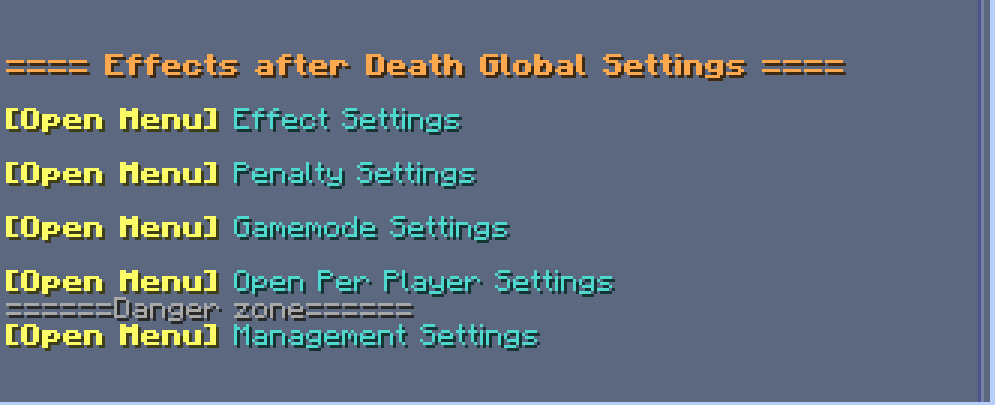
⚙️ Settings Menu — Effects After Death
Open Settings with /trigger EffectsOnDeath.settings
| Category | Description |
|---|---|
| 🧪 Effect Settings | Toggle individual effects on or off |
| ⚖️ Penalty Settings | Modify penalties applied upon death |
| 🎮 Gamemode Settings | Choose which gamemodes are affected |
| 👤 Per-Player Settings | Set individual player configurations |
| 🧹 Management Settings | Reset, clean up, or uninstall datapack |
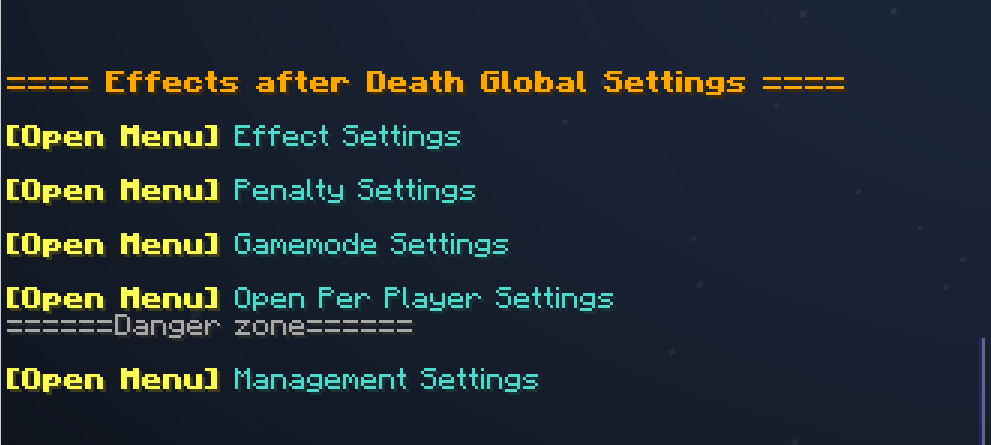
🧪 Effect Settings
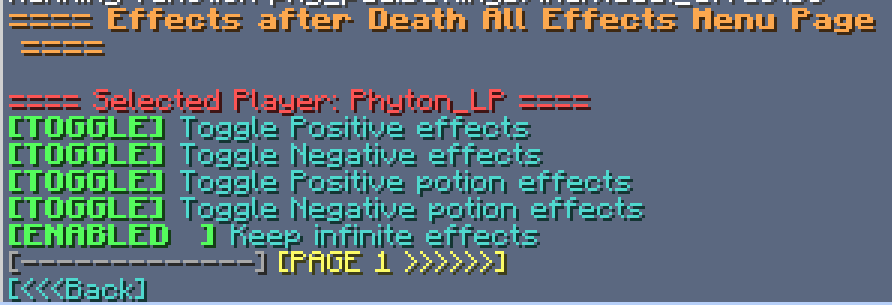
- Multi-page system for organizing effects
- Group Toggle Page: Turn multiple effects on/off at once
- Infinite Effects: Enable/disable keeping effects with infinite duration
- Individual Effects: Enable/disable each effect in minecraft separately
<details> <summary>Image</summary>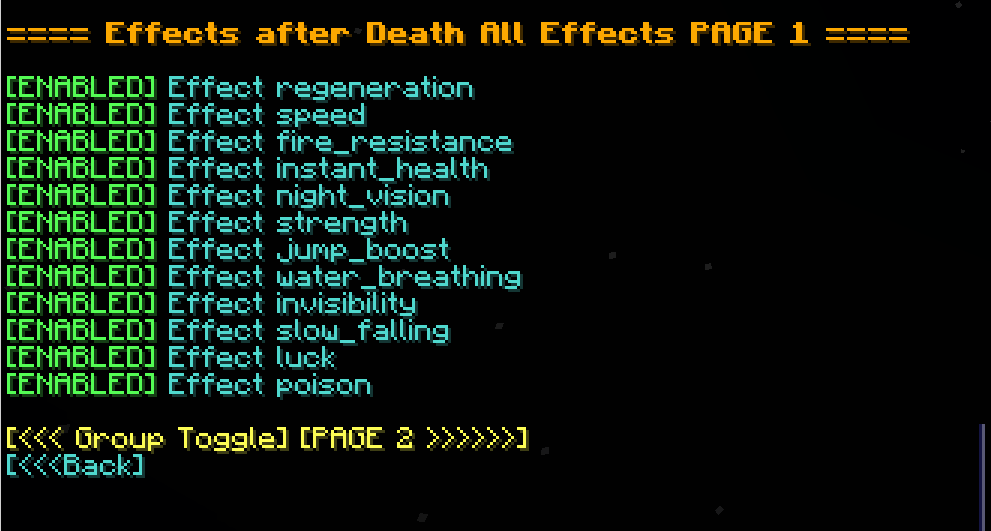
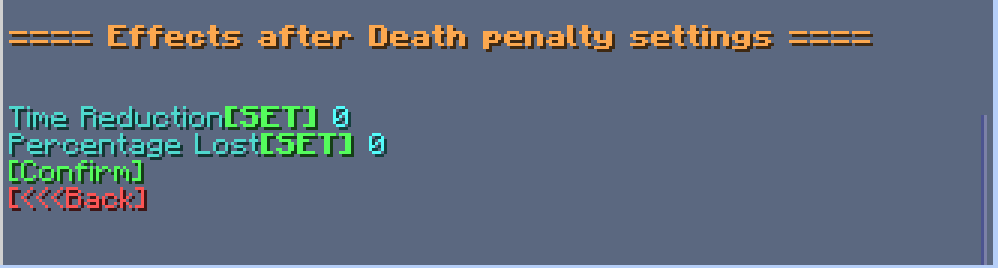
⚖️ Penalty Settings
| Option | Description |
|---|---|
| ⏱️ Time Reduction | Fixed number of seconds lost on death |
| 📉 Percentage Lost | Percentage of time lost on death |
| Image |
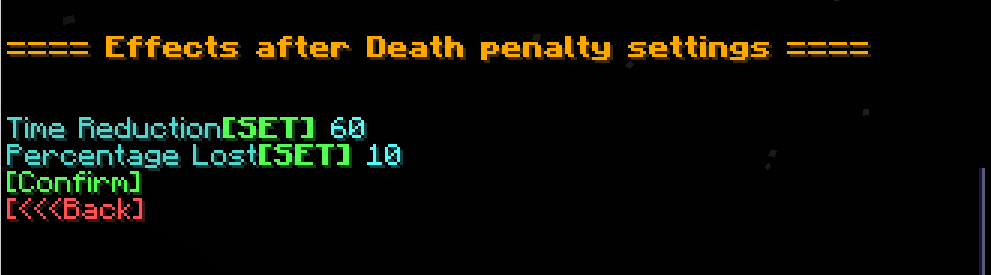
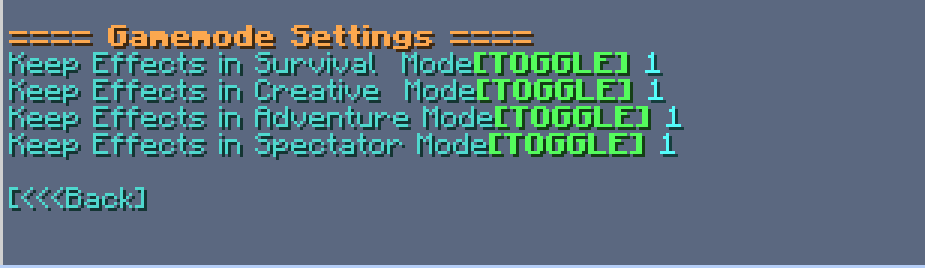
🎮 Gamemode Settings
- Enable/disable effect retention in specific gamemodes (e.g., survival, creative, spectator)<details> <summary>Image</summary> </details>
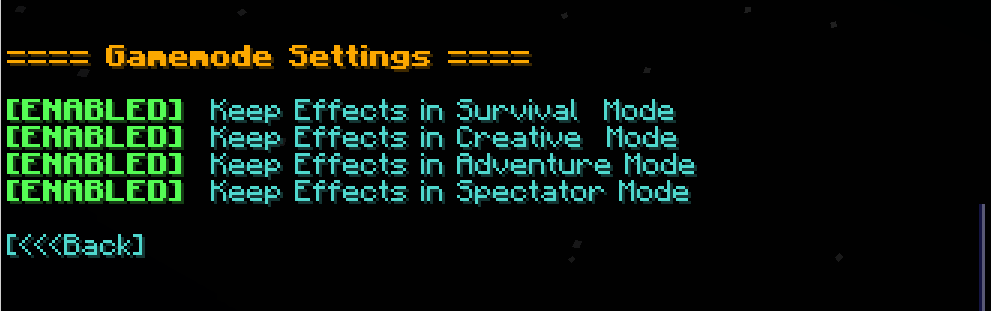
👤 Per-Player Settings
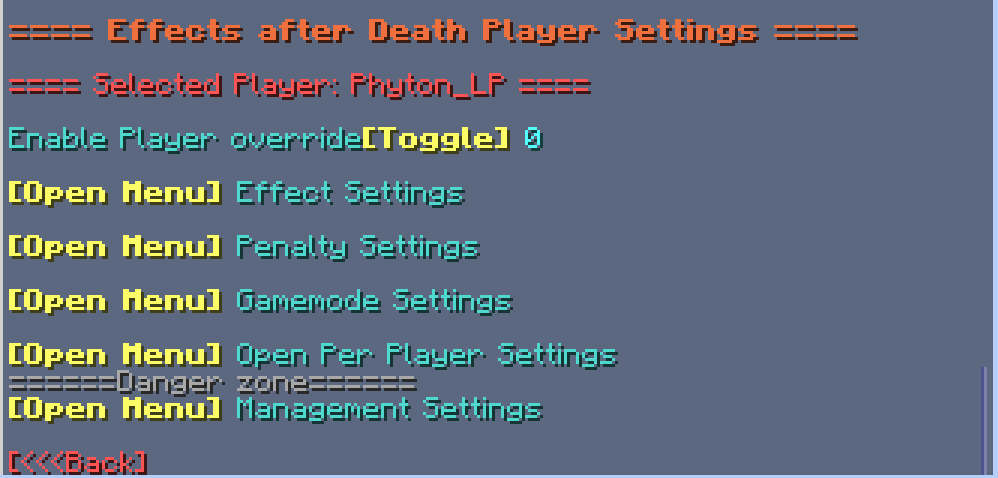
- Customize which players are affected by each setting
- Give Players individual rule sets!<details> <summary>Image</summary> </details>
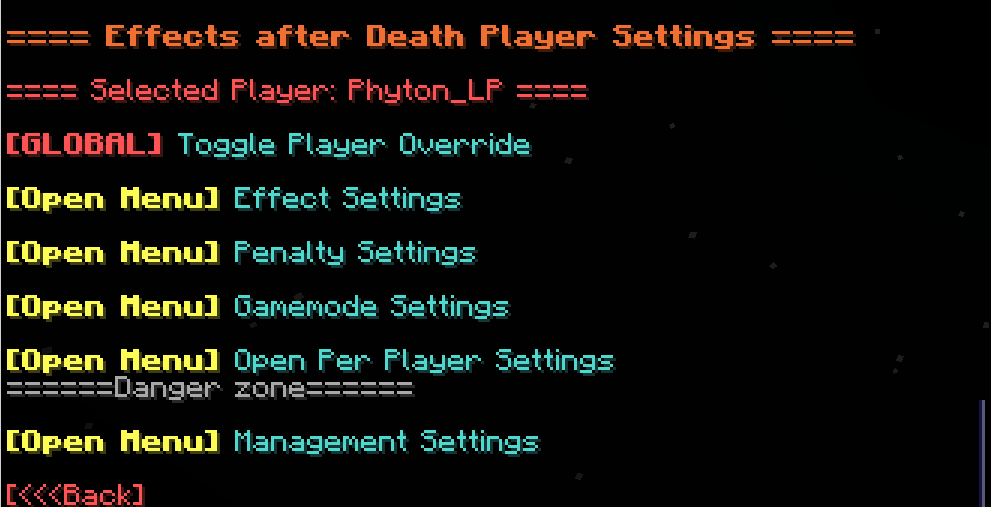
🧹 Management Settings
| Option | Description |
|---|---|
| 🔄 Reset to Defaults | Restore all effect and group settings to default |
| 👥 Reset Players | Remove all per-player overrides |
| ❌ Uninstall | Fully remove all related data and scoreboards |
Effects after Death 💀🧪
Effects After Death is a highly configurable Minecraft datapack/mod that allows all minecraft effects to persist after a player's death. Designed for maximum flexibility, it supports both global and per-player customization to suit various gameplay styles and server rules.
Ideal for RPG style servers, challenge modes, or progression based gameplay, Effects After Death.
Fully server side!
⚙️ Settings Menu — Effects After Death
Open Settings with /trigger EffectsOnDeath.settings
| Category | Description |
|---|---|
| 🧪 Effect Settings | Toggle individual effects on or off |
| ⚖️ Penalty Settings | Modify penalties applied upon death |
| 🎮 Gamemode Settings | Choose which gamemodes are affected |
| 👤 Per-Player Settings | Set individual player configurations |
| 🧹 Management Settings | Reset, clean up, or uninstall datapack |
Image
🧪 Effect Settings
- Multi-page system for organizing effects
- Group Toggle Page: Turn multiple effects on/off at once
- Infinite Effects: Enable/disable keeping effects with infinite duration
- Individual Effects: Enable/disable each effect in minecraft separately
Image
⚖️ Penalty Settings
| Option | Description |
|---|---|
| ⏱️ Time Reduction | Fixed number of seconds lost on death |
| 📉 Percentage Lost | Percentage of time lost on death |
Image
🎮 Gamemode Settings
- Enable/disable effect retention in specific gamemodes (e.g., survival, creative, spectator)
Image
👤 Per-Player Settings
- Customize which players are affected by each setting
- Give Players individual rule sets!
Image
🧹 Management Settings
| Option | Description |
|---|---|
| 🔄 Reset to Defaults | Restore all effect and group settings to default |
| 👥 Reset Players | Remove all per-player overrides |
| ❌ Uninstall | Fully remove all related data and scoreboards |
Screenshots
Gallery
-
 icon400.png icon400.png
 -
 effects.png effects.png
 -
 gamemode.png gamemode.png
 -
 menu.png menu.png
 -
 penalty.png penalty.png
 -
 playersettings.png playersettings.png
 -
 toggles.png toggles.png
-
Gamemode Settings Enable keeping effects in seperate gamemodes
-
Settings Menu Fully configurable settings, clickable through chat
-
Player Specific settings Override specific players, and give each a separate rule set!
-
Penalties apply penalties to effects on death, Fixed Time and percentage
-
Individual effect settings toggle individual effects
-
 Icon
Icon
Versions
Files
Relations
Project Relations
More like this
Similar Mods
Suggestions use data such as tags, dependencies, dependents, descriptions, titles, and more to rank how much they overlap with this mod.
On ModDex
Community snapshot
By the numbers
Statistics
Want to reach Minecraft players?
We're looking for a server hosting partner to feature here and other parts of the site. Interested? Send us a message!
Get in touchGet it on
Available Platforms
On ModDex
Community snapshot
By the numbers
Statistics
Resources