
Community listing page, reviews here may not be monitored by the author.
Effects Biomes

No reviews yet
Biome Decorations makes Minecraft's environments feel fuller and more alive without requiring a heavy shader pack. It adds biome-aware natural details, small environmental scenes and a configurable layer of lightweight visual effects.
Community voices
Reviews
No reviews yet. Be the first to review this project!
Get it on
Available Platforms
About
Project Details
For authors
Embed Badge
If you're the author of this project, you can embed a live badge anywhere that supports HTML or Markdown. It updates automatically whenever ratings change.
Use HTML for any page that supports it, or Markdown for README files and Markdown-based descriptions.
Identifiers
Platform IDs
Resources
External Links
About
Description
Biome Decorations
Biome Decorations makes Minecraft's environments feel fuller and more alive without requiring a heavy shader pack. It adds biome-aware natural details, small environmental scenes and a configurable layer of lightweight visual effects.
Highlights
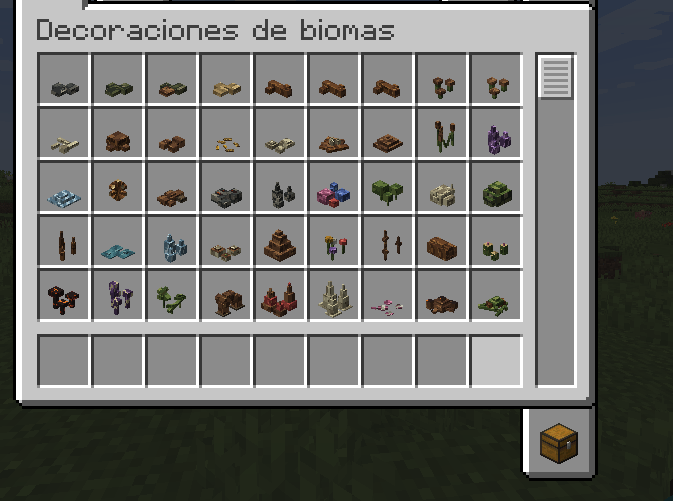
- More than 100 natural decorations distributed by biome, climate, dimension and surface type.
- Fallen branches, nests, mushrooms, rocks, shore debris, cave formations, river details, large natural landmarks and much more.
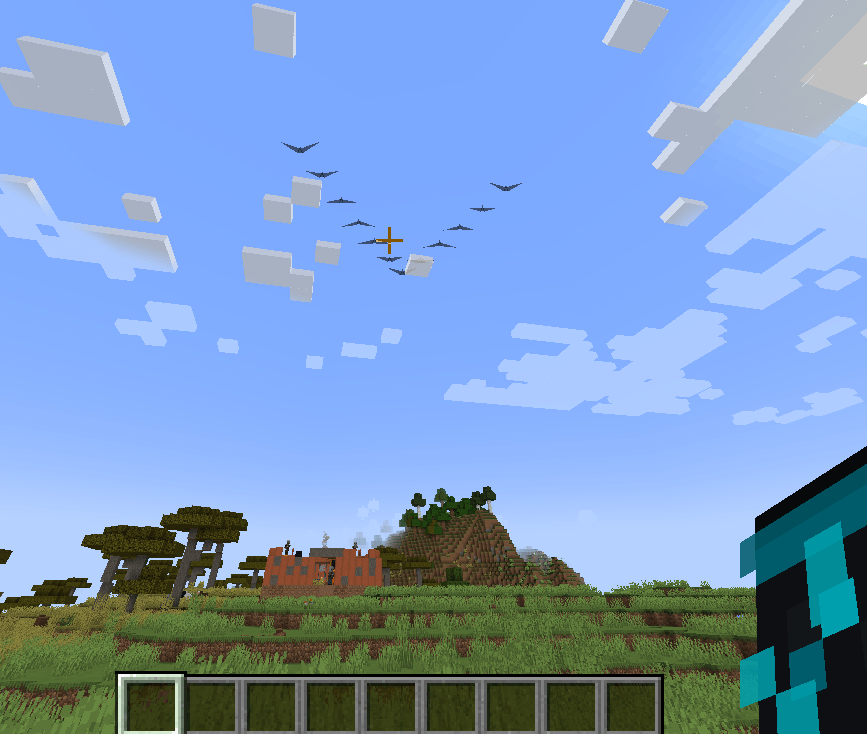
- Visual butterflies, dragonflies, fireflies, bird flocks and aquatic schools; they do not create persistent entities.
- Continuous coastal waves and foam, wind fronts, rain details, shooting stars and dimensional weather events.
- Swimming, water-entry, falling, creative-flight and elytra effects.
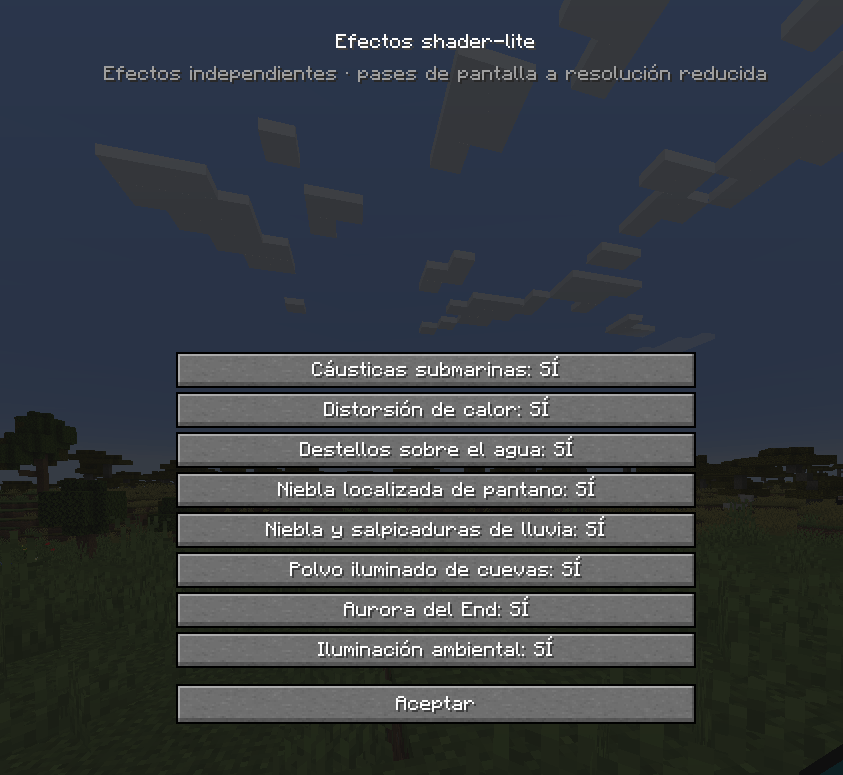
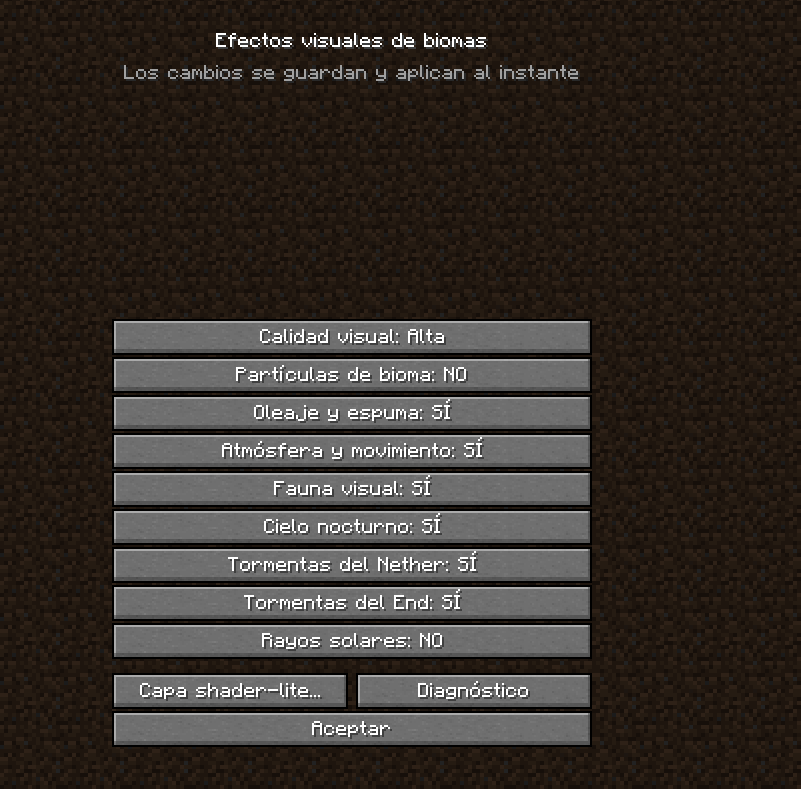
- Optional shader-lite effects: underwater caustics, heat haze, water glints, localized fog, rain mist, cave dust, local glow and an End aurora.
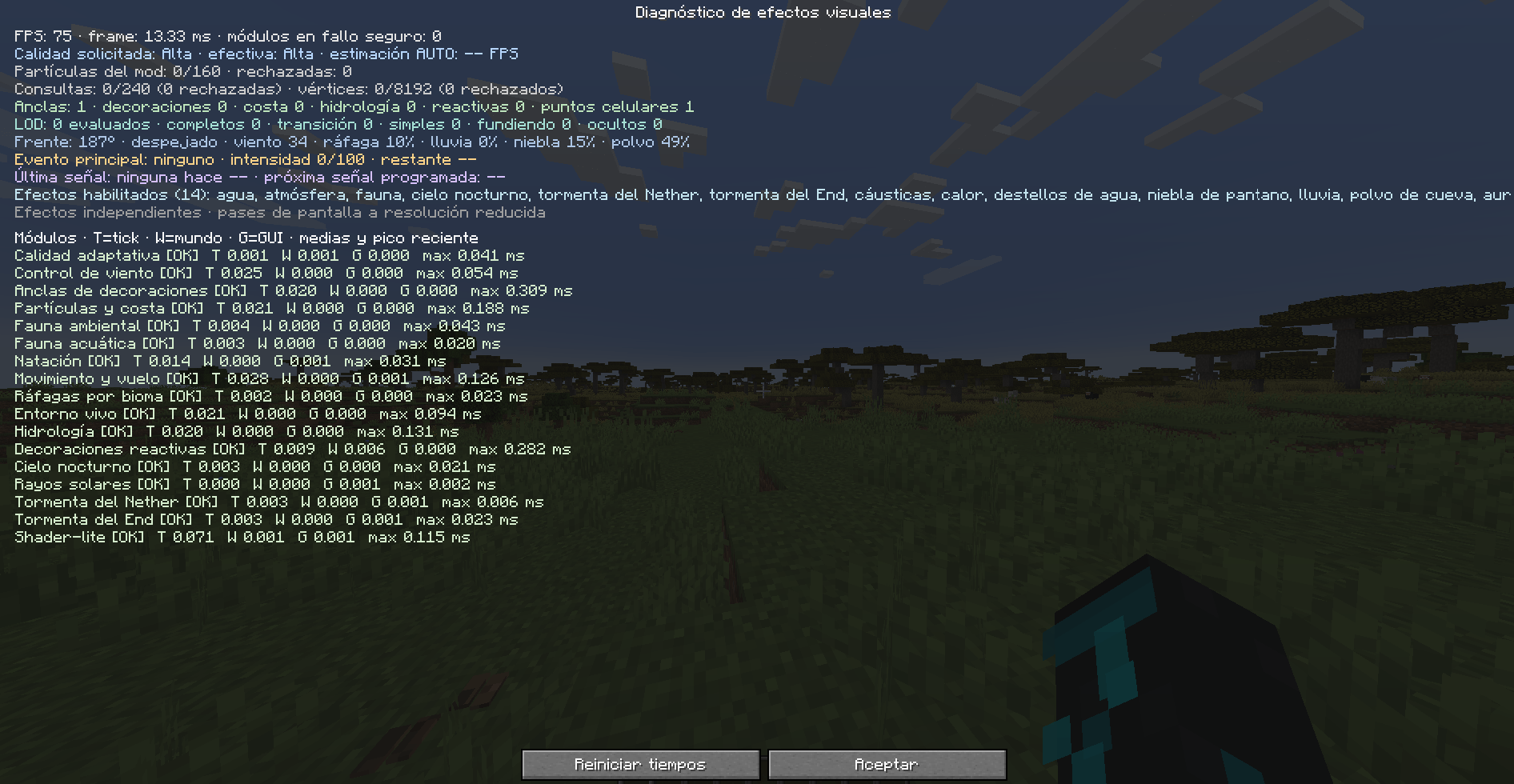
OFF,LOW,MEDIUM,HIGHand adaptiveAUTOquality settings.- Global performance budgets, distance LOD and compatibility safeguards for Oculus/Iris and Embeddium.
- English and Spanish translations.
Installation and compatibility
- Minecraft 1.20.1
- Forge 47.x
- Java 17
- No additional library dependencies
- Required on both the server and every client in multiplayer
Place the JAR in the mods folder. Natural decorations generate in new chunks.
For existing worlds, administrators can use /biomedecorations decorate to
process loaded chunks gradually and conservatively.
All gameplay-affecting content is made from normal blocks and world generation. The wildlife, atmosphere and shader-lite layer are visual only and can be configured from Minecraft's menus.
Screenshots
Gallery
-
 Mod_EffectosV4.png Mod_EffectosV4.png
 -
 Mod_EffectosV3.png Mod_EffectosV3.png
 -
 Mod_EffectosV2.png Mod_EffectosV2.png
 -
 Mod_EffectosV1.png Mod_EffectosV1.png
 -
 Mod_Effectos.png Mod_Effectos.png
Versions
Files
Relations
Project Relations
More like this
Similar Mods
Suggestions use data such as tags, dependencies, dependents, descriptions, titles, and more to rank how much they overlap with this mod.
On ModDex
Community snapshot
By the numbers
Statistics
Want to reach Minecraft players?
We're looking for a server hosting partner to feature here and other parts of the site. Interested? Send us a message!
Get in touchGet it on
Available Platforms
On ModDex
Community snapshot
By the numbers
Statistics
Resources