
Community listing page, reviews may not be monitored by the author.
EMI Folders

No reviews yet
Adds named, expandable folders with customizable icons and colors to EMI favorites.

Community voices
Reviews
No reviews yet. Be the first to review this project!
Get it on
Available Platforms
About
Project Details
For authors
Embed Badge
If you're the author of this project, you can embed a live badge anywhere that supports HTML or Markdown. It updates automatically whenever ratings change.
Use HTML for any page that supports it, or Markdown for README files and Markdown-based descriptions.
Identifiers
Platform IDs
Resources
External Links
About
Description
Features
- Named folders integrated into EMI's existing favorites grid.
- Six colored folder icons, or an item icon from Minecraft or an installed mod.
- Expand and collapse folders with one click.
- Drag recipes into folders and reorder folders and their contents.
- Add a recipe or item through a context menu.
- A translucent background for grouped recipes, with six color presets and a custom HEX color.
- Folder tooltips showing the name and number of saved favorites.
- Delete a folder while keeping its favorites, or delete it with its saved recipes after confirmation.
- Names, icons, colors, contents, order and expanded state persist between sessions.
Controls
Create a folder - Right-click an empty cell in the left favorites panel, then choose "Create folder".
Expand or collapse - Left-click the folder.
Edit its name, icon or background color - Right-click the folder, then choose "Edit folder".
Add through a menu - Hold "Left Alt" and right-click an item or saved recipe in an EMI sidebar, then select "Add to folder ...".
Add by dragging - Drag an item or saved recipe onto the center of the folder.
Reorder - Drag a folder or saved recipe to the desired insertion position.
Remove a folder, keep its contents - Right-click the folder and choose "Delete folder, keep favorites".
Remove a folder and its contents - Choose the red "Delete folder and all recipes" entry and confirm with "Delete all". This removes bookmarks, not Minecraft's recipes.
Requirements
EMI 1.1.24+1.20.1 for Forge
Screenshots
Gallery
-
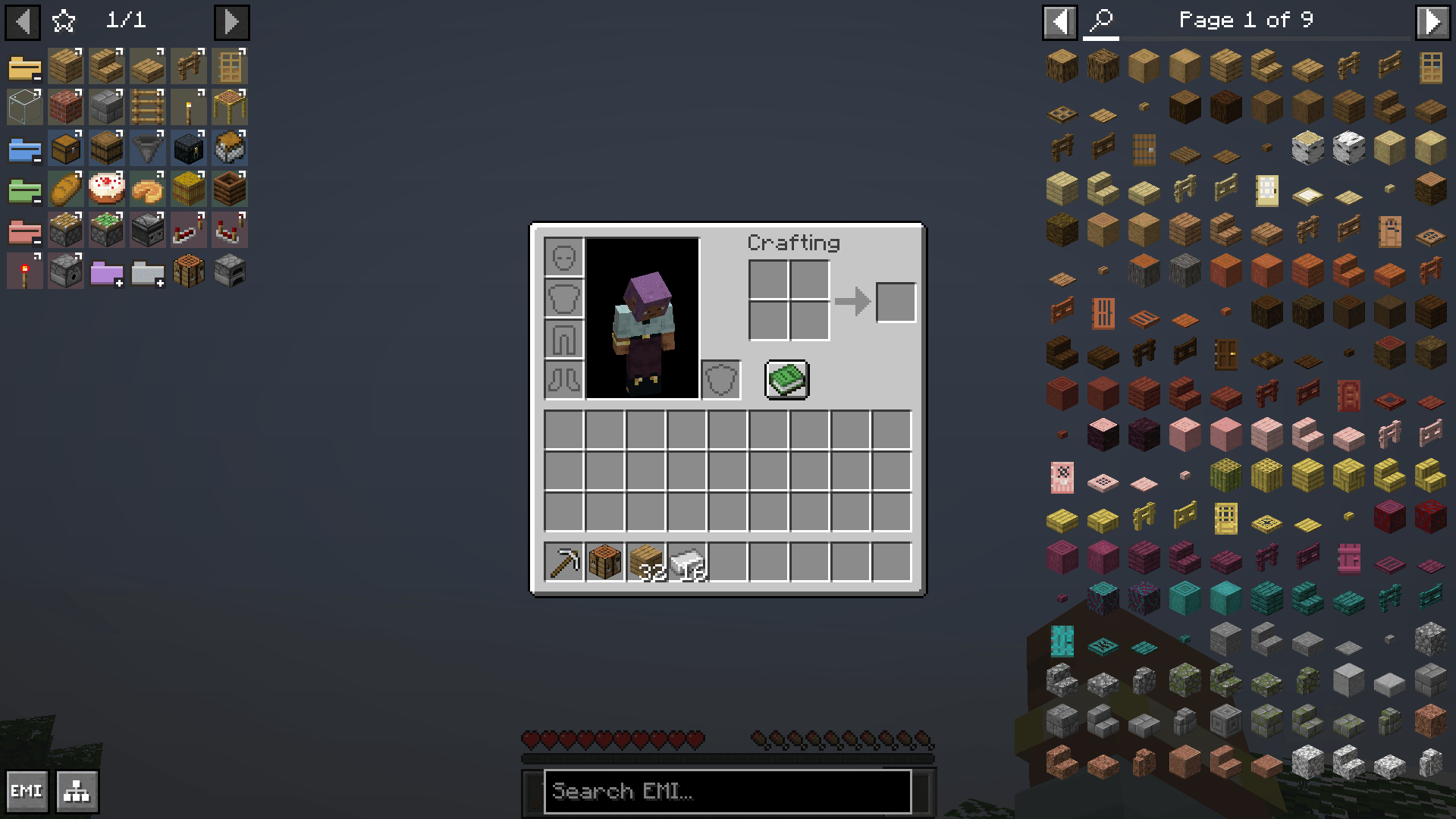 02-folders-expanded.png 02-folders-expanded.png
 -
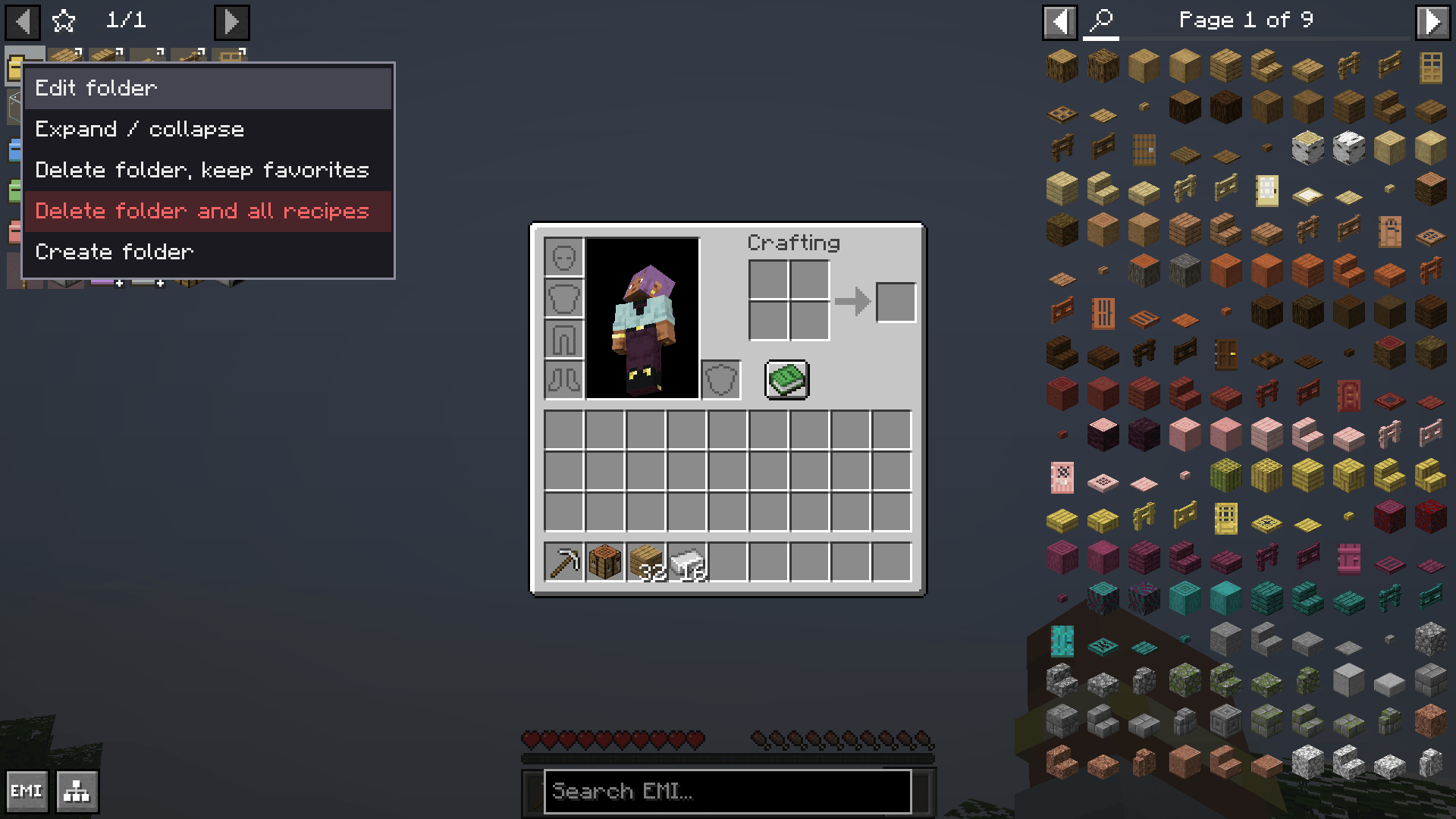 03-folder-context-menu.png 03-folder-context-menu.png
 -
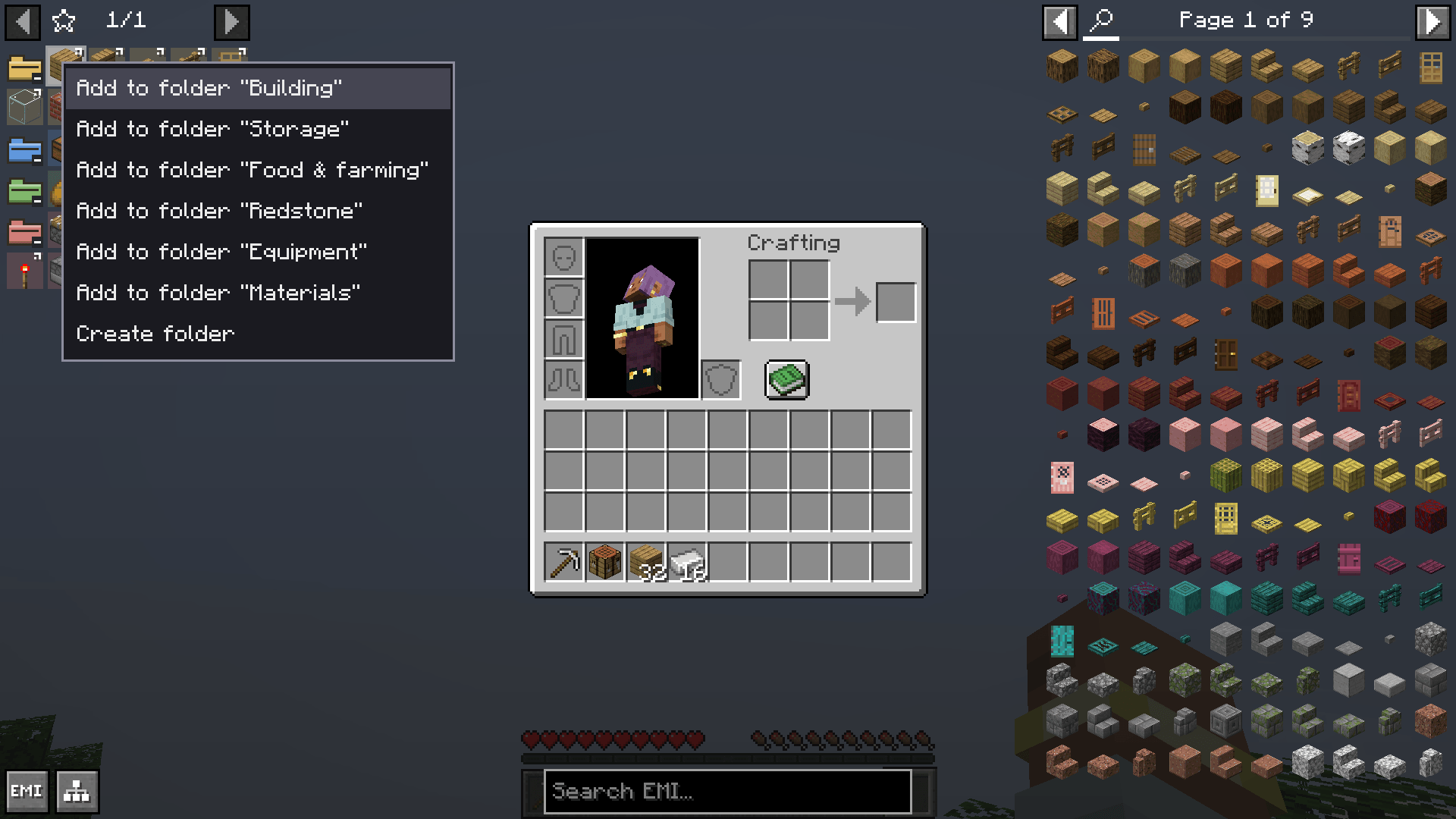 06-add-to-folder-menu.png 06-add-to-folder-menu.png
 -
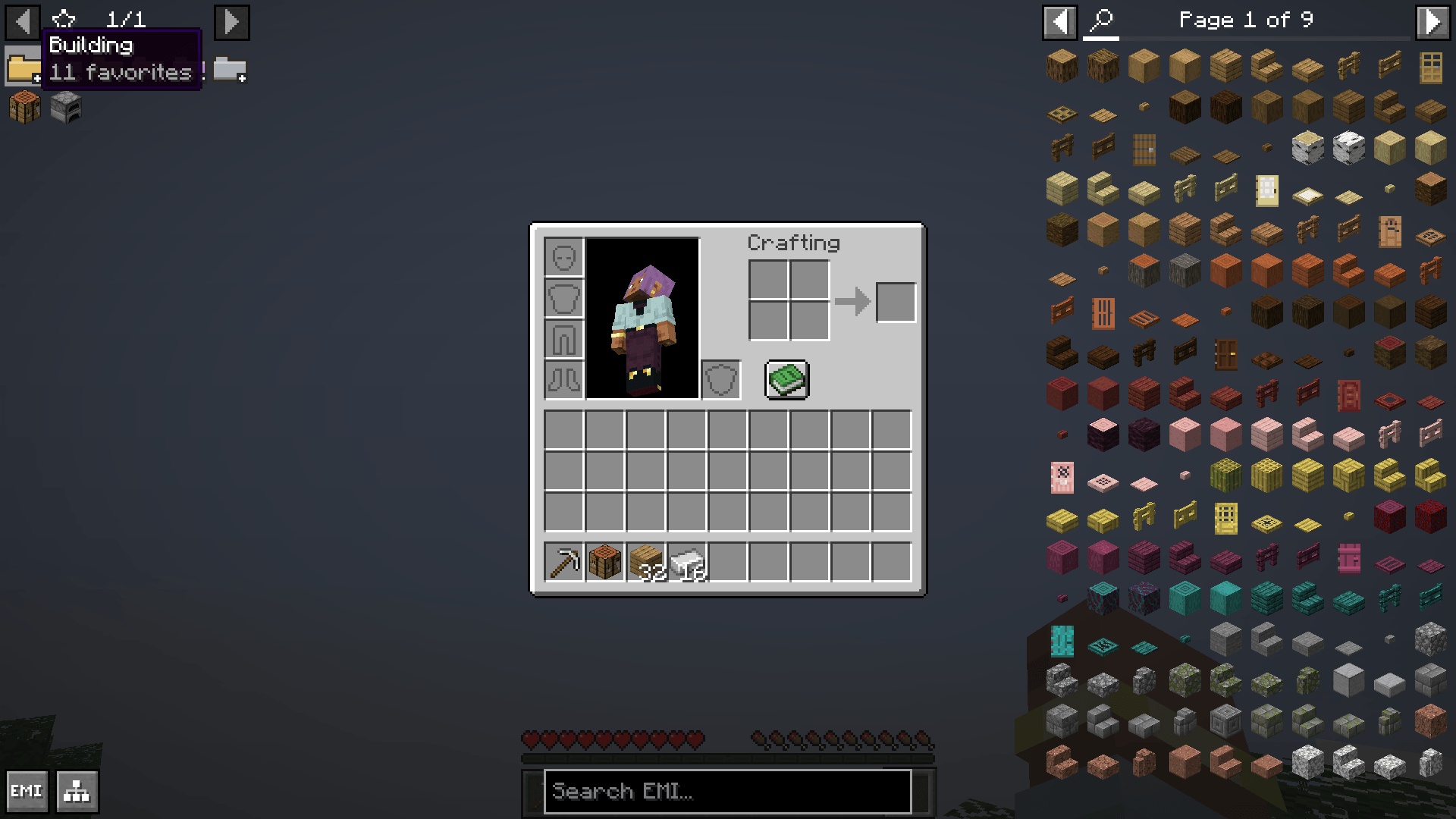 01-folders-collapsed.png 01-folders-collapsed.png
 -
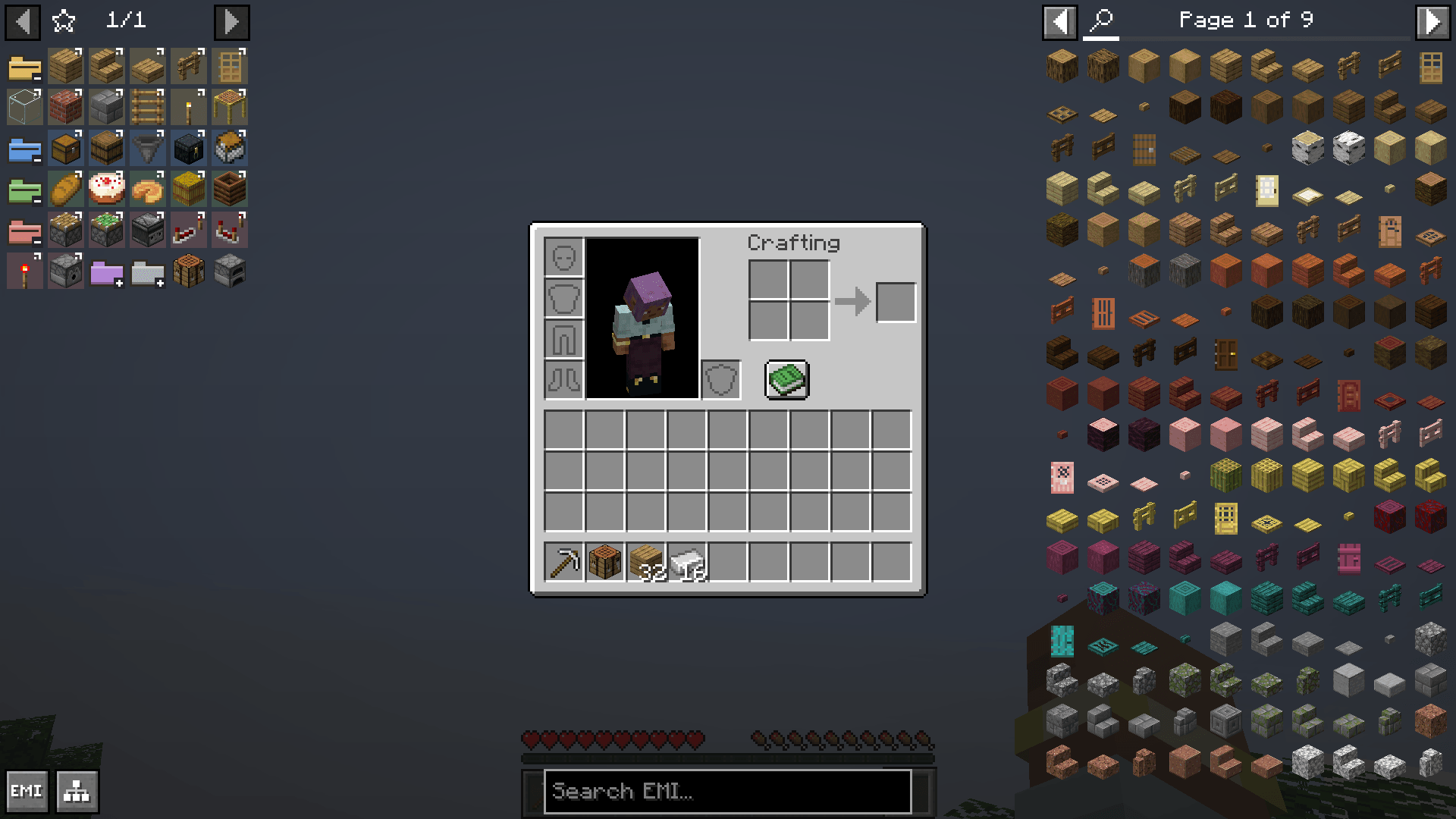 02-folders-expanded.png 02-folders-expanded.png
 -
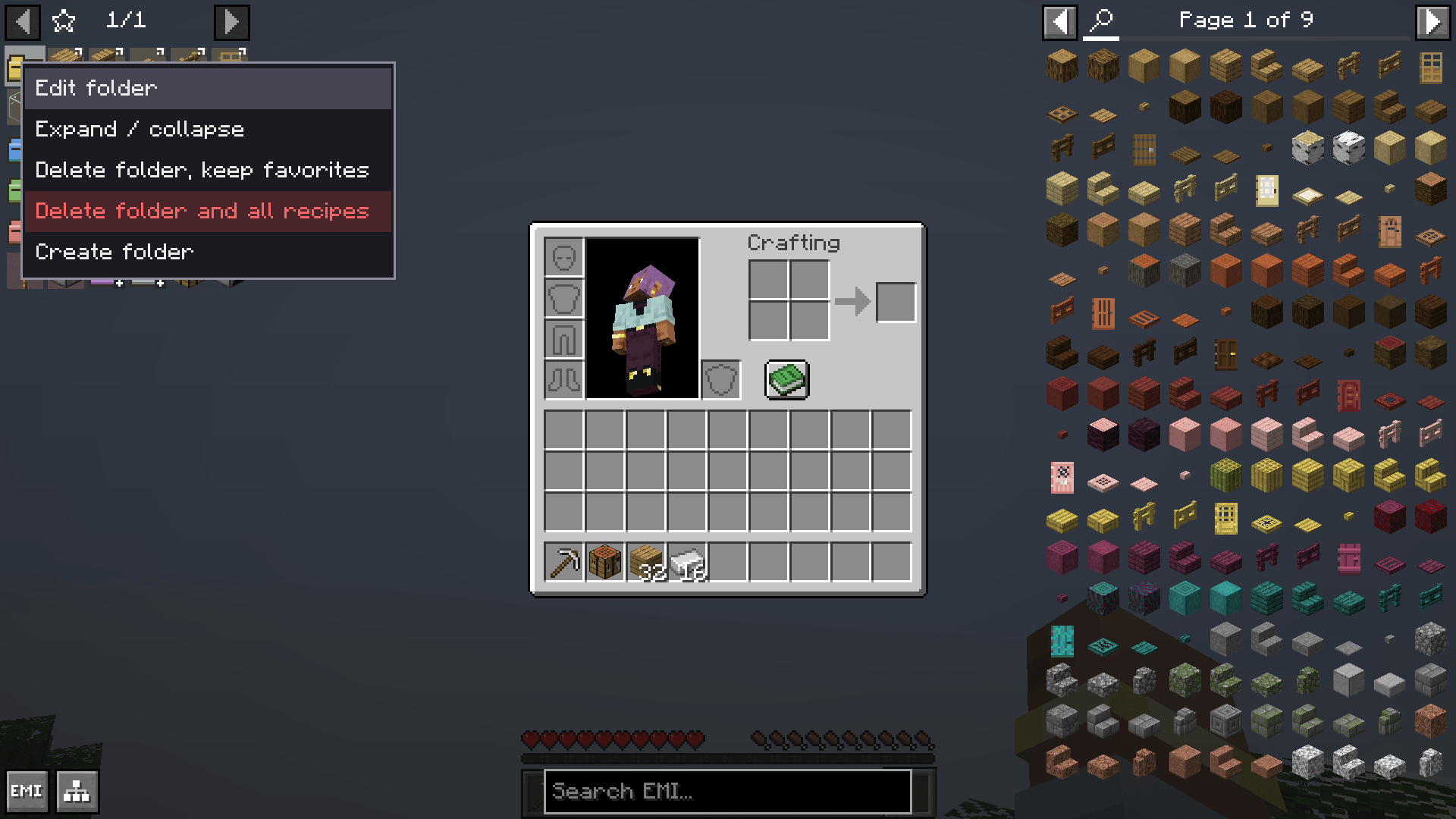 03-folder-context-menu.png 03-folder-context-menu.png
 -
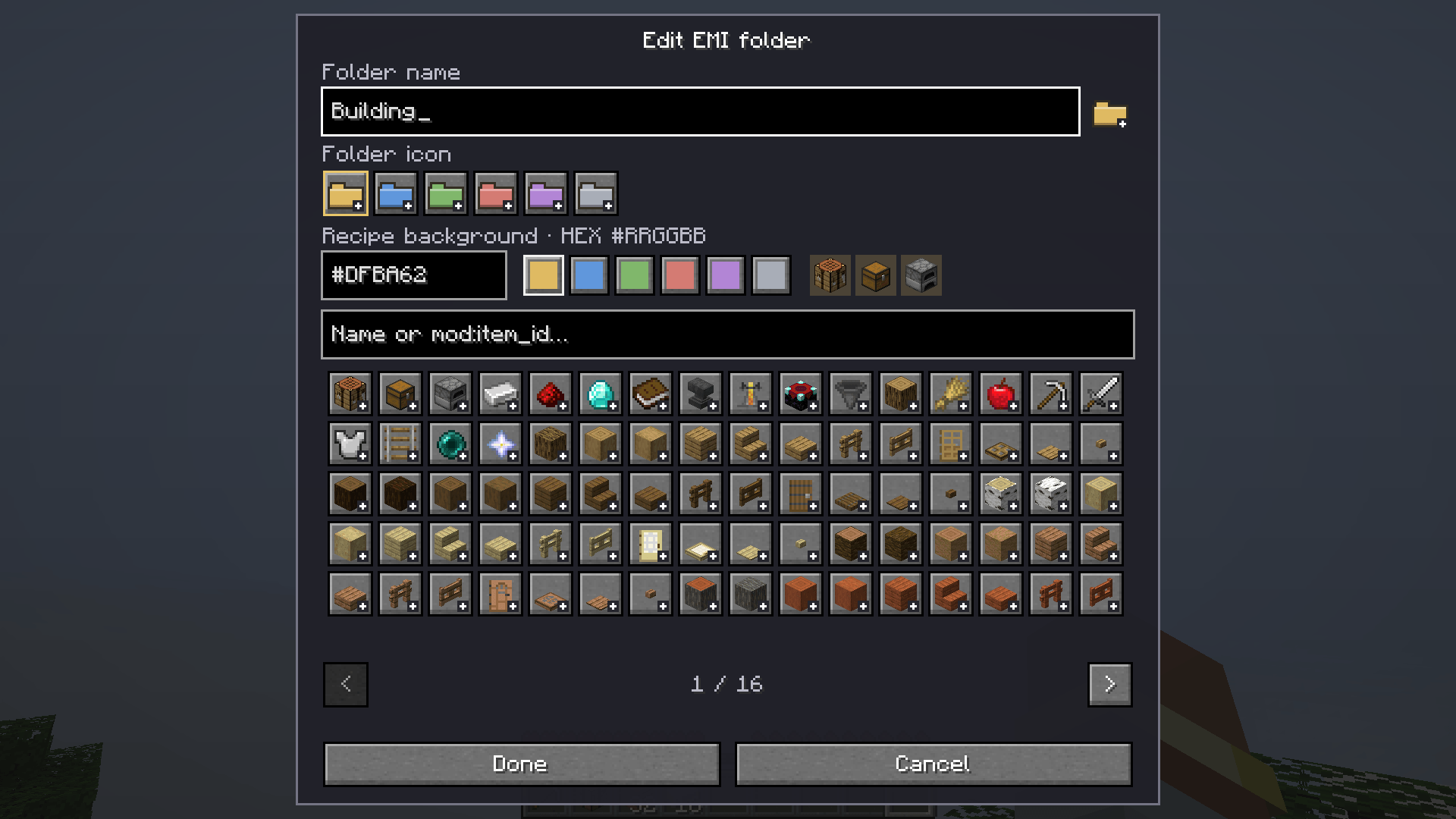 04-folder-editor.png 04-folder-editor.png
 -
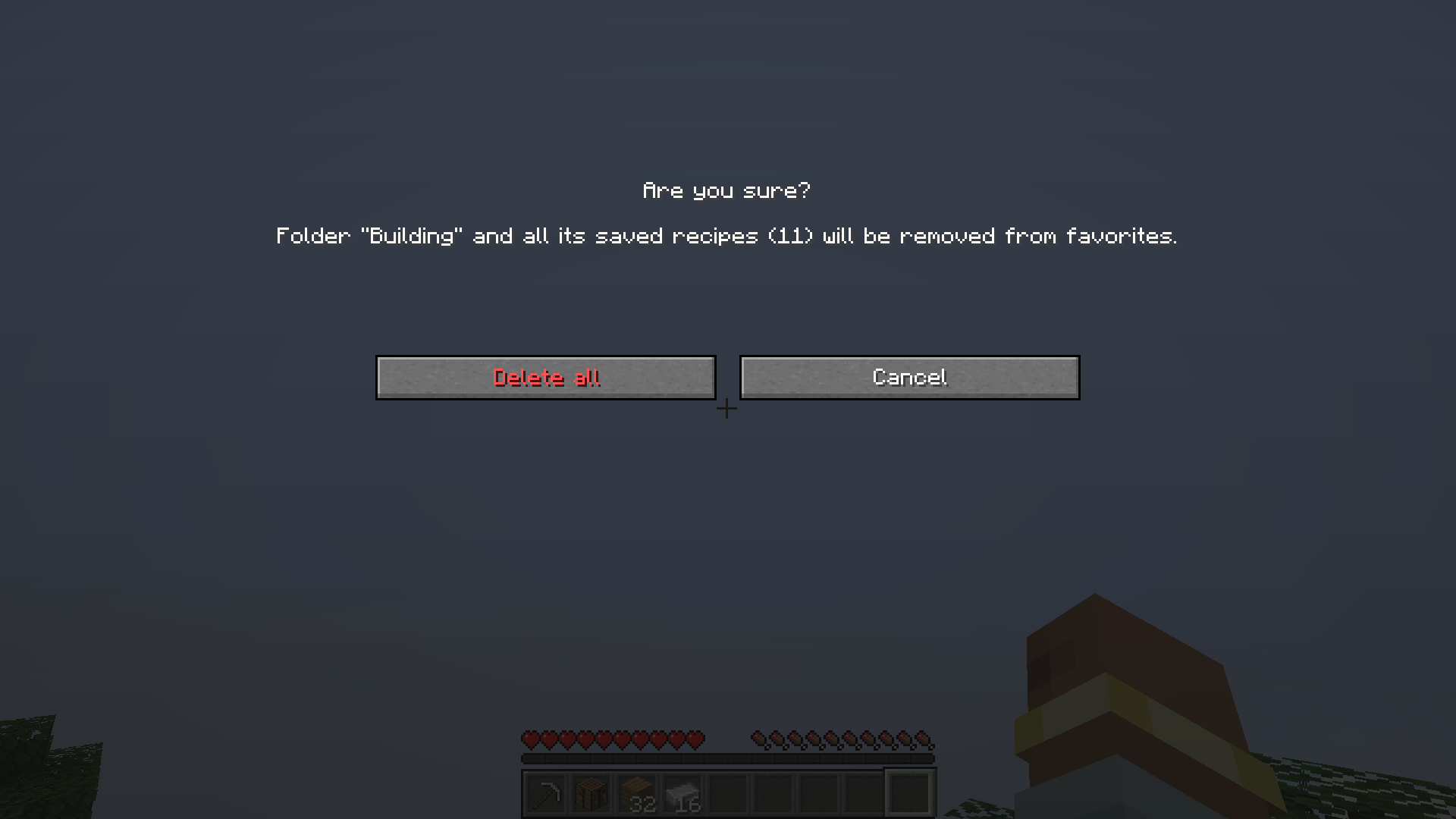 05-delete-confirmation.png 05-delete-confirmation.png
 -
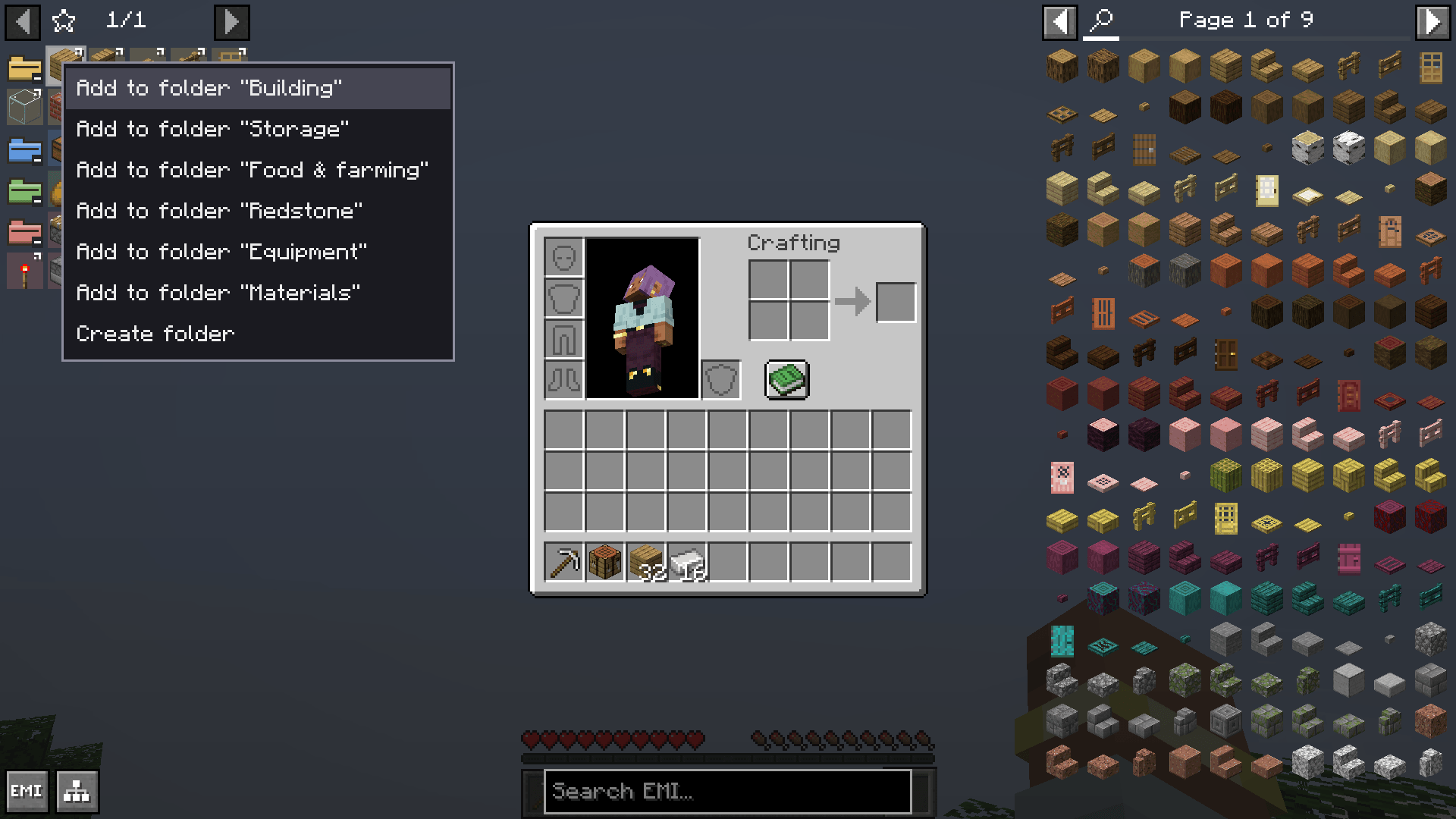 06-add-to-folder-menu.png 06-add-to-folder-menu.png
 -
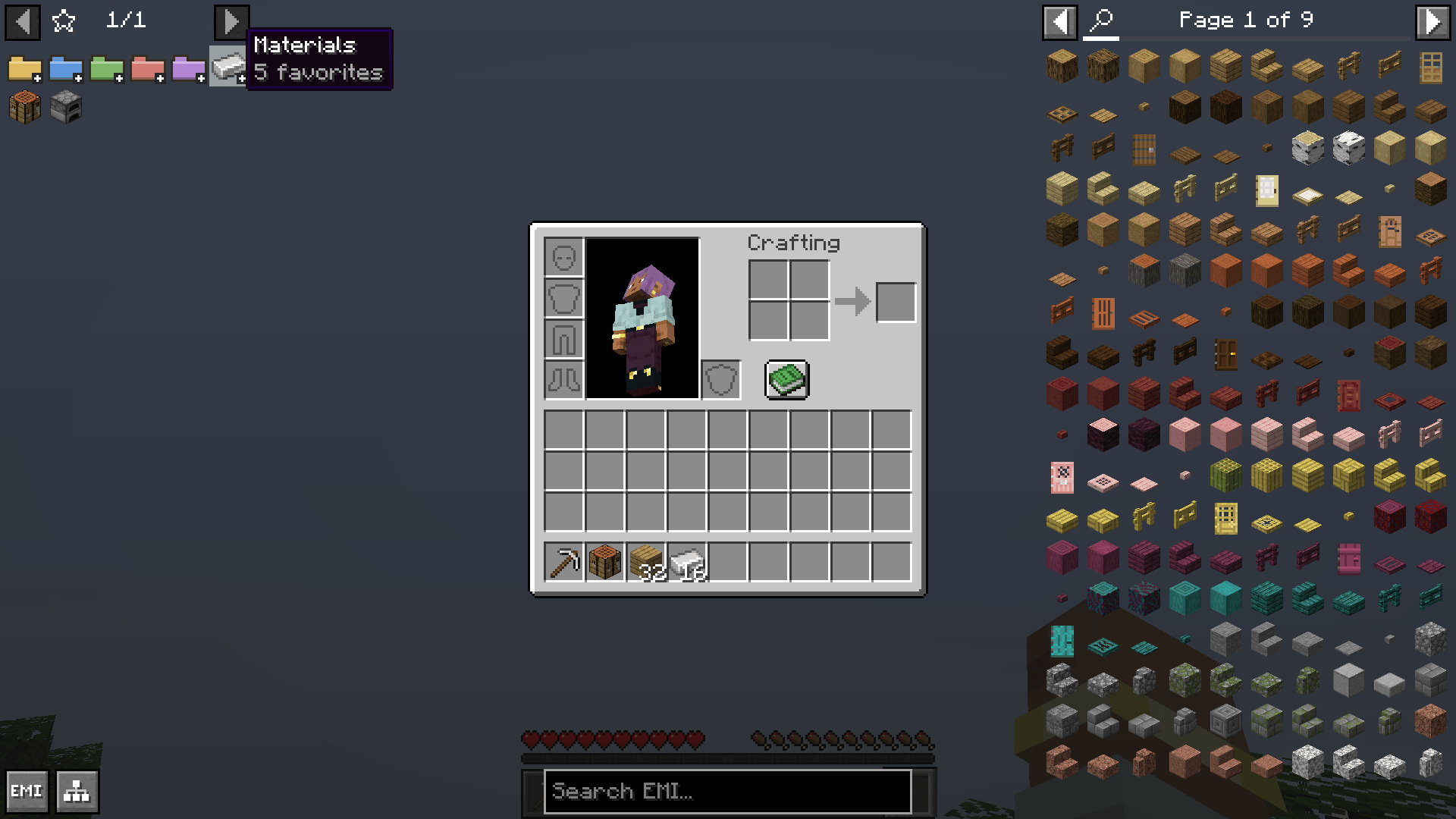 07-item-folder-icon.png 07-item-folder-icon.png
Versions
Files
Relations
Project Relations
More like this
Similar Mods
Suggestions use data such as tags, dependencies, dependents, descriptions, titles, and more to rank how much they overlap with this mod.
On ModDex
Community snapshot
By the numbers
Statistics

Get it on
Available Platforms
On ModDex
Community snapshot
By the numbers
Statistics
Resources