Community listing page, reviews may not be monitored by the author.
Emma's Stronghold Finder

No reviews yet
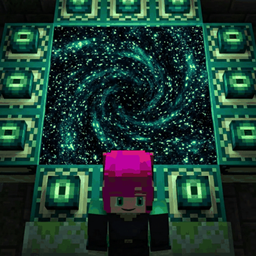
Throw one eye of ender and see where the stronghold is. F3+C mode and a no-mod desktop window for speedrun-style play.

Community voices
Reviews
No reviews yet. Be the first to review this project!
Get it on
Available Platforms
About
Project Details
For authors
Embed Badge
If you're the author of this project, you can embed a live badge anywhere that supports HTML or Markdown. It updates automatically whenever ratings change.
Use HTML for any page that supports it, or Markdown for README files and Markdown-based descriptions.
Identifiers
Platform IDs
About
Description
Emma's Stronghold Finder
Throw one eye of ender and the stronghold is pinned on your HUD: its Overworld and Nether coordinates, the distance and the direction from where you stand. If one throw can't settle it, it tells you exactly where to step before the next one.
Watch how it works (and the maths behind it): https://youtu.be/18dk8xQVLMY
Three ways to use it
- Exact mode (the mod, default) – just throw. No keypress. It reads only what your client is already sent about the eye's flight, and one throw settles it about 97% of the time (measured over 20,000 simulated throws). When it can't, it tells you how far to step so the next eye does.
- F3+C mode (the mod) – throw, look at the eye, press F3+C, like speedrun calculators. It plans your next throw spots and shows the stronghold with a certainty %. Default: 3 throws.
- Desktop app (no mod) – a small always-on-top window that reads only your F3+C text, for vanilla play. Free download: https://emmaandelric.us/stronghold-finder
Features
- Pin that stays – once found, the stronghold stays on your HUD, saved per world, in every dimension (Nether coordinates included).
- Where to step – the next throw spot with an arrow, distance and F3 facing.
- Aim and Throws settings (F3+C mode) – Aim: Careful, Normal, Relaxed or Loose, how far off the eye your crosshair really is. Throws: 2 to 5, how many throws to plan for (2 is meant for Nether travel).
- Languages – follows your Minecraft language: English, Deutsch, Español, Français, Português and 日本語.
- Symbols display – no words at all, for videos with several audio languages.
- Keys – J cycles the HUD (details, location only, off), Shift+J opens the options. Nothing takes your mouse or keyboard.
Fair play
No seed, no server data, no extra packets: only what the vanilla client already sees. The mod is made for normal play and is not speedrun.com-legal (leaderboard runs only allow listed mods). The desktop app isn't legal for runs either until the Minecraft speedrun moderators add it to their tool list.
Installation
Client only. Install Fabric Loader, Fabric API and this jar for Minecraft 26.3. Works on any server, single player included. F3+C mode needs F3+C to be allowed (servers with reduced debug info turn it off; use Exact mode there).
Support
Need help or found a bug? Open an issue on GitHub: https://github.com/DragonbornElric/Emma-Stronghold-Finder-Issues, or catch the livestream at twitch.tv/Elric_Heart and ask. Comments here aren't monitored for support.
Made by Elric Heart, starring Emma. LGPL-3.0 licensed. Built live on stream: twitch.tv/Elric_Heart
Screenshots
Gallery
Versions
Files
Relations
Project Relations
More like this
Similar Mods
Suggestions use data such as tags, dependencies, dependents, descriptions, titles, and more to rank how much they overlap with this mod.
On ModDex
Community snapshot
By the numbers
Statistics

Get it on
Available Platforms
On ModDex
Community snapshot
By the numbers