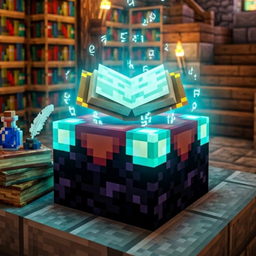
Community listing page, reviews may not be monitored by the author.
EnchantLens

No reviews yet
Enchantment description and details for books, items and enchanting table previews: item icons, levels, descriptions and conflicts.

Community voices
Reviews
No reviews yet. Be the first to review this project!
Get it on
Available Platforms
About
Project Details
For authors
Embed Badge
If you're the author of this project, you can embed a live badge anywhere that supports HTML or Markdown. It updates automatically whenever ratings change.
Use HTML for any page that supports it, or Markdown for README files and Markdown-based descriptions.
Identifiers
Platform IDs
Resources
External Links
About
Description
# EnchantLens — see every enchantment before you spend your lapis
EnchantLens is a lightweight, **100% client-side** Fabric mod that adds a clear,
readable information layer over Minecraft's enchanting system. Place an item in an
enchanting table — or inspect an enchanted book, an armor piece or a librarian trade —
and EnchantLens shows you exactly which enchantments are possible, at which levels,
and what each of them does, rendered in-game with vanilla-style item icons.
No wikis, no guesswork, no leaving your world.
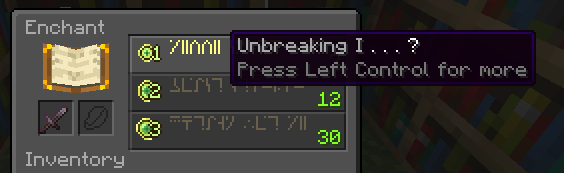
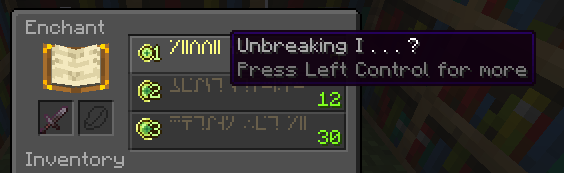
*The enchanting table with EnchantLens active.*
## ✦ Possible enchantments, at a glance
Toggle the overlay (default: **Alt**) to see every enchantment the item can receive,
straight from the game's own data — accurate for your Minecraft version.
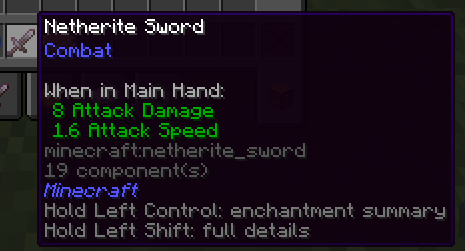
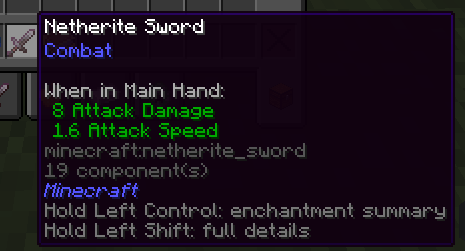
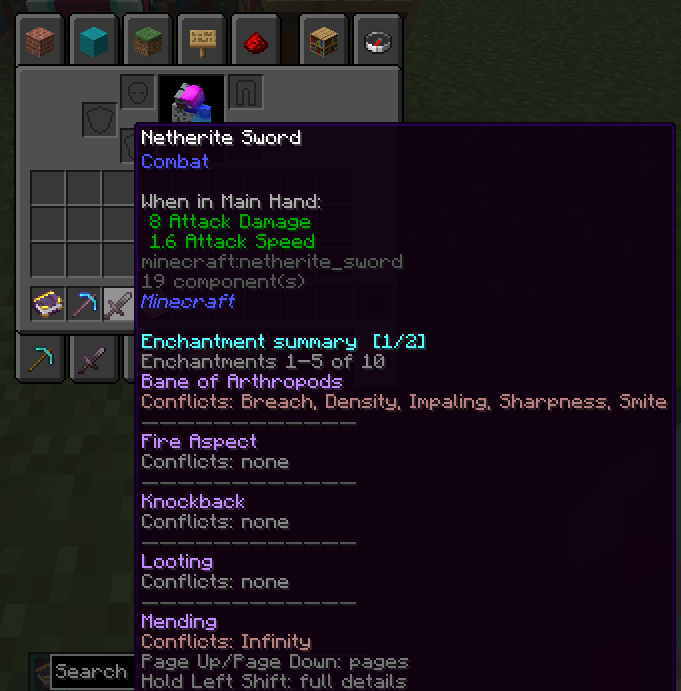
*An unenchanted item and its possible enchantments.*
## ✦ Short form & long form
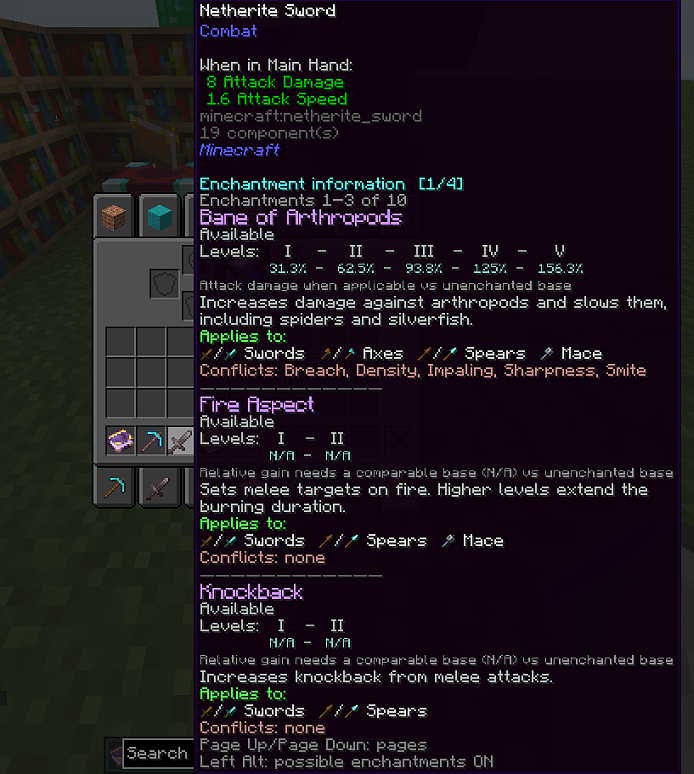
Need a quick list? Use the **short form**. Want levels, conflicts and full
descriptions? The **long form** gives you everything, paginated with **PageUp / PageDown**.
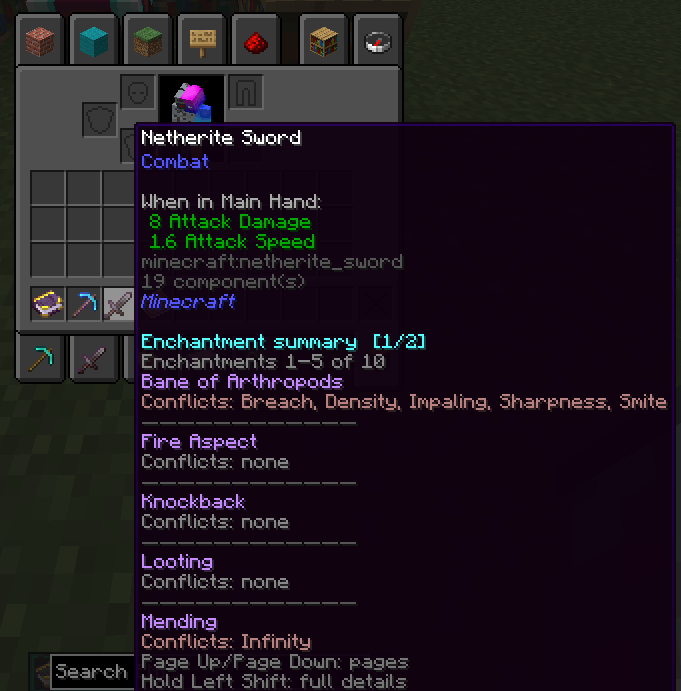
*Short form — the compact summary.*
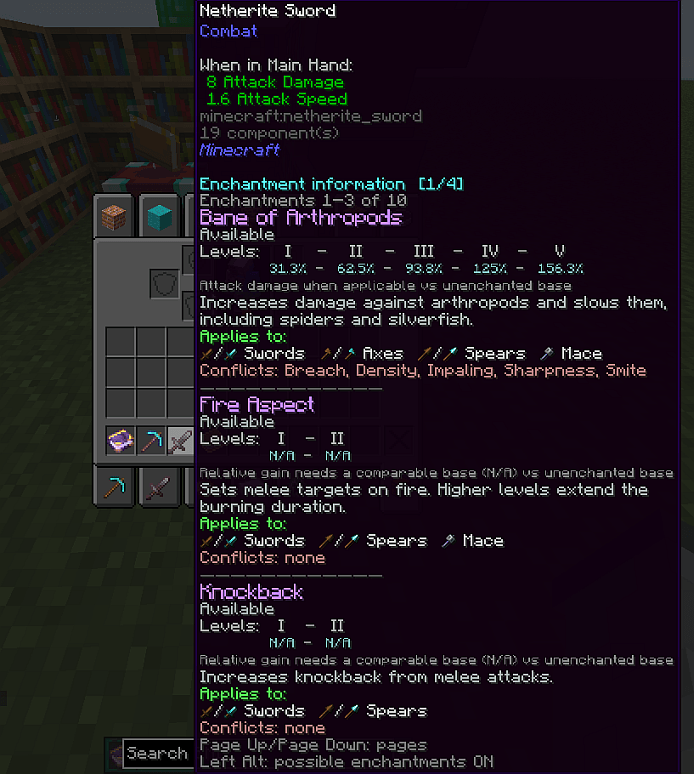
*Long form — the complete, paginated report.*
## ✦ Hold-to-inspect details
Hold **Ctrl** over the enchanting table or an item stack for full details on a single
item; hold **Shift** to inspect multiple stacks at once.
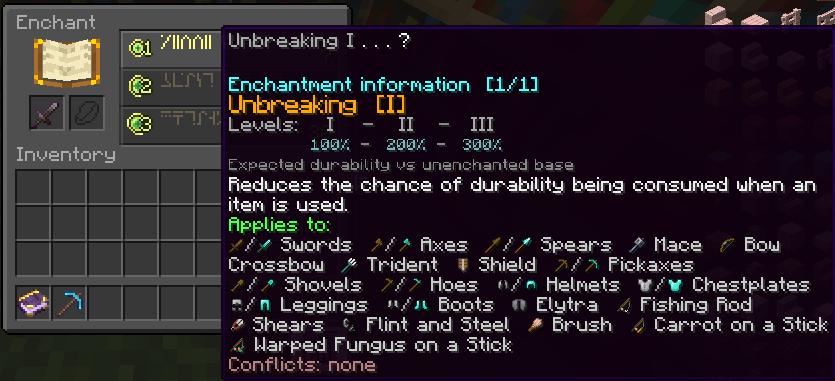
*Holding Ctrl at the enchanting table — single-item details.*
## ✦ Enchanted books & book planning
Inspect any enchanted book on its own, or preview exactly what a book will contribute
when combined with an item — in short or long form.
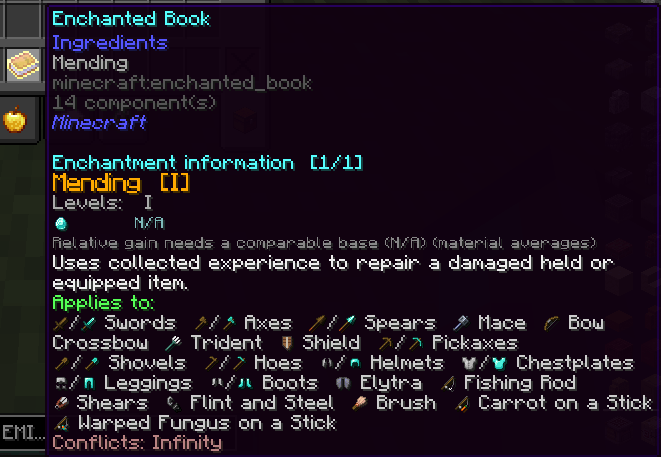
*An enchanted book, fully decoded.*
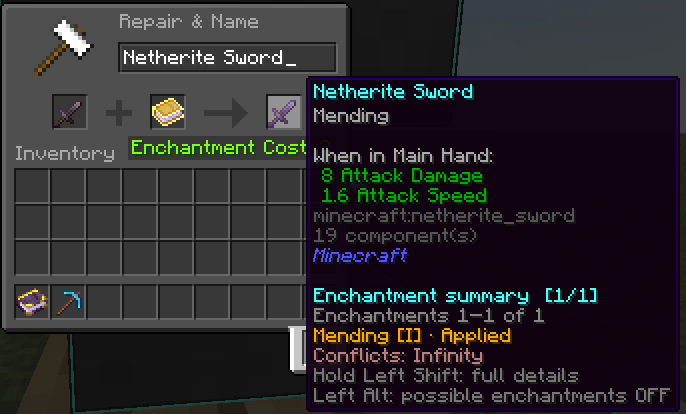
*Combining a book with an item — what you'll get.*
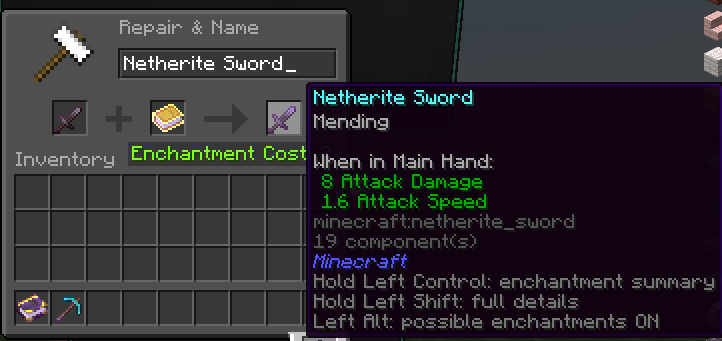
*Book + item, short form.*
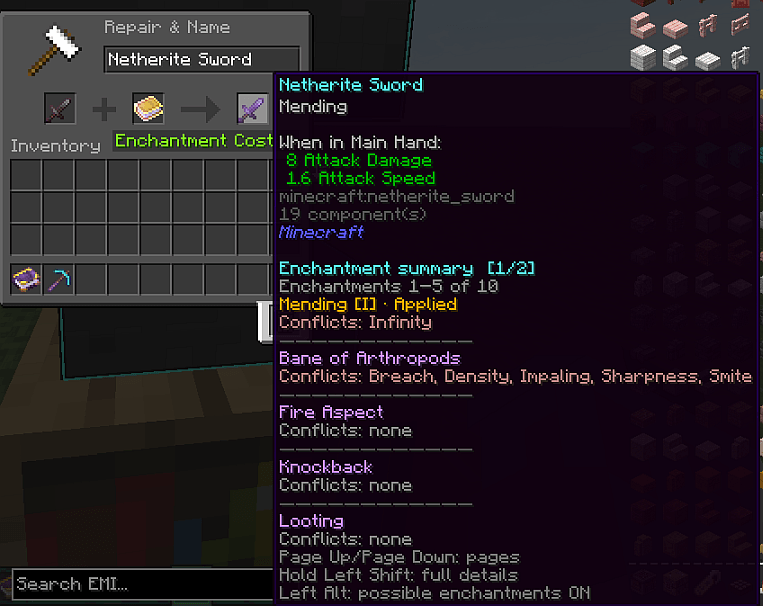
*Book + item, long form.*
## ✦ Villager trade insight
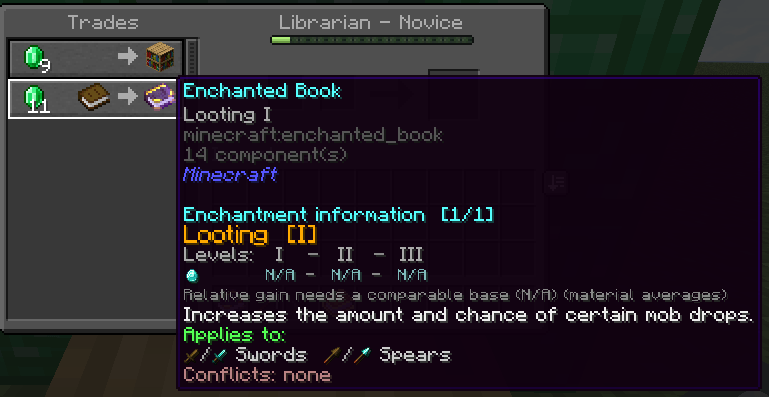
Librarian offers are covered too: check exactly which enchantment (and level) you are
buying before you spend your emeralds.
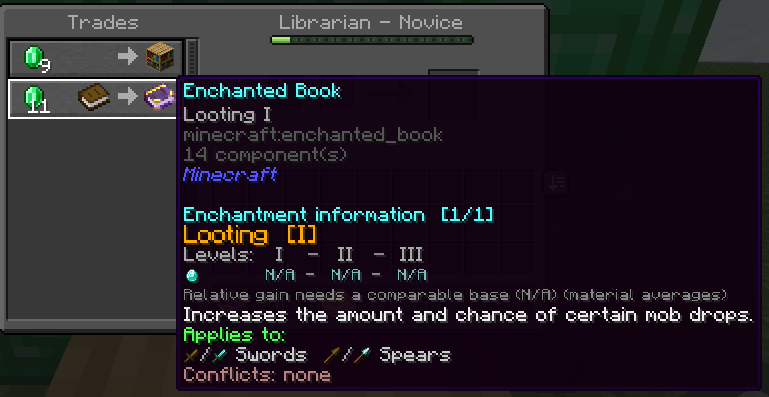
*A librarian trade inspected with EnchantLens.*
## ✦ Every enchantable item type
Swords, pickaxes, rods, armor… each item type gets its correct, version-accurate
enchantment pool.
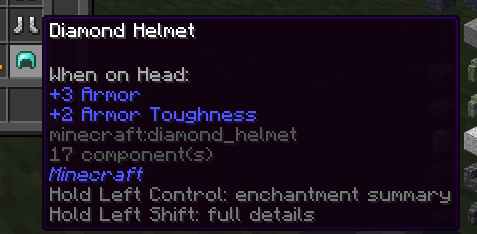
*An armor piece and its possible enchantments.*
## ✦ Vanilla-look & feel
Icons and text are drawn with custom in-game fonts built from real item textures, so
the overlay looks like part of Minecraft instead of a bolted-on HUD.
## ⌨ Controls (defaults)
| Key | Action |
|---|---|
| **Alt** | Toggle the possible-enchantments overlay |
| **Ctrl** (hold) | Full details — single item / table summary |
| **Shift** (hold) | Details for multiple items at once |
| **PageUp / PageDown** | Navigate pages |
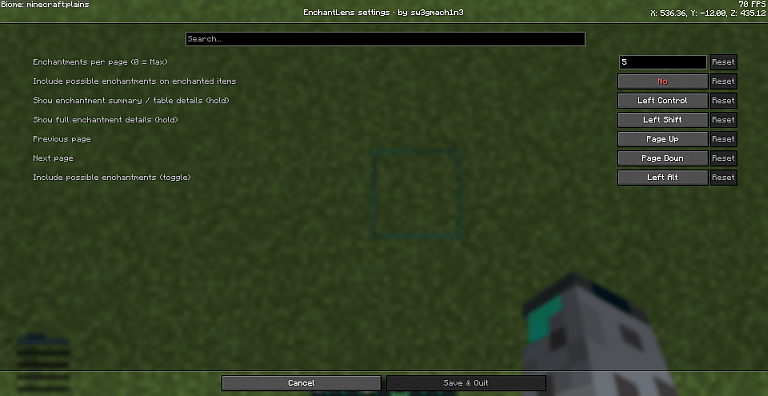
Every binding can be changed in **Options → Key Binds**, and the mod itself is
configured in **Mod Menu → EnchantLens → Configure** (page size — 0 = maximum, shared
key binds and more). Changes apply when saved.
## ⚙ Requirements & compatibility
- **Loader:** Fabric Loader + Fabric API
- **Config screen:** Cloth Config (**Mod Menu** recommended to open it)
- **Side:** client-only — works on vanilla servers, Realms and modded servers with no server-side install
- **Versions:** 1.18.2 up to 26.2 — see the Files tab for the exact list per release
## ❓ FAQ
**Does it work on multiplayer?** Yes. EnchantLens is purely client-side; just drop it in your client's `mods` folder.
**Does it change enchanting mechanics?** No. It only displays information the game already contains — nothing is added, removed or rerolled.
**Is it safe to add/remove at any time?** Yes, it touches no world data.
Screenshots
Gallery
-
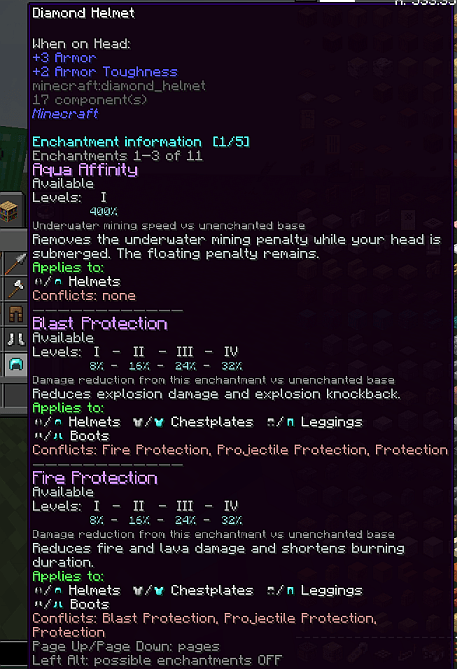 Armor piece long form.png Armor piece long form.png
 -
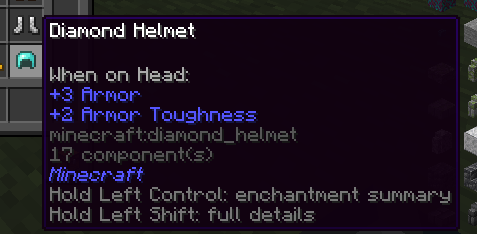 Armor piece.png Armor piece.png
 -
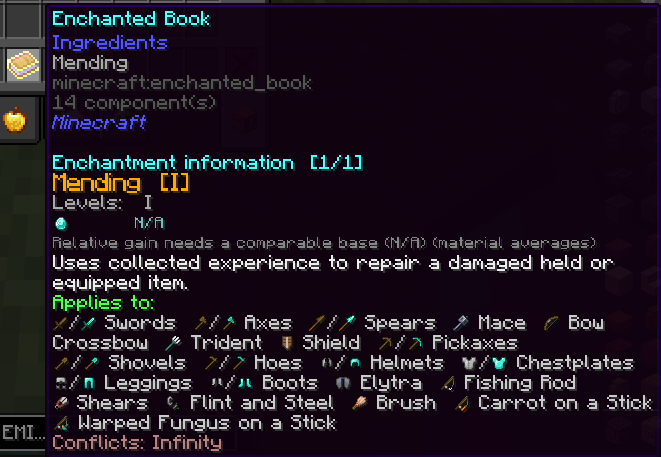 Enchanted book.png Enchanted book.png
 -
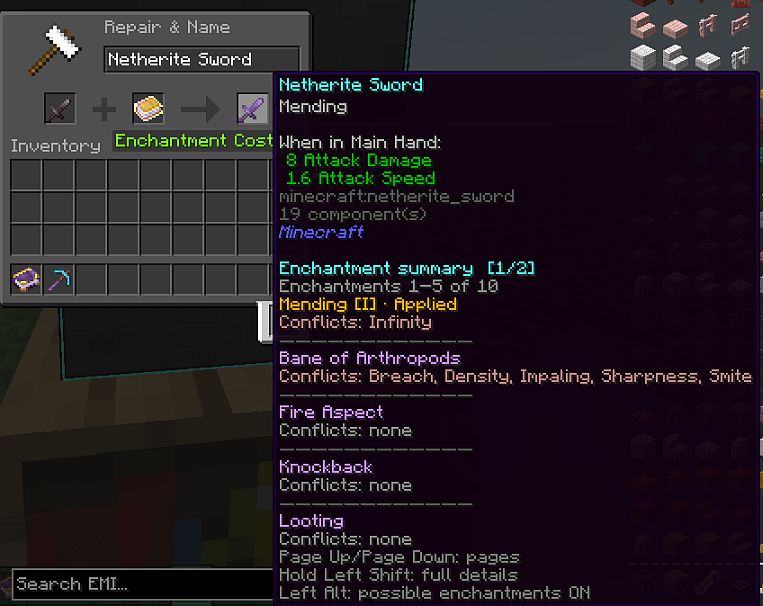 Enchanting item with a book long form.png Enchanting item with a book long form.png
 -
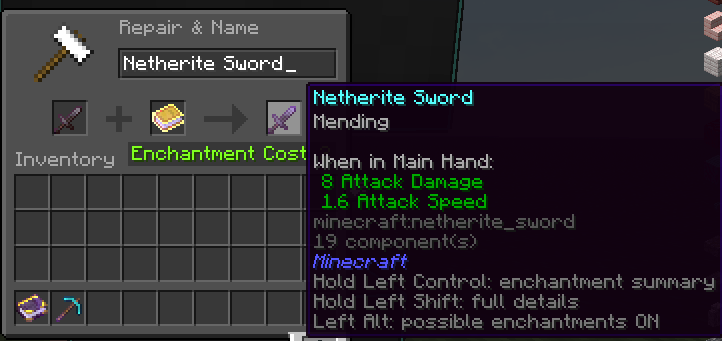 Enchanting item with a book short form.png Enchanting item with a book short form.png
 -
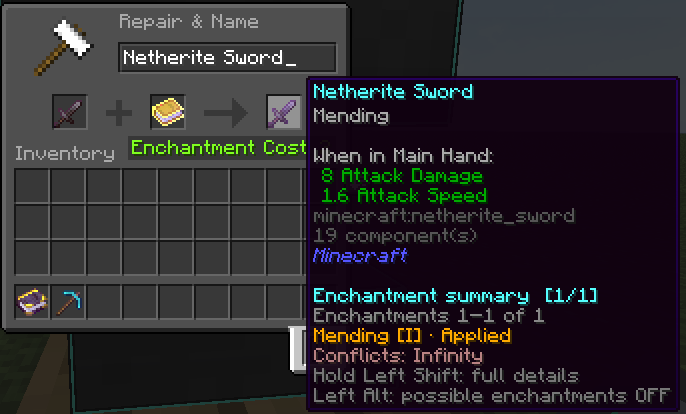 Enchanting item with a book.png Enchanting item with a book.png
 -
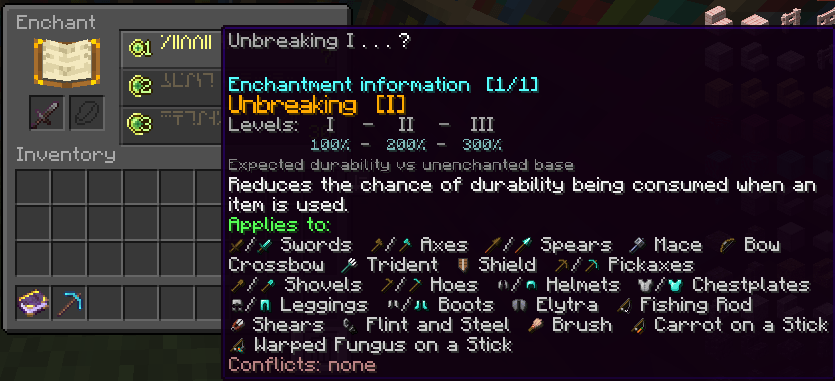 Enchanting table after pressig CTRL.png Enchanting table after pressig CTRL.png
 -
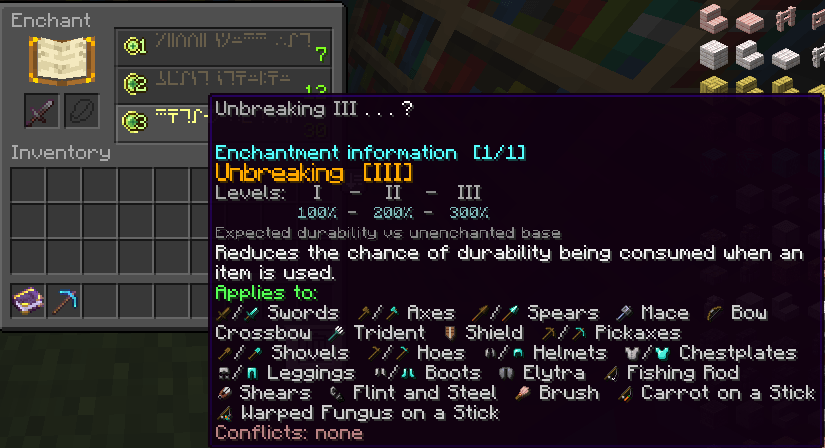 Enchanting table after pressing CTRL 2.png Enchanting table after pressing CTRL 2.png
 -
 Enchanting table.png Enchanting table.png
 -
 Settings.png Settings.png
 -
 Unenchanted item.png Unenchanted item.png
 -
 Unenchanted ittem long form.png Unenchanted ittem long form.png
 -
 Unenchanted ittem short form.png Unenchanted ittem short form.png
 -
 Villager enchanting.png Villager enchanting.png
Versions
Files
Relations
Project Relations
More like this
Similar Mods
Suggestions use data such as tags, dependencies, dependents, descriptions, titles, and more to rank how much they overlap with this mod.
On ModDex
Community snapshot
By the numbers
Statistics

Get it on
Available Platforms
On ModDex
Community snapshot
By the numbers
Statistics
Resources