Community listing page, reviews here may not be monitored by the author.
Enchantments Enhanced


No reviews yet
transforms Minecraft's enchanting table into a clear, deterministic **Enchantment Workbench**. Instead of relying on random offers, you can browse compatible enchantments, choose their levels, review the exact cost, and enchant your item with confidence.
Community voices
Reviews
No reviews yet. Be the first to review this project!
Get it on
Available Platforms
Compatibility
Supported Environments
Must be installed on both the client and the server.
About
Project Details
For authors
Embed Badge
If you're the author of this project, you can embed a live badge anywhere that supports HTML or Markdown. It updates automatically whenever ratings change.
Use HTML for any page that supports it, or Markdown for README files and Markdown-based descriptions.
Identifiers
Platform IDs
About
Description
# Enchantments Enhanced
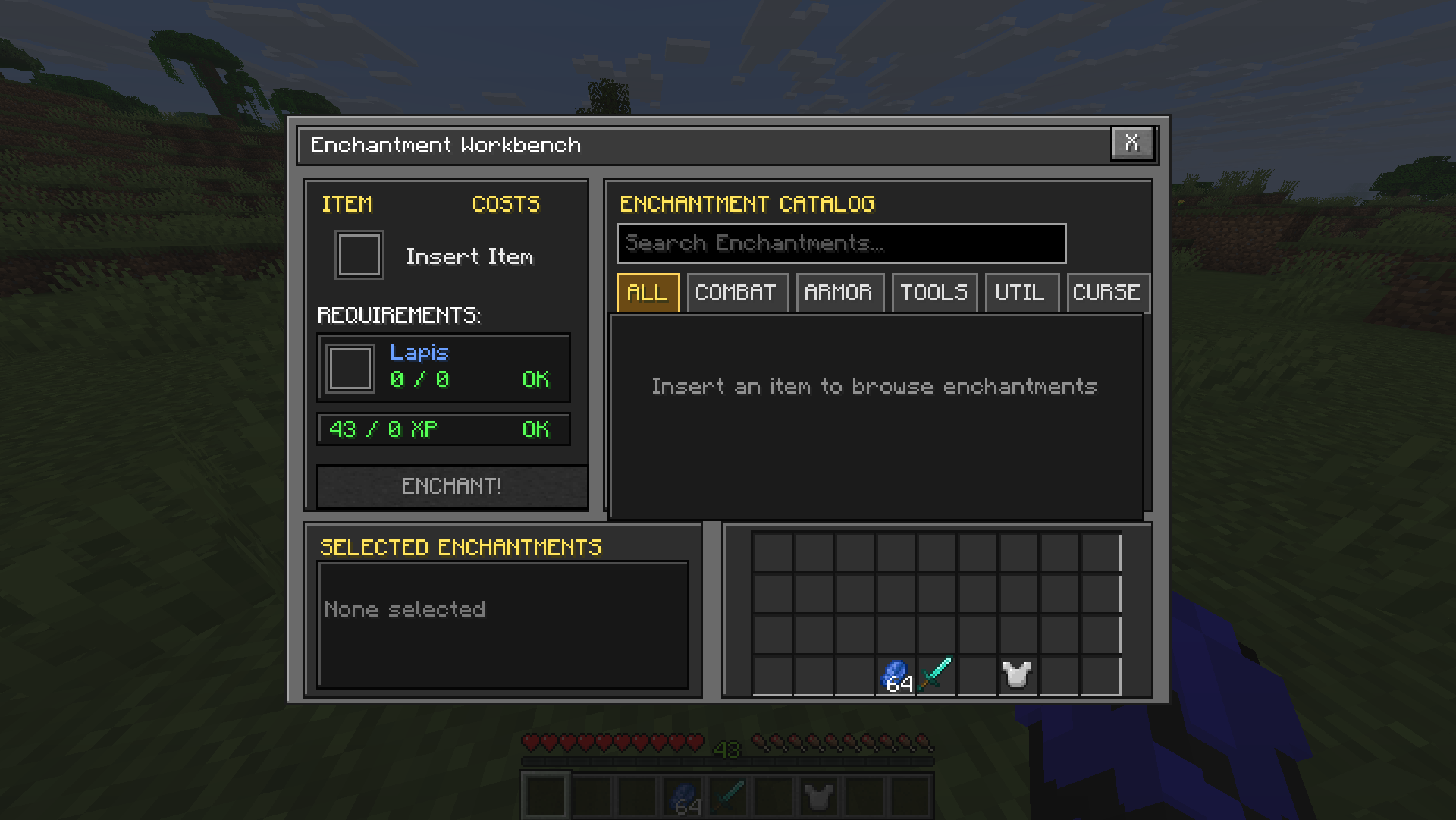
**Enchantments Enhanced** transforms Minecraft's enchanting table into a clear, deterministic **Enchantment Workbench**. Instead of relying on random offers, you can browse compatible enchantments, choose their levels, review the exact cost, and enchant your item with confidence.
## Features
- Choose exactly which enchantments you want.
- Select the desired enchantment level.
- Browse enchantments by category.
- Search the complete enchantment catalog.
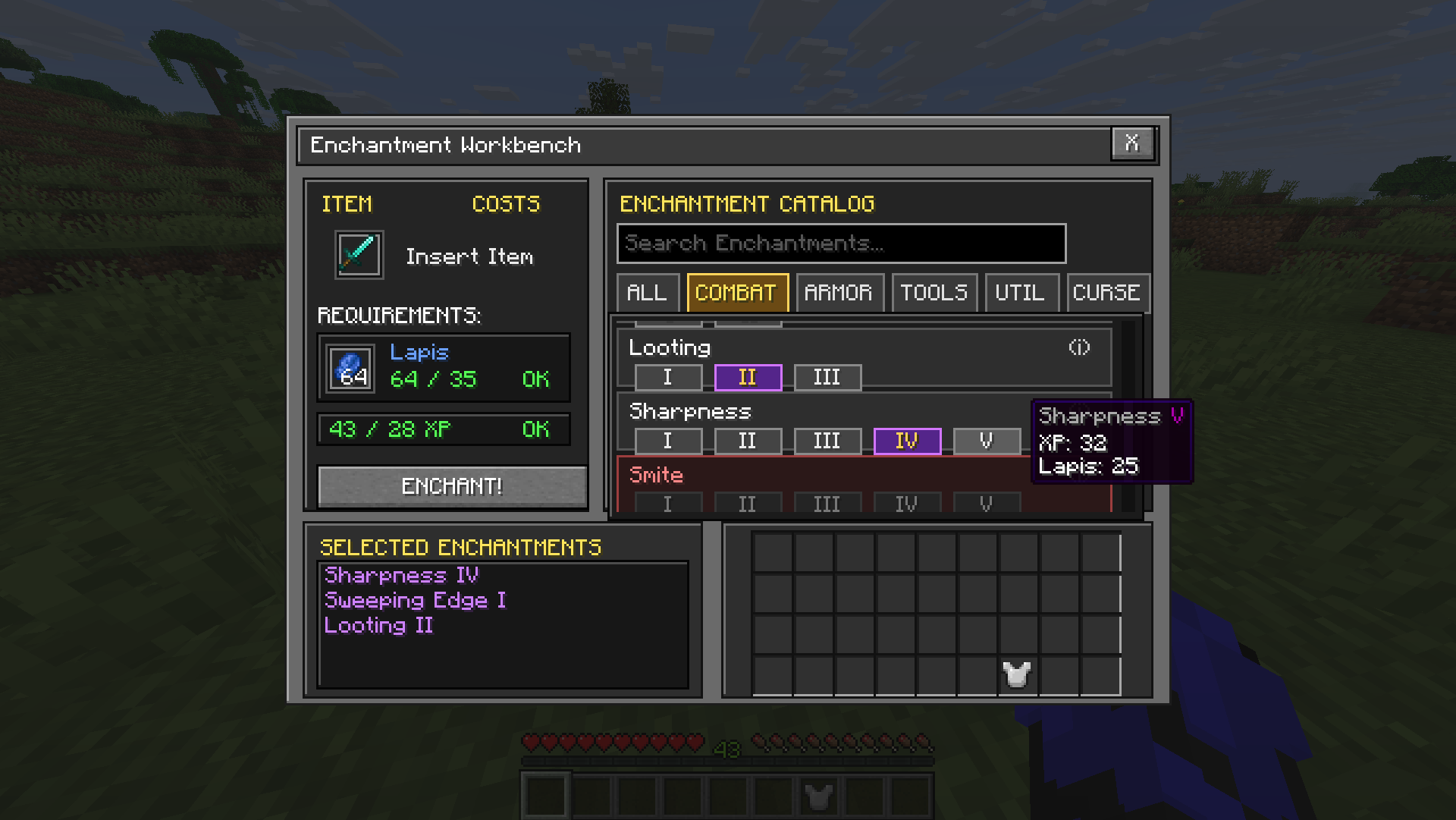
- View detailed information by hovering over the information icon.
- See incompatible and unavailable enchantments clearly.
- Review exact lapis lazuli and experience costs before enchanting.
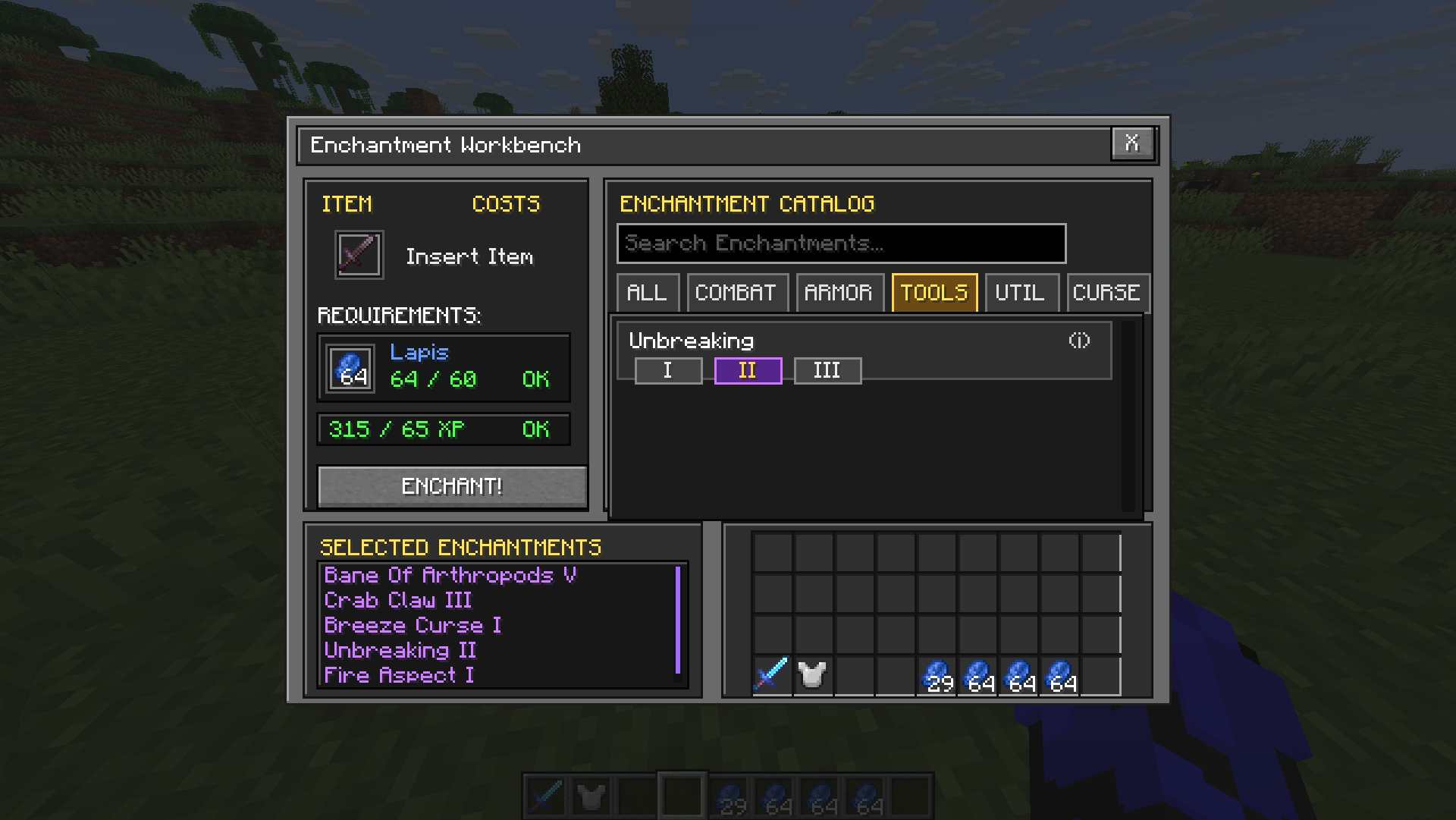
- Manage multiple selected enchantments in a scrollable list.
- Use your normal inventory directly from the workbench.
- Enjoy a compact interface designed to match Minecraft's visual style.
## How It Works
1. Open an enchanting table.
2. Place a compatible item into the item slot.
3. Browse or search for available enchantments.
4. Select the level of each enchantment you want.
5. Check the required lapis lazuli and experience.
6. Press **Enchant** to apply your selections.
The catalog automatically adapts to the inserted item and helps identify enchantment conflicts.
## Enchantment Catalog
Enchantments are organized into convenient categories:
- **All**
- **Combat**
- **Armor**
- **Tools**
- **Utility**
- **Curses**
Use the search field to find a specific enchantment quickly. Hover over an enchantment's information icon to learn what it does and review other useful details.
## Requirements
| Requirement | Details |
|---|---|
| **Minecraft** | 26.1.2 |
| **Mod loader** | Fabric |
| **Dependency** | Fabric API |
| **Environment** | Client and server |
| **Java** | Java 25 |
The mod must be installed on both the client and server. In single-player, installing it normally in your `mods` folder is sufficient.
## Installation
1. Install the Fabric Loader for the supported Minecraft version.
2. Install Fabric API.
3. Place **Enchantments Enhanced** in your Minecraft `mods` folder.
4. Launch Minecraft using the Fabric profile.
## Compatibility
Enchantments Enhanced reworks the vanilla enchanting-table interface and behavior. Mods that also replace or heavily modify the enchanting-table screen may conflict with it.
## Feedback and Bug Reports
Found a bug or have an idea for an improvement?
- [Source code](https://github.com/hmedopen/enchantments-enhanced)
- [Report an issue](https://github.com/hmedopen/enchantments-enhanced/issues)
When reporting a problem, please include your Minecraft version, Fabric Loader version, Fabric API version, installed mods, and any relevant screenshots or logs.
## License
Enchantments Enhanced is available under the **MIT License**.
---
Created by **hmed**.
Enchantments Enhanced
Enchantments Enhanced transforms Minecraft's enchanting table into a clear, deterministic Enchantment Workbench. Instead of relying on random offers, you can browse compatible enchantments, choose their levels, review the exact cost, and enchant your item with confidence.
Features
- Choose exactly which enchantments you want.
- Select the desired enchantment level.
- Browse enchantments by category.
- Search the complete enchantment catalog.
- View detailed information by hovering over the information icon.
- See incompatible and unavailable enchantments clearly.
- Review exact lapis lazuli and experience costs before enchanting.
- Manage multiple selected enchantments in a scrollable list.
- Use your normal inventory directly from the workbench.
- Enjoy a compact interface designed to match Minecraft's visual style.
How It Works
- Open an enchanting table.
- Place a compatible item into the item slot.
- Browse or search for available enchantments.
- Select the level of each enchantment you want.
- Check the required lapis lazuli and experience.
- Press Enchant to apply your selections.
The catalog automatically adapts to the inserted item and helps identify enchantment conflicts.
Enchantment Catalog
Enchantments are organized into convenient categories:
- All
- Combat
- Armor
- Tools
- Utility
- Curses
Use the search field to find a specific enchantment quickly. Hover over an enchantment's information icon to learn what it does and review other useful details.
Requirements
| Requirement | Details |
|---|---|
| Minecraft | 26.1.2 |
| Mod loader | Fabric |
| Dependency | Fabric API |
| Environment | Client and server |
| Java | Java 25 |
The mod must be installed on both the client and server. In single-player, installing it normally in your mods folder is sufficient.
Installation
- Install the Fabric Loader for the supported Minecraft version.
- Install Fabric API.
- Place Enchantments Enhanced in your Minecraft
modsfolder. - Launch Minecraft using the Fabric profile.
Compatibility
Enchantments Enhanced reworks the vanilla enchanting-table interface and behavior. Mods that also replace or heavily modify the enchanting-table screen may conflict with it.
Feedback and Bug Reports
Found a bug or have an idea for an improvement?
When reporting a problem, please include your Minecraft version, Fabric Loader version, Fabric API version, installed mods, and any relevant screenshots or logs.
License
Enchantments Enhanced is available under the MIT License.
Created by hmed.
Screenshots
Gallery
-
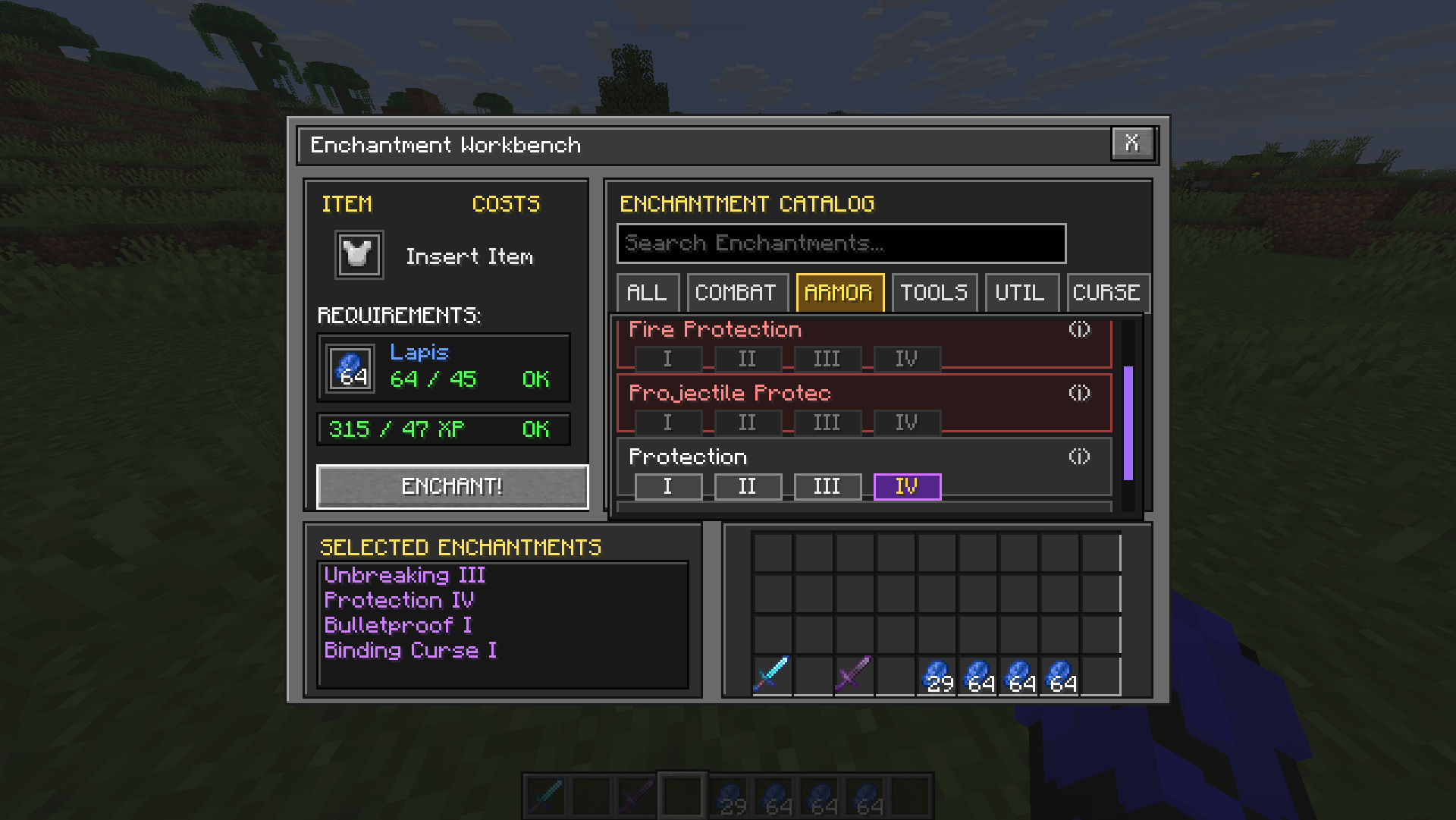
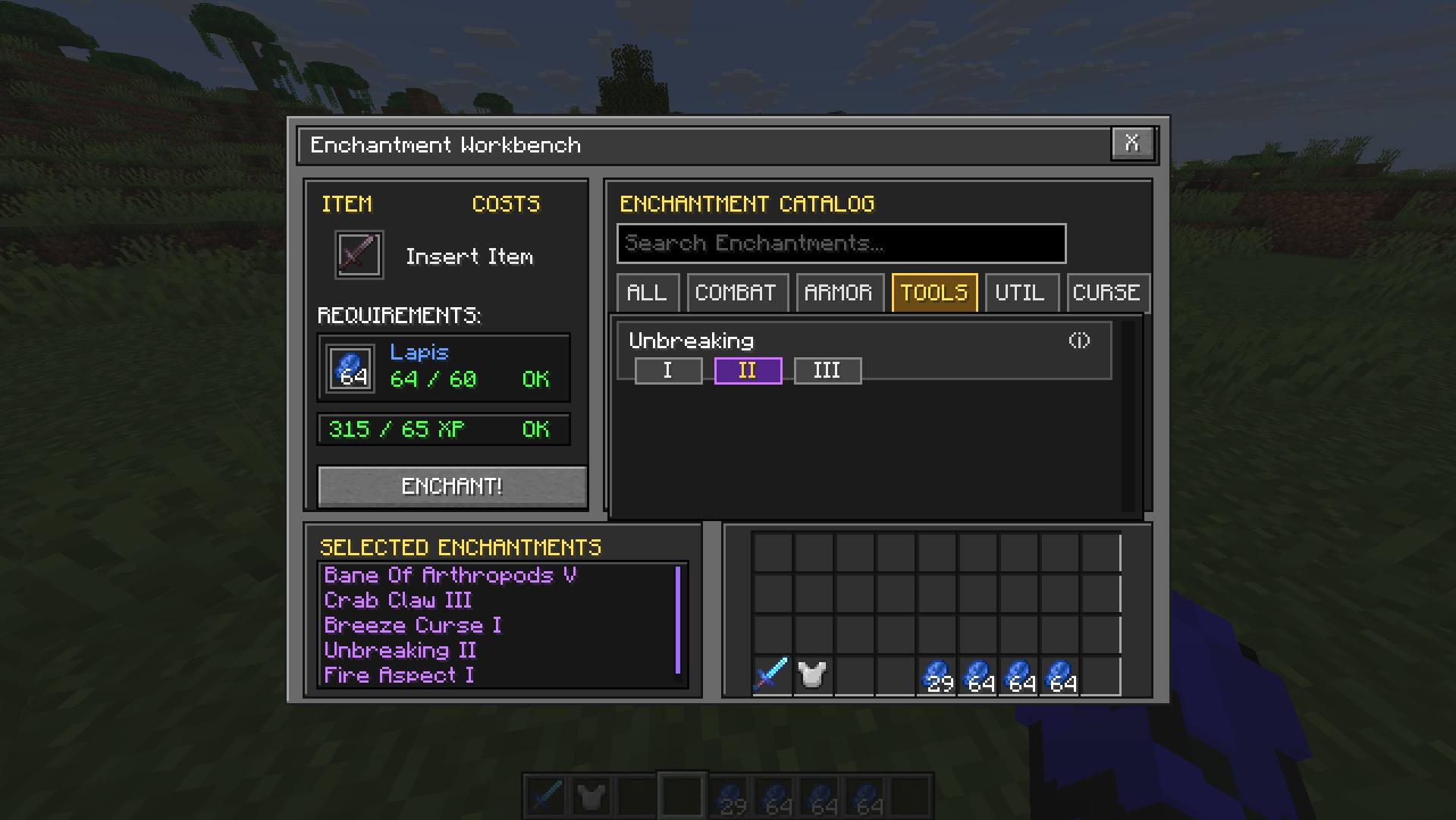 multiple-selected-enchantments.png multiple-selected-enchantments.png
 -
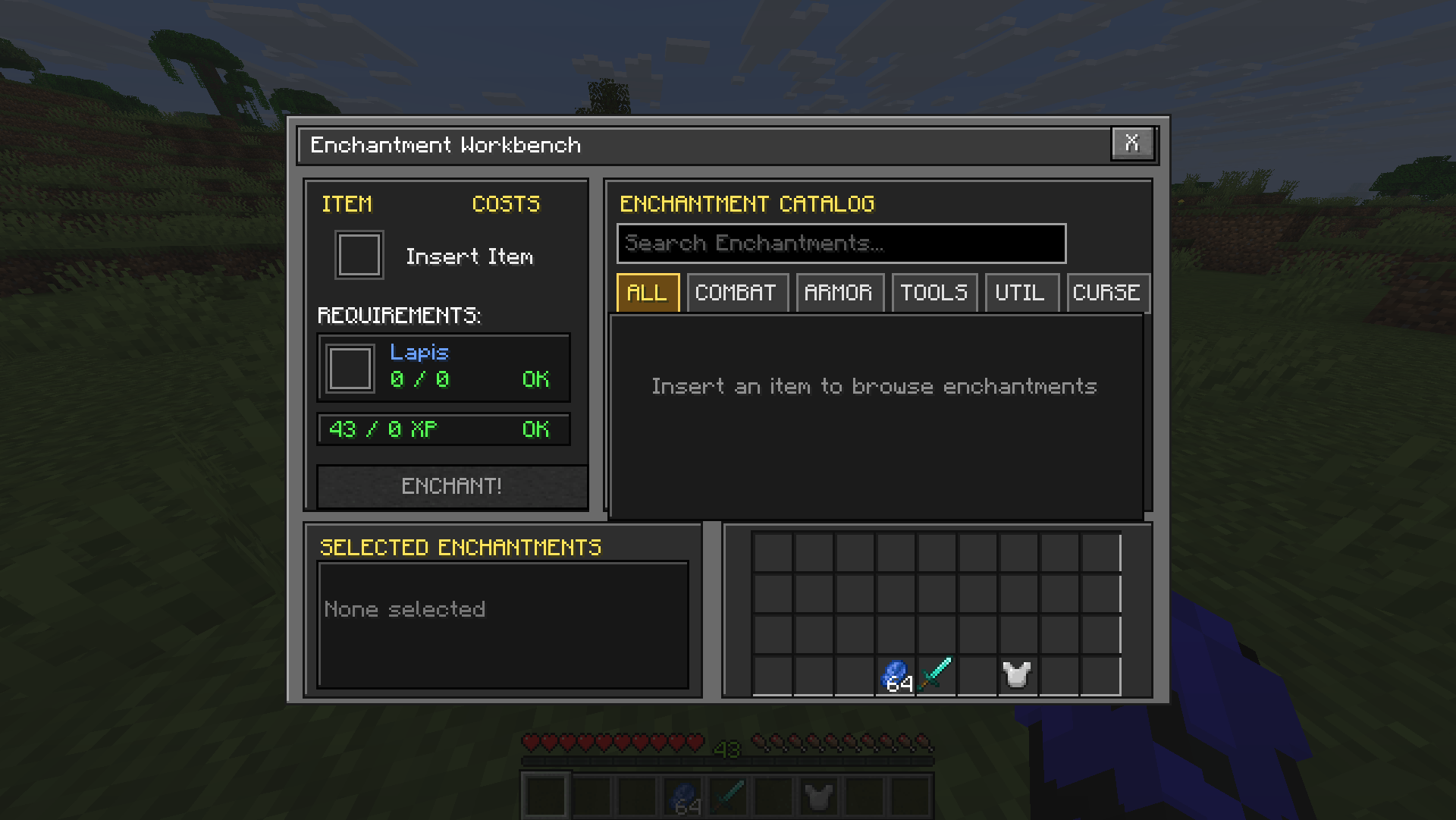 enchantment-workbench-clean-interface.png enchantment-workbench-clean-interface.png
 -
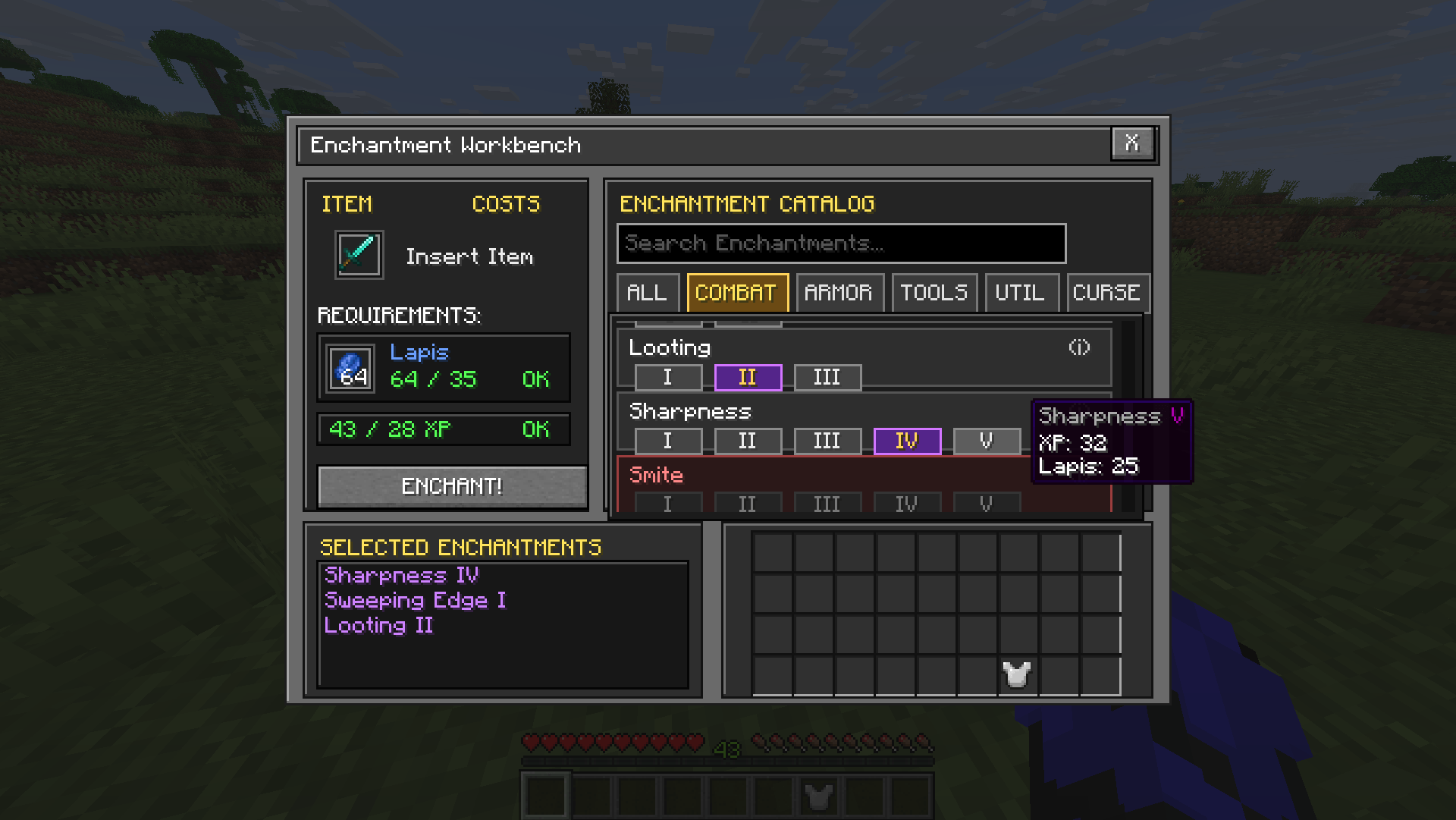 combat-enchantments-and-costs.png combat-enchantments-and-costs.png
 -
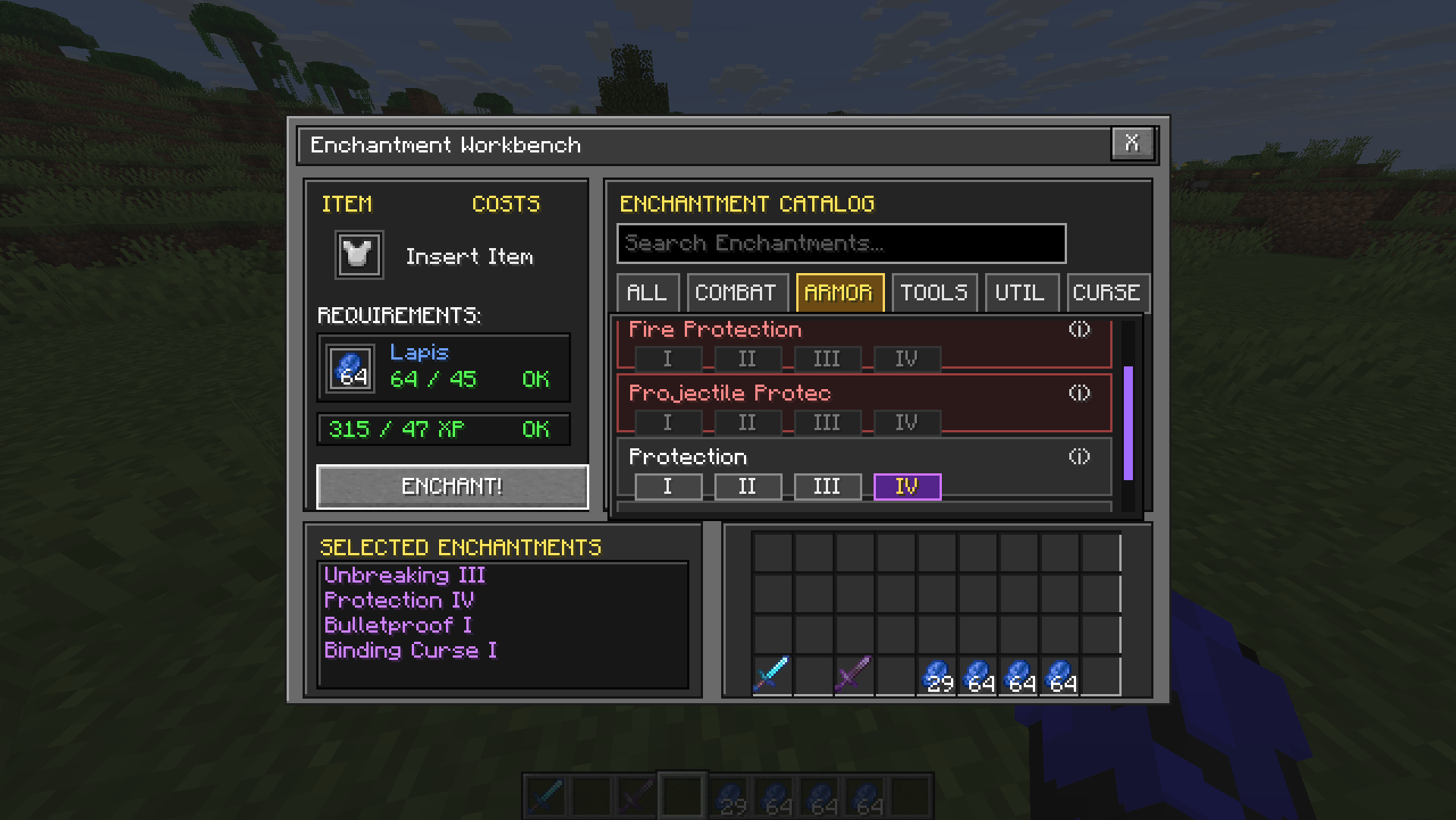 armor-enchantments-and-conflicts.png armor-enchantments-and-conflicts.png
Versions
Files
Relations
Project Relations
More like this
Similar Mods
Suggestions use data such as tags, dependencies, dependents, descriptions, titles, and more to rank how much they overlap with this mod.
On ModDex
Community snapshot
By the numbers
Statistics
Want to reach Minecraft players?
We're looking for a server hosting partner to feature here and other parts of the site. Interested? Send us a message!
Get in touchGet it on
Available Platforms
On ModDex
Community snapshot
By the numbers