
Community listing page, reviews here may not be monitored by the author.
Encumbered (Player Weight)


No reviews yet
A configurable weight mod that lets you add a weight to every item in the game. No more carrying the universe in your pocket.

Community voices
Reviews
No reviews yet. Be the first to review this project!
Get it on
Available Platforms
Compatibility
Supported Environments
Must be installed on both the client and the server.
About
Project Details
For authors
Embed Badge
If you're the author of this project, you can embed a live badge anywhere that supports HTML or Markdown. It updates automatically whenever ratings change.
Use HTML for any page that supports it, or Markdown for README files and Markdown-based descriptions.
Identifiers
Platform IDs
Resources
External Links
About
Description
Encumbered
No more carrying the world in your pockets.
A mod targeted for modpack developers
Overview
Encumbered adds a configurable weight and carry-capacity system to Minecraft. Items have weight, containers can add the weight of the items inside them, and players become encumbered when they carry too much. The goal is to make inventory management matter without forcing one specific balance style. Modpack makers can customize item weights, boost items, thresholds, and penalties through configs and data maps.
Features
Item Weight System
Every item can have a custom weight. If an item is not configured, it uses the default item weight from the server config.
Encumbered can count:
- Inventory and hotbar items
- Armor and offhand items
- Curios slots, when Curios is installed
- Vehicle inventories, such as chest boats and chested horses
- Nested inventories, such as shulkers and certain backpacks
In order to modify weight values, you need to make a datapack. Encumbered should auto generate the folder path, and the pack.mcmeta file so all you have to do is create the item_weights.json file and place it inside saves/world_folder/datapacks/encumbered_pack/data/encumbered/data_maps/item/ folder.
Below is the expected format for item_weights.json:
{
  "values": {
    "#minecraft:stone": {
      "weight": 0.5
    },
    "minecraft:dirt": {
      "weight": 0.25
    },
    "minecraft:iron_block": {
      "weight": 72.0
    },
    "#minecraft:logs": {
      "weight": 2.0
    },
    "minecraft:iron_ingot": {
      "weight": 8
    }
  }
}
To make this easier, I also created a fork of misode that handles the formatting and generates the json for you. Meaning, all you should have to do is enter the item weights through the misode UI, and then downloaded the json and place it in the right file path.
Encumbrance Levels
Encumbered has two configurable weight thresholds.
Optional configurable effects include:
- Slowdown
- Forced dismounting
- Sinking in fluids
- Disable sprinting
- Disable jumping
- Disable elytra use
Level 1 encumbrance by default prevents sprinting. Level 2 encumbrance by default disables jumping, sprinting, elytra, swimming, and slows you down. However, each effect can be added or removed at either threshold in the server config.
Boost Items
You can define items that increase a player's carry capacity called boost items. Boost items can be configured through data maps to provide either:
- A flat bonus, such as
+25carry capacity - A multiplier bonus, such as
+25%base carry capacity
Each boost item can also choose where it works:
- Inventory
- Armor
- Offhand
- Curios
Boost items also support a max_stacks value, so modpack makers can control how many copies of an item are allowed to boost your capacity.
In order to define a boost item, you need add another file to the datapack called boost_items.json. it should be placed in the same folder as item_weights.json My misode fork above also allows you to generate boost items, meaning you hsould just have to use the misode fork, download the file, and place it in the correct path.
The expected format for boost_items.json is:
{
  "values": {
    "minecraft:diamond": {
      "boost_type": "multiplier",
      "amount": 0.25,
      "active_in_inventory": true,
      "active_in_armor": false,
      "active_in_offhand": true,
      "active_in_curios": true,
      "max_stacks": 1
    },
    "minecraft:diamond_pickaxe": {
      "boost_type": "multiplier",
      "amount": 0.25,
      "active_in_inventory": true,
      "active_in_armor": false,
      "active_in_offhand": true,
      "active_in_curios": false,
      "max_stacks": 1
    }
  }
}
Vehicle Support
Mounts and vehicles can modify how much weight a player can carry. Configurable vehicle threshold boosts include:
- Horses
- Pigs
- Mules
- Donkeys
- Llamas
- Camels
- Boats
- Chest boats
Minecarts behave normally, promoting use of less convenient means of travel.
UI
Encumbered includes three main UI features:
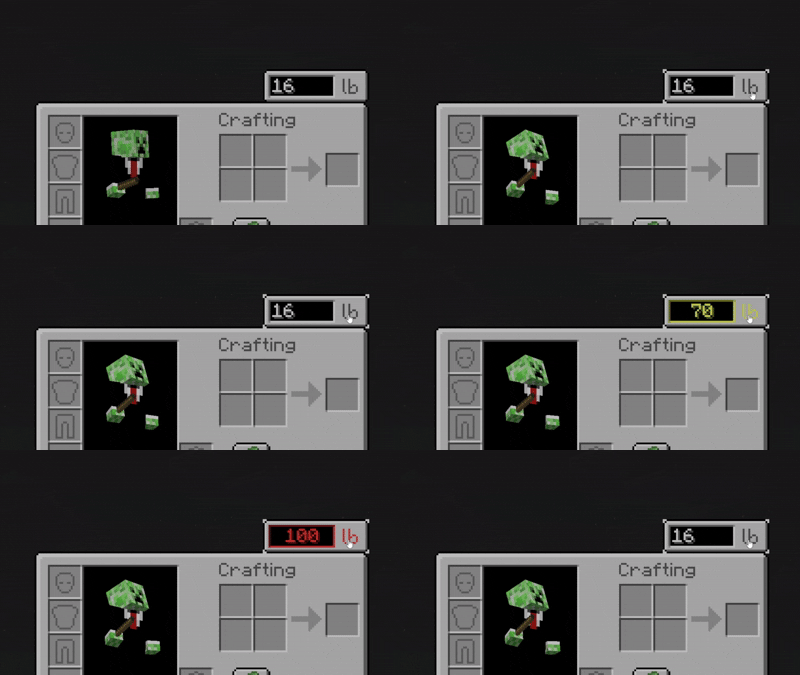
- Inventory weight indicator
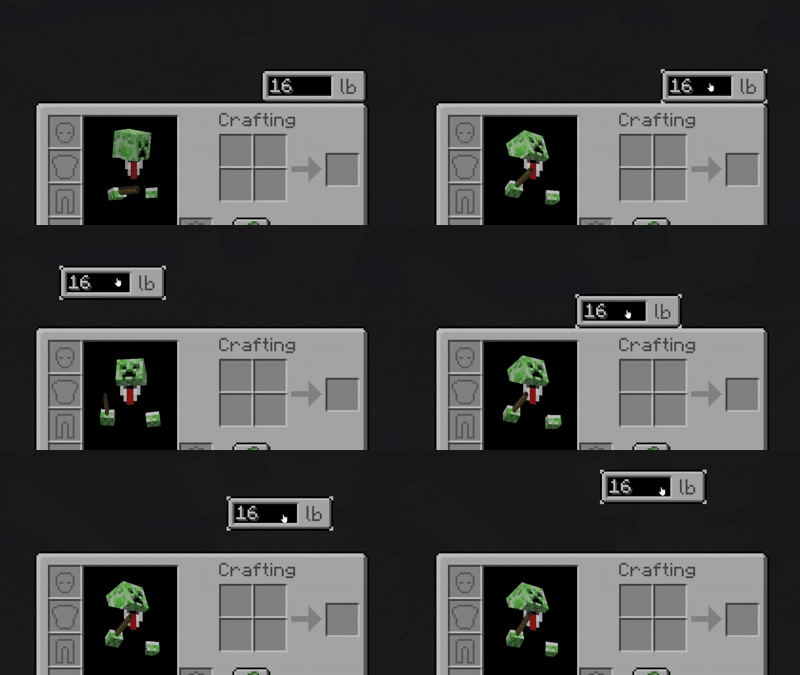
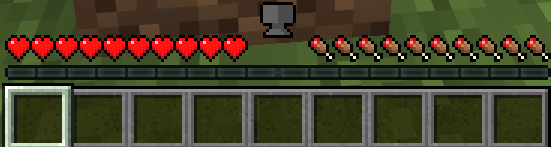
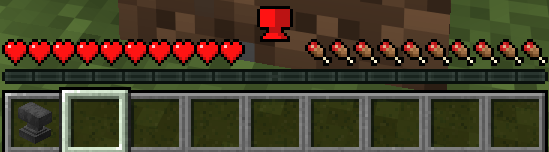
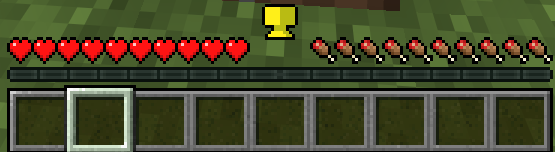
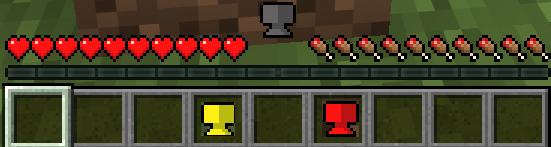
- HUD anvil icons


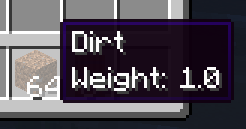
- Weight tooltips
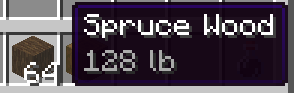
Configuration
You can configure:
- Item weights
- Carry-capacity boost items
- Encumbrance thresholds
- Level 1 and Level 2 effects
- Vehicle threshold boosts
- Nested inventory depth
- UI display unit
Frequently Asked Questions
❤️ Support
If you enjoy Encumbered, consider:
- Following the project
- Joining our discord
- Donating
Thanks for playing!
Go forth, loot goblin — but maybe leave the cobblestone behind.
Overview
This mod lets you add weight to items. The more items you carry, the more you weigh.
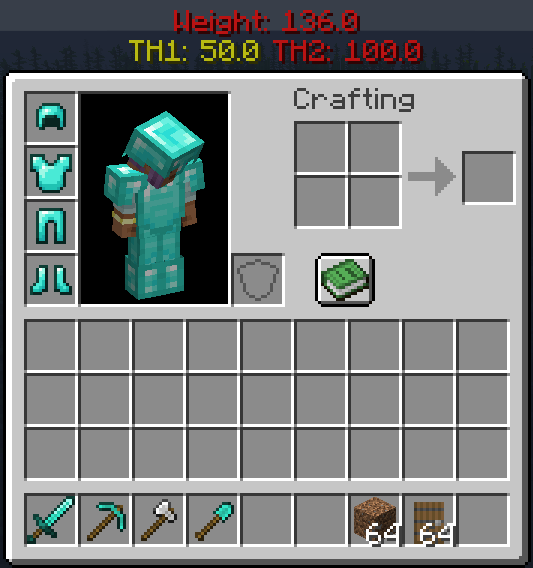
How It Works
There are three stages of encumberment:
Unencumbered: You can move normally.
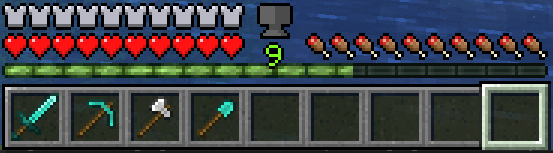
Encumbered: You can no longer sprint.
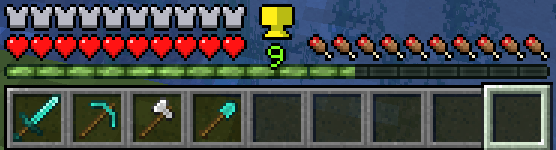
Over Encumbered: You can barely move (no sprinting, jumping, slower movement, and sinking in fluids).
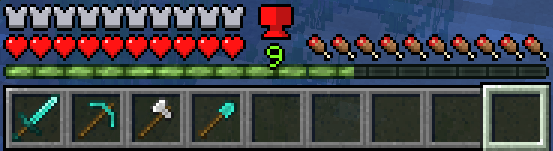
Features
- 🔧 Configurable weights, encumberment thresholds, and UI.
- 🎒 Support for shulker boxes and some backpack mods (Sophisticated Backpacks).
- 🐎 Riding entities takes into account your weight
- ✈️ Elytra considers weight
- 🖥️ User-friendly GUI with a helpful weight indicator icon.
- 🌍 Multiplayer support!
Planned Features
- 🔄 Further mod support (Curios Slot, Backpacks, etc.).
- Version back/forward porting (1.20.x and above. Others upon request to popular versions)
More updates to come! Questions? Check us out on Discord 🎮
Mod Setup
In order to modify weight values, you must create a datapack to override or add your own mod's weight values. The datapack should be dropped in the world's datapacks folder.Datapack Example:
-DataPackName
|-pack.mcmeta
|-data
 |-encumbered
  |-data_maps
   |-item
    |-item_weights.json
item_weights.json should be in the format:
{
  "values": {
    "minecraft:stone": {
      "replace": true,
      "value": {
        "weight": 12.0
      }
    },
    "modid:item": {
      "replace": true,
      "value": {
        "weight": 1.0
      }
    },
    "#minecraft:logs": {
      "replace": true,
      "value": {
        "weight": 10.0
      }
    }
}
The pack.mcmeta file should look like this:
{
    "pack": {
        "pack_format": 34,
        "description": "Pack Description Here"
    }
}
Configs
Config/encumbered-client.toml:
- Contains configs that are independent of the server. Each player can modify these values at will on their client
- Config/encumbered-server.toml: Contains configs that are consistent across all players. Anything changed here will change for all players.
Screenshots
Gallery
-
 Clickability_2.gif Clickability_2.gif
 -
Dragability.gif Dragability.gif
-
Tooltip_Indicator.png Tooltip_Indicator.png
-
 grey_anvil.png grey_anvil.png
 -
 red_anvil.png red_anvil.png
 -
 Screenshot 2026-06-26 170959.png Screenshot 2026-06-26 170959.png
 -
 anvils.png anvils.png
 -
anvil_icon_red.png anvil_icon_red.png
-
anvil_icon_white.png anvil_icon_white.png
-
anvil_icon_yellow.png anvil_icon_yellow.png
-
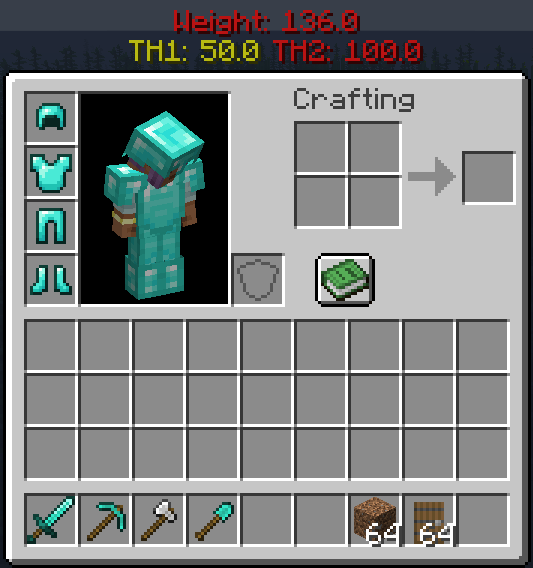 Inventory
 -
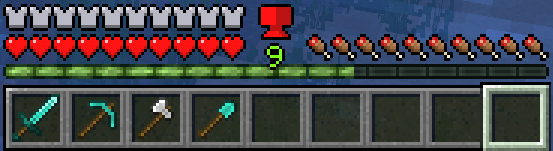 Hotbar 3
 -
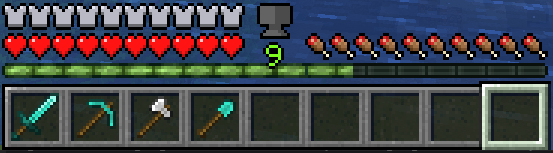 Hotbar 1
 -
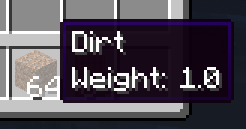 Tooltip
 -
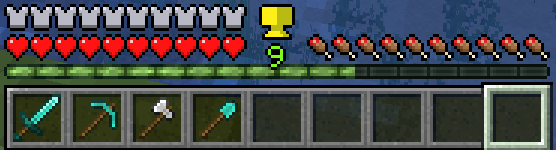 Hotbar 2
Versions
Files
Relations
Project Relations
More like this
Similar Mods
Suggestions use data such as tags, dependencies, dependents, descriptions, titles, and more to rank how much they overlap with this mod.
On ModDex
Community snapshot
By the numbers
Statistics
 (opens in a new tab)
Get it on
Available Platforms
On ModDex
Community snapshot
By the numbers
Statistics
Resources