Community listing page, reviews may not be monitored by the author.
Enhanced HUD

No reviews yet
Replaces Minecraft's standard survival HUD with compact player bars, status effects, a character portrait, and responsive damage feedback.

Community voices
Reviews
No reviews yet. Be the first to review this project!
Get it on
Available Platforms
About
Project Details
For authors
Embed Badge
If you're the author of this project, you can embed a live badge anywhere that supports HTML or Markdown. It updates automatically whenever ratings change.
Use HTML for any page that supports it, or Markdown for README files and Markdown-based descriptions.
Identifiers
Platform IDs
Resources
External Links
About
Description
Enhanced HUD
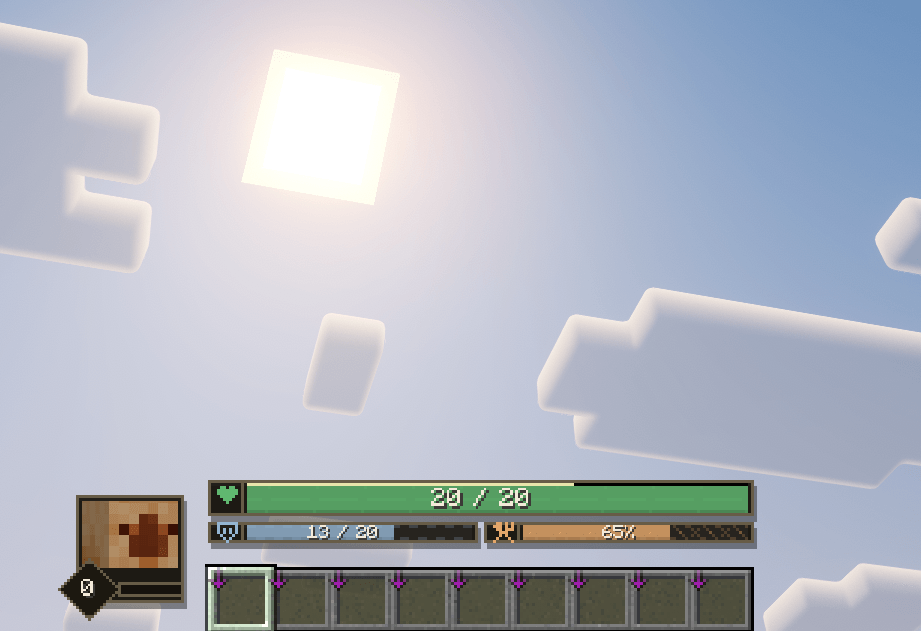
Enhanced HUD replaces Minecraft's standard survival indicators with a clean, modern bar-based interface.
Health, armor, hunger, experience, oxygen, and status effects are displayed at a glance while preserving vanilla survival mechanics.
Health and Survival Bars
Health is displayed as a bar showing current and maximum HP. Absorption adds an extra value (+X) and a yellow sub-bar.
Armor (X / 20) and hunger (X%) appear below the health bar, while an oxygen bar automatically appears underwater.
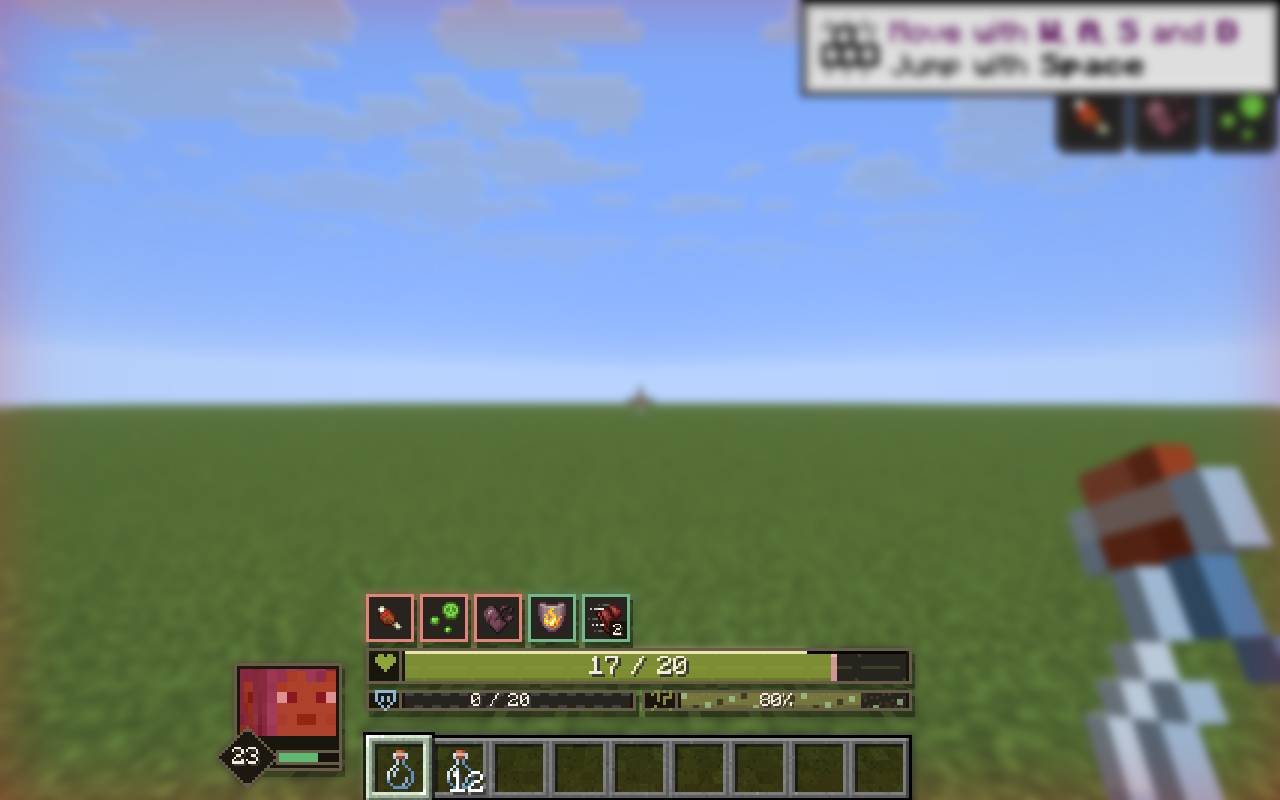
The health bar changes color at 50% and 25% HP to indicate dangerous health levels.
Damage Feedback
Taking damage leaves a highlighted trail on the health bar that gradually fades away.
A temporary colored vignette appears around the screen edges, including when absorption hearts take damage.
Repeated hits refresh the effect, while healing immediately clears the damage trail.
Status Effects
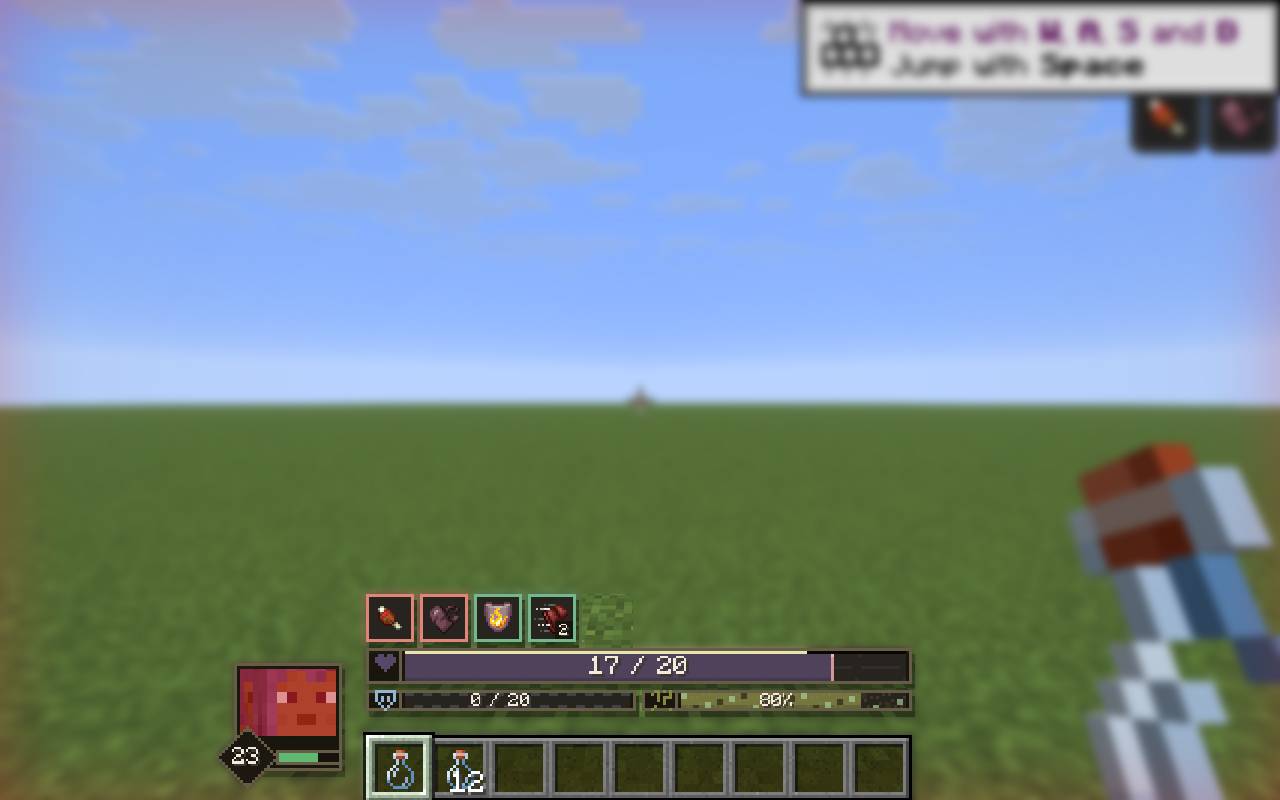
Active status effects appear in a grid above the health bar, automatically sorted into harmful, beneficial, and neutral categories.
Effects use distinct outline colors, with level badges for amplified effects. When space is limited, a +N indicator prevents overlapping icons.
Poison, Wither, and freezing change the health bar's color and pattern, while Hunger changes the food bar's appearance.
Player Portrait and Experience
A live 3D player portrait appears beside the hotbar.
The portrait includes an experience level badge and a compact XP progress bar, replacing the vanilla experience display.
Responsive Layout
The HUD automatically adapts to different window sizes and GUI scales.
Elements such as the hotbar, offhand slot, oxygen bar, item tooltips, and mount health are repositioned to prevent overlapping.
Vanilla Survival Mechanics
Enhanced HUD is a purely visual interface overhaul.
Health, hunger, armor, regeneration, absorption, experience, and status effects continue to use Minecraft's standard gameplay mechanics.
Screenshots
Gallery
-
 ic01.png ic01.png
 -
 sc01.jpg sc01.jpg
 -
 sc02.jpg sc02.jpg
Versions
Files
Relations
Project Relations
More like this
Similar Mods
Suggestions use data such as tags, dependencies, dependents, descriptions, titles, and more to rank how much they overlap with this mod.
On ModDex
Community snapshot
By the numbers
Statistics

Get it on
Available Platforms
On ModDex
Community snapshot
By the numbers
Statistics
Resources