
Community listing page, reviews here may not be monitored by the author.
Enhanced Raid Dens - Cobblemon Raid Dens Add-on

No reviews yet
Configurable Cobblemon raid events with Alpha, Mega, Dynamax, Gigamax and Tera bosses + Wold bosses. Add-on for Cobblemon Raid Dens
Community voices
Reviews
No reviews yet. Be the first to review this project!
Get it on
Available Platforms
About
Project Details
For authors
Embed Badge
If you're the author of this project, you can embed a live badge anywhere that supports HTML or Markdown. It updates automatically whenever ratings change.
Use HTML for any page that supports it, or Markdown for README files and Markdown-based descriptions.
Identifiers
Platform IDs
Resources
External Links
About
Description
Enhanced Raid Dens
Enhanced Raid Dens is a Fabric addon linked to Cobblemon Raid Dens for Cobblemon servers. It expands the raid experience with highly configurable special raids, summon items, raid arenas, capture rules, Tier 8 prestige encounters, and World Boss events.
Create server-driven raid content featuring Normal, Alpha, Mega, Dynamax, Gigamax, Tera, Tier 8, and World Boss encounters.
The mod is designed for multiplayer Cobblemon servers that want more exciting, customizable, event-friendly and admin-controlled raid content.
Features
Special Raid Types
- Normal raids
- Alpha raids
- Mega raids
- Dynamax raids
- Gigamax raids
- Tera raids
- Tier 8 prestige raids
- World Boss events
Raid battles can be configured by type, tier, capture rate, level, IV rewards, player limit, spawn rules and despawn rules.

Raid Rules
Each player can only bring the first Pokémon from their party.
Raid-specific rules:
- Mega raids require a Pokémon capable of Mega Evolution.
- Dynamax and Gigamax raids require a Dynamax-compatible Pokémon.
- Tera raids require a Pokémon with a Tera type.
- Alpha raids do not require an additional gimmick.
- Tera raids randomly select a Tera type when they spawn, including Stellar when available.
- Battle items are disabled.
- Cobblemon Raid Dens encouragement items are disabled.
- Moves and passives blacklisted by Cobblemon Raid Dens are also blocked for players.
- Master Ball captures are always guaranteed.
- Capture chances are configurable by raid type and tier.
- Poké Ball modifiers are taken into account when capturing a defeated raid boss.
- Raid bosses can use custom levels by raid type and tier.
- Captured raid Pokémon can receive configurable perfect IV ranges.
- Captured Tier 8 Pokémon can receive a special preserved mark/ribbon.
- Raids do not spawn naturally by default.
Raids can appear through:
- Admin commands
- Configurable summon items
- The personal Raid Designer item
- Optional automatic spawning near random players
- Optional World Boss spawn blocks
Raid type availability can be controlled globally or only for automatic spawning.
Individual raid types, tiers and dimensions can be enabled or disabled by configuration and commands.
Tier 8 Prestige Raids
Tier 8 raids are special prestige encounters handled internally by Enhanced Raid Dens.
- Displayed as 8★ raids.
- Configurable capture chance.
- Configurable IV reward range.
- Configurable special marks/ribbons.
- Can include rare, legendary, mythical or special Pokémon.
- Captured Pokémon keep their Tier 8 reward mark/ribbon.
Raid Arenas
Enhanced Raid Dens includes integrated raid arenas and arena selection.
- Arenas can be selected by raid type.
- Arenas can also be selected by Pokémon type.
- Tera raids use the Tera type for arena selection.
- Stellar Tera raids use the ice arena by default.
- Dynamax and Gigamax raids use larger arenas.
- Alpha, Mega, Tera and Normal raids can have distinct environments.
No external datapack is required for the included arenas.
Summon Items
Enhanced Raid Dens adds configurable raid summon items.
Available summon item types include:
- Random Raid Invocation
- Normal Raid Invocation
- Alpha Raid Invocation
- Mega Raid Invocation
- Dynamax Raid Invocation
- Gigamax Raid Invocation
- Tera Raid Invocation
- Raid Designer item
- World Boss Spawn Block
Summon items can be configured with:
- Consume on use
- Announce on use
- Despawn behavior
- Despawn timer
- Raid type
- Specific raid target
- Custom item behavior
Raid Designer Item
The Raid Designer item allows a player to configure a personal raid summon before using it.
It supports:
- Choosing the raid type
- Choosing max players
- Optional consume on use
- Optional cooldown
- Owner binding
- One item per player restriction
- Cooldown persistence after disconnect
- Optional despawn behavior
World Boss System
Enhanced Raid Dens 2.0 adds a full World Boss system.
World Bosses are separate from classic Raid Dens encounters.
World Boss features:
- Spawn only from World Boss Spot blocks.
- Can spawn automatically on registered World Boss spots.
- World Boss spots are saved with position, dimension and optional custom zone name.
- World Boss spot chunks are kept loaded using vanilla forceload behavior.
- World Bosses do not use the Raid Dens dimension.
- World Bosses can only spawn in allowed dimensions.
- World Bosses are static and remain near their spawn spot.
- World Bosses have configurable HP multiplier, defaulting to 200x.
- World Bosses cannot be captured.
- Fleeing or losing does not end the World Boss.
- World Bosses end only when defeated, despawned by timer, or removed by admin command.
- Players can teleport to active World Bosses.
- A local scoreboard displays the top damage contributors near active World Bosses.
- Rewards are distributed by damage rank.
- Rewards are still granted if the player disconnects before claiming them.
World Boss damage ranks:
- F
- E
- D
- C
- B
- A
- S
- SS
- SSS
- X
Each rank can use its own loot table.
Default World Boss pool:
- Arceus
- Necrozma
- Kyurem Black
- Kyurem White
- Giratina Altered
- Giratina Origin
- Necrozma Dusk Mane
- Necrozma Dawn Wings
- Ultra Necrozma
- Eternatus
- Calyrex Shadow
- Calyrex Ice
- Zacian Crowned
- Zamazenta Crowned
- Terapagos Stellar
For Administrators
Main Commands
/erd reload
Reloads the Enhanced Raid Dens configuration file./erd status
Shows the global configuration status./erd debug
Opens a debug GUI with raid, config, compatibility, capture, item and World Boss information./erd inspect
Shows details about the raid crystal currently targeted by the player./erd validate
Checks registered raids, available raid types, dependency status and active categories./erd spawnrandom <type> <tier> [player]
Spawns a random raid of a specific type and tier near a player.
Cobblemon Raid Dens commands are also available through /erd.
Raid Configuration Commands
/erd raid EnableRaidTypes <RaidTypes>
Enables one or more raid types globally./erd raid DisableRaidTypes <RaidTypes>
Disables one or more raid types globally./erd raid EnableRaidTypesAutomatic <RaidTypes>
Enables one or more raid types specifically for automatic spawning./erd raid DisableRaidTypesAutomatic <RaidTypes>
Disables one or more raid types specifically for automatic spawning./erd raid AutoSpawnOnPlayer <true|false>
Enables or disables automatic raid spawning near random players./erd raid SetAutoSpawnInterval <minutes>
Sets how often automatic raids can spawn./erd raid SetAutoDespawnInterval <minutes>
Sets how long automatic raids stay active./erd raid SetAutoSpawnTentative <attempts>
Sets how many attempts an autospawn raid can allow after defeat.
0means unlimited attempts until despawn./erd raid SetAutoSpawnTierWeight <tier> <weight>
Changes the automatic spawn weight of a raid tier./erd raid SetAutoSpawnTypeWeight <type> <weight>
Changes the automatic spawn weight of a raid type./erd raid EnableAutoSpawnDimension <dimension>
Allows automatic raids to spawn in a dimension./erd raid DisableAutoSpawnDimension <dimension>
Prevents automatic raids from spawning in a dimension./erd raid SetRaidLevel <RaidType> <tier> <level>
Sets the boss level for a specific raid type and tier./erd raid SetMaxPlayers <RaidType> <amount>
Sets the maximum number of players allowed for a raid type./erd raid SetCaptureChance <RaidType> <tier> <chance>
Sets capture chance for a specific raid type and tier./erd raid SetCaptureChancePercent <RaidType> <tier> <percent>
Sets capture chance using a percentage value./erd raid ClearCaptureChance <RaidType> <tier>
Removes a custom capture chance override./erd raid ListCaptureChances
Lists configured capture chances./erd raid SetCatchPerfectIvs <RaidType> <tier> <enabled> <min> <max>
Sets perfect IV reward rules for captured raid Pokémon./erd raid SetHardRaidPerfectIvsMin <0-6>
Sets the minimum perfect IV count for hard raids./erd raid SetHardRaidPerfectIvsMax <0-6>
Sets the maximum perfect IV count for hard raids./erd raid SetMaxCatches <RaidType> <tier> <amount>
Sets how many times a raid can be captured for a specific raid type and tier.
-1means unlimited./erd raid ClearMaxCatches <RaidType> <tier>
Resets max captures for a raid type and tier./erd raid EnableRaidTier <RaidType> <tier>
Enables a raid tier for a specific raid type./erd raid DisableRaidTier <RaidType> <tier>
Disables a raid tier for a specific raid type./erd raid EnableAutomaticRaidTier <RaidType> <tier>
Enables a raid tier for automatic spawning only./erd raid DisableAutomaticRaidTier <RaidType> <tier>
Disables a raid tier for automatic spawning only.
Raid Item Commands
/erd raid ListItems
Lists configured raid summon items./erd raid GiveItem <PlayerName> <ItemType> <Amount>
Gives configured raid summon items to a player./erd raid SetRaidItemDespawn <itemKey> <true|false> [minutes]
Configures whether a raid summoned by an item despawns automatically.
World Boss Commands
/erd wboss status
Shows current World Boss status./erd wboss tp [boss]
Teleports the player to an active World Boss./erd wboss SetEnabled <true|false>
Enables or disables the World Boss system./erd wboss AutoSpawn <true|false>
Enables or disables automatic World Boss spawning./erd wboss SpawnIntervals <minMinutes> <maxMinutes>
Sets the random automatic World Boss spawn interval range./erd wboss SetDespawnMinutes <minutes>
Sets how long World Bosses remain active before despawning./erd wboss SetHealthMultiplier <multiplier>
Sets the World Boss HP multiplier./erd wboss SetMaxActive <amount>
Sets the maximum number of active World Bosses./erd wboss SetDimension <dimension> <true|false>
Enables or disables World Boss spawning in a dimension./erd wboss SetBossWeight <boss> <weight>
Sets the spawn weight of a specific World Boss./erd wboss SetRankThreshold <rank> <percent>
Sets the minimum damage percentage required for a reward rank./erd wboss SetRankLootTable <rank> <lootTable>
Sets the loot table used for a World Boss reward rank./erd wboss giveRewards <rank>
Gives a test World Boss reward lootbag for a specific rank./erd wboss GiveWbossSpawnBlock [count]
Gives the command user World Boss Spot blocks./erd wboss ListBosses
Lists available World Bosses./erd wboss ListDamageRanks
Lists World Boss damage ranks and thresholds.
Dependencies
Mandatory
- Cobblemon
>= 1.7.0 - Cobblemon Raid Dens
>= 0.8.0 - Fabric API
Optional
These mods unlock their related raid types. If an optional dependency is missing or incompatible, Enhanced Raid Dens will keep working and simply disable the related raid content.
- Mega Showdown
>= 1.7.1 - Zamega
>= 1.6.1 - Cobblemon Alphas
>= 1.4.1
French Minecraft Server
Enhanced Raid Dens was originally created for a French Minecraft Cobblemon server.
Join the community and play Cobblemon with French-speaking players:
Enhanced Raid Dens is an unofficial addon. It is not affiliated with, endorsed by, or sponsored by Cobblemon, Pokémon, Nintendo, Game Freak, Mojang or Microsoft.
Screenshots
Gallery
-
 Raid dens Raid dens.png
 -
 Gmax Evee 3.png
 -
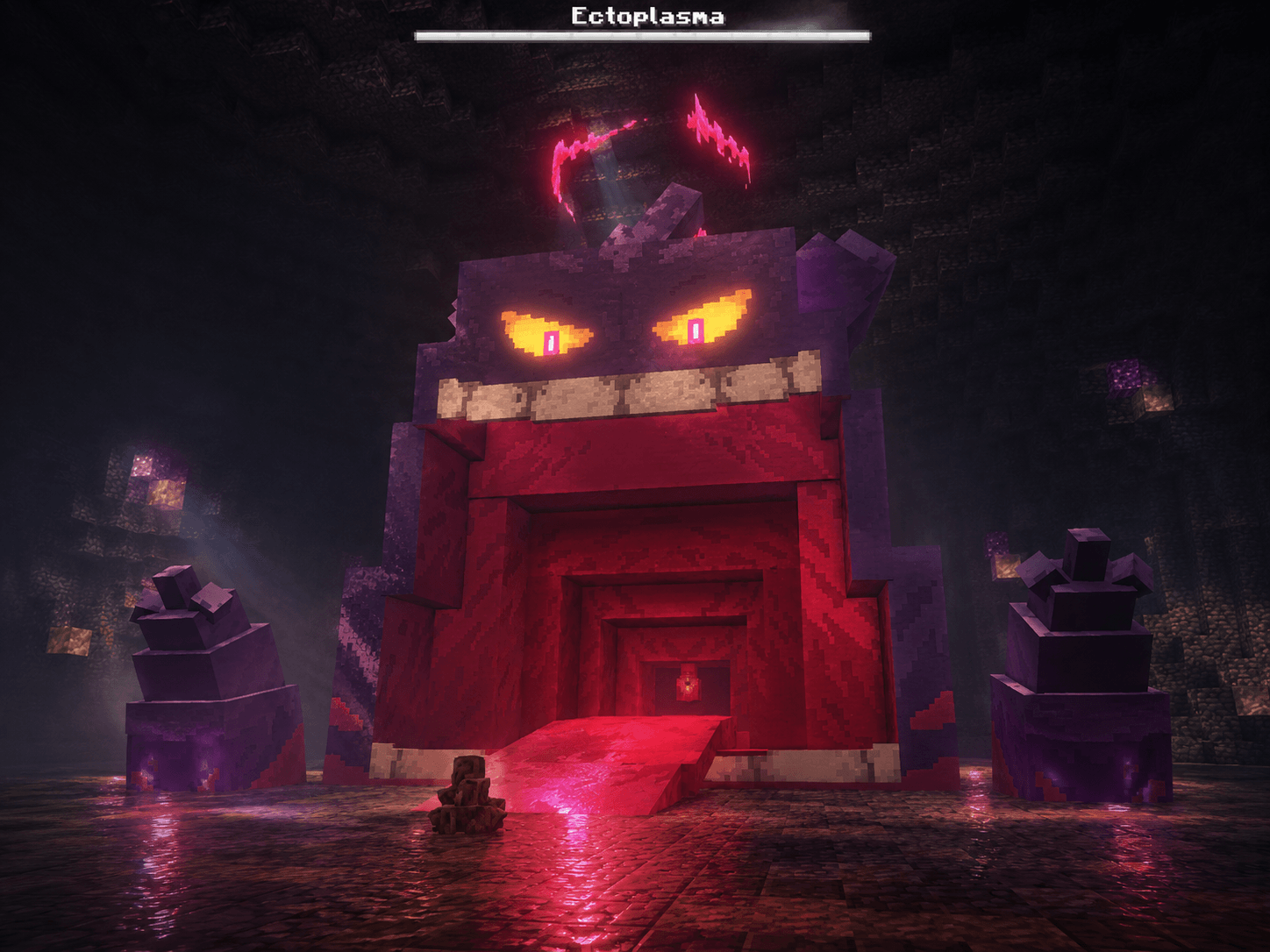 Gmax Gengar 4.png
 -
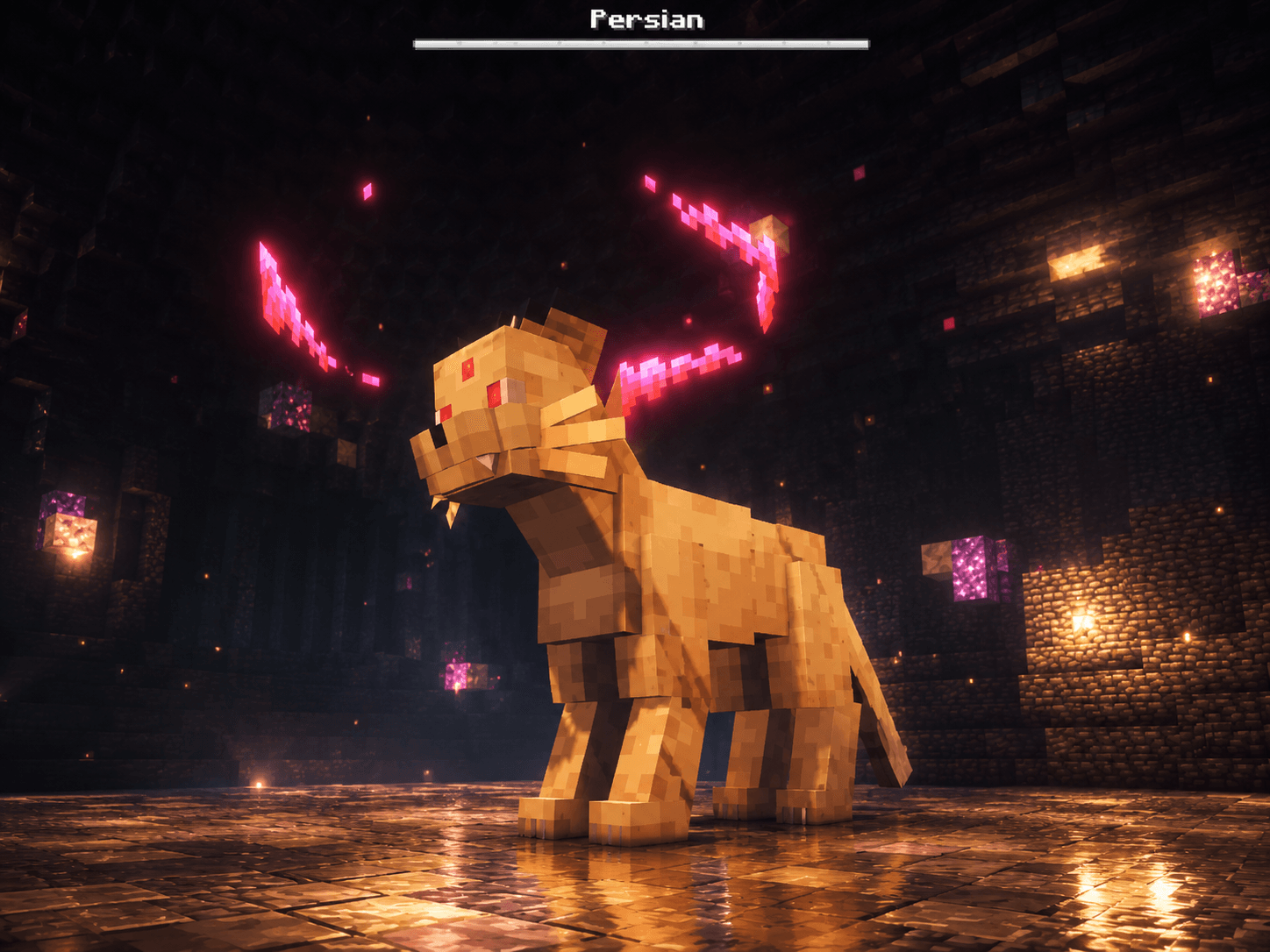 Dmax Persian persian.png
 -
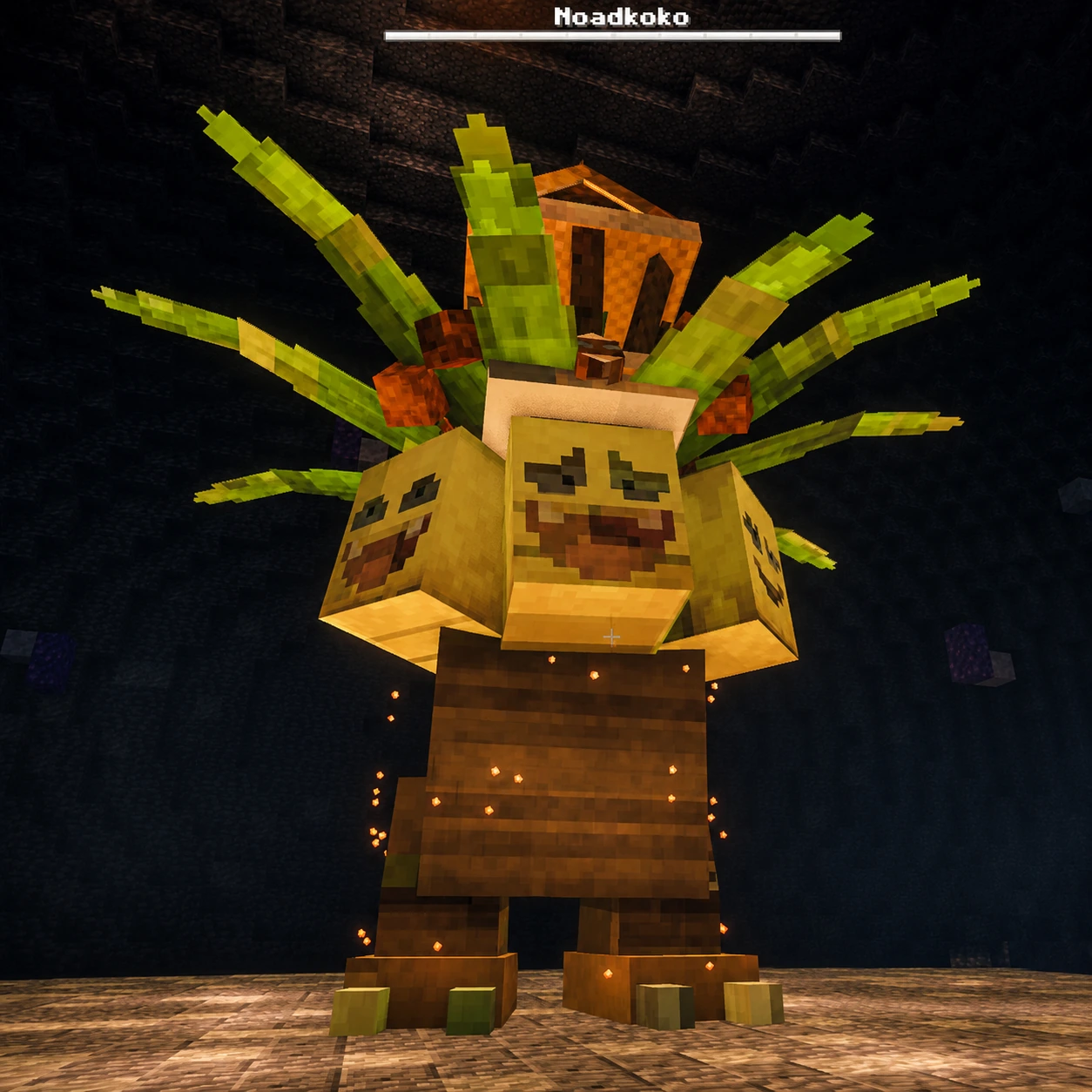 Rock teracristal Exeggutor Rock teracristal Exeggutor
 -
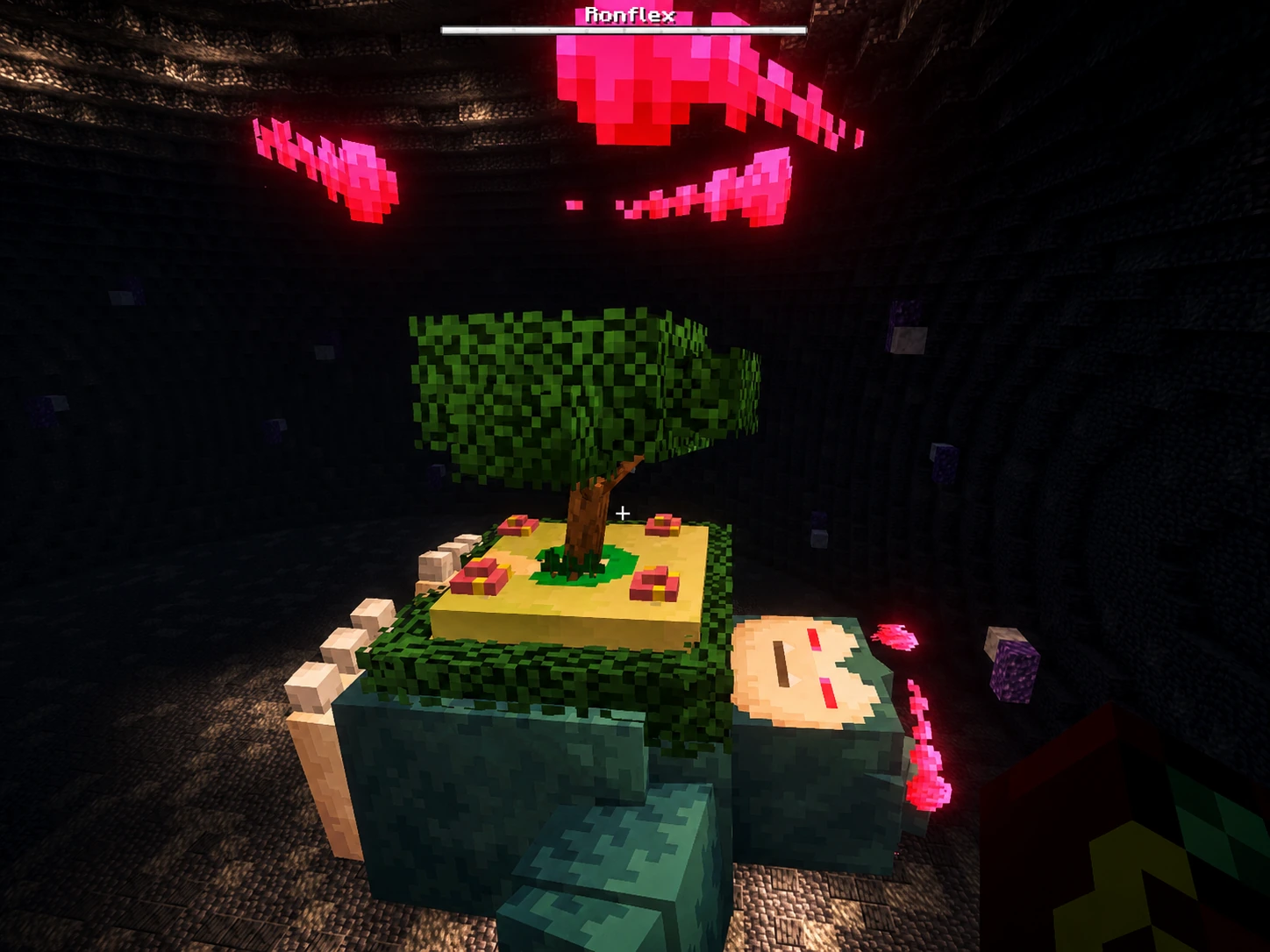 Gmax Snorlax Gigamax Snorlax raid
 -
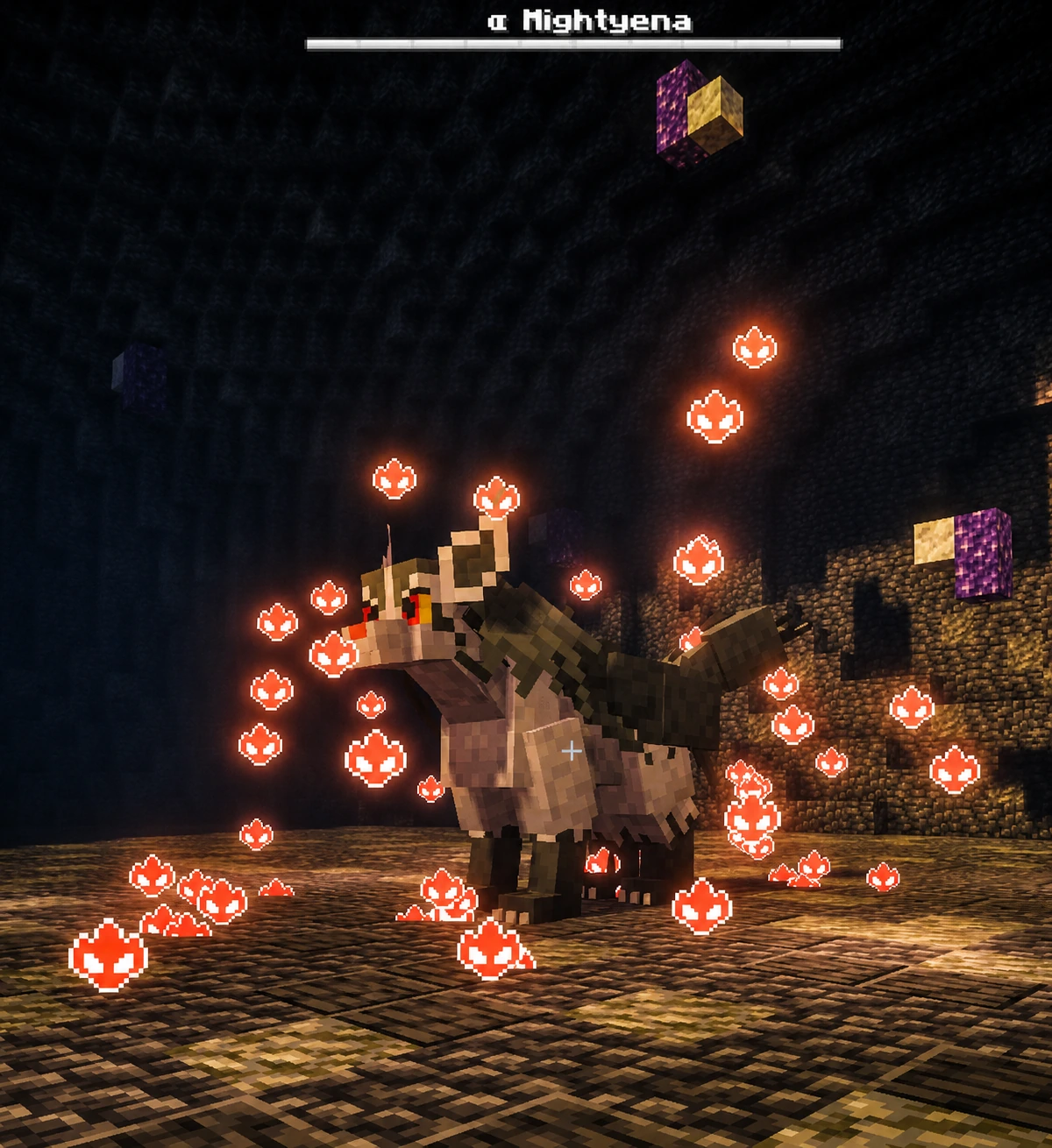 Alpha Mightyena Alpha Mightyena
 -
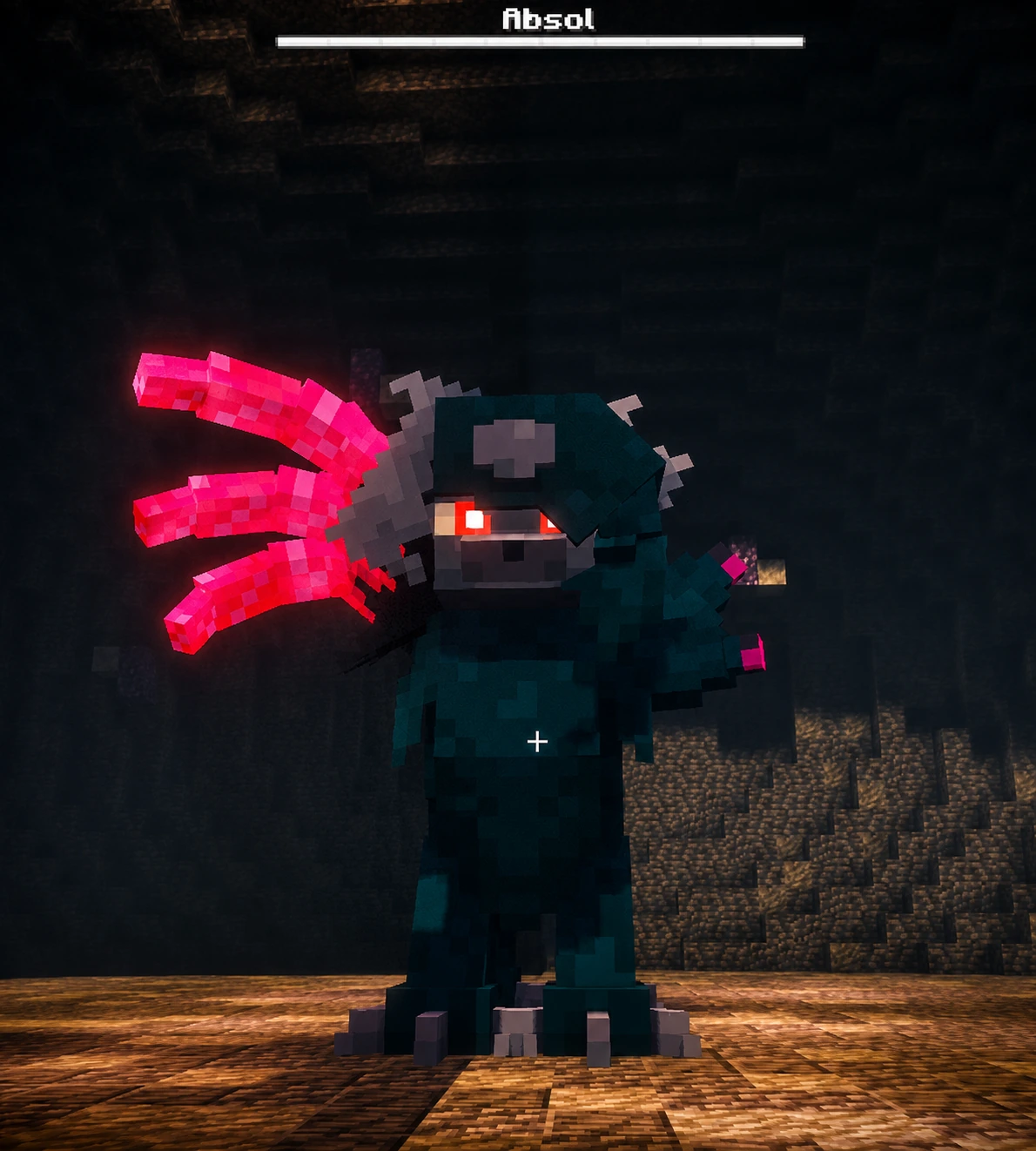 Mega Absol Z Raid Mega Absol Z
 -
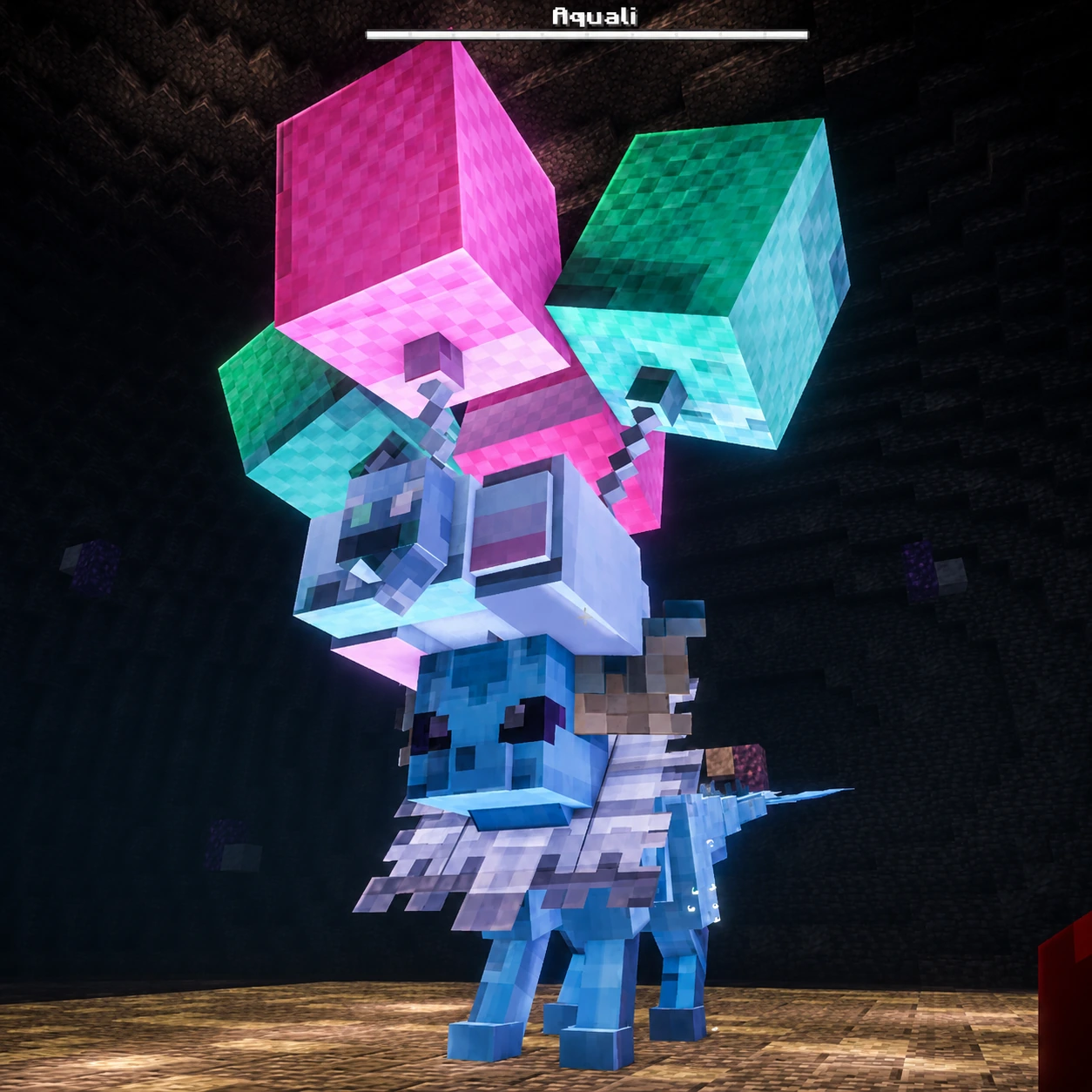 Fly Teracristal Vaporeon Fly Teracristal Vaporeon
 -
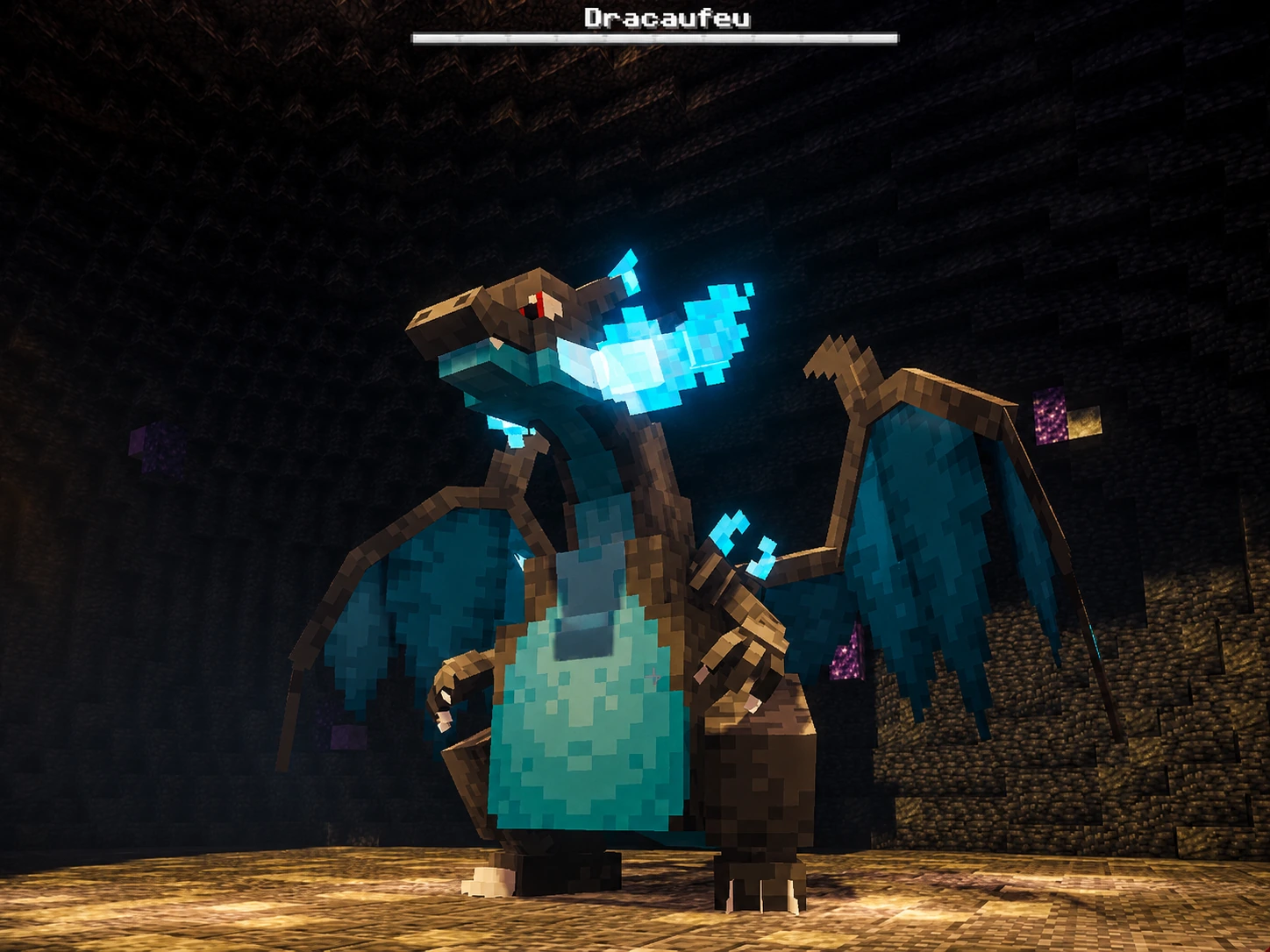 Mega Charizard X Mega Charizard X
 -
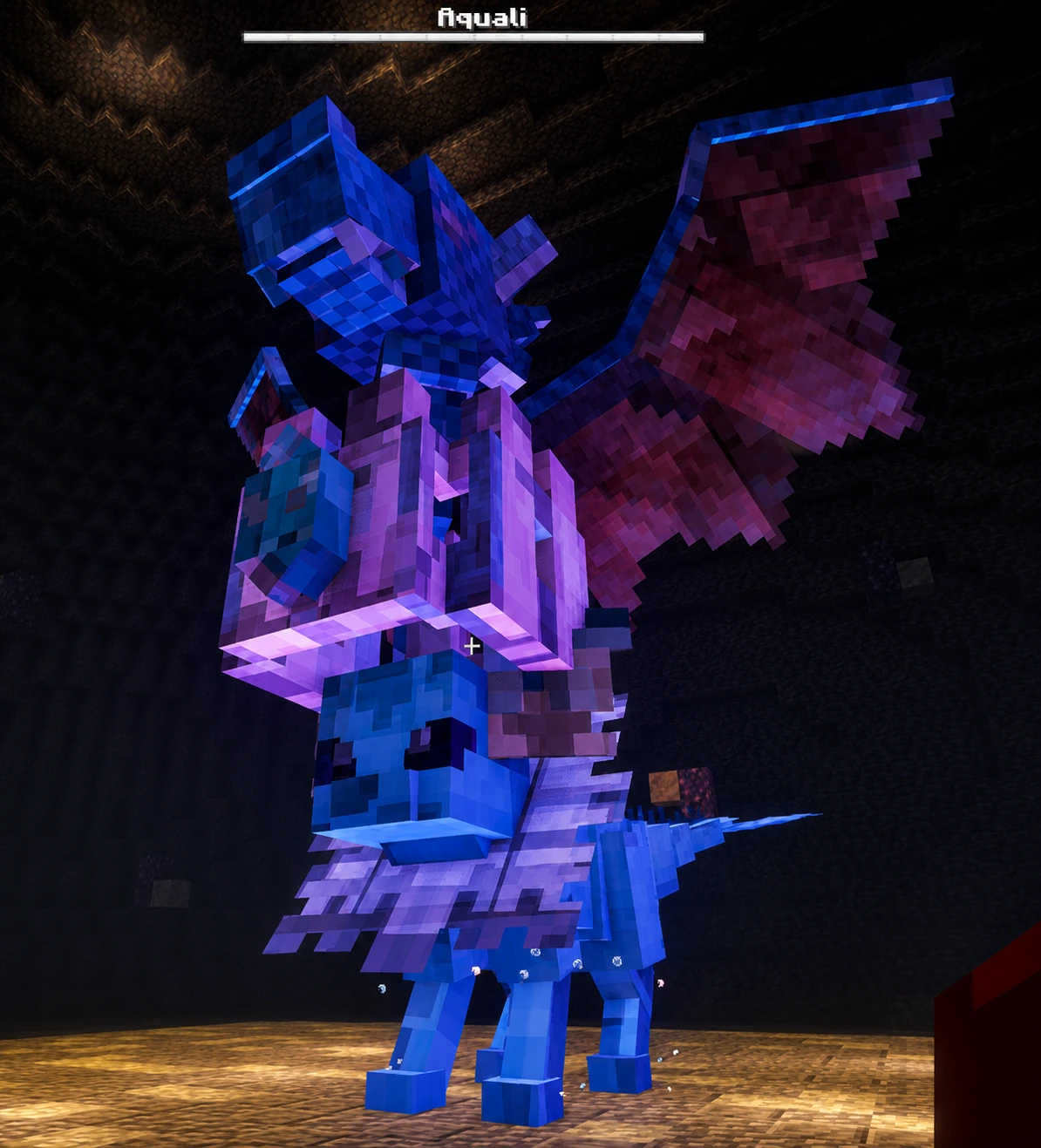 Dragon teracristal Vaporeon Dragon teracristal Vaporeon
Versions
Files
Relations
Project Relations
More like this
Similar Mods
Suggestions use data such as tags, dependencies, dependents, descriptions, titles, and more to rank how much they overlap with this mod.
On ModDex
Community snapshot
By the numbers
Statistics
Want to reach Minecraft players?
We're looking for a server hosting partner to feature here and other parts of the site. Interested? Send us a message!
Get in touchGet it on
Available Platforms
On ModDex
Community snapshot
By the numbers
Statistics
Resources