Community listing page, reviews here may not be monitored by the author.
Entitlements


No reviews yet
Display your zones' names on-screen

Community voices
Reviews
No reviews yet. Be the first to review this project!
Get it on
Available Platforms
Compatibility
Supported Environments
Must be installed on both the client and the server.
About
Project Details
For authors
Embed Badge
If you're the author of this project, you can embed a live badge anywhere that supports HTML or Markdown. It updates automatically whenever ratings change.
Use HTML for any page that supports it, or Markdown for README files and Markdown-based descriptions.
Identifiers
Platform IDs
About
Description

A Minecraft mod that displays your zones' names on-screen.
Important: This mod requires the Architectury API

How to use
Craft a Region Broadcaster, place it on ground, and then :
- Rename a name tag in an anvil to the zone name you want to be shown on-screen
- Right click with the tag on the block to apply the zone name
- Shift right click to change the radius of the zone (the distance is calculated horizontally, that is, the Y axis (height) is not taken into account : this is useful for towers for example) And then, you are set !
Recipe
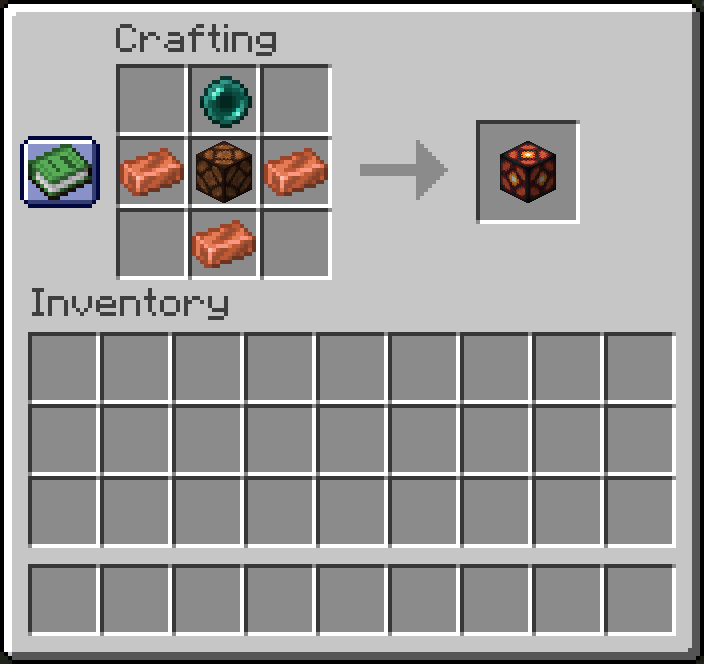
A Minecraft mod that displays your zones' names on-screen.
How to use
Craft a Copper Wrench with two ingots placed diagonally on the crafting table Craft a Region Broadcaster, place it on ground, and then :
- Rename a name tag in an anvil to the zone name you want to be shown on-screen
- Right click with the tag on the block to apply the zone name
- Right click with the wrench anywhere to cycle between modes (default, radius and time)
- Right click with the wrench (in radius mode) to change the radius of the zone (the distance is calculated horizontally, that is, the Y axis (height) is not taken into account : this is useful for towers for example)
- Right click with the wrench (in display time mode) to change the title's display time. And then, you are set !
Recipe
Screenshots
Gallery
-
 header.png header.png
 -
 2024-06-16_22.46.49.png 2024-06-16_22.46.49.png
 -
 2024-06-16_22.44.39.png 2024-06-16_22.44.39.png
-
 The zone name display
 -
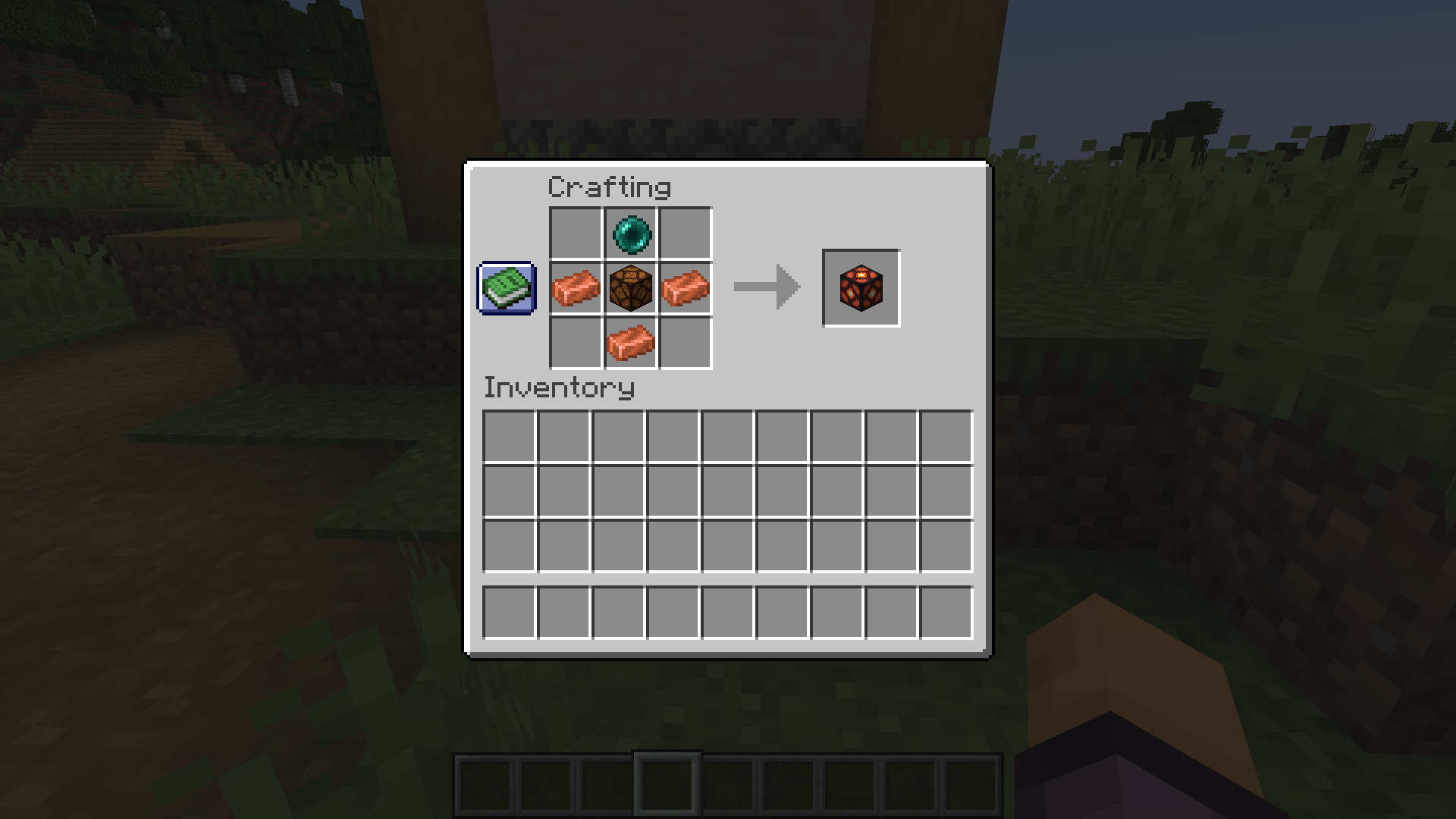
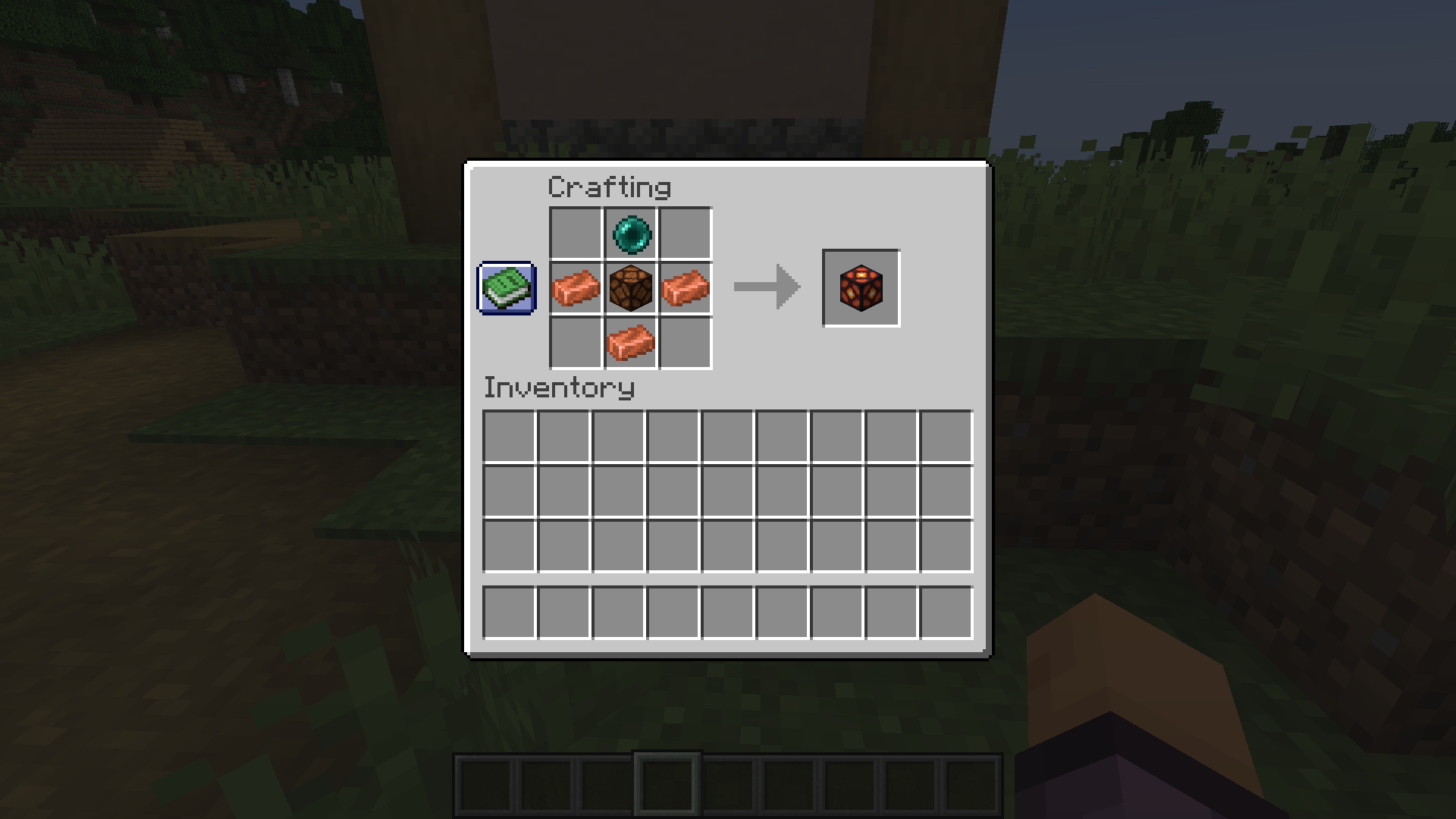 Recipe of the Region Broadcast Recipe of the Region Broadcast : the block that displays the zone name on-screen
 -
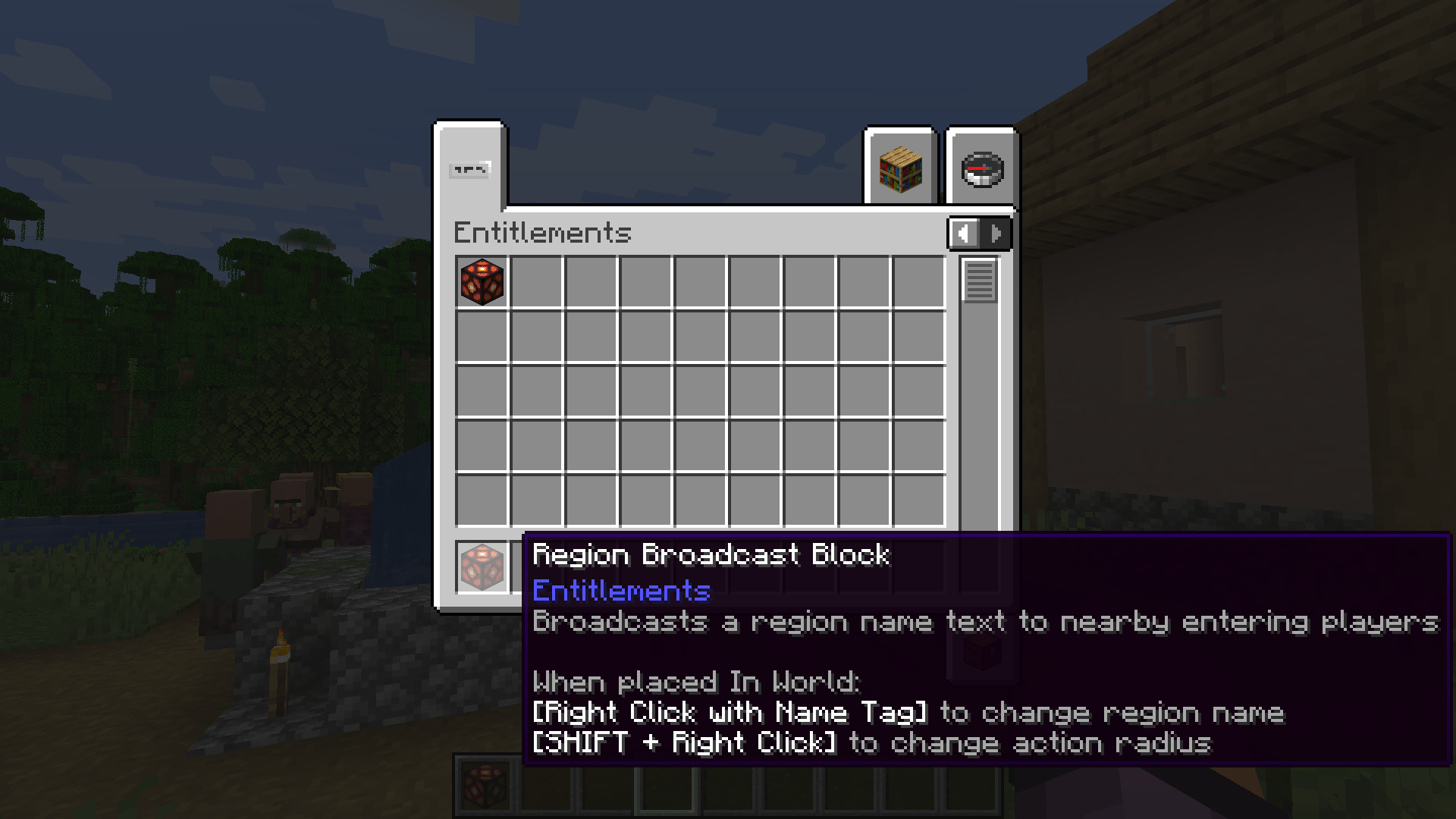
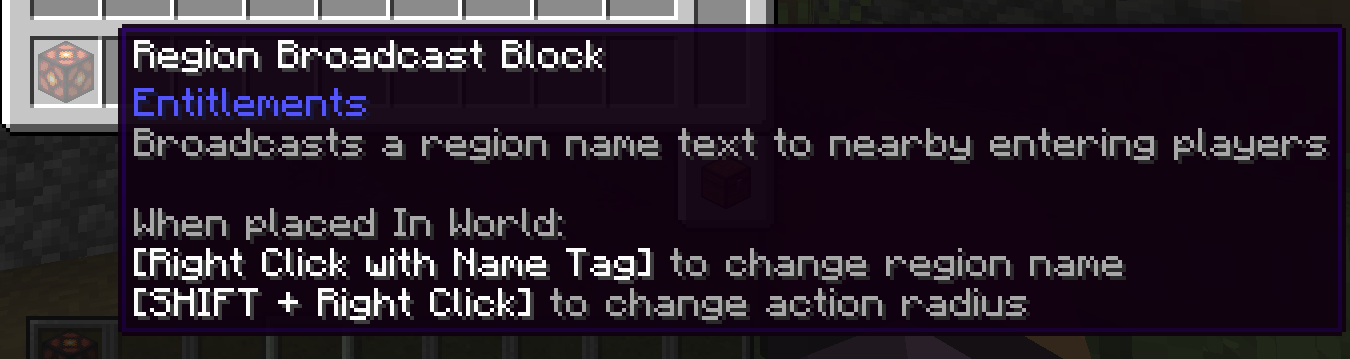 The region broadcast block
Versions
Files
Relations
Project Relations
More like this
Similar Mods
Suggestions use data such as tags, dependencies, dependents, descriptions, titles, and more to rank how much they overlap with this mod.
On ModDex
Community snapshot
By the numbers
Statistics
 (opens in a new tab)
Get it on
Available Platforms
On ModDex
Community snapshot
By the numbers