Community listing page, reviews here may not be monitored by the author.
Entity Library – Mob Preview Browser

No reviews yet
Browse and 3D-preview all living entities in your modpack without summoning them.
Community voices
Reviews
No reviews yet. Be the first to review this project!
Get it on
Available Platforms
About
Project Details
For authors
Embed Badge
If you're the author of this project, you can embed a live badge anywhere that supports HTML or Markdown. It updates automatically whenever ratings change.
Use HTML for any page that supports it, or Markdown for README files and Markdown-based descriptions.
Identifiers
Platform IDs
Resources
External Links
About
Description
Entity Library adds a simple in-game “library” screen that lets you browse and preview entities in 3D without actually summoning them into the world.
Built for modpacks where you want a quick way to check what mobs exist (including modded mobs) and what they look like, without spawning, ticking, or affecting gameplay.
Features
- Browse a searchable list of LivingEntity types registered by Minecraft and your mods
- 3D preview panel (no entity is spawned into the world)
- Shows the entity registry ID and a
/summon <id> ~ ~ ~hint for reference - Mouse wheel zoom (preview scale)
- Drag to rotate the preview
- Optional walk/idle animation toggle
- Favorites: star entities and filter to show only favorites (saved across sessions)
- Filters: All, Living, Hostile, Passive, Favorites
- Namespace/mod filter to show entities from a specific mod/namespace
- Detail panel with: display name, registry ID, max health, dimensions, mob category, and
/summoncommand with copy button - Dark/Light theme toggle (saved to config)
- Optional NBT editor for common tags (NoAI, Glowing, Invulnerable, Silent, NoGravity, PersistenceRequired, CustomNameVisible) plus Custom Name, with live
/summonpreview + copy - Loot table / drops display (singleplayer only)
Controls
- Open the library: O (configurable in Minecraft Controls)
Compatibility
- Minecraft: 1.18.2
- Forge: 40.3.11+
- Client-side mod. Intended to be safe to use on servers (it does not summon anything), but servers may still require clients to follow their mod rules.
Notes / Limitations
- The list intentionally hides non-living entity types (projectiles, boats, minecarts, etc.).
- Some modded entities may fail to preview if they require server-only initialization or special spawn data; these will show a preview error instead of crashing the game.
- Loot table / drops display works in singleplayer only.
Modpack Permissions
- You may include this mod in modpacks.
Screenshots
Gallery
-
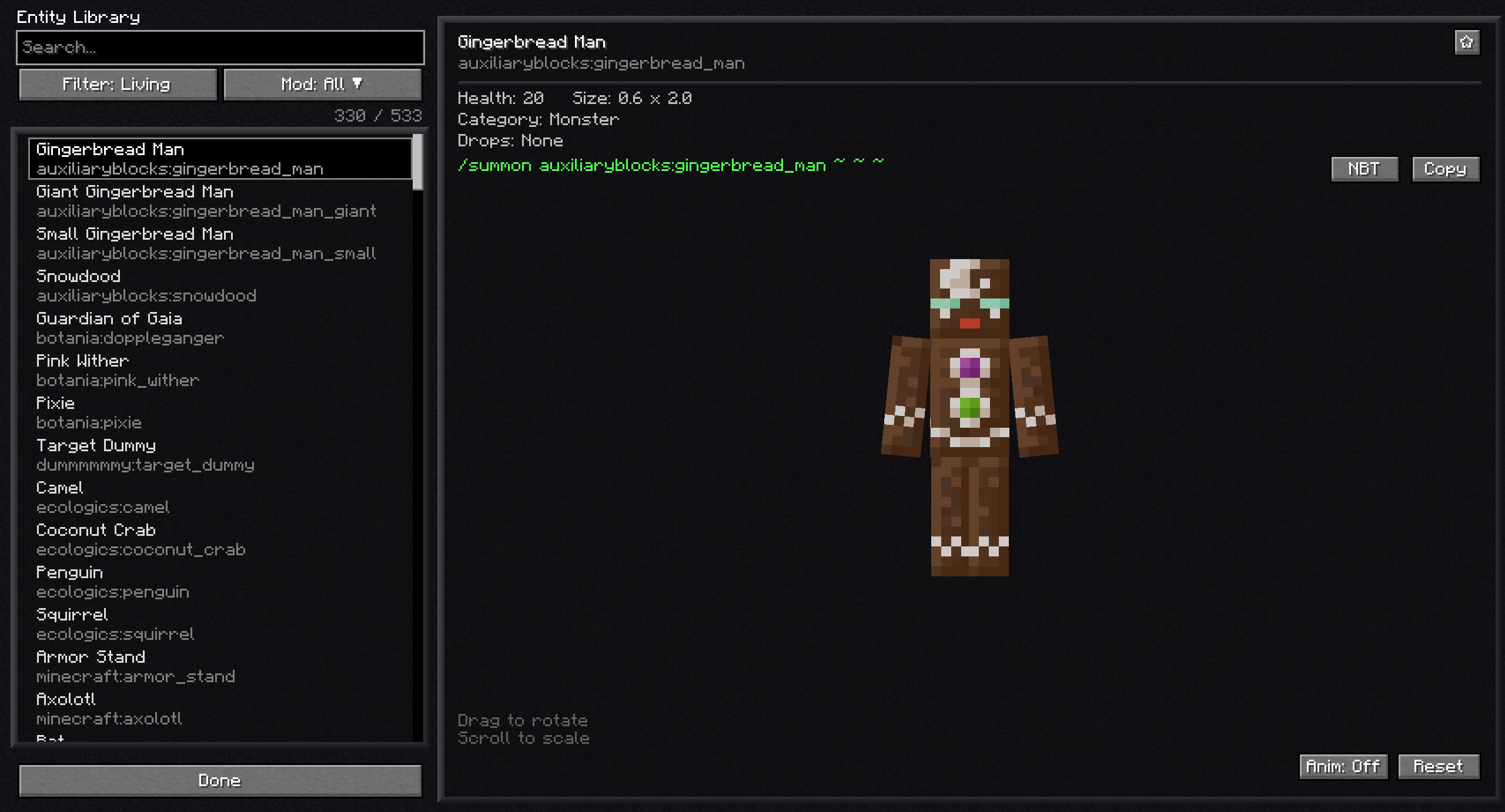 01-entity-library-overview.png Forge 1.18.2
 -
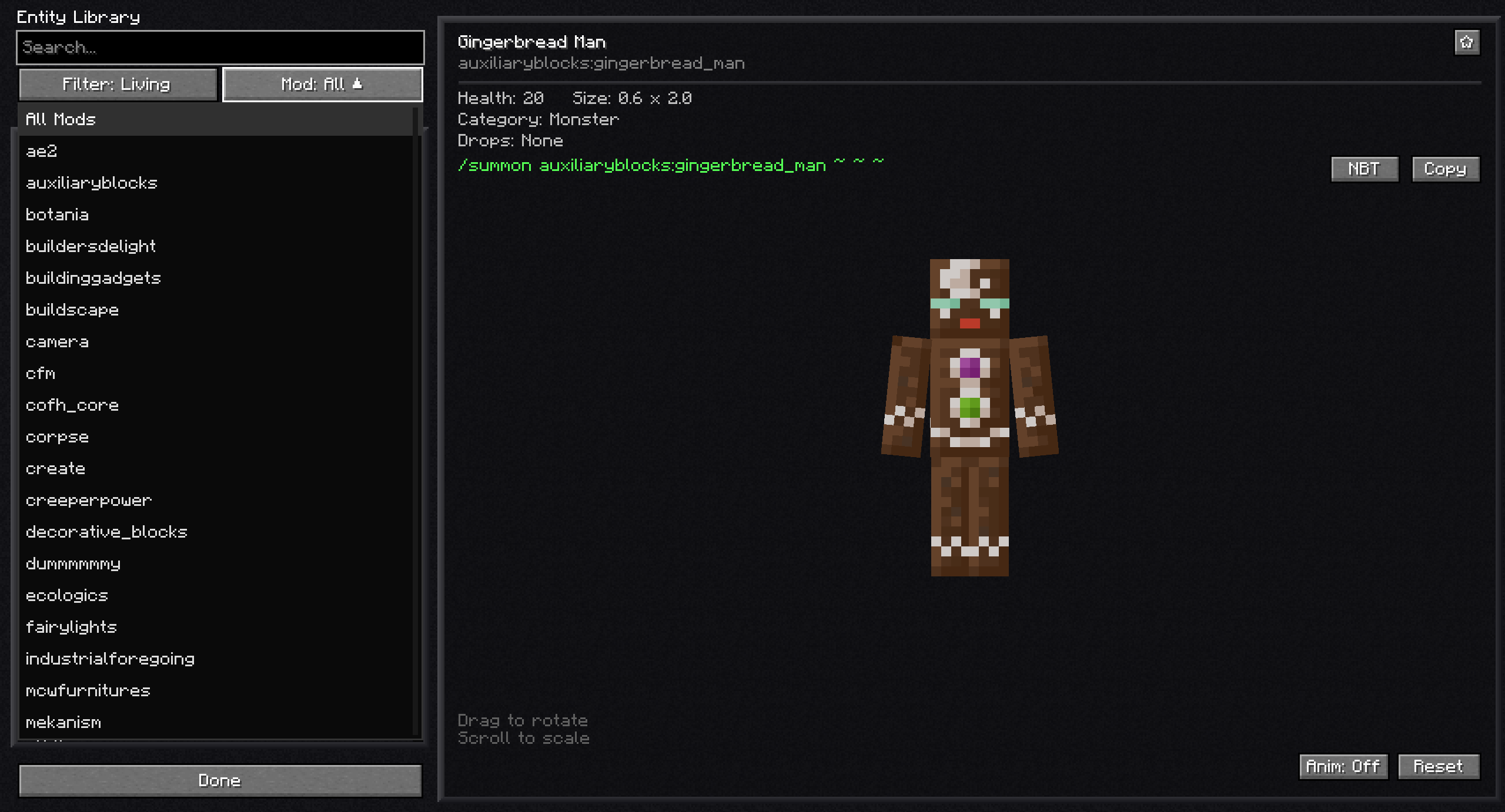 02-scrollable-mod-dropdown.png Forge 1.18.2
 -
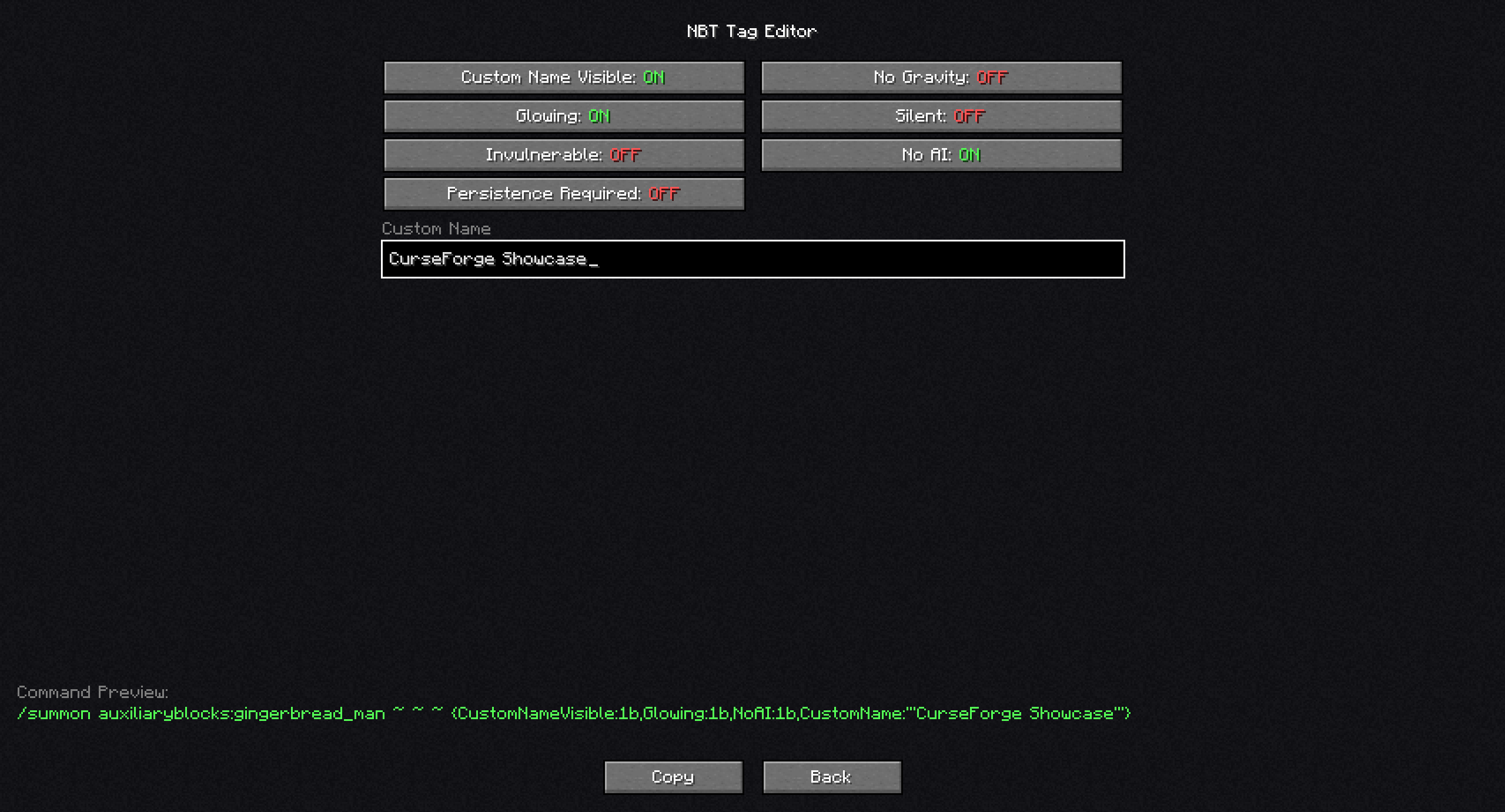 03-nbt-command-editor.png Forge 1.18.2
 -
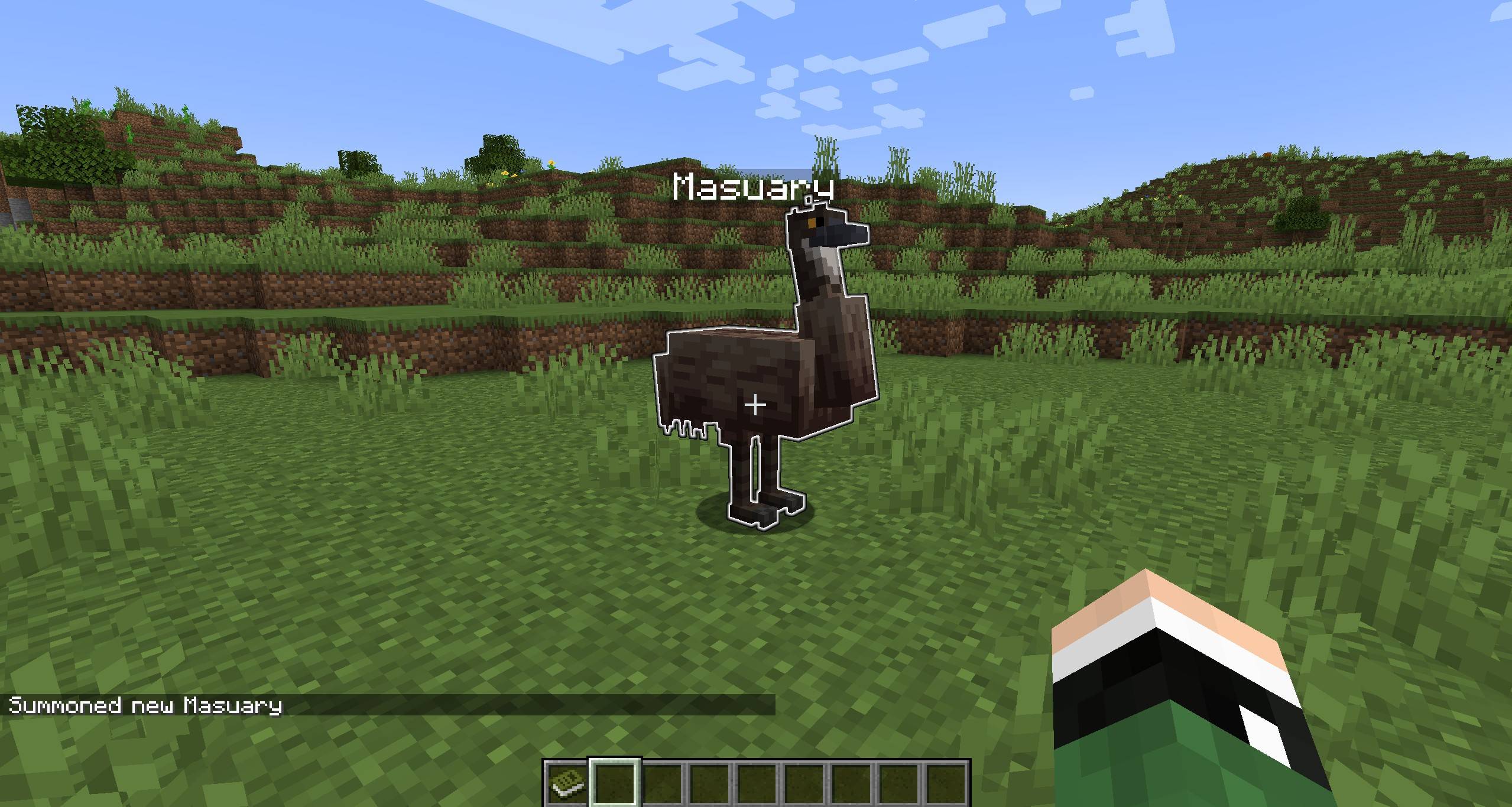 4.jpg Forge 1.18.2 - Spawned Entity with NBT data with editor
 -
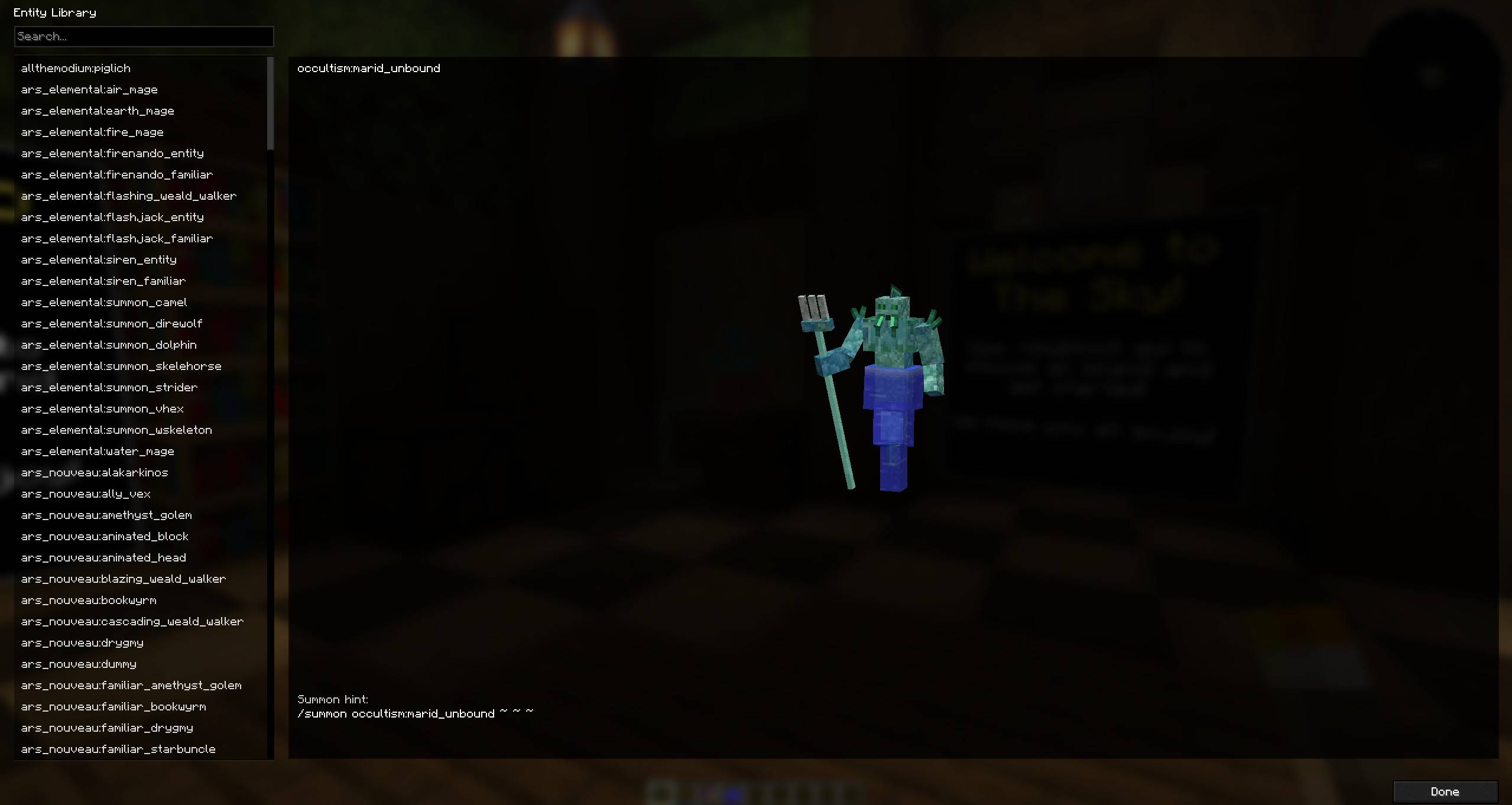 Screen 3.jpg NeoForge 1.21.1
Versions
Files
Relations
Project Relations
More like this
Similar Mods
Suggestions use data such as tags, dependencies, dependents, descriptions, titles, and more to rank how much they overlap with this mod.
On ModDex
Community snapshot
By the numbers
Statistics
Want to reach Minecraft players?
We're looking for a server hosting partner to feature here and other parts of the site. Interested? Send us a message!
Get in touchGet it on
Available Platforms
On ModDex
Community snapshot
By the numbers
Statistics
Resources