Esquisse
No reviews yet
Adds a sketchbook for you to draw EVERYTHING!
Includes quality of life improvements and small tweaks to enhance and customize gameplay.
Neoforge is a fork of the Minecraft Forge available for versions 1.20.1+ of Minecraft. Many Forge mods are compatible with Neoforge and vice versa.
Community voices
Reviews
Click once to include, again to exclude, again to clear
No reviews yet. Be the first to review this project!
Get it on
Available Platforms
 CurseForge
 Modrinth
Compatibility
Supported Environments
About
Project Details
For authors
Embed Badge
If you're the author of this project, you can embed a live badge anywhere that supports HTML or Markdown. It updates automatically whenever ratings change.
Use HTML for any page that supports it, or Markdown for README files and Markdown-based descriptions.
Identifiers
Platform IDs
Resources
External Links
About
Description
VERSION 0.3.0 IS OUT!
CHECK THE CHANGELOG FOR DETAILS
Did you ever wanted to draw your humble starter house? Or you stumbled upon a cool mountain, but you have nothing with you? Or maybe even you wanted to draw your lovely pet, but…ugh? No worries, I got you! Here's THE sketchbook.
Seriously, why nobody ever did that? Heavily inspired by Xerca's Joy of Painting
Addons:
Esquisse Canvas - infinite canvas for infinite imagination (Author, contact me please)
Key Features:
- Craft a Sketchbook and open a custom drawing interface!
- Drawing Tools: Craft a pencil and eraser to draw! (There's no joy without them…)
- Advanced Canvas: The drawing interface allows you to change your brush size, adjust the pencil hardness and even rotate or drag the sketchbook around your screen for maximum comfort.
- Tear & Share: Proud of your masterpiece? Tear the page right out of your sketchbook! The torn page becomes a separate item that preserves your drawing, complete with a custom tooltip showing a thumbnail of your art
- Additional Tools: You can use ruler, drawing compass, etc. to enhance your precision!
- Decorate Your World: You don't have to keep your art in a chest. Shift + RMB on any wall with your sketch to hang it up like a painting! RMB on it to rotate
- You can even make spooky notes like those in the woods left by that guy in a tuxedo
Controls:

- In inventory: grab an empty page/paper and RMB on the Sketchbook to restock with pages
- Hold LMB on a spine (narrow part on the side) to move across the screen Hold LMB on a blue button to rotate the sketchbook. RMB to reset rotation RMB on the red dotted line in between to tear out a page LMB on the bookmarks to flip through

- B to select
- LMB to draw
- Mouse Wheel (MW) to change size: 1px, 2px, 3px
- Shift+MW (or RMB on it in the toolbar) to change hardness: 2H, HB, 4B

- In inventory: grab a dye and RMB on Color Pencil to load it with corresponding color
- C to select
- LMB to draw
- MW to change size: 1-3px
- Shift-MW (or RMB on it on the toolbar) to change hardness: 2H, HB, 4H
- LMB on any color swatch in a color palette on the right to choose (only loaded colors are shown)

- In inventory: grab a dye and RMB on Color Marker to load it with corresponding color
- V to select
- LMB to draw
- MW to change size: 2x5, 3x10, 4x15
- Shift-MW (or RMB on it on the toolbar) to change opacity: L, M, H
- LMB on any color swatch in a color palette on the right to choose (only loaded colors are shown)
- Alt+MW to rotate the brush with 15° increment

- E to select
- LMB to erase
- MW to change size: 1-3px

- W to select
- LMB to erase
- MW to change size: 1-3px
- Shift+MW to change hardness

- S to select
- LMB to smudge pixels
- MW to change size
- Shift+MW to change hardness

- R (or LMB on it on the toolbar) to call it in
- RMB or R again to dismiss
- Hold LMB to move it across
- Shift+LMB to rotate
- Shift+R to "quick-call": press to create first anchor point, while holding place cursor anywhere to create a second one.

- LMB on it on the toolbar to toggle drawing with magnifying glass
- RMB to dismiss
- Hold Z to "quick-call" it. Release to dismiss

- D to select/dismiss
- Drag mouse to choose position/radius
- RMB to revert to previous state (Choosing radius -> Positioning -> Dismissing)
- Hold Shift+D to "quick-call" it. Release to dismiss
If you have any suggestions or you want to report a bug - feel free to email me [email protected]
VERSION 0.3.0 IS OUT!
CHECK THE CHANGELOG FOR DETAILS
Did you ever wanted to draw your humble starter house? Or you stumbled upon a cool mountain, but you have nothing with you? Or maybe even you wanted to draw your lovely pet, but...ugh? No worries, I got you! Here's THE sketchbook.
Seriously, why nobody ever did that? Heavily inspired by Xerca's Joy of Painting
Addons:
Esquisse Canvas - infinite canvas for infinite imagination (justKleb, contact me please)
Key Features:
-
Craft a Sketchbook and open a custom drawing interface!
-
Drawing Tools: Craft a pencil and eraser to draw! (There's no joy without them...)
-
Advanced Canvas: The drawing interface allows you to change your brush size, adjust the pencil hardness and even rotate or drag the sketchbook around your screen for maximum comfort.
-
Tear & Share: Proud of your masterpiece? Tear the page right out of your sketchbook! The torn page becomes a separate item that preserves your drawing, complete with a custom tooltip showing a thumbnail of your art
-
Additional Tools: You can use ruler, drawing compass, etc. to enhance your precision!
-
Decorate Your World: You don't have to keep your art in a chest. Shift + RMB on any wall with your sketch to hang it up like a painting! RMB on it to rotate
-
You can even make spooky notes like those in the woods left by that guy in a tuxedo
Controls:
- In inventory: grab an empty page/paper and RMB on the Sketchbook to restock with pages
- Hold LMB on a spine (narrow part on the side) to move across the screen
- Hold LMB on a blue button to rotate the sketchbook. RMB to reset rotation
- RMB on the red dotted line in between to tear out a page
- LMB on the bookmarks to flip through
- B to select
- LMB to draw
- Mouse Wheel (MW) to change size: 1px, 2px, 3px
- Shift+MW (or RMB on it in the toolbar) to change hardness: 2H, HB, 4B
- In inventory: grab a dye and RMB on Color Pencil to load it with corresponding color
- C to select
- LMB to draw
- MW to change size: 1-3px
- Shift-MW (or RMB on it on the toolbar) to change hardness: 2H, HB, 4H
- LMB on any color swatch in a color palette on the right to choose (only loaded colors are shown)
- In inventory: grab a dye and RMB on Color Marker to load it with corresponding color
- V to select
- LMB to draw
- MW to change size: 2x5, 3x10, 4x15
- Shift-MW (or RMB on it on the toolbar) to change opacity: L, M, H
- LMB on any color swatch in a color palette on the right to choose (only loaded colors are shown)
- Alt+MW to rotate the brush with 15° increment
- E to select
- LMB to erase
- MW to change size: 1-3px
- W to select
- LMB to erase
- MW to change size: 1-3px
- Shift+MW to change hardness
- S to select
- LMB to smudge pixels
- MW to change size
- Shift+MW to change hardness
- R (or LMB on it on the toolbar) to call it in
- RMB or R again to dismiss
- Hold LMB to move it across
- Shift+LMB to rotate
- Shift+R to "quick-call": press to create first anchor point, while holding place cursor anywhere to create a second one.
- LMB on it on the toolbar to toggle drawing with magnifying glass
- RMB to dismiss
- Hold Z to "quick-call" it. Release to dismiss
- D to select/dismiss
- Drag mouse to choose position/radius
- RMB to revert to previous state (Choosing radius -> Positioning -> Dismissing)
- Hold Shift+D to "quick-call" it. Release to dismiss
If you have any suggestions or you want to report a bug - feel free to email me [email protected]
Screenshots
Gallery
-
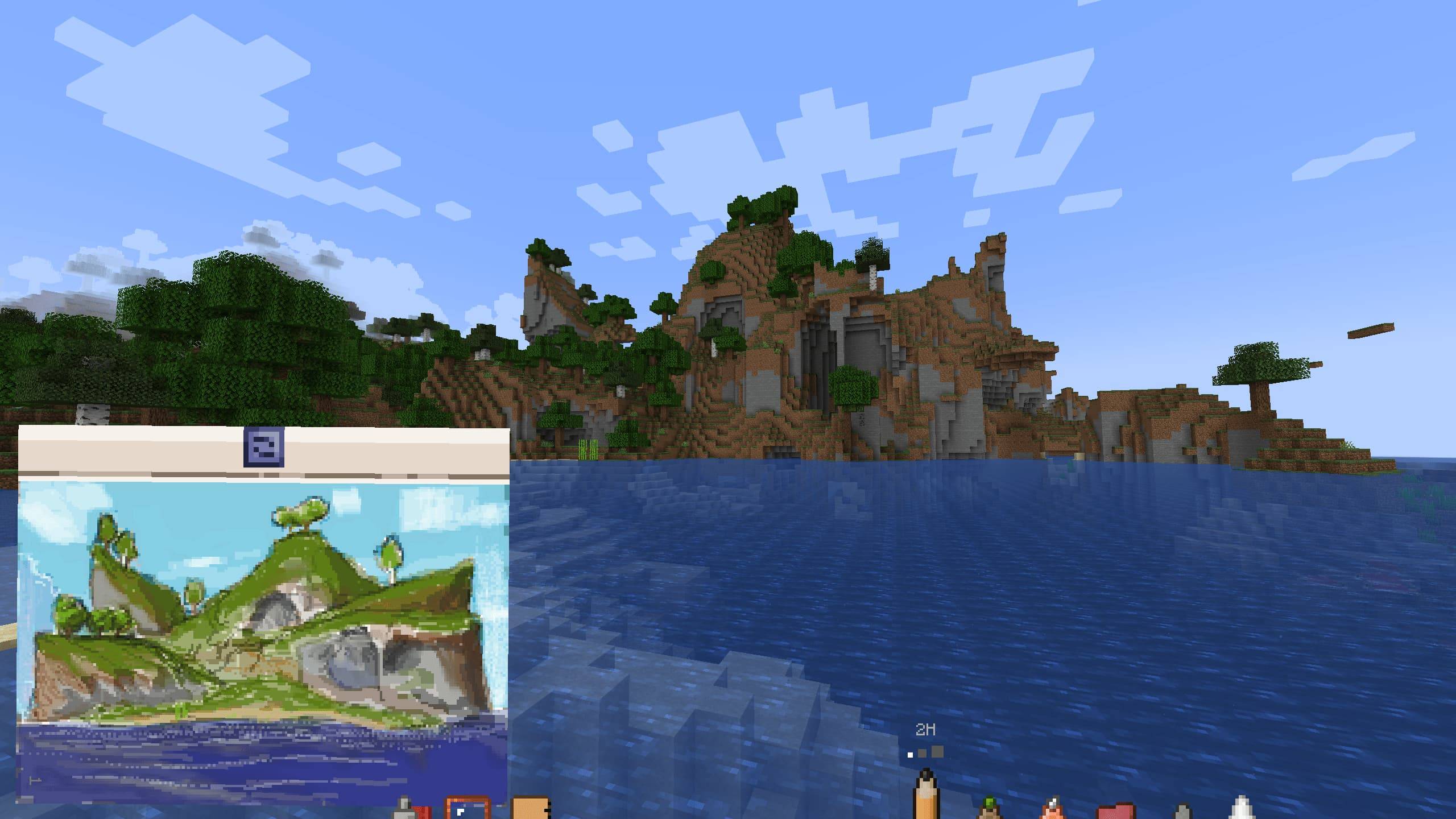 0.3.0 landscape 0.3.0 landscape
 -
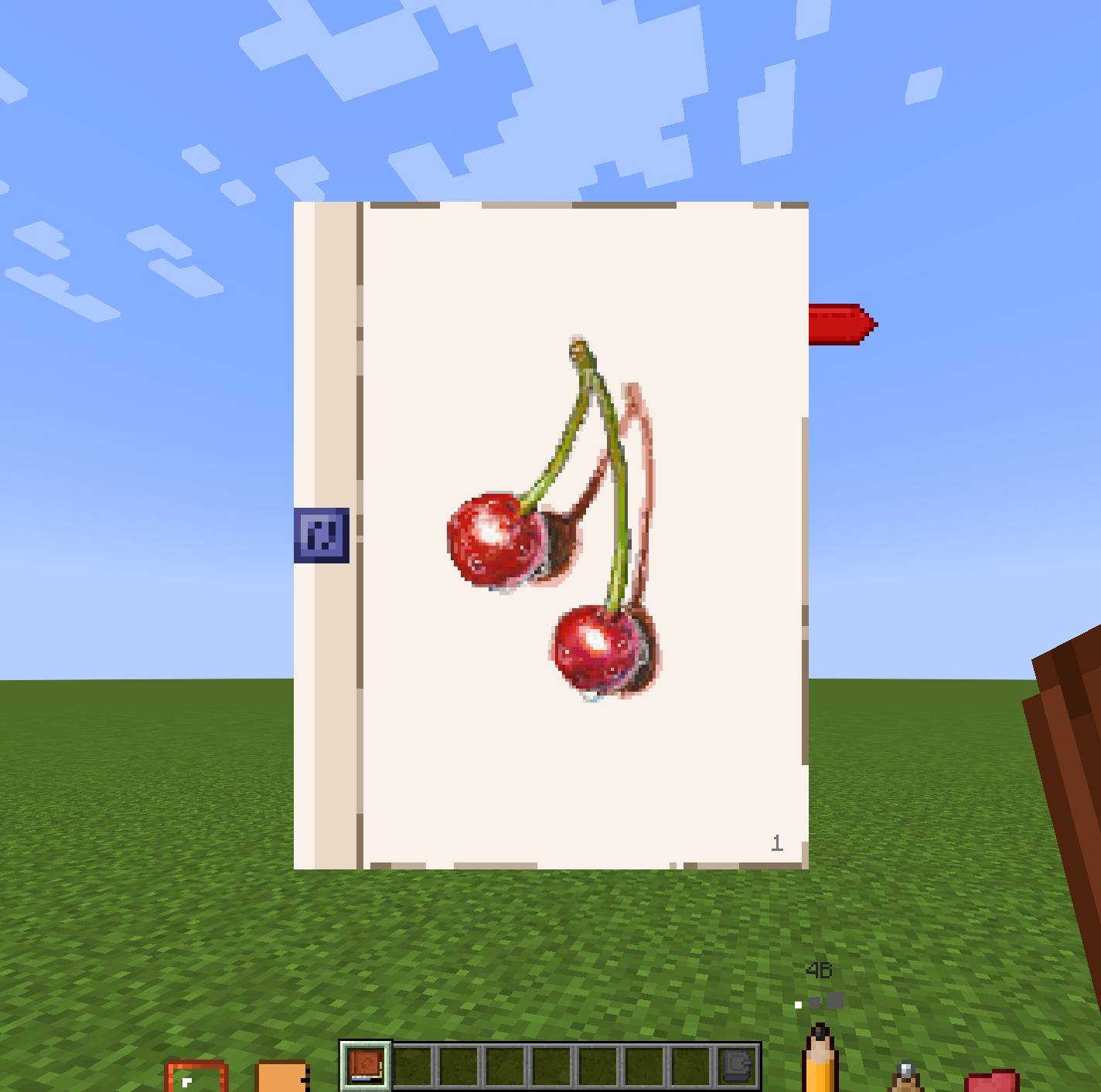 Cherries Cherries
 -
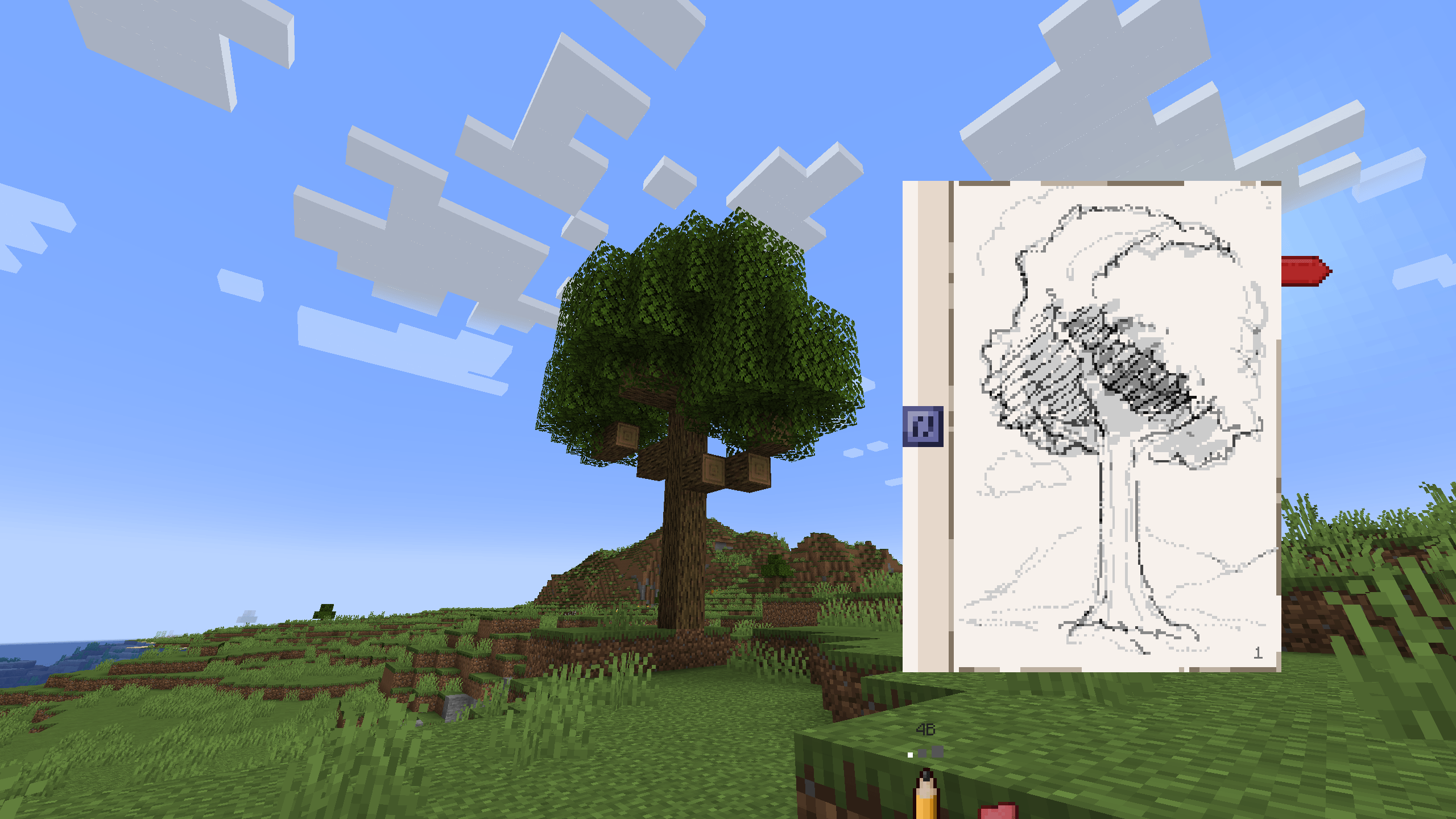 Just sketched a tree Just sketched a tree
 -
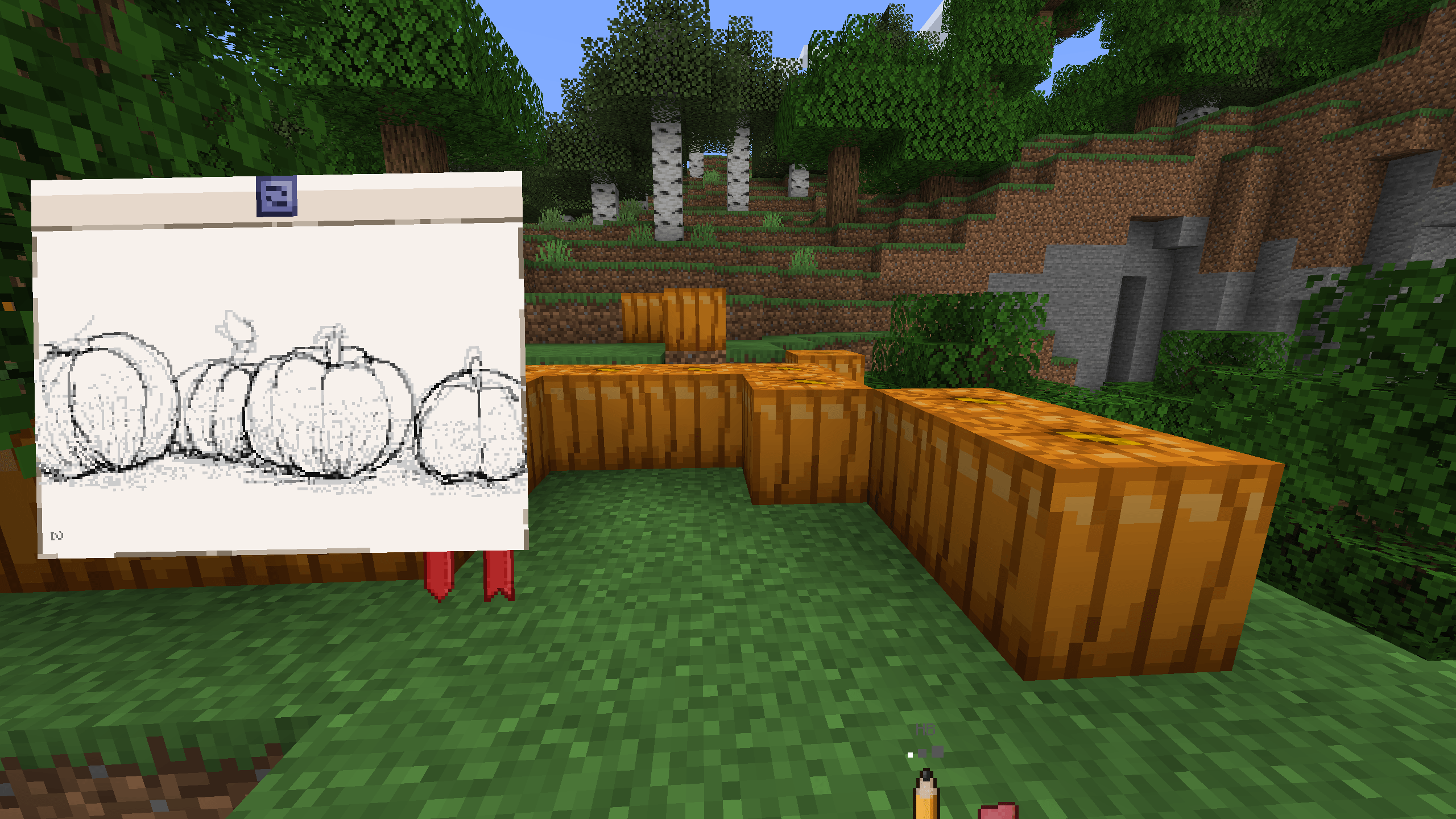 Pumpkins sketch Pumpkins sketch
 -
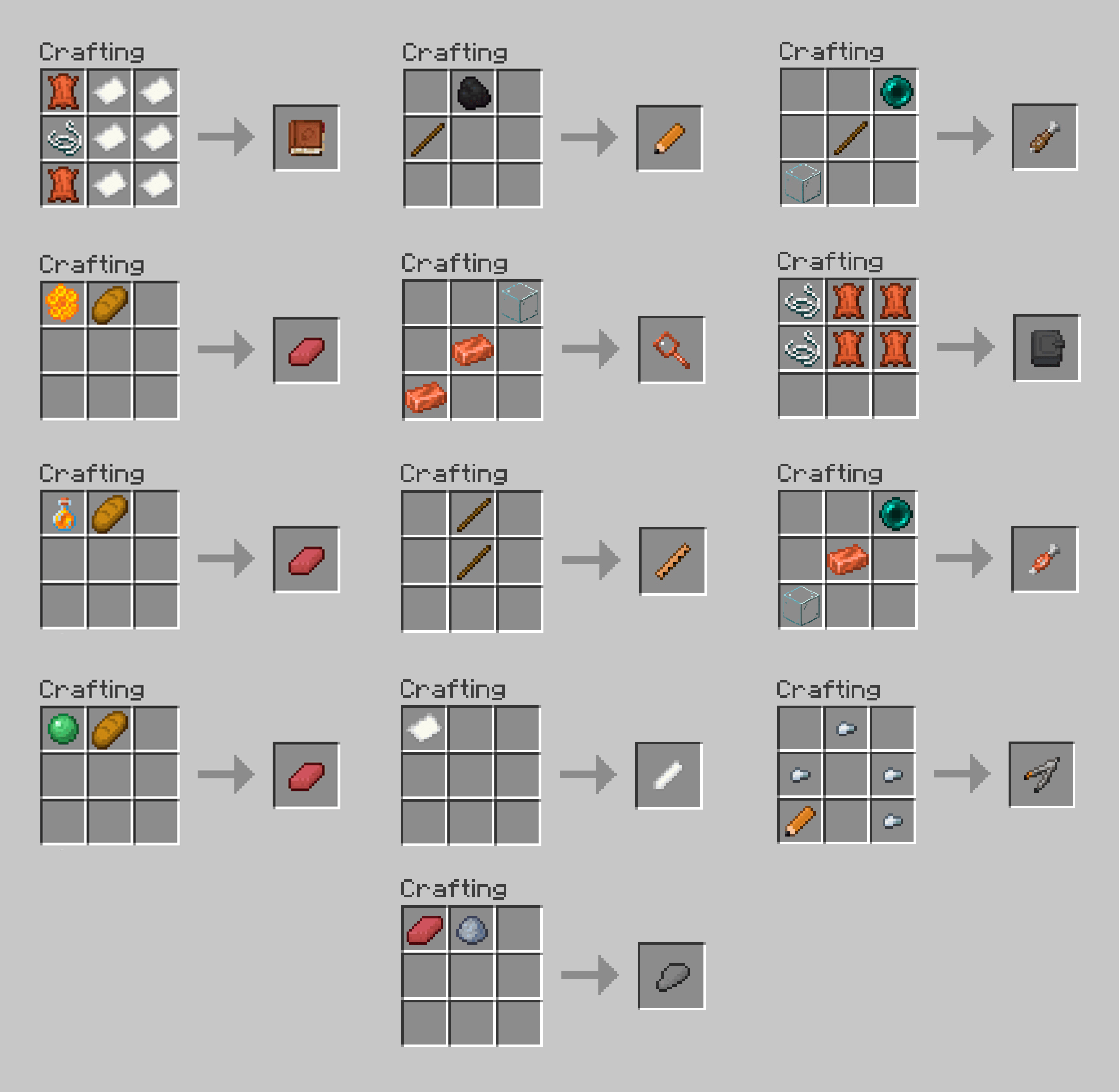 crafts.png crafts.png
-
 Banner
 -
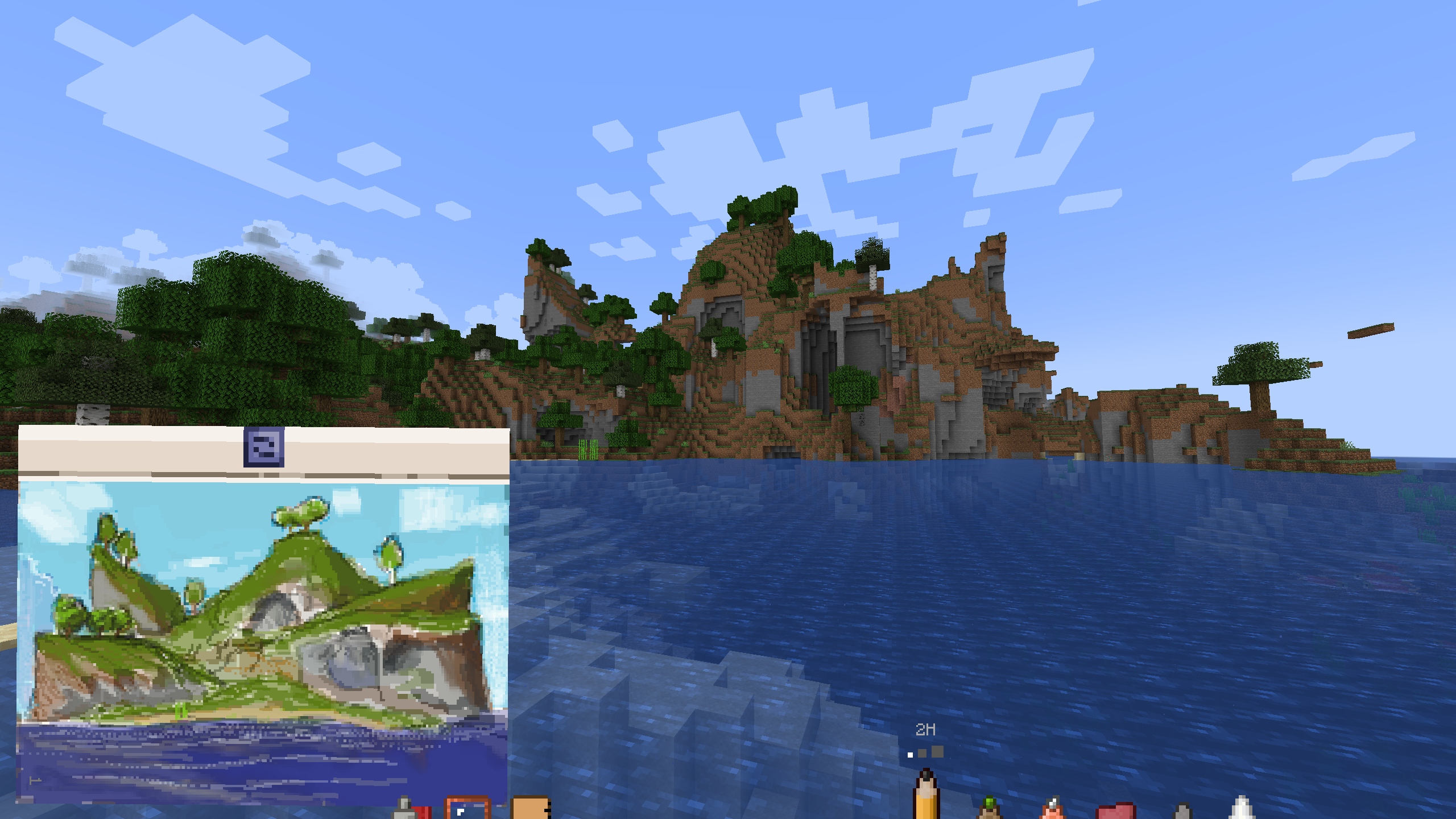 0.3.0 Landscape
 -
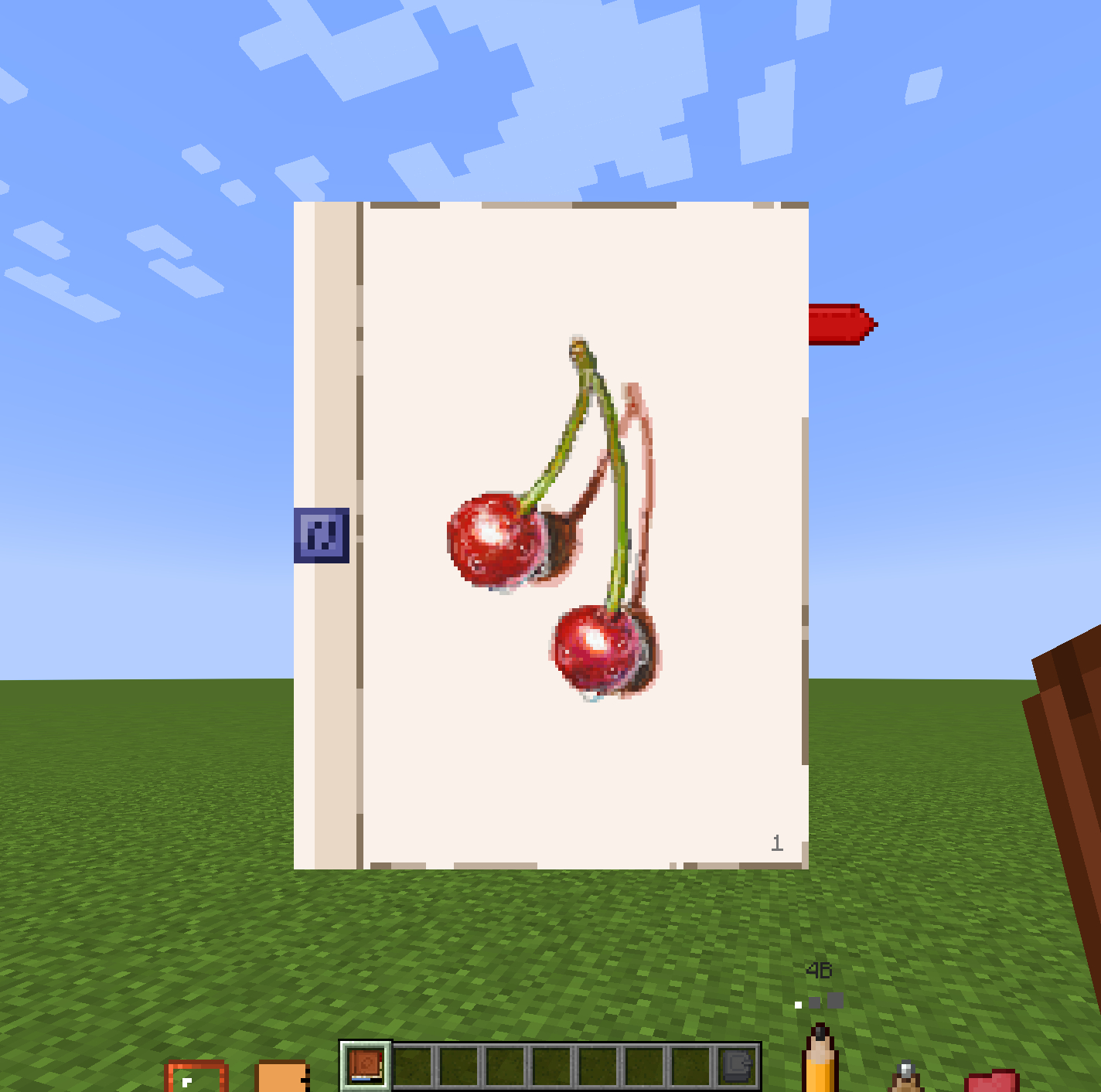 Cherries
 -
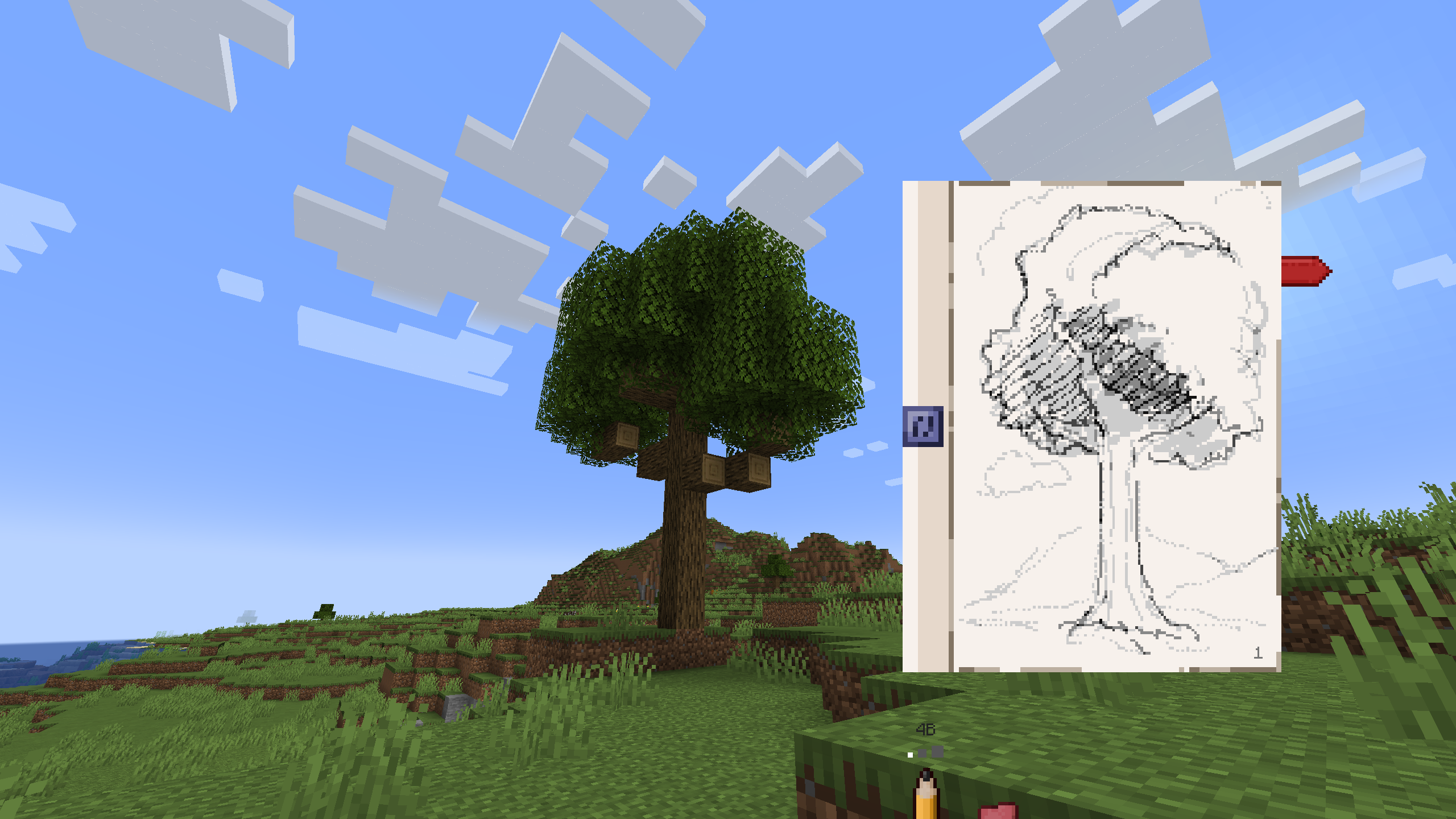 What a good tree
 -
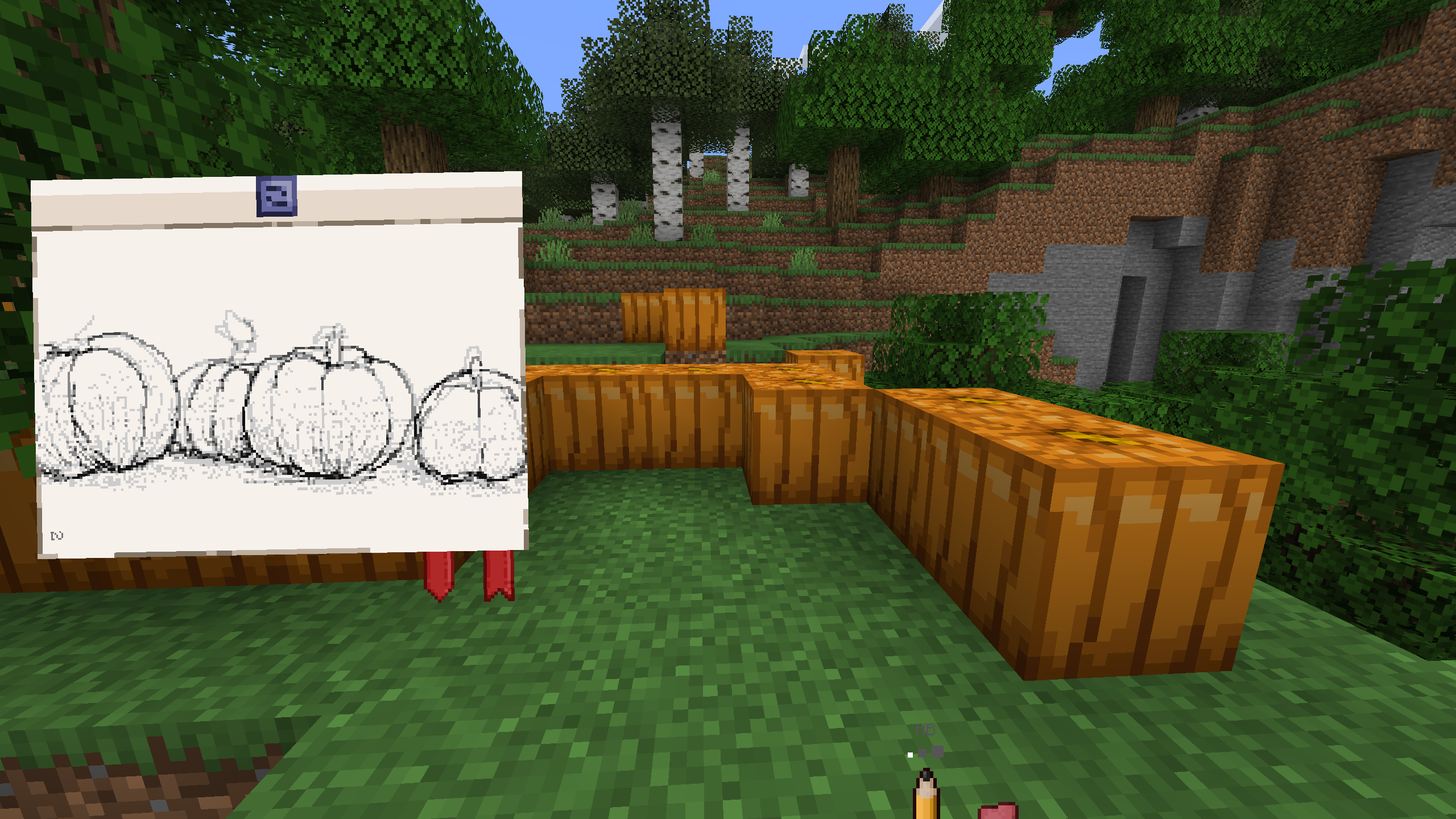 Pumpkins, yeah
 -
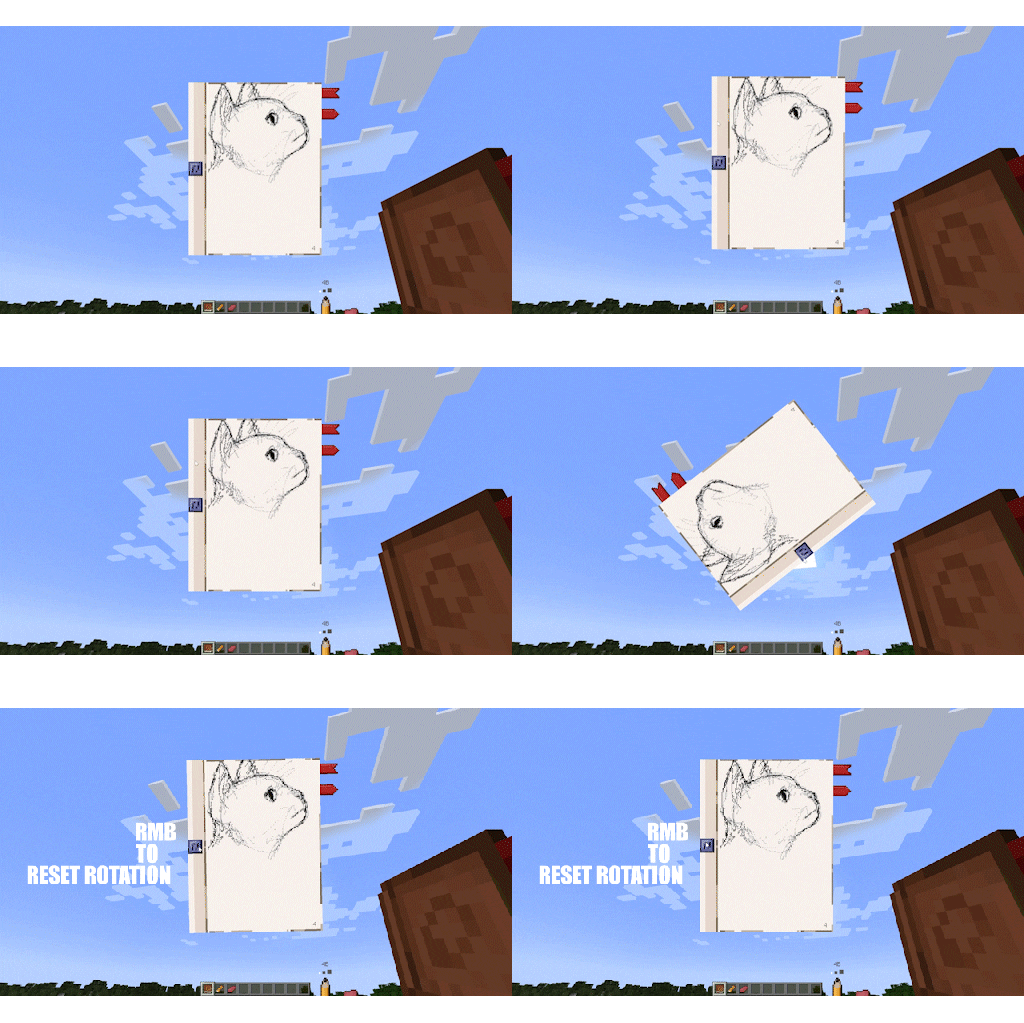 Moving and rotating feature Grab a spine of your sketchbook to drag it across the screen. Hold blue button to rotate. Press it with RMB to reset rotation.
 -
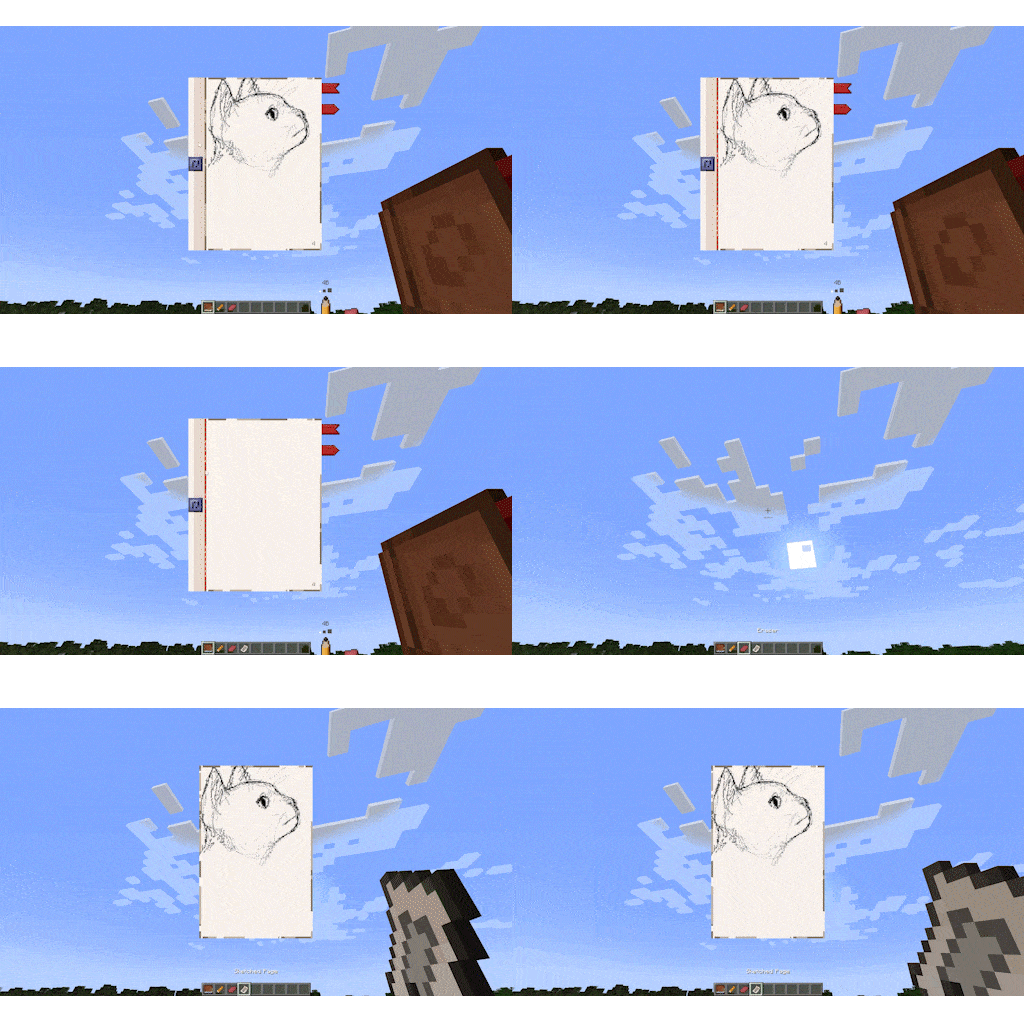 Tearing out feature
 -
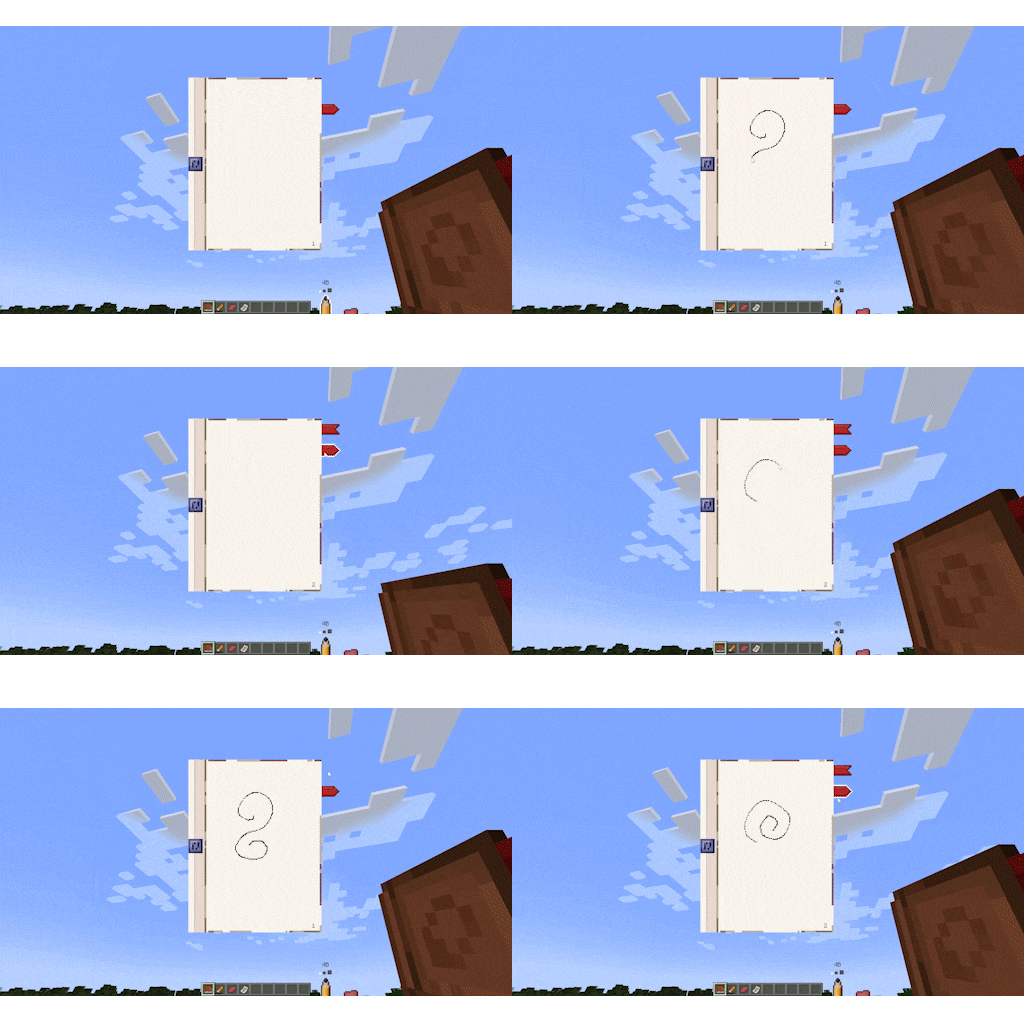 Pages feature
 -
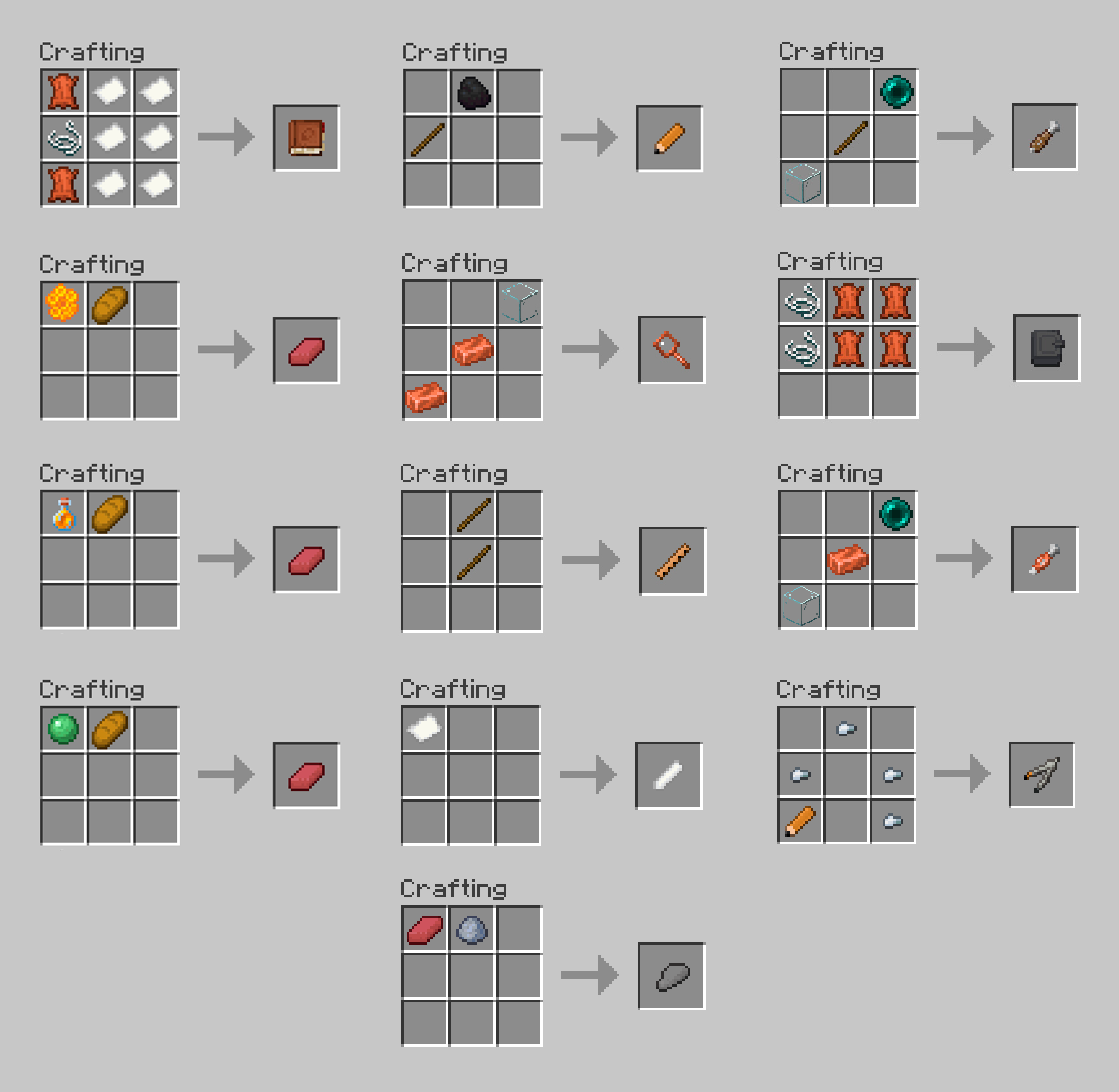 Crafts
Versions
Files
Relations
Project Relations
More like this
Similar Mods
Suggestions use data such as tags, dependencies, dependents, descriptions, titles, and more to rank how much they overlap with this mod.
On ModDex
Community snapshot
By the numbers
Statistics
Want to reach Minecraft players?
We're looking for a server hosting partner to feature here and other parts of the site. Interested? Send us a message!
Get in touchGet it on
Available Platforms
On ModDex
Community snapshot
By the numbers
Statistics
Resources