
Community listing page, reviews may not be monitored by the author.
Evidence Collector

No reviews yet
An addon for Camerapture that adds an evidence-photographing system like the one in Phasmophobia.

Community voices
Reviews
No reviews yet. Be the first to review this project!
Get it on
Available Platforms
About
Project Details
For authors
Embed Badge
If you're the author of this project, you can embed a live badge anywhere that supports HTML or Markdown. It updates automatically whenever ratings change.
Use HTML for any page that supports it, or Markdown for README files and Markdown-based descriptions.
Identifiers
Platform IDs
Resources
External Links
About
Description
📸 Evidence Collector
Bring a little bit of Phasmophobia-style investigation into your world!
Evidence Collector adds an evidence-photography system inspired by Phasmophobia, bringing a new layer of paranormal investigation to Minecraft. Grab your camera, search for mysterious entities, and capture photographic evidence!
Originally created as a small extra feature for my own modpack, this add-on eventually became a standalone project worth sharing with everyone. Now you can bring this experience into your own worlds and modpacks!
✨ Features
- 📷 Evidence Photography — a photography-based evidence system inspired by Phasmophobia.
- 👁️ Entity Detection — photograph supported creatures to make your investigations more immersive.
- 📼 VHS-Style Photographs — give your saved photos a found-footage aesthetic with film grain, scanlines, tracking glitches, and vignette effects.
- 🔴 Camcorder Overlays — display a REC indicator, date, time, coordinates, biome, and dimension information on saved photographs.
- 🎥 Immersive Viewfinder — customize the camera viewfinder with scanlines, a moving tracking line, vignette, recording indicators, and live location information.
- ✨ Visual & Sound Effects — customize the screen flash, glowing effects, and sound effects.
- ⚙️ Highly Configurable — adjust photography requirements, detection settings, visual effects, captions, and HUD messages.
- 🧩 Custom Entity Support — add creatures from other mods through the configuration file.
- 👻 Built-in Entity Support — several creatures from popular horror mods are already supported out of the box.
- 📦 Modpack Friendly — easily integrate Evidence Collector into horror, paranormal investigation, and survival modpacks.
👻 Supported Entities
Evidence Collector includes built-in support for creatures from the following mods:
These creatures are included in the default configuration, so you don't need to register them manually.
Evidence Collector can also automatically add supported creatures from The Silhouettes, with an option to disable automatic additions and manage the list yourself.
📦 Perfect for Horror Modpacks
Whether you're building a terrifying horror experience, a paranormal investigation adventure, or simply want to make encounters with creepy creatures more immersive, Evidence Collector adds a new reason to explore your world.
Grab your camera, collect the evidence, and uncover what lurks in the darkness. 📸👁️
⚙️ Configuration
The configuration file is located at:
config/evidence_collector-client.toml
It is generated automatically after the first launch. You can edit it with any text editor to customize the experience.
👻 Adding Custom Entities
Want to photograph creatures from other mods? You can add your own entries to targets, provided you know the correct entity IDs.
Each entry follows this format:
targetId|Display Name|modid:entity_id,modid:another_entity_idUnderstanding the Format
targetId— a unique identifier chosen by you, such ascustom:ghost. This identifier is stored in the progress file, so keep it consistent if you want to preserve existing progress.Display Name— the name displayed in photo captions and file names.Entity IDs— a comma-separated list of entity IDs belonging to the same creature group. Photographing any entity in this list counts as photographing that group. This is useful when a creature has multiple variants.
Example
Add the following entries to your configuration:
targets = [
    "fixed:cave_dweller|Cave Dweller|cave_dweller:cave_dweller",
    "custom:ghost|Ghost|somemod:ghost,somemod:ghost_angry"
]
In this example:
- Cave Dweller is registered using its entity ID from the Cave Dweller mod.
- Ghost can be photographed in either its normal or angry variant. Both entity IDs count as the same creature.
Managing Your Entity List
- Add a creature: add a new entry to
targets. - Remove a creature: delete its entry from the list.
- Change the order: move entries up or down in the list.
- Group variants: put multiple entity IDs in the same entry if they should count as one creature.
- Add creatures from other mods: find their entity IDs and register them using the same format.
🔎 How to Find an Entity ID
Method 1: In-Game Commands
-
Enable cheats or use a world where you have permission to run commands.
-
Open the chat and type
/summonfollowed by the mod ID and a colon. For example:/summon somemod: -
Press Tab to display available entity IDs, if command suggestions are supported.
An entity ID usually looks like this:
somemod:ghostMethod 2: Inspect the Mod File
-
Locate the relevant mod's
.jarfile. -
Open it with an archive program, since a JAR file is essentially a ZIP archive.
-
Navigate to:
assets/<modid>/lang/en_us.json -
Look for entries describing entities. For example:
"entity.somemod.ghost": "Ghost"
This suggests that the entity ID may be somemod:ghost. Verify the ID in-game when possible.
Important: A mod's ID does not always match its display name. For example, the Psychopath mod uses psycho as its mod ID.
Language files can also contain names for entities that no longer exist. If an entity ID is invalid, check logs/latest.log for warnings such as:
entity type ... is not registered🛠️ Troubleshooting
A Creature Is Not Being Counted
-
Set
debugLog = truein the configuration. -
Take a photograph of the creature.
-
Open
logs/latest.logand examine the output.
The debug log reports information such as the distance to the creature and how many of its sampled points were visible inside the frame. This can help you identify why a photograph was not accepted.
🌐 Languages & Translations
Evidence Collector supports English and Russian. On-screen messages, creature names, and chat messages follow the current game language.
The translation files are located at:
- English:
assets/evidence_collector/lang/en_us.json - Russian:
assets/evidence_collector/lang/ru_ru.json
Translating Custom Entity Names
You can add translation keys for custom creatures using this format:
monster.evidence_collector.<targetId>Replace the colon (:) in targetId with a dot (.).
For example, if your configuration contains:
custom:ghost|Ghost|somemod:ghostThe corresponding translation key would be:
"monster.evidence_collector.custom.ghost": "Ghost"Add the appropriate translation to the language files for each language you want to support.
If no matching translation key exists, the mod uses the display name specified in the configuration.
🔌 Compatibility
Evidence Collector uses standard Forge events and does not rely on mixins. It does not directly modify the game's rendering pipeline.
It has been tested alongside the following mods:
Screenshots
Gallery
-
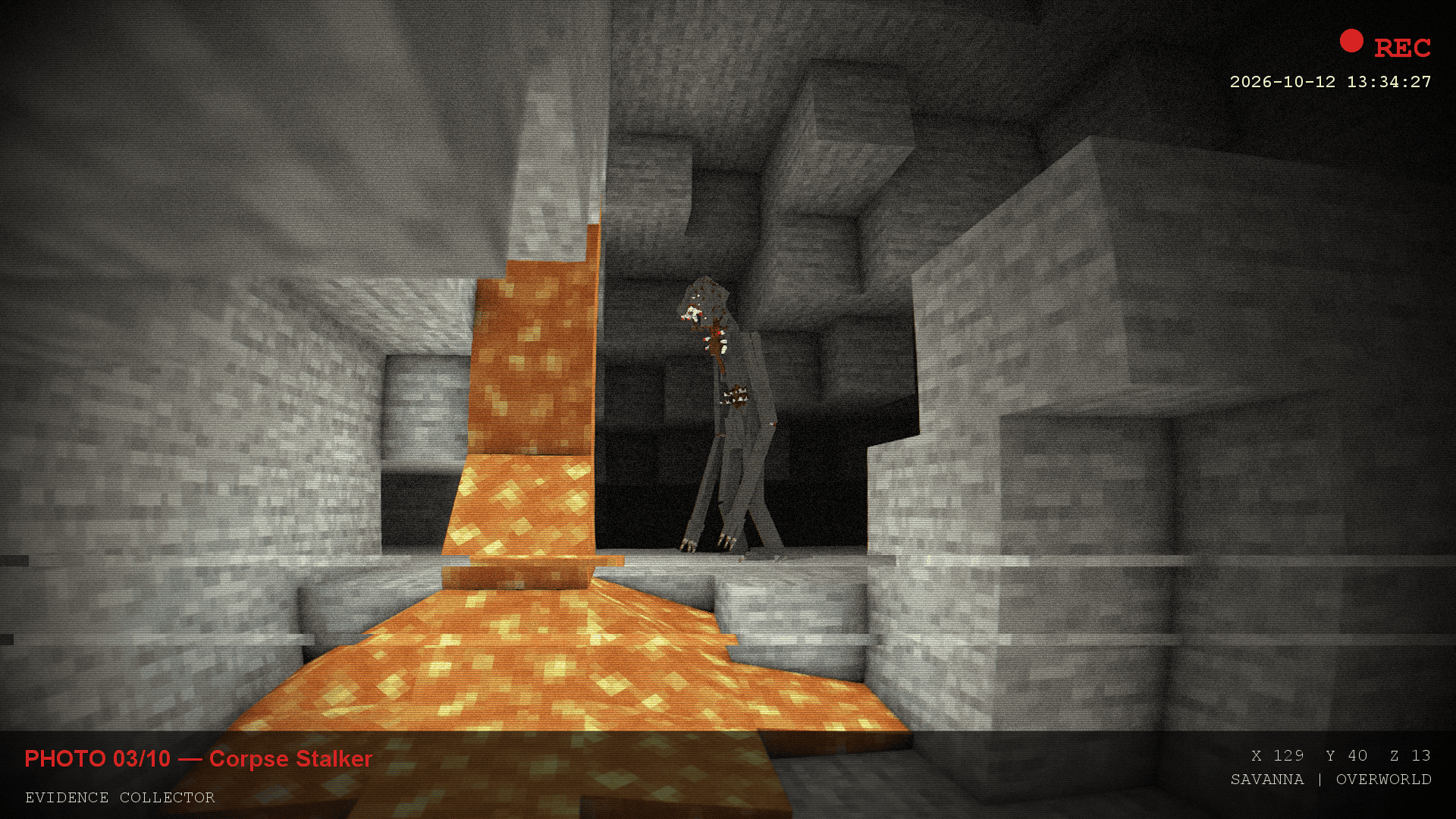 Example photo An example of how the mod also saves photos.
 -
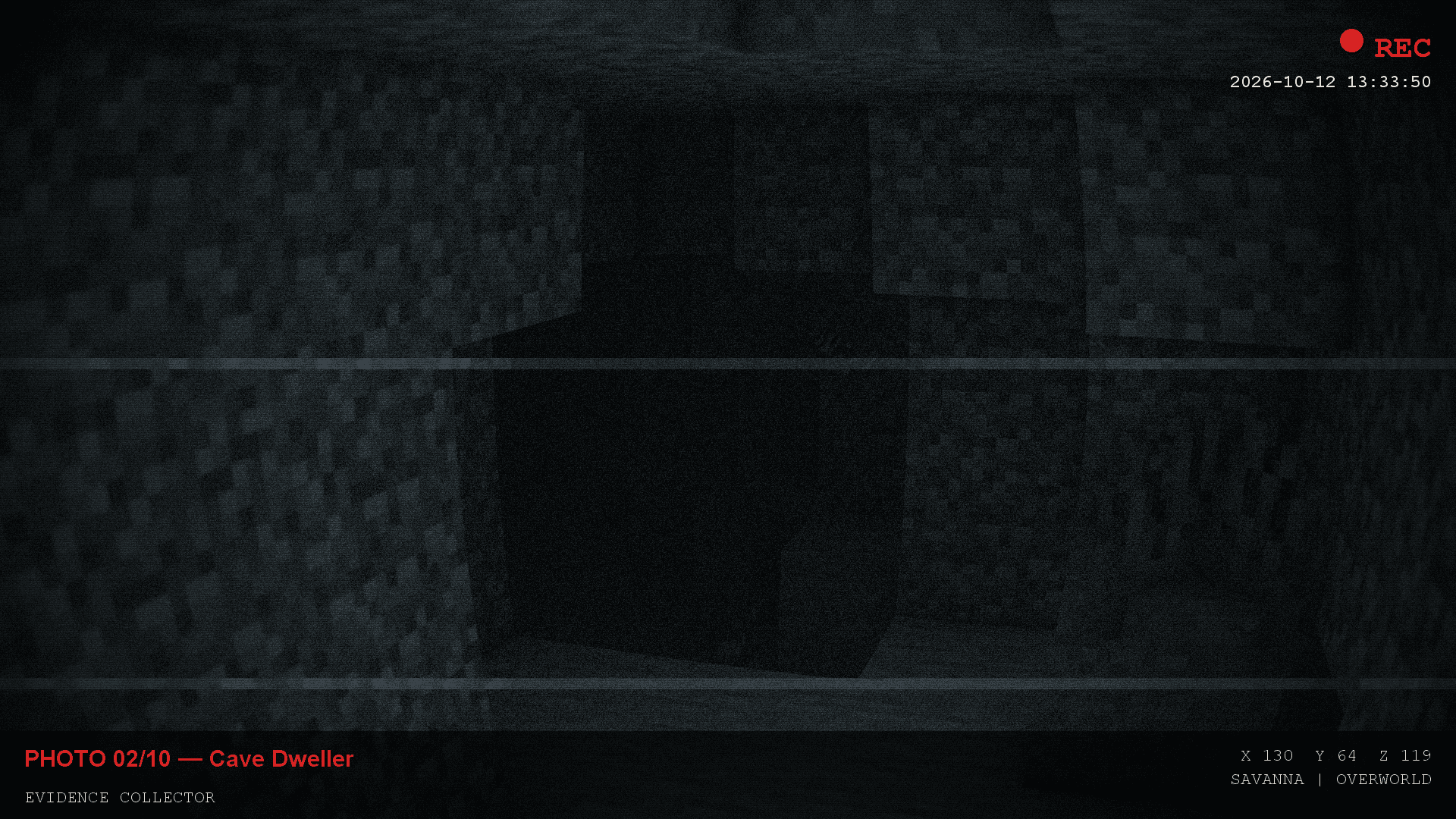 Example photo 2 The mod can also see entities in the dark.
Versions
Files
Relations
Project Relations
More like this
Similar Mods
Suggestions use data such as tags, dependencies, dependents, descriptions, titles, and more to rank how much they overlap with this mod.
On ModDex
Community snapshot
By the numbers
Statistics

Get it on
Available Platforms
On ModDex
Community snapshot
By the numbers
Statistics
Resources