
Community listing page, reviews here may not be monitored by the author.
EXLN Tab

No reviews yet
Mod, that aims to decorate the appearance of the player list
Includes quality of life improvements and small tweaks to enhance and customize gameplay.
Forge is a popular mod loader for versions 1.1+ of Minecraft.
Community voices
Reviews
Filters
Click once to include, again to exclude, again to clear
No reviews yet. Be the first to review this project!
Get it on
Available Platforms
About
Project Details
For authors
Embed Badge
If you're the author of this project, you can embed a live badge anywhere that supports HTML or Markdown. It updates automatically whenever ratings change.
Use HTML for any page that supports it, or Markdown for README files and Markdown-based descriptions.
Identifiers
Platform IDs
About
Description
This is one of my many "EXLN" mods, that aims to decorate the appearance of the player list and inject permission prefixes.
Wiki: wiki and github page
Screen Page: curseforge screens
Dependencies (if will be used with permission plugin!):
- ElegantNetworking - Click me
Without Dependencies u can use only default version with team prefixes instead of roles.
On my project I came across a situation where I wanted to refresh the appearance of the players table.
As it turned out, there are very few such mods, and most importantly, they do not support privileges!
They will not show the player's donation level or his status.
This mod is designed to correct this nuance. It supports the following plugins:
-LuckPerms (for roles)
-PermissionEX (for roles)
- Also supports Spark (for current tps)
Tab is scrollable, and when players won't fit into the main screen, all you have to do is scroll your mouse wheel!
The modification also has its own, non-Minecraft font (Roboto).
For greater performance I recommend using anti-aliasing
U can setup a lot:
- Should we inject in plugin and take group prefix?
- Should we inject in plugin and take group name instead of prefix?
- If displayed role has some "&2" (colorcodes), should we apply it to text?
- Should we write current TPS?
- Should we paint coloured rounded rectangle for role display?
U can also setup all colors for role display!
Please, If this is what you've been looking for and I was able to help you, you can always thank me on Patreon:
Click me! Donate <-
Install Dependencies before using this mod!
Screenshots
Gallery
-
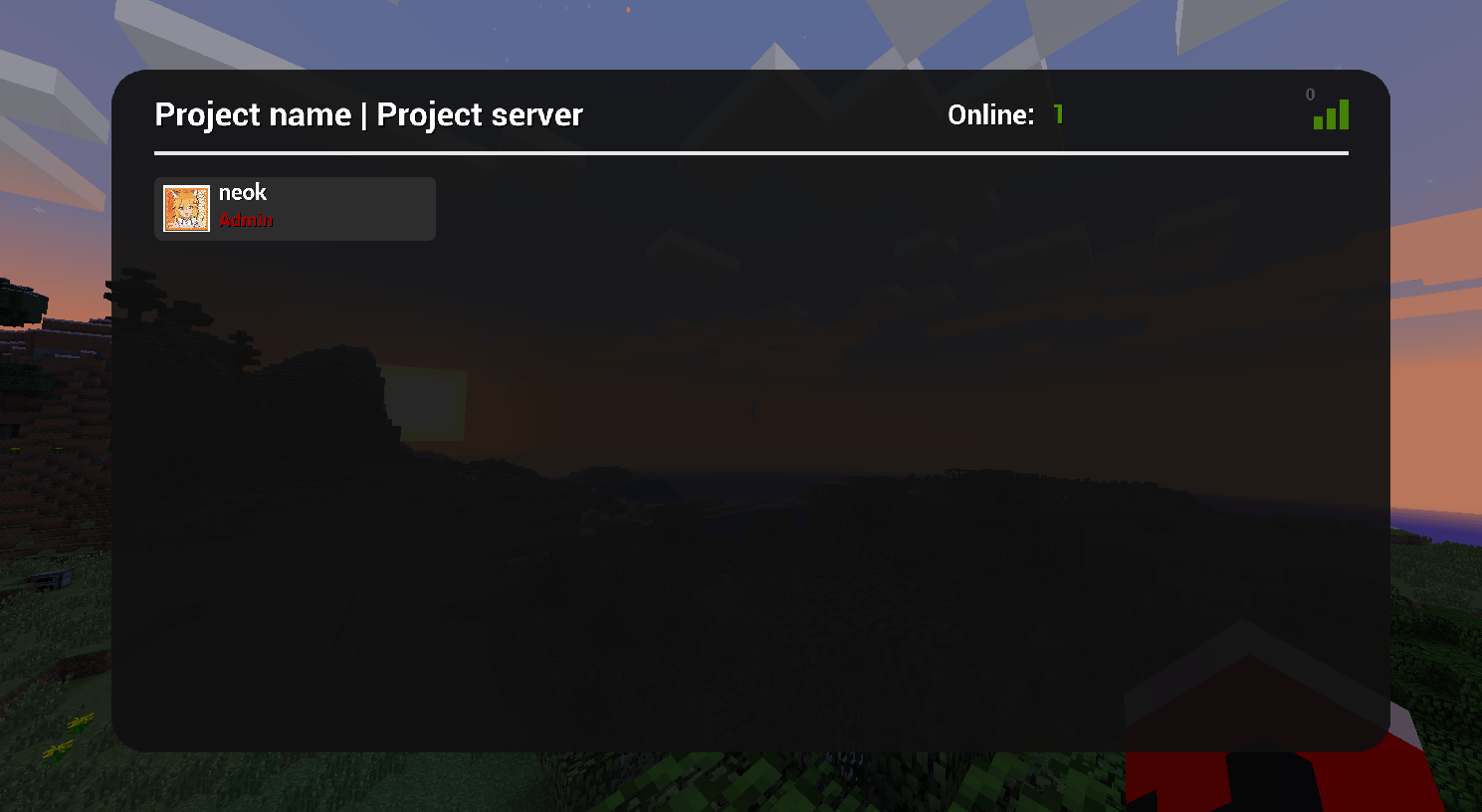 Setup2.png Disabled colored bg, disabled draw tps. Enabled color codes, installed avatar url.
 -
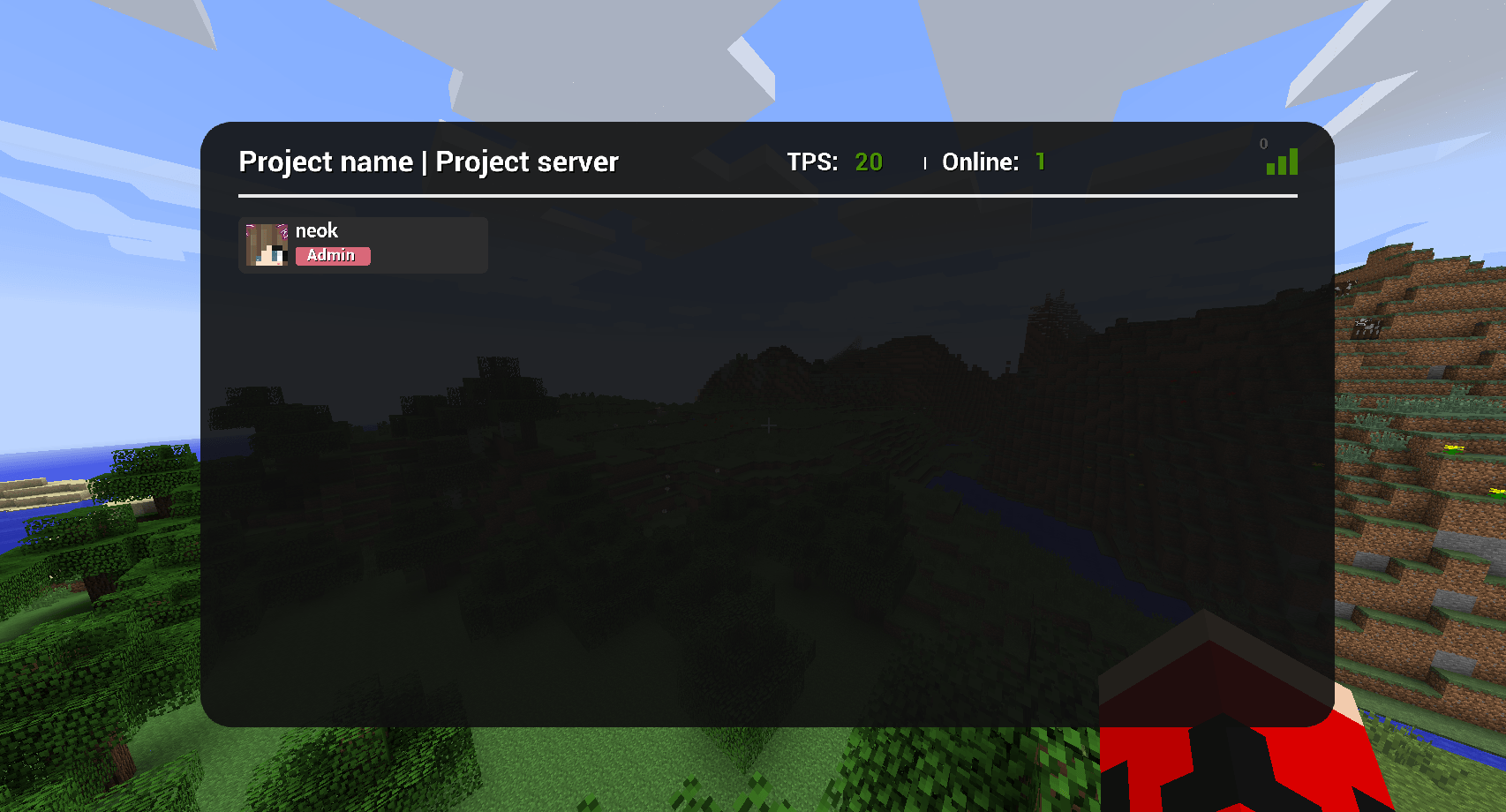 Setup1.png Enabled colored bg with color setup, enabled draw tps. Disabled color codes, avatar url in empty.
Versions
Files
Relations
Project Relations
More like this
Similar Mods
Suggestions use data such as tags, dependencies, dependents, descriptions, titles, and more to rank how much they overlap with this mod.
On ModDex
Community snapshot
By the numbers
Statistics
Want to reach Minecraft players?
We're looking for a server hosting partner to feature here and other parts of the site. Interested? Send us a message!
Get in touchGet it on
Available Platforms
On ModDex
Community snapshot
By the numbers