Community listing page, reviews here may not be monitored by the author.
Explorer's Compass RPG (Add-on)

No reviews yet
Adds configurable structure difficulty tiers to Explorer's Compass for RPG and progression modpacks.
Community voices
Reviews
No reviews yet. Be the first to review this project!
Get it on
Available Platforms
About
Project Details
For authors
Embed Badge
If you're the author of this project, you can embed a live badge anywhere that supports HTML or Markdown. It updates automatically whenever ratings change.
Use HTML for any page that supports it, or Markdown for README files and Markdown-based descriptions.
Identifiers
Platform IDs
Resources
External Links
About
Description
Explorer's Compass RPG
Explorer's Compass RPG is a small addon for modpack creators who want to add progression guidance to Explorer's Compass.
If your modpack contains dozens (or hundreds) of structures, players often have no idea which destination is appropriate for their current stage.
This addon lets you assign custom difficulty tiers to structures, making Explorer's Compass a much better navigation tool for progression-based packs.
Compatible with Explorer's Compass Edited
Features
Configurable difficulty tiers
Assign a tier to any structure using a simple JSON file.
Example:
★★ Desert Pyramid
★★★★★ Ancient City
Also adds Dimension filters.
Currently support Tier 1-7 star difficulty rating.
Only apply to vanilla structures by default (Can change/Add in config files)
Tier filtering
Let players filter structures by progression.
Great for RPG, adventure, expert, and quest-driven modpacks.
Simple JSON configuration
Supports vanilla and modded structures.
No datapacks required.
No resource packs required.
Example Config:
"structures": {
"minecraft:buried_treasure": {
"tier": 1
},
"minecraft:igloo": {
"tier": 1
},
"minecraft:mineshaft": {
"tier": 1
}
Client-side only
Structure names remain unchanged.
Only Explorer's Compass is enhanced.
Why I made this
I'm currently working on an RPG progression modpack, and one problem kept coming up.
Explorer's Compass is great for finding structures, but once you start adding lots of mods, players have no way of knowing whether a structure is meant for early game or endgame.
I wanted a simple way to give players a bit of guidance without spoiling exploration or changing structure names.
So I made Explorer's Compass RPG.
Hopefully it can be useful for other modpack creators too.
Perfect for
- RPG Modpacks
- Progression Packs
- Adventure Packs
Screenshots
Gallery
-
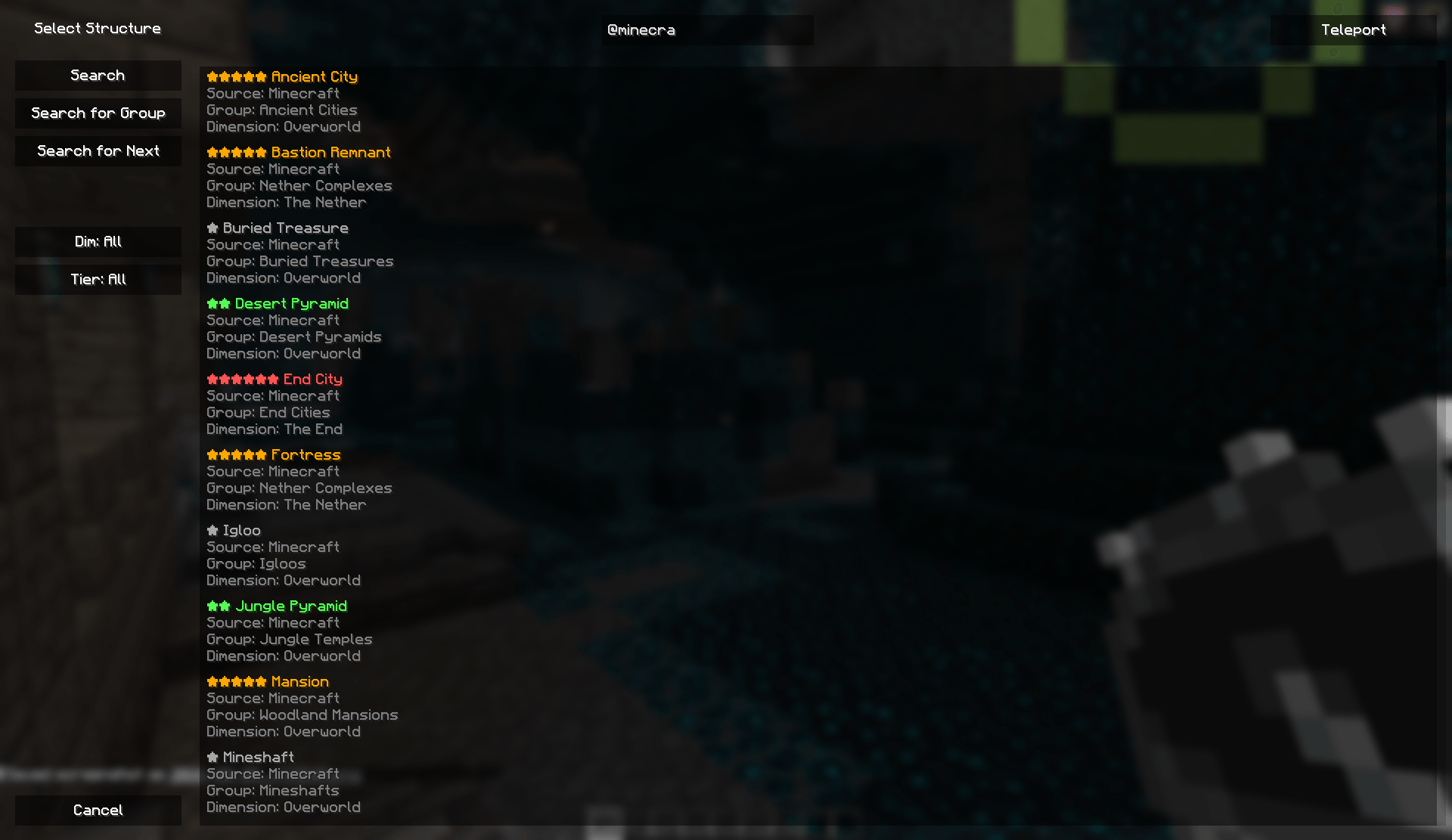 Difficulty Star.png Difficulty Star.png
 -
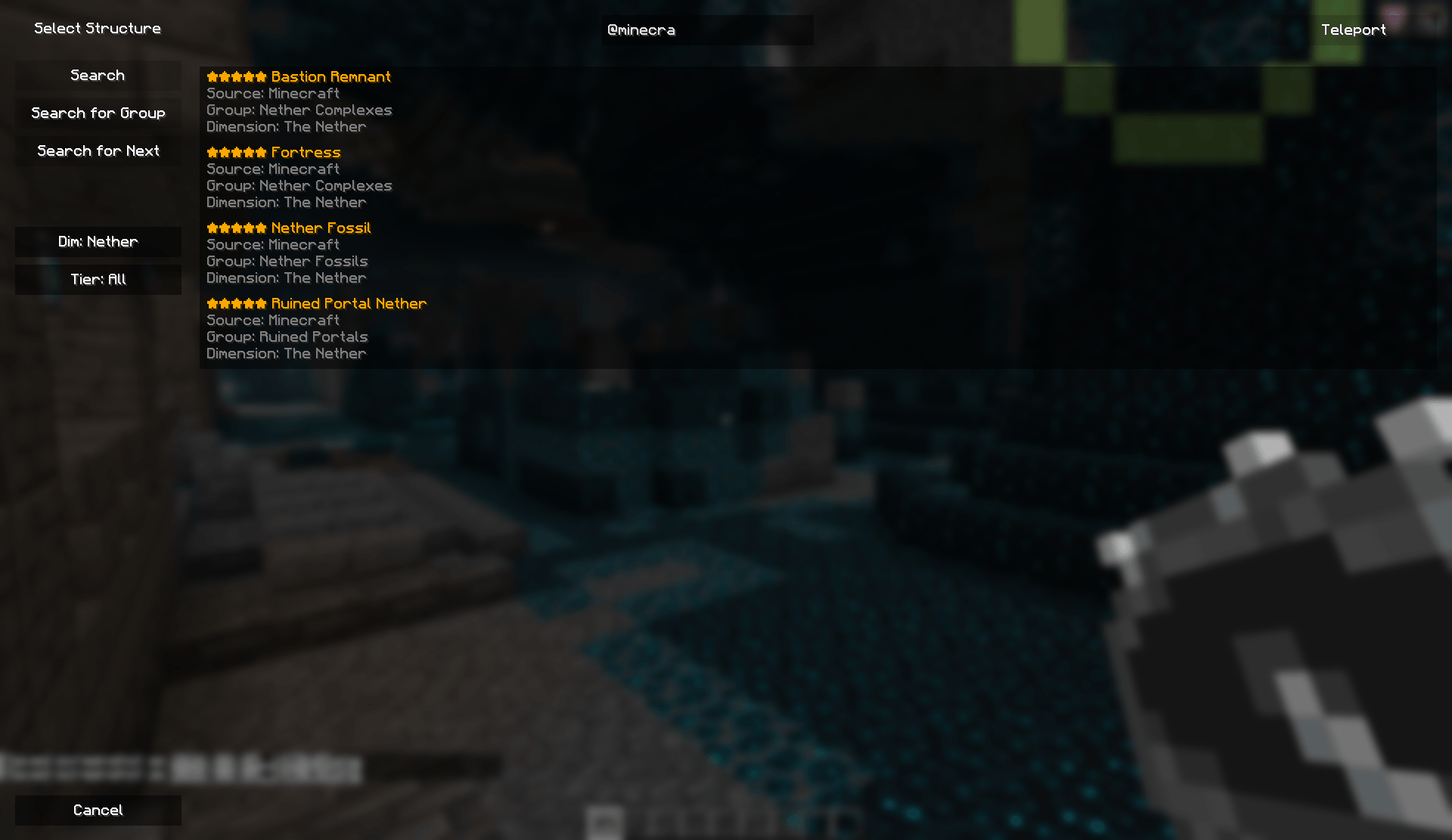 Dimension Filter (Nether).png Dimension Filter (Nether).png
 -
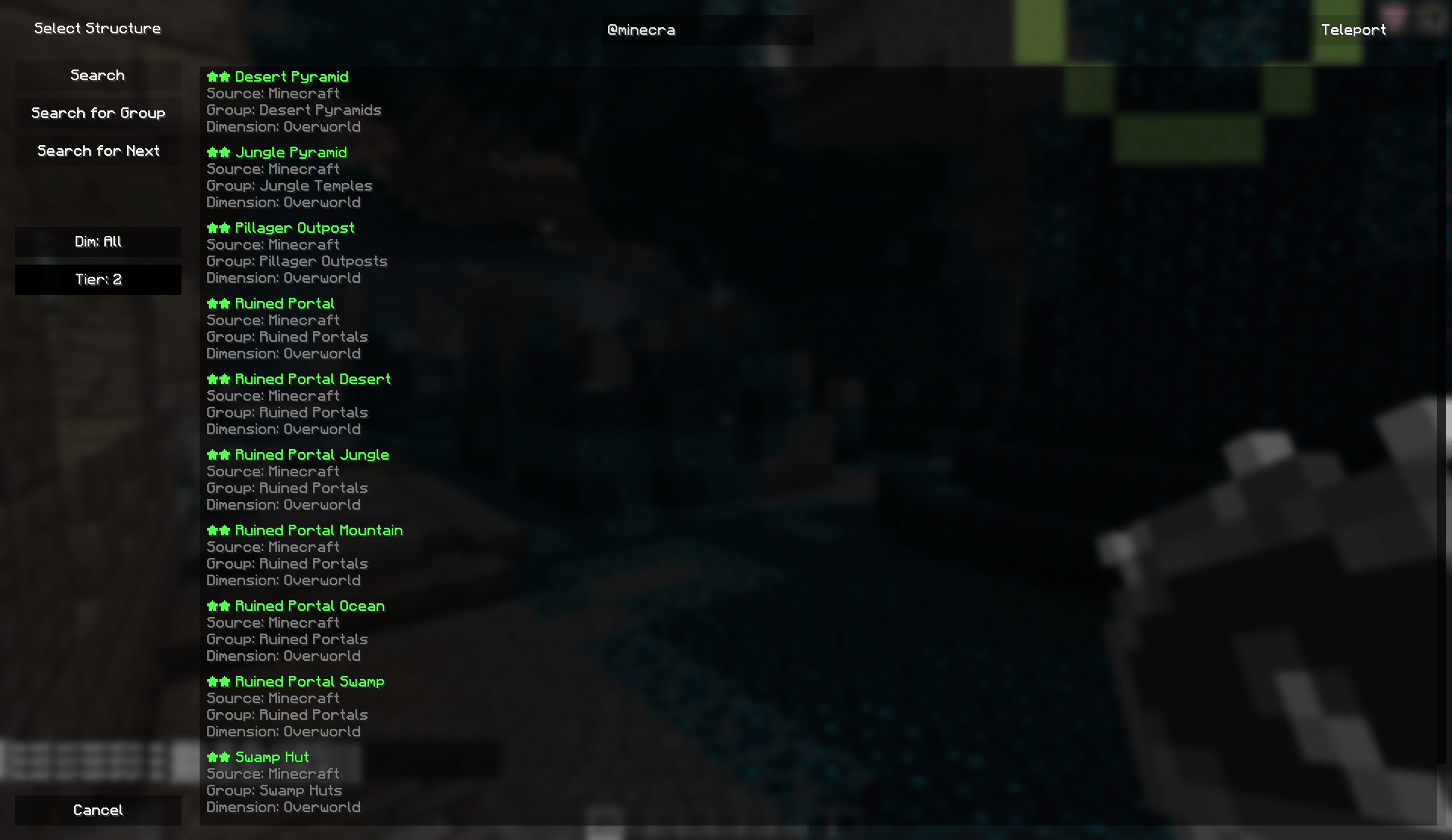 Tier Filter (2).png Tier Filter (2).png
Versions
Files
Relations
Project Relations
More like this
Similar Mods
Suggestions use data such as tags, dependencies, dependents, descriptions, titles, and more to rank how much they overlap with this mod.
On ModDex
Community snapshot
By the numbers
Statistics
Want to reach Minecraft players?
We're looking for a server hosting partner to feature here and other parts of the site. Interested? Send us a message!
Get in touchGet it on
Available Platforms
On ModDex
Community snapshot
By the numbers
Statistics
Resources