Community listing page, reviews here may not be monitored by the author.


Community voices
Reviews
No reviews yet. Be the first to review this project!
Get it on
Available Platforms
Compatibility
Supported Environments
Runs entirely on the client. Works on vanilla servers.
About
Project Details
For authors
Embed Badge
If you're the author of this project, you can embed a live badge anywhere that supports HTML or Markdown. It updates automatically whenever ratings change.
Use HTML for any page that supports it, or Markdown for README files and Markdown-based descriptions.
Identifiers
Platform IDs
Resources
External Links
About
Description
Extra Chat
Extra Chat lets you split your chat into custom, filterable tabs — so you never have to scroll through a wall of trade spam to find the whisper you actually cared about.
Create as many chat windows as you want, each with its own set of rules deciding exactly which messages land in it. Every tab is a fully independent, movable, resizable HUD box that lives right alongside your normal chat.
How It Works
- Open Mod Menu → Extra Chat → Configure
- Click + Add Tab and give it a name
- Add one or more filter rules (e.g.
Contains: /msgto catch private messages, orContains: [Staff]for staff chat) - Choose whether matched messages should also show in normal chat (Show in All)
- Customize the tab's color, opacity, and border in 🎨 Appearance
- Position and resize your tabs from HUD Pos
- Hit Save & Close — your new tab is live immediately
Requirements
| Requirement | Version |
|---|---|
| Minecraft | 26.2 |
| Fabric Loader | 0.19.3+ |
| Fabric API | Required |
| Mod Menu | Optional, but required for the in-game settings UI |
| Java | 25+ |
This mod is client-side only. It does not need to be installed on servers, and installing it won't affect other players.
FAQ
Does this replace my normal chat? No — your normal Minecraft chat still works exactly as before. Extra Chat adds separate, additional chat windows alongside it.
Can I use this on servers I don't run? Yes. Since it's entirely client-side, you can use it on any server without needing permission or server-side installation.
Can I hide a tab's border completely? Yes — turn off "Show border" in a tab's Appearance settings and only the message text will render, with no title bar, icon, or outline.
Can I use this mod in my modpack? Yes, of course you can use Extra Chat in your modpack.
Found a Bug or Have a Suggestion?
Please report issues or feature requests through the our Discord.
Extra Chat
Extra Chat lets you split your chat into custom, filterable tabs — so you never have to scroll through a wall of trade spam to find the whisper you actually cared about.
Create as many chat windows as you want, each with its own set of rules deciding exactly which messages land in it. Every tab is a fully independent, movable, resizable HUD box that lives right alongside your normal chat.
How It Works
- Open Mod Menu → Extra Chat → Configure
- Click + Add Tab and give it a name
- Add one or more filter rules (e.g.
Contains: /msgto catch private messages, orContains: [Staff]for staff chat) - Choose whether matched messages should also show in normal chat (Show in All)
- Customize the tab's color, opacity, and border in 🎨 Appearance
- Position and resize your tabs from HUD Pos
- Hit Save & Close — your new tab is live immediately
Requirements
| Requirement | Version |
|---|---|
| Minecraft | 26.2 |
| Fabric Loader | 0.19.3+ |
| Fabric API | Required |
| Mod Menu | Optional, but required for the in-game settings UI |
| Java | 25+ |
This mod is client-side only. It does not need to be installed on servers, and installing it won't affect other players.
FAQ
Does this replace my normal chat? No — your normal Minecraft chat still works exactly as before. Extra Chat adds separate, additional chat windows alongside it.
Can I use this on servers I don't run? Yes. Since it's entirely client-side, you can use it on any server without needing permission or server-side installation.
Can I hide a tab's border completely? Yes — turn off "Show border" in a tab's Appearance settings and only the message text will render, with no title bar, icon, or outline.
Can I use this mod in my modpack? Yes, of course you can use Extra Chat in your modpack.
Found a Bug or Have a Suggestion?
Please report issues or feature requests through the our Discord.
Screenshots
Gallery
-
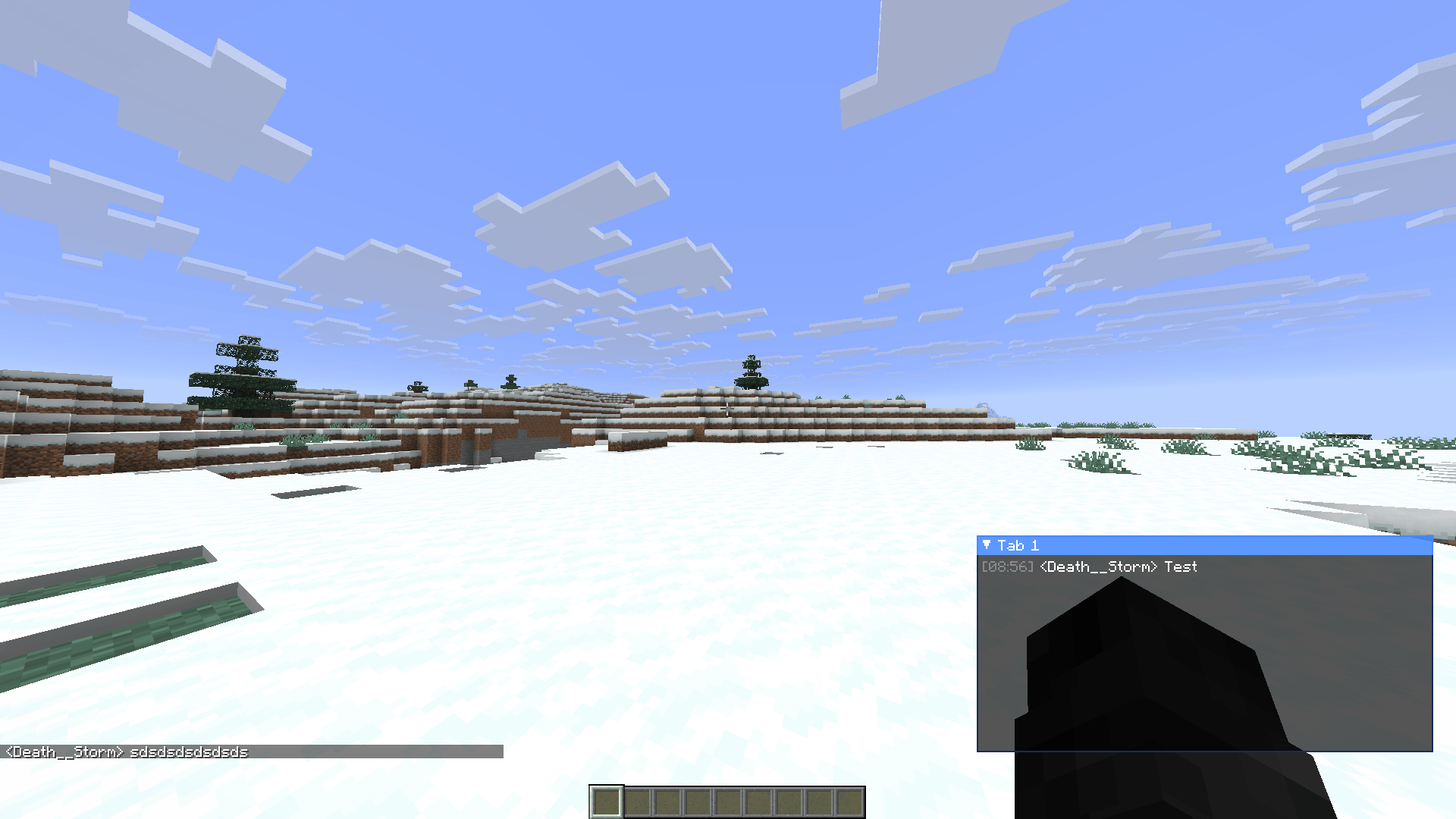 In-Game Preview
 -
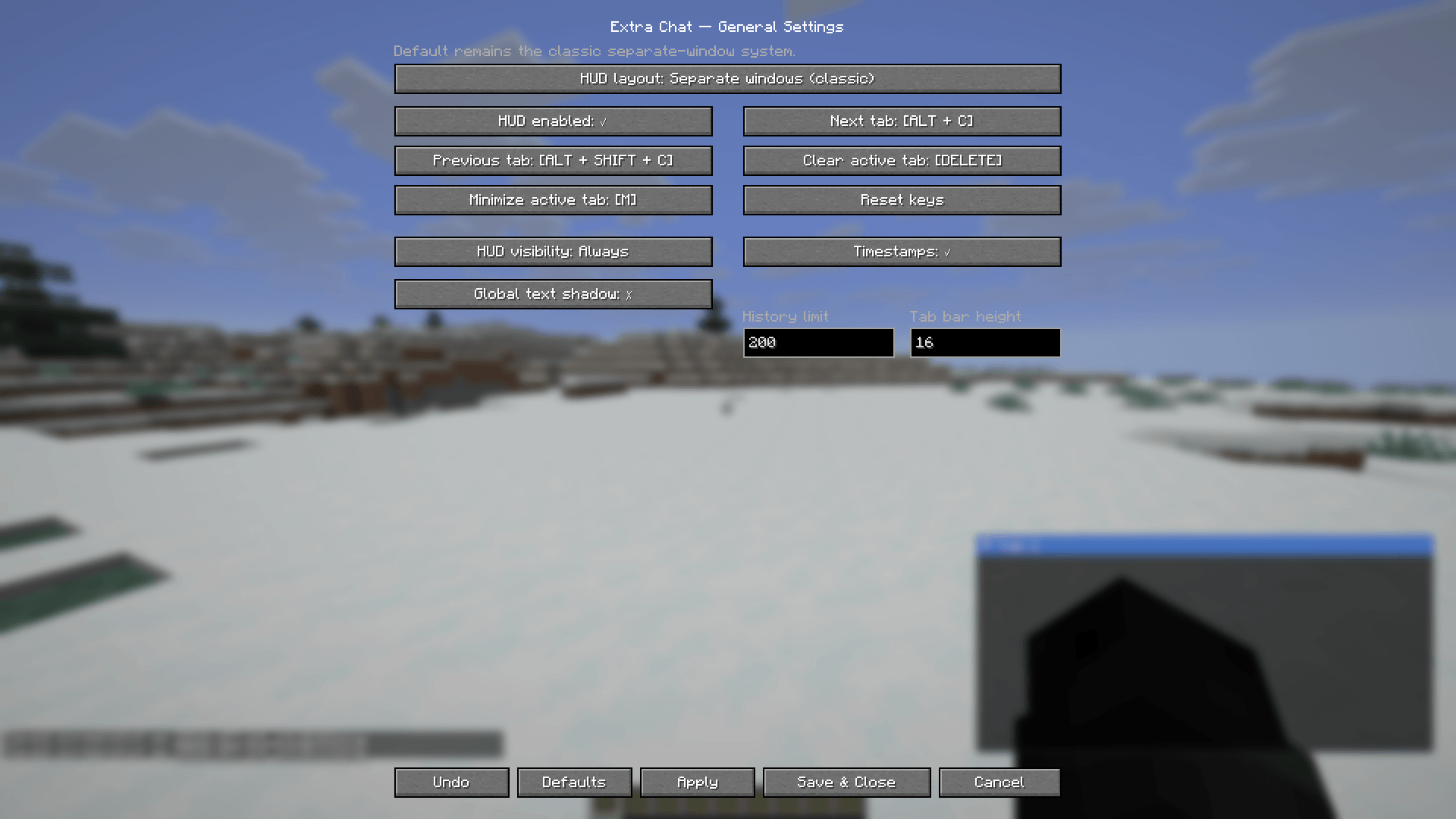 Extra Chat General Settings
 -
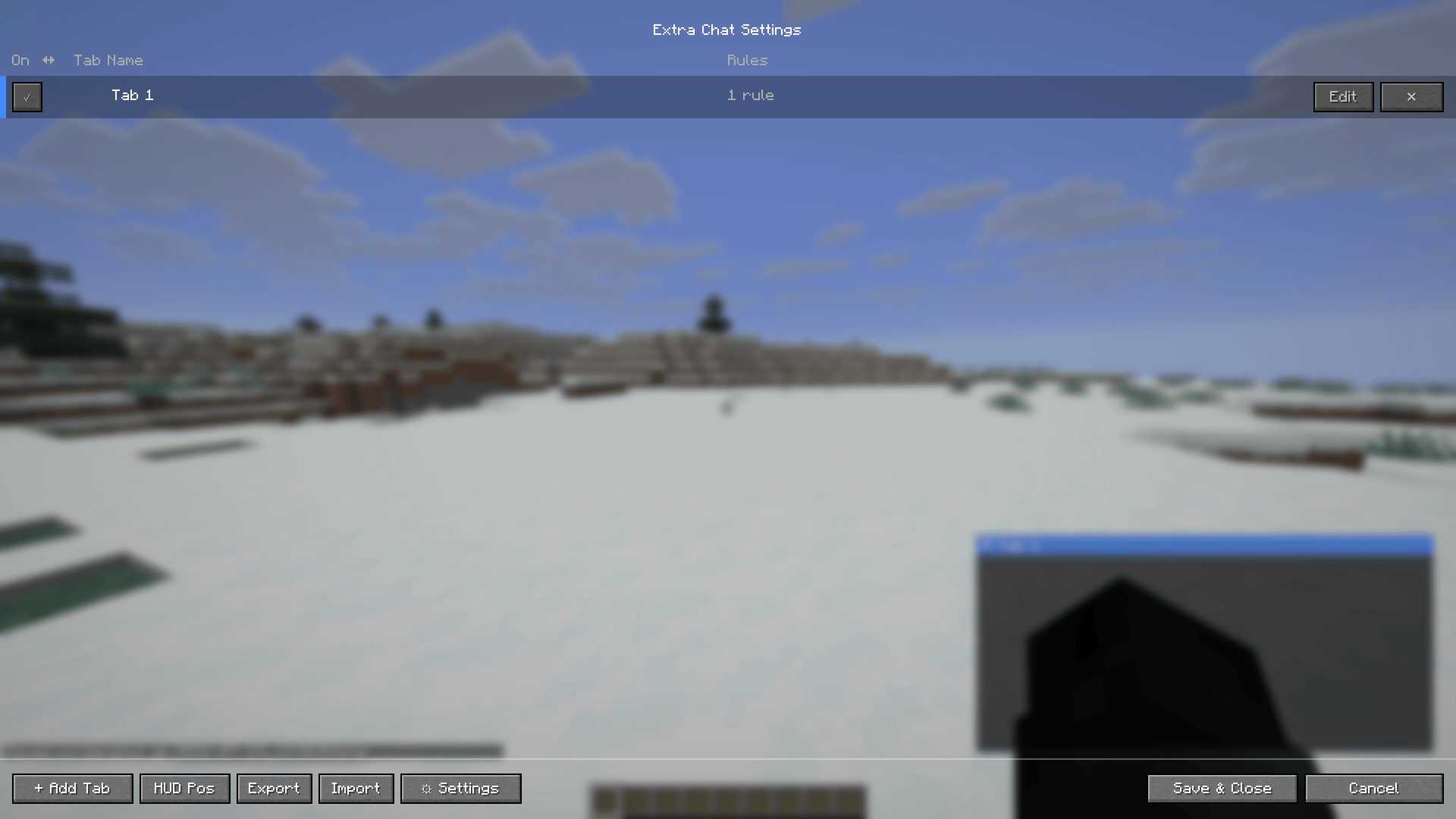 Extra Chat Main Tabs Screen
 -
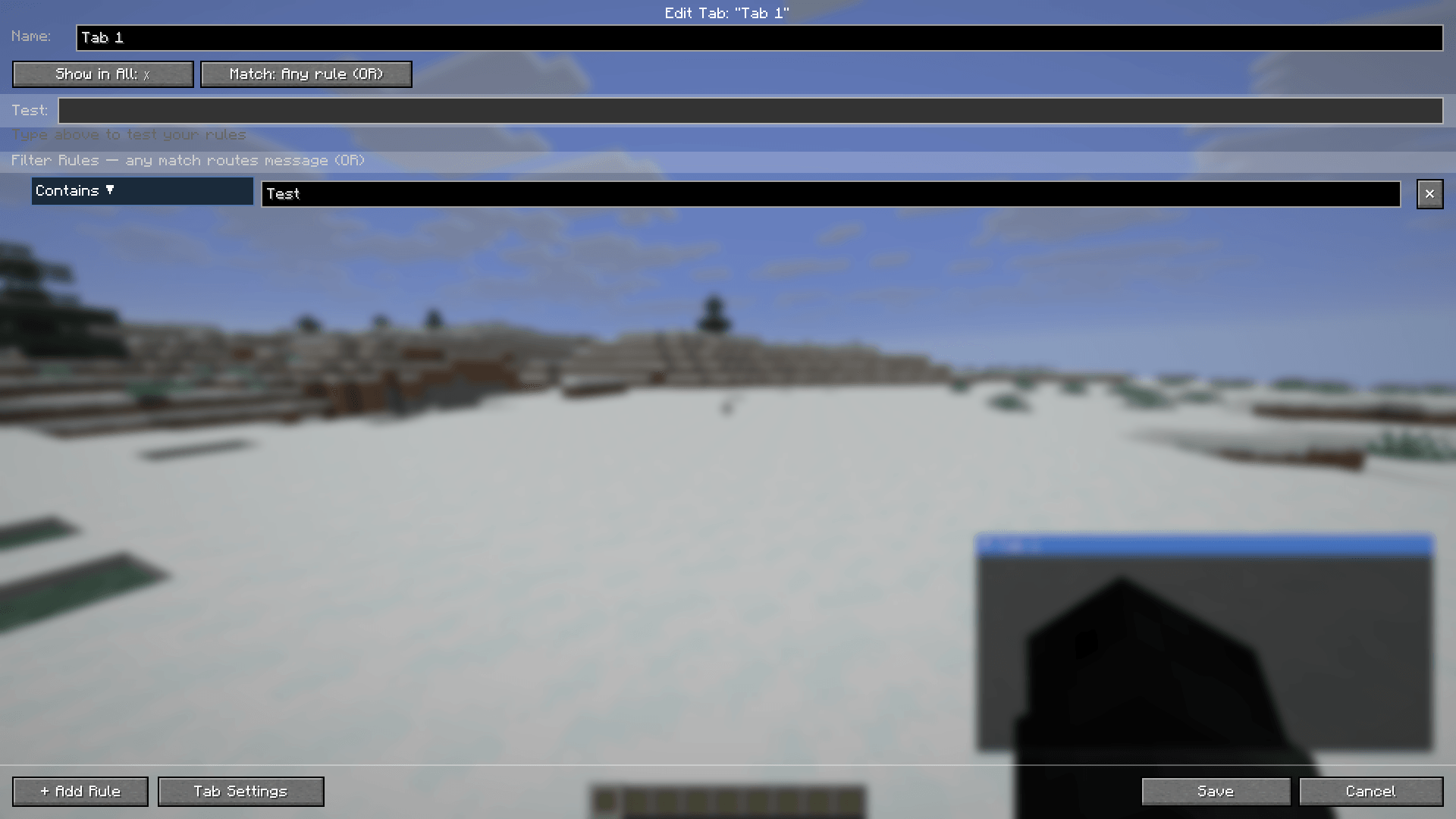 Chat Tab Edit Screen
 -
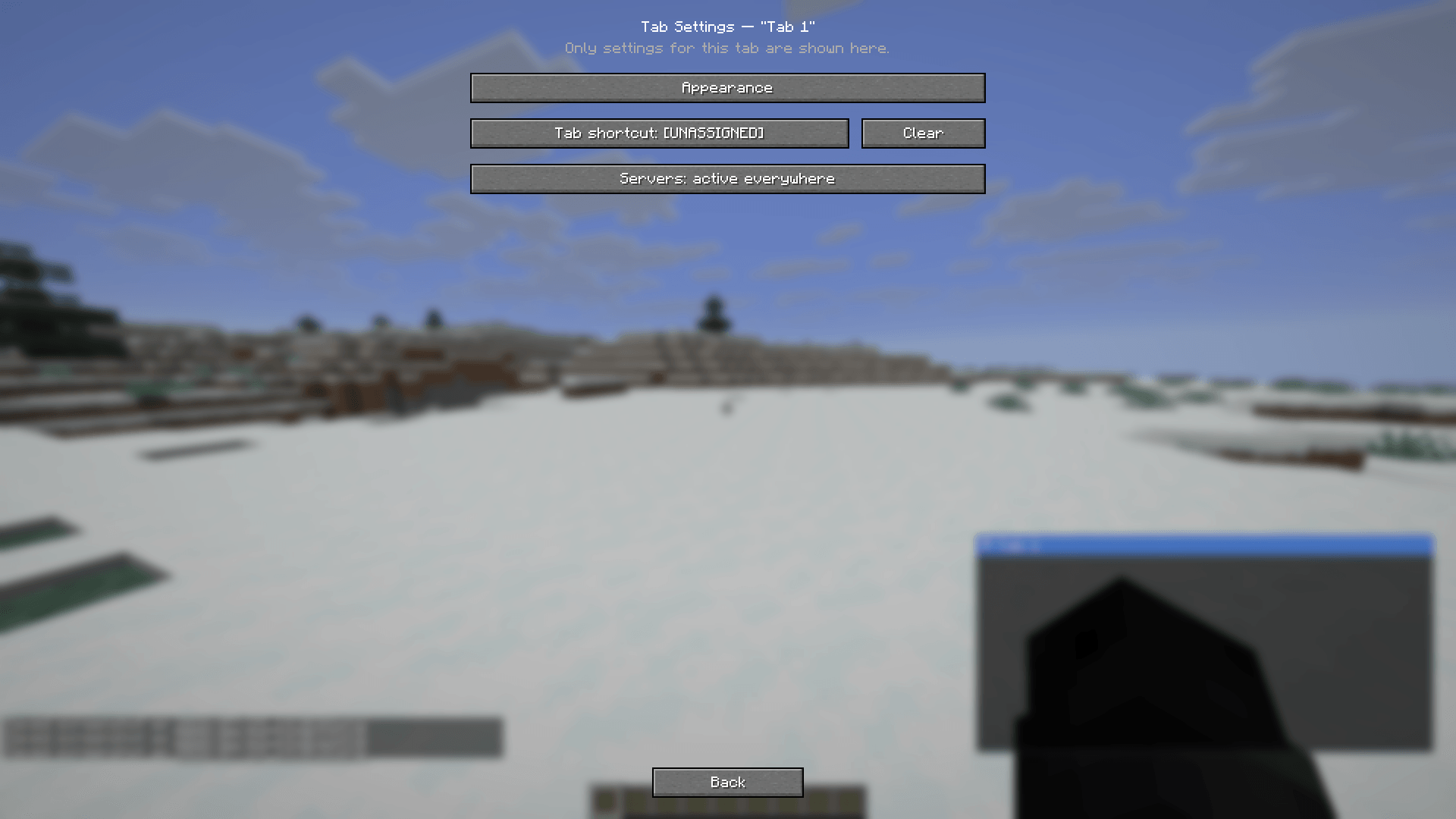 Chat Tab Settings
-
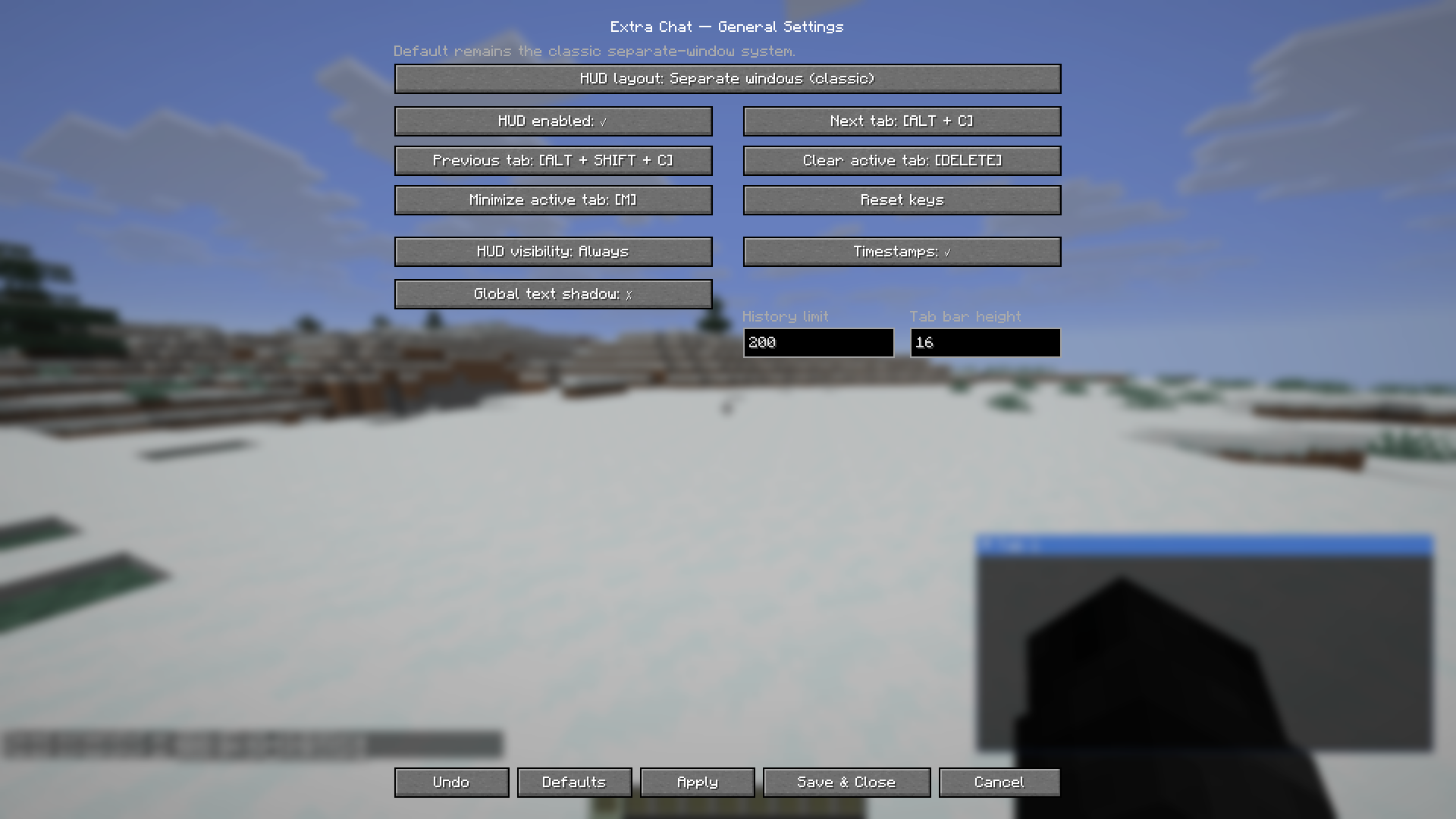 Extra Chat General Settings
 -
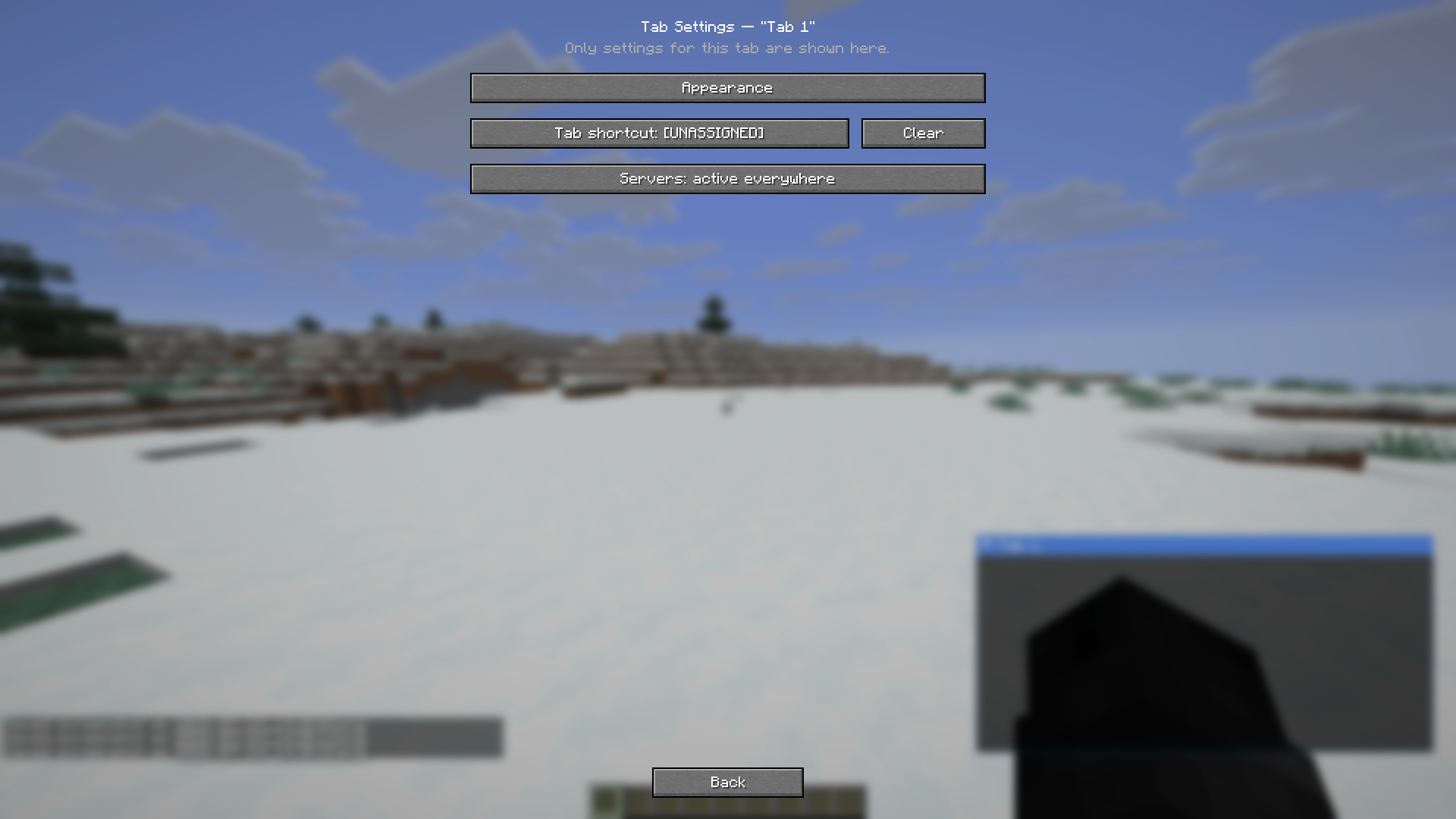 Chat Tab Settings
 -
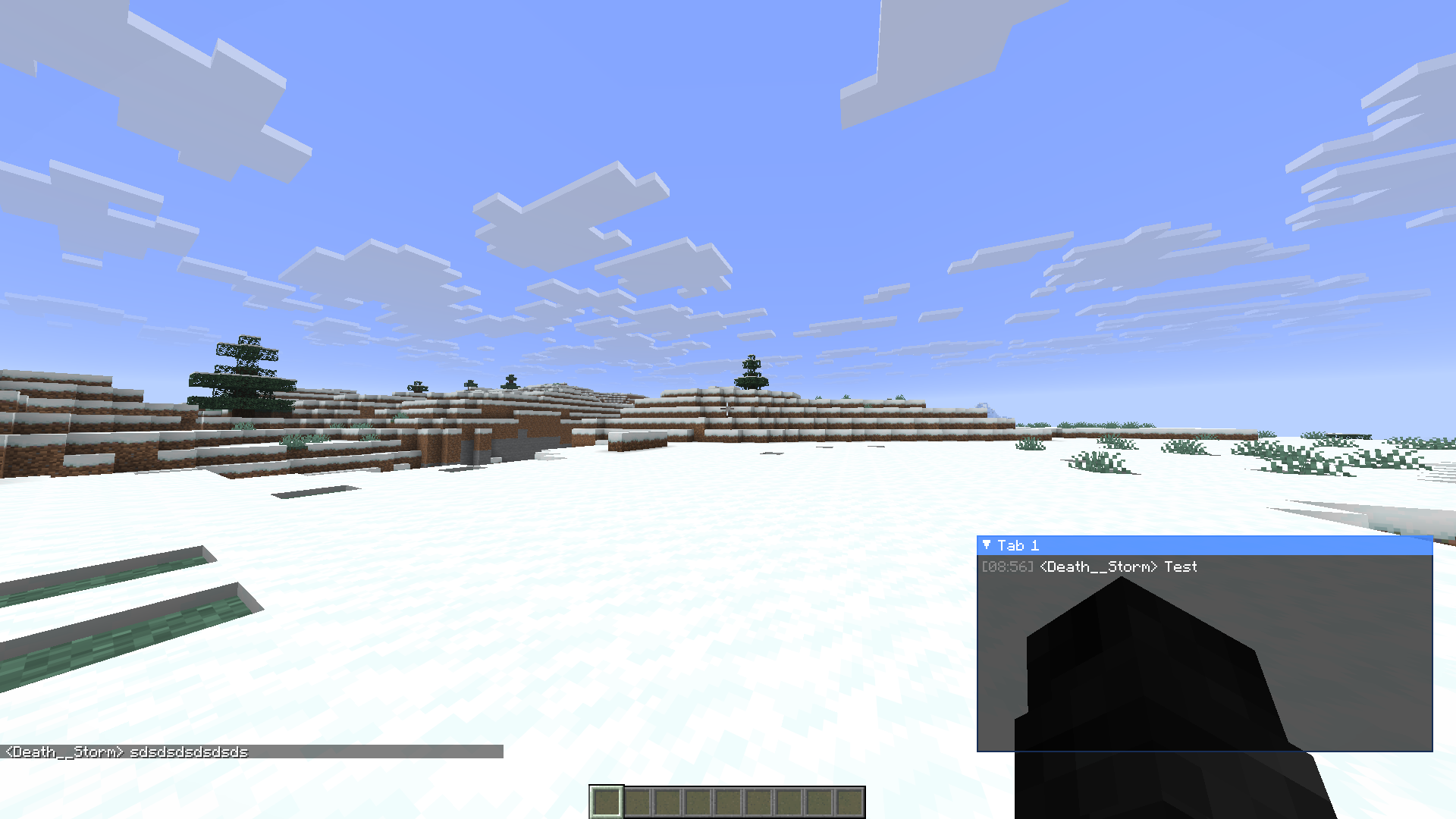 In-Game Preview
 -
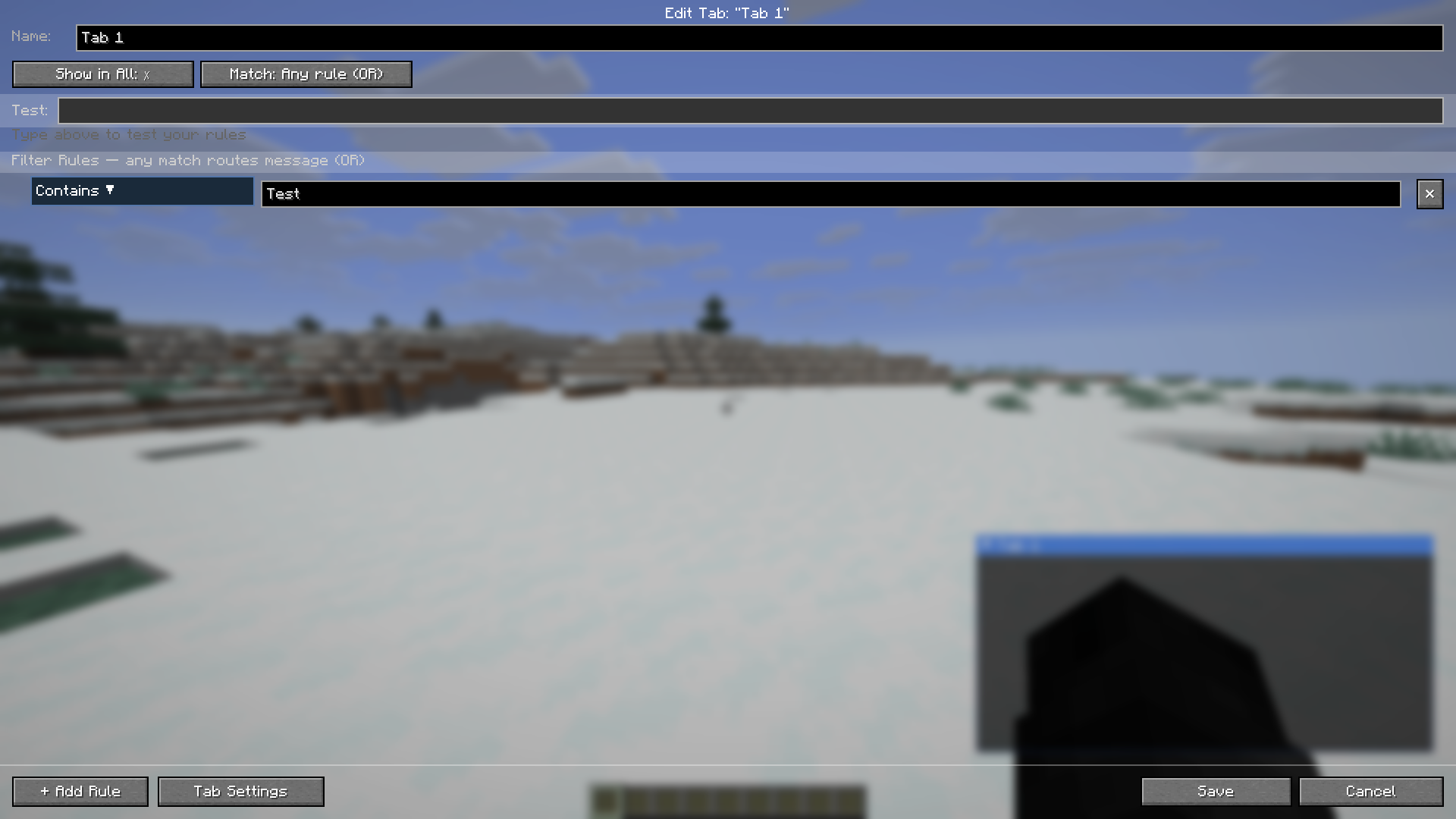 Chat Tab Edit Screen
 -
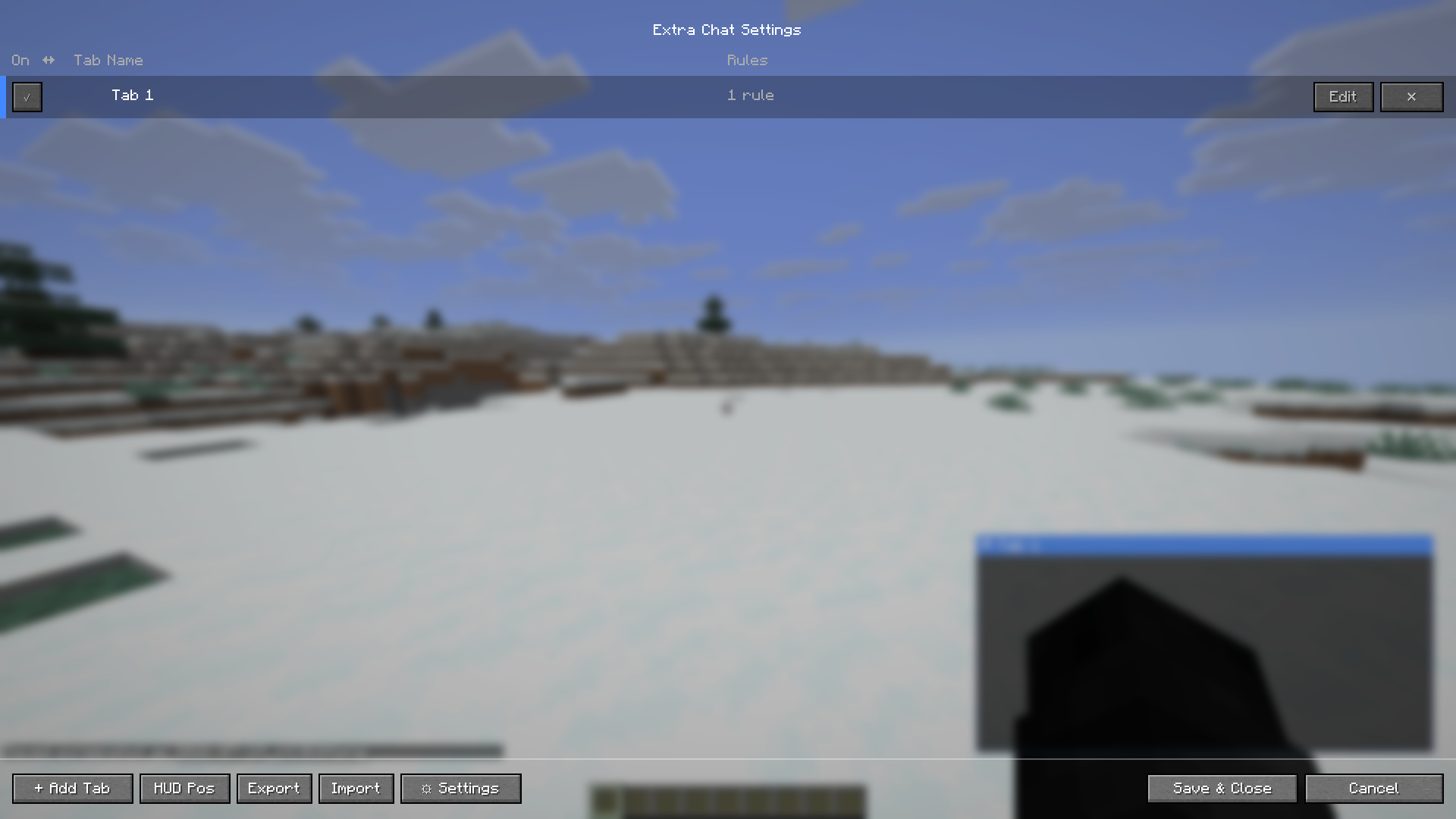 Extra Chat Main Tabs Screen
Versions
Files
Relations
Project Relations
More like this
Similar Mods
Suggestions use data such as tags, dependencies, dependents, descriptions, titles, and more to rank how much they overlap with this mod.
On ModDex
Community snapshot
By the numbers
Statistics
Want to reach Minecraft players?
We're looking for a server hosting partner to feature here and other parts of the site. Interested? Send us a message!
Get in touchGet it on
Available Platforms
On ModDex
Community snapshot
By the numbers
Statistics
Resources