
Community listing page, reviews here may not be monitored by the author.
Facet


No reviews yet
Adds toggleable block outlines, a distance HUD, and Manhattan path measurements for precise building.
Community voices
Reviews
No reviews yet. Be the first to review this project!
Get it on
Available Platforms
Compatibility
Supported Environments
Runs entirely on the client. Works on vanilla servers.
About
Project Details
For authors
Embed Badge
If you're the author of this project, you can embed a live badge anywhere that supports HTML or Markdown. It updates automatically whenever ratings change.
Use HTML for any page that supports it, or Markdown for README files and Markdown-based descriptions.
Identifiers
Platform IDs
Resources
External Links
About
Description
Facet
This lightweight mod was developed to make learning architecture and redstone structures feel more intuitive for my children. It lets you preview and adjust the facing of functional blocks in Survival Mode. Yes! Setting the direction before building it feels perfectly natural, doesn't it? Every feature has a key binding. Oh, and I added the sound effects my children love. They're seriously cool! Now I'm sharing it. I hope you enjoy it!
Latest Update
Added snowflake and brush markers, warning outlines for budding amethyst and infested blocks, and a setting to disable the mouse wheel during gameplay.
Complete Feature List
- Holographic placement preview with startup sound
- Adjust the facing of functional blocks (singleplayer only)
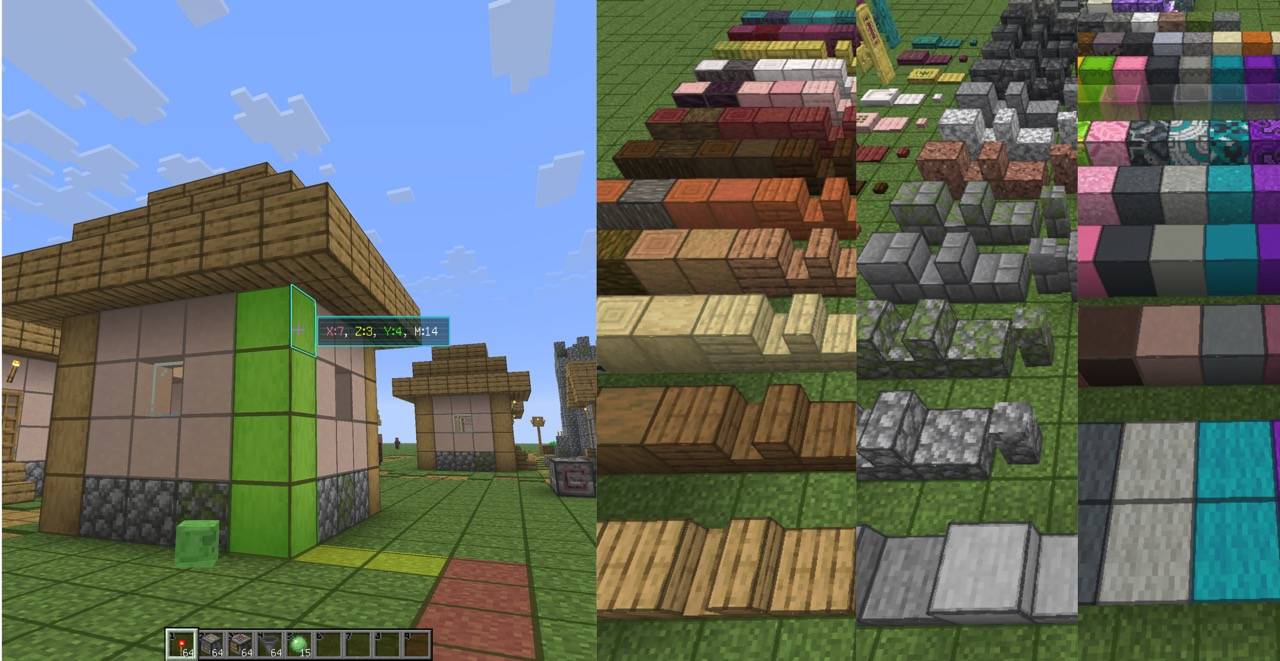
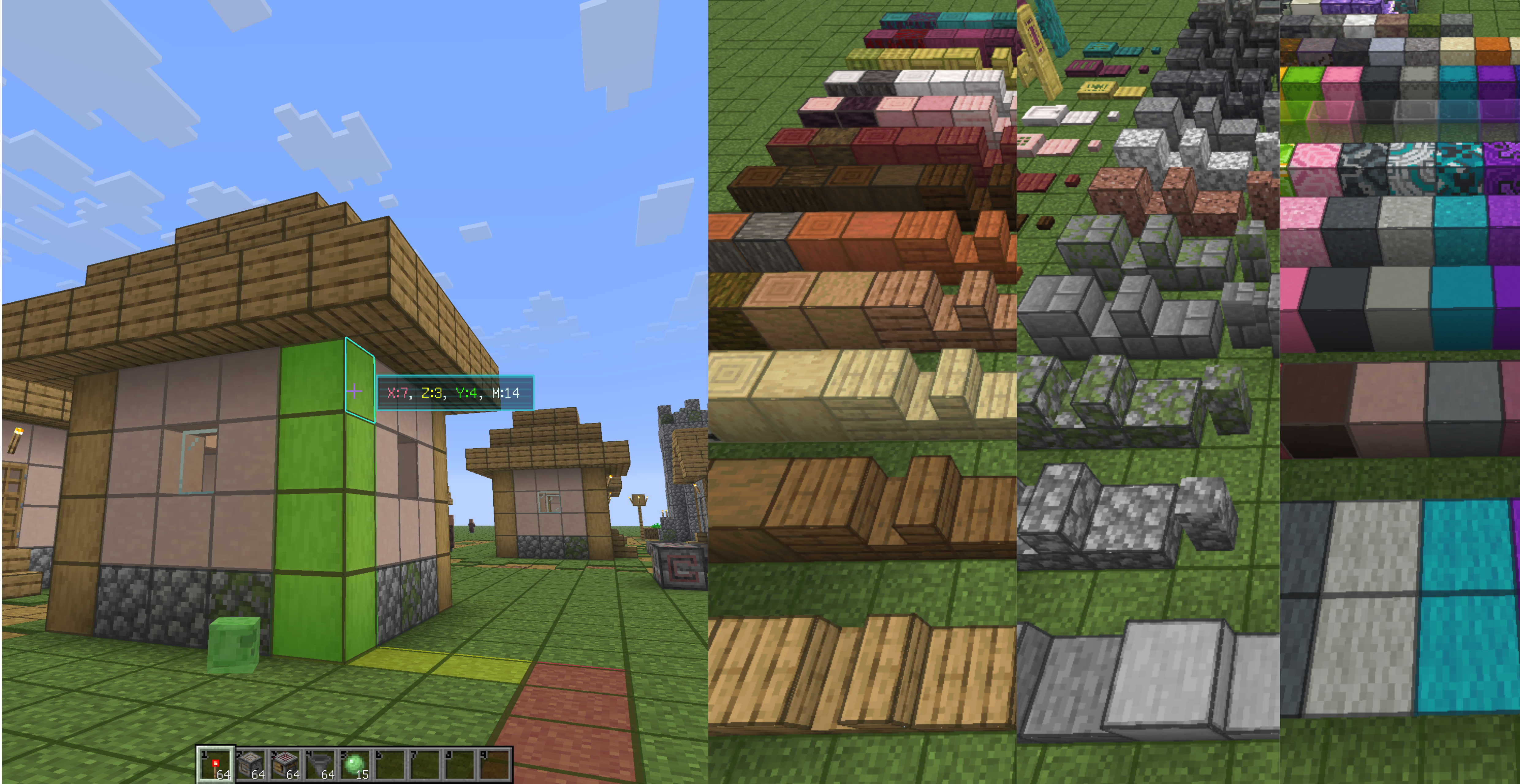
- Targeted block counting with Manhattan path display
- Targeted-block outline and targeted-face outline
- Four graffiti markers (visible only to you)
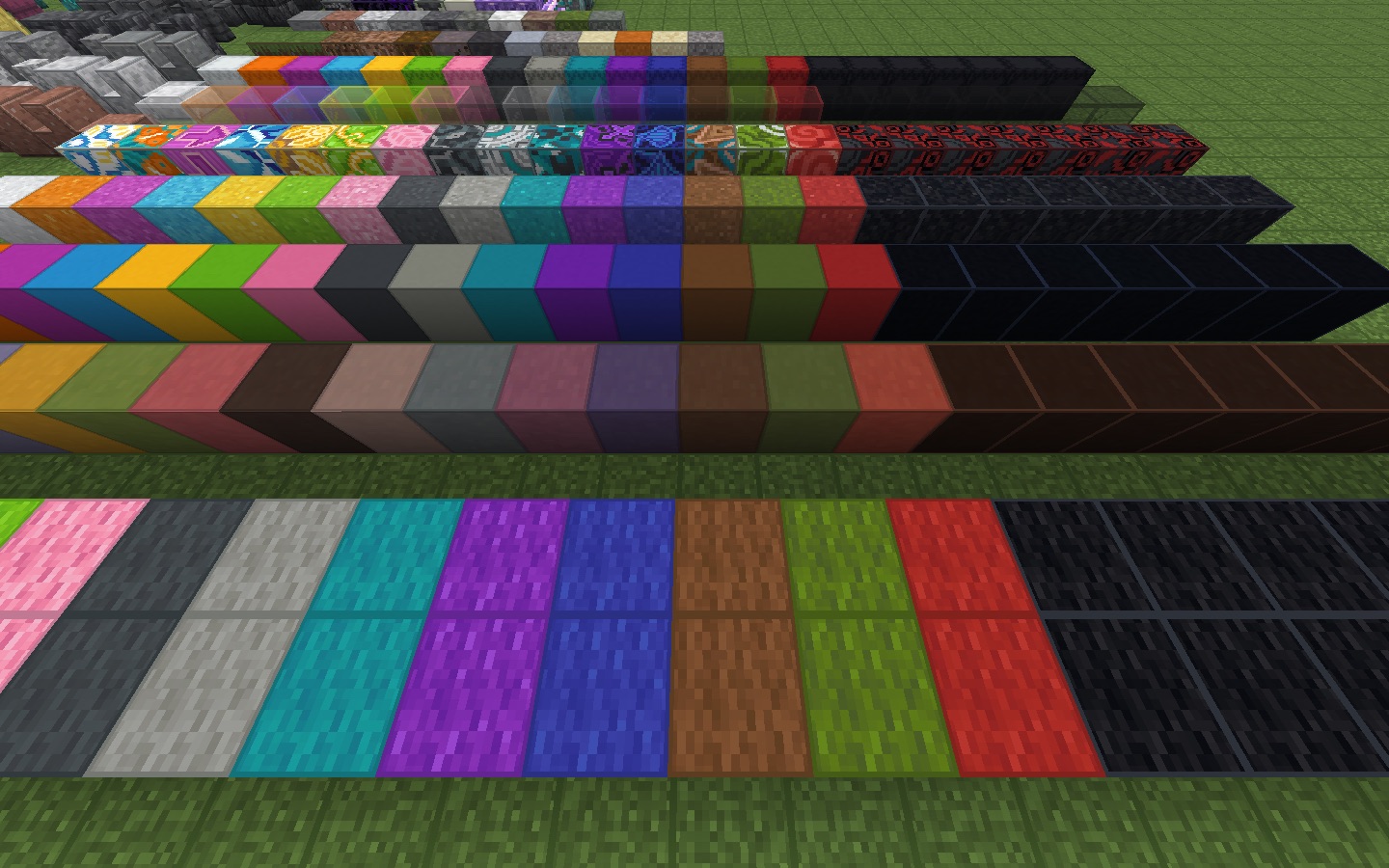
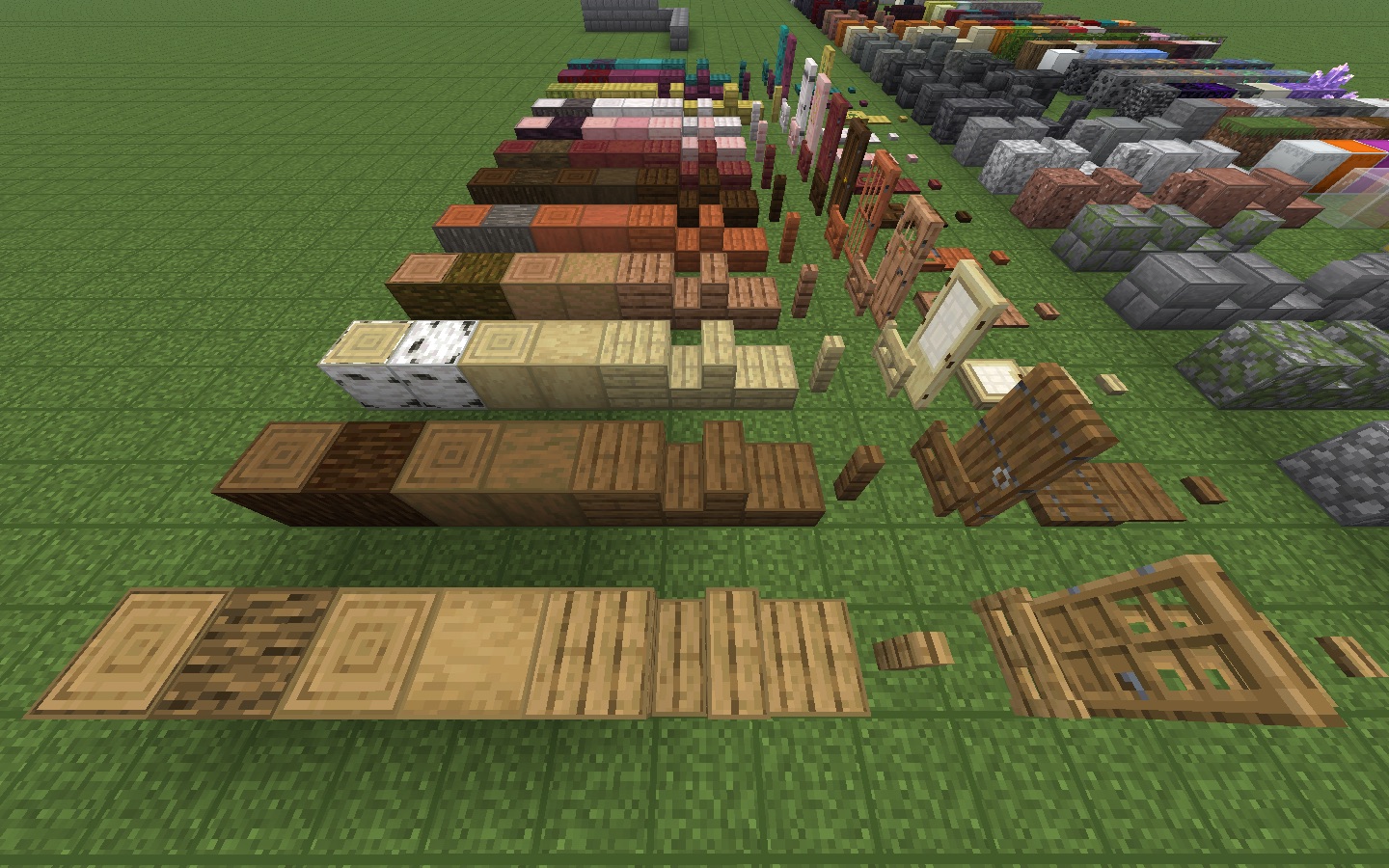
- Block outlines
Rotatable Holographic Placement Preview in Survival Mode
Screenshots
Supported Loaders
- Fabric
- NeoForge
Feature Updates
v1.5.1 - Special Block Markers and Mouse Wheel Toggle
- Added animated pastel rainbow snowflakes to powder snow, retaining its pastel outlines
- Added pastel rainbow outlines and brush markers to suspicious sand and suspicious gravel
- Changed budding amethyst outlines to static yellow-and-black warning stripes
- Added red-and-white warning outlines and bug warning markers to infested blocks
- Added a setting to disable the mouse wheel during gameplay without affecting menu or inventory scrolling
v1.3.15 - Smoother Block Outlines and Rainbow Effects
- Improved block outline performance
- Added animated rainbow outlines for ancient debris, budding amethyst, and powder snow
v1.3.14 - Minecraft 26.3 Support
- Added support for Minecraft 26.3 on Fabric and NeoForge
v1.3.13 - Minecraft 26.3 Release Candidate 3 Support
- Added Fabric support for Minecraft 26.3 Release Candidate 3
v1.3.12 - Minecraft 26.3 Pre-Release 3 Support
- Added Fabric support for Minecraft 26.3 Pre-Release 3
v1.3.11 - Minecraft 26.3 Pre-Release 1 Support
- Added Fabric support for Minecraft 26.3 Pre-Release 1
- Replaced the previous Snapshot 10 target; snapshots and prereleases share one rolling latest-version target
- Prerelease builds are published only to Modrinth
v1.3.10 - Minecraft 26.3 Snapshot 10 Support
- Added support for Minecraft 26.3 Snapshot 10
- Releases are now unified: every version tag ships one complete release covering all loader and game-version targets — snapshot builds are no longer published separately
- Only the newest snapshot is maintained; Snapshot 9 has been retired
v1.3.9 - Reduced Per-Frame Raycast Cost
- The distance HUD, distance path, and hover outline now share one distant-target raycast per frame instead of each scanning the world, lowering CPU cost when looking at empty space or distant terrain
v1.3.8 - Minecraft 26.3 Snapshot 9 Preview
- Added a compatibility preview for Minecraft 26.3 Snapshot 9
v1.3.8 - Minecraft 26.3 Snapshot 8 Support
- Added support for Minecraft 26.3 Snapshot 8
v1.3.7 - Optimized Block-Outline Performance
- The game now stays smooth with block outlines enabled
v1.3.6 - Minecraft 26.3 Snapshot 7 Support
- Added support for Minecraft 26.3 Snapshot 7
- Improved the overall experience
v1.3.5 - Reworked the overall outline logic and colors. It doesn't look so harsh now!
- Reworked how block colors are picked
- Redesigned the colors for every block
v1.3.1 - Functional Block Facing Rotation (Singleplayer Only)
- Rotate the facing of functional blocks in Survival Mode in singleplayer
- Added a key binding to toggle the holographic placement preview
- Added a startup animation and sound for the holographic placement preview
v1.2.11 — NeoForge Support and Settings Access
- Added full NeoForge builds for Minecraft 26.1, 26.1.2, and 26.2
- Made block outlines, hover outlines, distance HUD and path tools, client-side graffiti, and holographic placement preview available on NeoForge
- Added an Open Facet Settings key binding (unbound by default) and a native NeoForge mod-list settings entry
v1.2.9 — Major Rendering Logic Refactor
- Reworked outline rendering for better performance and more natural visuals
- Updated how targeted-block outlines are expressed
- Fixed holographic placement preview rendering
- Current Loader and game-version support is listed above
v1.2.1 — Holographic Placement Preview (2026-07-21)
- Added a real-time holographic placement preview to help players place blocks more accurately
v1.1.2 — Client-Side Graffiti (2026-07-19)
- Added four client-side graffiti markers for construction and exploration
- Added an animated graffiti wheel opened with
G, with number-key and mouse selection - Added per-world and per-dimension local storage; graffiti remains invisible to other players
- Added automatic cleanup when a marked block is moved, destroyed, or replaced
- Fixed the brief screen flash when opening or closing the graffiti wheel on Minecraft 26.2
v1.0.0 — Block Counting Foundation (2026-07-13)
- Added toggleable material-colored block outlines that preserve resource pack textures
- Added a neon outline for targeted blocks, including targets outside the normal interaction range
- Added a distance HUD with X, Z, Y, and total Manhattan-distance counts
- Added a color-coded Manhattan path indicator
- Added client-side settings for outline opacity, width, and targeted-block outline style
Key Bindings
- Toggle all block outlines
- Toggle targeted-block outlines
- Toggle the block-distance HUD and Manhattan path display
- Open Facet settings (unbound by default; also available from the NeoForge mod list)
- Open the graffiti wheel (
Gby default; use1–4or the mouse to choose a marker)
License
Facet is licensed under the MIT License.
Facet
This lightweight mod was developed to make learning architecture and redstone structures feel more intuitive for my children. It lets you preview and adjust the facing of functional blocks in Survival Mode. Yes! Setting the direction before building it feels perfectly natural, doesn't it? Every feature has a key binding. Oh, and I added the sound effects my children love. They're seriously cool! Now I'm sharing it. I hope you enjoy it!
Latest Update
Added snowflake and brush markers, warning outlines for budding amethyst and infested blocks, and a setting to disable the mouse wheel during gameplay.
Complete Feature List
- Holographic placement preview with startup sound
- Adjust the facing of functional blocks (singleplayer only)
- Targeted block counting with Manhattan path display
- Targeted-block outline and targeted-face outline
- Four graffiti markers (visible only to you)
- Block outlines
Rotatable Holographic Placement Preview in Survival Mode
Screenshots
Supported Loaders
- Fabric
- NeoForge
Feature Updates
v1.5.1 - Special Block Markers and Mouse Wheel Toggle
- Added animated pastel rainbow snowflakes to powder snow, retaining its pastel outlines
- Added pastel rainbow outlines and brush markers to suspicious sand and suspicious gravel
- Changed budding amethyst outlines to static yellow-and-black warning stripes
- Added red-and-white warning outlines and bug warning markers to infested blocks
- Added a setting to disable the mouse wheel during gameplay without affecting menu or inventory scrolling
v1.3.15 - Smoother Block Outlines and Rainbow Effects
- Improved block outline performance
- Added animated rainbow outlines for ancient debris, budding amethyst, and powder snow
v1.3.14 - Minecraft 26.3 Support
- Added support for Minecraft 26.3 on Fabric and NeoForge
v1.3.13 - Minecraft 26.3 Release Candidate 3 Support
- Added Fabric support for Minecraft 26.3 Release Candidate 3
v1.3.12 - Minecraft 26.3 Pre-Release 3 Support
- Added Fabric support for Minecraft 26.3 Pre-Release 3
v1.3.11 - Minecraft 26.3 Pre-Release 1 Support
- Added Fabric support for Minecraft 26.3 Pre-Release 1
- Replaced the previous Snapshot 10 target; snapshots and prereleases share one rolling latest-version target
- Prerelease builds are published only to Modrinth
v1.3.10 - Minecraft 26.3 Snapshot 10 Support
- Added support for Minecraft 26.3 Snapshot 10
- Releases are now unified: every version tag ships one complete release covering all loader and game-version targets — snapshot builds are no longer published separately
- Only the newest snapshot is maintained; Snapshot 9 has been retired
v1.3.9 - Reduced Per-Frame Raycast Cost
- The distance HUD, distance path, and hover outline now share one distant-target raycast per frame instead of each scanning the world, lowering CPU cost when looking at empty space or distant terrain
v1.3.8 - Minecraft 26.3 Snapshot 9 Preview
- Added a compatibility preview for Minecraft 26.3 Snapshot 9
v1.3.8 - Minecraft 26.3 Snapshot 8 Support
- Added support for Minecraft 26.3 Snapshot 8
v1.3.7 - Optimized Block-Outline Performance
- The game now stays smooth with block outlines enabled
v1.3.6 - Minecraft 26.3 Snapshot 7 Support
- Added support for Minecraft 26.3 Snapshot 7
- Improved the overall experience
v1.3.5 - Reworked the overall outline logic and colors. It doesn't look so harsh now!
- Reworked how block colors are picked
- Redesigned the colors for every block
v1.3.1 - Functional Block Facing Rotation (Singleplayer Only)
- Rotate the facing of functional blocks in Survival Mode in singleplayer
- Added a key binding to toggle the holographic placement preview
- Added a startup animation and sound for the holographic placement preview
v1.2.11 — NeoForge Support and Settings Access
- Added full NeoForge builds for Minecraft 26.1, 26.1.2, and 26.2
- Made block outlines, hover outlines, distance HUD and path tools, client-side graffiti, and holographic placement preview available on NeoForge
- Added an Open Facet Settings key binding (unbound by default) and a native NeoForge mod-list settings entry
v1.2.9 — Major Rendering Logic Refactor
- Reworked outline rendering for better performance and more natural visuals
- Updated how targeted-block outlines are expressed
- Fixed holographic placement preview rendering
- Current Loader and game-version support is listed above
v1.2.1 — Holographic Placement Preview (2026-07-21)
- Added a real-time holographic placement preview to help players place blocks more accurately
v1.1.2 — Client-Side Graffiti (2026-07-19)
- Added four client-side graffiti markers for construction and exploration
- Added an animated graffiti wheel opened with
G, with number-key and mouse selection - Added per-world and per-dimension local storage; graffiti remains invisible to other players
- Added automatic cleanup when a marked block is moved, destroyed, or replaced
- Fixed the brief screen flash when opening or closing the graffiti wheel on Minecraft 26.2
v1.0.0 — Block Counting Foundation (2026-07-13)
- Added toggleable material-colored block outlines that preserve resource pack textures
- Added a neon outline for targeted blocks, including targets outside the normal interaction range
- Added a distance HUD with X, Z, Y, and total Manhattan-distance counts
- Added a color-coded Manhattan path indicator
- Added client-side settings for outline opacity, width, and targeted-block outline style
Key Bindings
- Toggle all block outlines
- Toggle targeted-block outlines
- Toggle the block-distance HUD and Manhattan path display
- Open Facet settings (unbound by default; also available from the NeoForge mod list)
- Open the graffiti wheel (
Gby default; use1–4or the mouse to choose a marker)
License
Facet is licensed under the MIT License.
Screenshots
Gallery
-
 screenshot大.jpeg screenshot大.jpeg
-
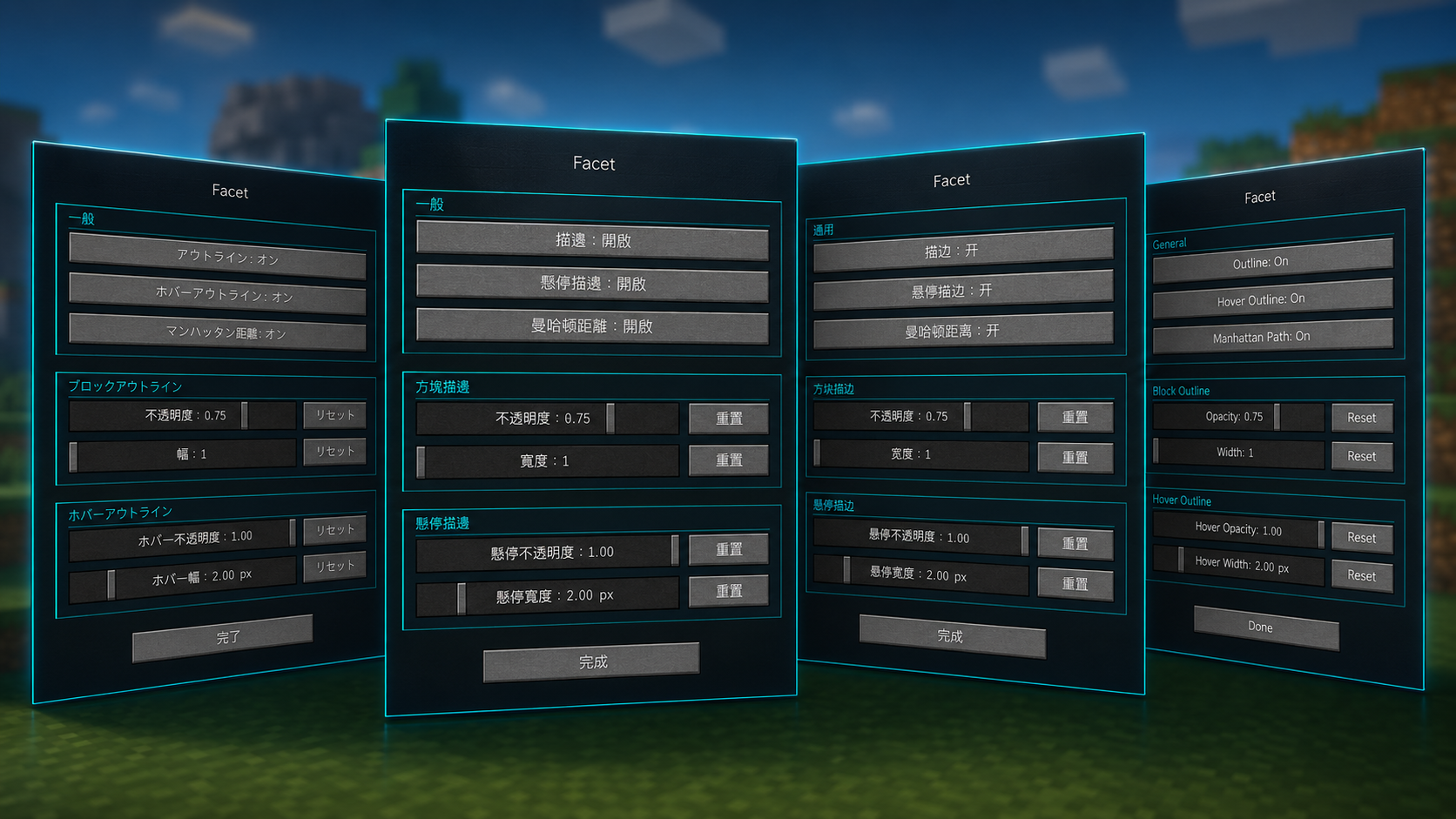 Settings
 -
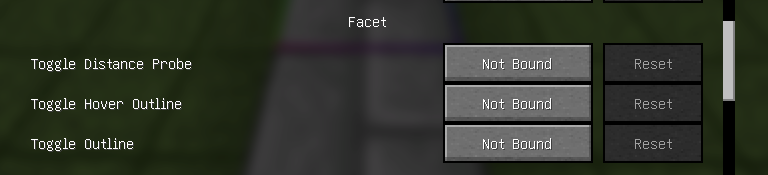 KeyBindings
 -
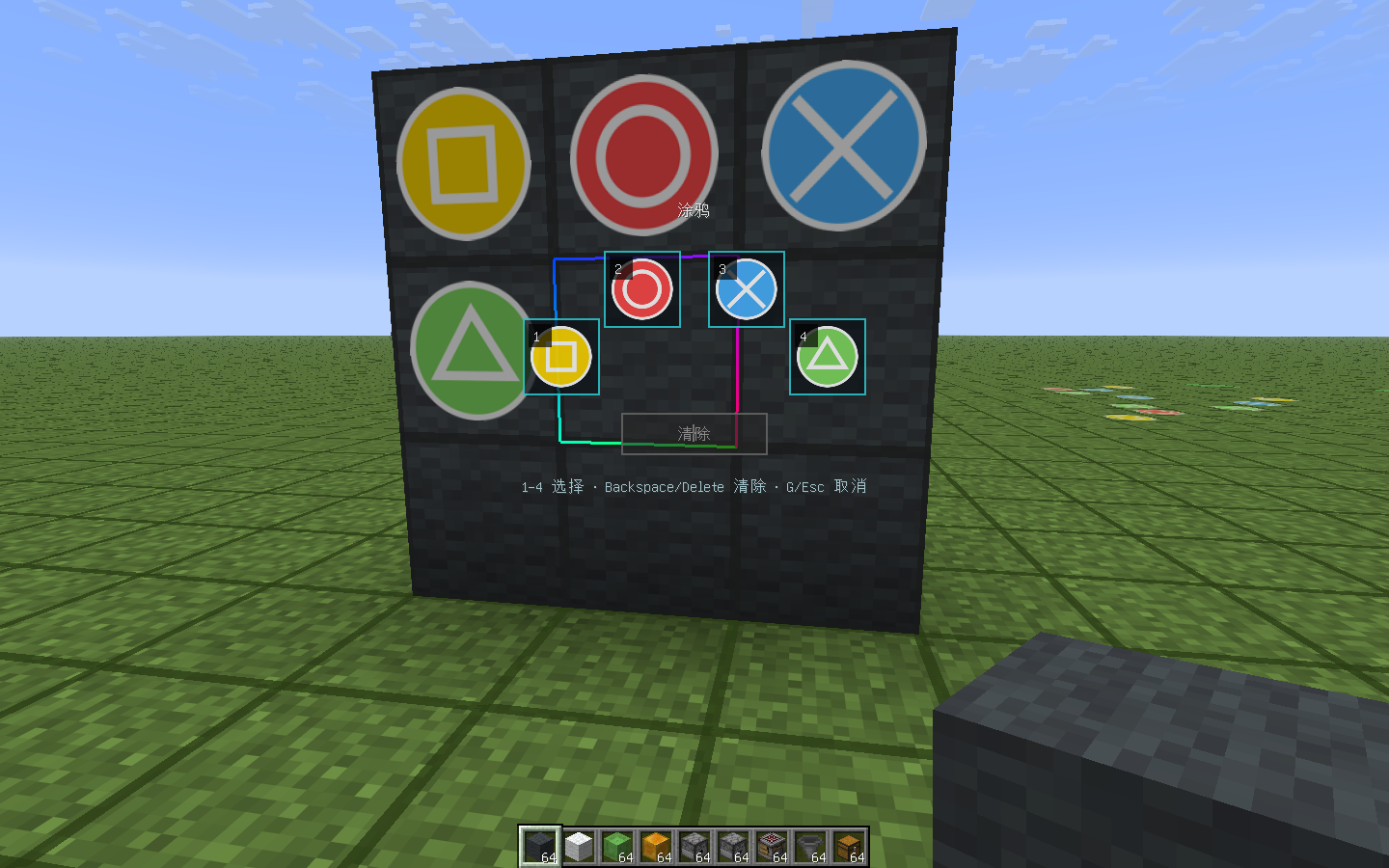 Doodle Description: Draw freely, add handwritten notes, and create unique patterns with different colors and brush styles. Quickly capture your ideas and express your creativity in a simple, visual way.
 -
 screenshot#3
 -
 ScreenShot
 -
 screenshot#2
Versions
Files
Relations
Project Relations
More like this
Similar Mods
Suggestions use data such as tags, dependencies, dependents, descriptions, titles, and more to rank how much they overlap with this mod.
On ModDex
Community snapshot
By the numbers
Statistics
Want to reach Minecraft players?
We're looking for a server hosting partner to feature here and other parts of the site. Interested? Send us a message!
Get in touchGet it on
Available Platforms
On ModDex
Community snapshot
By the numbers
Statistics
Resources