
Community listing page, reviews may not be monitored by the author.
Fantasy HUD

No reviews yet
A dark iron HUD with numbered health and hunger bars, mob health bars, redesigned survival and creative inventories, and matching minimap frames, all in an accent colour you choose.

Community voices
Reviews
No reviews yet. Be the first to review this project!
Get it on
Available Platforms
About
Project Details
For authors
Embed Badge
If you're the author of this project, you can embed a live badge anywhere that supports HTML or Markdown. It updates automatically whenever ratings change.
Use HTML for any page that supports it, or Markdown for README files and Markdown-based descriptions.
Identifiers
Platform IDs
Resources
External Links
About
Description
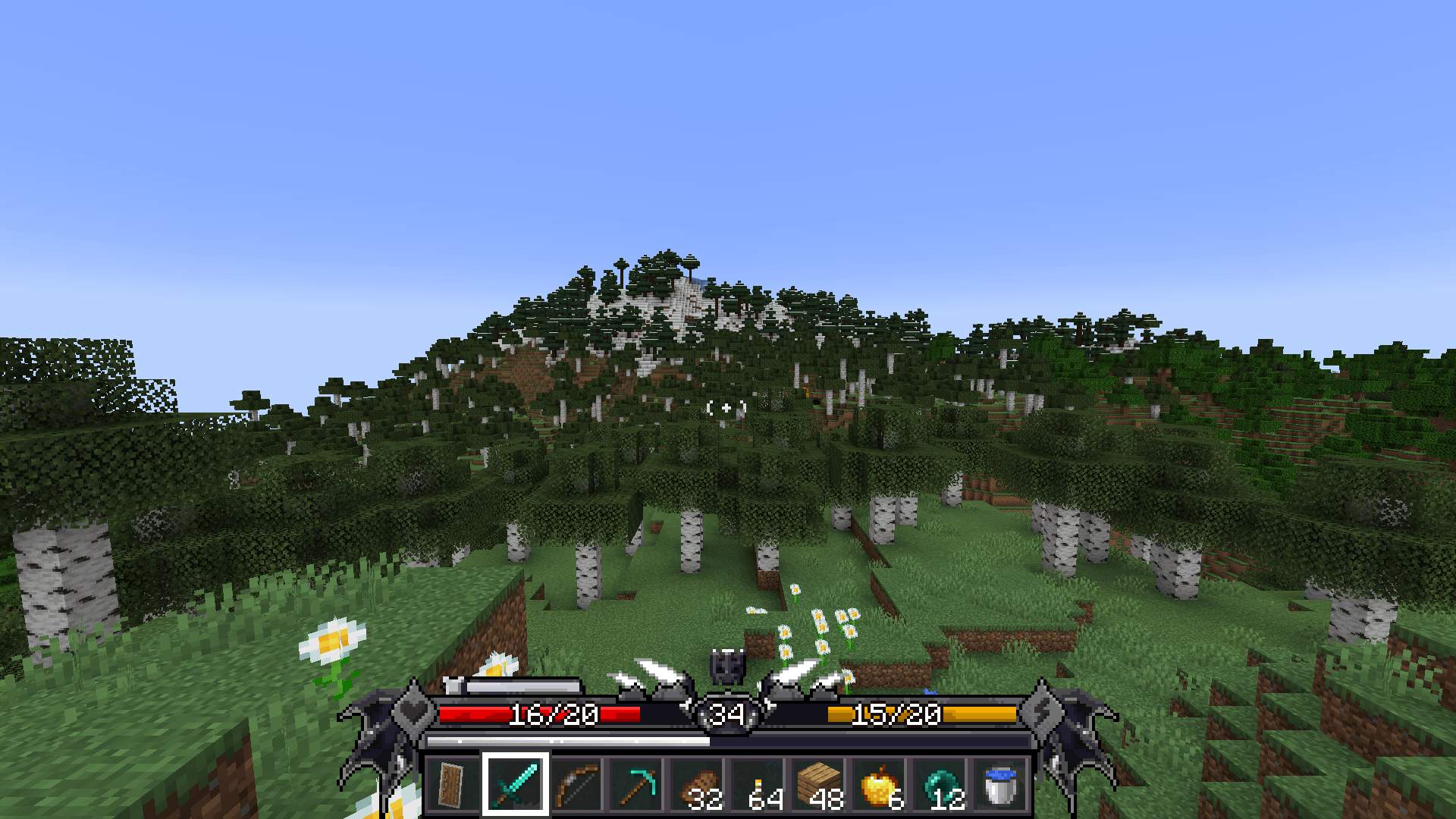
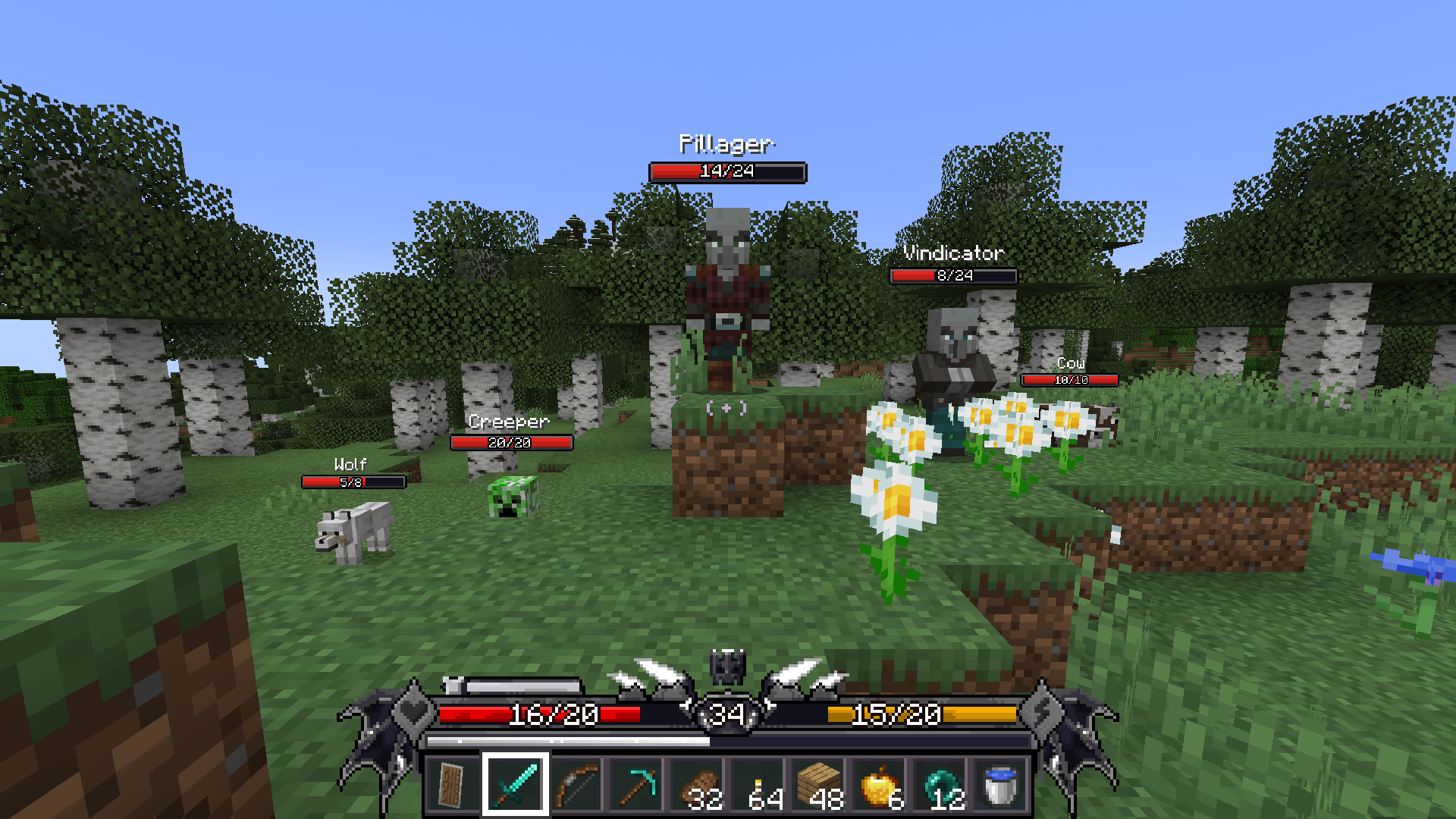
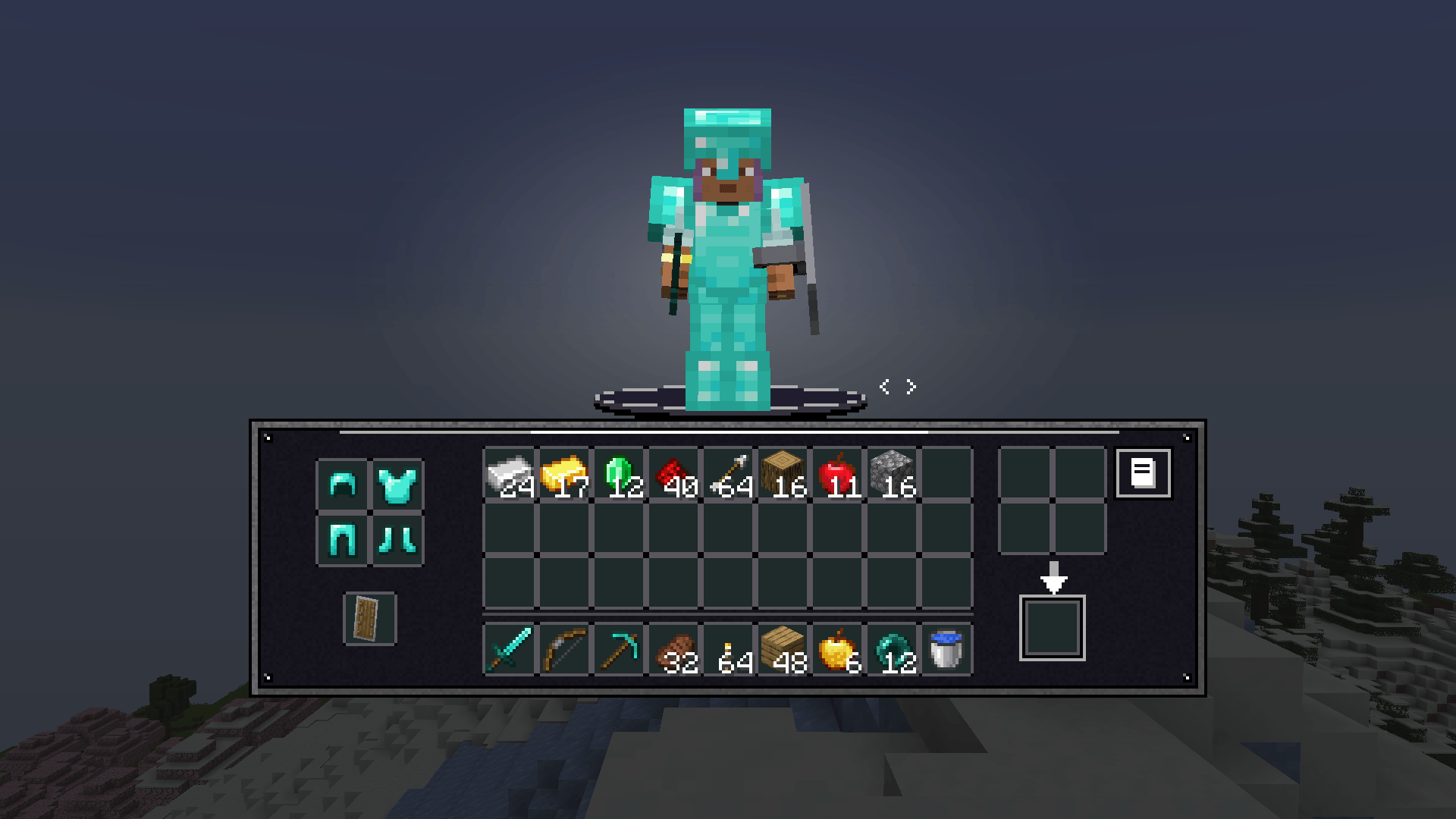
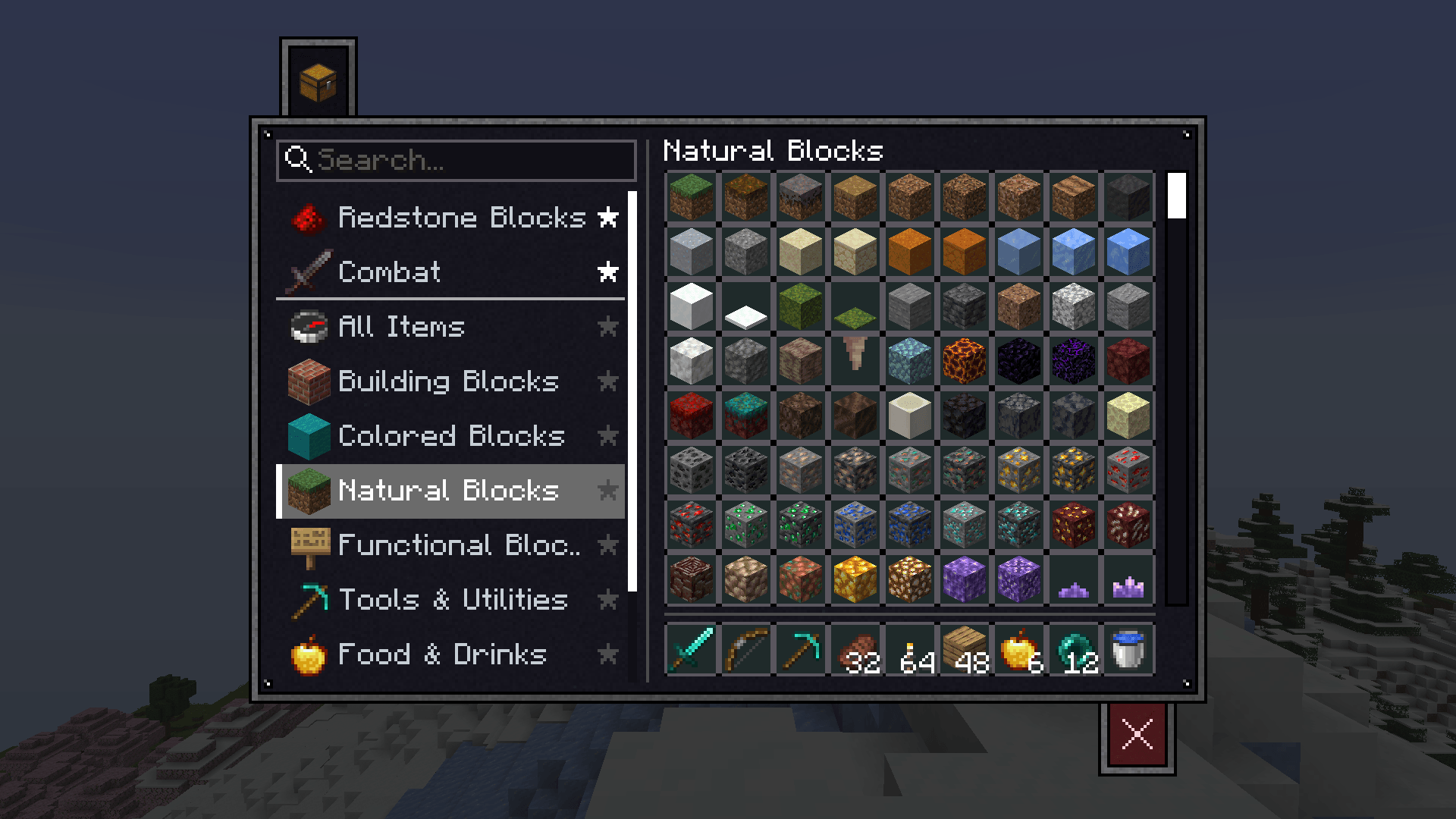
Fantasy HUD replaces Minecraft's hearts and hunger icons with a framed, dark iron interface that shows your exact numbers at a glance. It also redesigns the survival and creative inventories, adds health bars over mobs, and gives popular minimap mods a matching look.
It only runs on the client, so you can use it on servers that don't have it installed.
The HUD
- Health and hunger bars with exact numbers, such as 16/20, instead of rows of icons.
- Status colours: the health bar changes when you're poisoned, withered, frozen or holding absorption hearts, and the hunger bar changes when you have the Hunger effect.
- A framed hotbar with your XP level in the central crest and an XP line above the slots.
- Slim armor and air bars that appear only when they apply to you.
- A mount panel that shows the health of whatever you're riding, plus the horse's jump charge.
- A matching crosshair and offhand slot, on either side for left-handed or right-handed players.
Accent color
Pick any color for the HUD and inventories, with a live preview. Choose from nine presets or enter your own hex or RGB values. The default is white.
Inventories
- Survival: your character stands on an open stage above a single wide panel. You can turn the character to see every side, and status effects sit on their own plates.
- Creative: one panel holds every item page in a scrolling list, including pages added by other mods.
- Search finds both items and pages.
- Pin your favourite pages to the top with a star. Pins are saved between sessions.
- Recipe book: redrawn to match, including at crafting tables and furnaces.
Mob health bars
- 14 bar styles, in any colour.
- 7 lettering options: Minecraft, Bold, Italic, Thin, Thin Bold, Enchanting Runes and Illager Runes.
- Choose what's shown: the bar, the mob's name, and its health in numbers.
- Choose when it's shown: always, only on aggressive mobs, only on damaged mobs, or only on the mob under your crosshair.
- Adjust the fit: size, viewing distance (up to 128 blocks) and position.
- Blacklist specific mobs in the config file.
Minimaps (optional)
Install JourneyMap or Xaero's Minimap and Fantasy HUD gives the map a border in the same iron and accent colour. It's not required, and nothing about the map appears if you don't use one.
Fantasy HUD also draws its own info lines by the map:
- Time of day, coordinates and biome, each of which can be turned off and given its own colour.
- Position: above, below, left or right of the map, or dragged anywhere on screen.
- Size: automatic, or set by hand.
- Moon: with Celestial Cycles installed, a line names tonight's moon, including Blood Moons, Harvest Moons, Supermoons and Lunar Eclipses.
Settings
All of it is in one tabbed menu with HUD, Health Bars and Map Info tabs (Map Info appears when a minimap mod is installed).
- Press H to open it, or go to Mods > Fantasy HUD > Config.
- Settings are saved in `config/fantasy_hud-client.toml`.
All the art is stored as textures, so resource packs can restyle it.
Good to know:
- Other HUD mods: mods that also replace the health, hunger or hotbar display haven't been tested and may overlap with this one.
- Xaero's Minimap: on the first launch with Fantasy HUD, its own coordinate and biome lines can overlap ours. Fantasy HUD turns them off once, and this takes effect from the next launch. You can turn them back on in Xaero's settings.
- JourneyMap: a new accent colour reaches its border the next time the game starts.
Screenshots
Gallery
-
 01_hud.png 01_hud.png
-
 02_mob_health_bars.png 02_mob_health_bars.png
-
 03_survival_inventory.png 03_survival_inventory.png
-
 04_creative_inventory.png 04_creative_inventory.png
-
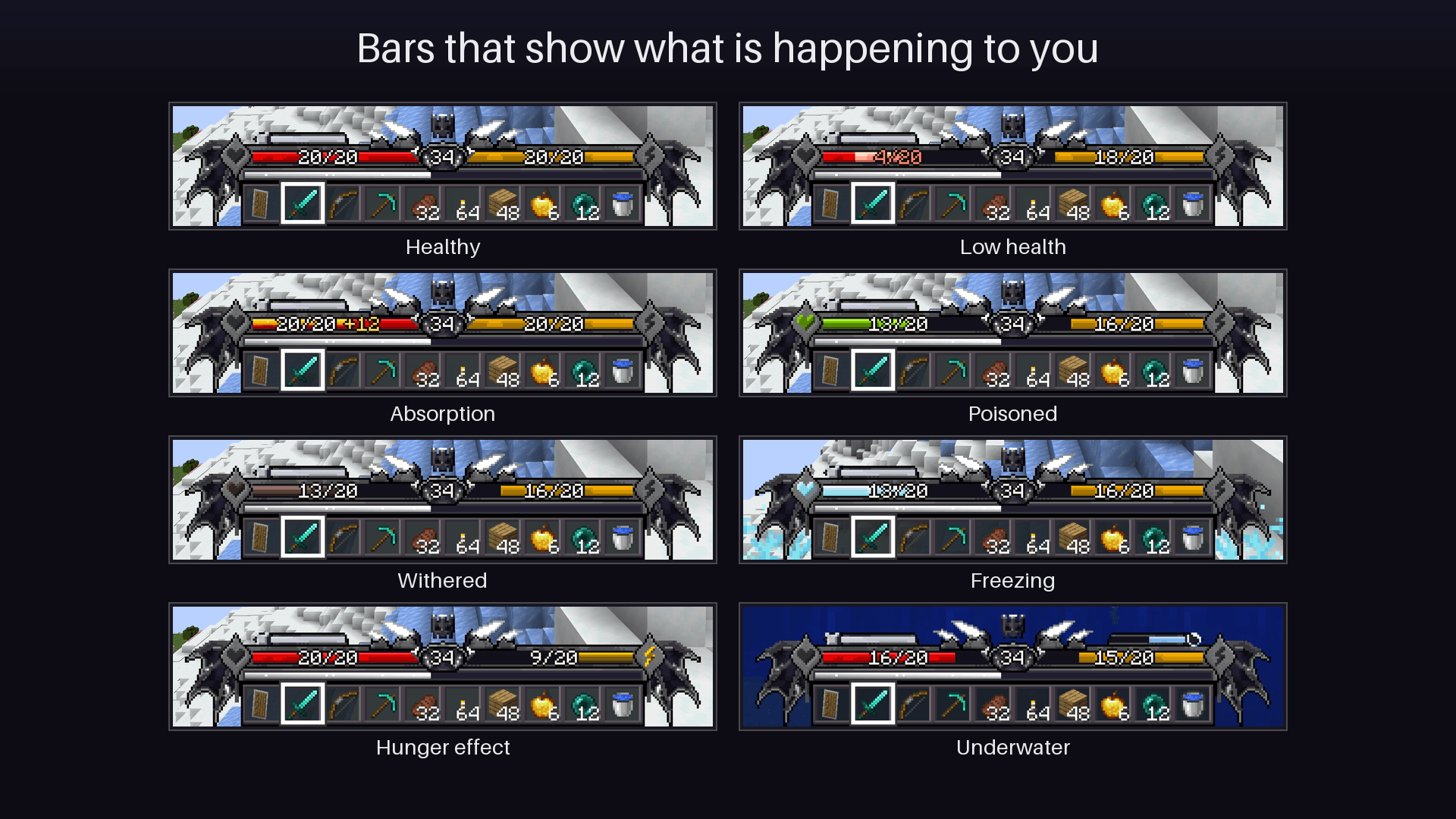 08_status_bars.png 08_status_bars.png
-
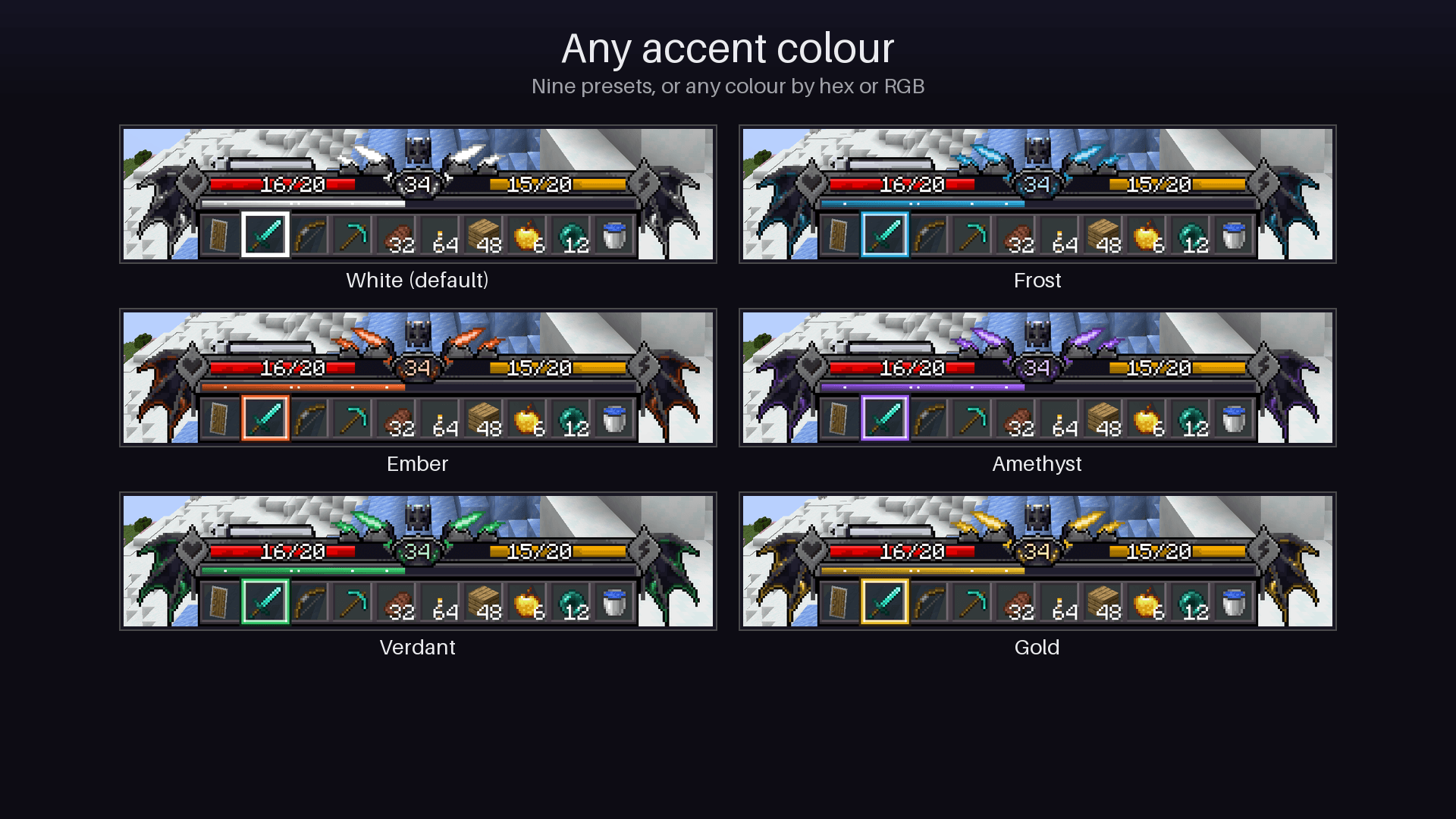 07_accent_colours.png 07_accent_colours.png
-
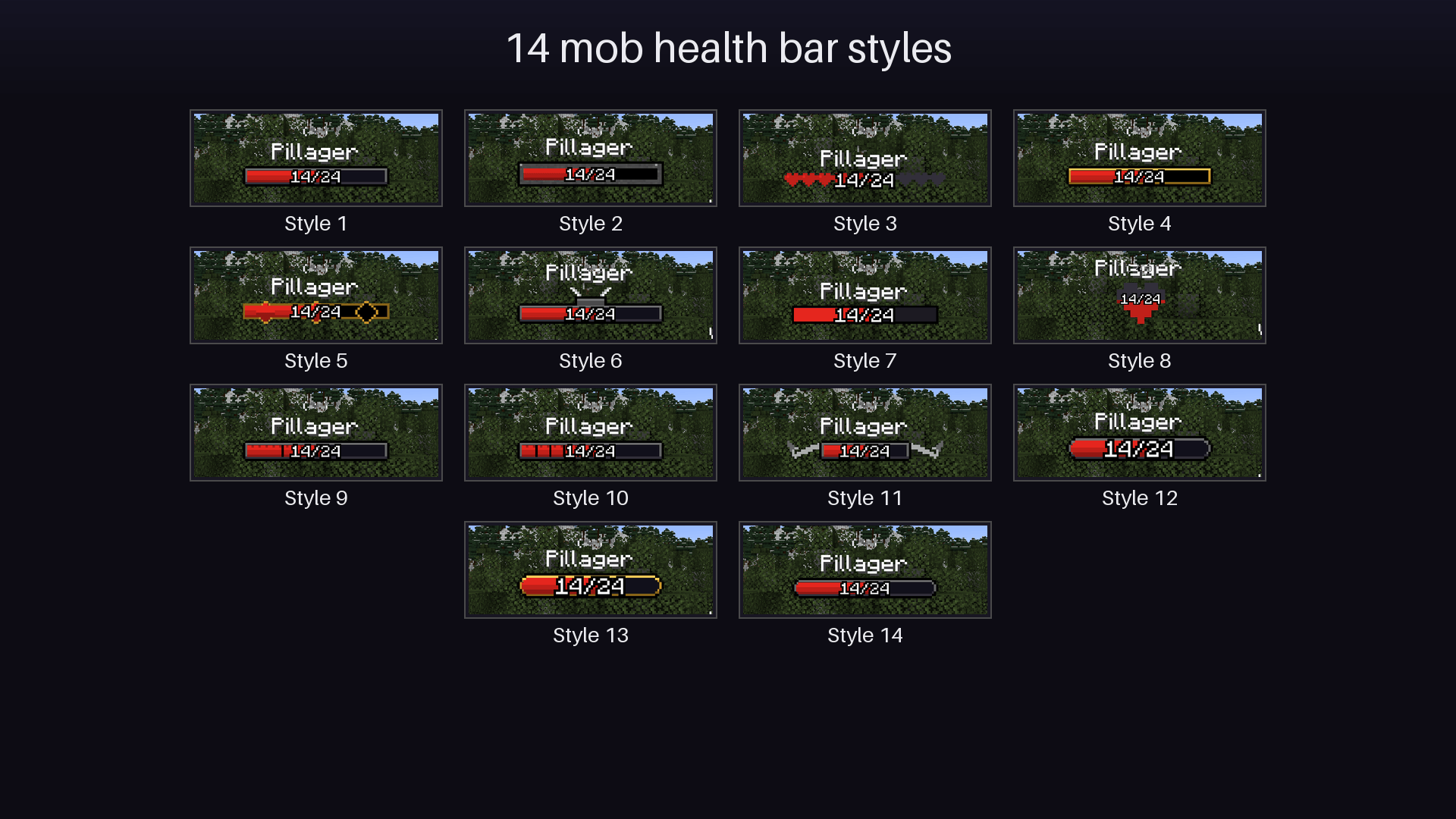 09_mob_bar_styles.png 09_mob_bar_styles.png
-
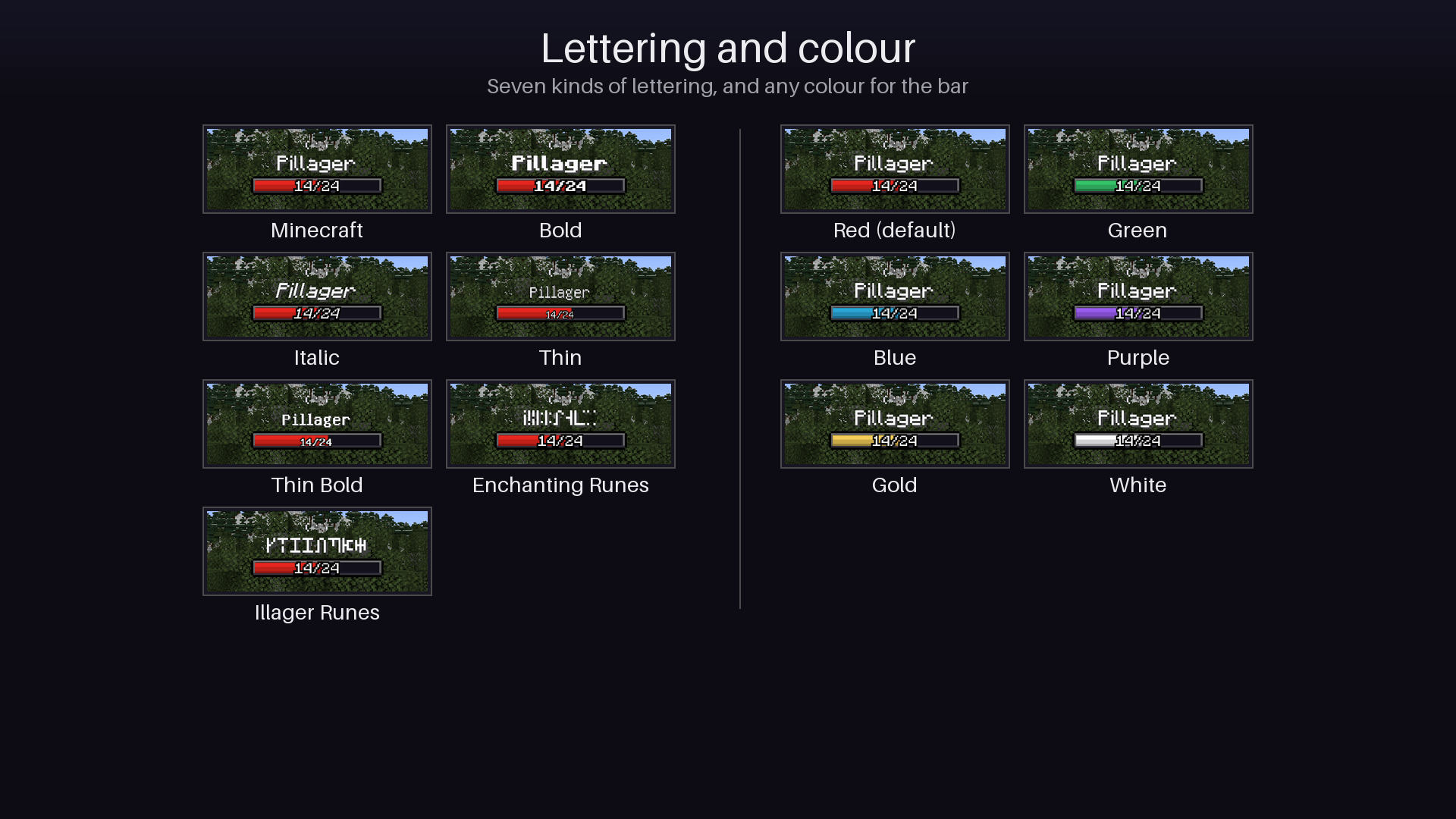 10_mob_bar_lettering_and_colour.png 10_mob_bar_lettering_and_colour.png
-
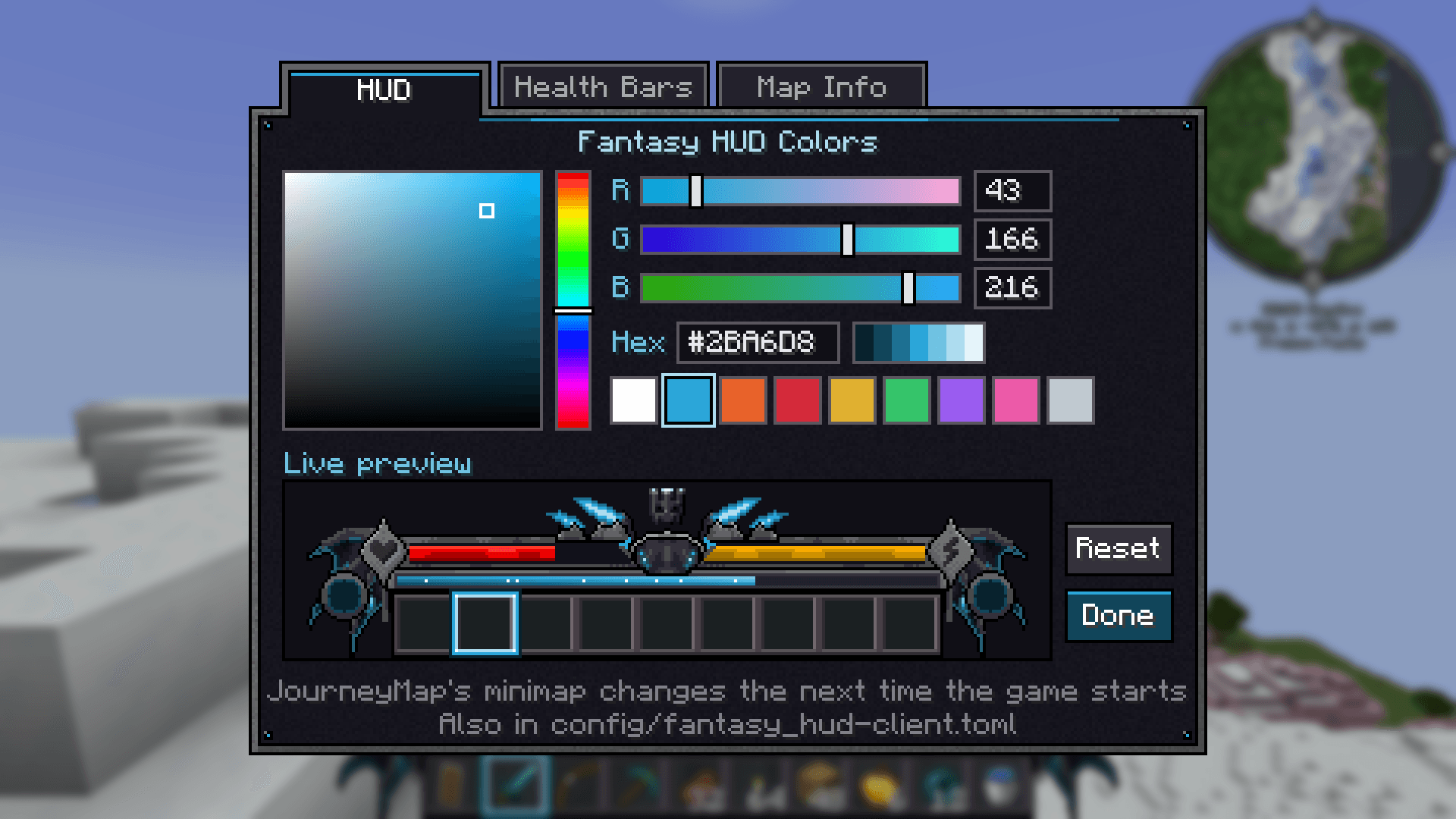 14_settings_colours.png 14_settings_colours.png
-
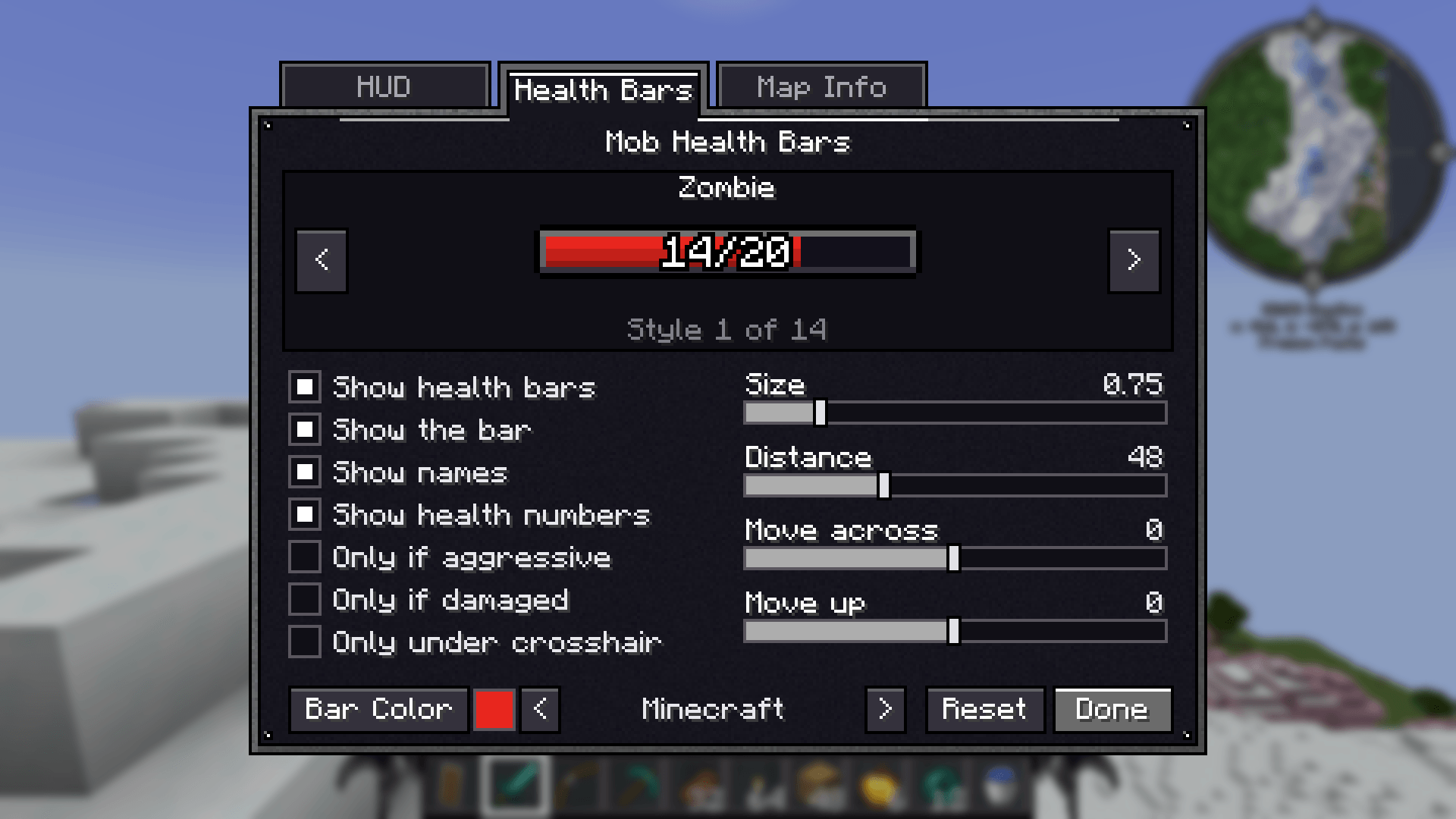 15_settings_health_bars.png 15_settings_health_bars.png
-
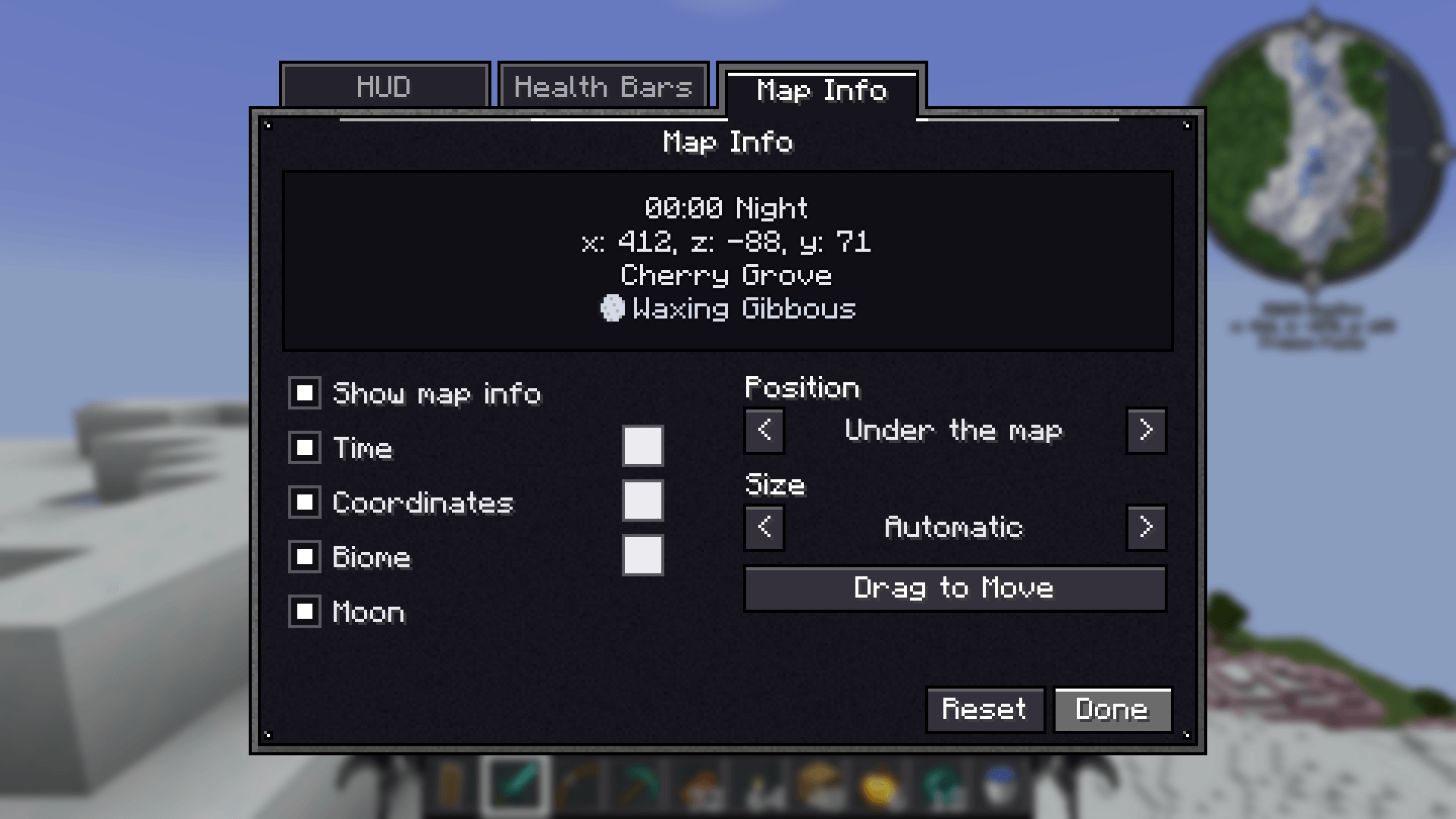 16_settings_map_info.png 16_settings_map_info.png
Versions
Files
Relations
Project Relations
More like this
Similar Mods
Suggestions use data such as tags, dependencies, dependents, descriptions, titles, and more to rank how much they overlap with this mod.
On ModDex
Community snapshot
By the numbers
Statistics

Get it on
Available Platforms
On ModDex
Community snapshot
By the numbers
Statistics
Resources