
Community listing page, reviews may not be monitored by the author.
FarmLedger

No reviews yet
Track farm item collection, estimate in-game profits, compare upgrades, and export detailed session reports.

Community voices
Reviews
No reviews yet. Be the first to review this project!
Get it on
Available Platforms
About
Project Details
For authors
Embed Badge
If you're the author of this project, you can embed a live badge anywhere that supports HTML or Markdown. It updates automatically whenever ratings change.
Use HTML for any page that supports it, or Markdown for README files and Markdown-based descriptions.
Identifiers
Platform IDs
Resources
External Links
About
Description
FarmLedger
DONUT SMP
Measure your farm’s output and estimate whether an upgrade is worth its cost.
FarmLedger is a client-side Fabric mod that tracks item collection, estimates in-game profits, and compares farming sessions. Choose an item, enter your prices, and start collecting.
Features
- Live tracking HUD: View collected items, items per hour, estimated profit per hour, and goal ETA.
- Named farm profiles: Save different items, prices, costs, and goals for your farms.
- Two measurement modes: Track ground pickups or positive inventory changes.
- Precise item matching: Distinguish items by their components, including different potion types.
- Production goals: Set targets in individual items or shulker equivalents.
- Session history: Review previous runs with their original prices and settings preserved.
- Upgrade comparisons: Compare collection rates and estimate how long an upgrade could take to repay its cost.
- HTML and CSV exports: Save readable reports or analyze your results in a spreadsheet.
- Local storage: Profiles and sessions stay in your game folder. No account or API key is needed.
Getting Started
- Hold the output item you want to track.
- Press J and select New.
- Enter a farm name, selling price per item, and input cost per output item.
- Choose your measurement mode and an optional production goal.
- Save the profile and click Start session.
- Collect output, then select Stop + save to record your results.
For example, if ingredients for three potions cost 9,000 total, enter 3,000 as the input cost per potion.
Controls
| Key | Action |
|---|---|
| J | Open the dashboard |
| F7 | Pause or resume tracking |
| F8 | Toggle the HUD |
Keys can be changed in Minecraft’s controls menu. You can also open the dashboard with /farmledger.
Understanding Your Results
Ground pickups counts matching items collected from the ground by your player.
Inventory gains counts increases in matching inventory items, including chest withdrawals, trades, and gifts.
FarmLedger measures observed collection. It cannot inspect unopened chests or items stored inside shulker boxes. Dropping or depositing items and collecting them again can count them again. Use consistent collection methods when comparing sessions.
All currency figures are estimates in your server’s fictional currency, based on manually entered prices—not confirmed sales or real-money earnings.
Upgrade comparisons require two matching sessions with at least 60 active seconds each. They use the later session’s unit prices for both runs and exclude changes in fixed hourly overhead.
Requirements
- Minecraft Java 26.2
- Fabric Loader 0.19.3 or newer
- Fabric API 0.158.0+26.2, or a newer release specifically for 26.2
- Java 25 or newer
Install FarmLedger and Fabric API in your client’s mods folder. No server installation is required.
Release Status and Credits
This initial build compiles against Minecraft 26.2 and passed 46 automated checks. Full in-game validation is still pending.
The code and documentation were primarily generated using OpenAI Codex under the creator’s direction. The project logo is AI-generated artwork.
Not an official Minecraft product. Not approved by or associated with Mojang or Microsoft.
Screenshots
Gallery
-
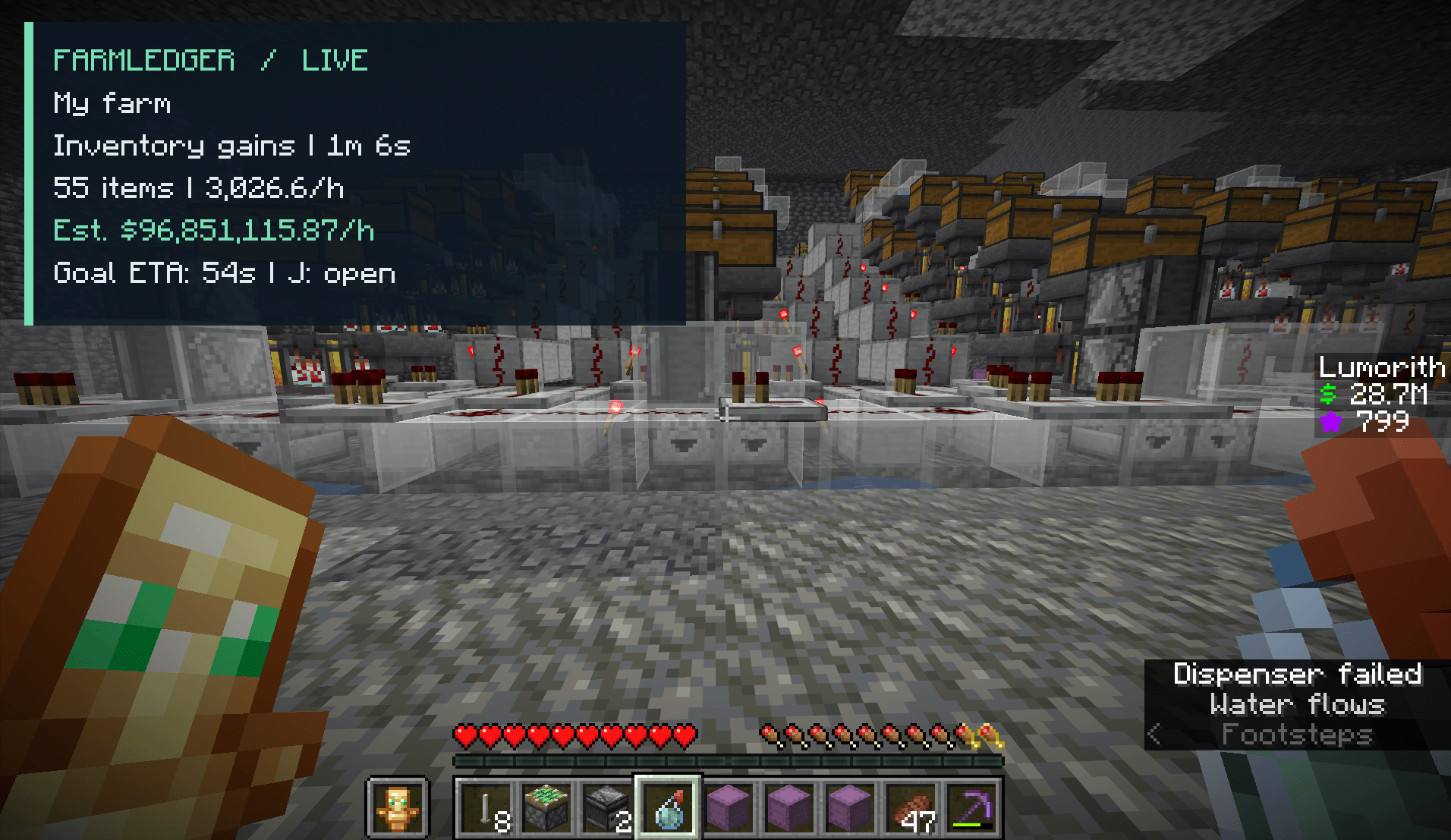 image-attachment_bfc99d7b-5096-4184-b45f-121281a75813.png
 -
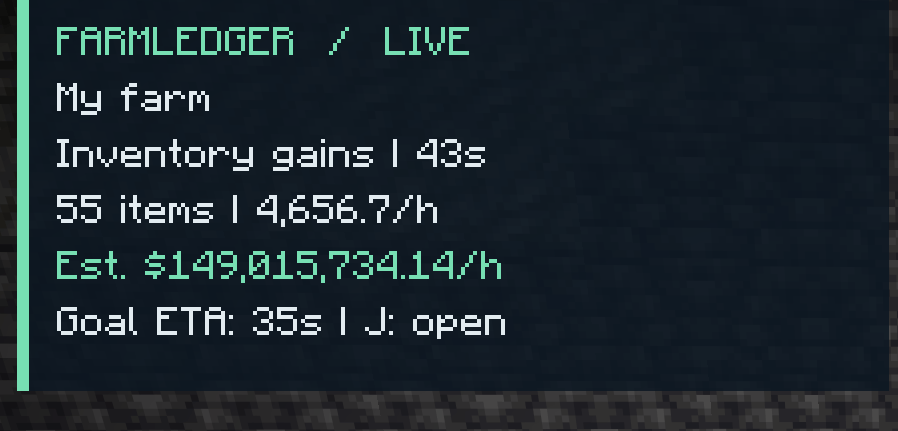 image-attachment_07cf874e-1ccd-401f-9cd7-9eb7def8c240.png
 -
 ChatGPT Image Sep 5, 2026, 04_22_01 PM.png ChatGPT Image Sep 5, 2026, 04_22_01 PM.png
Versions
Files
Relations
Project Relations
More like this
Similar Mods
Suggestions use data such as tags, dependencies, dependents, descriptions, titles, and more to rank how much they overlap with this mod.
On ModDex
Community snapshot
By the numbers
Statistics

Get it on
Available Platforms
On ModDex
Community snapshot
By the numbers
Statistics
Resources